
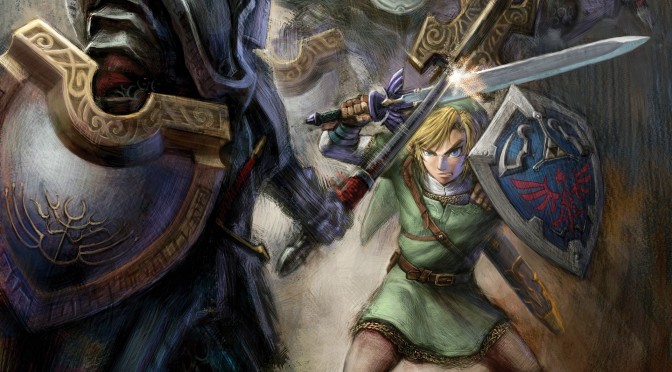
The team behind Dusklight, the unofficial PC port of The Legend of Zelda: Twilight Princess, has released a new update for it. Update 1.4.0 adds proper mouse support. As such, you can now enjoy The Legend of Zelda: Twilight Princess on PC with KB&M. Finally.
Update 1.4.0 also overhauls the game’s performance. According to the devs, CPU-limited systems can see performance gains of up to four times in some situations. The team has optimized many parts of the renderer, including particle effects and GPU frame submission. As a result, players should experience smoother gameplay and more stable frame rates, even in demanding areas or during scenes with lots of visual effects.
And that’s not all. Update 1.4.0 adds ASTC DDS support for texture replacements. This means that Texture pack authors can now ship desktop packs with BC7, and mobile packs with ASTC. Furthermore, we get individual X and Y sensitivity settings for Free Camera. Plus, there is a preview now for when changing “Enable Texture Replacements”.
It’s also worth noting that the game should now be more stable on your PC. The devs have fixed a crash that could occur when talking to the Zora under the waterfall in Zora’s Domain. They have also fixed a crash that could occur in Hidden Village after getting Ilia’s Charm from Impaz. Furthermore, they have fixed the Monkey loading crash in Forest Temple.
The Legend of Zelda: Twilight Princess should also look a bit more and more stable now. Update 1.4.0 fixes issues with the pipeline cache sometimes not populating, causing pop-in issues. It also fixes texture LOD bias and sampler settings for replaced textures. Ganondorf’s cape should now look better. Plus, the devs have fixed some performance issues and crashes with map rendering.
All in all, this is a major update for the unofficial PC version of The Legend of Zelda: Twilight Princess. You can download it from this link. Below, you can also find its full patch notes.
In case you are into projects like these, you can also download the unofficial PC port of Super Mario 64, Mario Kart 64, Crash Team Racing, and Duke Nukem: Zero Hour. You can also play The Legend of Zelda: Ocarina of Time, Majora’s Mask, Perfect Dark, and Jak & Daxter. And that’s not all of them. We also have the unofficial PC ports of Mario Party 4, Sonic Unleashed, GoldenEye 007, and Super Smash Bros 64.
Have fun and stay tuned for more!

The Legend of Zelda: Twilight Princess Update 1.4.0 Release Notes
- Added: Mobile touch controls & customization
- Added: Mouse control for third-person camera
- Added: Mouse/touch support for in-game menus (disable via “Mouse/Touch in Menus” setting)
- Added: Native gyro/rumble support on Android and iOS
- Added: Overhauled performance; up to 4x improvement on CPU-bottlenecked devices
- We’ve optimized every part of the renderer, from game particles to GPU frame submission
- Framerates should be much more stable across areas and with heavy effects
- Added: ASTC DDS support for texture replacements
- Texture pack authors can now ship desktop packs with BC7, and mobile packs with ASTC
- Added: Load mipmaps from DDS files
- Texture pack authors can now ship mipmaps within DDS files, rather than requiring separate
_mip*sidecars- Recent Dolphin versions also support this
- Added: “Swap Direct Select Input” option: enables Direct Select by default for item wheel
- Added: Improved scaling for Memory Card and Name Select screens
- Added: Individual X and Y sensitivity settings for Free Camera
- Added: “Enable Controller LED” setting for supported controllers
- Added: Preview when changing “Enable Texture Replacements”
- Added: “Button Fishing” QoL option from TPHD
- Added: Interpolate most particles, fishing rod line, door chains, hookshot chains
- Added: “Glitched” acheivements count beyond 100% completion (no longer requires Glitched for 100%)
- Added: “HUD Scale” setting for in-game HUD
- Added: “Freeze Time” setting for debug camera
- Added: “Restore Wii 1.0 Glitches” now restores Green Chu merging
- Added: “Magic Armor Behavior” cheat: Normal, On Damage, Double Defense, Invincible, Cosmetic
- Added: “Remember Window Size” setting
- Added: Automatically initialize Memory Card when “Instant Saves” is enabled
- Added: Automatically prune
dawn_cache.db- Fixed: Crash when talking to the Zora under the waterfall in Zora’s Domain
- Fixed: Snowpeak avalanche not triggering with bloom disabled (yes, you read that right)
- Fixed: Hidden Village crash after getting Ilia’s Charm from Impaz
- Fixed: Monkey loading crash in Forest Temple
- Fixed: Ganondorf’s cape texture & tearing
- Fixed: Poe Counter in Mirror Mode
- Fixed: Respawning in final Zant fight phase
- Fixed: Mirror mode sign arrows
- Fixed: Issues with Unicode in data folder paths
- Fixed: macOS 12 support
- Fixed: Package Visual C++ Redistributable DLLs on Windows
- Fixed: Performance issues & crashes with map rendering
- Fixed: Texture LOD bias & sampler settings for replaced textures
- Fixed: Crash with incorrectly-sized texture replacements
- Fixed: Issues with pipeline cache sometimes not populating, causing pop-in
- Changed: Remove embedded
gamecontrollerdb.txt
- This broke mappings for various controllers, notably Switch Pro controller on Android
- The game now loads custom controller mappings from
<data folder>/gamecontrollerdb.txtif manually created

John is the founder and Editor in Chief at DSOGaming. He is a PC gaming fan and highly supports the modding and indie communities. Before creating DSOGaming, John worked on numerous gaming websites. While he is a die-hard PC gamer, his gaming roots can be found on consoles. John loved – and still does – the 16-bit consoles, and considers SNES to be one of the best consoles. Still, the PC platform won him over consoles. That was mainly due to 3DFX and its iconic dedicated 3D accelerator graphics card, Voodoo 2. John has also written a higher degree thesis on the “The Evolution of PC graphics cards.”
Contact: Email