

Modder ‘Rikintosh’ has released a new mod for Fallout 4 that attempts to improve its graphics by reworking the LOD of distant models. As such, players can now see more houses, trees, advertisements, and vegetation in the distance. At the same time, this mod decreases the pop-in of distant objects.
Do note that this mod is for high-end PC systems, and comes in two versions. The first one, Ultimate GFX, features high-quality models, and 512 or 1024 textures with optimizations. The second version, INCEL Edition, comes with the highest quality models, and large textures with high-quality BC7 compression. This second version is for those that have enough amount of VRAM, so avoid it if you own a GPU with 4GB or 8GB of VRAM.
Unfortunately, the modder has not shared any before/after comparison video. However, you can find a screenshot comparison below. As you can clearly see, the modded version (left) looks noticeably better than the vanilla version (right).
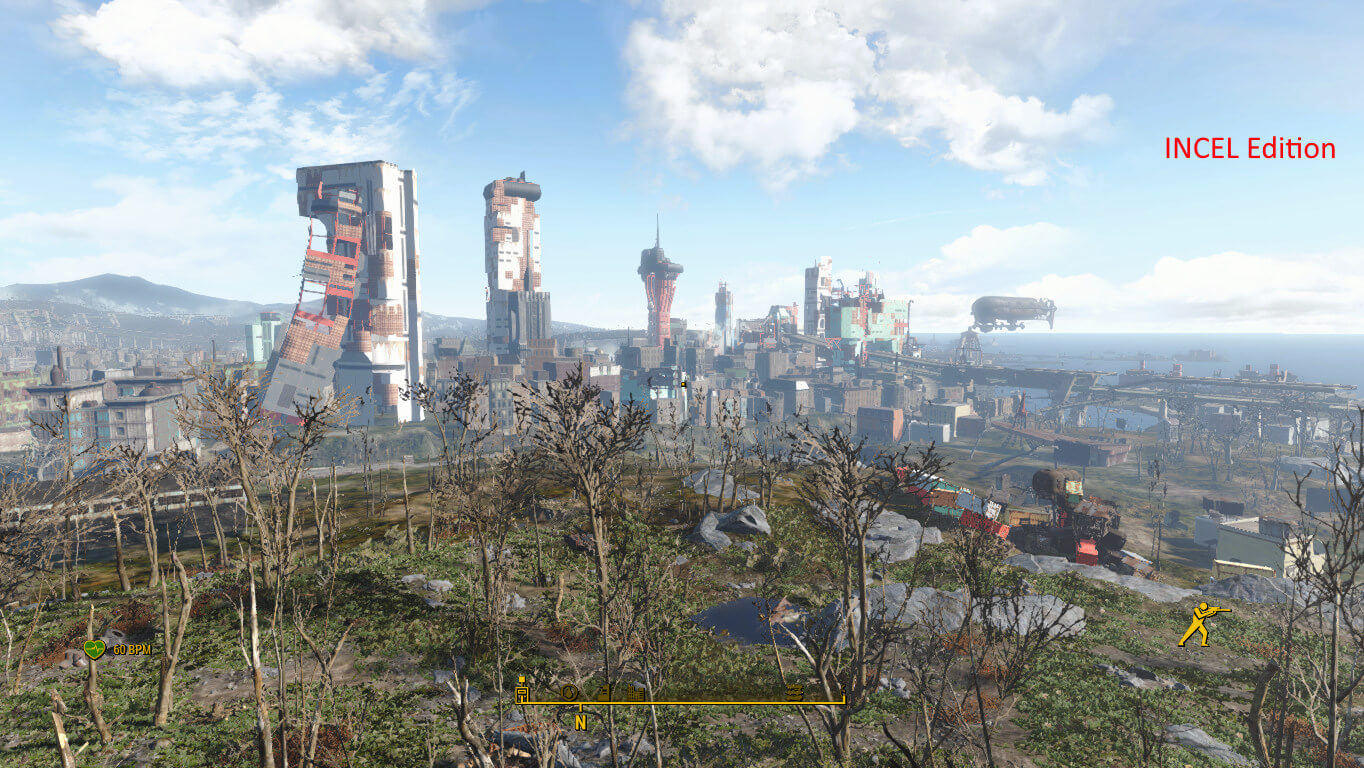
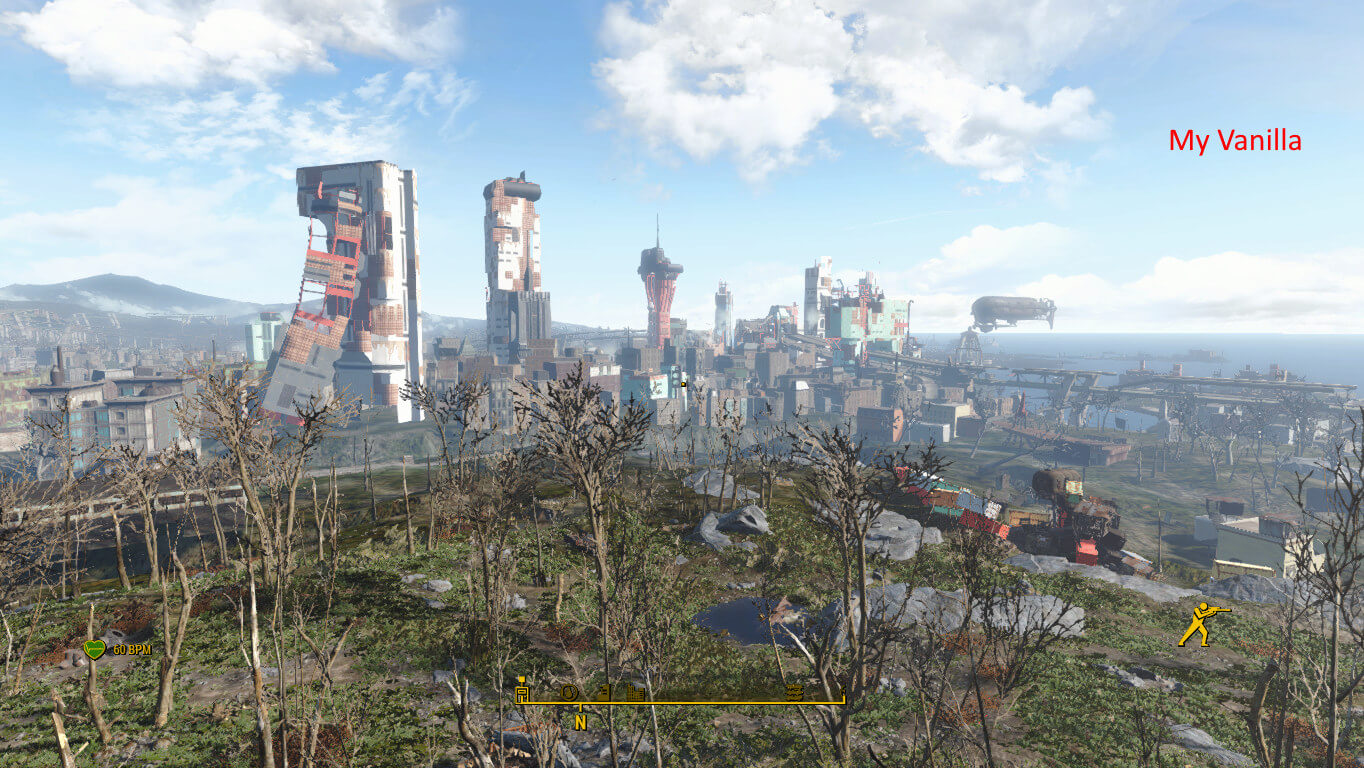
You can download the mod from here.
Speaking of Fallout 4 mods, we also suggest taking a look at the following ones. Whispering Hills is a cool Silent Hill mod and The Wilderness Mod adds a worldplace that is as big as Nuka World. Moreover, Fallout 4: Sim Settlements 2 Chapter 2 adds new quests and a game mode. Furthermore, this mod aims to overhaul the AI of the NPCs. There is also a 3.7GB Mod that adds 14 different weapons, and a 3GB Mod that overhauls all buildings of the Commonwealth. Lets’ also not forget this mod that adds an unofficial Photo Mode. You can also find an HD Texture Pack that overhauls the textures of all landscapes. And lastly, this mod adds 10 thousand trees to the game.
Have fun!

John is the founder and Editor in Chief at DSOGaming. He is a PC gaming fan and highly supports the modding and indie communities. Before creating DSOGaming, John worked on numerous gaming websites. While he is a die-hard PC gamer, his gaming roots can be found on consoles. John loved – and still does – the 16-bit consoles, and considers SNES to be one of the best consoles. Still, the PC platform won him over consoles. That was mainly due to 3DFX and its iconic dedicated 3D accelerator graphics card, Voodoo 2. John has also written a higher degree thesis on the “The Evolution of PC graphics cards.”
Contact: Email