
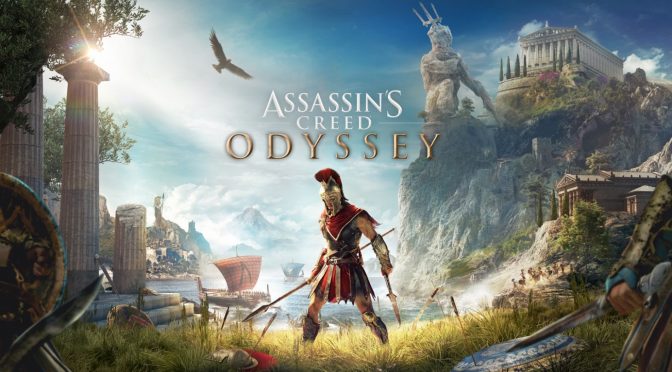
YouTube’s ‘Digital Dreams’ has shared a video, showcasing Assassin’s Creed Odyssey running in 8K on an NVIDIA GeForce RTX 4090.
Assassin’s Creed Odyssey remains a really beautiful game. While it lacks the incredible pre-baked lighting of Assassin’s Creed Unity, it can still look amazing. In fact, I personally prefer Origins and Odyssey over Valhalla.
Unfortunately, the YouTuber has not included any performance overlay figures. From the looks of it, the game runs with a minimum of 30fps. Or at least that’s my assumption as I don’t see any major choppiness in this gameplay footage. So while technically you don’t have to run the game at 8K, it’s cool witnessing modern-day games running at this ridiculously high resolution.
In order to further enhance the game’s graphics, Digital Dreams also used Reshade Ray Tracing. Reshade Ray Tracing is using depth information available in screen space in order to provide its “ray tracing” effects. As such, these Ray Tracing effects are not as accurate as the native RT effects that most modern-day games support. Nevertheless, this RT workaround can further enhance a game’s Global Illumination and Ambient Occlusion effects.\
For those unaware, by running a game at 8K, you basically introduce additional AA to the game (when gaming in 4K or even 1440p monitors). You’re basically downsampling the game from a higher resolution. This can provide crisper graphics with less aliasing. And yes, this is what SSAA (Super Sampling Anti-Aliasing) was doing. So no, you don’t need an 8K monitor in order to enjoy gaming at 8K. That is of course if, for some reason, you want to play at that resolution.
Lastly, and speaking of 8K videos, you may be also interested in these other videos. For instance, here are Just Cause 3, GTA 5 and Crysis 3 running in 8K. You can also find The Elder Scrolls IV: Oblivion and Skyrim in 8K. Let’s also not forget the 8K videos for Red Dead Redemption 2, Batman Arkham Knight, Battlefield 1 & Metal Gear Solid 5, as well as Diablo 3, Battlefield Bad Company 2, COD: Modern Warfare, RIDE 4, Halo Remaster, Forza Horizon 5, The Witcher 3, Final Fantasy 7 Remake, Monster Hunter Rise and Horizon Zero Dawn.
Enjoy Assassin’s Creed Odyssey in 8K and stay tuned for more!

John is the founder and Editor in Chief at DSOGaming. He is a PC gaming fan and highly supports the modding and indie communities. Before creating DSOGaming, John worked on numerous gaming websites. While he is a die-hard PC gamer, his gaming roots can be found on consoles. John loved – and still does – the 16-bit consoles, and considers SNES to be one of the best consoles. Still, the PC platform won him over consoles. That was mainly due to 3DFX and its iconic dedicated 3D accelerator graphics card, Voodoo 2. John has also written a higher degree thesis on the “The Evolution of PC graphics cards.”
Contact: Email
Looks like the contrast has been set too high. Wouldn’t exactly call it an improvement. It’s not native implementation and therefore it doesn’t really look that good.
No I will not.
That stutterfest 20’s fps framerate is too high. He needs to go further, into the optimal top quality 16K at 10 fps.
lol at 16K I’m guessing he’ll run out of VRAM, it’ll be more like 1-2FPS really
Even better. That’s where the magical land of stupid clickbaiting is.
Not unless they’re using > 4k textures for the game or the engine generates mipmaps for supporting > 4k textures which is unlikely. A resolution change doesn’t have that kind of impact unless the textures for the mipmaps support it.
Exactly … all that grows in size are the framebuffers and that’s just a few percent of the total memory on a graphics card … An 8k framebuffer takes up just 32 MB of VRAM which is insignificant
This is a Ubisoft game dude. You breath on it, you run out of resources.
“optimal top quality” I have no words to express my gratitude. All I can do is laugh my butt off when I come across this comment. 😂🤣😭 16k at 10fps… You’re a poet my friend.
Lol, they actually tested in one of the least demanding areas in the entire game, if people want to show off how good a gpu is at whatever resolution then at least do it in a high demanding/graphical area like one of the many cities, either way this game will always suffer odd fps drops/stutter no matter how good the pc is
I have no stuttering issues with this game with everything except Volumetric Clouds cranked to max, running DLDSR 2.25 and a Reshade (Radiant Realism – A Raytraced ReShade Preset) Game runs smooth as silk
Turn off your overlays, cloud saves and any crappy RGB software you have running …. Especially the RGB software and double especially Gigabytes crap. The only RGB on my entire system is the motherboard and it’s turned off in the BIOS. RGB software is the number one cause of instability in games. RGB not only does nothing for performance it in fact degrades performance and stability for no good reasons.
It’s called a Ubisoft game. Watch dogs 2 does the same foolishness. No matter the PC it plays like utter garbage, especially in AMD GPUs. Ubisoft is one company I can’t wait for one of their building to burn down, hope all the employees are safe and no one is hurt. I just want this company gone.
Ubisoft games are heavy for a reason. They are enormous open world with amazing graphics.
Wrong! C’mon man, you know that’s not true. There are games that are bigger, look better and perform way better. Please stop the madness. There haven’t been one Ubisoft game that didn’t run like garbage. Their rap sheet speaks for itself.
Pay me first if you want me to watch this video John. (only paypal)
Have a great weekend.
8k that is the most stupid sh*t, I play on 4k and Its enough for a life time lol
Another fake 8K video? Why do people make these? Most people can’t even watch at 8K, and they can’t do 8K with raytracing in a modern game without DLSS anyway, so 4K at native resolution would have been better.
If you actually read the article you’d know why ….. You get much better antialiasing by rendering at 8K and downscaling it back to 4K or even 1440p and you can ditch the TAA or turn it down. Watch the video and you can see how much crisper everything looks with it on compared to off. It also helps considerably with the quality of the shadows because it gets rid of the blur inherent in TAA
I’ve been playing this game with DLDSR 2.25 (Renders 2430 x 4320) downscaled to 1440p and it makes a big difference in quality of the AA and shadows without as big of a performance hit as native 4k native rendering downscaled to 1440p. In fact you can turn TAA off or even down and get the performance loss back
DLDSR is one of the most underrated features and works on all games. It makes sure you are getting your money’s worth with the Tensor Cores you pay extra for so you might as well use them. The only time I turn it off is when I’m using Ray Tracing in a game and need every last bit of performance.
I just found out about it after 4 years of having a rtx GPU and I am blown away!
I occasionally used DSR many years ago with a 1080p monitor, but don’t bother with my 1440p monitor due to the massive performance hit and the fact that with old games that have MSAA I much preferred SGSSAA. It also doesn’t work well if you have two monitors, and the extra one is configured on the right side of your primary monitor.
I don’t remember if I’ve tried DLDSR since updating to an RTX 3070 Ti. If it does perform better than vanilla DSR, then what sort of trickery are they using to make it run faster? Some sort of AI generation, or are they able to offload some of the calculations for traditional graphics processing to the Tensor cores?
As for TAA, I just turn it off and use ReShade to inject CMAA2 and set it for the highest quality. It’s slightly better than SMAA (the difference is very difficult to notice) and the performance is better. I then add a couple of my favorite types of sharpening as well to enjoy extra sharp and clear visuals. These days I actually just use ReShade for everything, including old games that have MSAA. I even use it to play DirectX 11 games in HDR, thanks to the AutoHDR plugin.
I just tested DLDSR, and it doesn’t seem to be using any of the compute accelerators on my GPU. Only “3D” had any usage on it. Nothing on Compute_0, Compute_1, CUDA, or any of the other performance counters for the GPU in Task Manager.
There is a virus going around by the name of ID10T. They are all suffering from it. That is the real pandemic.
There is 0 difference. (contrast difference is not related to RTX)
Raytracing is very overhyped.
https://uploads.disquscdn.com/images/1e5e7a28154a37c971d5325aef93e3225315dee11011a7e3d9b9361d91e328b5.gif
Ty, ty bro nice pst.
He should have used dldsr x2.5. same quality with downsampled 8k, much better performance
Not quite ….. DLDSR is 2.25 times 1080p or just slightly better than 4k
However it still looks good with very little hit to performance especially if you are able to turn down or turn off in-game AA
I meant 2.25x DLDSR over 4K, not over 1080p
2:50 You gotta love how that Reshade crap kills every nuance and subtletly when the gamma goes to 11.
ah there is John with finally another 4090 showcase article to rub in everyone noses that he has a RTX 4090.
I never realized how much fog (bloom?) this game had.
On the other hand, this reshade is too extreme, and it makes the game look way worse, like those very old games which had no shaders at all.
In the comparison pictures, I very often prefer the original look.
Am I right, guys? It looks like all shaders were disabled and contrast was cranked up, that’s all. lol😅
I never realized how much fog (bloom?) this game had.
On the other hand, this reshade is too extreme, and it makes the game look way worse, like those very old games which had no shaders at all.
In the comparison pictures, I very often prefer the original look.
Am I right, guys? It looks like all shaders were disabled and contrast was cranked up, that’s all. lol😅
This is this guy’s bread and butter. He excels at adding shitton of mods that make games look worse, and every bot in his comment section is like ‘Whoa, amazing *monkey happy noises*’
To be honest. No trolling here.. that doesn’t look that great it honestly looks like my game on my Samsung tv . Now, have y’all seen super Mario thooooo now that’s something to watch .
People miss why some like playing at 8k. Some do it for views but some do it for extra fidelity.
Looking at videos doesn’t ever do 8k justice. At home it looks amazing.
Furthermore, all monitors are not created equal as some seem to not be aware of.
4k looks good but between different monitors there can be a vast difference in presentation. Therefore, 8k will look better on better monitors.
I bought a 4090 because it’s the best bang for buck. Not simply for showing off. It will be relevant for many years to come just as my 3090 is.
30 fps at 8k is fine. Older games can easily do 60fps at 8k with 4090.
The article here made it clear the RTX used was not regular RT effects. People need to read.
Only difference I see is in the FPS.
runs best on nvidia
Here we go again! Human eyes can’t see 8K, maybe 4K. Stop trying to sell us useless hardware.
Perhaps but you can see the difference in anti-aliasing when run on a 4K or 1440p monitor
It’s also dependent on screen size, the larger the screen the more pixels you need to keep proper pixel density …. For instance there will be a noticeable difference between 4k and 8k on an 85″ screen just like there is a noticeable difference between 1080p and 1440p on a 32″ screen
