

Electronic Arts has lifted the review embargo for Battlefield 6. Powered by the Frostbite Engine, this new BF game does not support Ray Tracing or Path Tracing. However, it does support NVIDIA DLSS 4 with Multi-Frame Gen. So, can an NVIDIA RTX 5090 offer a playable experience at 8K on Max Settings? Let’s find out.
For these 8K tests, I used an AMD Ryzen 9 7950X3D with 32GB of DDR5 at 6000Mhz and the NVIDIA GeForce RTX 5090 Founder’s Edition. I also used Windows 10 64-bit and the NVIDIA GeForce 581.42 WHQL driver.
Battlefield 6 does not have a built-in benchmark tool. So, for our CPU and GPU benchmarks, I used different areas. For our CPU benchmarks, I used the first chaotic sequence in which Pax Armata attacks the NATO base. For our GPU benchmarks, I used the first forest area. Surprisingly, this was one of the most demanding ones I could find in the first level. In this article, we’ll be focusing on both of these sequences.
BF6 has some settings above Ultra. These are called “Overkill” settings and are meant for high-end GPUs. However, they do not enable Ray Tracing. Battlefield 6 uses traditional rasterized methods. So, be sure to keep that in mind.
At Native 8K with the Overkill Settings, we were getting a minimum of 27FPS and an average of 29FPS on the NVIDIA RTX 5090. By enabling DLSS 4 Super Resolution Quality, we were able to get to 45FPS. Since we’re talking about 8K, you can also use NVIDIA DLSS 4 Performance Mode to get closer to 60FPS. Still, for our DLSS 4 benchmarks, I wanted to use the Quality Mode for both 4K and 8K.
By enabling DLSS 4 Frame Gen, we got to 72FPS. While this is with Frame Gen, I did not experience any major latency issues. Obviously, I don’t recommend such a thing for the Multiplayer Mode. However, the campaign is fully enjoyable. But if you own an RTX 5090, you should use MFG X4. By using MFG X3, we were able to get to 100FPS. Then, with MFG X4, we got over 120FPS.

The reason I highly recommend MFG X4 is because BF6 has one of the best implementations of DLSS 4. Here are some screenshots while moving the camera as quickly as possible. As you can see, there are minimal visual artifacts. Most of you won’t be moving the camera as wildly as I did to capture these shots.
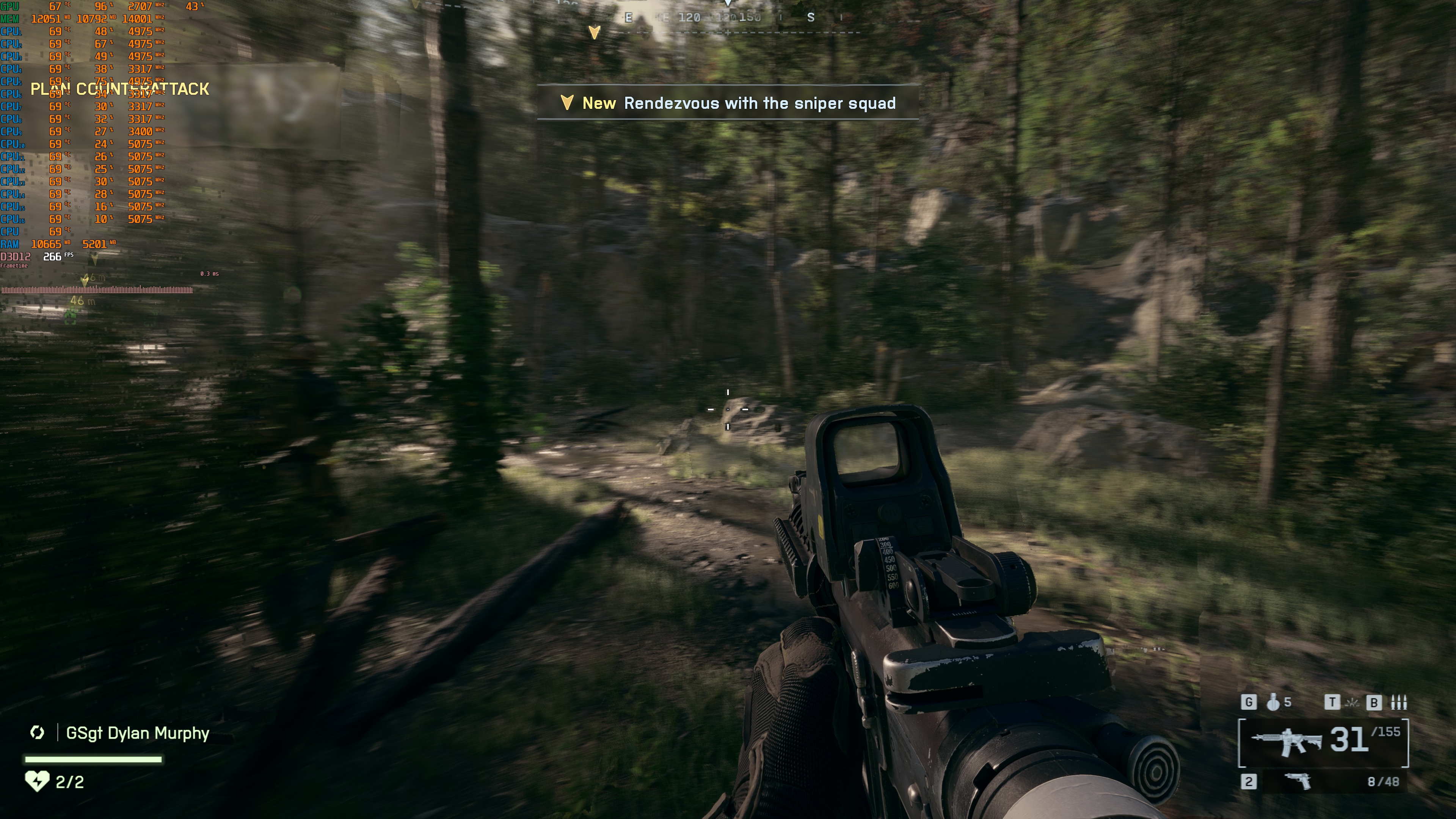
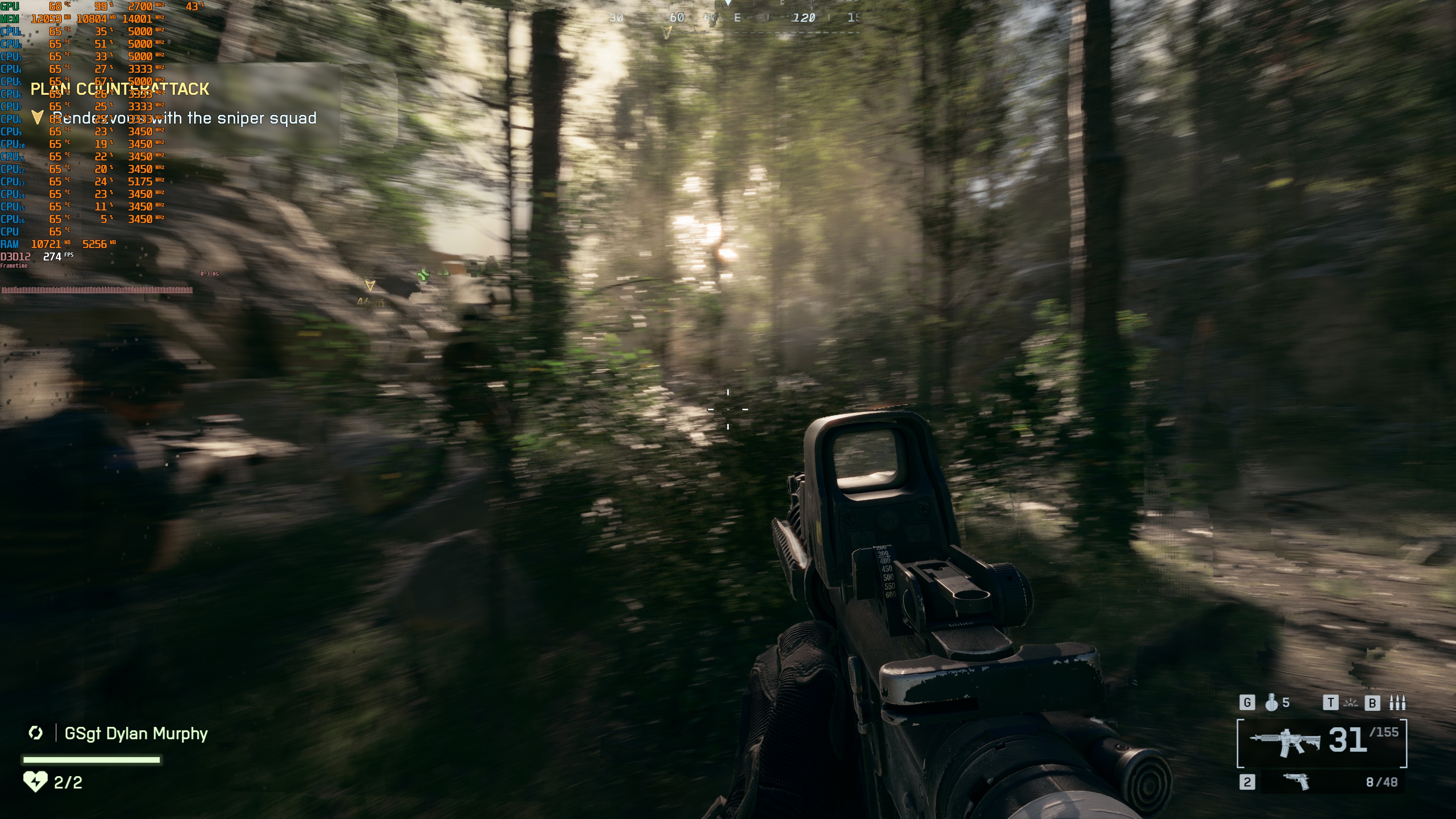
So, Battlefield 6 is perfectly playable at 8K on the NVIDIA RTX 5090. But what about 4K and DLSS 4? Well, here are some benchmarks. At Native 4K with Overkill Settings, we were getting 90-95FPS. So, the game already runs above 60FPS. This shouldn’t come as a surprise. After all, this is a rasterized game. By enabling DLSS 4 Super Resolution Quality, we got framerates above 120FPS at all times. Then, with MFG X4, we were able to get framerates over 350FPS.

Below, you can find a video that shows off the game at 8K. Be sure also to check out our PC Performance Analysis.
Enjoy!


John is the founder and Editor in Chief at DSOGaming. He is a PC gaming fan and highly supports the modding and indie communities. Before creating DSOGaming, John worked on numerous gaming websites. While he is a die-hard PC gamer, his gaming roots can be found on consoles. John loved – and still does – the 16-bit consoles, and considers SNES to be one of the best consoles. Still, the PC platform won him over consoles. That was mainly due to 3DFX and its iconic dedicated 3D accelerator graphics card, Voodoo 2. John has also written a higher degree thesis on the “The Evolution of PC graphics cards.”
Contact: Email