
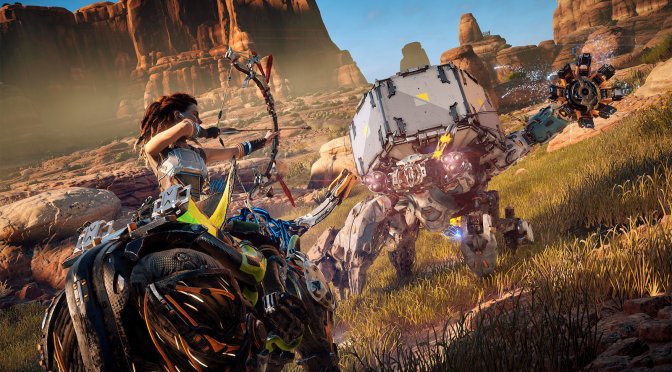
Guerrilla Games is slowly but steadily fixing the PC version of Horizon Zero Dawn. Today, the team released a brand new patch that fixes a number of crashes, improves CPU performance, and addresses the game’s mouse movement issues.
Going into more details, this patch fixes an issue where mouse sensitivity was incorrect when framerate wasn’t constant. It also fixes an issue where Aloy was unable to shoot while being able to do a critical attack near a machine.
Additionally, this patch brings general improvement to CPU performance. Depending on CPU/GPU speeds, this can result in a 1-10% performance improvement. Furthermore, this new update improves the performance of camera cuts in cinematics and conversations.
Guerrilla Games has confirmed the game’s framerate issues on Aloy’s hair, as well as the bugged in-game Anisotropic Filtering setting. For those wondering, Horizon Zero Dawn’s previous update fixed the bugged snow deformation effects.
As always, Steam will download this latest update the next time you launch its client. Below you can also find its complete changelog.
Horizon Zero Dawn Patch 1.04 Release Notes
Crash Fixes:
- Fixed a crash that could occur when users would create a new game and their save game slots were full
- Fixed a startup crash related to temp folder
- Also fixed an AI crash that could occur during combat
- Fixed an AI crash in the EventMessageHandler
- Fixed a crash related to WorldData sampling (the callstack would end in WorldMapData::SampleAtPixel)
- Also fixed a crash when users would instantly back out when changing sliders in the Settings menu
- Fixed a crash that would occur when having the “Greetings” option open in photo mode and then exiting
- Potential fix for memory corruption in AI routines which could lead to crashes
- Potential fix for a GPU hang caused by a threading issue
- Fixed a mismatch that would occur on Shader Model 6.0 and 6.1 hardware which could lead to a crash
Performance improvements:
- General improvement to CPU performance (depending on CPU/GPU speeds, this can result in a 1-10% performance improvement)
- Improved performance of camera cuts in cinematics and conversations
Other Improvements:
- HDR – Fixed colour banding issues in HDR mode
- Mouse Controls – Fixed an issue where mouse sensitivity was incorrect when framerate wasn’t constant
- Aiming – Fixed an issue where Aloy was unable to shoot while being able to do a critical attack near a machine
- Cutscenes – Fixed an issue where geometry and textures would pop in after camera cuts
- Adaptive Performance – Fixed an issue where lighting glitches would occur when turning on Adaptive Performance
- Volumetrics – Fixed an issue which could cause blinking artifacts in volumetric effects, like fog
- Reverb – Fixed several issues where excessive reverb was noticeable in specific quests
- Visibility – Fixed an issue which could sometimes cause geometry to briefly disappear after streaming

John is the founder and Editor in Chief at DSOGaming. He is a PC gaming fan and highly supports the modding and indie communities. Before creating DSOGaming, John worked on numerous gaming websites. While he is a die-hard PC gamer, his gaming roots can be found on consoles. John loved – and still does – the 16-bit consoles, and considers SNES to be one of the best consoles. Still, the PC platform won him over consoles. That was mainly due to 3DFX and its iconic dedicated 3D accelerator graphics card, Voodoo 2. John has also written a higher degree thesis on the “The Evolution of PC graphics cards.”
Contact: Email