
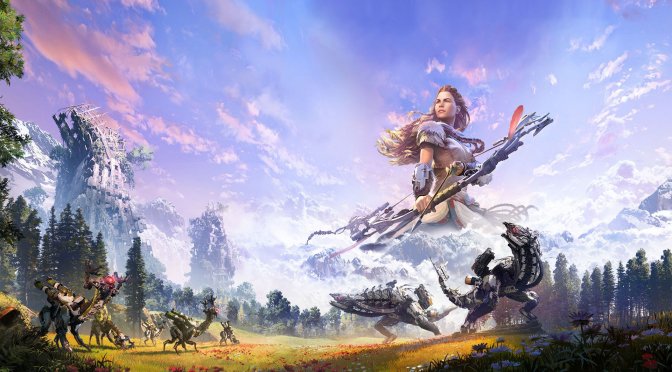
Horizon Zero Dawn feature 4

This Horizon Zero Dawn mod attempts to fix the crashes caused by memory write errors

Modder ‘WT3WD’ has released a new mod for Horizon Zero Dawn that attempts to fix the crashes caused by memory write errors. If you’ve been experiencing such crashes, you may want to give this mod a go. That is of course until Guerrilla fixes them via a patch.

Going into more details, this mod is basically an automated way of using a hex editor. By using it, you will change specific instructions that cause the memory reference errors.

Do note that this mod only fixes the memory write errors. It will not fix all of the game’s crashing issues. It will also note resolve the memory leaks that some PC gamers have reported.

Unfortunately, and since we have not experienced any crash at all with Horizon Zero Dawn, we could not test this mod. For what it’s worth, I’ve played over 23 hours without any crashes whatsoever. Still, this does not mean that the game may not have stability issues on other PC configurations. As I wrote in my PC Performance Analysis, make sure your CPU, memory and GPU overclocks are stable.

In case you experience any stuttering issues, you may also want to give the Horizon Zero Dawn Special K Mod a go. It may not resolve all stuttering issues, but it’s definitely worth a shot.

Now while the game runs with minimal stutters on my system, I did notice the 30fps animations and the bugged in-game Anisotropic Filtering option. As we’ve also reported, Aloy’s hair is bugged at high framerates and we could not notice the snow deformation effects. Additionally, there is a hilarious bug/issue with the game’s screen-space reflections.

You can download this Horizon Zero Dawn Crash Fix Mod from here. I’ve already scanned it for viruses and appears to be safe. Still, if you are somehow hesitant to install it, you can simply avoid it.

Stay tuned for more!

37 thoughts on “This Horizon Zero Dawn mod attempts to fix the crashes caused by memory write errors”

    1. Nice clickbait.

      The Xbox GPU is only 15% faster on paper, so it would be in the exact same situation.

      Most people don’t even want them to bother with native 4K, instead using reconstruction at lower resolution and aim for 60 fps….

      1. A reconstruction technique would be my preferred approach as long as it’s better than what we have now on the consoles.
        DLSS on PC is a very nice option to have to boost framerates. Not perfect but still the pro’s outweigh the con’s. +40% performance on Death Stranding with DLSS 2.0. A very considerable number. And with very good AA too (better than TAA).

        Imo the “hunt for true 4K” is bogging down both consoles and PC’s and becomes prohibitively expensive when we add advanced visuals like ray tracing on top of it. “4K” has become just a marketing term at this point.

        I think DLSS will be the standard way to play with maxed out settings on PC even with high-end Ampere. So consoles (and AMD GPU’s) should be striving for a similar, good implementation.

        1. They can strive for it all they want, it won’t happen, they don’t have the dedicated hardware required for it, much less the software and expertise in the field of AI image reconstruction.
          At best we’re looking at improved checkerboard implementations or temporal super sampling like UE4/5 has.

  1. Lmao when “mods” these days are nopping instructions. The entire game is a placebo effect and no tweaks will make it run better until the game developers release patches. The only solution is to do the prologue as soon as possible and move forward. The moment you enter the open world area it becomes a great experience.

    If you want to potentially ruin your savegame, be my guest and use this “mod”. Just don’t go crying to the support team because your game didn’t crash when it was supposed to, resulting in not being able to progress a certain story mission or do something crucial that affects it.

  2. Over 24 hours in on my game, everything maxed out on Ultra Settings 4K on a 32 in monitor. Not one crash or stutter of any kind. the game has been great.

        1. Yeah I’m gonna give back that 120-150 inch, 120hz projector I’ve been using. Time to downgrade to 32 inches. Do you ever get the feeling that we aren’t taking to humans anymore. Ever since this PLANDEMIC, where the government’s of the world have lied to destroy our economies; I feel as if I’m talking with clones or AI. Even when I’m talking to someone in person. Like this ridiculous fool with his 32 inch monitor.

          1. Dude, take your toxin bull$shit and go someplace else with that crap. you have some serious mental issues.

        2. To be fair, he didn’t say anything about framerates. Maybe he hardlocked to 30fps…
          Or he could be using G-sync. With G-Sync On I can run the game relatively smoothly myself.

          1. Its a Predator monitors, and I am getting a good steady 45 FPS in the game. You guys are all assuming sh$t but not one of you have a clue as to what kind of system I’m running the game on. And btw, I have a few other fiends who are also running the game on Ultra settings and getting very similar fps and are also not having any issues with the game.

          2. No FUqing way is he getting 45 fps on Ultra 4k in this game. muchless smooth. That is nothing to brag about.

      1. FK off, you pos. And no Im not your just pissed because your pc is a POS and cant play the game. And who the FK are you to call me a liar you looser POS!

        I have screenshots over 100 with the fps counter in those shots showing that I’m getting a steady 45 fps. Yea piss off!

          1. Why does this make me laugh so much? It’s so extreme man. jesus you did him bad. Please tell me you didn’t draw this.???

  3. Lmao when “mods” these days are nopping instructions. The entire game is a placebo effect and no tweaks will make it run better until the game developers release patches. The only solution is to do the prologue as soon as possible and move forward. The moment you enter the open world area it becomes a great experience.

    If you want to potentially ruin your savegame, be my guest and use this “mod”. Just don’t cry to the developer when your game didn’t crash when it was supposed to, resulting in a corrupted playthrough when you can’t progress a certain story mission or do something crucial.

  4. I started playing 10hrs on one pc with an RTX 2060… then moved and played another long session on another pc with a Titan XP… never had a single crash. if you told me this was a bad port… i’d think you were lying. Runs perfect over here! Really weird how some ppl are getting bad crashes.

          1. This conversation confuses the hell out of me. Either way… I am enjoying the game.

  5. Luckily I’m not experiencing any of the widespread crashes and immersion breaking bugs on my PC while playing this game.

Leave a Reply

Your email address will not be published. Required fields are marked *