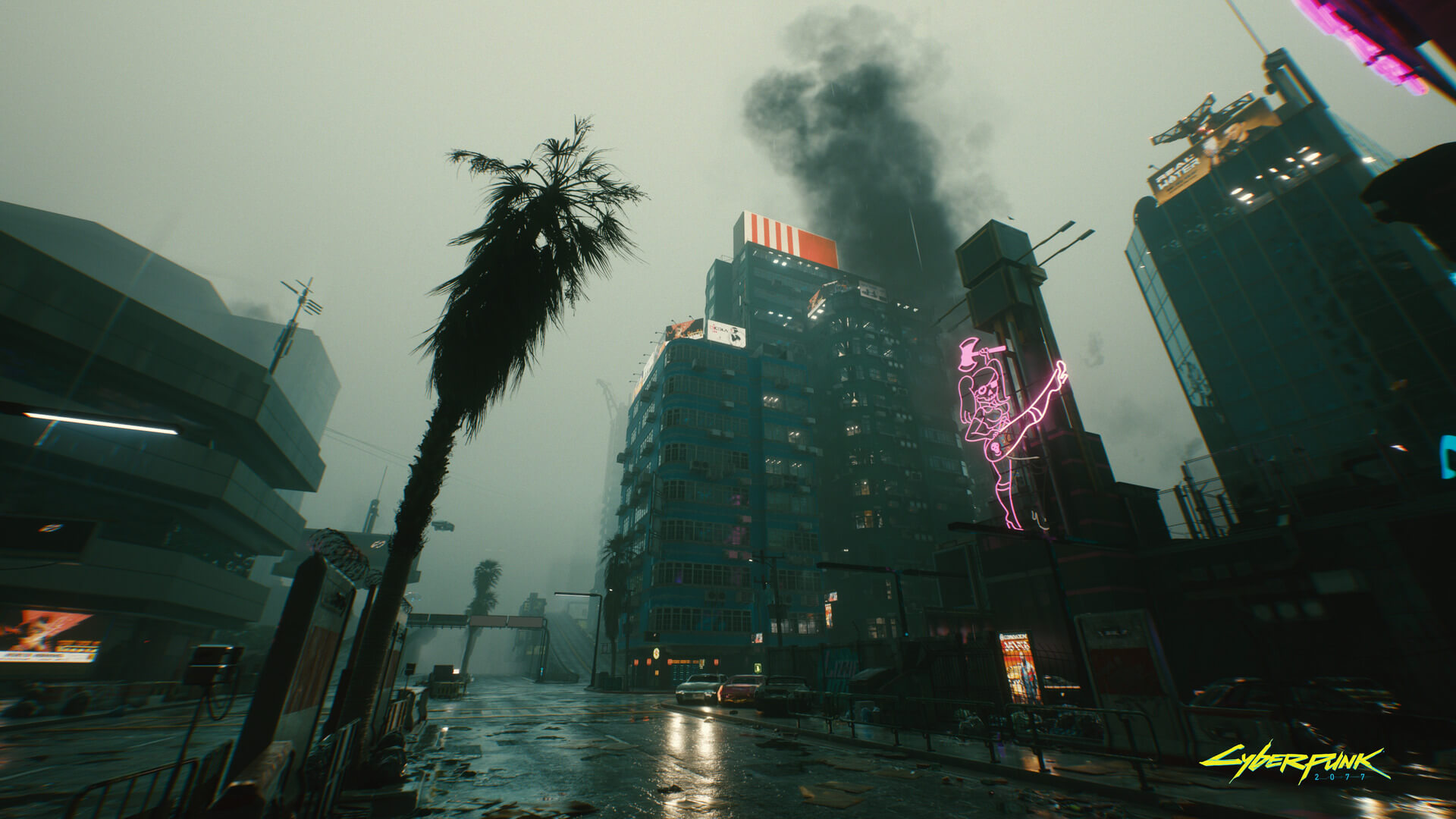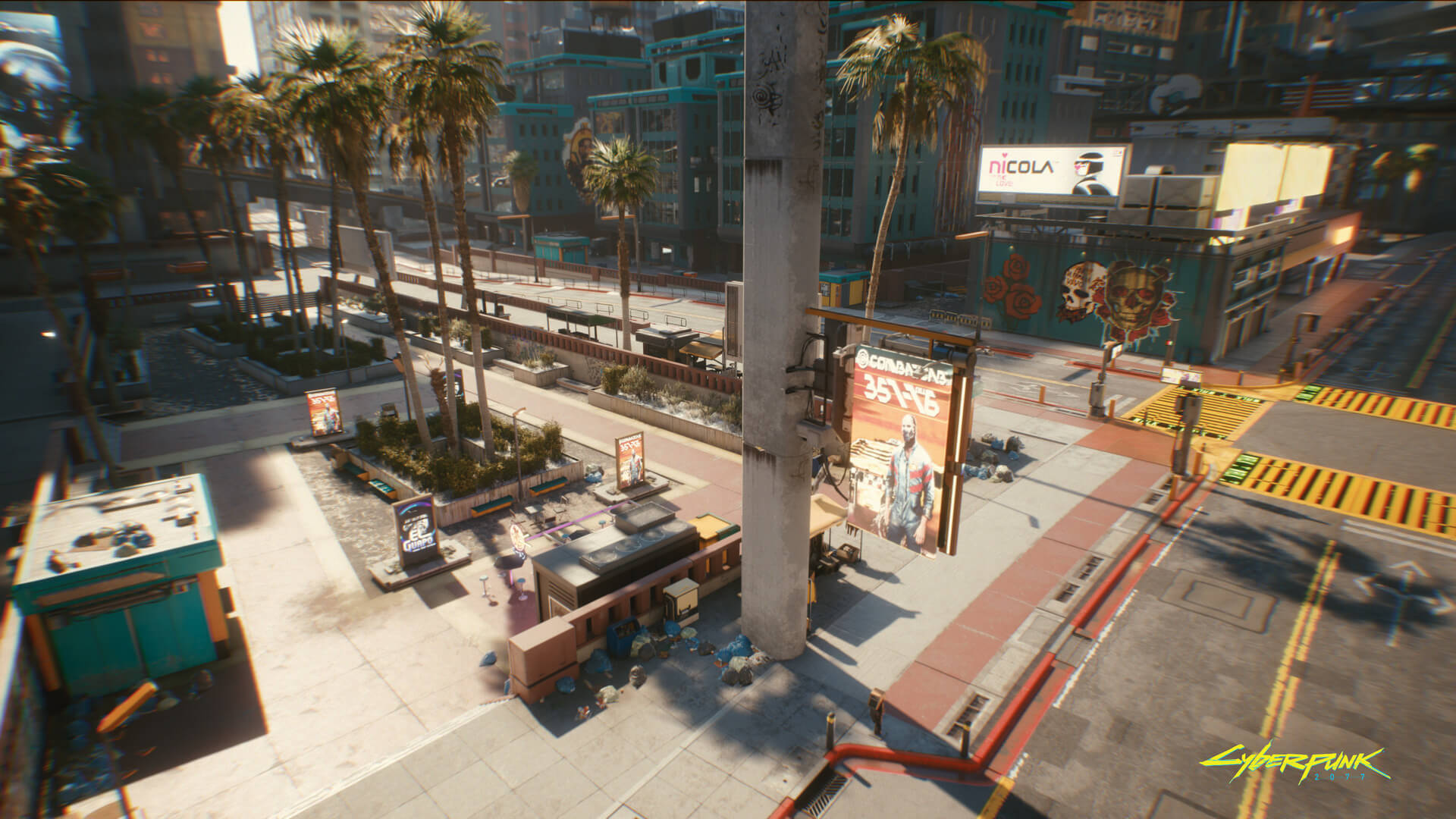
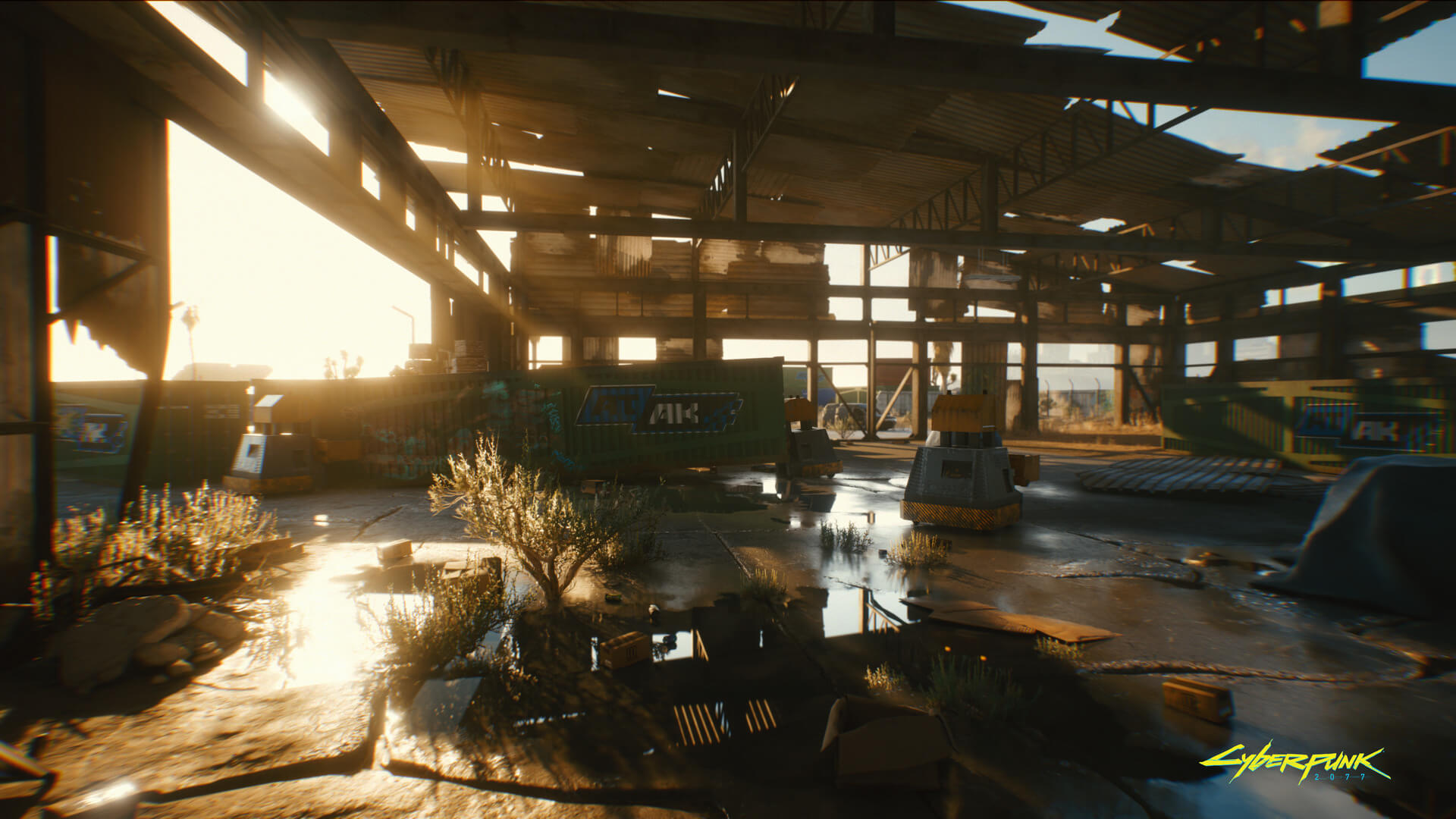
As we reported last year, Cyberpunk 2077 will be one of the few triple-A games that will support real-time Ray Tracing effects at launch. At that time, we knew that CD Projekt RED would be using Ray Tracing for ambient occlusion and diffused illumination. However, NVIDIA has recently revealed all of the Ray Tracing effects that Cyberpunk 2077 will feature.
According to the green team, Cyberpunk 2077 will support Ray-Traced Diffuse Illumination, Ray-Traced Reflections, Ray-Traced Ambient Occlusion and Ray-Traced Shadows.
My guess is that Cyberpunk 2077 will be an RTX showcase when it comes out. From the looks of it, it will be just as good as Control and Metro Exodus.
Now obviously performance will take a big hit when enabling all these Ray Tracing effects. Thankfully, the game will also take advantage of DLSS 2.0. Thus, NVIDIA owners will be able to enable it and enjoy higher framerates without major image losses.
Cyberpunk 2077 Ray Tracing Features
- Ray-Traced Diffuse Illumination. This captures sky radiance as well as emissive lighting from various surfaces, which is difficult to achieve with traditional rendering techniques. When enabled, billboards and other illuminated surfaces and objects will brighten their surroundings with naturally colored lighting. The sun and moon will also realistically illuminate Night City.
- Ray-Traced Reflections. In Cyberpunk 2077, ray-traced reflections are used on all surfaces. These reflections can trace ranges for up to several kilometers, enabling realistic reflections across vast view distances. They are present on both opaque and transparent objects and surfaces to simulate the way light reflects from glossy and metal surfaces by tracing a single bounce of reflection rays against the scene.
- Ray-Traced Ambient Occlusion. Ambient occlusion is a shading and rendering technique used to calculate how exposed each point in a scene is to ambient lighting. This results in the rendering of new AO shadows that ground objects and naturally darken surfaces, objects, and other game elements. In Cyberpunk 2077, ray-traced ambient occlusion can be used with local lights to approximate local shadowing effects where shadows are missing, greatly improving the quality of the ambient occlusion effect.
- Ray-Traced Shadows. Ray tracing enables developers to bring pixel-perfect shadows to games, free from the compromises and limitations of shadow maps. In Cyberpunk 2077, directional shadows from sun and moon light are added to the game, based on the strength of light, scattering of light through clouds, and other factors.
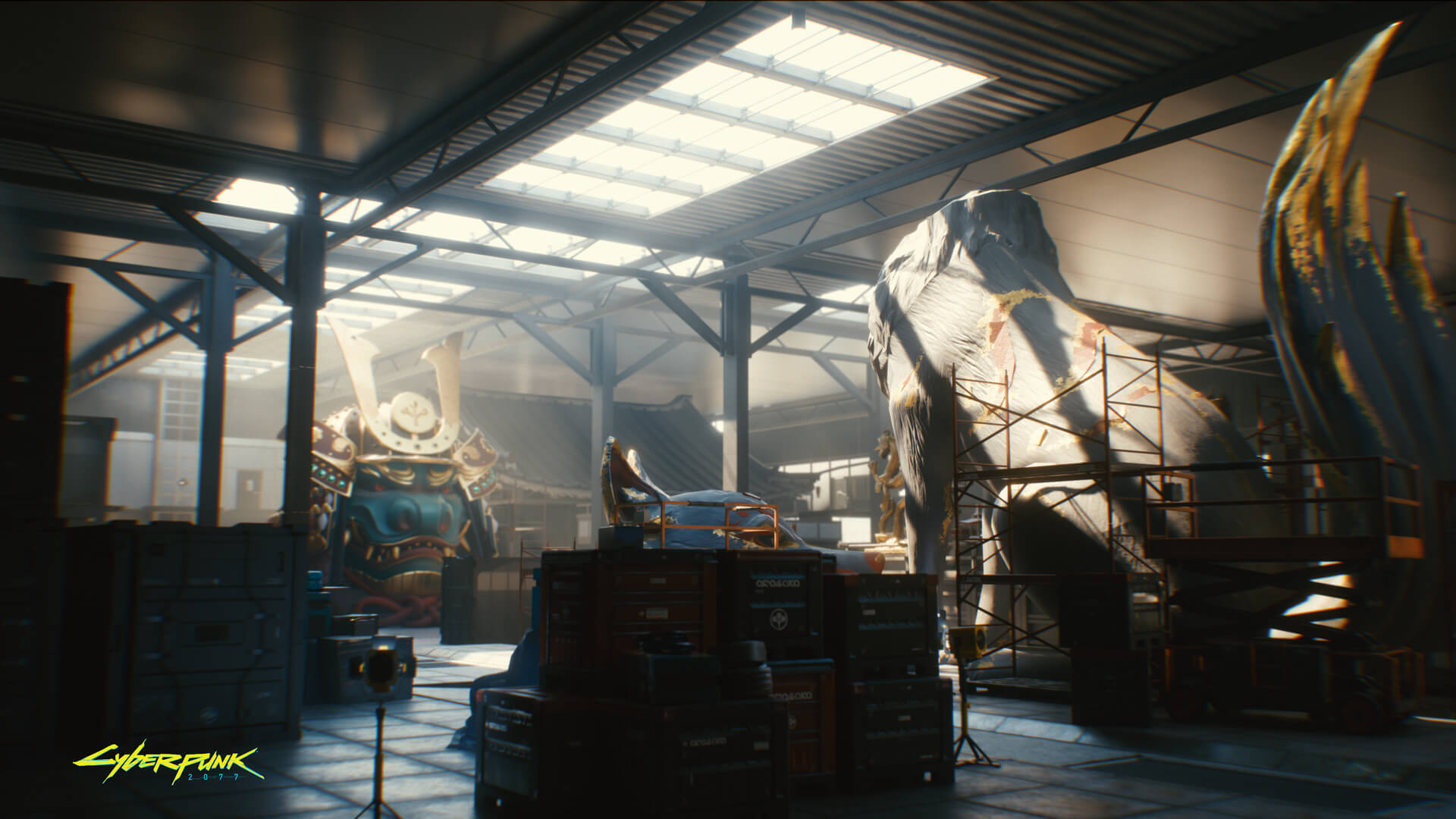
In order to showcase these Ray Tracing effects, NVIDIA released the following screenshots. For bandwidth purposes, we’ve resized them to 1080p. Still, you can find their full 4K versions on NVIDIA’s website.
Enjoy!
John is the founder and Editor in Chief at DSOGaming. He is a PC gaming fan and highly supports the modding and indie communities. Before creating DSOGaming, John worked on numerous gaming websites. While he is a die-hard PC gamer, his gaming roots can be found on consoles. John loved – and still does – the 16-bit consoles, and considers SNES to be one of the best consoles. Still, the PC platform won him over consoles. That was mainly due to 3DFX and its iconic dedicated 3D accelerator graphics card, Voodoo 2. John has also written a higher degree thesis on the “The Evolution of PC graphics cards.”
Contact: Email


Is it just me or do they look very blurry?
It’s the chromatic aberration. Let’s hope that there will be an option to disable it.
No, it’s upscaling. Hard upscaling. I read on another site (slipping my mind which one) that said the game was being upscaled from below 1080p (a screen grabed showed 720p) even on a 2080ti.
As Putin said in a previous comment, it’s DOF and Chromatic Aberration. The preview build was running at 1080p with DLSS 2.0 and Ray Tracing so that’s what you probably read. However, NVIDIA has direct access to the build and captured native 4K screenshots.
Hint: if the game was upscaled from 720p, you’d see A LOT of aliasing 😛
I didn’t say DOF and CA weren’t present. The original comment was referencing blurriness, and the resolution is the biggest contributor.
Not true with aliasing. DLSS blurs TF out of the images, especially at lower resolutions. It’s literally what it was designed to do. Blur=no aliasing. Mutually exclusive they are.
“blur=no aliasing”
This is completely incorrect. Blurring the entire scene will not remove aliasing, especially if you’re upscaling from such a low resolution.
When you blur the scene you blur everything without any context of where the edges in the current frame are. You might reduce the perception of aliasing a bit but it’ll still be there. To eliminate aliasing, you need to reduce the contrast of adjacent pixels on either side of the edge. You’re not “blurring” but instead you creating a smooth transition between the colors of pixels on either side of an edge. And this process needs to be confined to the edges alone to properly anti-alias without ruining the entire scene.
Please, show me a blurry picture with aliasing. I’ll wait.
Anti-aliasing works by literally blurring the edges of two object together. It’s not sophisticated.
I never said “blur the scene” anyway. Stopping making up stuff in order to falsely make a point.
The scene is blurry, but I never said it was blurring the image as a whole.
https://uploads.disquscdn.com/images/2042e1d7cde723a8f8fdbb5da7bce79131342320e36f1da3b367f00314d70f0c.png
Still waiting? This is a screenshot I took just now from Dishonored. I set the game resolution to 1366×768 (Effectively 720p) and played the game on a 1080p monitor (which makes the game upscale the image to 1080p). The screenshot, shows clear signs of aliasing on nearly every edge. Which is exactly what John said would happen if the game was upscaled from 720p. The image is also blurry when playing it and lower resolutions exacerbate the effect.
Yes you never said “blur the scene”. But what exactly do you think is happening when DLSS runs? You said “DLSS blurs tf out of images, especially at lower resolutions”. What exactly do you think is happening under the hood?
So you post a game image that isn’t blurry in the slightest to show aliasing. The point was to show a blurry image with aliasing.
Please try again.
So, yes, still waiting.
DLSS upscales, which results in blurriness as the pixel interpretation and interpolation isnt’ perfect. It then applies a sharpening filter to try to mediate this, but it still comes out softer (blurrier).
Why would Nvidia go out of their way to explain why these games are blurry with DLSS if games aren’t blurry with DLSS?
https://www.game-debate.com/news/26617/nvidia-explains-blurry-dlss-image-quality-in-bfv-and-metro-exodus-more-improvements-inbound
I don’t disagree that DLSS causes some blurriness. My point was that aliasing cannot be removed by simply upscaling (and upscaling introduces blurriness) .
But just to steelman, I’ve blurred the same screenshot I sent above and look how it looks now: https://uploads.disquscdn.com/images/51712dde18f96192f5d6e832a2f6720846131061a18bc738c599da154997bb98.png
If I blurred it anymore, the game itself would start to lose all semblance of itself. Anyhow, the aliasing is still apparent.
However, this entire discussion is irrelevant to the point of the original article. Those screenshots are not upscaled. Infact, they are probably downscaled from 4K because no company ever releases screenshots designed to showcase their visuals via less than ideal means. I strongly believe that the source of blur in the screenshots is due to CA and DoF.
True, no aliasing visible even after zoom
https://uploads.disquscdn.com/images/57d606357f332f48465d97736776444549fda00923d125aeb754cf140b021ac3.png
I know CA when I see it.
I didn’t say CA wasn’t there. This is my resolution source.
https://wccftech.com/cyberpunk-2077-preview-ran-at-1080p-with-dlss-2-0-enabled-on-an-rtx-2080ti-powered-pc/
We are all well aware of the resolution news by now but, i’m telling you that heavy use of CA is having the worst impact on that image quality.
Worse? I don’t know about that. Resolution impact is huge and makes the CA effect stand out even more. At least CA will likely be an easy disable. Your’e not going to turn off the fact that it is going to run like a wounded donkey without making big image quality sacrifices.
Again, this was the preview build that journalists played at CD Projekt RED’s event (we also reported on this -> https://www.dsogaming.com/news/cyberpunk-2077-will-support-dlss-2-0-preview-build-runs-with-60fps-at-1080p-with-ray-tracing/ ). That’s not the case with these screenshots. NVIDIA has captured native 4K screenshots ;).
Also DLSS 2.0 does not blur the image like DLSS 1.0 did. DLSS 2.0 looks almost as sharp as native resolutions. We’ve extensively covered DLSS 2.0 -> https://www.dsogaming.com/?s=DLSS
Screenshots are usless. Cherry picked single images ran at maximum settings with no regard to frame rate.
DLSS 2.0 absolutely does blur the image. You can’t reference to yourself. That’s not how sources work. I’ve seen it first hand. Native is the way to go. Always will be.
Just curious, if you wanted to test out dlss 2.0, which game would you recommend? Control or Metro? Or is there a better game?
Control, Deliver us the Moon and Wolfenstein: Youngblood. These three games have DLSS 2.0 (which looks and works great). Unfortunately, Metro Exodus does not have this new version of DLSS tech.
Thank you!
That, plus the grain and chromatic aberration. It looks awful, I don’t know why they keep drenching their screenshots with it.
It looks blurry yeah, gotta hide those low quality textures.
I feel like I am the only one not worried about graphics, I just want to play a good game.
I feel like the scope of this game is much more interesting than the actual graphics.
Yeah but then, how about the execution…
Fair, but we haven’t seen something this ambitious in a while.
The game is shaping up to be your standard fare with leveled enemies, level gated quests, leveled gear and level scaling. Basically Witcher 3 with a colorful cyberpunky coat of paint (lvl.40 wolves, bandits could kick your a*s, the master monster hunter, lol).
Those shadows sure look nice. To me the best use of ray tracing in games.
Looks good but there has to be an option to disable that horrible edge lens distortion effect as well as chromatic aberration. I get what they’re trying to achieve with these effects but to me it just turns whole image into a smothered vaseline mess.
You have no appreciation for art.
You have no idea what art is.
Art is an explosion
damn, that 4th screenshot i would like to explore that
Chromatic apocalypse
Hopefully it can be toggled off. It could be in the Witcher 3 (weird game to have that feature anyway)
Quality is very good. This is source 4K image zoomed 1000% where you can see every single pixel
https://uploads.disquscdn.com/images/233bd21bd8d68ba6b82e4f645b0db324d293cbf5634abc4152e39f28c0e57d3d.png
What is seeing every pixel supposed to prove? To me, this just shows how much blur is applied to the edges (spanning 4 pixels each direction from the origin pixel) which is atrocious.
This is huge zoom and every single pixel is unique. No 4×4 matrix or something like that. Perfect quality at true 4K
Ever pixel is unique because it is upscaled. That’s all you are seeing here.
*facepalm* If you upscale an image you don’t get unique pixels.
If you take a individual pixel and you upscale it 4x, that means 4 pixels now represent that 1 pixel earlier. These 4 pixels don’t magically store any new information (unless you use AI like DLSS). They represent the same exact info from the previous single pixel. That’s why if you see unique pixels, then you know that the image hasn’t been upscaled (only exception is DLSS).
The definition of upscaling:
Upscaling converts low resolution material (most often video or images) into a higher definition.
Also:
Resolution refers to size of the display in terms of pixels.
If you increase resolution, you increase the number of pixels. This is literally what upscaling does. It guesses at the missing pixels and creates them.
You’re thinking more along the line of integer scaling, which does not create new pixels.
Yes upscaling increases the # of pixels. You get more pixels that *contain the same data*. Unless you have an AI that can guess the information, all you’re doing when you upscale is resize the image to fit a higher resolution. You do this by adding pixels but the actual information in the source frame does not change. You cannot magically create new unique pixels that contain new data via standard upscaling.
What you CAN do however, is interpolate (Bicubic or Nearest Neighbor are some popular methods) the source to the new resolution but all that’s really doing is providing a transition. I believe this what you’re referring to when you say “guess”. But an upscale of this fashion would *not* create the screenshots in the article above. There would be obvious artifacts such as blurring of small scale details that are *not* edges (i.e. the whole scene). We don’t see that in the screenshots above. Instead we see sharp edges with CA and preserved detail in things like the text, textures, etc.
You’re getting scaling and upscaling confused. Scaling is the same information. Upscaling isn’t. Think about it. Why would an image look better after upscaling if no new information was created? It wouldn’t. It would be the same quality, just larger. It reduces blur by filling in the gaps.
Another quote,
“It does so using an interpolation algorithm. This infers new data by extracting from known elements; it tells “blank” pixels what to do based on what those surrounding it display, and then duplicating that content.
It’s really simply math. No ai needed.
Y=mx +b ring a bell? Linear upscaling.
Yes exactly. an upscaled image doesn’t look better. It looks the same if not slightly worse. I would prefer native 720p to upscaled 1080p.
And yeah the second part of your comment is agreeing with what I said. I specifically mentioned interpolation to fill in the missing pixels, but that’s not “creating new data” it’s just transitioning between source pixels.
Depending on your definition of data, you could call these transition pixels “new unique pixels” but they aren’t actually based on information in the game (like the pixels that were originally rendered are), they’re based purely on the source pixels.
Regardless, if you’re still convinced that these are upsampled screenshots ask yourself this: Why would a company like NVIDIA, who is promoting their own tech, use lower quality, upsampled screenshots to show off the very best version of their tech? If anything, these screenshots are downsampled from 4k.
Lol Spencer, almost as blurry as an Xbox One Game!
Just parroting the inherited opinions of others based on poor chromatic aberration used 5 years ago. It looks fantastic in this game and you are a low class hive minder.
“Chromatic apocalypse”
most developers just prefer to use filmic movie effects in their games. that’s what it is. no mater the game engine. especially for the action cinemas where movie cameras are normally used for. motion blur, film grain, HDR, DOF, chromatic aberration, and vignette, are all camera effects really.
which that also reminds me of the growing trend in gaming reception between gamers and developers. for which developers seem to always prefer movie cameras in their games. whereas gamers seem to always prefer to game like they’re not behind a movie camera. like they’re in the environment next to the characters.
i guess it comes down to preference.
“i guess it comes down to preference.”
if that’s the case then developers should probably work on presets that emulate what the human eye sees and a preset for movie cameras. that way gamers can play the way they want to. since there are so many of us that either are fine with it or dislike it heavily.
the closest thing that comes to that is reshade. but even that the first thing gamers do with it is make it even closer to movie cameras.
with added HDR, increased saturation and other post process effects. plus not all effects in games can be overwritten by it.
i do however agree a preset that negates all movie effects should be considered though. by someone what can interpret what our eyes normally view.
The screens are so blurry. It is very clear the game is being upscaled well below 1080p to be able to do these effects. Absolutely not worth it. This game is going to be a performance nightmare, especially with all the Nvidia bloat baked in.
Good thing the Nvidia features are optional.
Even if you turn off a graphical feature off, there is still overhead. The engine still has the code and it has to be manipulated to run both ways. You bypass parts of the code, but it is still there, which results in overhead. The features that don’t act this way are the ones that require reboots, which are very rare these days.
Not to mention any game that is Nvidia “optimized” generally runs like garbage when you’re not using them paired with a new Nvidia card anyway.
Overhead that is negligible. When code takes a different path, the only performance hit that comes is from the branch predictor failing for that individual decision resulting in the instructions for the code having to be loaded from RAM instead of cache. This happens on the order of *nanoseconds*.
If you’re avoiding a path that reaches the raytracing portion of the code, you will have performance equivalent to 99.99% of the performance of the code if it was written without rtx in the first place. The overhead is so incredibly miniscule on today’s hardware (and really, and hardware in the past decade).
You’re operating on the assumption that both paths will be optimized equally. On an Nvidia sponsored title, designed to promote RTX, you think they’re going to spend equal amounts of time on both?
I don’t see it happening. Sure, we have the console optimizations, but those don’t seem to translate over to PC. Especially not on Nvidia sponsored titles as they always run poorly on AMD hardware. Sacrifices are made.
I don’t think you understand how code or compilers work. Game code doesn’t need to be “optimized” to have the branch predictor select a certain path. Let me make this simple. If you disable (toggle) a feature off in the video settings, the code relevant to that setting will no longer be selected by the renderer.
When that game code isn’t selected, it imparts zero performance impact. The overhead like I mentioned above, only occurs when the game first realizes that the setting is turned off. The game loop will not evaluate that path until the next time the game settings are modified. I.e. there is NO noticeable impact to having a feature implemented and turning it off.
But now, you seem to be talking about how the game runs without RTX claiming that the dev’s time cost of implementing the RTX features took time away from developing the normal code path (the one without rtx). This is an entirely different argument than what you stated earlier, which was that the mere existence of code that isn’t being used imparts an overhead.
Yes, the code that isn’t ran doesn’t impact performance. BUT, you still have code that sits in the base engine to allow THAT code to work. It doesn’t just magically run in discreet units like that. That’s why forcing effects into games results in all kinds of weird artifact. It all has to be programmed to run/work together, be that particular section of code is in effect or not.
If you do actually have coding experience, you know this.
I. Know.
Did you read my comment fully?
I have a BS.c in CS and what you’re saying simply isn’t relevant. As I’ve stated twice already, the code that allows other code to run (literally an if/else conditional) imparts a *negligible* performance impact. The time taken to check the conditional and see that the if statement is not satisfied is negligible. It’s literally a few nanoseconds of time to decide this.
And if you’re referring instead to the libraries that RTX would have to have in the base engine to function, those also do not impart any runtime performance impact. Those libraries are referred to dynamically (hence the term dll or dynamically linked library). The only perf impact a library would impart is filesize.
I’m curious though, what weird artifacts are you referring to?
you’re right PB
putin is right.
It’s not blurry, they are just using a lot of DOF and CA.
So…you’re saying it’s blurry?
There isn’t a crisp edge or texture in the scene. What word would you use to describe it? Diffuse?
Cinematic.
It’s not blurry due to low resolution or upscaling.
The screenshots are in native 4K on the Nvidia news post.
The blur is from exaggerated depth of field and chromatic aberration.
putin pointing out obvious and simple facts again.
yes, they are using DOF, if you look at the center of the image things there are clearer than the surroundings
It is confirmed 720p upscaled to 1080p by DLSS 2.0. And this is good thing. Future proof game just like Crysis in 2007. This game on ‘medium’ settings will look better than any other game on its ‘ultra’. I hope that even fastest Ampere will be too slow for all max settings at 1440p. Just like you can’t go above 1024p 30fps on 8800 GTX with all settings on max in Crysis
This is how all games should be designed. Future proof like Doom in 2004, Cysis in 2007. This is first such game in more than 10 years
So tired of hearing about this game now, just release the bloody thing.
Indeed. I’m even more sick of the waves of stupid and tacky merchandise with CP2077 written all over it. The latest additions to that are a whoopie cushion and a gaming chair.
Yeah I stumbled across some cringey Youtube channel with an over made up Hollie Bennett hosting, It was so bad.
Someone on reddit is already advertising that stupid yellow chair – https://www.reddit.com/r/cyberpunkgame/comments/hh1drl/it_pays_to_live_an_hour_away_from_the_company/
Not please, that they don’t release it out until they fix the poor AI ?, the gunplay, ?and the vehicle driving, and well…the popping would also be fine XD
I seriously doubt those issues will be address in the capacity you hope they should.
Yes, i’m afraid not :/
Lmao why they still showing this downgrade graphics game? Makes no sense.
So I have a gtx 2060, so will for sure not be able to have this game at max at 1080p. I’m very curious to test out DLSS 2.0. What’s the best game out right now where I can go and test out DLSS 2.0? Would control or metro be a better test?
Control, 100%. Control has DLSS 2.0 and its implementation is superb. Metro looks like regular upscaling sometimes, alas it’s using an older version of DLSS. I highly recommend watching Digital Foundry’s video of DLSS 2.0 in Control
Okay thank you. Is control only available on epic game store right now?
Is the only way to play control right now the epic game store?
I’m really happy that CD Projekt RED have courage to build future proof game. This is very hard because there are a lot of people will cry that they can’t run game on Ultra with all RTX effects enabled on hardware from 2018. But this is good. Today we can go to options and lower settings to medium, disable some RTX effects. Tomorrow with Ampere and generation after that we can use higher settings. Just like we did with Crysis for many years with every next GPU generation.
Please don’t hate game just because it is future proof. just lower you settings to medium and this game still will better than any other game on its Ultra. Because ‘Ultra’ is just a label
Agree 100%, when did PC players became such babies that hate new tech and stuff that looks years ahead of everything else on the market? Feels like an alternate universe…
Tell me what looks new in what we saw so far.
Overall lightning quality, GI is looking incredible
But you don’t need a graphics card you need glasses.
Lighting overall looks like a standard fare to me, it doesn’t look better than GTA-5 lighting and that game is 7 years old at this point.
I know you guys just want to hate on something that’s popular because you think that’s “cool”, but saying sh*t like that just makes you look dumb…
The volumetric effects on pretty much every shot vs blunt lighting, the neons correctly illuminating it’s surroundings, the soft shadowing/AO on both characters and objects, it’s beautiful and pushing boundaries.
If you don’t care about graphics just FPS, that’s cool, medium settings is always gonna be there for you, but if you are gonna get into a graphics discussion try not to sound like a moron.
It will be on consoles, what future proof are you talking about? is a crossgen tittle like GTA V. Raytracing? ha! if a PS5-Next Xbox can handle it, your 2000-3000 Nvidia series will be fine, and they are probably aiming for “platform parity” like in W3.
Even tho, W3 has HDR support on consoles and not on PC; parity my as*.
Considering this game will be at the level of Crysis back in 2007 is hilarious.
Xbox Series X will run this game on medium-high settings instead of ultra. Playstation 5 will be even slower with medium or even medium-low because hardware is much slower. Full Navi 2 on PC will be 2x faster than Xbox Series X
And? you are just proving my point, any midrange PC by the time it releases on next gen consoles will be fine running the game on ultra, RedEngine 3 is not that demanding.
We have to see yet how well optimize and implemented is the raytracing in the game, hopefully they even usen Vulkan API too.
Something tells me Vulkan won’t be an option in CP2077. CDRP is known for putting nVidia proprietary tech (Hairworks, now raytracing) into their games without optimizing the performance.
I struggled to discern any ratracing benefits if it was used in those demos and trailer.
What brand of a crystal ball are you using?
wtf is this blurry sh*t, are they not ashamed to show this?
So Nvidia likes chromatic aberration effect all over lol
Nothing to do with Nvidia.
One word or two – FRIKKING INSANE 😀
Once the CA is disabled, this is true nextgen!
Cant wait to play this on my new LG C9 and Ampere with HDMI 2.1!
Man are we in for a ride!
Yeah should look great on a huge TV with over saturated colours, the blue tints and that inevitable screen burn in should really finish it off nicely.
chromatic abberation or whatever it’s called needs to be shut off. who the hell even likes it? why would you want your image to be blurry and have red misaligned edges everywhere. it looks so bad
Nvidia and/or AMD release the new cards now. Big Navi or the 3800. At the least release the specs so consumers can then start to make a side to side comparison. There is no reason to delay any longer. By this pace Super Mario Brothers will also have Raytracing DLC for christ sake
This one i love… Really amazing feel and look.
https://uploads.disquscdn.com/images/a9523b0aba57e4b7c4c2dc9e140cf630411b1ab550b0c24f800f5cdc2bf37efc.jpg