
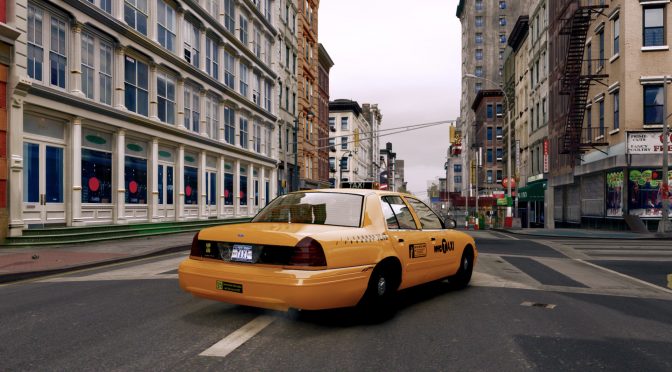
Grand Theft Auto 4 is notorious for its awful performance on PC. Even on this day, the game performs horribly in its default/vanilla version. However, there is currently a way via which you can get smooth 60fps in GTA 4 without any annoying stuttering.
Now the reason I’m sharing this is because a lot of people may want to replay this game, now that Grand Theft Auto 6 is on the horizon. So, if you are one of them and want a smooth gaming experience, you should run GTA IV with DXVK.
YouTube’s ‘TJGM’ has shared the following comparison video between the game’s default DX9 Mode and DXVK. And, as you will see, DXVK is able to run GTA 4 smoothly at 60fps and without any stuttering.
This can be easily observed during the NoClip Test. In this particularly demanding scenario, the DX9 performance is all over the place. Seriously, the game is unplayable. By switching to DXVK, though, PC gamers can actually get a fully playable, enjoyable, and stutter-free experience.
To be honest, I’m a bit shocked by these results. Numerous people have claimed that DXVK can fix traversal stutters and shader compilation stutters. However, in some of the recent games that I’ve tried DXVK, I didn’t see any meaningful differences.
From the looks of it, DXVK can be transformative in really old DX9 games. And, since Grand Theft Auto 4 came out in a pretty awful state on PC, it greatly benefits from it.
You can download DXVK from here.
Speaking of GTA 4, here are some other cool mods for it. This mod restores the game’s multiplayer experience and it’s a must-have. Moreover, there is also a cool mod that adds to the game vehicles from 1950-1993 and a New York City Name-Conversion Mod. GTA IV Ultimately Beautiful Edition is a 7.8GB mod pack, aiming to overhaul the game’s graphics. And lastly, this mod overhauls the main playable protagonists.
Enjoy!


John is the founder and Editor in Chief at DSOGaming. He is a PC gaming fan and highly supports the modding and indie communities. Before creating DSOGaming, John worked on numerous gaming websites. While he is a die-hard PC gamer, his gaming roots can be found on consoles. John loved – and still does – the 16-bit consoles, and considers SNES to be one of the best consoles. Still, the PC platform won him over consoles. That was mainly due to 3DFX and its iconic dedicated 3D accelerator graphics card, Voodoo 2. John has also written a higher degree thesis on the “The Evolution of PC graphics cards.”
Contact: Email