
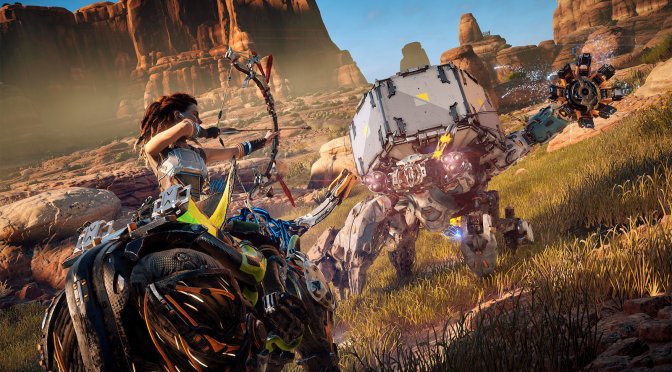
Horizon Zero Dawn header screenshot

The Witcher 3, Horizon Zero Dawn & more running in 8K/30fps on NVIDIA GeForce RTX3090

YouTube’s ‘Bang4BuckPC Gamer’ has shared some videos, showcasing some modern-day PC games running in 8K on the NVIDIA GeForce RTX3090. Bang4BuckPC Gamer tested Crysis 3, The Witcher 3, Horizon Zero Dawn and Final Fantasy XV, with all of them running with 30fps in 8K.

For Horizon Zero Dawn, the Youtuber used a mix of High and Ultra settings. These settings are higher than those of PS4Pro, which runs the game with checkerboard in 4K. On the PC, the NVIDIA RTX3090 can push 30fps, with some minor dips to 27fps. Still, the fact that a really demanding modern-day PC game can already run in 8K is pretty amazing.

For Final Fantasy XV, Bang4BuckPC Gamer used DLSS and disabled the NVIDIA VXAO. All the other options were enabled. With these settings, the game run with 35-40fps on the NVIDIA GeForce RTX3090 in native 8K.

The NVIDIA GeForce RTX3090 is also able to run The Witcher 3 on Ultra settings in 8K with more than 35fps. For the most part, the framerate was around 40fps, which is really incredible. After all, we’re talking about 8K resolutions here with NVIDIA Hairworks.

Lastly, Crysis 3 ran with more than 40fps in 8K on High settings. Obviously, the game’s Very High settings are more taxing. However, we’re talking about more than 40fps in a game that still looks great on High settings.

So yeah, for those seeking 30fps gaming, an NVIDIA GeForce RTX3090 can actually provide such an experience in 8K (provided you lower some settings).

Enjoy!

Horizon Zero Dawn 8K | RTX 3090 | Ryzen 3950X OC

The Witcher 3 Ultra Settings 8K | RTX 3090 | Ryzen 3950X OC

Final Fantasy XV HD Textures 8K DLSS | RTX 3090 | Ryzen 3950X OC

Crysis 3 High Settings 8K | RTX 3090 | Ryzen 3950X OC

66 thoughts on “The Witcher 3, Horizon Zero Dawn & more running in 8K/30fps on NVIDIA GeForce RTX3090”

        1. Has nothing to do with the topic. 30 fps is fine for certain types of a games like where the graphical immersion is more important that the smoothness of motion. FFXV seems to be a good example. I would rather have 1440p 240 but downsampling on a 4k really is very impressive.

          1. 30 FPS IS NEVER FINE FOR ANY TYPE OF GAME. Note I dont even know why my sh77t is in caps

      1. Sharpening to 100% looks bad on any resolution , Setting the Sharpness in Reshade to 2.00 and 0.050 with FXAA at Default is the best combination , sharpness increases jaggies and FXAA blurs the image so combining both gives phenomenal results to me .

    1. Try dlss instead as it cuts through that darn taa blur nicely and often thus end up with better image quality than blurred 1:1 taa trash.

    2. Agree with the sentiment, but 1080p feels ghetto now that I have a 1440p monitor and a 4K tv. 60fps is bare minimum in any 3D game.

      1. can’t tell the difference between 24 inch 1080p and 27 inch 1440p. The extra 17 ppi is not worth the extra $110 for a monitor. You only get bigger screen while keeping the ppi relatively okay for the size.

        1. You can’t tell the difference? I beg to differ. I’ve used both 24″ 1080p and 27″ 1440p, and I can say there is a huge difference.

          Bigger screen makes gaming experience much more immersive, and higher vertical resolution is way better for viewing web pages, images etc.

        2. I have 2 1080p 24″ monitor next to my 27″ 1440p and I can see a difference. Frames are still king though which I why its a 165hz display with G-sync.

  1. Can the human eye actually “see” that resolution? I mean, at some point, improving resolution will be useless for human eyes.

    1. Diminishing returns. Aliasing would still look like crap unless you were using an 8K monitor with the same resolution.

      1. Not with DLSS and no it wouldn’t smaa would probably be amazing at the resolution and temporal solutions would be great too. DLSS is the best solution to reduce blur though.

        1. For taa destroyed titles dlss have a field day… and that means the wast majority of aa titles today – At least where its supported.

    2. Depends on how far you are from the screen, it isn’t really even absurd to imagine 8k plus screens in vr devices.

      For a monitor it doesn’t make as much sense in most cases. The Dell 8K monitor gives you circa 280PPI but if you sat close enough to the monitor to be able to clearly see the pixel structure you would only be able to see a small part of the screen at any one time. Sit far enough to have the whole monitor in your vision and now you are too far from the monitor to see the pixels anymore and the difference between 280PPI and say 200PPI is irrelevant unless you like hearing the fans of your gpu spin up.

      Thing is 8K is a buzzworthy term sort of like megapixel and it is an easier achievement than say making a 10 bit panel that can display the full range of light and colours but we still need to sell new tech to people and we need improvements to put in the spec sheet. We end up reaching for low hanging fruit when we don’t have something worthwhile to sell.

      4K and 8K are being employed to sell next generation hardware on both the console and PC side at the moment so you should expect to see and hear a lot more of this in the coming years. You aren’t missing out on much though, a reasonably priced OLED TV and content mastered with dolby vision will run circles around most things. Mad Max Fury Road is considered one of the best pictures you can find anywhere and it wasn’t even shot at 4K for example.

      8K might be cool for some huge monitor/map thing to play boardgames on or a huge monitor for a game of civilization 9 with the whole map on the screen. VR without eye tracking can definitely make 8K look low res and if you are going imax theater in your house 8K might even leave you wanting a higher resolution. Right now 8K is for marketing.

    3. Depends on pixel density. If the screen is the size of a movie theater, the difference between 8k and 4k is massive.

      On a phone screen, 8k is incredibly unnecessary.

  2. I could pirate sony’s game for free and I still didn’t, that’s how garbage and over hyped are games these days. literally they would have to pay me a lot of money to play that game.

    1. Agreed, kinda like last gen’s console games claiming to run 4k.. while in fact most were just upscaled (a lot were trash upscale at that too – checker boarding while clever and cheap to do unfortunately introduce temporal instability like flickering pixels etc)

      1. Still not native 1:1, dlss have a huge advantage in 1:1 taa smudged titles. And that means most aaa’s today since its cheap to add.

        Unfortunately it also makes a blurry mess of things – That dlss mostly fixes and thus beats 1:1 taa destroyed renders as it maintains the good aa properties while clearing most up the bad bad blur it introduces.

      2. The difference between DLSS and checkerboard techniques is that checkerboard resolutions don’t look as good as their native counterparts while DLSS does and even superior to native resolution depending on the internal resolution and mode.

      3. The difference between DLSS and checkerboard is massive man! checkerboard techniques are full of artifacts

    2. You should had read the article. The only game that uses DLSS (from the above) is Final Fantasy XV. The Witcher 3, Crysis 3 and Horizon Zero Dawn run in native 8K.

      1. Hey, I had to re-enable adblock, this page is refreshing every 40 seconds, i see in the URL popup it connects to ad domains.

    1. I have 3 systems, game on one… yet all 3 are counted in the hw survey. Many have extra systems they don’t really game on and that invalidates that hardware surveys results… yet some seem to think they are the defacto truth lol

  3. is this the new Nvidia Gimic ? 8k ? oh lord . cant wait to play the same s..t overpriced early accses AAA games full of microtransactions to play at 8k

  4. 30 fps isn’t gaming when it comes to fast paced type of games like shooters etc – Its a slideshow. Imo the breakpoints is around 100 fps before it starts to feel smooth and starts to get really immersive. IE smooth on screen and low latency in the controls so the game responds quickly rather than that feel like wading through mud.

  5. Bang4buck its an English arrogant kuk he deserves all the hate in the world!
    this individual was insulting his subscribers for having lower end specs than his…

      1. Nothing wrong of being English or from England like i am myself.
        What its wrong its his childish attitude and disrespect for other PC gamers.

  6. 3090 is a halfway card for people who do stuff like blender and development at home but don’t want to give up game performance, it performs like crap dollar for dollar compared to a 3080. It’s not a dedicated gaming card and should never have been marketed as such, it’s for people who want a computer they can game on at night secondarily and primarily do CUDA and high VRAM stuff for their day job.

    1. Exactly. The 3090 is not a gaming GPU and it blows chunks price to performance ratio when compared to the 3080, as you mentioned.

      1. Suspect it will scale better over time as vram will help more and more as titles will start to take advantage of faster storage IE assets will grow quite a bit later and that vram means it can keep more assets loaded instead of having to go down on storage… IE less risk of stutter and saves storage bandwidth

        1. Yes! I think the same …. for now the RTX 3090 is not a gaming card and it doesn’t differ much from the RTX 3080 for gaming … but in a couple of years I think the gap between the two cards will grow

  7. Ironic that “Bang4BuckPC Gamer” is the guy’s channel, yet he’s using a graphics card with the least “bang4buck” on the market?

  8. Even if it was all native 8K why would anyone go for 8K/30 vs 4K/60?
    3090 is not even close to an 8K card, stop this 8K BS please.

    1. maybe he couldn’t? this texture pack on windows store is the most buggy trash ever, when Gears 5 came out, during first month i uninstalled and re-downlaoded the almost 100GB game over 30 times, because it wont download the texture pack or worse stuck on it, shows downloading and then screws with the game and wont even update patches, so the only solution is to remove it and re-download

Leave a Reply

Your email address will not be published. Required fields are marked *
