

Watch Dogs Legion is the first Ubisoft game that will release on both current-gen and next-gen platforms. As such, we were really looking forward to it as we’re expecting Ubisoft to up its game. After all, Watch Dogs Legion is using DX12, so we were expecting better CPU optimization from this new open-world title. However, Ubisoft has dropped the ball and Watch Dogs Legion is one of the most CPU-bound games you’ll ever see. So, after receiving its first PC performance update, it’s time to benchmark and see how this new Watch Dogs game performs on the PC.
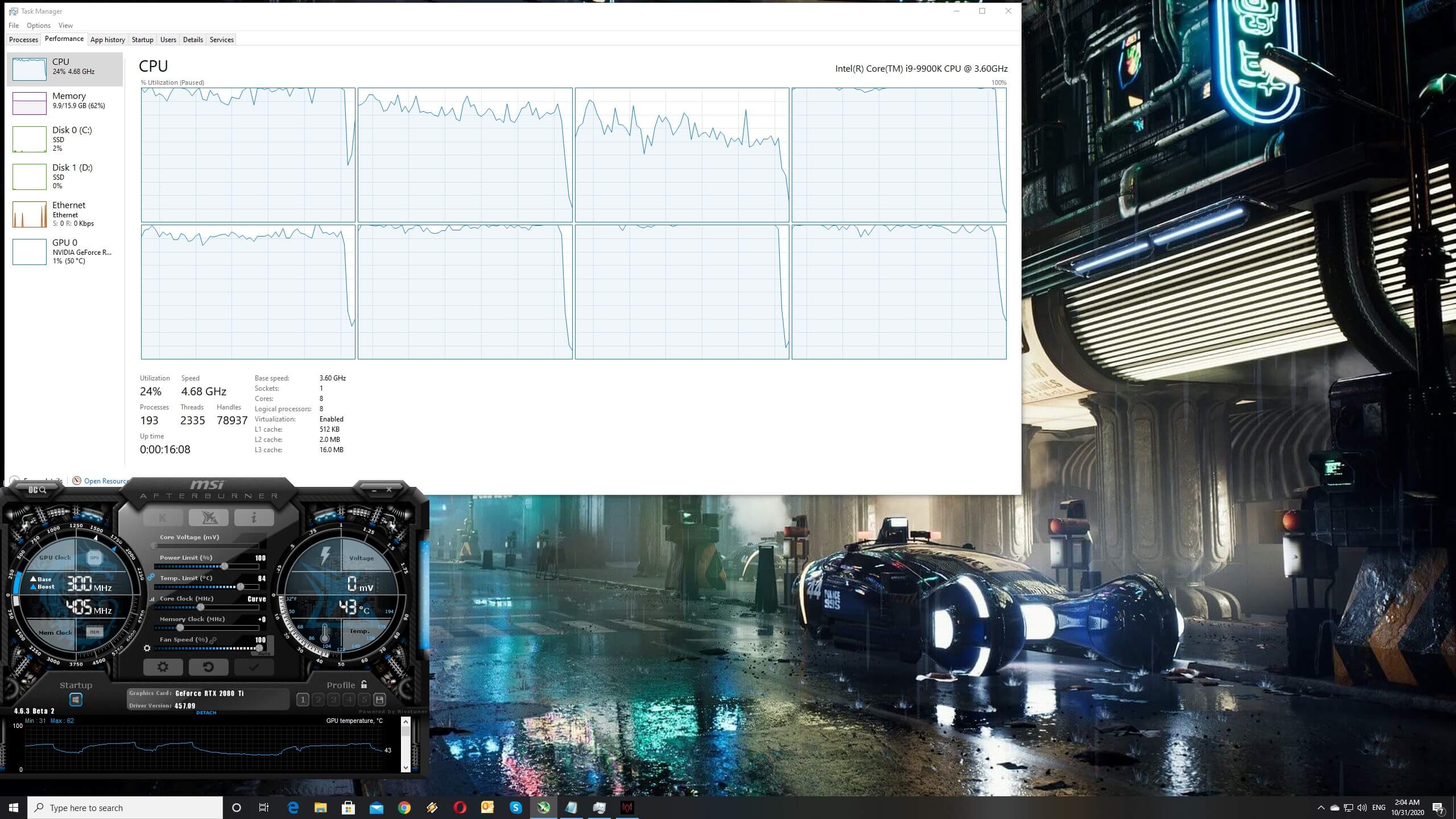
For this PC Performance Analysis, we used an Intel i9 9900K with 16GB of DDR4 at 3600Mhz, AMD’s Radeon RX580 and RX Vega 64, NVIDIA’s RTX 2080Ti, and GTX980Ti. We also used Windows 10 64-bit, the GeForce driver 457.09 and the Radeon Software Adrenalin 2020 Edition 20.10.1 drivers. We did not use the GTX690 as the game requires more than 4GB of VRAM, even on Low Settings.
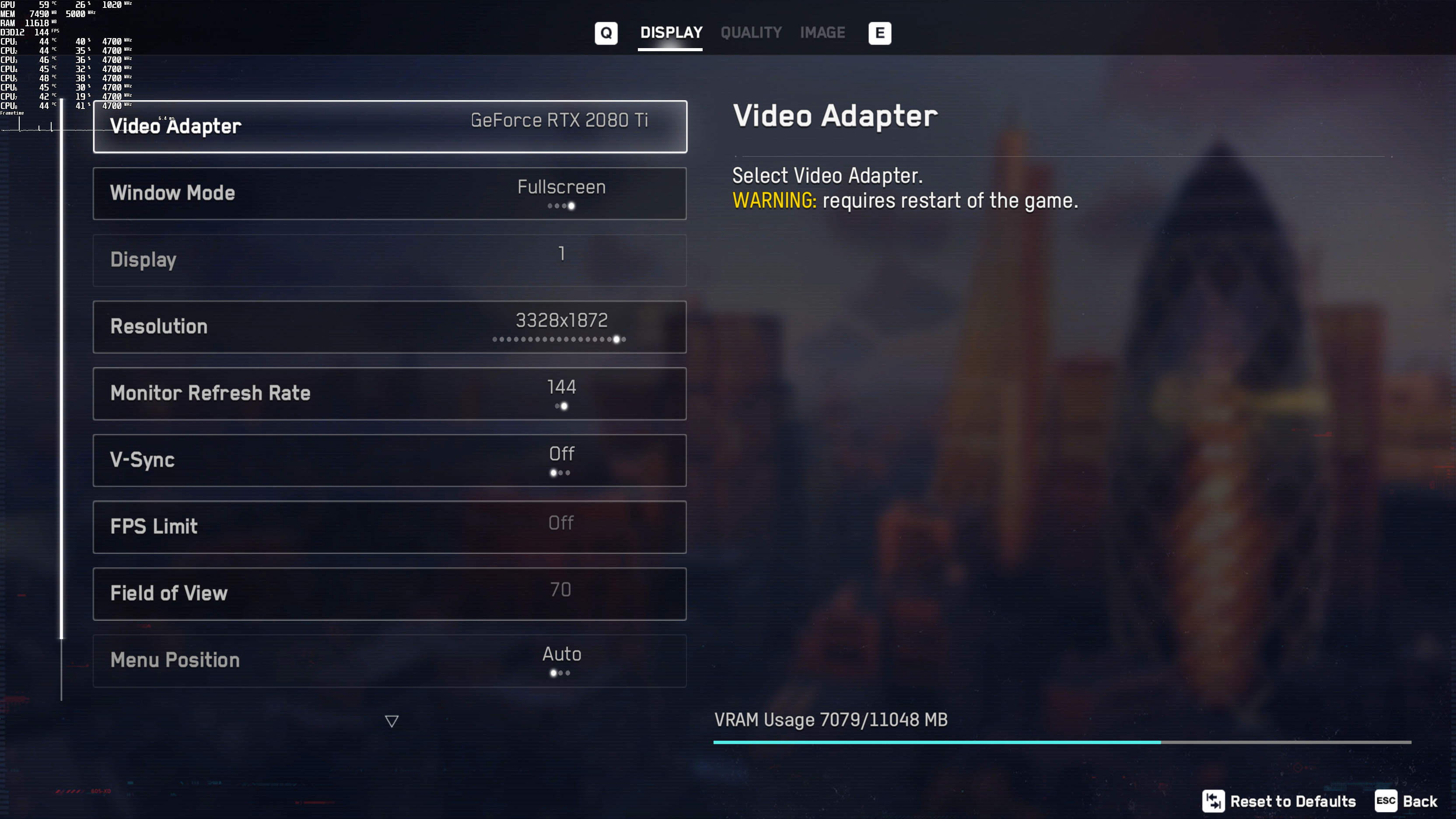
Ubisoft has added a respectable number of graphics settings to tweak. Unfortunately, though, these settings do not really affect the CPU, which is what will be limiting a lot of PC gamers. Furthermore, and as we’ve already reported, the game comes with a built-in benchmark that does not fully represent the actual in-game performance. Additionally, we won’t be covering DLSS and Ray Tracing as we already have a separate benchmark article for them.
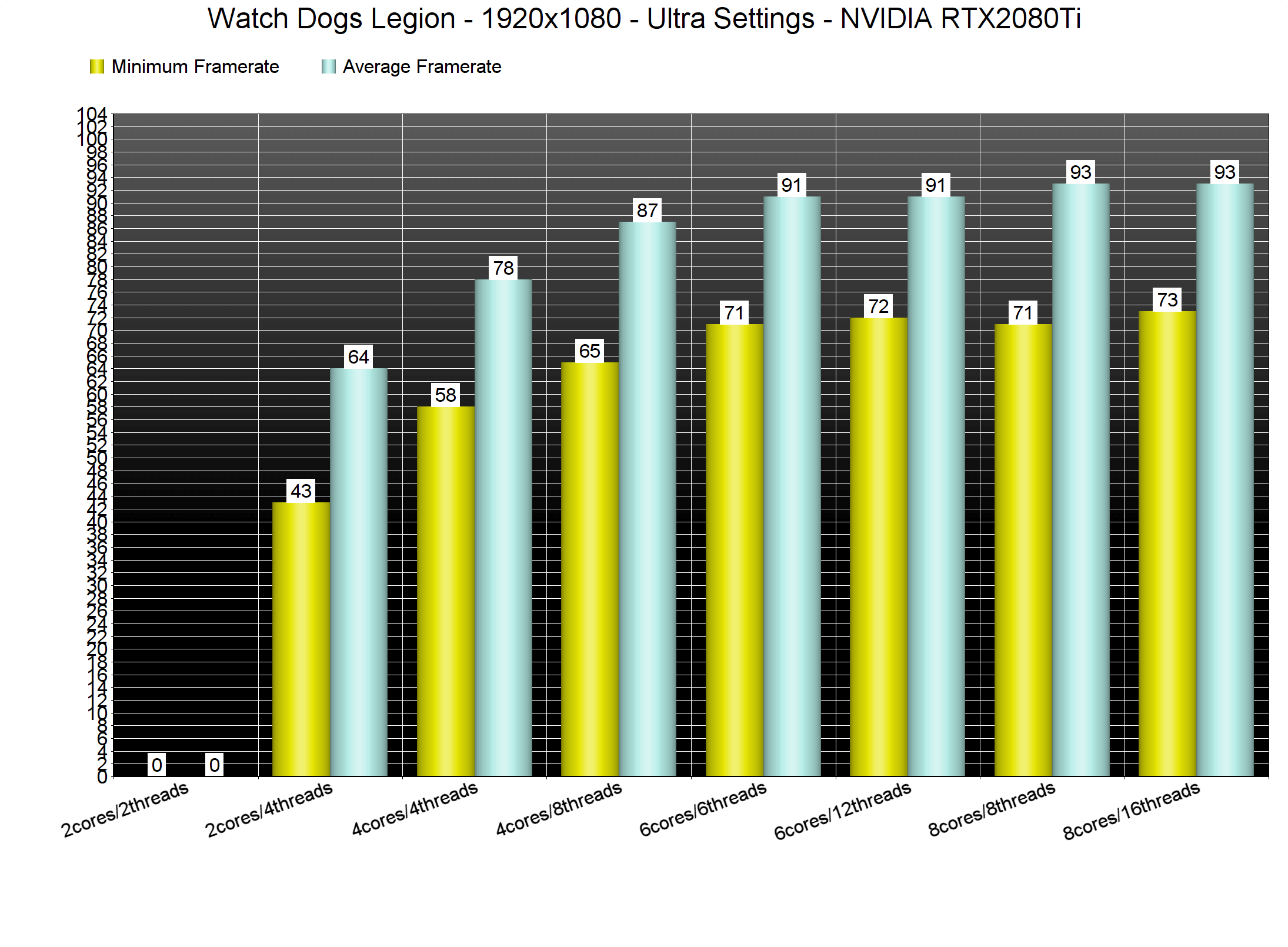
In order to find out how the game scales on multiple CPU threads, we simulated a dual-core, a quad-core and a hexa-core CPU. Without Hyper Threading, our simulated dual-core system was simply unable to run the game due to severe stutters. With Hyper Threading enabled, our simulated dual-core system was able to push a minimum of 43fps and an average of 64fps during the benchmark scene. All of our other CPU configurations were able to offer a smooth gaming experience in the benchmark. However, when playing the game, our framerate was dropping to 50fps while driving.
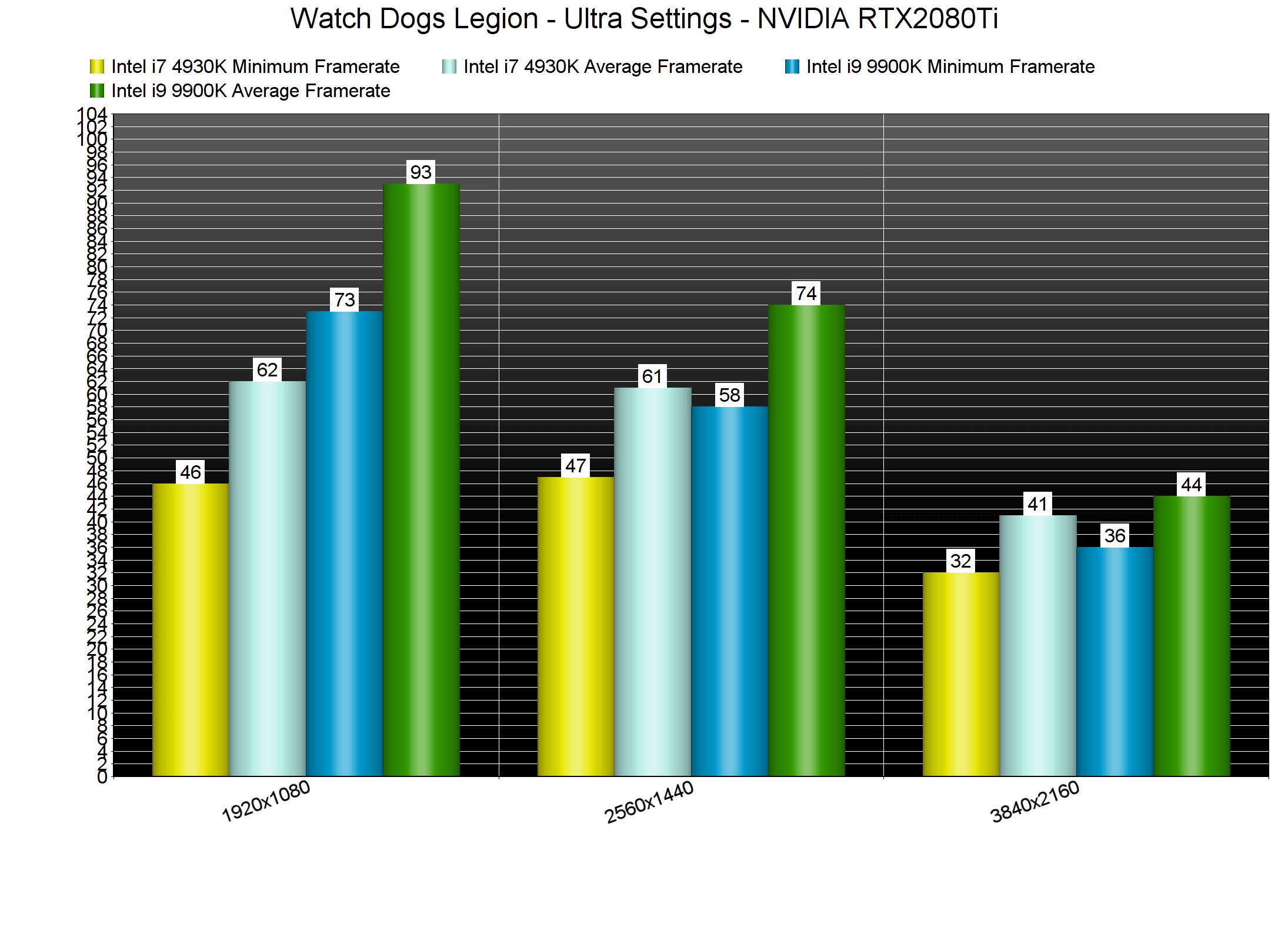
Things are also not looking good for owners of older generation CPUs. Our Intel i7 4930K was simply unable to run the benchmark scene smoothly on Ultra settings. At both 1080p and 1440p, we saw drops to 46fps. What’s interesting here is that our older Intel CPU was not pushed to its limits. While CPU utilization was above 60%, it was nowhere close to 90% or 95%. My guess is that the game relies heavily on the RAM frequency, and that’s what basically bottlenecks most PC systems.
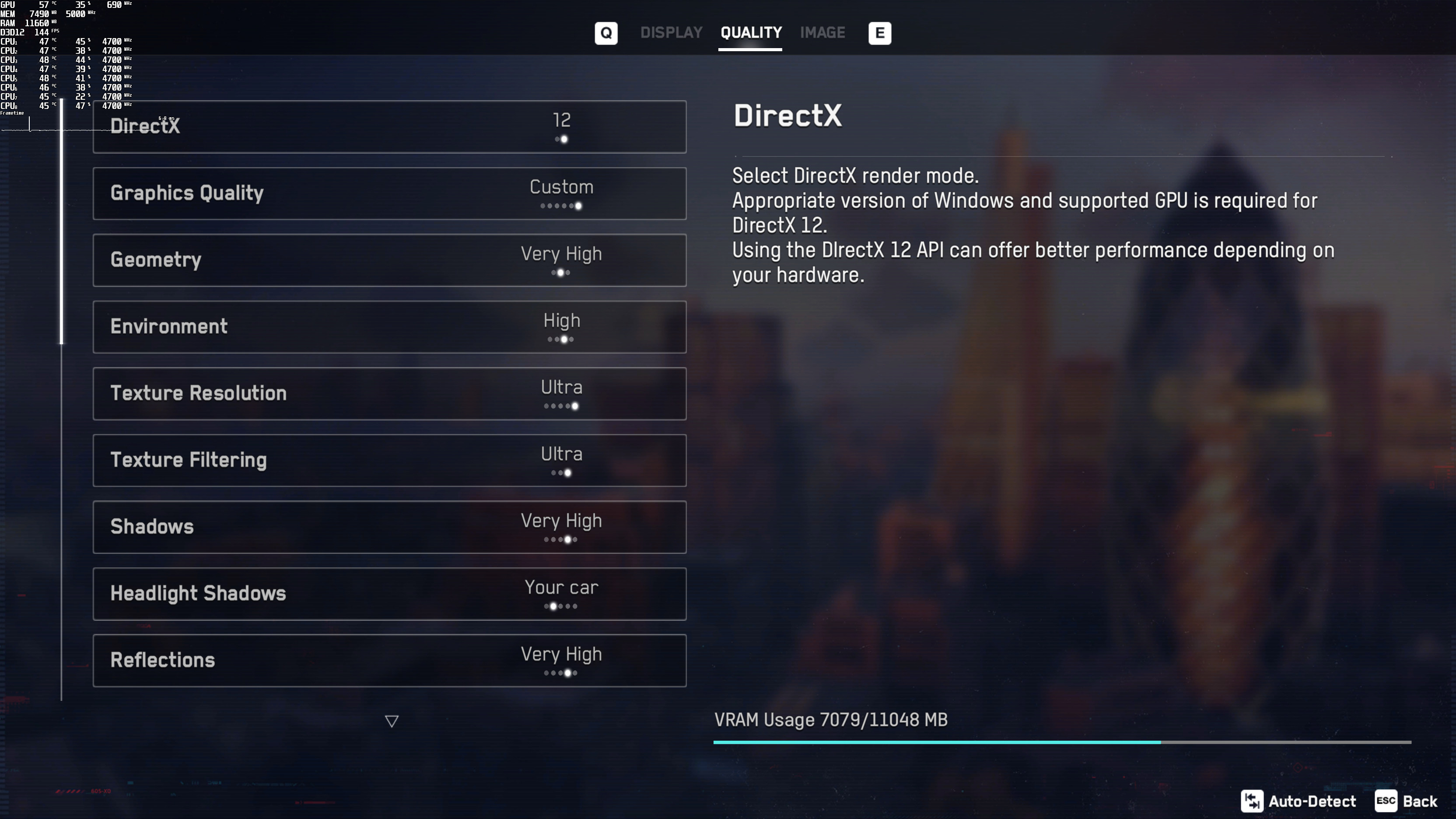
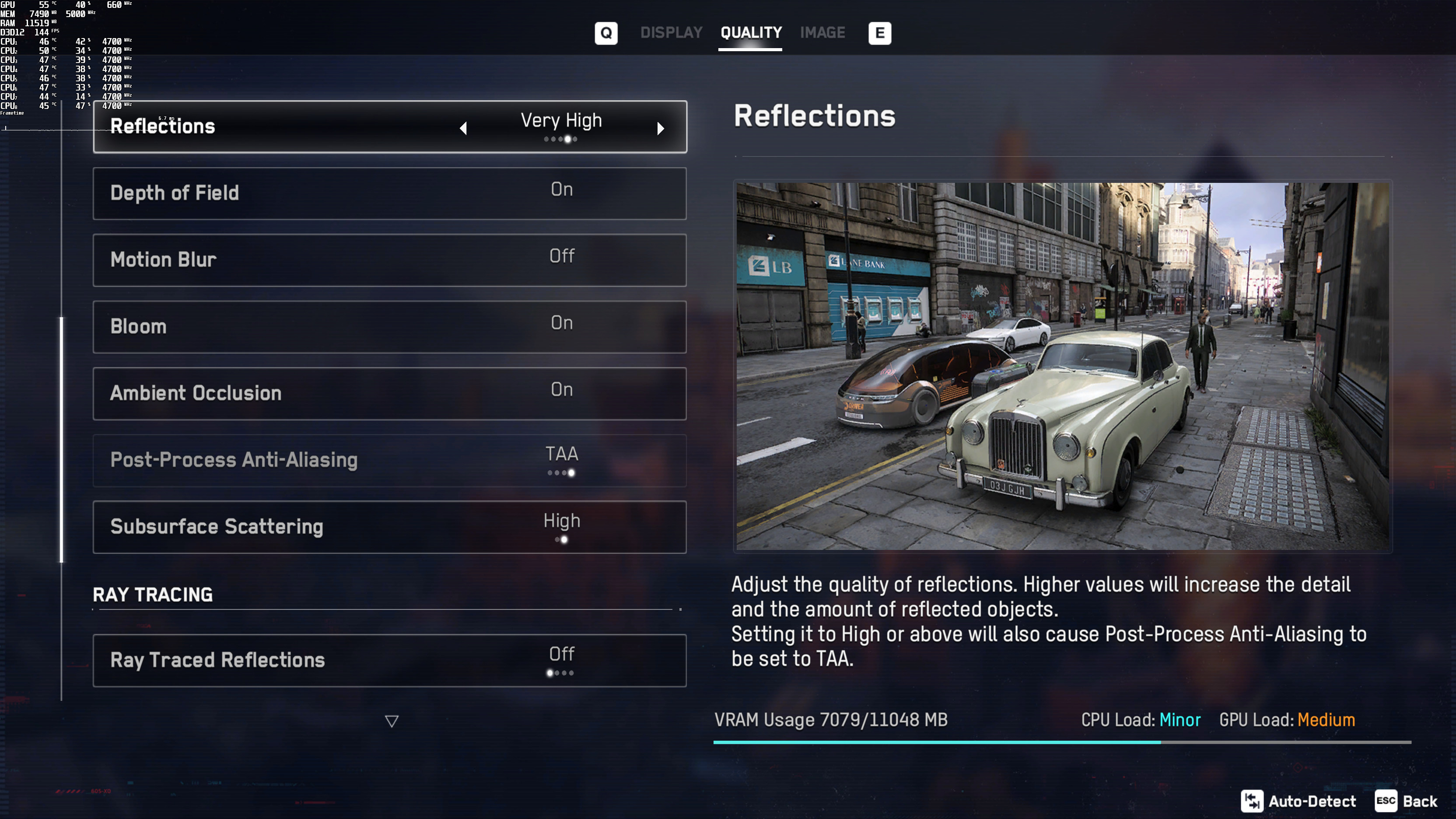
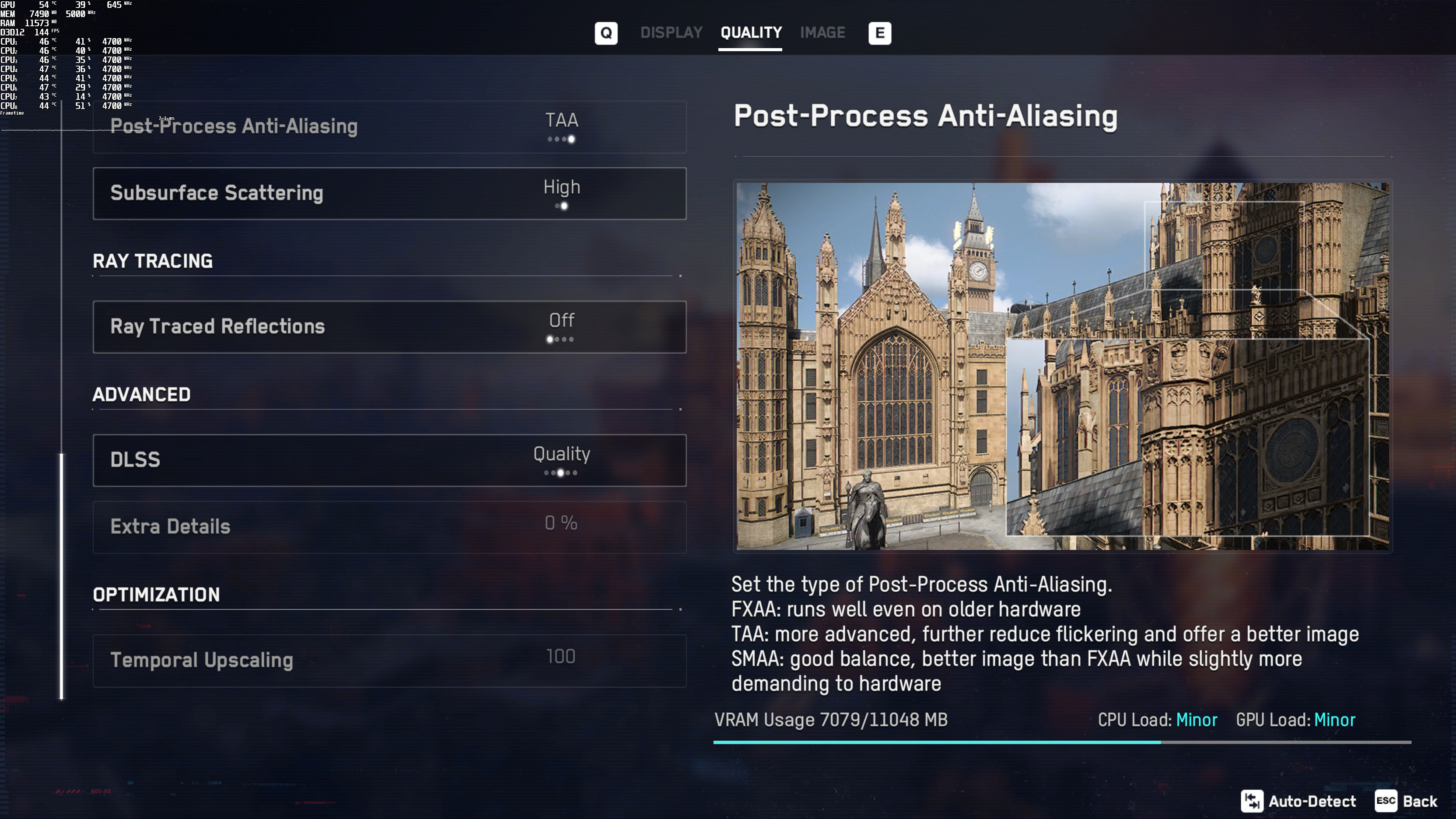
Thankfully, owners of newer CPUs can get a constant 60fps by tweaking some settings. With the following settings, we were able to get constant 60fps on our test system. By using these settings, we had a minimum framerate of 62fps while driving.
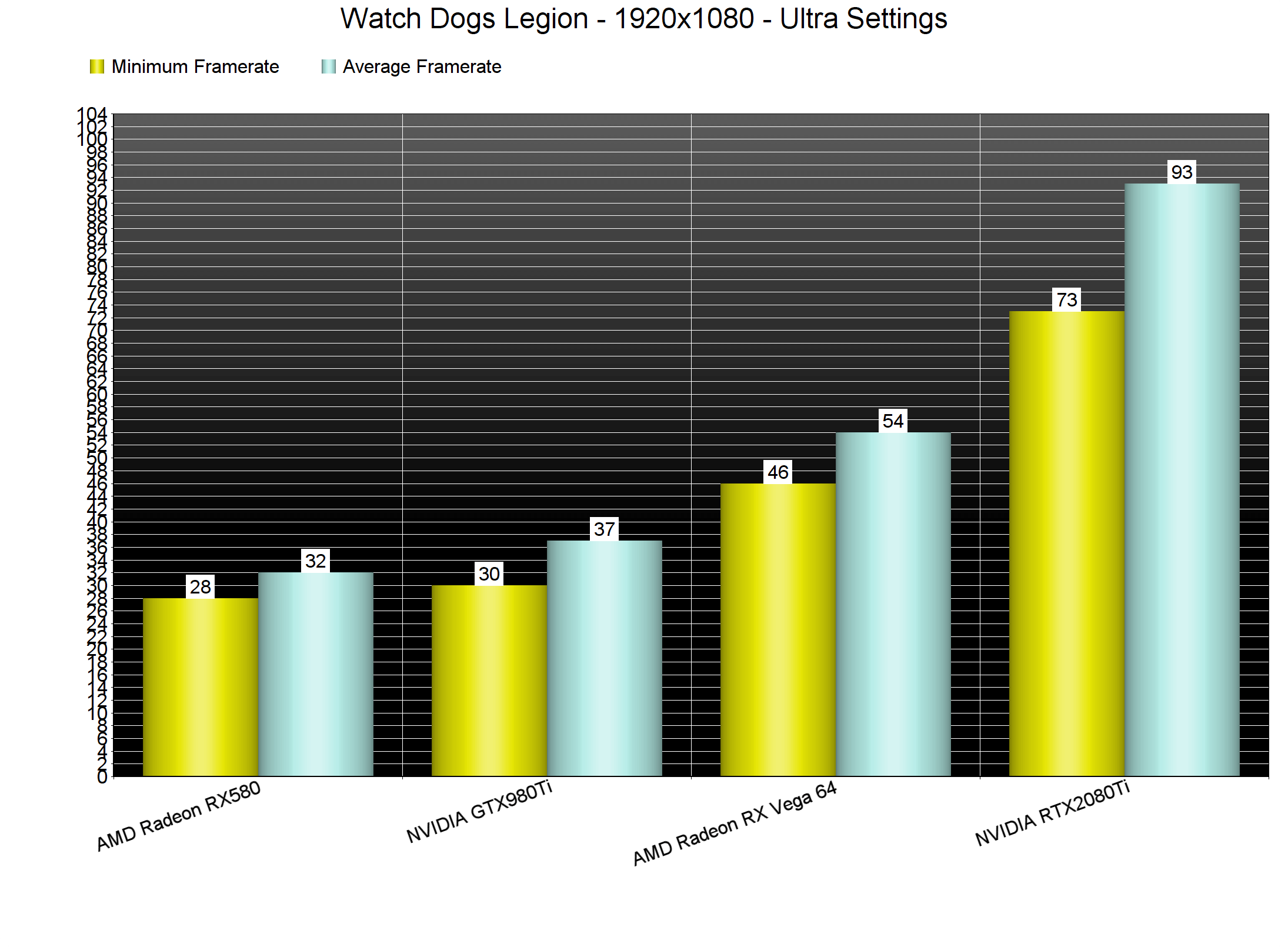
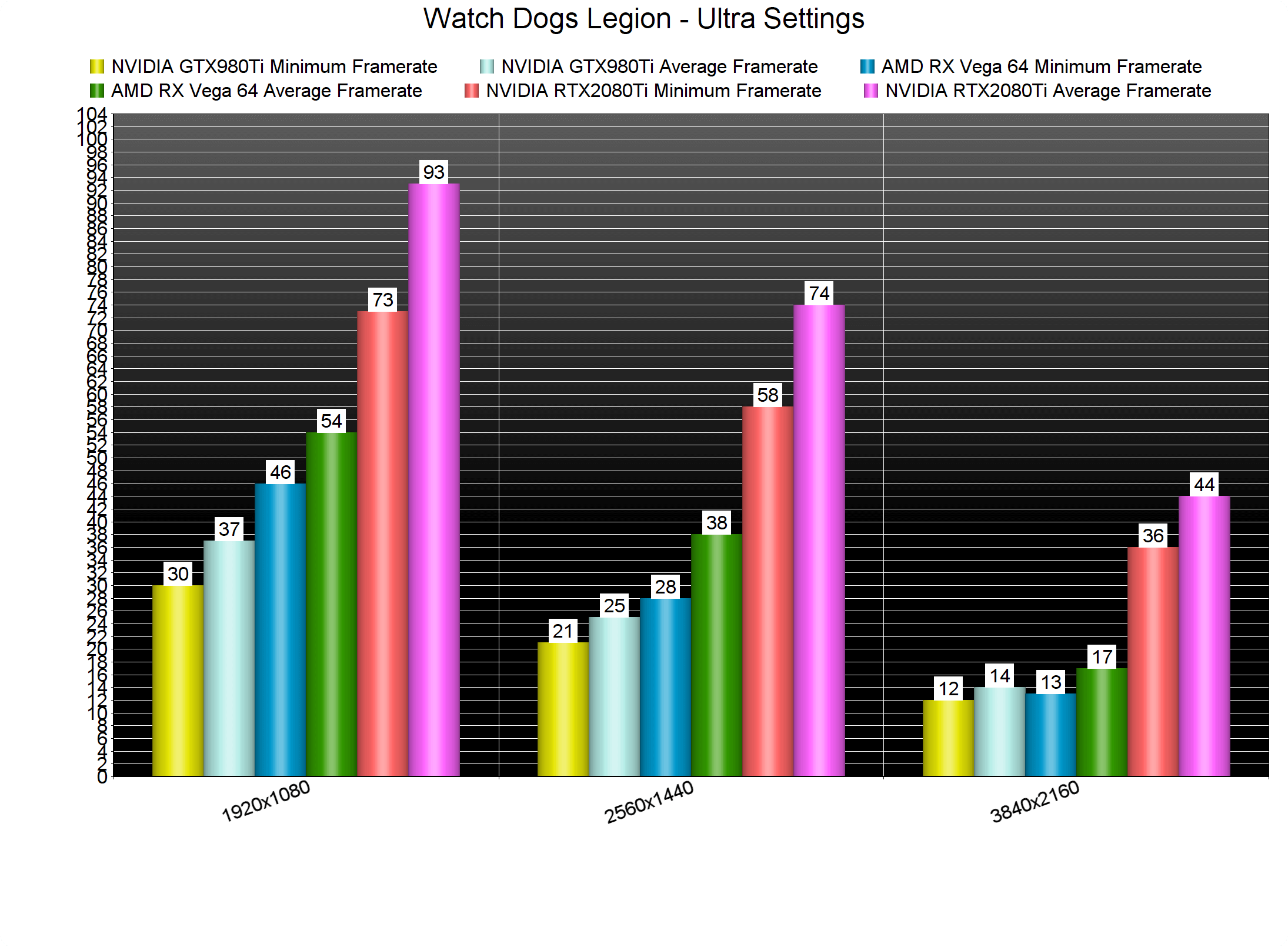
Watch Dogs Legion also requires a high-end GPU. As you can see, the only GPU that was able to run the built-in benchmark with 60fps at 1080p/Ultra was the RTX2080Ti. The GTX980Ti was pushing a “console” experience (framerate-wise), whereas the RX Vega 64 could provide a 50fps experience.
At 2560×1440, our GTX980Ti was entering VRAM limitations due to its 6GB. On the other hand, the RX Vega 64 is pushing better framerates and graphics than current-gen consoles. As for 4K, both our GTX980Ti and RX Vega 64 were limited by their VRAM. Our RTX2080Ti was also unable to offer an acceptable (at least for “PC gaming” standards).
Graphics-wise, Watch Dogs Legion looks better than its predecessor. The game features a better lighting system, better NPCs, and a more lively city. On Ultra settings, the game also eliminates most of the annoying pop-ins you witness in other games. Ray Tracing reflections can also look cool, however, we suggest avoiding them as they bring a noticeable GPU and CPU hit. We’ve accompanied our article with some PC screenshots from our custom 4K settings. As you can see, the game can run and look quite good with these settings.
In conclusion, Watch Dogs Legion is a really demanding PC game, especially on Ultra settings. On Ultra settings, most PC gamers with high-end systems will be limited by their CPUs and not by their GPUs. Thankfully, though, you can dial down a number of settings in order to get a constant 60fps experience. However, this does not mean that there isn’t room for improvement here. Watch Dogs Legion looks and performs worse than Horizon Zero Dawn; a game that a lot have criticized for its PC optimization. We should also note that DX12 performed better on our test system than DX11. And while the game uses real-time ray tracing reflections, we suggest staying away from them as they do not justify the performance hit.
Enjoy!

John is the founder and Editor in Chief at DSOGaming. He is a PC gaming fan and highly supports the modding and indie communities. Before creating DSOGaming, John worked on numerous gaming websites. While he is a die-hard PC gamer, his gaming roots can be found on consoles. John loved – and still does – the 16-bit consoles, and considers SNES to be one of the best consoles. Still, the PC platform won him over consoles. That was mainly due to 3DFX and its iconic dedicated 3D accelerator graphics card, Voodoo 2. John has also written a higher degree thesis on the “The Evolution of PC graphics cards.”
Contact: Email