

Microsoft has just released Ninja Gaiden 4 on PC. Developed by PlatinumGames and powered by its in-house engine, I was a bit cautious about it. You see, Ninja Gaiden 2 Black had numerous PC issues. Thankfully, though, I can say that Ninja Gaiden 4 appears to be running like a charm on PC.
Microsoft has not provided us with a review code for this game. So, before publishing our PC Performance Analysis, I wanted to share my initial performance impressions. How does the game run on a high-end PC, equipped with an NVIDIA RTX 5090? Let’s find out.
For these early benchmarks, I used an AMD Ryzen 9 7950X3D, 32GB of DDR5 at 6000Mhz, and the NVIDIA GeForce RTX 5090. I also used Windows 10 64-bit and the GeForce 581.57 driver.
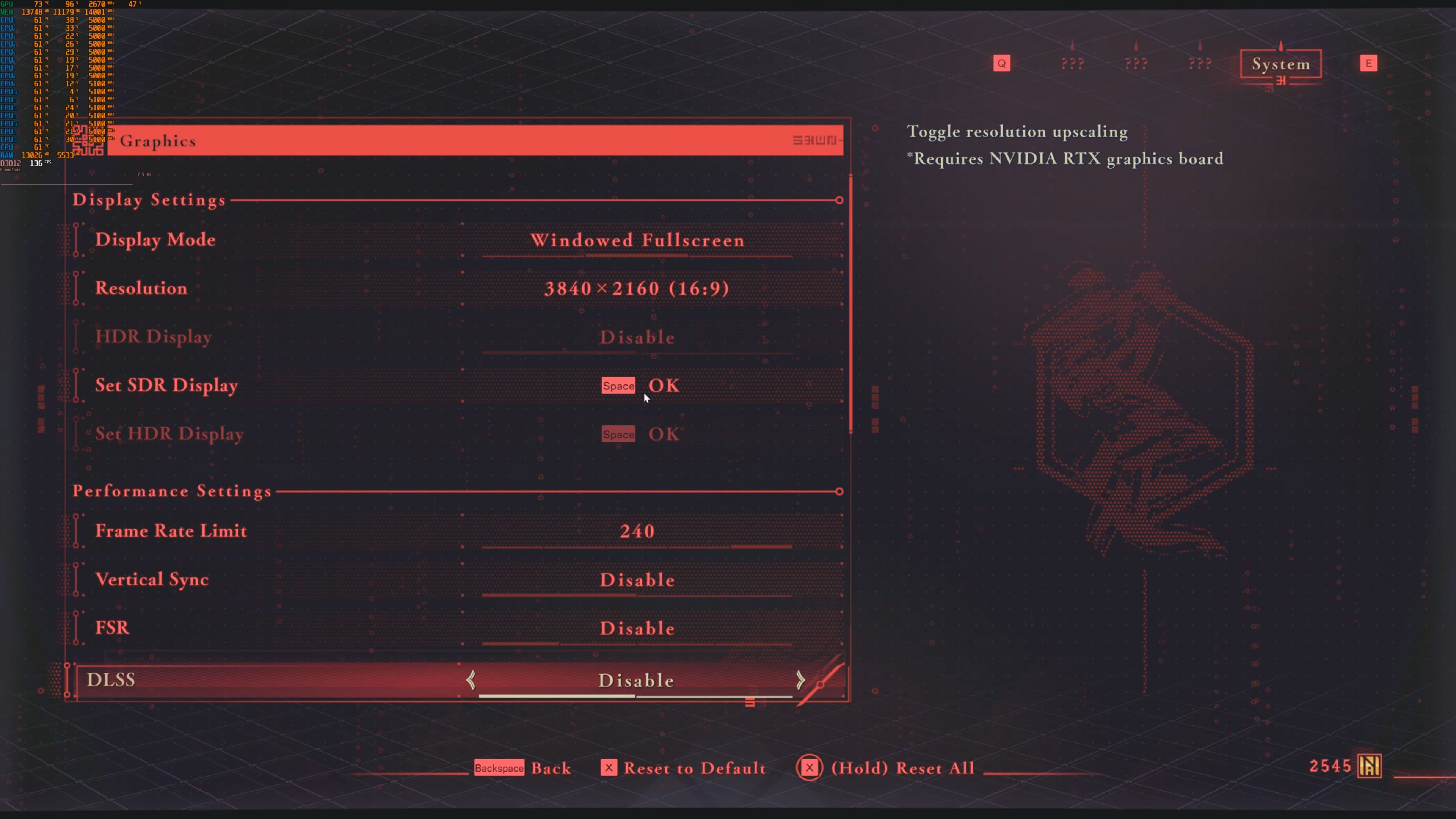

PlatinumGames has added very few graphics settings to tweak. PC gamers can adjust the quality of Textures, Shadows, Ambient Occlusion, Reflections, and Volumetric Fog. You can also enable or disable Wind Effects and Motion Blur. The game supports NVIDIA DLSS and AMD FSR. However, there is no support for Frame Gen. Not only that but you cannot set the quality mode for DLSS via the in-game settings. Although FSR has proper settings, DLSS only has an Enable/Disable option. What’s also a bit insulting is that the devs themselves suggest using the NVIDIA App to adjust the quality of DLSS. How on Earth can you implement support for DLSS but not add in-game settings? Who coded this? Was it AI? It shouldn’t be hard to add in-game settings when there are already ones for FSR.

Anyway, the good news is that Ninja Gaiden 4 can run really smoothly at Native 4K with DLAA and Max Settings on the NVIDIA RTX 5090. During the first two stages, I did not experience any stutters. This was a silky smooth experience. So, kudos to the devs for releasing a game that can run great.
The downside here is that Ninja Gaiden 4 is not a visually impressive game. Now I’m not saying it looks bad. The characters are great, and there are some cool dismemberment effects. There are also numerous cool special effects. However, after the prologue in the cave area, you can easily spot the limitations of its rasterized lighting.
One of my key criticisms about Ninja Gaiden 2 Black was its awful mouse movement. Thankfully, it appears that PlatinumGames has learned its lesson. Mouse movement in Ninja Gaiden 4 is amazing. Everything feels great, and the game can be greatly enjoyed with KB&M. This is easily the best game from PlatinumGames (when it comes to its KB&M controls).
All in all, Ninja Gaiden 4 appears to be running great on PC. The game does not use Ray Tracing, meaning that it can run with really high framerates, even when not using DLSS or FSR.
Stay tuned for our PC Performance Analysis, in which we’ll be testing numerous GPUs from both AMD and NVIDIA!


John is the founder and Editor in Chief at DSOGaming. He is a PC gaming fan and highly supports the modding and indie communities. Before creating DSOGaming, John worked on numerous gaming websites. While he is a die-hard PC gamer, his gaming roots can be found on consoles. John loved – and still does – the 16-bit consoles, and considers SNES to be one of the best consoles. Still, the PC platform won him over consoles. That was mainly due to 3DFX and its iconic dedicated 3D accelerator graphics card, Voodoo 2. John has also written a higher degree thesis on the “The Evolution of PC graphics cards.”
Contact: Email