
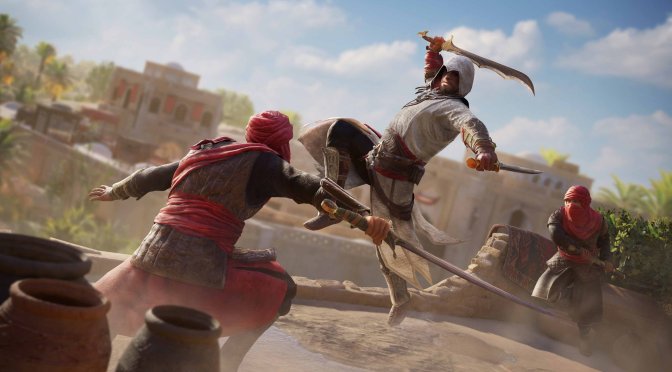
Assassin's Creed Mirage official screenshots-3

Assassin’s Creed Mirage gets a DLSS 3 Frame Generation Mod

Modder ‘PureDark’ has released a DLSS 3 Frame Generation Mod for the latest AC game, Assassin’s Creed Mirage. This mod will allow owners of RTX 40 series GPUs to take advantage of Frame Generation in order to further enhance their experience.

By default, Assassin’s Creed Mirage supports NVIDIA DLSS 2, AMD FSR 2.0 and Intel XeSS. And, we don’t expect to see any official support for DLSS 3 Frame Generation. After all, Ubisoft has partnered with Intel for this game.

Now what’s also cool about PureDark’s Mod is that it also removes the annoying Chromatic Aberration effect. So yeah, this is a pretty cool mod as Ubisoft has not currently included any setting to disable CA.

Now as with most of PureDark’s DLSS 3 Mods, this is available exclusively to his patrons. In other words, you’ll have to subscribe to his Patreon in order to download it.

PureDark has released numerous DLSS 3 Frame Generation Mods for a variety of games. So far, we’ve seen mods for Baldur’s Gate 3,  The Last of Us Part I, Elden Ring, Skyrim, Starfield, and Red Dead Redemption 2.

At this point, I kind of hope that LukeFZ will up his game and release free DLSS 3 Frame Generation for the aforementioned titles. LukeFZ was the man who released the first free DLSS 3 Mod for Starfield. And a few days ago, the modder released a DLSS 3 Mod for the latest Souls-like game, Lies of P.

Anyway, enjoy the video, and stay tuned for more!

Assassin's Creed Mirage DLSS3 and Chromatic Aberration Toggle

35 thoughts on “Assassin’s Creed Mirage gets a DLSS 3 Frame Generation Mod”

  1. Luke has FG for Mirage as well, I’ve been testing it for a few days. It’s just not public release quite yet (he’s busy so can’t help people right away).

    Personally I’ve tested both and Lukes has much better framerates. Also been flawless for my 13 hours in-game.

      1. There’s differences, but I don;t know what. Luke’s switches FSR to DLSS, Puredark you us DLSS in-game and he changes it to newer versions including FG. I remember Pure talking about performance differences between his and Luke’s back in Starfield.

        1. PureDark’s implementation in Starfield used Nvidia Streamline, which is the only way for modders to be able to swap FSR out for DLSS I believe, but with additional features/checks enabled through a ReShade in-game popup menu to enable things like Nvidia Reflex and include the ability to pause/delay re-activation of FG during loading/scoping as those stutter based events could cause FG to hang. Do you have any benchmark videos you’ve seen that show a difference in actual performance figures between the 2 implementations?

          1. Basically it was 226FPS and 98% gpu useage with Pure, 236FPS and 79% with Lukes same area ontop of a tower pointing my character to a specific building. I’m going to test more using the in-game benchmark an probably CapFrameX to record to entire run(s).

          2. That’s certainly curious. Possibly due to ReShade implementation overhead? Or did you have Reflex on with the PureDark version by chance?

          3. Why is the PureDark image MUCH clearer/sharper? Look at the cloth texture on the character. Or the pillar to the left of the first dock with the basket of red fruit on it.

          4. I thought maybe the fog but I doubt it’d make that much of a difference, honestly no clue.

          5. Yeah the farther objects I thought might be fog but it’s doing the same thing to nearby objects. Could it be the removal of chromatic aberration? Otherwise there’s some kind of difference either in resolution or potentially a sharpening filter on the PureDark one which would explain the performance difference.

          6. I think maybe one isn’t using the correct preset I chose, or the game. I didn’t turn off CA for either though both have the option to do so. Luke’s specifically doesn’t work with NIS like in his other mods, whereas I believe PD’s uses AMD CASso maybe it’s that?

          7. It might be. Personally I find Lanczos sharpening (similar to FSR) to be better than NIS. In order to enable it you have to set scaling in Nvidia control panel to the pixel doubling option. I forget the name of it. When you do that and go to the 3D settings section it changes “scaling and sharpening” which uses NIS to just Sharpening which uses Lanczos.

            But yes the different filter as well as injection method could definitely have a small difference in performance. In terms of image quality though…the PureDark one looks much better regardless of how it’s achieved.

          8. huh? When did Luke release a DLSS 3 Frame Generation for Mirage?

            Edit: So apparently it’s on his Discord and he will release it next week on NexusMods

          9. Luke’s version came out earlier than PureDark’s as well (I’m a patreon member for both).

          10. You won’t even be able to tell the difference between 219 and 234 FPS …..

            At that point a more important figure would be the system latency

          11. Been working on trying to get good results for Latency. I found with both “Low Latency Plus Boost” to favor latency without harming performance by about 2ms. I tried to capture both using the same manual save yet still one has a fog the other doesn’t.

            Overall; they seem to have identical latency at 4.2ms with a few fps advantage going to Luke’s implementation.

            https://imgsli.com/MjEyMzU4

            I’d say Puredark’s version has slightly better looking image but that could be the fog I don’t really know.

          12. You are measuring frametime NOT system latency …..

            At 60 FPS (frametime of 17 ms) most systems have about 40 ms of system latency and with DLSS Frame Generation that’s going to increase to around 60 ms and you’ll get around 100 FPS which is a frametime of 10 ms

            So even though your frametime has dropped from 17 ms to 10 ms your actual system latency will be worse than at native 60 FPS. Gimmicks like Reflex and Anti-lag can lower the extra latency caused by frame generation but it can’t eliminate it completely and especially can’t make it go below native because there is no such a thing as negative time ….

            Also any kind of V-sync (V-sync, Freesync, G-sync, VRR) is going to add even more system latency which is the reason people turn V-sync off when possible

          13. Well I hope I explained it well enough to enlighten you a little bit. System latency (not “fake frames” ) are the main downside to frame generation which is why both AMD and Nvidia say you should be getting over 60 FPS before you kick it in.

          14. This may interest you. Nvidia already has this feature and now AMD is implementing it in some beta drivers

            AMD “System Lag” metric now available, only for RDNA3 GPUs

  2. Very interesting that you continue to post this dipshits stuff when just a week ago he was threatening people.

    1. Pay $5 once and get mods for 7 different qames and counting

      Doesn’t sound like a bad deal to me

      Although personally I’d go with DLAA no frame generation and be happy with the 80-90 FPS and lower system latency I’d likely get at 1440p with a 4070 Ti

    1. Motion Blur, Chromatic Aberration and Depth of field are the first three things I always turn off along with “Screen Effects” if possible ….. I don’t want water droplets running down my screen

      Basically anything that makes the game look like I’m viewing everything through a camera lens instead of my eyes …..

Leave a Reply

Your email address will not be published. Required fields are marked *
