
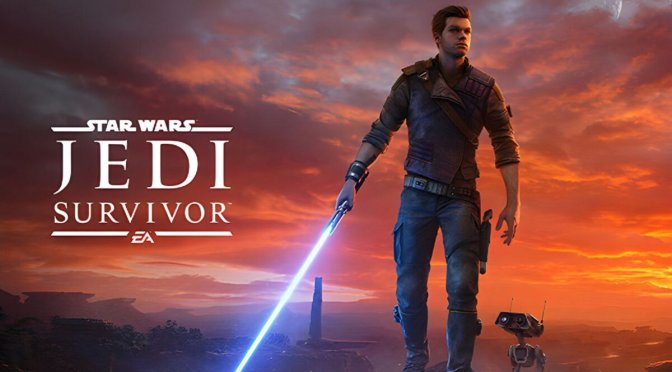
STAR WARS Jedi Survivor new feature

Star Wars Jedi: Survivor Update 8 Released, Full Patch Notes

EA and Respawn have just released Title Update 8 for Star Wars Jedi: Survivor, and shared its full patch notes. This latest update brings two new features and several improvements to Slow Motion. So, let’s take a closer look at them, shall we?

So, Patch 8 adds a new high contrast mode. According to the devs, this will allow players to desaturate the environment and use colors specifically for narrative and gameplay elements. Additionally, this update brings a new audio ping functionality. This will allow players to both passively and actively ping the environment which will give them the ability to echolocate objects and interactable elements nearby.

Now in case you’re wondering, no. This patch does not improve the quality of Ray Tracing. It won’t also address the game’s stuttering issues. As such, you’ll still have traversal and shader compilation stutters. This is really disappointing. But let’s be realistic here. After all this time did you expect Respawn to fix them?

Since I’ve finished the game, I can say that on a high-end PC system, the stutters are not that big of a deal. Yes, they are there but they are nowhere as annoying as those of Dead Space Remake. The only area that really suffers is the Koboh village.

Respawn has dropped the ball twice with its Star Wars games. And yes, the consoles also suffer from traversal stutters. The biggest issue on PC is that you can more easily notice those stutters with an unlocked framerate. Once you lock it at 60fps, the gaming experience is quite good. It’s not perfect but it’s fine. At least in my opinion. And, as I’ve showcased, you can at least eliminate the stutters on PC by locking the framerate at 30fps. This isn’t obviously an ideal solution, but it’s at least something.

Like always, Steam and the EA App will download this patch the next time you launch their clients. Below you can also find its complete changelog.

Star Wars Jedi: Survivor Patch 8 Release Notes

  • A new high contrast mode allows players to desaturate the environment and use colors specifically for narrative and gameplay elements, making them stand out more.
  • A new audio ping functionality allows players to both passively and actively ping the environment, giving the ability to echolocate objects and interactable elements nearby.
  • This update includes additional slow motion presets. With this new implementation players can toggle between both their own custom value and three new presets.
    • The presets are set at 30%, 50% and 75% and available through the shortcut menu. This will allow users to switch between multiple different slow motion values, and not just the custom value and the default game speed.
  • Performance and stability fixes across all platforms

28 thoughts on “Star Wars Jedi: Survivor Update 8 Released, Full Patch Notes”

      1. Denuvo is already cracked, EA Origin DRM is impossible to crack !! Maybe a bypass would be an alternative for now !!
        Dead Space Remake remain uncracked till now , so i think there’s no chance to see Jedi Survivor Cracked any soon unless EA remove their stupid DRM !!

  1. This update also failed to tweak or upgrade the FSR 2.0 implementation to 2.1, 2.2 or 3.0, because why would they.

    1. Meanwhile on the Nvidia side you just drop in a new DLSS DLL and you are upgraded to the latest ….. All my games are on 3.5.10 even though only one of them (Pandora) came out with that version ….

      I even wrote a simple PowerShell script that backups the old DLL and installs a new one

  2. Weirdo space opera and worse features a nasty traneeman ginger pointing down in a bapho handsign, big surprise. Monster clown ball.

  3. Capcom caught adding Enigma DRM to older titles, for no good reason. Patch for Resident Evil Revelations adds anti-tamper executable, negatively impacts performance.

    -techspot

    Capcom wasn’t kidding about preventing players from modding its games, and it has seemingly started implementing measures to do just that.

    According to many on the Steam forums, the latest update has actually prevented the game from being able to run on their system, while others complain about a hit to performance as well as more pronounced stuttering – two issues commonly associated with DRM.

    -vg247

    1. Regarding the performance and stutters, I haven’t seen any concrete evidence of it. So, until someone posts evidence of it, I call bullsh*t. It sounds similar to the “performance issues” of Denuvo.

    2. thanks for some real news, I guess just got too used to the little blurbing nothing selling here with not much else forgot there are some real news sites out there in the vg space. RER1 is so old it shows the megalomania of these scum, very glad haven’t given CapCom, cc, 33, any money for either decades or at all. Dev behavior and their cronies in the “news” are the largest advertisement for eye patching there is.

  4. Hi, Neat post. There is a problem along with your website in internet explorer, would test this·IE still is the market chief and a good section of other folks will pass over your magnificent writing due to this problem.

  5. you are in reality a just right webmaster. The site loading velocity is incredible. It seems that you are doing any unique trick. In addition, The contents are masterwork. you have performed a wonderful task on this topic!

  6. “It won’t also address the game’s stuttering issues.”

    Even before the game came out I knew it would have stuttering that would never get fully fixed as they never fixed the stuttering of the first game. Most people have such garbage low standards and praised the first game so much even though it was a stuttery mess.

  7. I regret buying this game. Jedi Survivor is the game that forever stopped me from paying any money for a game that is released unfinished. It stutters and generally runs like crap and it will never be fixed. Everyone responsible should have to go to jail for at least a year.

  8. I am not sure where you’re getting your info, but good topic. I needs to spend some time learning much more or understanding more. Thanks for magnificent info I was looking for this information for my mission.

  9. “Respawn has dropped the ball twice with its Star Wars games.”

    The first games stutters are pretty much solved with DXVK as are most broken CPU titles on DX 11 or lower. Every PC Gamer should learn how to drop the DXVK files into a folder now days. Reshade works with it as well, you just install it with the Vulkan option.

    DXVK used to need to build a shader cache or you needed to implement exotic ASYNC releases, but that’s no longer the case.

    1. You shouldn’t have to modify the game folder in order to use a paid product. Software is in absolute shambles and we’ve lost all the gains in performance from hardware via terrible software.

      1. As a Linux kernel developer, I have to respectfully disagree here.

        Linux is very well maintained software which gets a major new release about every 10 weeks with massive amounts of fresh code.

        In fact, we are slowly but surely starting to beat Windows at its own game, literally:

        Here’s a benchmark of Cyberpunk 2077 done by Digital Foundry on a Steam Deck vs. ROG Ally shoot-out.

        And even though the Steam Deck has the inferior hardware, it managed to come out ahead of the ROG Ally at the same wattage, all while having to constantly translate the game’s Windows APIs via the Proton compatibility layer.

        Here, take a look:

        https://uploads.disquscdn.com/images/fae55b4074a643614ebca67ce2d1443f39d7b80db930240f7897b5ddbf43118a.png

        One day, you will have the choice to install SteamOS on your PC, too.

        Hope you make the right choice once the time has come… 🙂

  10. I have been surfing online more than 3 hours today yet I never found any interesting article like yours It is pretty worth enough for me In my opinion if all web owners and bloggers made good content as you did the web will be much more useful than ever before

  11. obviously like your website but you need to test the spelling on quite a few of your posts Several of them are rife with spelling problems and I to find it very troublesome to inform the reality on the other hand Ill certainly come back again

  12. Fantastic site Lots of helpful information here I am sending it to some friends ans additionally sharing in delicious And of course thanks for your effort

Leave a Reply

Your email address will not be published. Required fields are marked *