
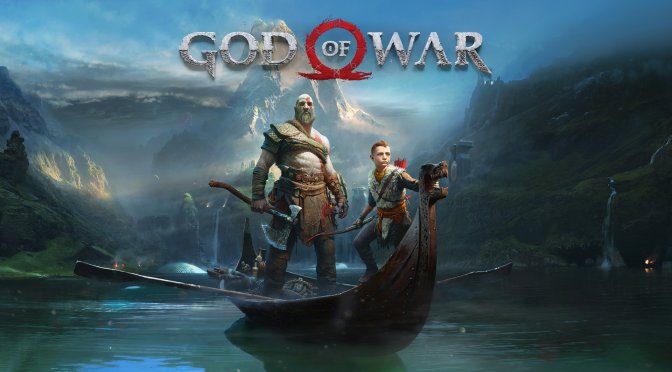
God of War new feature

God of War Patch 1.0.12 adds support for AMD FSR 2.0

Santa Monica Studio and Jetpack Interactive have released a new patch for the PC version of God of War that adds support for AMD FSR 2.0. AMD FSR 2.0 uses temporal upscaling techniques, so it should look as good as NVIDIA’s DLSS.

Alongside the support for AMD FSR 2.0, Update 1.0.12 packs a fix for an issue that plagued the game. More specifically, the Toggle Aim/Block accessibility features will now no longer have inconsistent behavior.

As always, Steam will download this patch the next time you launch its client. Since the game now supports both DLSS and FSR 2.0, we’ll be sure to compare them and share some comparison screenshots.

Stay tuned for more!

42 thoughts on “God of War Patch 1.0.12 adds support for AMD FSR 2.0”

    1. Use DXVK. It’s better than DX 11 now days anyways. You just throw the files in any DX 11 game or DX 9 game, just like we used to do with reshade. Google DXVK and God of War or AMD and you will see several threads on it. With native 12 or Vulkan AMD is better than Nvidia on cpu overhead, so leave them alone.

      When comparing on a save game allow time for the shader cache to build, Builds same way DX does. During gameplay. An example would be Novigrad on Witcher 3. You wouldn’t want to load a save for there and expect it to not stutter until a cache is built. Same thing would happen if you wiped the shader cache on DX with the DDU utility.

      I tried it in SWTOR for DX 9 and it was stupidly smoother even on my OC 5600x.

      DX 11 driver worries are over.

      1. This +999.
        DXVK in most cases interpretes everything better.
        crazy huge improvments on dx9 , really good with DX11, Including emulators.

      2. Wrong.
        Not every games works with DXVK, most don’t even start, and some don’t render properly.
        DXVK is nice “tool” but don’t praise it like it was a super duper miracale tool to fix all the problems and performance problems in the gaming world.
        Online game CAN easly ban you for using DXVK and for manipulating with render wrapper.

          1. Death Stranding uses DX12 only, therefore DXVK is useless there.
            VKD3D-Proton is responsible for converting DX12-to-Vulkan.

            AFAIR, even a nVidia 750 Ti user managed to run that game on Linux (although obviously with slow performance).

          2. Do you know if I can use the dx12 wrapper on windows? I think with strawberry perl, but don’t know exactly

          3. You could but you wouldn’t want to. DX 12 loses performance in Linux with the conversion because it’s a low level API and translation is in early release. DX 12 titles without a Vulkan backend are the only titles that perform worse in Linux. I don’t know of any games where the DX 12 backend is faster than Vukan when both are present.

          4. That actually depends on the game, even though VKD3D-Proton is anything but mature.

            A fellow Linux gamer did a comparison with Metro Exodus – Enhanced Edition on both Windows 11 & Linux, and actually had better results with VKD3D-Proton.

            Search for the following on YouTube to see for yourself:

            “Metro Exodus Enhanced on RTX 3060 native D3D12 on Windows 11 (DLSS balanced)”

            &

            “Metro Exodus Enhanced on RTX 3060 Linux with VKD3D-Proton (DLSS Balanced)”

          5. you can also play mgs 3 subsistence version using the pcsx2. you can still download games from emuparadise using a script.

        1. Care to share which offline games are still having problems with DXVK?

          Also note that for AMD GPUs DXVK is primarily tested against the Linux-exclusive RADV Vulkan driver (used by the Steam Deck), not the official AMDVLK one.

          1. In this video they list multuple single player games running with problems on DXVK (2m6s)

            https://youtu.be/wPySLBiQeQM

            But I’m still happy with the results, because thanks to DXVK I can finally play GTA 4 at 4K maxed out settings with solid 60fps (80-100fps). Without DXVK I had 40-65fps.

          2. But that video is from August 28, 2021.

            Alot has improved since then, on all fronts:

            Drivers, the Vulkan API specification & of course DXVK itself, too.

            That video is unfortunately not really representative anymore…

        2. Can you please elaborate on the mechanism to integrate DXVK into a .exe?? This will open up a lot of games for me! The shytty AMD drivers could not be more shytty

        3. The only thing with a warden that would ban for it is probably WoW. WoW is DX 12 on Windows, so you wouldn’t bother in the first place. GW2 fans have been doing this for years and it was so effective that Arenanet is making or made an official patch. I used DXVK on both AMD and Nvidia on SWTOR. Performance was MUCH better in combat with a lot going on. Fleet was still mediocre but the engine just can’t handle like 50 people on one small area without a stutter/hitch.

          Shooters are all pretty much DX 12 now days aren’t they? The only one’s that aren’t have performance so good who cares unless you are an esport player in the hundreds of fps on low settings.

      3. While I do use DXVK, I’d still appreciate the native improvements anyway, given clearly it’s possible.

    1. You are 100% right. They can’t even get basic MANDATORY PC features, but they love to advertise all this sorcery like FSR & DLSS. But the Xbox xpats have come over to PC & now these things are allowed to happen. Just look at any from software games. They sell the most on PC but still locked at 60. No proper KB+M button prompts/support. The truth is, the gamers are to be blamed for all this nonsense. There is an old saying, “you teach others how to treat you”. And PC gamers have thought developers to test them like sh*t. I.E, “There is a mod for that”. Bioware re-releasing trilogy and didn’t change a damn thing, ESPECIALLY in the 2nd & 3rd game. Qol in the their franchise is extremely poor. But you will hear gamers kiss their A$$*s like no other. Bioware, the “King Of Jank”.

    2. You are just a miserable human being incapable of seing this port’s many qualities due to your mental blindness. As if not having “true” fulllscreen, magically makes the game a bad PC game? What drugs are you on?

      This is one of the best ports to have come to PC in some time.

      But you will get upvotes for the garbage you post from the many degenerates around here at DSOGAMING. So, keep it up, I say.

      1. You’re the one on drugs dude. Without true Fullscreen the game isn’t using much of the PC resources you paid for and if not performing at top peak. Everyone that’s a PC gamer knows this. So the question is why don’t you? Why are you here defending half-a$$ed work from a multibillion dollar corpo? A Corpo that doesn’t give a damn about you. A Corpo that makes a crap load of money for doing minimal work on the platform they release the game on. Do you think that’s fair? Instead you are here tearing down people for pointing out simple truths. Haha, you afraid that Sony wont release any more if their garbage on PC if criticized too much. People thought the same of from software with Dumbsouls yet here we are with Raggedy Ring years later, with no change. Stop The Cope!

        1. “Without true Fullscreen the game isn’t using much of the PC resources you paid for and if not performing at top peak”

          wtf is this bullshit

          1. Shut up Dummy. This is common knowledge. I wanna know when did this rule change, EVERYONE KNOWS THIS. Why do you think people want Fullscreen. Y’all just get dummer and dummer.

          2. it runs the same, full screen allow you to change resolutions and refresh rate, but thats about it

            or maybe idk your pc its just that old and it really get some performance lost, but i think its bullshit

          3. Poor Sr. Chalice is still on windows 7 lol, after windows 10 anniverssary update and few driver updates from gpu manufactureres i have compared soo many games in full and borderless and both are using same resources from gpu and cpu and run exactly the same and some run better in borderless lol. There are benchmarks all over the youtube to prove Sr. chalice wrong but he wants to live in denial, his fault. This guy is miserable piece of sh** who is always crying over something in the comments section

        2. lol SR. Chalice you are wrong here, after windows 10 anniversary update and few graphical driver updates almost all new game perform exactly the same in borderless and fullscreen. In windows 10 even the games in fullscreen are also actually running in borderless until you disable full screen optimizations. Even then i never saw any fps boost. Mnay games acutally perform better in borderless windowed mode like days gone runs far better with less stutters in borderless windowed mode.

          1. Were you running Days Gone with Vsync disabled?

            If so, then borderless window mode can run smoother because the compositor is still active, thus acting like a frame-limiter.

            Else fullscreen should always be preferred (with active Vsync), because drivers have their own fullscreen detection & optimizations built-in (resulting in smoother frame-pacing).

          2. Let’s say what you’re saying is true, EVEN THOUGH IS NOT! Because we all already I know why games run in different modes because what your saying is virtually impossible. And any PC enthusiasts knows this. With that said, have it occured to you that NOT EVERYONE IS USING WINDOWS 10? AND again what you’re saying is NOT TRUE. All those BS promises and assumptions is why many gamers STILL not on windows 10. C’mon man, there are always reasons and we aren’t playing UWP garbage here. These are Exe’s. Why do you think there are options between Exclusive Fullscreen (Fullscreen), FULL screen(borderless window), and windowed mode (window). I’ve tested this and there is STILL A MAJOR DIFFERENCE.

          3. You are wrong here honestly, windows 8.1 & 7 had issues in borderless but after anniversary update on windows 10 and few driver updates from gpu manufacturers there are hardly any game which performs better on full screen. One thing is true that there is a slight increase in input latency playing in borderless fullscreen ,other then that i have compared games running in both full and borderless and both are using same amout of gpu and cpu resources. People who have not upgraded to windows 10 still are shooting themselves in the foot. Its not the developers fault.

          4. Hmm… Im gaming in PC since probably around 2004 (where everything is still heavily single threaded) and what I knew and understand is that using exclusive fullscreen would mean my PC could move unnecessary task resource inside the RAM into harddisk pagefile and free more RAM and some processing resources so it can be exclusively used by my game to run a bit better. Running windowed usually resulting in stutter here and there due to task in the background still roaming the RAM and take some processing power. And from my experience, using borderless window nowadays meant my game would follow desktop max refresh rate (I tend to let it on max)) that usually resulting in uneven gaming experience due to fluctuating frame pace where the game will always try to reach that maximum refresh rate (it didnt matter of course if you have only 60Hz desktop monitor, but its totally different story with 144Hz desktop monitor that quite common nowadays,except if your GPU so powerful of course or you set your game in lower graphical setting to reach FPS that match your monitor refresh rate). Also, if you try limiting the FPS in the game, FPS limiter in the game usually cannot be divided evently with your monitor max refresh rate that means you usually get a judder when limiting FPS into 60 or 120 fps while your monitor runs at 144Hz . and last but not least, using borderless for some reason will cause flickering in my monitor when freesync activated, while in fullscreen it didnt flicker. But, its probably just my monitor specific problem though.

        3. I prefer if game is using fullscreen because I can use Nv DSR scaling without changing my desktop resolution each time I run this game, but during gameplay it makes no real difference.

          I think this God Of War is the worst in the series, but it’s still decent game overall, so there’s no need to hate people who enjoy it.

  1. John, I know you’re a moron so maybe dont make statements about things you clearly dont understand. No, FSR 2.0 wont look as good as DLSS because it’s still missing an entire compute component. Its advantage in being not hardware limited is also why it will never be as good as DLSS on RTX hardware. The machine learning leveraging the Tensor cores goes above and beyond what temporal upscaling can do, and RTX also leverages those cores to offset the workload so the performance will be higher.

    So, FSR 2.0 is fantastic.And AMD should be applauded and gamers should be happy this tech exists. However, your statement about its visual capabilities like everything you do is idiotic.

    1. Immaturely name-calling a site holder to risk attention to you and a ban (mainly due to your ill-nonsense comments about no Pro-G4Y/ally support on here) is just you screaming and crying out saying – “don’t ignore me, and my kind, on here anymore!” You hate your life, eh?! ???

      Sad!

    2. John, I know you’re a moron so maybe don’t make statements about things you clearly dont understand.

      Angry much?! ?

      Immaturely name-calling a site holder just to risk magnifying attention only to you, and possibly a ban (mainly due to your ill-nonsense comments about no Pro-G4Y/ally support on here) is just you screaming and crying out LoUd saying – “don’t ignore me, and my kind, on here anymore!”

      You hate your life, huh?! ???

      Sad!

      1. That guy is a fail at effective communication. I just stop reading when they start having a sh*t-fit like that and move on.

Leave a Reply

Your email address will not be published. Required fields are marked *