
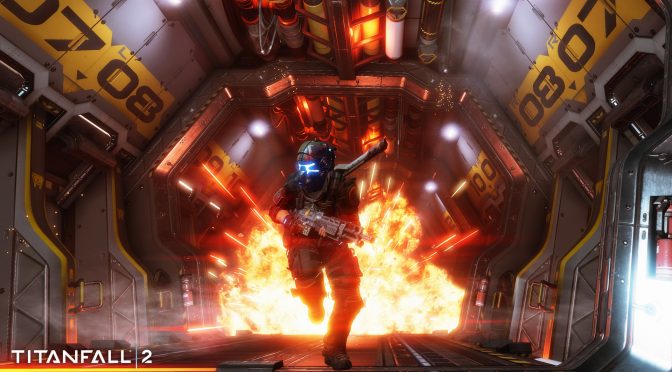
Respawn has detailed the first PC update for Titanfall 2. This first patch will come with stability and GPU performance improvements, increased performance of streaming textures, and will introduce adaptive resolution scaling.
Adaptive resolution scaling will be helpful to all owners of low-end GPUs that want to experience the game, or for those that want to run the game in 4K.
As Respawn stated:
“This feature allows the game to downscale the rendered image to help maintain a consistent framerate. This will be especially helpful for our users running lower spec video cards, allowing them to maintain 60fps more often, as well as those of you running 4K monitors with more midrange GPUs. Adaptive Resolution uses TSAA’s resolve step to output to screen, thus the feature is only enabled when TSAA is enabled.”
This patch will also fix disappearing grapple rope with TSAA enabled, will adjust Recommended settings for lower end GPUs, will fix subtitles being stretched in 21:9 ratios, and will fix some rare hardlocks and crashes.
This update is available right now, and will be auto-downloaded from Origin.
Here is the complete changelog for Titanfall 2’s first PC update:
- Stability and GPU performance improvements
- Titan weakspot highlighting respects colorblind settings
- Reduced stuttering and playback issues with voice chat
- Improved speed of allocating Private Match dedicated servers
- Adjusted Recommended settings for lower end GPUs
- Reduced hitching when changing between no antialiasing and TSAA
- Increased performance of streaming textures, reducing stalls and hitches
- Archer and Thunderbolt now go to Aim-Down-Sights when wallhanging (oops!)
- Better Network chatroom moderation tools
- Fixed various grapple gameplay issues
- Fixed Kraber shots going through Bubble Shield
- Fixed certain combinations of weapon mods and menu selection resulting in no weapon model showing in customization menus
- Fixed spawning halfway underground after playing third person animations in Kill Replay
- Fixed tracker lock-on HUD elements not reliably showing up during Kill Replay
- Fixed Titan executions not triggering reliably
- Fixed mantling up stairs
- Fixed incorrect aspect ratio when switching from fullscreen 1920×1080 to windowed 1600×900
- Fixed some rare hardlocks and crashes
- Fixed subtitles being stretched in 21:9 ratios
- Fixed race condition when accepting Origin game invite with application closed
- Fixed some display issues in Networks lobbies
- Fixed disappearing grapple rope with TSAA enabled
- Fixed NVIDIA Surround crash

John is the founder and Editor in Chief at DSOGaming. He is a PC gaming fan and highly supports the modding and indie communities. Before creating DSOGaming, John worked on numerous gaming websites. While he is a die-hard PC gamer, his gaming roots can be found on consoles. John loved – and still does – the 16-bit consoles, and considers SNES to be one of the best consoles. Still, the PC platform won him over consoles. That was mainly due to 3DFX and its iconic dedicated 3D accelerator graphics card, Voodoo 2. John has also written a higher degree thesis on the “The Evolution of PC graphics cards.”
Contact: Email
I wish more games had this feature. It seems like only console games get dynamic resolution scaling. Especially when gaming at lower end hardware, or even when trying to game at 4K resolutions as they said. Glad it is being implemented, hope this continues among some more games.
Adaptive resolution scaling it is hard to implement on PC because it need DirectX “Hardware overlay support” introduced in version 11.2 (at least Windows 8.1) , it’s not supported on DirectX 11.0 (Windows 7) and DX11.1 (Windows 8.0). On Windows 7 it is not possible to implement that feature and still 30% of PC owners use that old system.
https://uploads.disquscdn.com/images/52b41490e6fbbea4ccb743c01e8c257c5472b34eca93c9f44114df39f9038432.jpg
https://uploads.disquscdn.com/images/c078011286a0773d745eca701df3821cd8a79ea5b7ee99c6ed25b987732dcce9.jpg
https://uploads.disquscdn.com/images/b8b53b38dc4ec772cfed1561b8cf3dc92a9aea635338e98409aa22845f0bfb30.jpg
And that’s why API fragmenting is bad.
Microsoft, take note!
(Even though I know you won’t, of course)
All existing systems (Windows, Android, iOS, Linux) have different system API for different version. For example:
OpenGL ES 1.0 – Android 1.0.
OpenGL ES 2.0 – Android 2.2 (API level 8)
OpenGL ES 3.0 – Android 4.3 (API level 18)
OpenGL ES 3.1 – Android 5.0 (API level 21)
Vulkan 1.0 – Android 7.0
If you want use new API… then use current version of Android, iOS, Windows, MacOS, Linux or any other system. If you want use system from 2009… then you use API existing in 2009. Simple.
– “Android”
– “Android”
– “Android”
– “Android”
– “Android”
So….. Smartphones.
Yeah, OK……….
Now, onto the desktop front; we’ve got Metal (OS X) & Direct3D (Windows), that’s it. Linux is far too fragmented to discuss in this manner. Yes, Apple didn’t add Metal to any OS older than 10.11, but then again, Apple also has free annual OS upgrades, unlike Microsoft, which has fragmented the Direct3D 11 platform across FOUR Operating Systems (Windows 7, Windows 8, Windows 8.1, Windows 10), of which 3 require a paid license to upgrade to, &/or are just flat-out controversial.
Hell, one of them (Windows 8.0, DirectX 11.1) is dead, even, whereas Windows 7 (DirectX 11.0) is still going strong. Meanwhile, nobody’s adopting DirectX11.2 (Windows 8.1) because nobody’s going to code for an API that’s only used by a fraction of a fraction of the entire playerbase, just like nobody’s going to use DirectX 11.3 (Windows 10) over DirectX 12, because that’s just dumb.
“Meanwhile, nobody’s adopting DirectX11.2 (Windows 8.1) or DirectX 11.3 (Windows 10) because nobody’s going to code for an API that’s only used by a fraction of a fraction of the entire playerbase”
Titanfall 2 uses DirectX 11.2 to implement ‘adaptive resolution scaling’ based on ‘DX11.2 hardware overlay support’. This function is not available in older version of Windows such as Windows 7. People using systems from 2009… have API from 2009. Simple.
You know, it’s funny, you claim that, & yet, I can’t find a single source indicating that Titanfall 2 actually uses Microsoft’s Direct3D 11.2 API.
System requirements all simply state “11” which would seem to indicate “11.0” rather than “11.2” & nowhere does it specifically state they’re using the Windows 8.1 version of the Direct3D 11 API, so…..
Unless of course Adaptive Resolution Scaling is some kind of Microsoft proprietary tech, which means Remedy couldn’t possibly have created a version of it by themselves, for themselves, using the Source Engine’s modular nature, & circumventing the Direct3D API? No?
If you want implement “Adaptive resolution scaling” in DirectX then you need use DirectX API called “Hardware overlay support”. This is only way to implement that function in DirectX. That API was introduced in Windows 8.1 – check slides from Game Developer Conference. This API is not available in old Windows 7. Simple.
BTW: You can also use OpenGL as alternative to DirectX. For example many IDTech games use “Adaptive resolution scaling” such as Wolfenstein New Order. But you can’t use DirectX older than DirectX 11.2
That’s why I said – is it proprietary tech, trademarked/copyrighted etc. by Microsoft, or could Respawn hypothetically actually be able to implement Adaptive Resolution Scaling by themselves, outside of DirectX?
I mean, you’re assuming Respawn chose to use DX11.2 based upon the inclusion of Adaptive Resolution Scaling, which, through DirectX, is exclusive to the 11.2+ version, but I have yet to find any evidence that Titanfall 2’s ADR is limited to Windows 8.1+, so, how do you actually know that they’re using Microsoft’s DX11.2 API?
Rather than just making their own version of it, that is. Have you, yourself, personally tried Titanfall 2’s ADR in Windows 7? Do you know anyone who has? Do you have anything, anywhere that indicates the use of Microsoft Direct3D 11.2, rather than a custom implementation of ADR done by Respawn themselves?
“is it proprietary tech, trademarked/copyrighted”
No, its not copyrighted. Its implemented on many different API for example od Windows you can use OpenGL 4.2 or newer, DirectX 11.2 or newer. This feature was for the first time used… in OpenGL by ID Software 🙂
MS adopted this technology in Windows 8.1 as part of DirectX 11.2. Respawn used “dx11.2 hardware overlay support” because its game is written in DX11 so they can’t use OpenGL API. Using API from Windows 8.1 isn’t a big problem, only 30% of Steam gamers use system older than Windows 8.1 and most of them are DOTA players not AAA gamers.
BTW.. You can’t create “custom ADR” in old version of DirectX without access to “hardware overlay support” introduced in Windows 8.1. Its simply not possible. You can read about that in slides from Game Developers Conference. You must use DirectX 11.2 or OpenGL 4.2.
“only 30% of Steam gamers use system older than Windows 8.1”
What. Your delusions never cease to amaze me.
Besides, Titanfall isn’t even on Steam.
You can write what you want… but you can’t use DirectX API introduced in Windows 8.1 on old system like Windows 7, Windows Vista, Windows 98… Its simply not possible in DirectX 🙂
https://uploads.disquscdn.com/images/b2cd960f626eedda354b12aef2beb9076d5f04ef3c1f0cd879023977b8007c39.jpg
Interesting,
You’ll have to setup a custom resolution in your NVIDIA Control Panel. DSR does not seem to work
dsr works man its so easy there is no need to custom resolution.just do as i said above
DSR doesn’t work in TitanFall 2. Using DSR to change your desktop resolution doesn’t mean the feature works in-game, you just got around the issue.
what are u talking about???i already play in 4k man just set ur desktop resolution at 3840 2160 and enter game u can use dsr or 4k .it workd for all games like that
“We’ve got Vulkan to make up for that”
Of course. That function is supported by every new API:
– OpenGL 4.2 and later
– Vulkan 1.0 and later
– DirectX 11.2 and later
– probably even Mantle support that.
But you can’t use that API in old version of libaries such as DirectX 11.0 in Windows 7 or DirectX 9 in Windows XP. If game use DirectX such as Titanfall 2 then you need at least Windows 8.1 with DirectX 11.2. Simple
Not simple.
As you said yourself, & I quote; “No, its not copyrighted. Its implemented on many different API” so there’s no reason to assume Respawn couldn’t have implemented ADR themselves, directly into their own tech, rather than using Microsoft’s OS-sensitive implementation. As I said before, we’re talking about a studio that didn’t even implement DX12, yet for some reason, they (allegedly) went for DX11.2?
See, until now, you continue to claim that there’s simply no way Respawn couldn’t be using DirectX 11.2 “because ADR”, yet you continue to fail to prove that they are using DX11.2. There is literally not a shred of evidence that Respawn didn’t make their own, non-DX11.2, non-Microsoft version of ADR, aside from your continued insistence that they didn’t, based upon…. “because ADR.”
Which is fine & all, but it’s not evidence, it’s assumption.
nvidia solved dsr problem look here
http://www.geforce.com/whats-new/guides