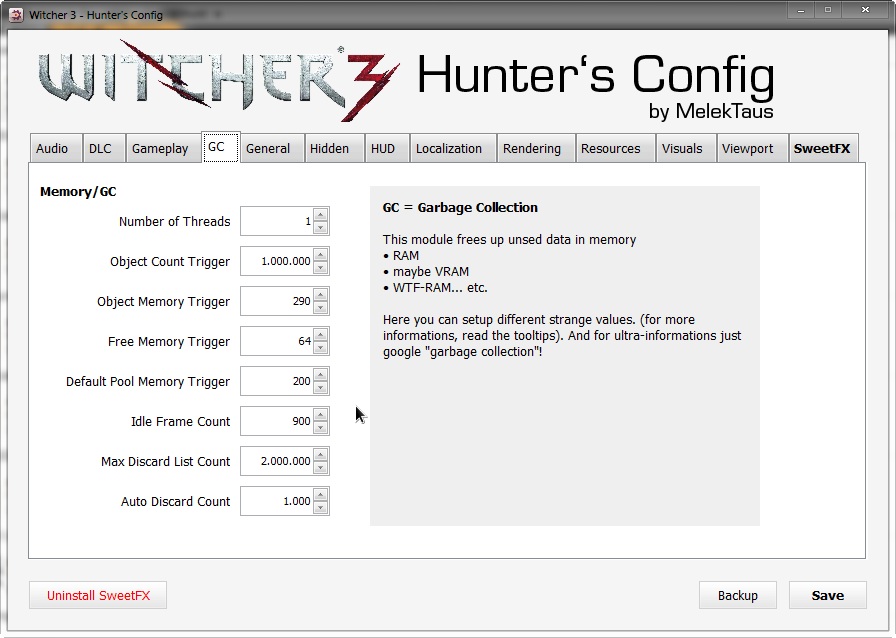
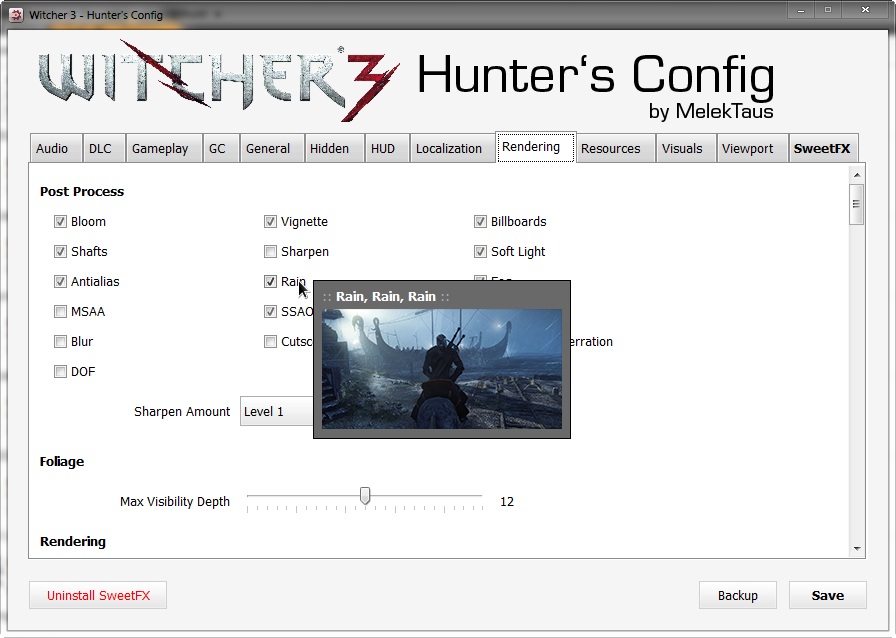
We are pretty sure that a lot of PC gamers would love to tweak some of The Witcher 3’s .INI options but are put off by the whole procedure. Well, get ready everyone for a treat. Modder ‘MelekTaus’ has released a configuration tool via which you can easily gain access to numerous graphics options.
What’s also interesting is that this config features support for SweetFX (so those not knowing how to enable it can easily do so via this tool).
Those interested can download it from here.
In order to install it, you’ll have to follow this guide:
The ZIP included only one single file (W3HC-xxx.jar), just copy it into your Witcher 3-installation folder.
-Starting first time: it will make a backup of your config files.
-I added an 1-Click-Downloader for SweetFX (< 1 MB)
-Some tooltips are not 100% accurate but I’ve done my best
Do note that you’ll need to open the .jar file with Java Runtime and not with WinRAR.
Enjoy!
John is the founder and Editor in Chief at DSOGaming. He is a PC gaming fan and highly supports the modding and indie communities. Before creating DSOGaming, John worked on numerous gaming websites. While he is a die-hard PC gamer, his gaming roots can be found on consoles. John loved – and still does – the 16-bit consoles, and considers SNES to be one of the best consoles. Still, the PC platform won him over consoles. That was mainly due to 3DFX and its iconic dedicated 3D accelerator graphics card, Voodoo 2. John has also written a higher degree thesis on the “The Evolution of PC graphics cards.”
Contact: Email


Awesome!
So many options! And with tooltips! And little pictures! *o*
*pukes rainbows*
Seriously, this type of thing should be mandatory for every PC game.
+Kepler
Agreed wholeheartedly!
It should be the law, not mere guidelines, for every PC game to have this kind of option.
:O
Nice but some of the tooltips are useless also it’s interesting that it offers msaa when the witcher 3 doesn’t use msaa
Curiously, there is an MSAA entry in the rendering.ini.
A lot of stuff in that file I’d like to experiment with. Would be interesting to see the results once more capable people than I get around to messing with that stuff.
The nvidia guide for the witcher 3 says MSAA is incompatible with REDengine 3’s renderer.
Weird.
I thought that they were using MSAA for the anti-aliasing for Hairworks?
That’s out of engine, Hairworks can have it’s own effects without the engine supporting it.
I don’t know what AA nvidia uses for hairworks but considering the massive performance hit you get with hairworks you’re probably correct
It is incompatible. BUT it DOES work in theory, it’s just it’s performance is SOOOOO demanding. Probably somewhere around double. It’s why Wolfestein The New Order didn’t have it. Technically incompatible but it technically works it just costs 15-20 fps for x2 MSAA and creates other visual artifacts and glitches. I’ve enabled MSAA for Witcher 3 and noticed no differences. I believe this and ubersampling are the options CDPR refers to when they say they “will open up further ini/config options.”
How can you say it does work but then say you noticed no difference with it enabled?
https://www.youtube.com/watch?v=MoFl7UAZ9S0
same way i did without program only notepad way!
Triss my love.
Thanks for the info !
You mean mouse sensitivity?
1. You can set lower value in the witcher’s options menu.
2. Mouse driver software – set lower dpi
3. Mouse options in windows’ control panel
1. You can set lower value in the witcher’s options menu.
Where Exactly u found the mouse sensitivity option in the options menu ?
so any improvement in graphic with this tools? screenshot please
This and with Kepler driver will be amazing
Amazing, but sorry – NOT installing Java on my PC…
that’s a joke, right? You’ve already got java on your PC.
http://www.javaworld.com/article/2104862/java-security/report-half-of-all-exploits-target-java.html
http://www.zdnet.com/article/java-reader-and-flash-are-most-exploited-windows-programs/
I don’t have Reader or Flash installed either. Luckily Chrome has Flash built-in…
this is just…. wow… Flash and Reader are the only two you have to worry about if you don’t have a decent antivirus suite. And TBH you get no sympathy if you don’t have antivirus. Don’t go around saying useless sh*t in comment sections because of your own unwillingness to take the real precaution. Java is ubiquitous. It’s packaged into so many things. The java you’d be downloading here is literally just a compiler so you can run homespun code.
Which brand of tinfoil do you recommend for making a hat? Just want to make sure I have the safest internet browsing experience possible.
Haha Reynolds wrap is the best for sure 😉
What about the sweetfx? I don’t have it but the program makes it seem like I do.
I haven’t had an anti virus software in about 5 years. Have only had one major virus and it was totally because I was stupid and quickly clicked on a pop up saying to download something for Chrome. I was in a hurry to close the tabs down to get on with something and soon as I clicked on it I sighed. But I get why some people NEED an anti virus tool and why some people would rather have it just to be safe. ME, the anti-virus software is more annoying than any virus I’ve ever had.
Java is exploited more than both, and antivirus really doesn’t do a whole lot these days – its all about the phishing and zero-day attacks now. However I still use Avast! and run a MBAM scan every few weeks. I find literally no need for Java.