Rise of the Tomb Raider – Two New Screenshots Released, GTX970 Recommended For High Settings & 60FPS

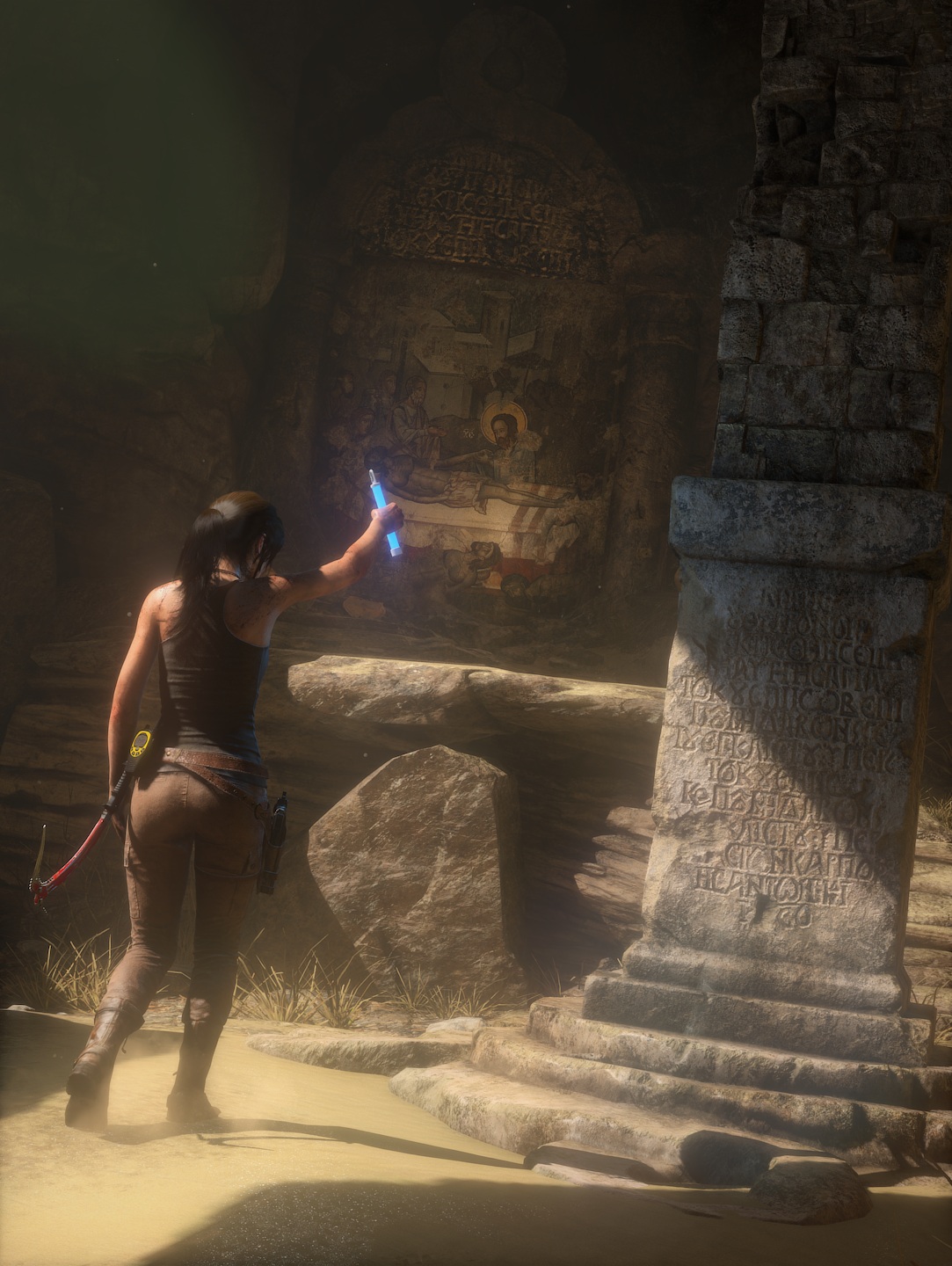
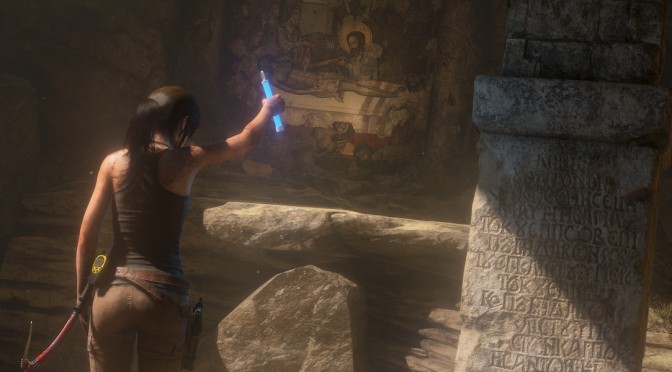
Square Enix has released two new screenshots for the PC version of Rise of the Tomb Raider. Rise of the Tomb Raider releases on January 28th and while Square Enix has not revealed the game’s recommended specs, NVIDIA has revealed the GPUs that will be required in order to enjoy the title with 60fps average at High settings.
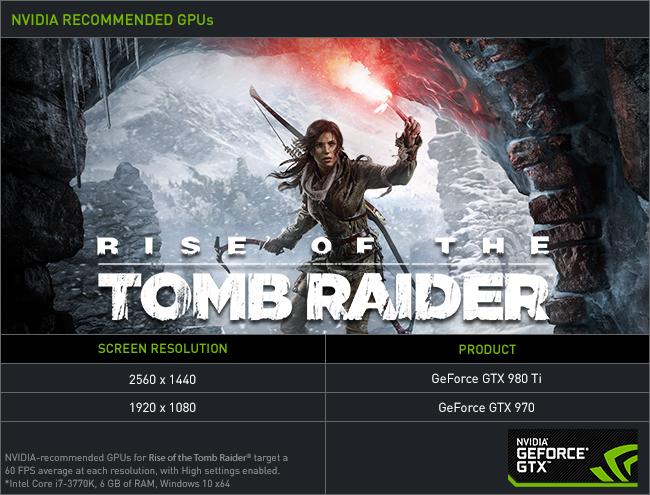
According to the green team, PC gamers will need an NVIDIA GTX970 in order to enjoy Rise of the Tomb Raider at 1080p with High settings and 60fps average, and an NVIDIA GTX980Ti for 2560×1440.

NVIDIA also promised to release Game Ready drivers for Rise of the Tomb Raider, so it will be interesting to see whether there will be an official SLI support for this title. The previous entry in the Tomb Raider series scaled wonderfully on multi-GPUs, so our guess is that an SLI profile will be available on launch day.

Enjoy the screenshots!

tumblr_o19lwyB0ZQ1qkq7tbo1_1280tumblr_o1blbhBO8y1qkq7tbo1_1280

71 thoughts on “Rise of the Tomb Raider – Two New Screenshots Released, GTX970 Recommended For High Settings & 60FPS”

    1. “GTX 970/R9 290” is not standard and won’t be a year from now. I hope you just forgot to say “at max settings”. If we’re talking about just getting the game to run 1080p@60fps *at all* then any popular GPU should do, otherwise your game is a failure. Playing games under 60 fps is masochism.

        1. Problem is most multi-platform games have animations locked at 60 fps so all that extra fps is being wasted to render at those high fps. But at least the input lag is reduced so its not a total loss. Some even have their animations running at 30 fps while the rest of the game is rendering at 60 fps or above.

          1. Indeed. But in the actual state of pc ports (minus some execeptions), having high framerates while enjoying the eye candies is quite hard. Even if i have a Titan X/5930k/16gb ddr4-3000, i can’t always hit my monitor’s 144hz so that’s where g-sync comes in handy (same for freesync).

          2. Once you sacrifice some eye candy every game becomes CPU bound. In fact, with my R9 280 I usually notice very little difference between lower and higher graphical settings (except for MSAA). Yes, even with a high end CPU like yours some games still stutter but that’s rare. I can’t imagine it’s bad enough to make tearing a problem.

          3. Tearing for some is meaningless and for others is a pain in the ayer. It’s a matter of perspective.

      1. Don’t know about that. The XB1 could not even keep 30 FPS in this game and that is like a 7770 and the port looks like it has zero AA. It’s CPU is not all that powerful but it is more powerful than the PS4’s and the CPU is not being bottlenecked. The PS4 version might get to a solid 30 FPS with a 1.8 TFLOP GPU (compared to 1.3) but that is a far cry from 60. The last Tomb Raider with Tress FX on and Ultimate and injected SMAA or the garbage FXAA included probably requires a 970/290 (stock settings) for a SOLID 60 FPS. If this game looks better with a newer Tress FX? That is a well optimized game. The last Tomb Raider is considered one of the best optimized and best scaling games of all time.

        Add to that the XB1 version also had the benefit of Async, which this port will not as DX 11.

        You might be able to get 1080p 60 with Tress FX 3.0 off (which the XB1 version had on) on a lower end GPU though.

  1. Nice blurry FXAA Nvidia…How to get 1440p like visuals with hardly any performance cost, and to be honest they look better than 1440p downsampling most of the time with Lunasharpen/SMAA. I actually preferred this to 1440p VSR when I had an AMD GPU and a 1080p monitor, because no detail was blurred.

    Step 1? Disable FXAA, because it blurs everything, and was an AA used when we had textures that were horrible and blurring was preferable to looking at downright awful textures.

    Step 2. Download reshade/sweetfx 2.0 from the reshade website.

    Step 3. Run Reshade_setup. Point it to the game directory, choose DX 11 if required. Since this is a Steam game programfilesx86/steam/steamapps/common/Riseoftombraider or wherever the launcher is in the game directory.

    You do this to inject it into any game btw and with games that release without AA (Shadows of Mordor didn’t), SMAA is the greatest thing ever. Also looks MUCH better than the FXAA they added later.

    Step 4. Tweaking. Lunsharpen and lower quality SMAA is on by default (1 is on 0 is off). In the game directory you will have a SweetFx folder. Open SweetFX_settings with notepad or wordpad. These settings CAN be changed during actual gameplay to tweak to your liking and you can change the quality of SMAA. To turn reshade/sweetfx on or off simply hit the scroll lock button on your keyboard.

    Check reshade site to see if game has an accessible depth buffer under games. If so? Turn on predication as it will apply SMAA on both color and depth. Games like Witcher 3, Shadows of Mordor this worked. First Tomb Raider it didn’t. Lunasharpen is preference. If you prefer a highly detailed picture it is nice. If you prefer a softer picture turn it off. There are also tons of other settings you can play with like color correction etc, but that is all preference.

    Why GPU companies do not like SMAA? Because it is vendor agnostic, it is a low performance hit, and it does not blur the picture. FXAA/TXAA blur the picture and the only cure is higher resolution and you buying a bigger GPU.

    Enjoy Rise of the Tomb Raider as it was meant to be played. Without blur. To remove reshade delete the dxgi.dll/d3d9.dll/opengl32.dll/d3d11.dll and ReShade.fx file from the game directory.

      1. They do. AMD is just as guilty. Tek Syndicate’s Logan said devs have told him Nvidia has told the dev not to implement SMAA on sponsored games (has a video called SMAA is the only legitimate AA or something like that). Guarantee AMD is doing the same. Will be running this on my new 980Ti at 1440p with SMAA. Bet it looks better than 4k DSR :). DSR/VSR are both pretty bad. They soften the image too much and you lose detail.

        Got the game for free :). Picked up a Lightning open box for 650 at Microcenter and the thing runs as cool as the other side of the pillow. I think Lara going Nvidia was my snapping point lol.

        Edit you can see how bad FXAA is in their promo images. Softens the image WAY too much and detail is lost.

        1. Just set your DSR – Smoothness to 25% or lower for razor sharp DSR.

          Default = 33%
          Best = 25% (Recommended)
          Razor Sharp = 0%

          1. I have, still looks mediocre and it is the scaler. AMD’s ain’t great either and I just game from a R9 290. Gedosato still looks better on DX 9 games with a higher end scaler. I just got the 980ti and 4k Gedosato in Mass Effect 2/3 looks way better than 4k DSR, just like it looked better than VSR. Oh and Gedosato can go past 4k 🙂 You can do 8 k if you want. 6 k seems perfect on the 980Ti so far, but I just did a quick test. Might be able to push more. Will probably end up at 6k with the 4k texmods though as they slow things down.

            Wish Gedosato worked in DX 11, but no dice atm. Maybe in the future, based Durante will come through with that.

            If not it would be cool if Nvidia/AMD allowed you to choose lanczos, bicubic in the scaler. I think bilinear is what it uses and bilinear is not good.

          2. lol Bruce. SMAA is built off of MLAA which is an AMD created anti-aliasing. Good posts though.

          3. “We present a new image-based, post-processing antialiasing technique, which offers practical solutions to the common, open problems of existing filter-based real-time antialiasing algorithms… Our method shows for the first time how to combine morphological antialiasing (MLAA) with additional multi/supersampling strategies (MSAA, SSAA) for accurate subpixel features, and how to couple it with temporal reprojection; always preserving the sharpness of the image.”

            From Iryoku dot com

          4. Jorge Jimenez (whose site you linked) I think worked for Crytek when he worked on it. They even have a really cool video you can watch on it and his name shows up on the start as a Crytek guy :).

            Google “Crytek SMAA”. It is one baller demo. It incorporated some of what MLAA did, but it also incorporated MSAA/SSAA like he says. To say it is “based on MLAA” is kind of misleading. It took things from all the better AA’s and improved on them in every way.

            MLAA was more influential than FXAA though, I will give you that :). All FXAA did was say, ok these games have awful textures with jaggies everywhere. Let’s just blur the @$%# out of everything, because it is better than looking at minecraft :). FXAA has no place in this gen. We do not have small VRAM GPU’s, the consoles have huge memory pools and we have some really nice textures in games now that we do not want to blur. Even in the last Tomb Raider (which had pretty nice textures on clothes) with SMAA you can actually see letters on a leather strap, and see every fiber of the cloth. With FXAA and even SSAA they are blurred too much to see detail.

          5. SMAA is superior both in speed quality. Always seems odd that so few games include it. I think it may have to do with messing up text.

          6. That is only on rounding though. Can set that at 0. 🙂 I just run it at 25 for all games. Barely hurts the text. That is what Radeon Pro ran it at on “Ultra” or 4x (though it does not support 64bit like the new reshade injector does).

            I just set everything to max have rounding at 25, set it to color and play with SMAA_THRESHOLD on every game. Usually use between .08 and .12. .05 seems to find false edges. Then turn predication on if the reshade site says the game has depth buffer access. Tomb Raider 2013 did not, so this one might not either.

            .08 seemed to look the best on SMAA_THRESHOLD to me on Tomb Raider 2013. .10 and .12 also look fine.

          7. You people keep getting it wrong about AA in modern games, Post AA was made for a reason, devs have FXAA probably because it’s NVIIDA supported, maybe you should actually ask devs why they don’t use SMAA. FXAA is used as well because it generically has the better transparency AA, that’s why it’s combined with MSAA in modern games because MSAA alpha to coverage is too expensive.

            TXAA was the only solution for all aliasing issues, now we have TAA which is blurry, people are not used to temporal AA solution, also post AA is done after the image is rendered. SSAA is to expensive on the GPU, MSAA is also expensive in modern DX11 engines so that’s why post AA was made. MSAA wasn’t even supported in DX9 deferred rendering engine games, only did DX10/DX11 introduce MSAA into Deferred rendering engines but the cost is higher than MSAA in non deferrered rendering engines.

          8. SMAA is the kind of post AA, hands down, mmkay. I don’t know why devs are using dogsheet like FXAA, TXAA or MLAA.

          9. SMAA TX2 can be blurry as well, like all post AA it’s about the implementation. TAA is blurry as hell in Fallout 4, yet it’s an open implementation spec. PC gamers are just not used to a softer image because we had MSAA, sorry, it’s not like it was 10 years ago.

          10. SweetFX SMAA is clear as a crisp spring morning, works with every modern game, looks not much worse than MSAA, covers everything, including transparent textures, and doesn’t hit performance as much as MSAA. It’s not like it was 10 years ago, it’s even better.

          11. That’s due to Deferred rendering engines like I said. You make out SMAA is perfect, it has lots of simmering, I think out make out crispness for texture shimmering. If you think SMAA is better than 4xMSAA you got vision issues, SMAA has a lot of broken lines, like wires, trees, distance objects.

          12. Sean is that you?

            SMAA is far from perfect, but it’s the best post AA available, and the best when it comes to performance/quality ratio. Of course 4x MSAA will be better, but it will require more GPU power. Moreover, you just said it yourself, MSAA cannot be used widely anymore.

          13. Yes it’s me. But in your view SMAA is best ,for some reason the devs seem to disagree for some reason.

          14. It’s probably because FXAA is used in consoles so they don’t have to implement much else, i.e less work.

          15. SMAA cannot be more clear than SSAA simply because it’s a post AA algorithm, while SSAA renders game in higher resolution (similar to downsampling).

          16. You can use Nvidia panel for downsampling (not DSR). Probably requires a bit of tweaking though.

        2. Hmmm oh well the last tr used fxaa/ssaa so it makes no difference anymore. And even if it was a AMD game it still would of been fxaa.

          1. Exactly. Like I said AMD is just as guilty. Was not knocking Nvidia on that. More a knock of FXAA :). Both companies want to sell people higher end cards and SMAA looks so stupidly good, with so little performance hit that it makes higher resolution less tempting (higher resolution of course looks the best though).

          2. FarCry 4, Watch Dogs and Crysis 3 had native SMAA support so I don’t think AMD or Nvidia is forcing devs not to use it besides SMAA is based on AMD’s MLAA but in any case it’s true that it looks far better and puts more expensive AA techs like TXAA and MSAA to shame.

          3. You mean capped at 2x? 🙂 When “4 x” is almost no performance hit as well? Crytek is who made SMAA and it is open source. Add to that you can do SMAA on both color and depth if the game allows access to the depth buffer. See the games list on the reshade site to see if you can use predication to do that. Shadows of Mordor looks stupidly good with predication.

            MLAA is as bad as anything Nvidia came up with. To be honest I think all AA is trash besides SMAA. MSAA has the least blur outside SMAA (which pretty much can have none based on your setting), but the performance hit is horrible.

            But yeah even at “2x” on Farcry 4 SMAA looked stupidly good. Far cry 4 did not allow access to the depth buffer so no predication on that, but you can still make the SMAA look much better than in game by using “ultra settings” in reshade. It actually surpasses MSAA and probably runs 20 FPS faster lol 🙂

          4. Also Crytek did not make it, though someone from Crytek did help to create it. “SMAA is a shader-based anti-aliasing algorithm created at Universidad de Zaragoza by Jorge Jimenez, Jose I. Echevarria and Diego Gutierrez with collaboration of Crytek’s Tiago Sousa”

          5. No, smaa t2x and 4x are not lightweight, they use supersampling on the subpixels for those 2 modes and they have significant performance hit

          6. Well for me I am sure you know what I am the most worried about… And that’s dual GPU support. Imagine the craziness that will happen if SLI users like myself and CF user’s who are proud to be a dual GPU user because of games like the TR 2013 reboot. If it don’t have dual GPU support well It’s pretty much the end of dual GPU support in my mind.

    1. FXAA in low level also doesn’t blur the image, but you right TXAA does everytime. The point is this AA can be turned off, there is only very few games that use FXAA in default that cannot be changed.

    2. Wonderful!!

      Will copy your text mate. Great guide that I will follow!

      Just built me a new rig with gtx 970 – will get the game for free, so heres witing for 28 to d/l on Steam 🙂

      And I agree fully – SMAA is the absolute best AA. I hate FXAA blurry crap. Dident even know that you could apply SMAA yourself via reshade/sweetfx 2.

      Best news of the day, thanks again mate.

      This is awesome, SMAA to the rescue 😀

      Btw, the same goes for TXAA as you say. Blurs the picture. And as im a pc gamer I dont want that frikking ugly vaseline filter over my games. That POS belongs on console only 😉

      1. hey re*ard, i won’t even touch this crap for free and i have it via family share for free. now find a cliff and jump. hvd or hvdhvd or derp were banned ? or you just using this account again for being versatile ?

      1. which part of it was hateful ?
        i said publisher anyone but SE because SE didn’t even said a word about the PC version but you see nvidia or M$ articles or news about it. and thats a truth.

  2. I look forward to getting a new AMD or Nvidia graphics card this year to continue taking advantage of 4K/60+ fps for games like Rise of the Tomb Raider. I can’t go back to lesser resolutions anymore.

    I loved the first one and think this sequel should be even better. Maybe the combat will be better considering Lara’s likely been practicing in the years following the first game.

  3. SMAA is over sharpened there, actual in game you can see how the sharpness shows aliasing on the edge of objects. The video doesn’t show SSAA like it is at all, even 2xSSAA is far superior to FXAA yet in the video it looks the same.

    Why not compare FXAA plus Luma Sharpen then, seem like a biased video you posted there, even Sweetfx has a FXAA option.

  4. I have a nice PC but i’ve owned RotTR since it released on XBO. I’m sure the graphics are nice but without any other incentives im not going to bother getting this on PC.

    Now include all the DLC as a pack in and that would get me to purchase it.

    1. Fallout 4 has a female as the strongest follower, I know games are supposed to be fiction but you know it’s more a political correctness or feminists agenda. Females have always had strong characters in films and general TV, there is no need to push this agenda any more.

      1. The game doesn’t look that great, even Crysis 3 looks better. Not to mention the Xbone was the lead platform, which is completely outdated.

  5. I game at 1440P on my acer xb270hu i bet i’ll be just fine with my 970 first thing i do is turn off AA since it makes no difference to me as long as the frame rate is 45+ i’ll be happy, also i’ll lower shadows a tiny bit since i never really cared much about ultra shadows.

    Anyways guys remember most games barely look any different from high to ultra now a days, heck sometimes on these articles low and ultra almost look the same!

  6. Took me a while, but glad I saved up for a 980ti then built my computer. It is a special feeling replaying all those games you were barely playing at like mid settings.

Leave a Reply

Your email address will not be published. Required fields are marked *