As you may already know by now, NVIDIA’s DLSS (Deep Learning Super Sampling) is an AI rendering technology that takes the visual fidelity to a whole new level using dedicated Tensor Core AI processors on GeForce RTX GPUs. DLSS taps into the power of a deep learning neural network to boost frame rates and generate beautiful, sharp images for your games.
You even get some performance headroom to maximize ray tracing settings and increase output resolution. The Tensor Cores upscale lower resolution render buffers to the desired ‘native’ scale, and at the same time DLSS upscales, it is also performing anti-aliasing effectively gaining performance from rendering the scene and post-processing at reduced input resolution.
Recently, Tom Looman, a game developer working with Unreal Engine shared his thoughts and findings on how DLSS 2.0 can be easily integrated in Unreal Engine 4.26, and the performance and quality benefits it brings to the table. For testing this tech feature, Tom Looman has used the open-source SurvivalGame (available on GitHub), and Dekogon Studios’ City Subway Train assets.
The developer has shown some examples in his recent blog post. Nvidia gave Tom an RTX GPU, and access to the Unreal Engine RTX/DLSS Branch on Github.
So how do we get DLSS running in this Unreal Engine project? The integration with Unreal Engine 4.26 is pretty simple. For now you need an AppID provided by Nvidia (though, you must apply at NVIDIA’s website to receive an AppId) to enable this tech along with the custom engine modifications on GitHub.
Once you compile your project with a special UE4 RTX branch, you then need to apply your AppID. You can then choose between 5 DLSS modes ranging from Ultra Performance, Performance, Balanced, Quality, and Ultra Quality. There is also an option to sharpen the output.
The baseline for the test result was the TXAA sampling technique used in the game demo. The internal resolution is going to be downscaled automatically based on the DLSS quality setting applied.
According to Tom, for 4K displays, when you select the Ultra Performance mode, the internal resolution can go down up to 33%, which is a huge saving in screen-space operations such as pixel shaders, post-processing, and ray-tracing/RTX in particular.
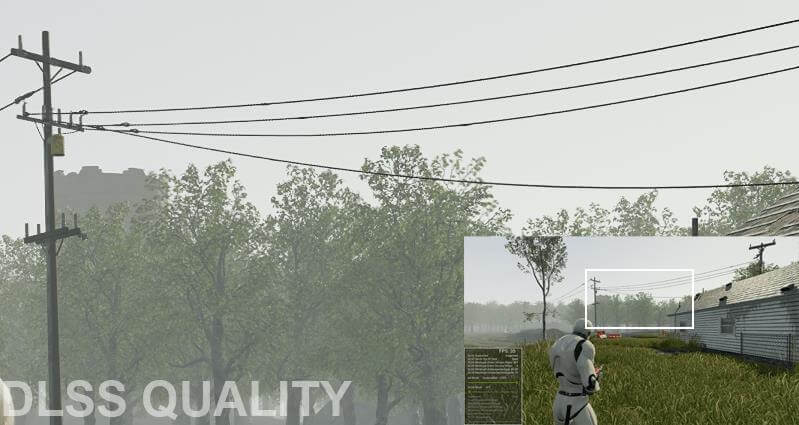
In Unreal Engine the default anti-aliasing solution is TXAA, although FXAA is also supported, albeit with subpar results. Overall, DLSS 2.0 offered 60-180% increase in frame rate depending on the scene. Below you can find some screenshots showcasing the visual difference between DLSS and TXAA.
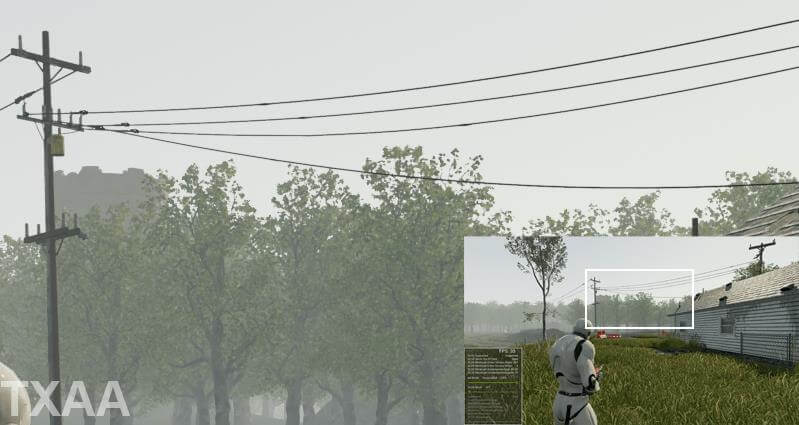
As you can see in this first image comparison scene, the trees look crisper on DLSS than native TXAA. Cables also hold up incredibly well, but slightly harsh in places.
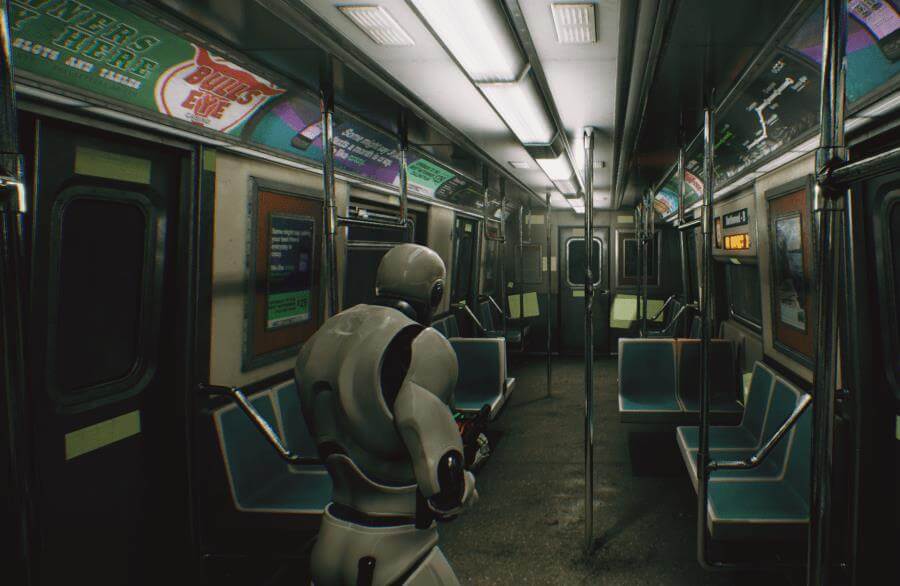
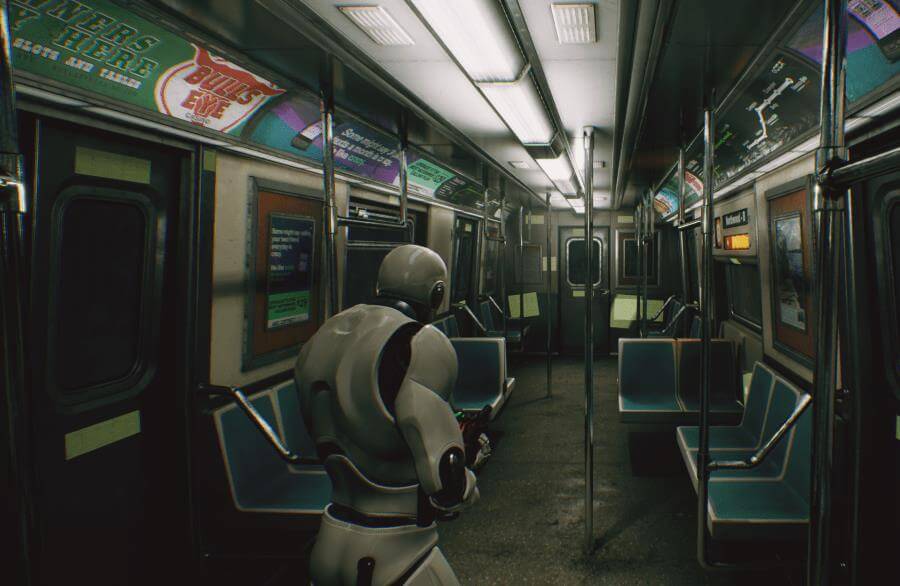
In this second image comparison scene, according to Tom’s testing, both offer almost indentical quality. As the developer noted, you can notice some slight error in the ceiling lights where a white line in the original texture got blown out by the DLSS algorithm causing a noticeable stripe. This should however be fixed in the source texture instead.
First image is DLSS, vs. 1440p TXAA setting.
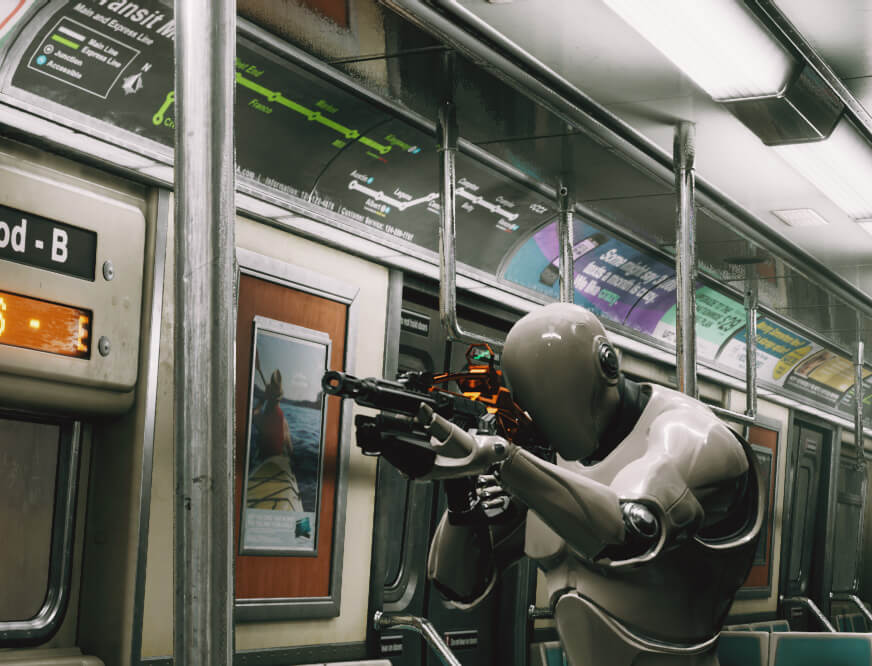
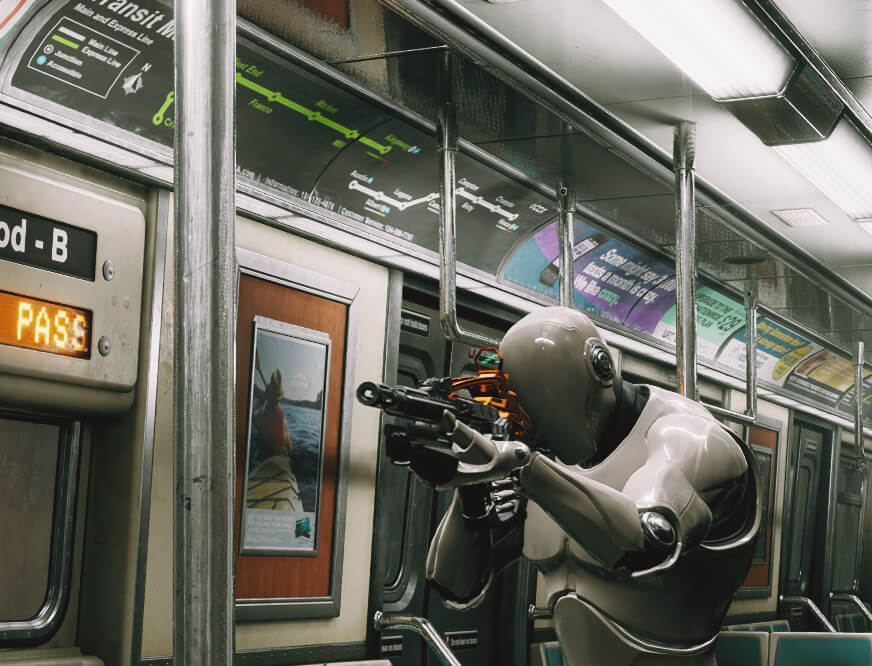
Here in this next scene, the reflections look slightly different. This scene used ray-traced reflections on highly reflective materials.
Below you can find a video showcasing the quality and performance comparison difference between DLSS 2.0 vs. TXAA. The developer has used 3 different AA modes, TXAA, DLSS Quality & DLSS Performance, in order to see the difference.
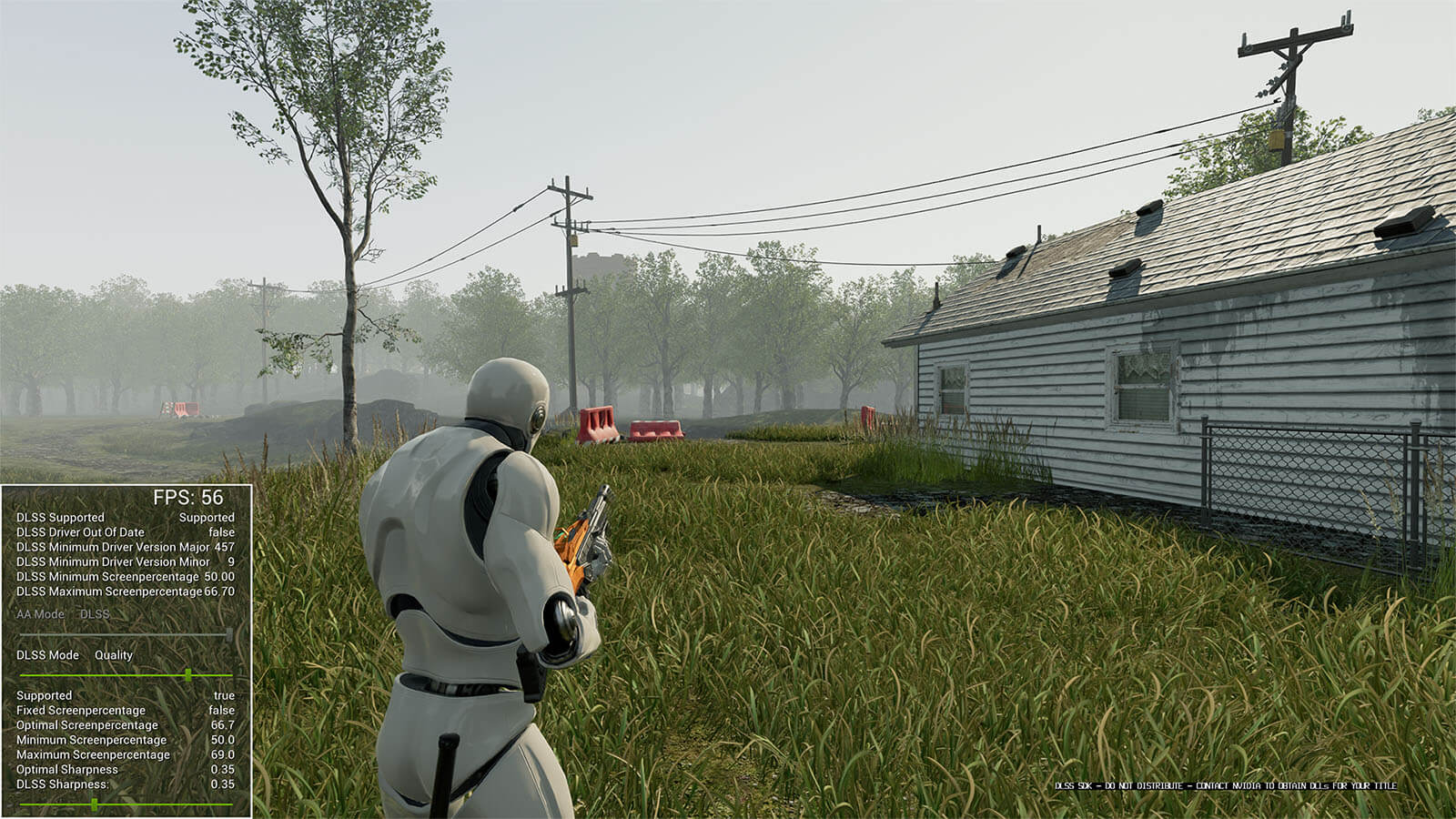
Speaking of FPS numbers, in this first image from the Forest Scene which was likely bottlenecked by the ray-traced reflections, DLSS QUALITY mode offered 56 FPS, which is a decent gain when compared to the TXAA baseline which offers only 35 FPS. This is with RTX on, at 2560×1440p resolution.
These are the scores as posted by Tom:
- TXAA Baseline ~35 FPS
- DLSS Quality ~56 FPS (+60%)
- DLSS Balanced ~65 FPS (+85%)
- DLSS Performance ~75 FPS (+114%)
- DLSS Ultra Performance ~98 FPS (+180%?! – Noticeably blurry on 1440p, intended for 4K)
The next comparison is for the Subway Train scene with RTX on, at 2560×1440p. These are the scores:
- TXAA Baseline ~38 FPS
- DLSS Quality ~69 FPS (+82%)
- DLSS Performance ~100 FPS (+163%)
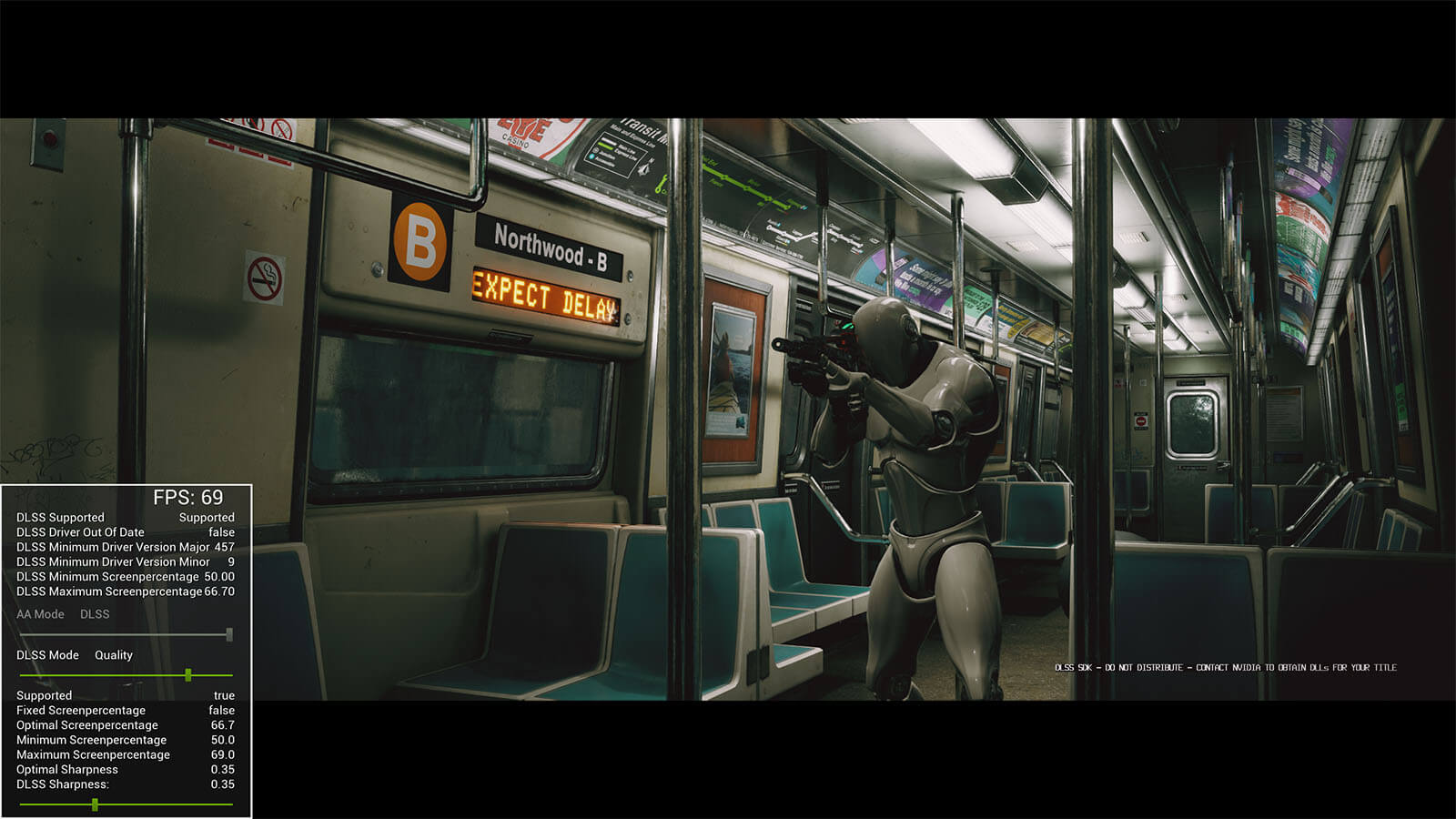
Lastly, we have the Subway Train scene with RTX off, at 2560×1440. Here the difference in performance between internal resolutions appears to diminish to some extent.
- TXAA Baseline ~99 FPS
- DLSS Quality ~158 FPS (+60%)
- DLSS Performance ~164 FPS (+65%)
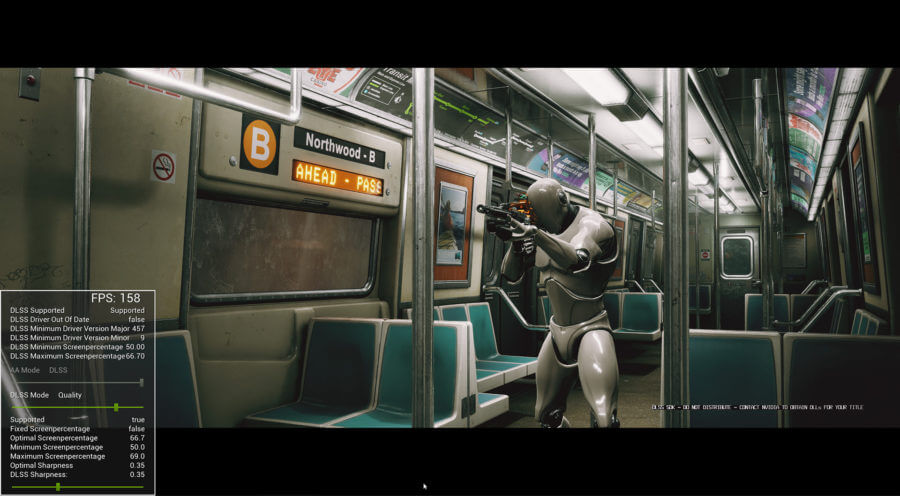
When it comes to the DLSS “render pass” which occurs during post processing much like traditional AA, the cost to upscale to 1440p was about 0.8-1.2ms, on an Nvidia RTX 2080 Ti GPU, regardless of the DLSS mode. TXAA on the other hand, at full 1440p costs 0.22ms, though this value will still depend on the test system used.
In overall testing, the image quality was good and sometimes even managed to be crisper than TXAA. And this is the performance conclusion as outlined by Tom Looman:
“The performance potential of DLSS is huge depending on your game’s rendering bottleneck. Reducing internal resolution by 50% has an especially large benefit on RTX-enabled games with ray-tracing cost highly dependent on resolution.
Ray-tracing features appear to be working better with DLSS enabled from a visual standpoint too. RTAO (Ray-traced Ambient Occlusion) specifically causes wavy patterns almost like a scrolling water texture when combined with TXAA. However, Enabling DLSS above Performance-mode completely eliminates these issues and provides a stable ambient occlusion.”
The DLSS branch of Unreal Engine isn’t accessible right now though, so you’ll need to contact Nvidia to get access, if you are interested.
Stay tuned for more tech news!
Hello, my name is NICK Richardson. I’m an avid PC and tech fan since the good old days of RIVA TNT2, and 3DFX interactive “Voodoo” gaming cards. I love playing mostly First-person shooters, and I’m a die-hard fan of this FPS genre, since the good ‘old Doom and Wolfenstein days.
MUSIC has always been my passion/roots, but I started gaming “casually” when I was young on Nvidia’s GeForce3 series of cards. I’m by no means an avid or a hardcore gamer though, but I just love stuff related to the PC, Games, and technology in general. I’ve been involved with many indie Metal bands worldwide, and have helped them promote their albums in record labels. I’m a very broad-minded down to earth guy. MUSIC is my inner expression, and soul.
Contact: Email


Dear nVidia,
I would also very much like an RTX 30 series GPU and I promise to post videos showcasing it’s amazing performance and potential. Heck. I’ll even pay MSRP for AND post lots of videos.
But, on a serious note, nVidia’s new GPUs’ and Unreal Engine are two examples of world leading technology that, frankly, make me very very excited for the present and the future of games and game developement. Myself, I’m very much into the (still) fresh VR scene and the enormous gains both of these technologies offer developers in VR developement, in particular the performance gains that greatly increase the potential performance and quality gains needed for the extremely heavy demands VR puts on hardware and software. These two technologies, alone and especially combined, makes things possible that otherwise couldn’t be acceptably executed on todays hardware with the demands VR puts on hardware and software.
Personally, I’m very excited to see what developers can do with this technology, in particular in the VR space. This should make possible what was previously too demanding possible. Very excited!
Good day sir
Sounds interesting. The visual difference in the scene which uses ray-traced reflections on highly reflective materials seems to be almost minimal though.
I wonder why some in some scenes enabling DLSS brings an improvement, whereas on other areas, the difference is nil ?
DLSS is better at preserving fine details than TAA.
It also helps a lot with thin line aliasing.
Why are you talking about TXAA? That’s a deprecated proprietary AA solution by Nvidia which hasn’t been used for almost a decade.
but sadly that’s what the developer showcased and tested in his blog though.with the 2 game demos.
I just saw that and it’s shocking that someone who develops games and teaches people for a living can’t get a basic fact like this right.
TXAA does not exist within UE4, or any modern game for that matter. Like I said, it’s a deprecated proprietary AA technique from Nvidia which was only used in a handful of games. Last game that used it was AC Unity.
Then you should contact the game developer, TOM regarding this. And ask why he is using TXAA in his latest test project.
I agree with your point as well.
IMO, while this was intended to showcase DLSS 2, it really highlights how bad UE4’s TXAA really was, so I think that’s why the dev used TXAA instead. Not sure though..
He is not using (and could not even if he wanted) TXAA, he used that term incorrectly to refer to UE4’s native TAA.
I see the confusion between TXAA and TAA, I mean TAA in the context, I see it abreviated as TXAA all the time hence why I used it.
It’s confusing because you’re naming it wrong. It’s not called as TXAA anywhere.
nvidia pushed for a while to call all TAA “TXAA”, just like they push for all ray-tracing to be called “RTX”. it’s just one of those marketing things they do. it’ll go away on its own since TXAA is long dead.
I’ve never seen an actual developer confuse these terms until now, it’s always random people in comments.
Also find it funny that you downvote me because I pointed out a mistake and expected better from an actual developer.
well . i do like the sound of +more FPS
DLSS delivers great results, excellent!
Thx Sherlock
Wrong. Default AA in UE4 is TAA. TXAA is exclusive to nVidia and it isn’t used in any game anymore.
Directly taken from the developers Blog.
https://uploads.disquscdn.com/images/437260b5421cf09c2af340dda1f40ac07a5a54406dbf6b1bdaa2a2a3ad22f846.png
Taken directly from UE4’s documentation:
I have already seen that doc.This is what the dev in the blog wanted to convey imo. He didn’t say it always shows all the time ON by default.
Taken directly from UE4’s documentation:
I meant Temporal AA indeed, it’s what I see abreviated in TXAA all the time so I used that to abreviate it here.
TAA and TXAA are two different things.
I’ll update the post to remove any confusion.
Much appreciated.
DLSS is the future. It should be a standard for all games, or be implemented at driver level
Cannot work at a driver level.
A vendor specific technology can never be a standard regardless of how good it is.
nvidia DLSS might be specific to nvidia hardware right now but the hardware behind it to make it happen is not really proprietary (tensor core). everyone can make their own tensor core and i think even AMD already have their own version of tensor core with their upcoming instinct M100.
now the only thing that are left is for MS and Khronos group to create specific feature inside their own API to leverage tensor core. MS already have their DirectML so they probably did not need to make everything from scratch. but the thing is it seems MS have no interest to work with tensor cores. maybe because it is something that come from google? for AMD they probably did not want to add hardware like tensor core on their gaming GPU so they are cracking their head about making something else that can give them performance boost like nvidia DLSS did.
MS DirectML use Tensor cores. MS show own “super resolution” algorithm in 2019 written in DirectML. ML runtime support any hardware with 4-bit integers and 8-bit integers. Both tensor cores and Xbox Series support native 4-bit operations (8 concurrent ops in single 32-bit compute unit). On older hardware like RDNA1 16-bit float is used to execute 4-bit operations (2 concurrent ops in 32-bit CU)
Only the Series X has the dedicated hardware, and it’s the equivalent of 1/2 of the Tensor cores in the RTX 2060.
That’s very little, if you were to run DLSS on it, you’d get a performance penalty.
The difficulty is not in creating the hardware or even the backend.
The actual problem is in making the algorithm/neural network itself, Nvidia themselves initially failed at it, and it took 18 months past the release of Turing for them to come out with DLSS 2.
They are not the only ones who have been doing research into real time AI upscaling, there’s plenty other papers, all done by researchers leveraging CUDnn and Tensor hardware, and still nobody is anywhere close to DLSS 2 in terms of quality/performance.
You think it’s a coincidence that Microsoft has been completely quiet about their upscaling attempts on DirectML, aside from a bad demo in 2018? You think it’s a coincidence that AMD has not shown anything, nor given any concrete info whatsoever on their alternative?
It’s a very difficult problem on the software side primarily, and Nvidia just happens to have the best talent/researchers in the image reconstruction field.
The silence speaks volumes, just like AMD’s silence on their RT performance, so I don’t expect anything good.
john is probably beating his meat to the title alone.
Hats off to nvidia for this and I say this as an AMD GPU owner
Still waiting for DLSS 3.0 that can be used on any game that supports TAA and provided Nvidia updates their drivers for it.
I’m also waiting for BAR. Good times ahead.
Not a fan of this tech as it is card and card model specific.
We need a Direct X solution that can work on ANY video card.
Second, I fear this feature will be used as a crutch for bad or inefficient coding of games.
“Oh our game runs like crap, lets just turn on this frame rate cheat full time.”
MS created own version of AI based Super Resolution in 2019. It use DirectML and is executed by any hardware with support of 4-bit integer operations. They run it even on Nvidia RTX hardware because Tensor cores support both native 4-bit operations and 8-bit operations. Also Xbox Series X support native 4-bit operations with speed of 97 TOPS
I expected this to be a thing but the consoles are out and no game is using the tech. Any theories on that?
MS confirmed custom hardware ML inside of Xbox at HotChips 2020. They even confirmed max speed 97 TOPS in 4-bit integer precision. Full 8 concurrent 4-bit ops in every 32-bit CU (12 TFLOPS * 8 = 97 TOPS). AMD confirmed support of native 4-bit in RDNA2 and emulation by 16-bit ops in older RDNA1 (but 4x slower – only 2 concurrent ops).
For more information about DirectML we need to wait to July. MS always use GDC to show new elements of DirectX. This year GDC will be delayed to July because of Covid
– 2018: DXR raytracing
– 2019: DirectML
– 2020: DirectX 12 Ultimate shared by PC and Xbox Series
– 2021: ????
I’m often to blogging and i really appreciate your content. The article has actually peaks my interest. I’m going to bookmark your web site and maintain checking for brand spanking new information.
You’re so awesome! I don’t believe I have read a single thing like that before. So great to find someone with some original thoughts on this topic. Really.. thank you for starting this up. This website is something that is needed on the internet, someone with a little originality!
very informative articles or reviews at this time.
I truly appreciate your technique of writing a blog. I added it to my bookmark site list and will
I just like the helpful information you provide in your articles
This is really interesting, You’re a very skilled blogger. I’ve joined your feed and look forward to seeking more of your magnificent post. Also, I’ve shared your site in my social networks!
I truly appreciate your technique of writing a blog. I added it to my bookmark site list and will
Good post! We will be linking to this particularly great post on our site. Keep up the great writing
Pretty! This has been a really wonderful post. Many thanks for providing these details.
For the reason that the admin of this site is working, no uncertainty very quickly it will be renowned, due to its quality contents.
very informative articles or reviews at this time.
This was beautiful Admin. Thank you for your reflections.
Good post! We will be linking to this particularly great post on our site. Keep up the great writing
This is really interesting, You’re a very skilled blogger. I’ve joined your feed and look forward to seeking more of your magnificent post. Also, I’ve shared your site in my social networks!
very informative articles or reviews at this time.