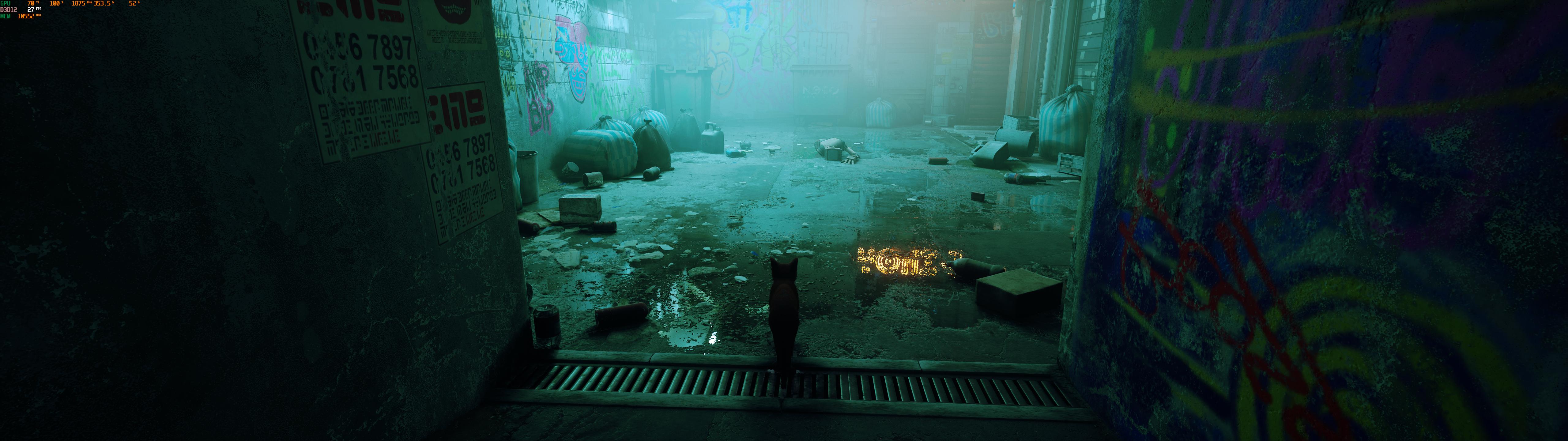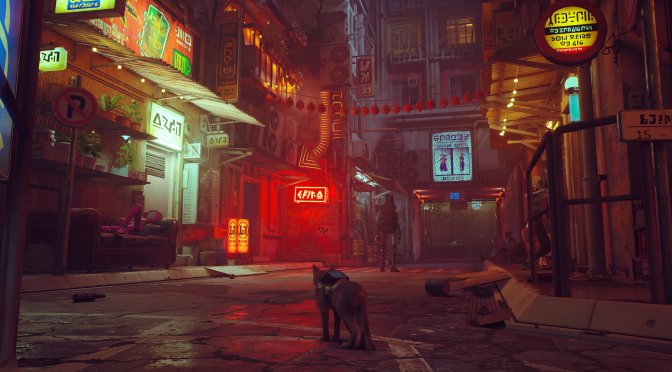
Now here is something really interesting. Stray, the latest cat adventure game, appears to have numerous Ray Tracing effects that are disabled by default. However, PC gamers can actually force these RT effects by simply enabling DX12 support.
Now before continuing, do note that this trick does not work in other Unreal Engine 4 games. In other words, you can’t enable Ray Tracing in other UE4 games by simply tweaking an .INI file. In order for this to work, the game needs to already have actual RT code, implemented by the developers themselves.
With this out of the way, you can enable Ray Tracing in Stray by adding a simple command parameter to it. Just open Steam and add the “-dx12” launch parameter to the game.
By doing so, the game will automatically enable Ray Tracing Shadows, Ambient Occlusion and Reflections. And no, this isn’t a placebo effect. The game does actually have Ray Tracing effects.
Reddit’s member speedtree has shared the following comparison between DX11 (left) and DX12 (right). This comparison showcases the RT DX12 effects. We can also confirm their presence after testing it ourselves.
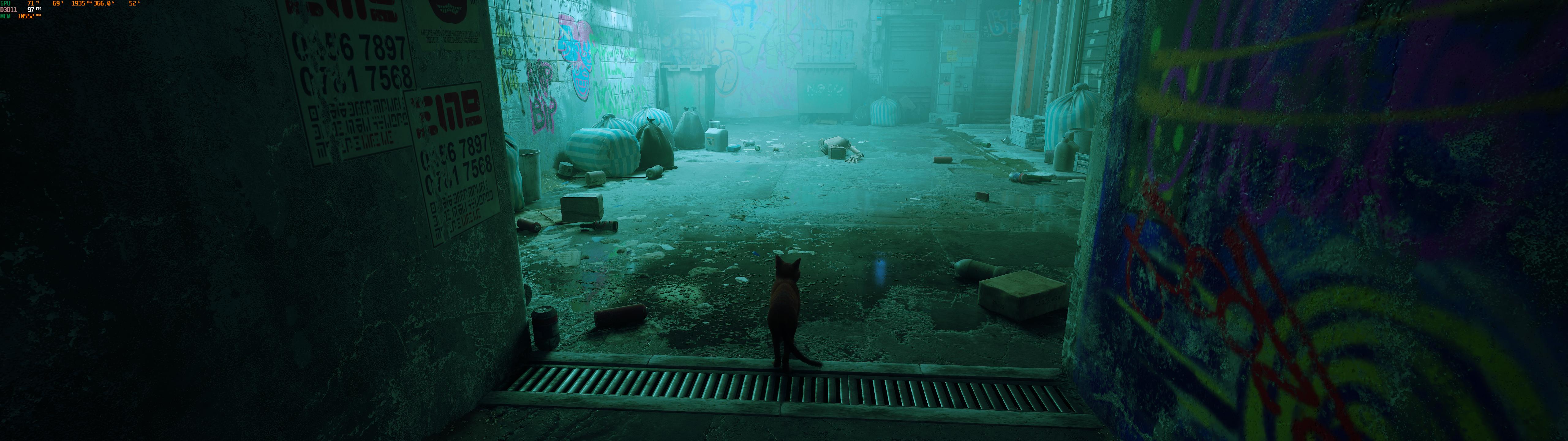
The downside here is that these Ray Tracing effects come at a great cost. Our NVIDIA GeForce RTX3080 was unable to provide a 60fps experience even at 1440p. Not only that, but the game does not support NVIDIA DLSS (or AMD FSR 2.0), and there is currently no way to force these upscaling techniques.
Let’s hope that BlueTwelve Studio will add support for NVIDIA DLSS, as well as in-game adjustable quality settings for the Ray Tracing effects via a future patch!

John is the founder and Editor in Chief at DSOGaming. He is a PC gaming fan and highly supports the modding and indie communities. Before creating DSOGaming, John worked on numerous gaming websites. While he is a die-hard PC gamer, his gaming roots can be found on consoles. John loved – and still does – the 16-bit consoles, and considers SNES to be one of the best consoles. Still, the PC platform won him over consoles. That was mainly due to 3DFX and its iconic dedicated 3D accelerator graphics card, Voodoo 2. John has also written a higher degree thesis on the “The Evolution of PC graphics cards.”
Contact: Email


Stray in DX12 runs with somewhat broken and unoptimized ray tracing enabled by default. To disable it, just open your engine.ini (found in C:Users***yourusernamehere***AppDataLocalHk_projectSavedConfigWindowsNoEditor ) and paste this at the bottom:
[SystemSettings]r.RayTracing=False
Your framerate should be back to decent values, even better than DX11 (at least for me, and I have an RTX 3090).
What about the famous stutters? I guess that doesn’t change at all in DX12?
Yeah it also stutters in DX12 unfortunately.
At least they already acknowledge it. Let’s hope they release a patch to fix that soon.
Add this to Engine.ini
[SystemSettings]
r.CreateShadersOnLoad=1
r.Shaders.Optimize=1
Shader stutter should be gone, there will be still stutters because of data streaming just like Jedi Fallen Order.
It’s crazy how devs, don’t see this when developing a game.
It’s a symptom of basically having a dx11 engine with some dx12 wrapper hacked on to use some of the 12 features.
There’s a way to do it without the stutter but as we have seen (especially with UE4) most devs don’t seem to do it. It’s unfortunate. Lots of good games are obnoxious to play because they didn’t want to take an extra couple of months at the start of the project to do the work.
What’s even stranger is why Epic never just fixed it.. maybe they couldn’t because it depends on what dx12 function calls are being used and that would mean epic would have had to completely rebuild UE4 because dx11 and dx12 don’t work the same.
but if you can switch to d3d12 renderer using a simple. ini tweak, don’t you think UE4 already supports it? I think it is more into the abstraction layer where devs are messing things up. It leads to questioning 1 thing only. These devs (FF7 including) have no competitive knowledge on bringing decent PC ports. look at AC: Competizione. It doesn’t suffer if i remember correctly.
No because you aren’t really switching to a dx12 engine you are enabling that dx12 wrapper and API calls, RT in this case.
i missed that wrapper thing all this long on UE4. Don’t know why Epic never integrated a complete d3d12 render pipeline in parallel but I feel like they are bad at designing d3d12 stuffs (I am yet to test UE5. therefore throwing a speculation). Some in-house engines have done far better job.
yep. Unlike FF7: Intergrade, that was a terrible mess. Is it still a clunky call btw?
There was a mod using DXVK that fixed it almost completely: https://www.nexusmods.com/finalfantasy7remake/mods/66
And then Nvidia drivers update too: https://wccftech.com/final-fantasy-vii-remake-dx12-stuttering-mostly-fixed-by-geforce-driver/
Yep. Turing and onwards have gotten better on Asynchronous Computation. But Pascal cards might get a hit switching to d3d12 renderer. I have to test it.
Looks worse with raytracing enabled. Might be why developers abandoned the idea.
reality denier
pair of glasses please.
Nah, he needs a new pair of eyes.
Looks worse with raytracing enabled. Might be why developers abandoned the idea.
27 fps
LOL
that’s nice, but only for 3080-3090 at 1440p
This is one of the few unreal engine games i don’t get stutter and one that runs very well with DX11 witch is strange i think it looks gorgeous with RTX enabled but what a performance hit was playing at 4k 60 fps had no issues at all on my RTX 3070 but with RTX enablen i have had to drop to 1440p settings on medium and 80 percent resolution to get above 35 fps.
Should be mandatory to enable DX12. Make the game exclusive for RTX GPUs.