Dying Light 2-new-1

Former Ubisoft dev says that Techland intentionally made AMD FSR look worse in Dying Light 2

A few days ago, Reddit’s TheHybred (who is a former Ubisoft developer) said that Techland has intentionally made AMD FSR look worse in Dying Light 2. TheHybred shared the values for AMD FSR Ultra Quality, so we went ahead and tested them in order to find out whether these were valid or not.

As the dev said:

“This game is an NVIDIA sponsored title so FSR is missing the ultra quality preset along with having the sharpness value lowest as it can be to make the technology look bad.”

So, as you may have guessed, we benchmarked the new values that TheHybred provided.

For our tests, we used an Intel i9 9900K with 16GB of DDR4 at 3800Mhz and NVIDIA’s RTX 3080. We also used Windows 10 64-bit, and the GeForce 511.65 driver.

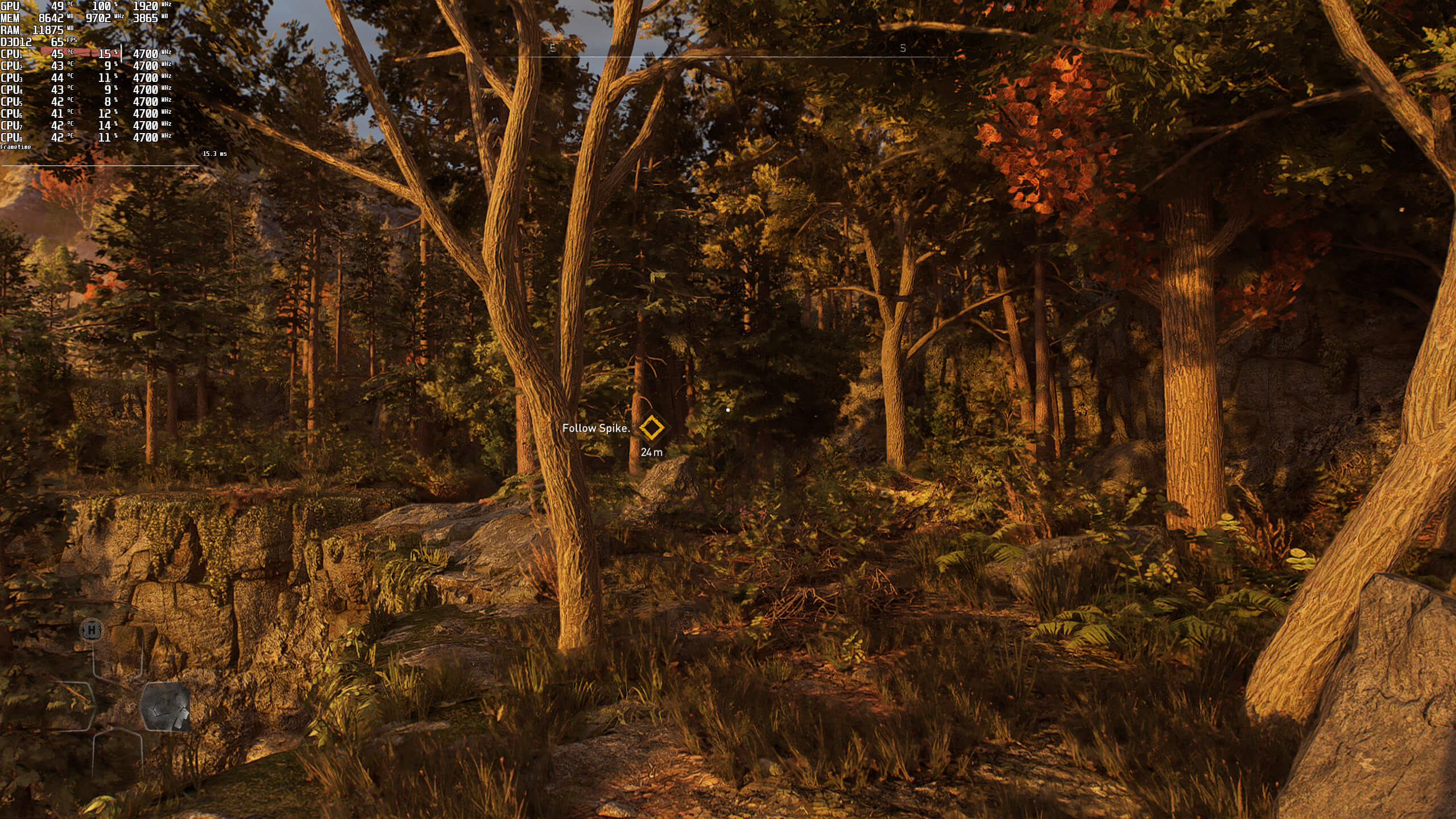
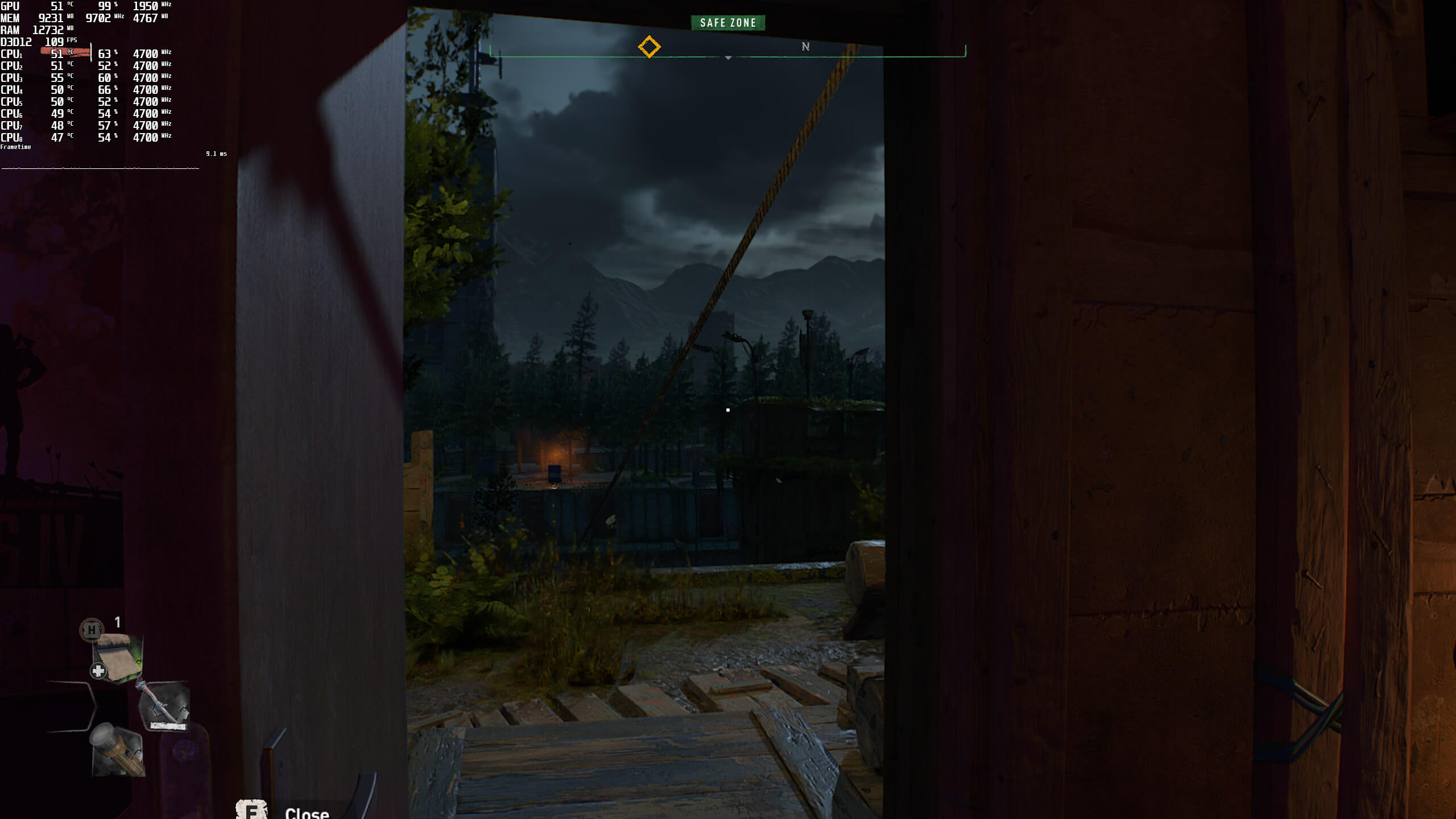
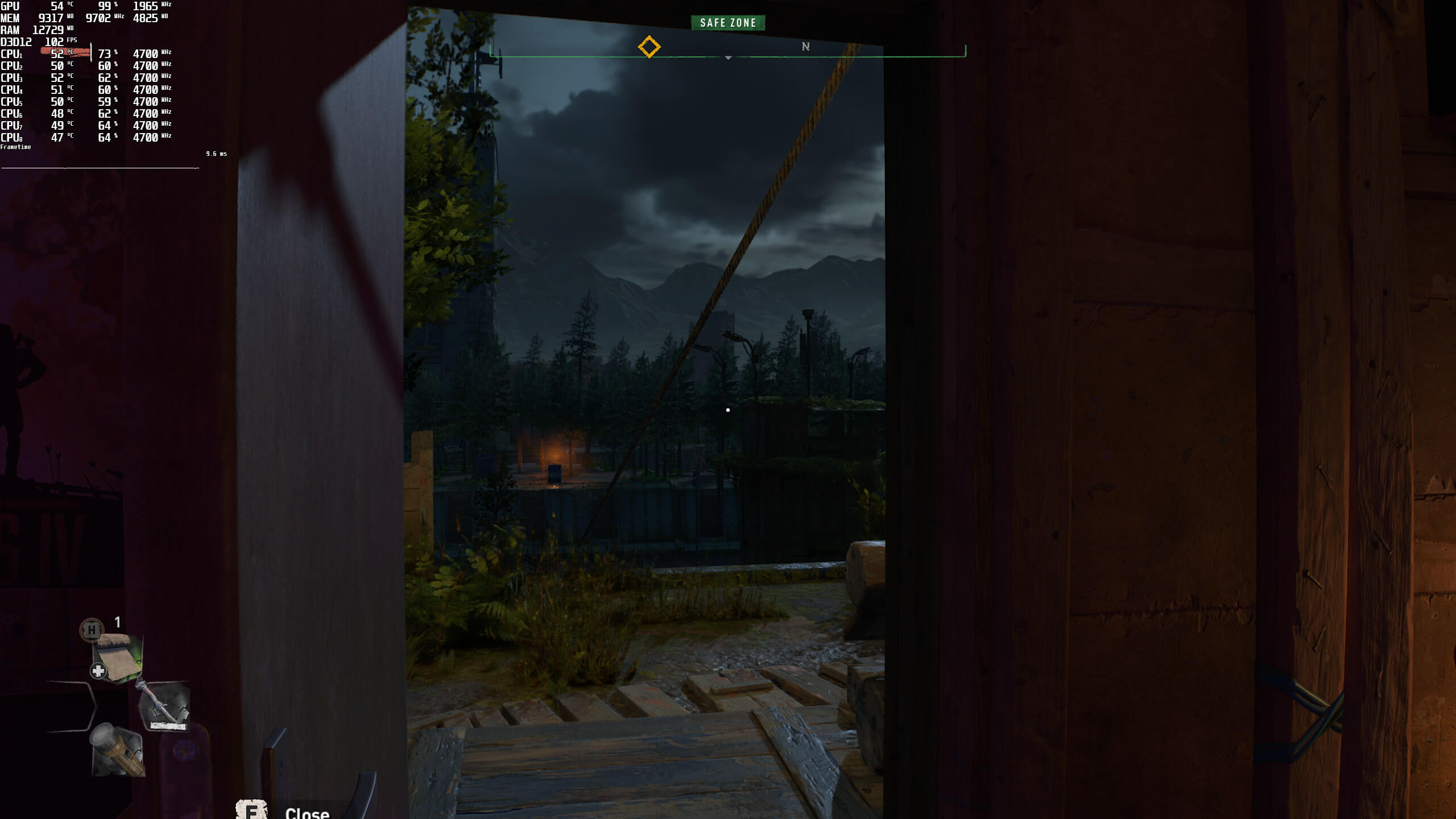
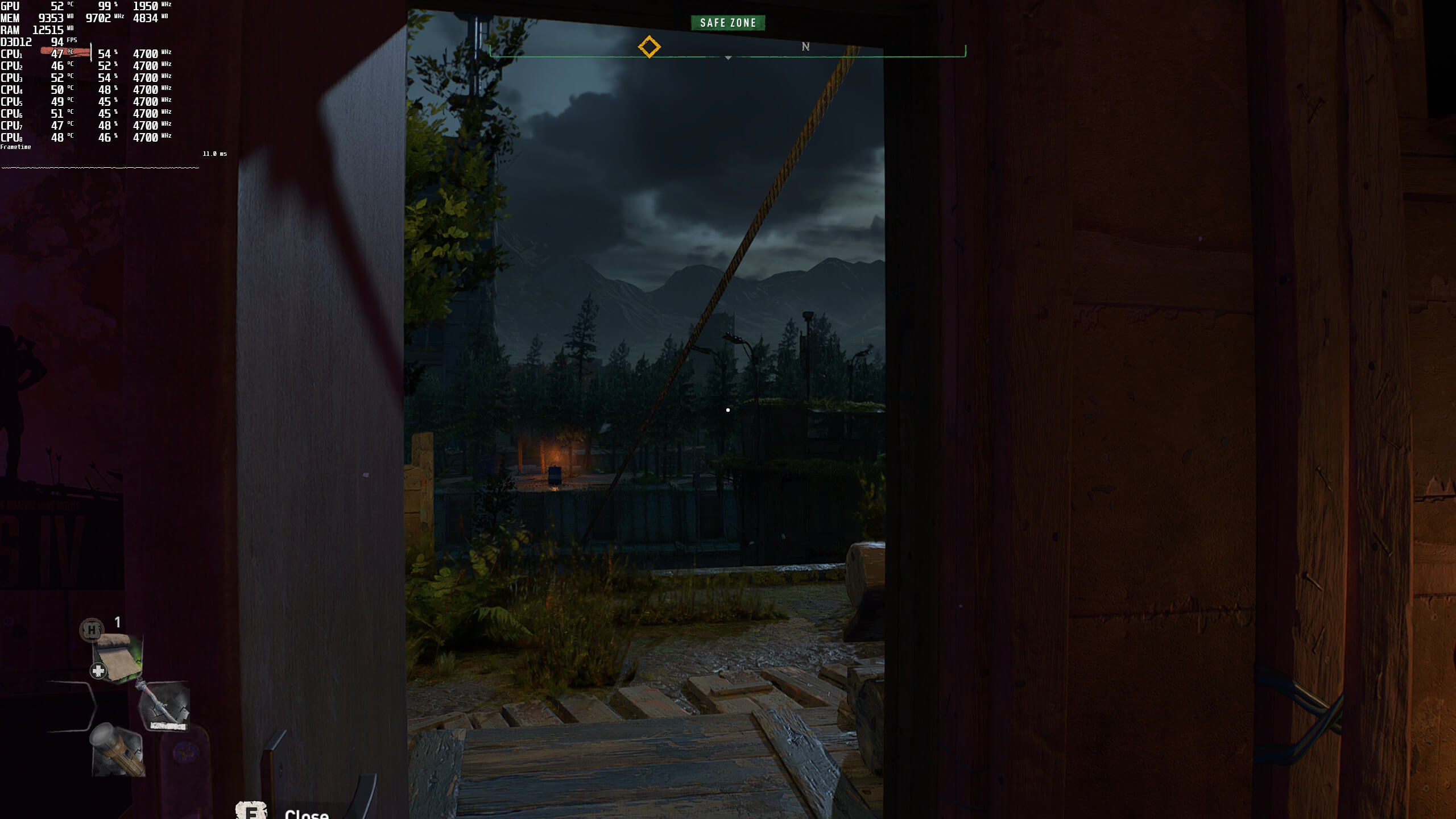
Below you can find some comparison screenshots. AMD FSR Quality is on the left, NVIDIA DLSS is in the middle, and AMD FSR Ultra Quality is on the right.
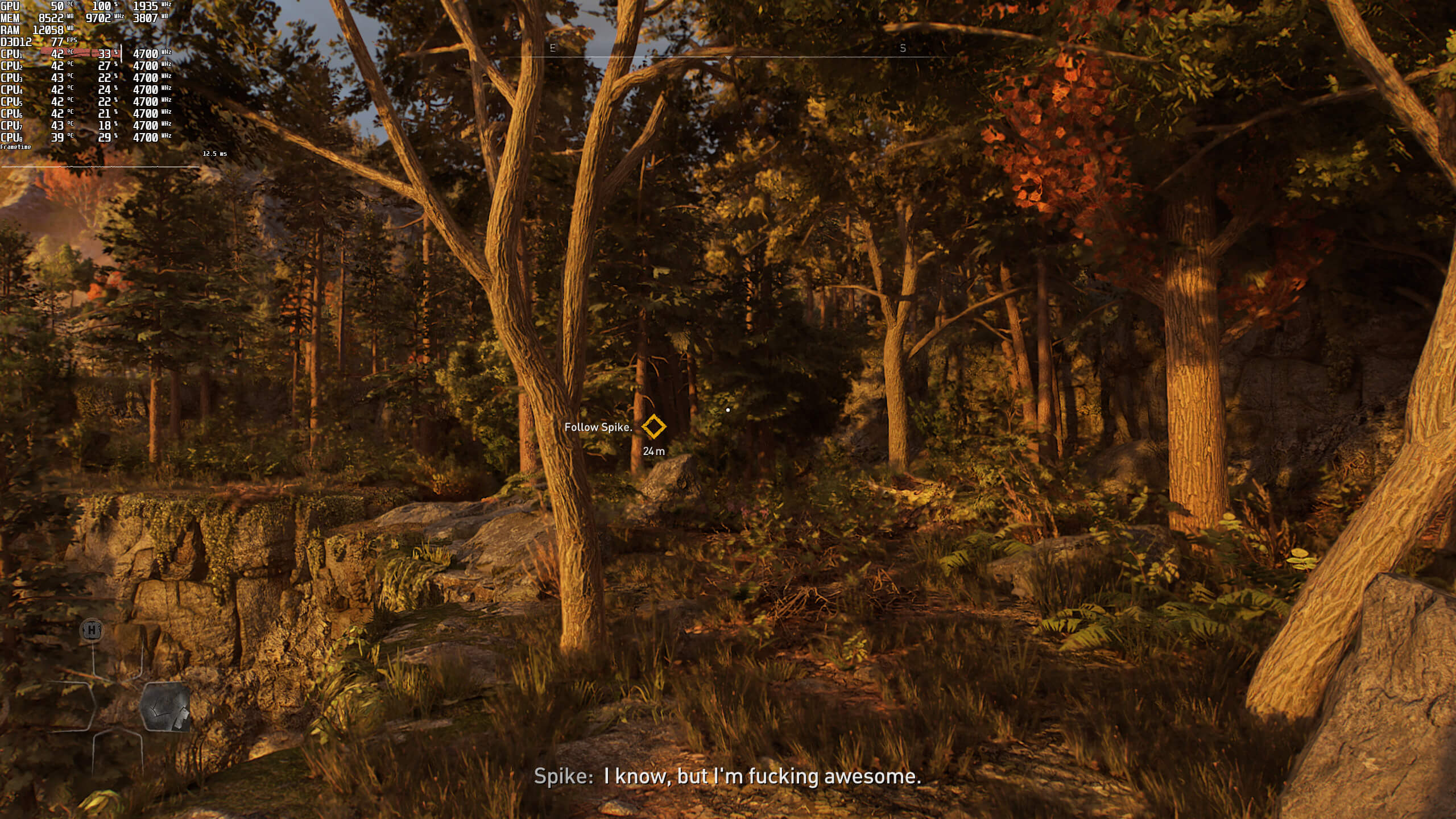
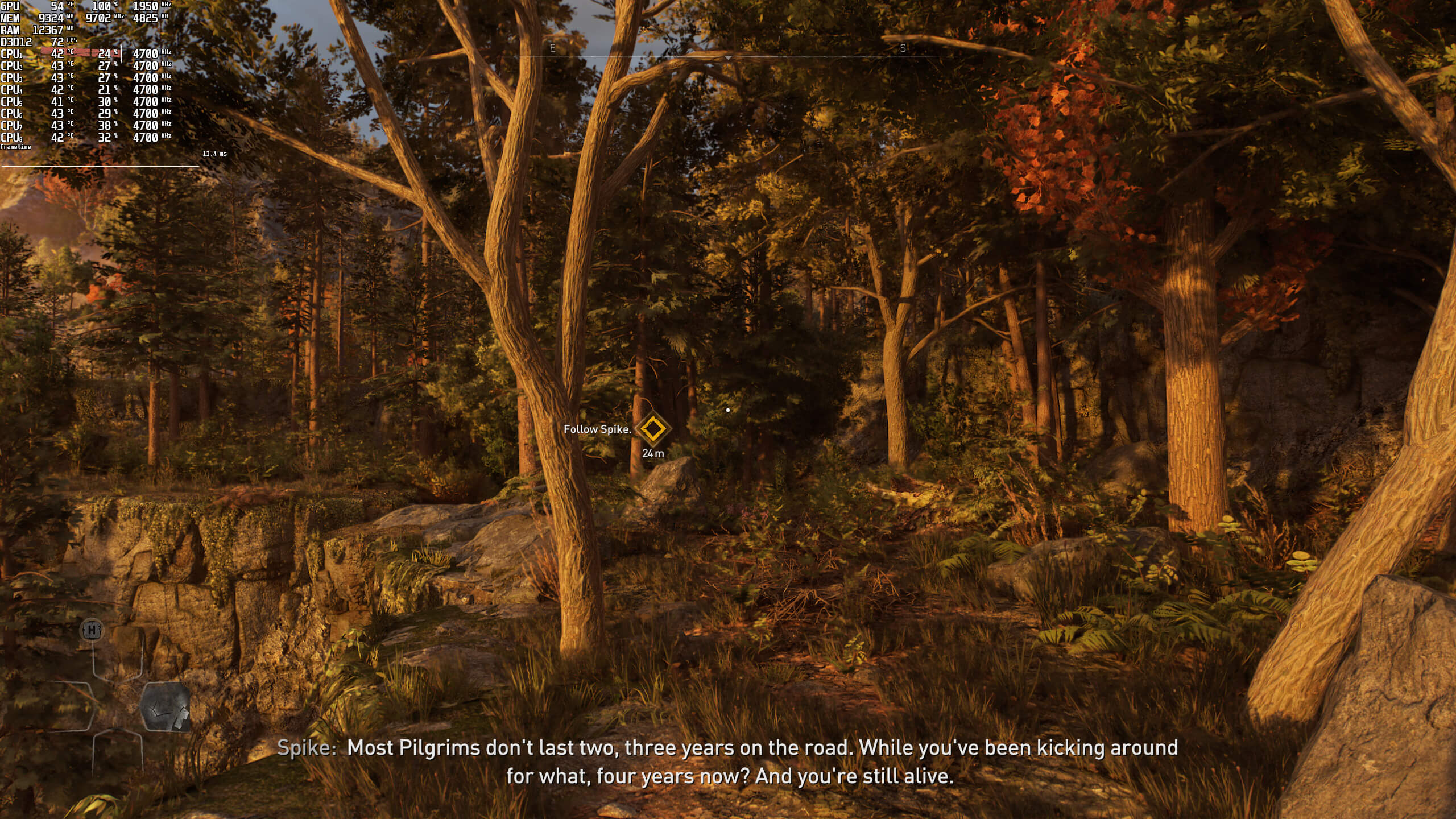
AMD FSR Quality-1NVIDIA DLSS Quality-1AMD FSR Ultra Quality-1 AMD FSR Quality-2NVIDIA DLSS Quality-2

As we can easily see, AMD FSR Ultra Quality looks sharper and better than NVIDIA DLSS Quality. However, AMD FSR Ultra Quality also runs noticeably slower than DLSS Quality. Here are some benchmarks at 1440p/Ultra/Ray Tracing.
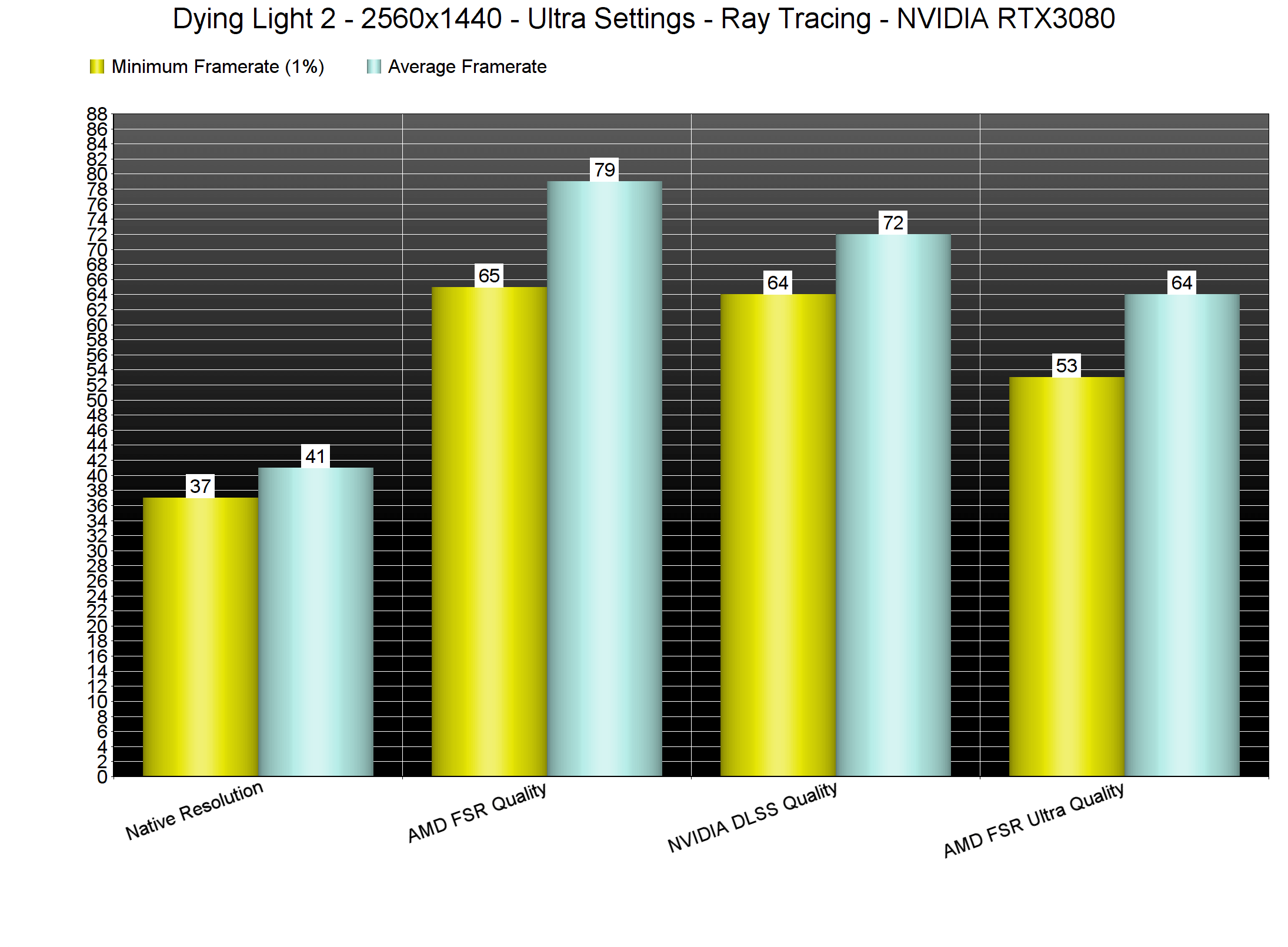
new dying light 2 benchmarks fsr dlss

As we can see, AMD FSR Ultra Quality runs faster than native 4K. And while its image quality is better than DLSS Quality, its performance is not that great. Still, the values that TheHybred shared can indeed enable AMD FSR Ultra Quality Mode.

In conclusion, we suggest staying with DLSS Quality if you’re using the game’s Ray Tracing effects. These RT effects are quite demanding, and you’ll need all the extra performance you can get. In its current state, DLSS Quality offers the best performance/image-quality ratio. However, if you don’t use RT, you can go ahead and enable AMD FSR Ultra Quality. The reason we suggest this is because you’ll get a constant 60fps experience with AMD FSR Ultra Quality even at 4K on an RTX3080 (when not using any Ray Tracing effects).

In order to enable AMD FSR Ultra Quality, you’ll have to follow this guide.

Open the video.scr file that is located at Documents/dying light 2/out/settings. Then, use the following settings. Once you make these changes, save the file, make it “Read Only”, and then launch the game.

  • Scale3D (0.77)
  • FSR (1.000000)
  • Upscaler (3)
  • Upscaling (3)

Ubisoft’s former dev concluded:

“AMD needs to quit forbidding devs to not include DLSS in their sponsored titles and NVIDIA should not intentionally try to make their tech look worse than it is, this just hurts gamers and no one falls for the tricks to begin with so what’s the point?”

81 thoughts on “Former Ubisoft dev says that Techland intentionally made AMD FSR look worse in Dying Light 2”

    1. It does look better than the default FSR Quality and DLSS Quality, but it also runs worse than DLSS Quality. Whether or not NVIDIA or Techland intentionally did this is anyone’s guess. For all we know, Techland may simply forgot to add an UQ preset (if that’s the case and once gamers bring this to their attention, they might add it via a post-launch update).

      1. Maybe they forgot. Maybe they haven’t fully tested it. Maybe it is still a work in progress and has not been validated. Who knows.

    1. That wasn’t my decision, why do you think I quit? I went back to making mods for skyrim, minecraft, halo, etc and helping out gamers. Many of these mods upgrade visuals, ironically 🙂 if it was my decision, I’d hide a variable in the config for unlocking secret settings that are too taxing for today’s systems, that’s always been my approach.

    2. Ubi likes money and they generally do things like that so the console versions don’t look bad, or at least last gen that’s what they they did.

      This gen I haven’t seen anything to show that to be the case. Not yet anyways. Last gen it started immediately so I think they are probably done with it

  1. It’s sad how naive people are about these mischpucka mafia bankster megacorps, you are just a profit center, like their mcmegafarms see any animal or murdered baby parts or etc. The shenanigans have almost no limit and this omission is probably just a small blip in comparison to the larger schemes, most likely the crypto mining “craze” hmm who benefited most from that? The pushing of raytracing marketing that barely has any games now where it makes any difference, but they can jack up prices for it because they had no where else to go after pascal really, other than complete photorealism, total vr etc which are a long ways away.

  2. Unless you have sharpness at 50 or above and not below DLSS looks very blurry and especially very blurry in motion like pea soup. I hope you used that as a fair comparison point. The default 45 is just not good at all. FSR doesn’t ever look good IMO, far too sharpened or just artifacts on the scaling. DLSS performance with sharpness 50 at 1440p looks like the native with TAA. It means well over 100fps fully maxed with RT on a 3090. 720p looking like native with TAA is mind blowing when you play on a 27″ monitor.

    Maybe Nvidia did gimp FSR but then again AMD heavily gimp ray tracing to a super low resolution single effect often so their gpus don’t look bad and Nvidia owners have to suffer when in reality with DLSS performance being so good every RT game could be a Dying Light 2, Control or Cyberpunk. Hopefully when AMD aren’t crap at RT in the future all RT games will be of the standard of those ones i mentioned.

  3. These screenshots are effectively a test of which version the JPEG COMPRESSION ALGORITHM likes better. You’ve done this so many times now. Stop. Aliasing and sharpness are too subtle to be judged after running an image through compression.
    All I can learn from this comparison is that FSR is oversharpened.

    1. Yeah, Agree. When I see FSR with my own eye it actualypretty close compared with native but with extra visible performance gain. But somehow in many video and screenshot they look worse.

      1. Yep, the screenshots should be png with lossless compression of the original source.

        I know the file will be bigger but if we are to really see the difference in quality from one to another, the last thing we want is jpeg artefacts getting in the way of that.

        1. PNG would be optimal, but JPEG can do as well, if not as ridiculously compressed – quality level 90 should show the differences, optimally without chroma subsampling.

  4. I’m actully enjoying this game. The ubisofting is the least worst I’ve ever experienced, but you will get distracted to fukk while on missions. The rewards though are usually worth the detour (XP) instead of some sh*t trinket. Going out at night is still tense AF although I could do without the infection bollox meter.

    Unfortunaletly like the last game however, I really couldn’t give a rats a*s about the main story or any of the characters.

  5. Wow, OK thats such an accusation. But Im a bit confused with the end paragraph… “NVIDIA should not intentionally try to make their tech looks worse …” Is it the word ‘their’ refers to AMD ?? My catch is, it refers to Nvidia themselves… Sorry non nantive speaker here.

      1. Both, Nvidia nerfing competing technology, making FSR look worse than it is.
        AMD for not allowing dlss in their titles.

    1. He fired shots at both AMD and NVIDIA. He claims that AMD forbids devs from using NVIDIA’s tech in their sponsored games (which explains why Far Cry 6 or other AMD-sponsored games don’t support DLSS). He then claimed that NVIDIA intentionally tried to “force” Techland to make AMD FSR look worse than DLSS.

      1. AMD is also the reason why the ray tracing version of DMC5 never came to PC because it makes AMD products look bad compared to NVIDIA. So instead as a compromise we just get the Vergil DLC on PC.

        Just because certain settings are not available in the game does not mean Nvidia forced anybody. It is not uncommon for devs to lock out certain settings, for example because they have not fully tested it yet or are still working on it. Cyberpunk for example had certain ultra settings hidden – even though Nvidia could have benefited from those ultra settings if they were available.

        What we see is that Nvidia sponsored games are allowed to use AMD FSR if the devs want to, whereas AMD sponsored games are not allowed to use Nvidia tech such as DLSS. So much for being “open”.

  6. He does know that there’s also no Ultra Performance mode for DLSS too right? The devs first made their own scaler that’s presumably used on the consoles, and they didn’t add any other resolution preset, therefore there’s no Ultra Performance for DLSS and Ultra Quality for FSR.
    The sharpness can be tweaked with the game’s own sharpening slider, if you think FSR’s sharpness is too low crank it up then, or is it sharpening the image twice untill it turns into an oil painting that suits your flavor?
    and admitting the main big thing FSR is actually doing is sharpening makes me wanna laugh lol.

    1. Ultra Performance is pretty useless, Ultra Quality is useful. And also DLSS has a sharpness algorithm too, because even if you perfectly reconstruct the image their is still some blur from rendering at a lower internal resolution so it is required, this is why some games are very blurry with DLSS and others look just like native, devs disable the sharpness or set it too low.

      Also I don’t work on FSR so I’m not here to defend the tech, just to teach people how to get more out of it in this specific game since the limitations placed on it are artificial and theirs no good reason for it, but perhaps negligence could’ve been the cause and not malice, it just seems hard to accidentally do but that is a personal opinion/theory not a fact

      1. There are in total like 5 games that do force sharpening on with DLSS, Nioh 2, Crysis Remastered, Doom Eternal after one update that forced it on, Red Dead 2, tell me one more other game that forces sharpening on and I will test it with the dev version of DLSS to see if it’s actually true.
        Btw with so many people trying to figure out ways on how to turn off Sharpening in God of War and Red Dead 2 you would know the DLSS userbase isn’t really into oversharpened images.
        https://www.reddit.com/r/nvidia/comments/s94c0n/tool_to_properly_disable_dlss_sharpening_and/
        https://www.reddit.com/r/nvidia/comments/sbwhg8/patch_to_properly_disable_dlss_sharpening_in_doom/

  7. Someone sent me this article so I created an account and first off I’d like to say thank you for sharing these tips, this will be useful for so many users! But its mostly meant for AMD and GTX users, I never argued it should be used over DLSS on RTX cards

    However, the info regarding the exclusion of FSR Ultra Quality was more-or-less extra information not the main point of my reddit comments, the main point was teaching people how to enable it. It’s also only a theory, not a pertinent fact (the article seems to word it as if it is one, just need to clarify its not). Just because I worked in the industry doesn’t mean my word is gospel. It’s very possible it’s a coincidence their sponsored by NVIDIA and also excluded the Ultra Quality option. Dying Light isn’t even a Ubisoft IP so what could I know for sure? I never worked at Techlands or NVIDIA and I hope they had the best intentions, maybe they just didn’t consider a spatial upscaler needs the ultra quality preset or it will be useless to many. Thanks again

    Also here’s each setting explained:

    Scale3D (0.666667) [controls the resolution, 0.76-0.77 is about what ultra quality would be]

    FSR (1.000000) [controls FSR’s sharpness]

    Upscaler (3) [Selects what upscaler you’re using. 0 none, 3 FSR]

    Upscaling (3) [Controls what preset you’re using. 0 performance, 1 balanced, 2 quality]

    1. Hey there TheHybred, thanks for commenting. The article is carefully worded in order to avoid any possible confusions (that’s why we didn’t use the word “accused” and chose the word “said”). That’s also why we used your quotes (we are not taking anyone’s side here). As I also said in a comment, Techland may simply forgot to add an UQ preset, it’s possible. Also, and since you are a former Ubisoft dev who has worked on sponsored games, your opinion is quite interesting IMO (I mean, if this was a simple user, we wouldn’t be writing an article. Again, I’m not saying you’re accusing Techland or NVIDIA regarding this issue).

      We also never suggested that the game should use FSR Ultra Quality instead of DLSS. As we’ve said multiple times, all games should support both of them (as well as Intel XeSS when it becomes available).

    2. “Dying Light isn’t even a Ubisoft IP”
      LOL, well it might as well be. Techland has straight copied so much from the Far Cry franchise, the zombies are about the only thing that differentiates them now.

        1. Stealing is the name of the game, they all do it lol, the trick is to not make it seem so obvious but don’t kid yourself in thinking others don’t do it because it’s cheaper to steal good ideas than reinvent the wheel, it’s nothing new and been going on for centuries lol.

    3. Hey there TheHybred, thanks for commenting. The article is carefully worded in order to avoid any possible confusions (that’s why we didn’t use the word “accused” and chose the word “said”). That’s also why we used your quotes (we are not taking anyone’s side here). As I also said in a comment, Techland may simply forgot to add an UQ preset, it’s possible. Also, and since you are a former Ubisoft dev who has worked on sponsored games, your opinion is quite interesting IMO (I mean, if this was a simple user, we wouldn’t be writing an article. Again, I’m not saying you’re accusing Techland or NVIDIA regarding this issue).

      We also never suggested that the game should use FSR Ultra Quality instead of DLSS. As we’ve said multiple times, all games should support both of them (as well as Intel XeSS when it becomes available).

      1. Thankls for the reply.

        I know you didn’t make any claims about what is true or false, I just wanted to clarify that I’m not presenting my opinion as a fact but rather as a possibility as to why it was excluded, I just wish that was better reflected. Also I know you never claimed that it should be used over DLSS, I’m referring to the part of the article where you state it’s better to use DLSS due to better performance, because AMD and GTX users don’t have access to that, which is who I believe FSR is intended for but anyone may use whatever the prefer.

        Also, if you adjusted the value lower from say 0.77 to 0.76 etc until you matched DLSS’s performance and or image quality that may be more helpful, the FSR expereince is very configurable using the ini tweaks 🙂 I don’t own the game, so all this was done through someone sharing their config with me and for my love of gaming. Hope it’s hepful

  8. As we can easily see, AMD FSR Ultra Quality looks sharper and better
    than NVIDIA DLSS Quality. However, AMD FSR Ultra Quality also runs
    noticeably slower than DLSS Ultra Quality. Here are some benchmarks at
    1440p/Ultra/Ray Tracing.

    What the hell are you smoking John?

    It certainly looks over sharpend, but in no way does it look better. You also have the issue with FSR that constantly exaggerates shimmer to the point of being unusable.

    It’s also worth mentioning that DLSS has shapening tools if you really do want that over sharpened look.

    1. Thats what compression over internet make it looks like, we obviously have to see it by ourselves to judge the degree of worseness it had

  9. Who is even using FSR or DLSS for this game? If you have an RTX card that can do DLSS then you can run it just fine in Native resolution.

    1. Are you just a dumb troll?
      The game is exceedingly heavy/poorly optimized to begin with, and that becomes even worse once you enable RT (which is needed to make it not look like garbage).

    2. Are you just a dumb troll?
      The game is exceedingly heavy/poorly optimized to begin with, and that becomes even worse once you enable RT (which is needed to make it not look like garbage).

      1. You don’t NEED Ray Tracing for this game. It doesn’t add anything
        worthwhile except a frame dip. But yeah sure… run the game in a worse
        state for some poor bonus lighting implementations I guess.

        I am playing the game maxed settings on a 5 year old video card that doesn’t have RTX. ANY card with RTX is going to be able to run it even better then me. There is no reason to use FSR or DLSS unless ya you want to use the pointless Ray Tracing in this game

        1. Another ignorant who doesn’t understand a thing about 3d graphics! The fact that ray tracing makes this game very heavy doesn’t mean its RT effects are useless! These effects radically transform the graphics of this game (for the better of course)…But at least have you tried the game on a pc? did you at least buy it ???
          Or have you seen any comparison around the net? or even on this same site?
          It’s’ very evident that the game is future proof…first of all Techland will improve it on a weekly basis with continuous patches and adjustments, as they did with the first chapter…second thing DL2 will be ideal for the next generations of GPUs / CPUs…it will age very well as good wine!!!!

          1. Well slightly improved raytraced lighting doesn’t miraculously turn downgraded architecture and level design into what it was in 2018 and 2019 trailers.

            I’d rather have a non raytraced game but with the gritty and almost gothic arhcitecural style and assets from the 2018 video.

  10. John, it’s true that AMD FSR is more defined, but at what cost? there is an exaggerated exposure and it’s identical to a simple bicubic / lanczos sharpener!
    I prefer DLSS in every aspect … at least looking at these static images …. in the game in motion I don’t express myself because I haven’t see it…

  11. I actually think this is true i’ve been playing around with NIS and lossless scaling as well as reshade and its hard to actually make it this bad.

    Deathloop and Dying light have to be the worst FSR titles to date.

    Not having a simple Ultra Quality(77% Res) mode was easily what makes this true they probably wanted to leave it out for the launch to make Amd look bad

  12. Man,you are the cancer of this site….your comments,I mean EVERY COMMENT by you is a pile of trash!
    How old are you? 13?

      1. No,man I’m sorry for you! I’m a pure italian stallion and my nickname is tacken from an italian movie called “Romanzo Criminale”….I’m sorry but I’m not a sandy man…ahahah

          1. What a little person you are!
            Italy is the most beautiful country in the world …. have you ever been here at least? hahahah….Try to come, at least you learn something!
            Where are you from instead? Cambodia?

          2. It may be the most beautiful country and the galaxy, it definitely houses the ugliest person this chat has seen.

    1. We suspect he might be of highschool age, and trying to be an edgy teen. He is also not very bright, and could very well be inbred.

      He is definitely one of the worst cancers in this page. But you get to laugh and feel better about yourself, as there is someone like him that you can point and laugh!

    2. So you’re in support of this cancerous woke gayme? Or maybe you’re just another PC Gayming phaggot who doesn’t care about how the industry is heading down the toilet with unoptimized trash with cancerous features like DLOSS and FSR providing the goyim with “upscaled” bullschit.

      1. DLSS is pure black magic and those who criticize it for sure have an AMD GPU or a GTX instead of an RTX! It’s literally better than the native resolution and sometimes it grants you up to 80% more performance!
        Just for a curiosity of mine … What’s your GPU?

        1. What a crock of schit. NVIDIA pays these developers to incorporate their RTX gimmicks such as Gey_Tracing and of course DLSS.

          Developers butcher their implementation of TAA, which was NVIDIA’s means of ruining image quality in pursuit of performance, far inferior to the likes of FXAA or no-AA whatsoever. It’s 4K resolution, you don’t need antialiasing.

          The TAA implementation is butchered, looks like blurred trash to the oblivious NVIDIA fangay. Add a bunch of sharpening bullschit and you’ve got your DLSS….. artifact free!

          In comparison to a true native image DLSS is still blurred garbage, in motion however it’s a whole other story.

          It’s PC Gayming phaggots like yourself who push for these regressive technologies simply because games are that horribly unoptimized the acceptable excuse is now to lower your resolution?

          Not as if you GeForce Goyim would even notice the difference between genuine 4K native or either DLSS / TAA simply because most of your kind will gladly pair up your schitty PC’s with garbage low resolution panels or god forbid one of those cancerous 4K moniturds.
          https://uploads.disquscdn.com/images/27514ed41b52adb02b501d02058ce26c086c6b3c50b1d194b135ce1a2359d599.jpg https://uploads.disquscdn.com/images/682a53c36d50268f8beb4f72ea349ad6a528ee51fe4c60300ded8b79a8aeda59.jpg

          1. “It’s 4K resolution, you don’t need antialiasing.”

            This is 100% incorrect. You’re completely wrong.

    3. I believe it’s a coming to terms with his own questioning of his/her s3xu4l1ty. Lash out at the very thing you deny and it’s more tolerable to deny. I am in no way a doctor, I just play one on the internet.

  13. I would completely disagree that FSR Ultra looks better than DLSS quality. You can see lots more fine, high frequency detail in DLSS quality. FSR Ultra just looks over-sharpened, but has less fine detail.

    1. From what I’ve seen, both tend to be hit or miss depending on game,
      sometimes FSR looks better whereas other times DLSS looks better, for
      me, DLSS tends to look softer and blurrier when in motion whereas FSR is
      really effective if it’s given a high resolution to start with.

      In any case, if the FSR ultra setting is better then DLSS, to me it sounds like Nvidia saw the same thing and pushed Techland to remove the ultra setting, after all, doesn’t it seem odd that the ultra setting was missing in the first place?, it all sounds like under hand tactics by Nvidia to make the rival look worse than it is.

  14. lol

    Dying Light 2 is one of the few games that actually uses proper raytraced Global Illumination. It looks f*king fantastic if you have the rig to run it. It’s not quite infinite bounce like Metro Exodus Enhanced but it’s still damn good. Some of the best open world visuals around + the scale is really quite something. Not to mention just high quality materials and detail all round.

    Genuinely one of the most technically impressive games if you can max it out on PC.

    Also, you can go on Nexusmods and download a physics mod for this game that makes the physics more like the first game (although doesn’t fix everything).

    1. It’s not very impressive. Metro Exodus has better GI, overall better graphics, and it runs almost x2 better than this game.

  15. I’m pretty sure the reason they set the FSR sharpening to its lowest setting is because Techland is using multiple other sharpening algorithms already (and they apply to DLSS and linear upscaling as well.) I really don’t know why, because both DLSS and FSR would look better using just their internal sharpening. It’s actually been quite a headache for me since the game settings only let you choose between a smeary mess and a badly oversharpened image (at least with DLSS enabled.) Trying to disable sharpening entirely only partially fixes that problem.

  16. I mean, the devs also didn’t bother with regular raster for shadows/SSR for their game either, thus we’re seeing idiots going around saying “wow, DL2 has the best looking RT ever”, simply because non RT fx aren’t even there lol.

    Seriously, DL2 without RT looks like utter garbage compared ro Metro Exodus/Cyberpunk’s non RT modes. Just goes to show that Techland botched a lot with their game.

  17. You have to be blind to say that FSR Ultra Quality looks better then DLSS at any preset.

    It was proven over and over again that DLSS looks better then native: It resolved more data and things like say hair, wires, everything with transparency and far away objects that look missing on native resolution, look properly with DLSS

  18. In what world does FSR look better than DLSS Quality? I’ve tried FSR and DLSS in every game that’s had the option for both, and at 27” 4K the FSR image has always been worse, to the point where I’d rather play at native resolution than to use FSR if DLSS weren’t an option.

    FSR is just a sharpening filter. Make sure to enable sharpening with DLSS as well and you get a superior image.

  19. Anytime I see NVIDIA sponsored title, I automatically assume there is or could be some underhand tactics by Nvidia or the developers involved to make the game run worse on rival gpu’s.

    As for him saying that no one falls for these tricks, he’s wrong on that one because a lot of gamers fall for these tricks, especially fanboys.

    Personally, what I do when I hear any of these tricks, I go out of my way to punish the publishers and developers in question by either not buying the game or buying it dirt cheap on a sale.

    In the end, developers should try and support the feature set of all the hardware they can without going out of their way to make one rival or another look worse than it is.

    Going on what the article said about FSR being better quality then DLSS at ultra settings sounds like this was deliberately done to not make FSR look good, in other words it sounds like Nvidia pushed Techland to do this.

  20. It’s not the first time nvidia plays dirty and it will not be the last one. In fact, nvidia always plays dirty. I dont remember a single notice where they didn’t paid publisher to worse performance in AMD setups.

Leave a Reply

Your email address will not be published. Required fields are marked *