
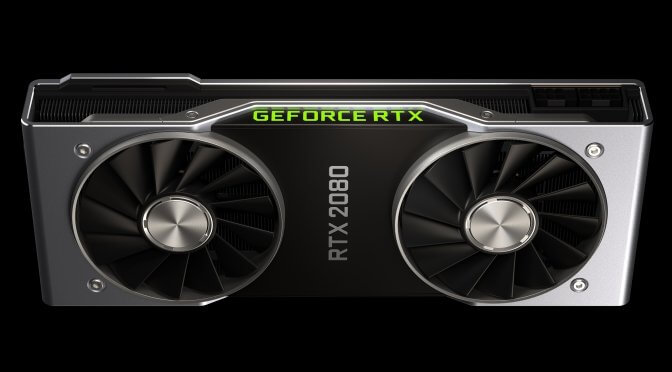
And the time most PC gamers have been waiting has just arrived. The first gaming benchmarks for NVIDIA’s GeForce RTX2080 have just been revealed. These benchmarks are coming straight from NVIDIA and put the RTX2080 against the GTX1080.
As we can see, without DLSS the NVIDIA GeForce RTX2080 is almost 50% faster than the GeForce GTX1080. With DLSS enabled, however, there is a 100% performance boost, something that will undoubtedly please all those gaming at really high resolutions.
According to NVIDIA, DLSS – which stands for Deep Learning Super Sampling – is a new super sampling technique that can create better images at high resolutions and run faster on the new GeForce RTX graphics cards.
NVIDIA claims that Final Fantasy XV, Hitman 2, Call of Duty: WWII, Mass Effect Andromeda, Star Wars Battlefront 2, Destiny 2, Far Cry 5 and more can run with 60fps in 4K (obviously some of them are using DLSS in order to achieve something like that).
It will be interesting now to see how much faster the flagship graphics card, the GeForce RTX2080Ti will be compared to the GeForce GTX1080Ti!
Thanks Videocardz

John is the founder and Editor in Chief at DSOGaming. He is a PC gaming fan and highly supports the modding and indie communities. Before creating DSOGaming, John worked on numerous gaming websites. While he is a die-hard PC gamer, his gaming roots can be found on consoles. John loved – and still does – the 16-bit consoles, and considers SNES to be one of the best consoles. Still, the PC platform won him over consoles. That was mainly due to 3DFX and its iconic dedicated 3D accelerator graphics card, Voodoo 2. John has also written a higher degree thesis on the “The Evolution of PC graphics cards.”
Contact: Email


GraphWorks™ in action
So DLSS is something that is supported on all games? devs don’t have to specially code it in?
DLSS is the Deep Learning Super-Sampling which the new Turing series have a specific part of the GPU dedicated for it’s processing while pascal doesn’t thus I don’t think this comparison is fair.
Then disregard the DLSS… You are still seeing better then GTX1080ti performance (on the RTX2080…). And if DLSS is supported then you get an even better advantage. I don’t see the issue… The information on the graphs aren’t being un-truthful about anything. It’s up to an intelligent person to properly disseminate the information.
Nvidia graphs are famously untruthful & it’s not better than the 1080 Ti.
We don’t know that for certain so lets wait for third party benchmarks to show up before jumping to conclusion.
Metal Messiah ++++ is sucha hypocrite, votes you up after voting Ultix post up LMAO
Hey, nah, that might be a mistake on my part….I accidentally clicked on the up-vote button. I do agree with ‘vkey.bellic’s’ point though.
Someone else who thinks he has a crystal ball and think he knows something.
DLSS is actually a new Nvidia super-sampling method that puts the AI TENSOR cores embedded within the turing GPU arch to work. Previous Pascal cards lacked this feature.
It’s basically an AI technology used to help with anti aliasing, using AI to predict the necessary adjustments to be made to the image, rather than processing every frame in full.
So the game itself has to have the option then? u can’t turn it on at the nvidia control panel?
As far as I’m concerned, DLSS will be part of the driver, but I’m not 100% sure whether we can toggle this option via NVCP though….
Thanks mate.
From what I understood from the conference you have to download a DLSS plugin on a game by game basis.
Ty.
will DLSS work on al graphics cards or only RTX?
Only RTX.
As of now, the only cards that will support DLSS would be the GeForce RTX 2070, RTX 2080, and RTX 2080 Ti graphics cards.
Finally someone that understood correctly how that works. <3
That still doesn’t quite answer whether or not it will be a universal hardware/driver feature or require in-game support. Currently, NVIDIA is circulating a chart that shows a list of games that do and do not support DLSS. Either it’s a feature that has to be added by the dev in the game, or NVIDIA builds support for games in their drivers and hasn’t added everything yet I guess.
If it’s just AI super sampling, how exactly is it supposed to “increase your performance”? Does the AI somehow take the computational load out of the usual supersampling process so that you can use a DSR-type downsample at half the performance cost? Or does having it turned on, even without upscaling your resolution, somehow remove rendering load from the main pipeline?
It doesn’t increase any performance. Since it’s a Super Sampling method, much like the one used with SSAA (SuperSamplingAntiAliasing), DLSS’ job is to do basically the same thing but with a lighter impact on performance compared to SSAA, and while using a graphics card that supports it.
Regarding the support in games i’m not sure, many say it depends on the game (and it’s the one i think is correct, although i’m not sure) and someone else says it’ll be available on every game. But then why nvidia specified a bunch of games receiving this feature? Well i don’t know! We probably have to wait.
This is essentially what I initially thought DLSS to be, but notice in NVIDIA’s chart they show an extra 50% “performance gain” when using DLSS. This chart was showing 2080 performance in several titles at 4K, relative to the 1080. It’s about 50% of an increase alone, and then there’s an extra 50% increase from there that’s indicated when DLSS is enabled. So my question is in context of that chart. Maybe in the DLSS examples, they’re super sampling up to 4K from 1080p and that’s how they’re reporting a performance increase? It doesn’t make sense to me how simply turning on super sampling would HELP your overall performance, but that’s what the graph seems to illustrate.
You probably understood it wrong, the extra 50% performance gain is when compared to 1080Ti, DLSS probably kills performance on that, but much less on the 2080Ti, so if normally the 2080Ti is around 50% faster than 1080Ti, enabling DLSS on both, makes the 2080Ti around 100% faster, but just because it’s 1080Ti losing performance.
DLSS doesn’t do a full frame Super Sampling, only does parts of it, when required, and that depends on what AI think is best to do basically.
This is an old trick, i remember AMD doing the same when comparing their first gen of ryzen to i7s, basically they showed a gameplay of DOTA 2 stuttering like hell (they were playing and streaming at the same time, like in 2K) using OBS settings which killed the performance on that i7 (because it was a 4/8, instead of a 6/12 of ryzen) but was working fine on the ryzen, while if they used normal settings (like 90% people use), there wouldn’t have been no difference.
Long story short, using a favorable environment, settings, configurations, ecc…Just to emphasize a performance gain that otherwise wouldn’t really be that noticeable.
Like originaru suggested, it probably works by downloading some sort of archive on the same stuff present in the game, but at very very low resolution, and uses that as reference to correct wrong rendered pixels.
What you said is not at all what that graph is demonstrating. It shows that a 2080 gives you a 50% performance increase over the 1080, and that enabling DLSS on the 2080 gives you another 50% performance increase over the 1080. That graph is not comparing DLSS on a 2080 to DLSS on a 1080. As I understand it, DLSS will not even run on a 10 series card since it doesn’t have a tensor core.
That’s why it’s something completely theoretical and bs basically. How are they comparing it to the 1080, which are the settings? And which are the cases?
It’s like this:
Either i’m right and they’re comparing DLSS on these 2 cards, and ofc 1080 takes a much bigger hit than 2080 that’s why with DLSS on the 2080 is “2X a 1080”,
Or
I’m partially right and this graphs is completely invented because they have no way of comparing this, hence they didn’t specify any setting they used for the comparison.
DLSS can’t be lighter than TAA, because although not being a full frame SuperSampling it still is a SuperSampling, which is nothing a TAA does.
I’m still sticking with my estimation that the DLSS metrics of the 2080 in that graph are representing an upscale to 4K from a lower resolution using DLSS and that’s why the performance increase is doubled. Nothing else makes sense to me. And even this makes little sense, because there are no metrics for the 1080 they’re comparing it to for DLSS, because DLSS can’t be run on a Pascal chip.
So you think DLSS is actually lighter than TAA? Ok then.
No, I’m not saying that. But I am saying that playing at half your resolution and using DLSS to scale it up would in fact be lighter than TAA at native resolution. I think those figured represent the game running 1080p on the 2080 and scaling up to 4K using DLSS, which is why it’s 2X performance compared to the 1080 running at 4K natively since it cannot use DLSS.
But then again why write “Data measured at 4K resolution” if it’s not true? I mean i know it’s nvidia but that’s something absurd.
Engine has to support it.
Nvidia.: “The way it’s meant to be Graphed”….
Btw, the above new comparison chart slightly reminds me of this.
Remember, WAIT for actual Gaming benchmark Reviews from tech sites, before making any decision/purchase.
https://uploads.disquscdn.com/images/7ee2826cd68041af151a7ba3c09a53f31ef562d6a6ec2df448ba3abdae2cf2e9.jpg
There is nothing wrong with that graph though…. the VR portion aside the results from the actual games is 100% accurate. Even the VR aspect is technically correct. It’s up to the devs to utilize those advantages…
I know. I never said it’s wrong though…It’s just that we need to wait for actual gaming benchmarks, the fps numbers and other metrics.
It does make me feel a bit better about my 2080 Ti purchase though to know that NVIDIA’s graphs are normally realistic and not overexaggerated as you’d expect. All I wanted was a 40% increase over a 1080 Ti on a single card, so if I get that, I’ll be happy. If I can play with ray tracing as well in games that support it, then so be it.
I am rather curious about this DLSS tech though. I was initially under the impression that it was an anti-aliasing algorithm accelerated by AI, but it looks like it’s doing a whole lot more than that. The question is, how does AI grant you real-time rendering performance? Is it somehow capable of guessing ahead of time certain parts of a render queue, limiting the actual rendering load on the GPU?
Shut up Taylor. Eat sh*t and cry.
If this is a joke, I may have missed it. If it isn’t, I still missed it.
I don’t think it’s possible to eat sh#t and not cry.
I’ve seen some German movies that prove you wrong.
Why? Unless you have a Ryzen cpu I don’t see a point in waiting. I pre-ordered mine.
Graphs are what determine the majority of my purchases.
Graphs “haunt” me in dreams as well !
I go to the supermarket with my wife and stand in front of the bananas. My wife asks me what’s wrong and I say “There’s no graphs, honey. How am I supposed to decide to buy or not?” She says, “Just put some damn bananas in the cart and let’s go.”
SHE DOESN’T CARE! No one understands.
I actually use a graph to determine the best times to masturbate. There’s really no chance of going back to the old way of doing it once you’ve seen the benefit
Wait, you are a guy? Your avatar pic shows a woman.
Crazy how Disqus doesn’t give you a physical inspection before you upload an avatar pic.
There is no ‘graphics’ without ‘graph’
https://uploads.disquscdn.com/images/bd70e7d4b3b2a18f270b3037503b7cd801b051ebf0ef0b7c5ecaed8ad1ab7177.jpg
LMAO
Nice one though !….
RTX :Gimmick…95% of RTX owners are going to disable this crap.
Yeah but he’s a low IQ, incoherent, tech illiterate, a bit like you.
Understanding how PC components work for end user gaming doesn’t make one a tech wiz. PCs are pretty easy to configure and tweak for games these days where most of the hard stuff is already done now vs how it was when I was a kid (and it was kind of easy then too). And if a person can’t figure it out then googling will show the answer by the one real ninja who got that itch to solve an issue so they spent time digging through what’s needed – and everyone just shares the knowledge. Now if someone brings up something like say for evaluating NNets for interpolation or any other cutting edge STEM topic, then maybe that might make them “tech literate” as you say?
shut up with your common sense, ’cause you have none.
so get lost NV fanboy !
Cry more dumbo.
You won the internet sir.
https://uploads.disquscdn.com/images/b93933b8e792b0a619058745eb7038a41ba7a2803669d6c1ea2d729d95170cd6.gif
So there you go… the RTX2080 is faster then a 1080ti… The RTX2080Ti is going to be a beast. Not even taking into consideration the DLSS results. Those are great results. Add to that you have a separate portion of the chip dedicated to Raytracing and you can understand the expense of these cards… Anyone who understands the technology and what goes into developing it that is…. I mean you have a portion of this GPU capable of 110TeraFLOPS of compute power ffs… that is god damn impressive.
…the RTX2080 is faster then a 1080ti…
But this is against the GTX1080, not the Ti MODEL.
It is against a 1080. Quite the performance anyways. 50% more perfs. imagine with the 2080Ti. God damn it i’m going to have a hard time ordering this because of all the F5 on evga. :X
Which GPU are you currently using ? Are you ready to shell out cash for the RTX 2080 Ti !
TitanX (Maxwell) and Yes i’m ready. I’m canadian so this is going to cost me around 1600$/1700$ (evga hybrid ftw3 version)
Oh boy ! You are RICH ! I’m still stuck with my poor RX 480 card.
But TitanX is a beast of a GPU though…..Unless you seriously require more GPU horsepower, to drive 4K HDR monitors, then only it makes sense to upgrade to the RTX 2080 Ti.
There’s nothing to be ashamed of with a RX 480 imo.
i have a RoG Swift (2k) but i really like the butter smooth 144hz gsync so i kinda want to top that off. Top it off so hard that gpu is going to be @70-80% usage depending on games.
it’s not 50%, only 50% with DLSS which is advanced upscaling, plus i bet Nvidia are using a stock 1080 that’s not overclocked far at all to make the 2080 look better.
Well if i’m following the graph, it’s around 50% without the DLSS and up to 100% with DLSS depending on the game.
I had a blast trying to guess the default document url for the new RTX cards before they updated their site’s directory to get there normally. The previous product page was /GeForce/10series. The new one was GeForce/rtx. Who would have guessed?? I flipped out once I finally guessed it because I managed to preorder the card just before it was announced that preorders were available. The site crashed about four times before I finally made it through lol
Yes but the 1080ti is not 50% faster then the 1080… It’s very easy to figure out where the RTX2080 lies when compared to the 1080ti when it IS +/-50% faster (the framerates in that graph look to be between 40% and 60% faster then the 1080… Understand?
Now I just want to see 4K DLSS screen captures 🙂
Nice tech!
Title of this is misleading, this is a nvidia marketing metric the values in the graph could mean anything. Without benchmarks i would estimate that the new RTX 2080 will probably be about 25% faster not including DLSS based on raw performance
someone can explain what dlss does in depth? i tried to look for some in depth explanation to no avail
DLSS is basically an advanced upscaler. The way they got those high numbers is by using DLSS to upscale a lower res image to 4k. Its a highly misleading graph.
so the opposite of downsampling,but this time it just gives a better image quality than a regular upscale,interesting.
thank you 🙂
Also their words are misleading, since you understood that exactly like they made it sound, which is incorrect.
DLSS works like similarly to a multi sampler, but it’s not outputting the double of pixels, it’s correcting existent with more accurate ones, much like the “fill” feature from photoshop, basically, based on the nearby pixels, and using its AI component, it’ll replace wrong guessed pixels with more accurate ones, and the lower resolution thing is misleading too, the outputting image resolution will be the same, just with a better result in terms of accuracy compared to other sh***y AA methods, like TAA.
I thought they were using AI to upscale? They really should’ve explained that a lot better..
They are but not actually an upscale, not of the whole image at least, only where it’s needed, it’s pretty weird, and i’m sure they’ll clarify how it works at a later time, hopefully before launch.
I’m already pretty turned off of these cards thanks to them not showing or explaining things fully. I was ready to get the 2080ti for $1200 or even more until I thought about it for an hour.
I’d say you did the right thing, at least for the moment.
DLSS Deep Learning Super Sampling, will work like this:
Nvidia has their own Neural Network data base which has AI and has categorized millions and millions of objects in to a catalog and is able to recognize geometric forms very quickly using the Ai algorithms.
They call this catalog “ground truth” it will be the base (the ideal) possibly even at a conceptual level, for example: Define a chair, a chair has 4 cilinders attached to a piece, etc…(sorry for my limited english).
And as soon as you start a game that uses with DLSS, you will need to download those “assets or tags” of very low resolution that will be present in the game.
It will be used as references, when those appear in the game, it will identify and super sample those really quickly, eliminating the jaggies, this will save bandwith, since will not need to work with the full texture, just an aproximation, so it will be easy to manipulate, rotate, etc…
My only problem is that nvidia says that the upscaled object will look better than the original, this does not make sense unless the developers give the original object to nvidia and they use a new method of compression and decompression using AI, i don’t know. To me it will hardly work with complex objects, it will be more like for cilinders, cubes, etc…
One thing is clear, nvidia didn’t explain clearly how that works. Besides as you said, what they said partly doesn’t make sense, that’s why some of the users around understood it incorrectly, and think this thing will magically give you games double or quadruple the definition.
And also i’m more oriented towards the “fill” content-aware style, much like photoshop does, instead of all the “download assets the game will use to guess how to sharpen stuff”.
Maybe, but from the presentation they made clear that the Ground truth was an important thing and he said explicitly that some download would be needed
To me the game devs sends all assets of the game for the nvidia neural network process and understand everything, manually or not, then it renders a very basic projection with the tags, so it would still be a type compression, but AI based, then it is all downloaded on very low res that does not take much space. So every geometry transformation would be done in the low poly form then super sampled in the final pass.
I think it will not be a full screen AA, but a per object AA.
It’ll be probably be a per project AA, and you realize that when you see at the comparison between TAA and DLSS in the infiltrator demo huang showed, just look at the picture, the only think looking better is the gun, and not even entirely.
Per Project?
Per object* sorry misstype.
i’m not falling for the (((official))) graphs
i want to see a real-time benchmark from someone unaffiliated from Nvidia
who SHOWS you the setting and the benchmark in the same video
how can i really tell if Nvidia is using 4K ultra setting
or 4K with some “adjustments”?
Yup. It would be wise to wait for actual Gaming benchmarks, before making any purchase, or jumping on any conclusion.
Wait? But I want to be angry NOW!
Well, if 1080 managed to keep up with 2080, subsequent driver updates will ensure that won’t last long.
only fools update their driver
but (((some))) games like Battlefield 1
actually DEMANDED you to update your driver in order to play
BFV will be no different…
https://www.youtube.com/watch?v=5XRWATUDS7o
Look at this now as well… More leaks stating that Turing is 50% better core-for core when compared to Pascal…
https://uploads.disquscdn.com/images/8e939eb85c0a271f966a5b20992f872ac369c53727c463621d769452ae337e91.jpg
It’s going to be a beast… No question.
There is only one reason I have not yet pre-ordered… I am waiting to see what the performance and implementation of the NVlink Multi-GPU is going to be like. The difference with SLI and NVlink is that unlike SLI, NVlink when connected addresses your 2 GPU’s as if it were one single GPU according to the PC. Therefore IF it does indeed behave like a single GPU then there would be no need for devs to have to do anything to have both cards work fully in games (with the current implementation both GPU’s appear as one when using NVlink. Gaming may be different however…). So IF it works that way then I would rather get 2 RTX2080’s then a single RTX2080ti. 5888 cores and 16GB GDDR6! All appearing as a single GPU. So ya… I’m waiting to see if that is indeed how it will work. Very different from SLI where either card 1 renders frames 1,3,5,7,9 and card 2 rendered frame 2,4,6,8… Or having card one render the top half of the frame and the 2nd card rendering the lower half… This will be both cards acting as 1 card. The ultimate version of mGPU.
Also, assuming NVLINK will also help with VRAM stacking, I think both the GPUS should support the Split Frame rendering/SFR method, in multi-GPU mode.
Unlike the previous AFR mode used mostly in SLI, Alternate frame rendering that is, in which each GPU used it’s own frame buffer/VRAM, and it never got added/stacked.
According to theory,
In AFR, each GPU renders each of the other frame (either the alternate Odd or Even).
In SFR, each GPU renders half of every frame. (top/bottom, or plane division).
So I think NVLINK should help with VRAM stacking, though we need to see how this gets implemented fully in most of the Games, either in DX12 or VULKAN API mode.
That GPU is like gas stove…
Yeah, I’m not believing a single god damn thing NVIDIA puts out about these cards untill a third party has tested them and proven that they are actually good, powerful, and capable at running Ray Tracing at 1080p60fps solid, or above. NVIDIA specifically left out performance in their demonstration of them for a reason, we all found our why, and I have zero reason to trust that they’re telling the truth about these cards performing this much faster than the last gen.
It’s possible that Nvidia is fudging the numbers but really, is anyone going to buy this GPU without looking at some legitimate benches first?
People have more money than sense
Or people who what the latest card at launch like me.
Waiting for real benchmarks with 0.1%, 1% and average FPS, not the average or whatever Ngredia is selling
Do you work for a company that trys to lose as much money as possible?
4 of those games are with HDR enabled. Since pascal took significant performance hit when HDR enabled, it means Turing fix that. Also it means turing is not that much faster like pascal was compared to previous gen.
The price is ridiculously expensive. So, will the 1080 drop in price? It is still a good card for 1080p.
i’d say 1080 is a good card for 2K at very high settings tho.
Yes the 1080 is more than enough for 1080p gaming but depending on how much ray tracing gets implemented in the near future then maybe not as good.
The cheapest I have seen the 1080 is $430 on the EVGA store. That’s about $150 less than what they originally retailed for.
They also preorders for a 2080 for $700 and a 2080 Ti for $1,200. That 2080 Ti needs to be something special to warrant that price imo.
+1…
That was rude/insulting, and totally uncalled for.
But your response to them (or anyone else’s for that matter) is exactly the reason they do what they do. Just ignore
Btw, don’t you think this site actually needs some sort of “Moderation” as well ?
John should look into this issue though.
I don’t think so, no. Moderation is a euphemism for censorship, no matter how you approach it. If someone isn’t capable of ignoring or disregarding unpleasant remarks on the internet, they probably shouldn’t be on the Internet. I don’t want someone else trying to be “the adult” on my behalf and decide what they should protect me from seeing or hearing. ESPECIALLY not JOHNNN
(joking about John; but serious about not wanting moderation)
He’s just angry because life has touched him in all his private places and now he’s lashing out.
i know for a fact the guy’s lying
But was it true?
Nice finding.
It’s funny how they’re so reluctant showing 2 systems with 2080Ti comparing TAA and DLSS and 2 systems with 1080Ti and 2080Ti both running DLSS…
Do you think 1080ti would be able to dlss and they are just hampering via software?
I’m not sure, but it’ll bring down fps like we’ve never seen before, considering it’ll attempt to use Tensor Core power which isn’t in the 1080Ti so it’ll probably try use just its capabilities, increasing the load, and bringing performance down and temps up.
Or
They just won’t make it possible to use with other cards, which is probably what’s going to happen, so those graphs are basically stuff even they don’t know to be true. So just theory.
But they could show 2080Ti DLSS vs 2080Ti TAA, so we can realized before the launch how that performs.
Wow….amazing test… with old games. Few of them are few years old.
DLSS is a visual pudding instead of smoothing edges 😉
FXAA it’s superior in terms of quality compared to that crap.
I’m sorry that my life isn’t as miserable as yours. Find happiness in the world and you won’t be so angry all the time towards successful people like me.
lol keep on eLARPing
Shadows looks much better with RTX now and raytracing is future of graphics in games. Yes most people will probably disable RTX shadows in order to get better performance but still it’s technology like that is always something. The most important thing is, even without RTX and Tensor cores old games will run much better, probably around 50% based on current leaks, and with DLSS on top of that, Nv basically delivered more than I was expecting.