
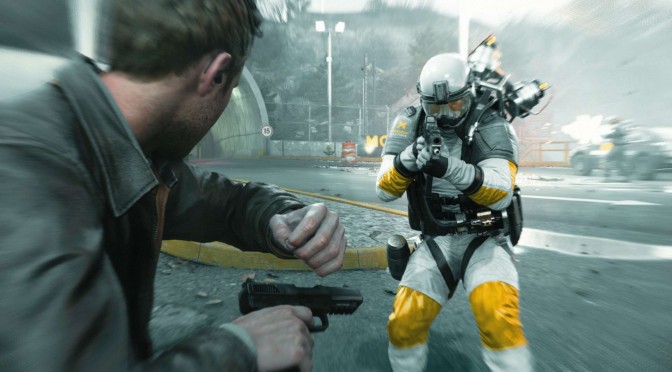
Quantum Break is one of the most demanding PC games that have been released recently. And to be honest, its spectacular lighting system and detailed characters somehow justify these requirements. Quantum Break’s lighting and global illumination effects are among the best we’ve seen in any game. However, at its time of release, the game lacked official SLI support. Well, not anymore as a workaround – offering incredible SLI scaling – has been found.
Do note that this works only with the game’s Steam version (that supports DX11). There is no workaround for the Windows Store version that is DX12-only.
NVIDIA users will have to follow these steps and use NVIDIA Inspector Tool in order to enable SLI in Quantum Break.
- Open the NVIDIA Inspector Tool
- Find Quantum Break’s profile
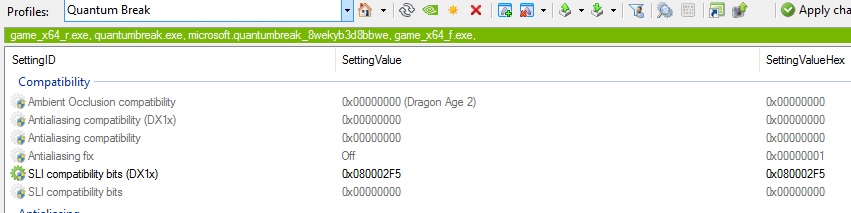
- Use this SLI compatibility flag for its DX11 mode -> 0x080002F5
- Head over at the SLI section
- Set predifined number of gpus to SLI_PREDEFINED_GPU_COUNT_DX10_FOUR
- Set nvidia redifined SLI mode directx 10 to SLI_PREDEFINED_MODE_DX10_FORCE_AFR
- Save your changes and exit the NVIDIA Inspector Tool
If you’ve done this right, Quantum Break will take advantage of your two GPUs. We’ve tested this workaround and it works fine, with great SLI scaling (95% scaling).
Here are some images from our Quantum Break profile.

Kudos to Guru3D’s member ‘darrensimmons‘ for finding this SLI compatibility flag that works great with Quantum Break!

John is the founder and Editor in Chief at DSOGaming. He is a PC gaming fan and highly supports the modding and indie communities. Before creating DSOGaming, John worked on numerous gaming websites. While he is a die-hard PC gamer, his gaming roots can be found on consoles. John loved – and still does – the 16-bit consoles, and considers SNES to be one of the best consoles. Still, the PC platform won him over consoles. That was mainly due to 3DFX and its iconic dedicated 3D accelerator graphics card, Voodoo 2. John has also written a higher degree thesis on the “The Evolution of PC graphics cards.”
Contact: Email