
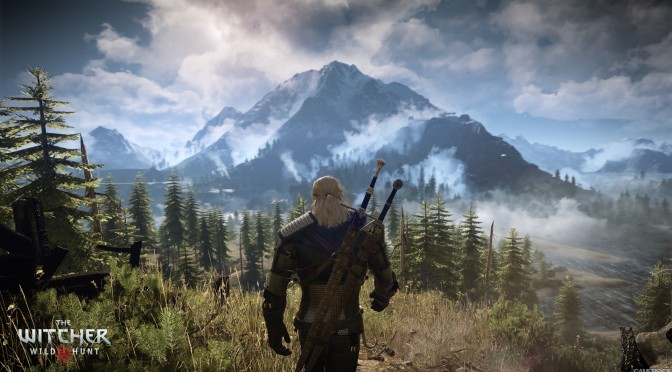
CD Projekt RED has released a new patch for the PC version of The Witcher 3. According to its changelog, this patch improves Nvidia Hairworks performance, improves input responsiveness when using keyboard, extends Sharpen Postprocess settings to Off/Normal/High, and boosts texture anisotropy sampling to 16x on Ultra preset.
Those interested can download the patch from their GOG accounts (patch should also be available on Steam, meaning that the game will auto-update itself if you’ve purchased it from there).
Here is its changelog:
- Improves stability in gameplay and the UI.
- Improves performance especially in cutscenes and gameplay
- Fixes grass and foiliage popping that can occur after density parameters change
- Improves Nvidia Hairworks performance
- Boosted texture anisotropy sampling to 16x on Ultra preset
- Sharpen Postprocess settings extended from Off/On to Off/Normal/High
- Improves menu handling
- Improves input responsiveness when using keyboard
- Corrects an issue with stamina regeneration while sprinting
- Fixes a cursor lock issue that sometimes occcurs when scrolling the map
- Generally improves world map focus
- Corrects a bug where player was able to fire bolts at friendly NPCs
- Corrects an issue in dialog selections
- Corrects some missing translations in the UI
- Minor SFX improvements -Blood particles will now properly appear after killing enemies on the water
- Rostan Muggs is back

John is the founder and Editor in Chief at DSOGaming. He is a PC gaming fan and highly supports the modding and indie communities. Before creating DSOGaming, John worked on numerous gaming websites. While he is a die-hard PC gamer, his gaming roots can be found on consoles. John loved – and still does – the 16-bit consoles, and considers SNES to be one of the best consoles. Still, the PC platform won him over consoles. That was mainly due to 3DFX and its iconic dedicated 3D accelerator graphics card, Voodoo 2. John has also written a higher degree thesis on the “The Evolution of PC graphics cards.”
Contact: Email
Let’s see this…. i liked that quick response by CDPR!
youtube video incoming with this patch!
GTX 680 ready for the sweet 60 FPS Masterrace +HAIRWORKS
how much gameworks improvements? anyone can tell fps before and after?
10FPS gain. Cutscenes seems that UberSampling is turned off now.
Im in a Cave/Keira Metz so i cant say for sure what it fixed.
Loading time( after dying) is damn fast now!
Todo List:
VGX colors – Fixed
Grass – Fixed
Foliage – …
https://www.youtube.com/watch?v=tzZzLNJyc3w
Naah, my preset is better, Btw, grass is not supposed to look green at night.
Yep. Its a improvement at very least. Not that great tough. As in inner environments its way too dark
WOW got a 5-10 fps boost at least and the game definitely feels smoother while Hairworks is enabled compared to before the patch.
Or maybe they just made the horse more athletic 🙂
No patch can undo false advertising. CDPR has lost their souls to console gamers and console port is what was given to PC gamers which are their core fans. May CDPR rot in hell.
As a huge RED fanboy.
It seems to strange that after 2 days a perf patch is released and even HairWorks is way less demading.
Gamma was removed from option(hour one) could be a fail but its seems too strange.
Well as in any other market…$$ is the boss!
GOTY!
Yes, probably making sure nvidia will outperform everything else in first reviews.
Jeeeezz dude how do you really feel?
Can anyone tell me if this patch will mess up your saves? Because I know that the saves from one version aren’t compatible with a different version.
Saves from newer version won’t work on older version but older version saves still work fine when you update to a newer version.
Oh I see. Thanks for clearing that up man 🙂
Runs great and the new higher sharpening looks good, the old effect was almost non existent.
1080p, ultra with Hairworks on(maxed out settngs), can’t hit 60fps on my GTX970 but not bad at all really.
http://i.imgur.com/lAlV76S.jpg
http://i.imgur.com/KCMQIov.jpg
What a news. Every patch improves performance. If we can believe those endless proclamations.
AMD users have to set the tessellation manually in the CCC to get better performance with Hairworks on, this is probably due to AMD GPUs have poorer tessellation performance than NVIDIA GPUs.
53 is great FPS. if there is no stutter, than any FPS above 45 is pretty much fine, really. (not perfect though)
game stutters but not every where, it has micro stutters specially on cities, even when the frame rate is 60, not that bad but you can feel it time to time
I also get some minor stuttering and it’s definitely not a vram issue.
adaptive half refresh rate +triple buffering ON its perfect too with a controller!
Playing with tweaked config file, increased all shadow render quality to double, shadow map size from 3072 to 4096, increased grass render distance and density, increased LOD of all the other foliage.
This is just a random pic, getting between 50-60+ fps, two 980s at 1500MHz at 2560×1440.
http://i.imgur.com/StAlcj0.png
finally, found the 35min demo locations. and it’s without patch 1.03, shadows are better (and it’s on high), more npcs , better water but worst distance detail and building details and foliage and different lighting. took me hours to find those exact locations
Yeah, when you use real screenshots of ultra and HBAO+ it’s not bad at all with the patches.
I think they might release a big patch with a graphics upgrade later down the line. That’s what was implied in the interview.
good work mate
I really like how sky looks in earlier bild
a small suggestion , try using sweet fx , there is a thread in the forums for that. Removes that god awful yellow tint
http://forums.cdprojektred.com/threads/37417-Witcher-3-ReShade-SFX-CT-Graphics
I was exploring in an open area and noticed the change in the colours a bit, but yet the grass looks even worse than before and the LOD is more noticeable than before as well.
The trees also at night looks almost blurry and you can see some bad AA on them.
Probably the foliage overall is giving them a massive headache…Remember how low was the LOD distance in The Witcher 2? Graphics Engine limitation for sure.
This is the very first time I have issues with VRAM in a game and had to drop a little my resolution. (of course my GPU is the main problem here…not blaming the game)
P.S: Nice job with the images mate. 😉
35 hours played here…still have to see Novigrad (not doing the main story) and Oxenfurt…I’m exploring like a boss for treasures and caves.
Now I want the older grass, the new one after comparing is just so meh.
I’m waiting at least a month before I even think of getting this. Way too many patches and fixes and optimizations going on to bother.
Anisotropic filtering still doesn’t look good with this patch, forcing it through the Nvidia control panel looks better.
NICE! Using HairWorks now causes MICROSTUTTERING! >_<
The beauty of this game starts getting very repetitive when you start seeing miles after miles of same damm tress and low res grass.I think GTAV will still be the#! open world game to beat.
Its not msi afterburner,right?
It is MSI afterburner.