
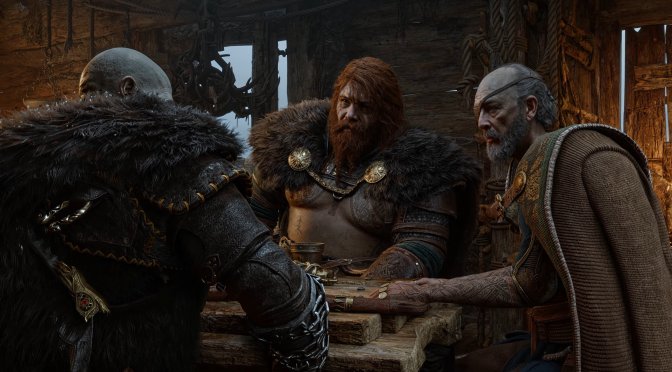
NVIDIA DLSS 5 may very well be one of the biggest visual improvements we’ll get in PC games. We’ve already shared numerous examples in which DLSS 5 can literally transform a game. But how can you install it? And is it possible to use it in really old games that use DX9? Yes, it is, and here’s how you can install and enable it in every game you want.
Let’s start with DX12 games that already support DLSS. These games are compatible with DLSS 5 by default. Thankfully, a simple mod is now available that lets you install and use DLSS 5 with a simple launcher.
Going into more details, DLSS 5 Swapper lets you install DLSS 5 into any DirectX 12 game in one click. The program finds the game, upgrades every DLSS file in place, installs ReShade silently, and backs everything up first.
Those interested can download it from here. Once you have downloaded it, you can run it and pick your game folder. You’ll then have to press Install DLSS 5. Afterward, launch the game, press Home, open the Add-ons tab, and confirm that DLSS 5 Neural Rendering is listed. And that’s it.
But what about the DX11, DX9, and Vulkan games that do not support DLSS? Well, that’s where DLSS 5 Feeder comes into play.
DLSS 5’s neural rendering add-on only works by hooking into a game’s own DLSS calls. A game without DLSS never makes these calls, so the add-on has nothing to do.
DLSS5-Feeder solves this by making the calls itself. It uses data that ReShade already has, including the current frame, depth buffer, and estimated motion vectors. It then builds the data needed for DLSS and runs a real DLSS render.
This lets the DLSS 5 neural rendering add-on hook into the process. The mod then copies the neural result back into the game frame.
Sadly, this is not a simple drag-and-drop mod. You will need to follow an install guide to get it working. This may put off some gamers. Still, the mod can greatly improve older games that can benefit from DLSS 5. So, it may be worth the extra effort. You can download the mod here.
And that’s it. That’s how you can install and enable DLSS 5 in every game.
Before we wrap up, I should note that this DLSS 5 version is based on a leaked build. This workaround does not show the same quality that a native DLSS 5 implementation may offer.
Still, even this early workaround shows how much DLSS 5 can improve games. It has the potential to transform the look of many games. As such, I cannot wait to see what games will look like with an official DLSS 5 implementation.
As a bonus, here are some more DLSS 5 videos. Below, you can find Batman: Arkham Knight, Final Fantasy 7 Rebirth, The Last of Us Part 2, Red Dead Redemption, GTA 4, Crimson Desert, and more!



John is the founder and Editor in Chief at DSOGaming. He is a PC gaming fan and highly supports the modding and indie communities. Before creating DSOGaming, John worked on numerous gaming websites. While he is a die-hard PC gamer, his gaming roots can be found on consoles. John loved – and still does – the 16-bit consoles, and considers SNES to be one of the best consoles. Still, the PC platform won him over consoles. That was mainly due to 3DFX and its iconic dedicated 3D accelerator graphics card, Voodoo 2. John has also written a higher degree thesis on the “The Evolution of PC graphics cards.”
Contact: Email