
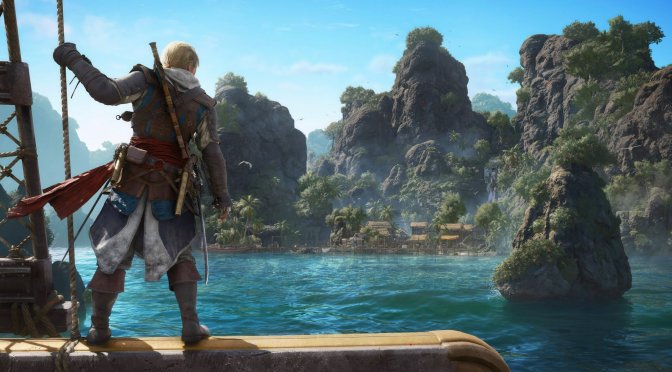
Ubisoft has just released Assassin’s Creed Black Flag Resynced. Powered by the Anvil Engine, the game supports Ray Tracing and DLSS 4.5 with Multi-Frame Gen on PC. As such, I’ve decided to benchmark those techs first on my main PC gaming system. So, let’s dive in.
For these benchmarks, I used an AMD Ryzen 9 7950X3D, 32GB of DDR5 at 6000Mhz, and an NVIDIA GeForce RTX 5090. I also used Windows 10 64-bit and the GeForce 610.74 driver.
Assassin’s Creed Black Flag Resynced has two Ray Tracing modes. These are the Standard and the Extended modes. However, PC gamers can push Ray Tracing to even higher levels as the game allows you to set Ray Tracing and BVH Quality to Ultra High (the Extended Mode has those settings at Very High).
It’s also worth noting that the game comes with a built-in benchmark tool. This benchmark is representative of the in-game performance. So, for our tests, I used that tool as it can provide a better benchmark loop sequence.
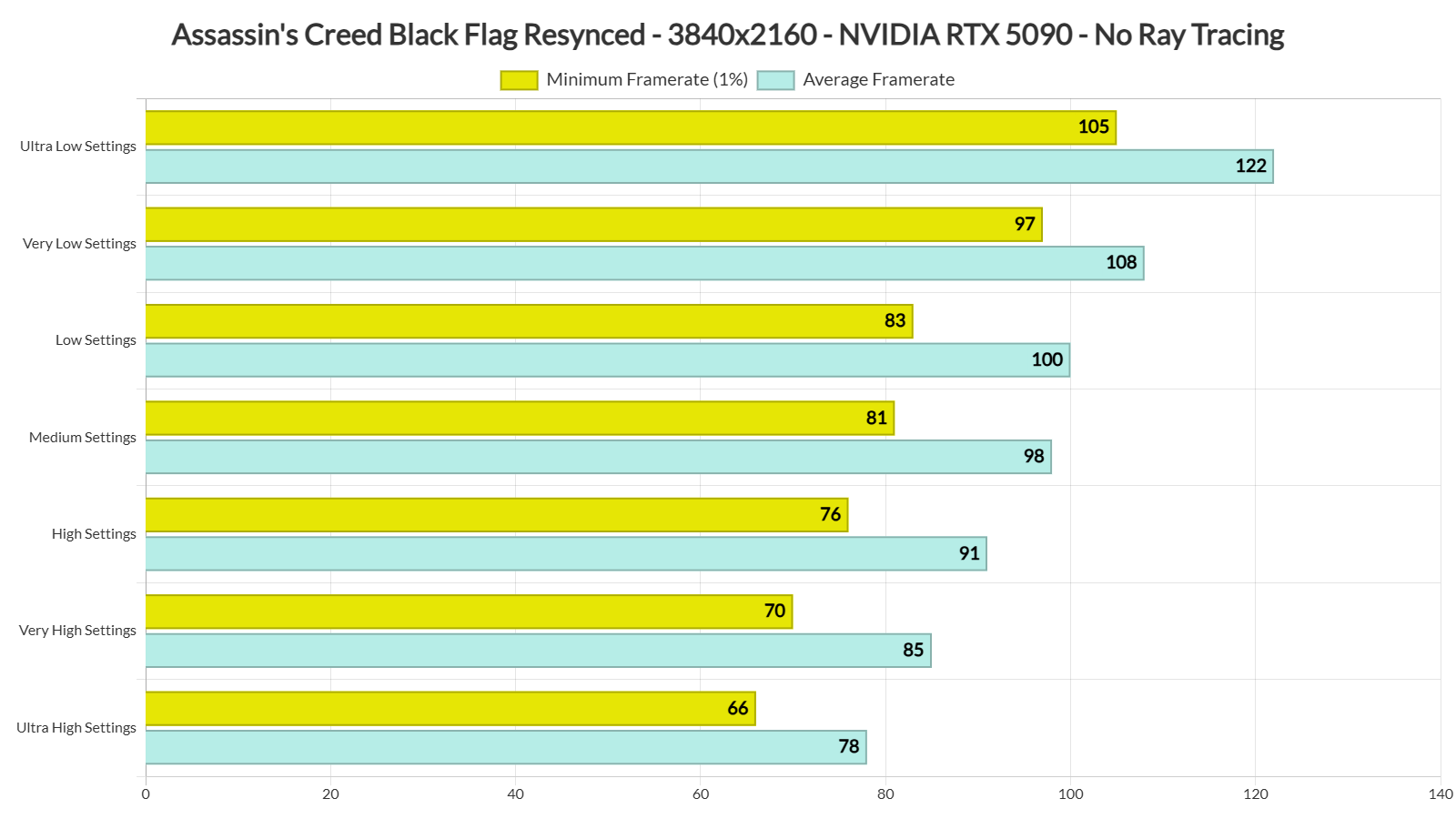
The good news here is that, compared to Assassin’s Creed: Shadows, Black Flag Resynced runs noticeably better. However, like Shadows, Black Flag Resynced does not offer big performance improvements with its in-game graphics presets.
At Native 4K, we are getting a minimum of 66FPS and an average of 78FPS on Ultra High without Ray Tracing. Switching to the Very High preset gave only a small performance boost. The High and Medium presets delivered much bigger gains. The Low preset, however, performed almost the same as Medium. Finally, the Very Low and Ultra Low presets offered significant performance improvements.
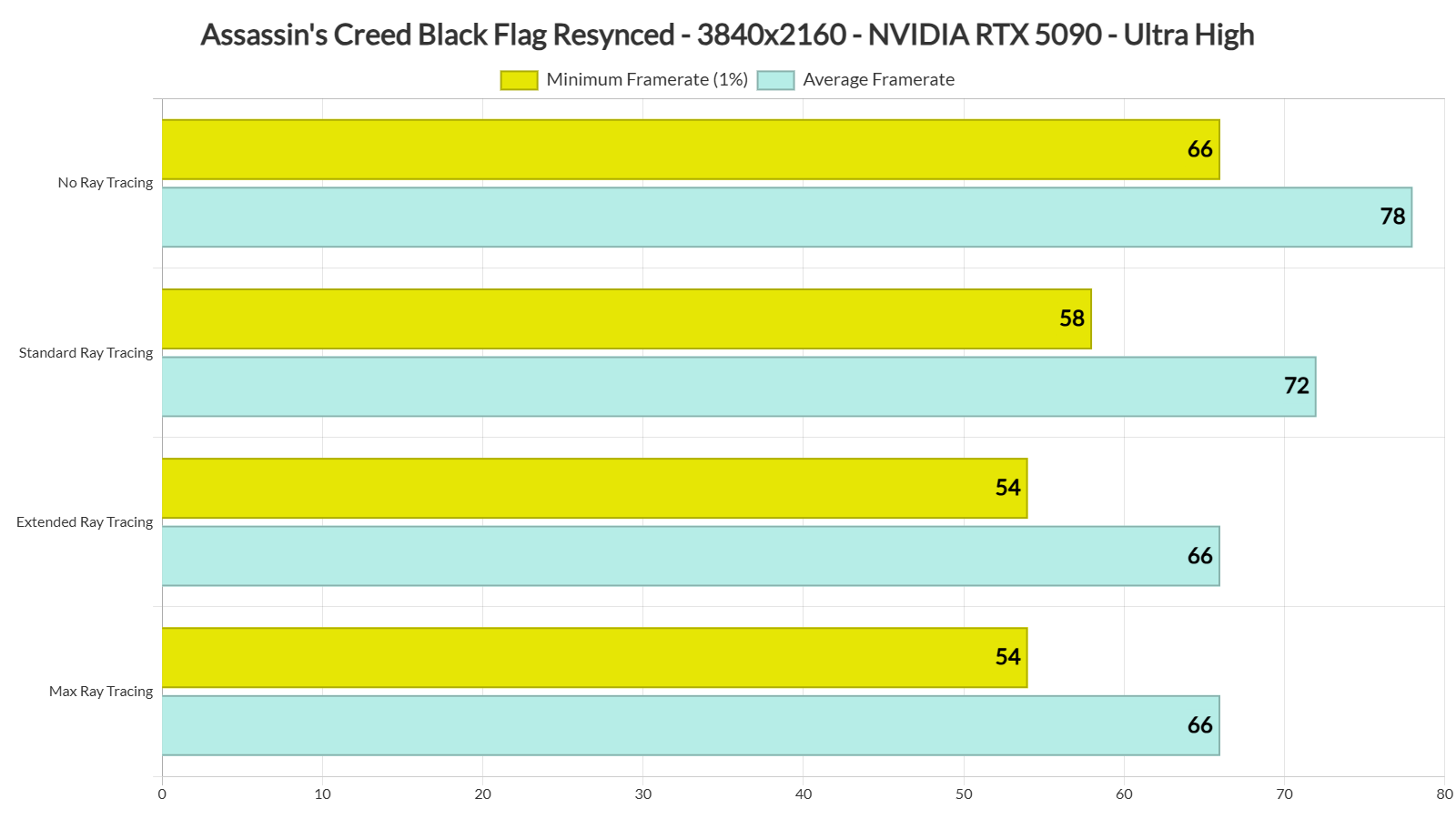
But what about Ray Tracing? With Standard Ray Tracing, our minimum framerate drops just below 60FPS. Extended Ray Tracing lowers it further. Lastly, there were no performance differences at all between Max RT and Extended RT.
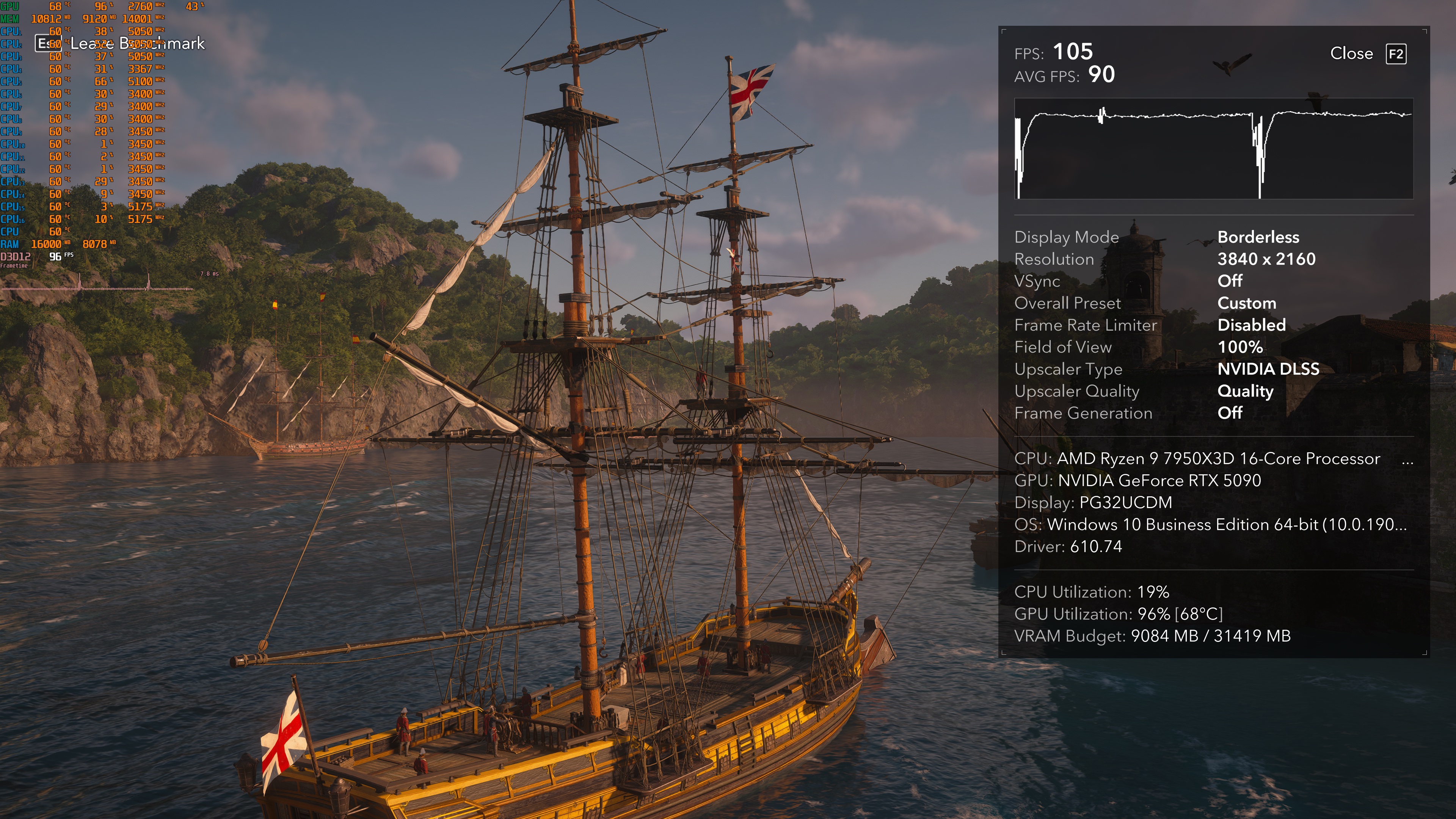
What’s interesting here is the additional stutters introduced by Ray Tracing. At the end of the benchmark scene, we were consistently getting these two stutters with Ray Tracing. Without Ray Tracing, we were not getting them. Here are two screenshots of the exact same scene. You can clearly see the stutters in the frametime graph when using Ray Tracing.
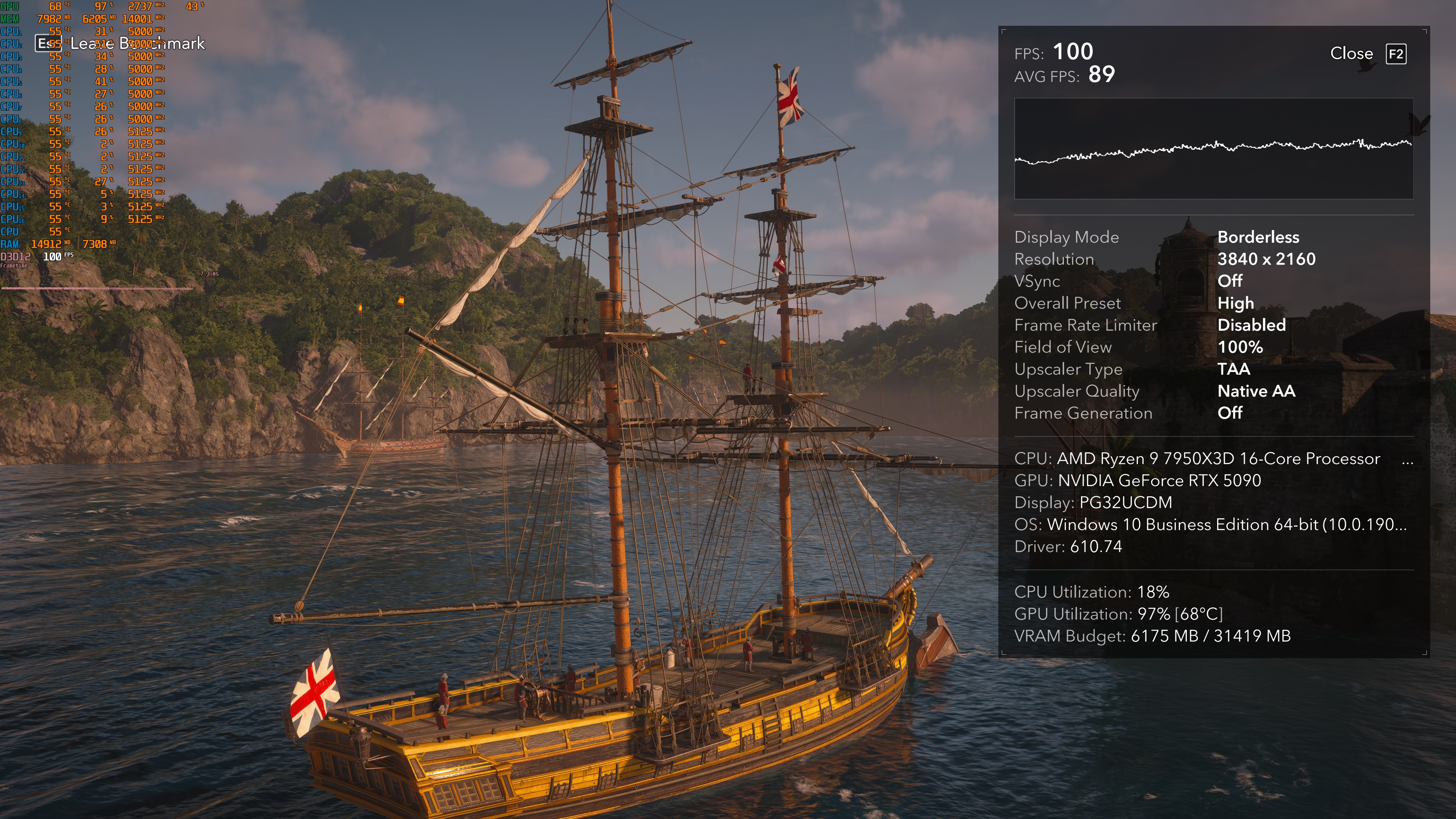
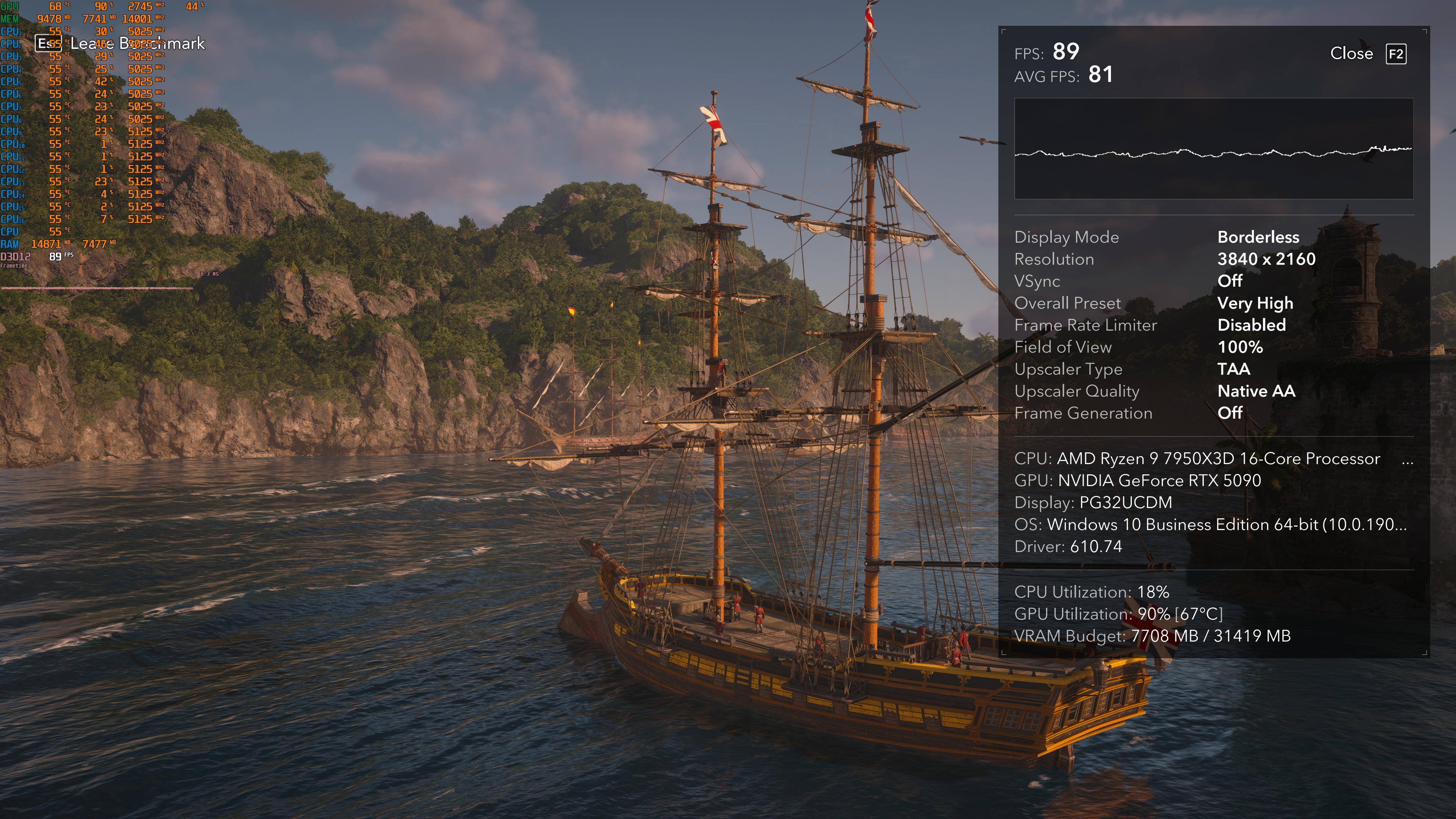
Not only that, but there are some GPU optimization issues on the NVIDIA GPUs. At numerous times, GPU utilization drops to 90%. This could indicate a CPU or RAM bottleneck. However, none of our CPU cores were maxed out. Here is a shot in which the NVIDIA RTX 5090 runs at 90% for no apparent reason.
In the past, Assassin’s Creed games have usually run better on AMD GPUs. I would like to see these GPU performance issues fixed. However, I am not sure whether NVIDIA will be able to resolve them.
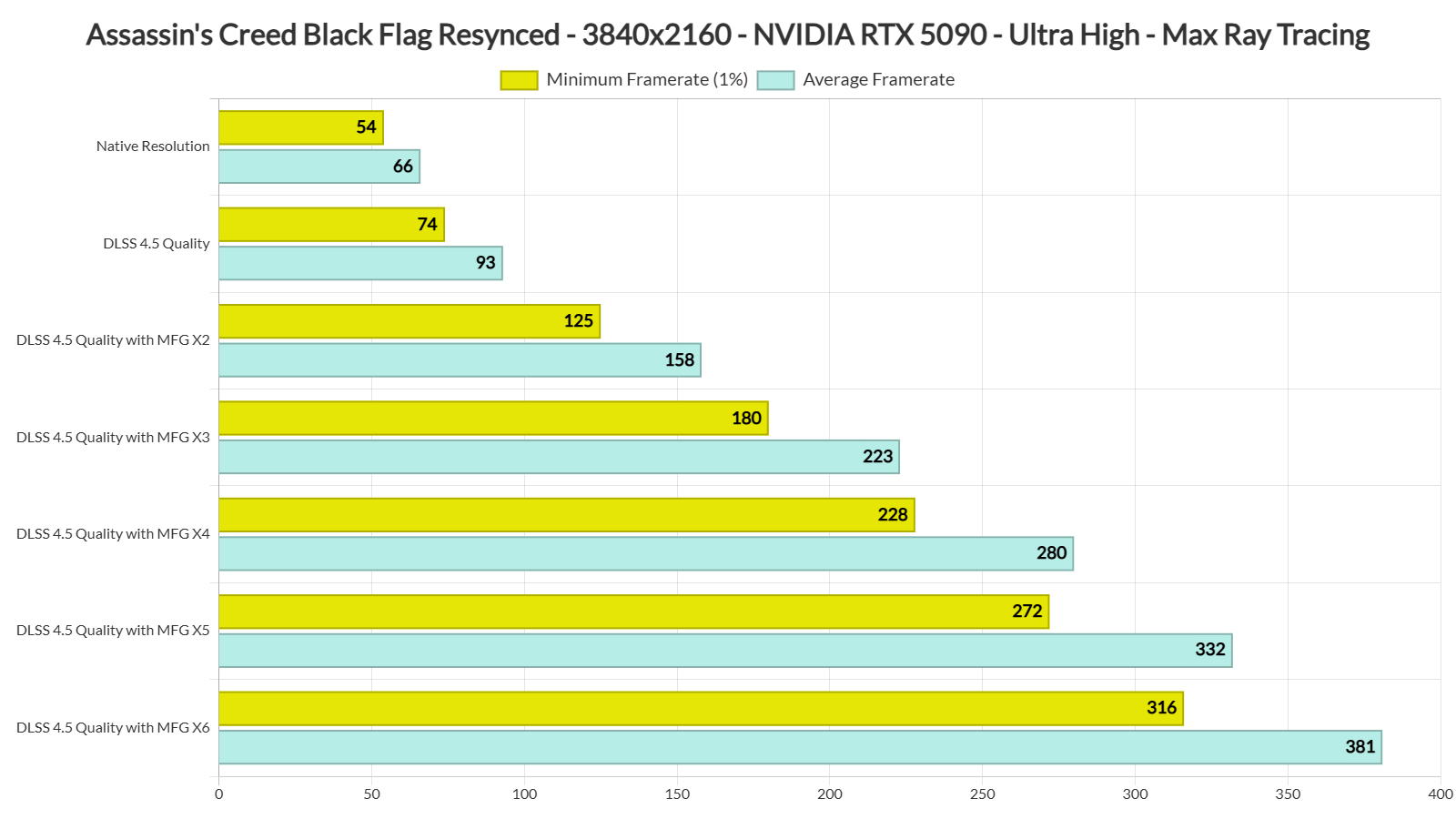
As said, Assassin’s Creed Black Flag Resynced supports DLSS 4.5 with Multi-Frame Gen. At 4K on Ultra High with Max Ray Tracing and DLSS 4.5 Quality Mode, we were able to get framerates over 70FPS at all times. Then, with MFG X2, we got above 120FPS at all times. MFG 3X-6X modes provided an even smoother gaming experience.
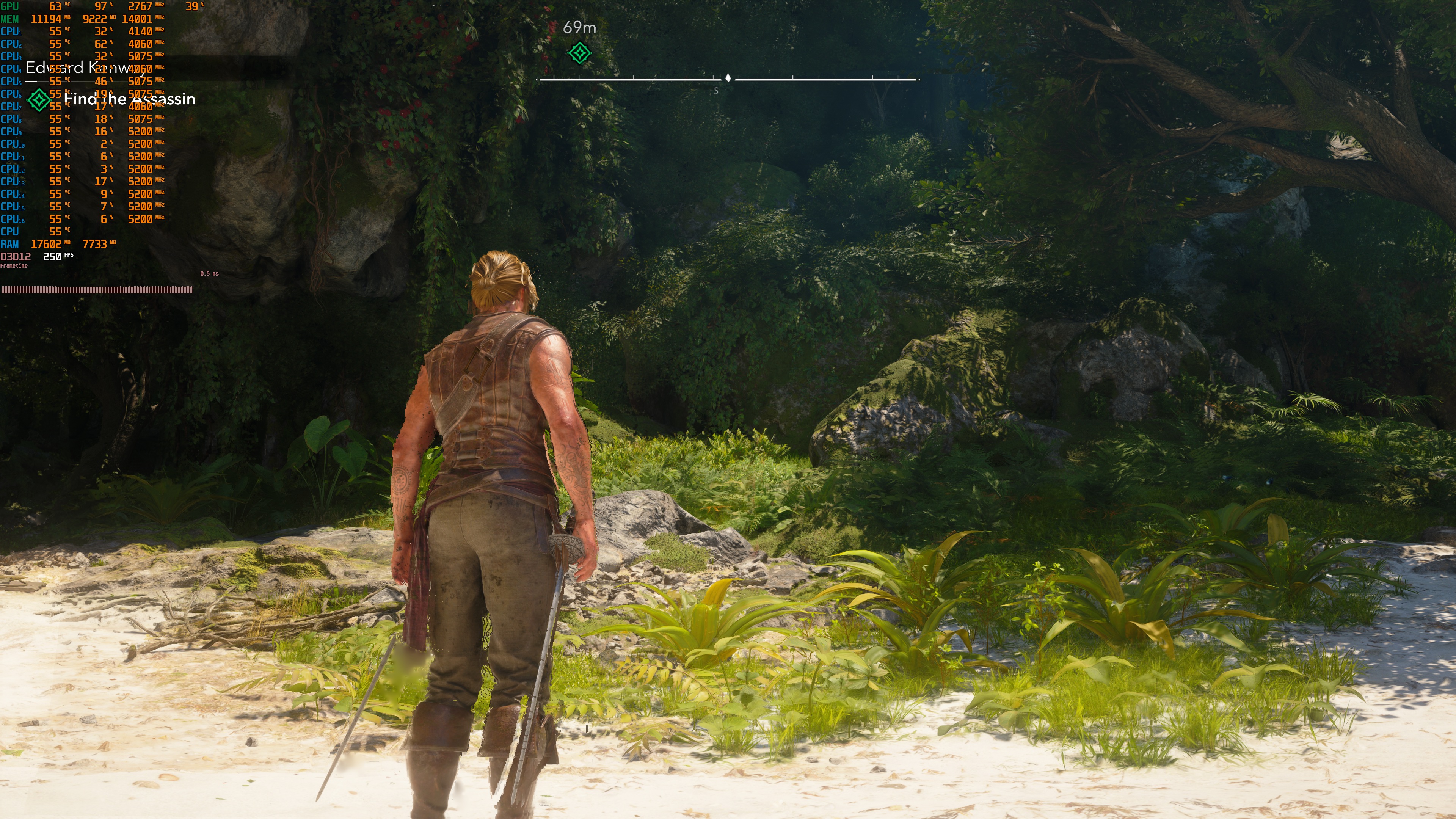
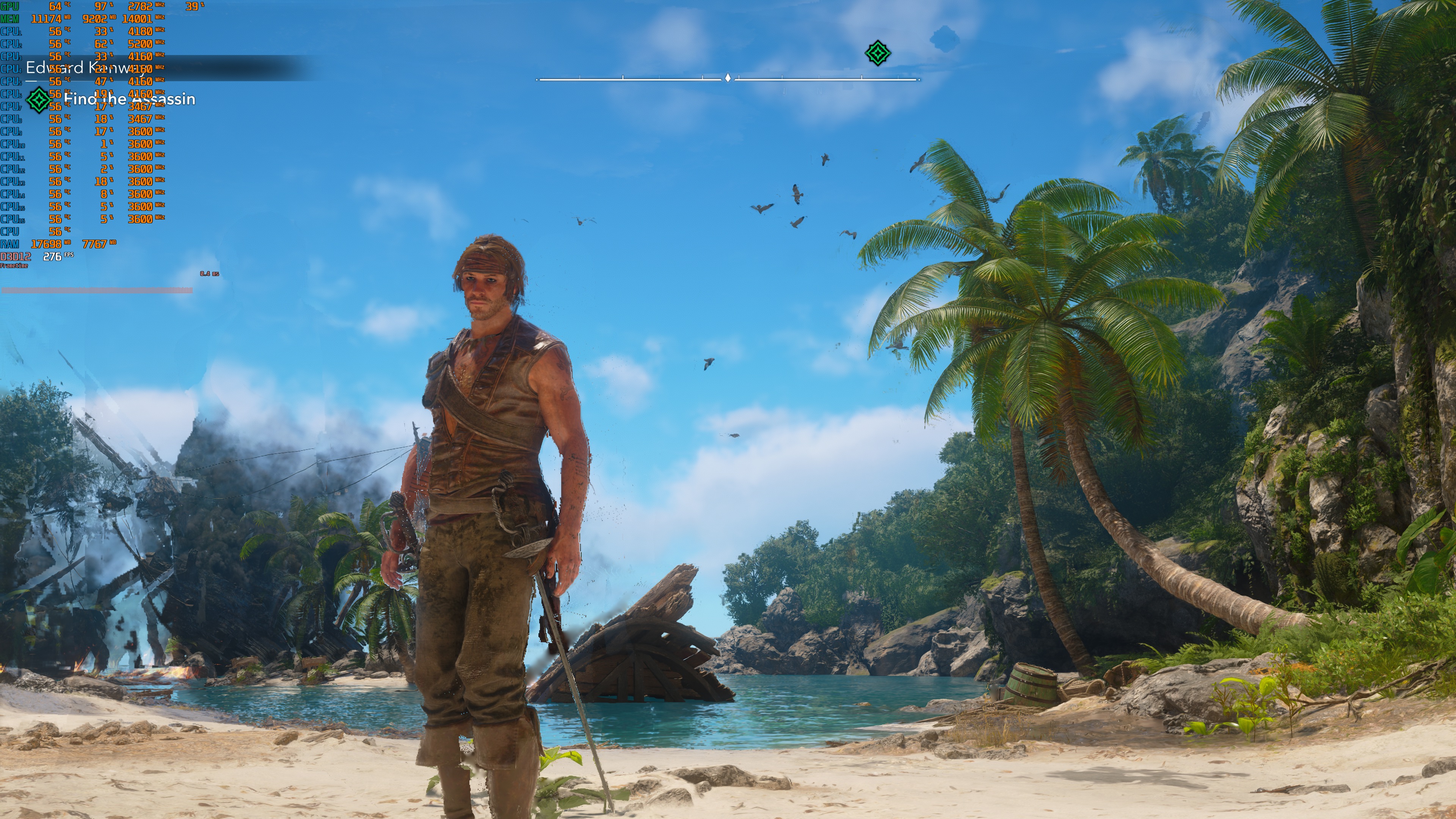
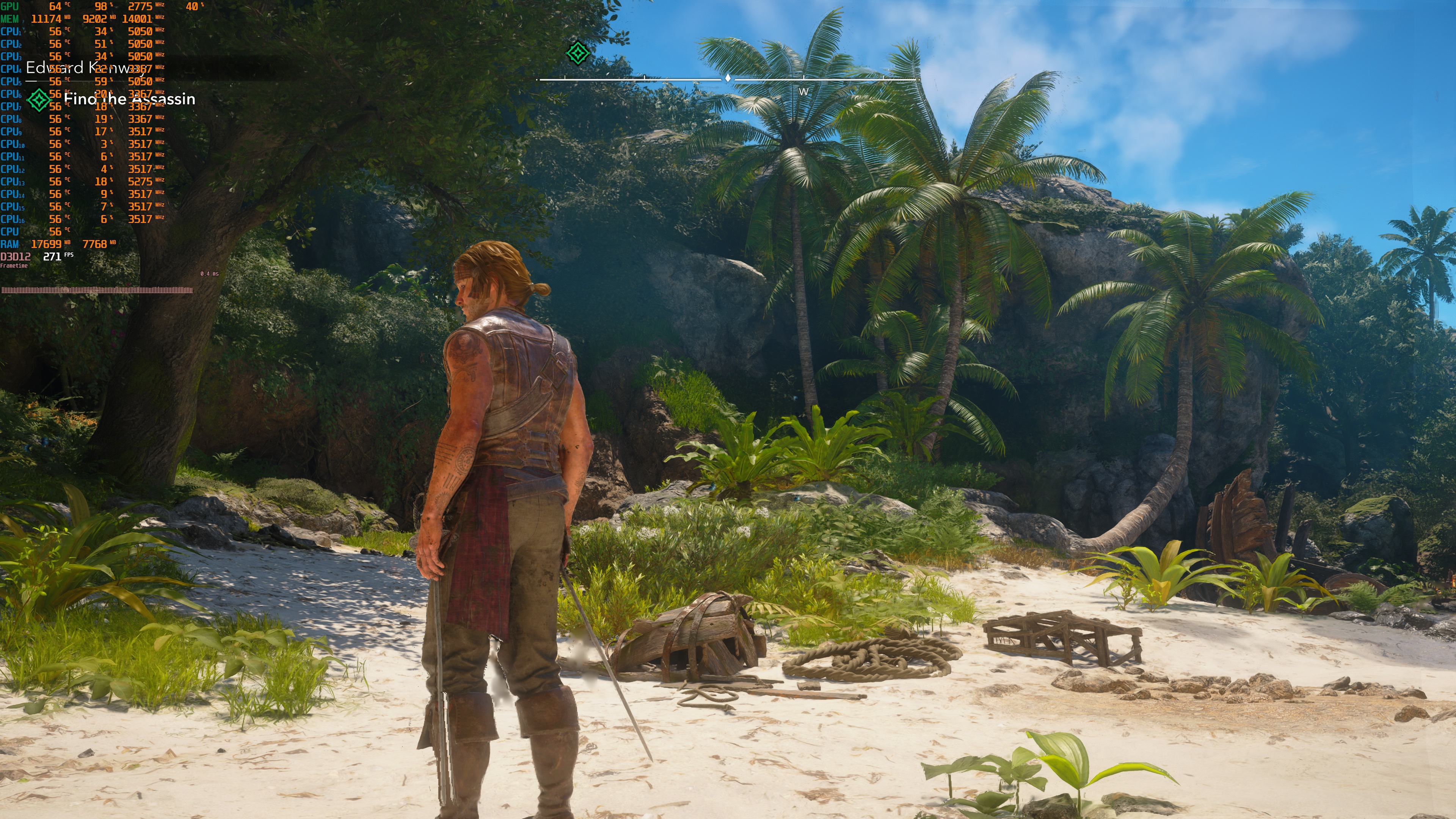
The DLSS 4.5 Multi-Frame Generation implementation is decent, but it is not among the best. During very fast camera movements, you can see some visual artifacts. The screenshots below show these issues while I moved the camera as quickly as possible. In normal gameplay, most players will not notice them. Even so, I have seen better DLSS 4.5 Multi Frame Gen implementations in other games.
All in all, Assassin’s Creed Black Flag Resynced can run at Native 4K on the NVIDIA RTX 5090, provided you do not use Ray Tracing. With Ray Tracing, you will need to use an upscaler. I also recommend using DLSS 4.5 MFG to hit higher framerates, provided your base framerate is above 50FPS.
Like Assassin’s Creed: Shadows, the best way to improve performance in Black Flag Resynced is by using an upscaler, and not by adjusting the in-game graphics settings. Still, it’s worth noting that Black Flag Resynced runs better than AC: Shadows. At the same time, though, AC: Shadows looked better. At least in my opinion. The lighting felt more advanced, and the environments felt richer. The forests in Shadows looked incredible. I’m not saying Assassin’s Creed: Black Flag Resynced looks bad. However, it’s not – graphically – up to what Ubisoft achieved with Shadows.
Our PC Performance Analysis for this game will go live this weekend. In that article, we’ll benchmark numerous GPUs from both AMD and NVIDIA. So, stay tuned for more!

John is the founder and Editor in Chief at DSOGaming. He is a PC gaming fan and highly supports the modding and indie communities. Before creating DSOGaming, John worked on numerous gaming websites. While he is a die-hard PC gamer, his gaming roots can be found on consoles. John loved – and still does – the 16-bit consoles, and considers SNES to be one of the best consoles. Still, the PC platform won him over consoles. That was mainly due to 3DFX and its iconic dedicated 3D accelerator graphics card, Voodoo 2. John has also written a higher degree thesis on the “The Evolution of PC graphics cards.”
Contact: Email