
As we’ve already said in our PC Performance Analysis, SLI scaling in Rise of the Tomb Raider is messed up. Well, not anymore. 3D Center’s ‘Blaire‘ has found some new SLI bits and with some minor tweaks he was able to enable proper SLI support. And we are happy to report that this solution works, as our GTX690 was indeed used to its fullest thanks to this new profile.
In order to enable this new profile, you will need the NVIDIA Inspector Tool. Search for Rise of the Tomb Raider’s profile and change its SLI bits (DX11) to 0x080002F5. Then, press on the magnifier icon in order to reveal NVIDIA’s Undefined options. Search for 0x00A0694B and set it to 0x00000001.
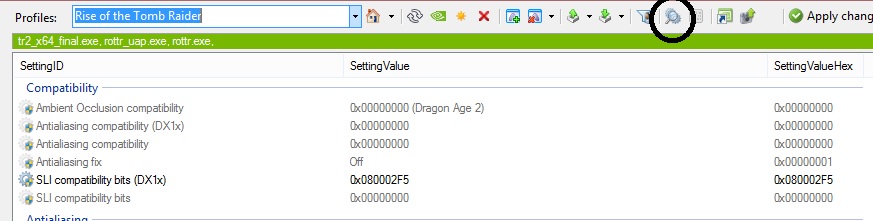

By doing these changes, you will be able to enable proper SLI support for Rise of the Tomb Raider. If have trouble finding these values to change, you can import the profile by downloading it from here (thanks to our member ‘rotekz’).
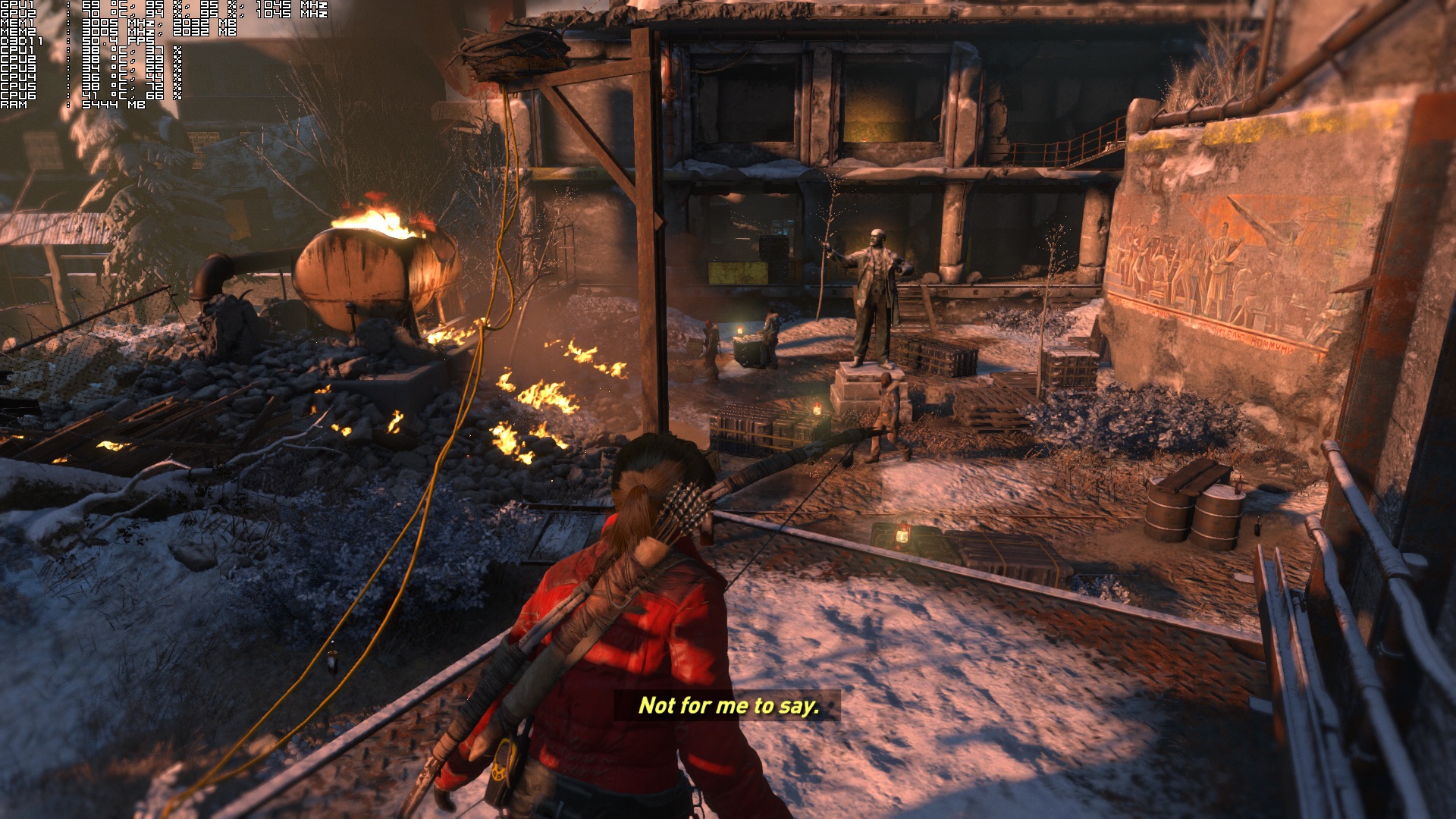
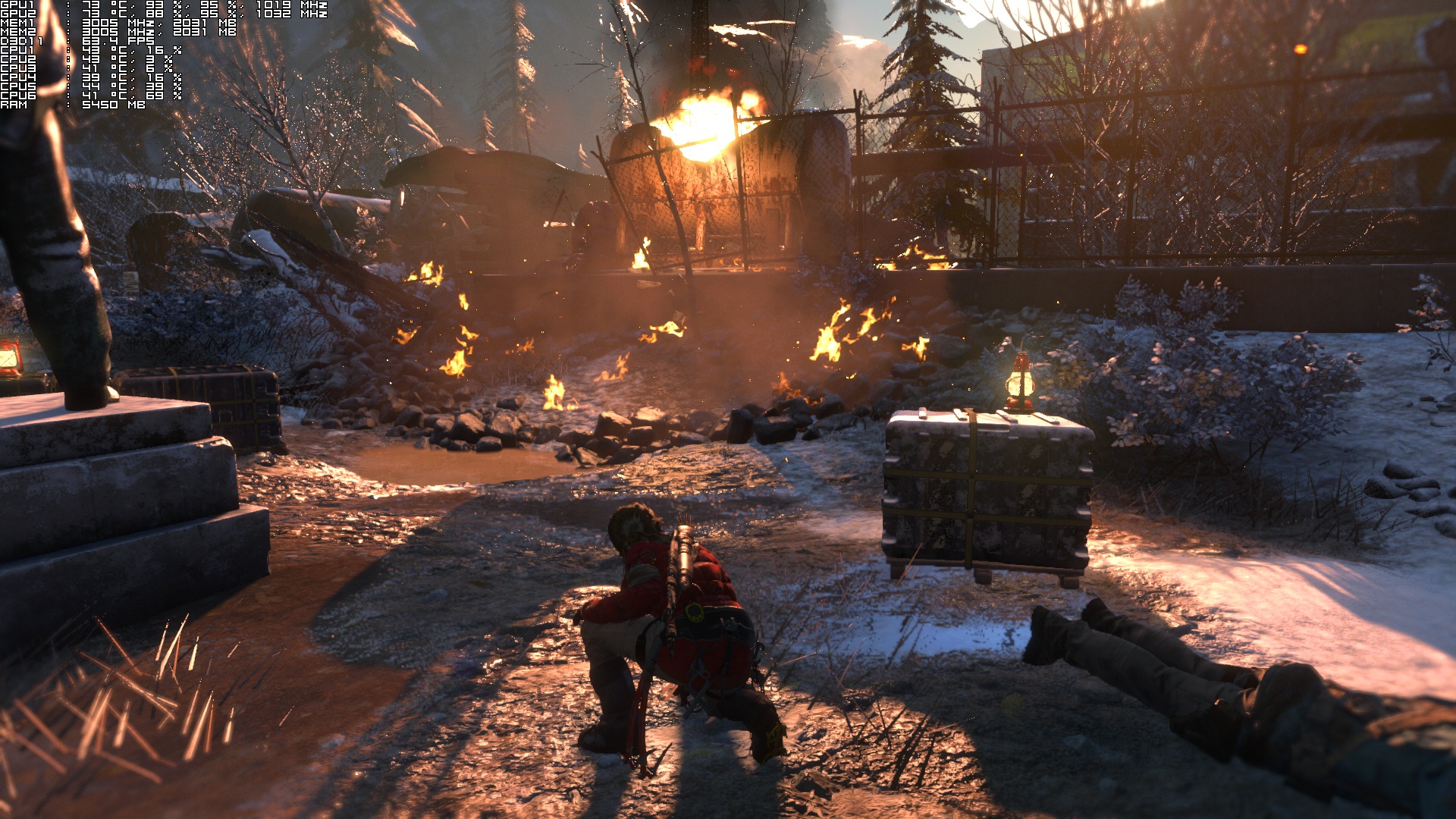
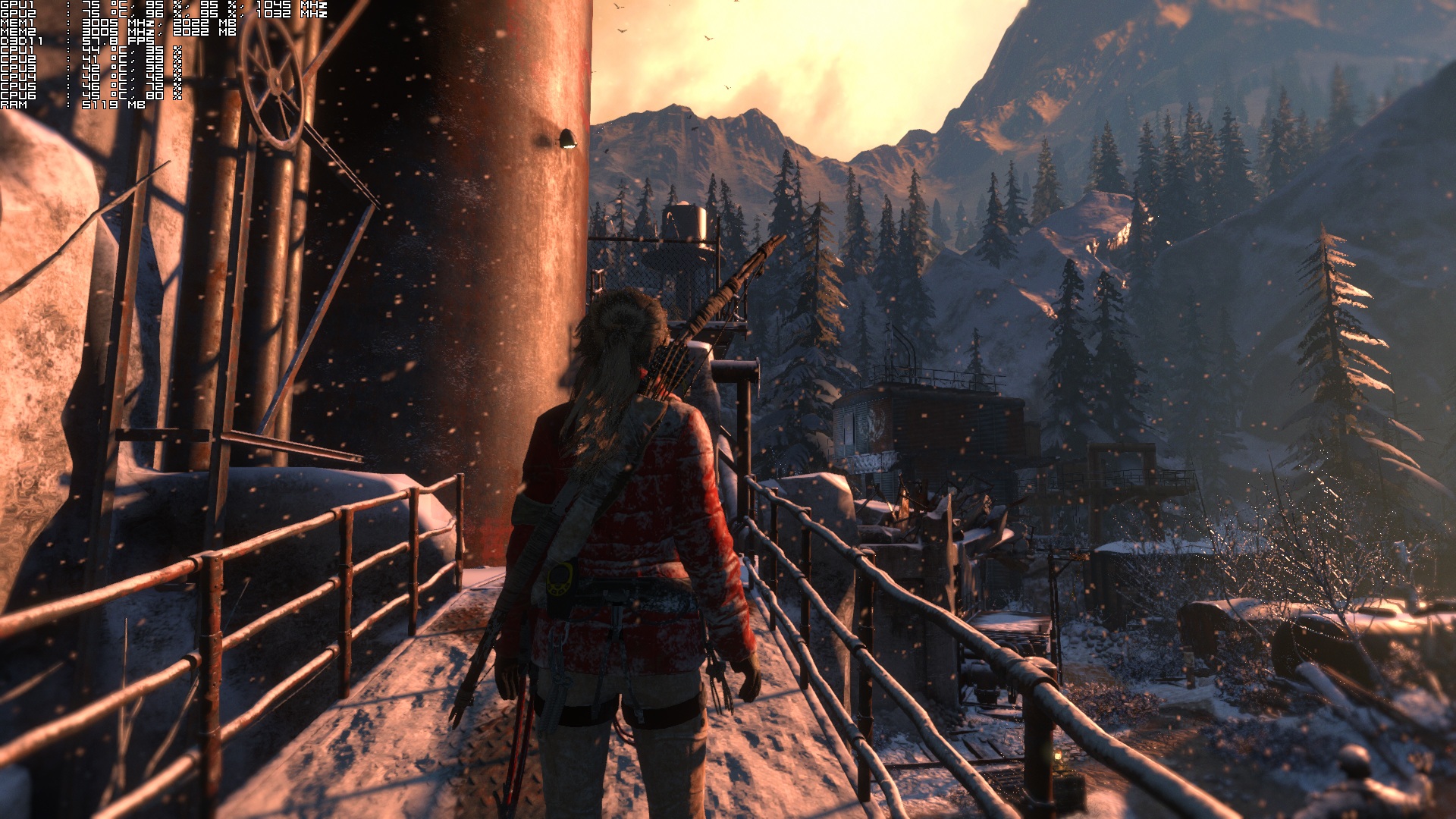
And as you can see below, SLI scaling works wonderfully now thanks to this new custom SLI profile!

John is the founder and Editor in Chief at DSOGaming. He is a PC gaming fan and highly supports the modding and indie communities. Before creating DSOGaming, John worked on numerous gaming websites. While he is a die-hard PC gamer, his gaming roots can be found on consoles. John loved – and still does – the 16-bit consoles, and considers SNES to be one of the best consoles. Still, the PC platform won him over consoles. That was mainly due to 3DFX and its iconic dedicated 3D accelerator graphics card, Voodoo 2. John has also written a higher degree thesis on the “The Evolution of PC graphics cards.”
Contact: Email
Bizarre that such a simple fix wasn’t picked up by Square Enix or Nvidia and released as a patch or Driver update.
b/c its a hack, newb. This is not a proper fix.
Newb. Really. We’re gonna jump straight to name calling. lol My point is its a simple code change to the games core files. Should have been picked up earlier. Its not really a ‘Hack’
Well it is because it has to be properly tested, just not put out without testing.
Can confirm does not work on GTX 970 SLI
got 2 970 gigabyte g1’s and this worked for me. it took about 10-15 seconds from loading up to fully ramp up the fps, but i’ve seen this game doing that anyway before. changed my 40-60 average to 80-100. custom preset, all settings maxed out. 4790k and 16gigs ram, if anybody wants to know for comparison. nothing is overclocked.
forgot to attach pic.
with purehair on?
yeah, purehair set to the highest setting, so that its on in game and not just cutscenes. some time playing and i’ve found all i needed to change was textures set to high instead of very high. the very high textures takes a full 4 gigs or more of vram and caused heavy stuttering in cutscenes or area reveals with the 3.5 available on my 970s.
I have a 3770k, 24gb ram, and 2x MSI GTX 970 100 Million Edition, its not the 10-15 wait, screen is completely black and flickering like crazy as before I implemented this fix.
It does that on my single 980ti. So weird i have never seen another game ramp up the framerate after it has started . I
I have a 3770k, 24gb ram, and 2x MSI GTX 970 100 Million Edition, does not work, most not be a 100% fix for all builds.
did you buy your copy of RotTR through windows store ? then look at this: http://www.geforce.com/whats-new/guides/rise-of-the-tomb-raider-graphics-and-performance-guide#comment-2501237573
did you buy your copy of RotTR through windows store ? look at this: http://www.geforce.com/whats-new/guides/rise-of-the-tomb-raider-graphics-and-performance-guide#comment-2501237573
I completely Understand that. But SE and Nvidia have had the release build for a while (Thus the day one driver release) If a guy in his room – Whom Is clearly talented- can work this out in a day or so, who couldn’t they?
Well, it’s not testing it on a lot of hardware, just his own and makes the assumption it will work on all SLI setup and hardware.
Thats very true. Already a couple of people claiming it doesn’t work for them.
Yep, works for some people and not for others is not a “fix”.
What GPU’s was he running?
those are much likely folks who have the Windows store version (not the steam one) … but the Windows store version can be fixed aswell –> http://www.geforce.com/whats-new/guides/rise-of-the-tomb-raider-graphics-and-performance-guide#comment-2501237573
There is some flickering for stuff like fog inside caves (specially icy ones) but since it really improved the scaling I will stick with it until Nixxes and Nvidia fix their stuff.
Probably why they didn’t use it in Nvidia.
It’s a minor thing to be honest which they can fix either in game or in drivers, btw I didn’t faced flickering again yesterday. I think I faced it because I minimized the game to run MSI AB and then it started happening but yesterday I didn’t minimized it and went through same area and didn’t saw any flickering so I guess it was because alt-tabbing.
Ahh ok fair enough. I found on mine in windows 10, if i leave it on exclusive fullscreen then try to alt tab it crashes back to desktop.
This happens if i try to change resolution for any reason too.
Pretty much shows how much effort nvidia puts into those Game ready drivers.
If you remember 2013 reboot it took a game patch for proper dual GPU support. Even my HD 7990 had issues and poor scaling on release. Drivers are good. Game just needs a patch. But hey you are just being a anti Nvidia twit yet again.
Its not a fix. It increases the usage number but the frame rate won’t scale in return. Same thing like AC.
Speak for yourself, my framerates doubled.
I went from 47fps to 53fps at some occasions. Of course, I’m playing in 4K. otherwise it was always around 60fps with or without this change.
Do you know if they have a 60fps cap?
because people are paid to viral the sellin g of newgpu`s and meme cpu`s
Glad someone found a fix. Can’t wait to get home to start playing with better SLI performance!
What kind of framerates are you getting and at what settings and resolution? I’m on sli 680’s as well with a 2500k.
You guys are awesome! Got a solid 15+ fps boost on my system.
does nothing for sli 970s
This has vastly improved performance on my 970 sli set up….thanks.
BOMB raider 2 found a fix? Not like its doing it anything good according to poor pathetic steam sales pulled by Russian Steamspy! Lol only 63,000 copies sold!!
i thought steamspy would only be accurate after the first 3 days? as much as i hate the game that is for feminists i dont think the game will sell that less.
Not that it will do feminazi girl any good, also Russians not so happy about this game! They will fight fire with fire!
You are correct. The Steamspy dev said It takes at least three full days after the game release for my his data to catch up. Even then Johanna has the completely wrong number. Over 100K copies have been sold.
Johanna is retarded
107,879 copies sold on Steam so far, Also the game is on Windows 10 store.
This W10 store does it mean they cant be tracked? You know for sure?
Please stop embarrassing yourself, troll.
so basically a few days later you review is debunked as viral due to a few lines of code…. PCMASTERRACE everyone….
*im implying you were paid to say people needed to buy a new *better gpu* to play this crappy meme game….*
Lara look manly in above picture…
People seem to forget tombraider 2013 on launch had dual gpu support issues at 1st… After a few game patches scaling turned to be perfect on AMD / Nvidia multi gpu’s.
Yeah Tomb Raider (2013) wasn’t playable for me at launch, I think it was update 3 or update 4 but after that it was actually playable from then on.
Many thanks, it worked:
Hi, which program gives you the osd? please. Thanks.
PlayClaw 5
Thanks 🙂
Why some defend this port so religiously?
Pathetic corporate slaves.
Hey, it’s not like they deliberately disabled Multi-GPU support so that you would have to go and buy yourself a new GPU. Why would I think that?
this doesnt work for sli gtx 780 ti
Hi! Thanks – really appreciate the tips! 🙂
One question though, how do I toggle the GPU usage data on the top-left of the screen?
SMAA and SSAA are not working right as well, FXAA is blurry as hell in this game. Use Reshade Framework to inject SMAA manually because the in game option is broken.
Glad I taught you something…when you attacked SMAA and my post telling people how to do it with reshade while you stuck up for FXAA…
The SMAA in game is probably just low quality on a very high threshold. It is fine at 1440p on say a 980Ti where you do not need much AA. At 1080p? Reshade/sweetfx 2.0 is the way to go and it is the way to go in every newer game if you are gaming at 1080p and even 1440p where you have no SMAA in game.
BTW FXAA is blurry in every game, because that is what FXAA does. FXAA is an ancient AA for when we had horribly bad textures. Blurring was better than staring and blocks. In modern gaming with good textures FXAA HARMS the picture.
SSAA is just a giant performance hit and it can look good or bad depending on the scaler (with a poor scaler it just gets blurry and too soft). Example. World of Warcraft. It let’s you choose between scalers under advanced. Bicubic looks much better than bilinear when downsampling. Lanczos is even sharper and it can look better in DX 9 games downsampled as well in Gedosato. Bicubic and Lanczos are the only downsampling worth a darn and people prefer one or the other. They are just high cost.
Also don’t get all mad over this. I AM actually glad you learned something. Every person I can teach to use SMAA or inject it (thank goodness the new sweet fx 2.0 made this so easy) makes me ecstatic. No one should have to play a game with an AA that HARMS the picture and all these expensive cost AA’s are a joke for most people because the people that can run them well usually have a 980Ti plus at a 1440 monitor anyways. Also you are spreading the love and now teaching people, so I love you. 🙂
lol elitist pr*ck ,you taught me nothing and you clearly didn’t understand what I was actually on about. All you did was jump on my comment because you read my comment history, you know nothing about my history on this site when I had my Sean account so the best you think you do it shut it and don’t make such bad assumptions.
Didn’t work on 980ti, both are still sitting at 60%
Ledgend! Almost doubled fps on sli titan x’s at 4k.
What FPS are you getting BTW? Getting 40fps with SLI 980ti’s with the above fix at 4k.
Im getting 60+ solid now after the fix. Everything max except aa off as dont need it at 4k.
I was getting into the 40s before the fix.
This worked for me. It brought my GTX 780 SLI utilization up to a constant 95%-99% from roughly a fluctuating 65-80% previously w/o editing the profile using both GPU’s. So I can confirm that this did the trick. Running 2×780 in SLI with graphical presets on “Very High” and can consistently reach ~60+ fps @ 2560x1440p.
I don’t know about you guys who have tried this but this did improve my frame rates in Rise of the Tomb Raider. Perhaps by as much as 10-20 more fps. So it is not just a cosmetic change in the software’s display.
I’ve posted pictures of the changes (note the upper left corner using performance measurement software) between profile changes suggested in this article. Pictures are taken literally 1-2 mins apart w/before and after SLI profile changes shown.
So thanks for the suggestion, John. This game is truly something beautiful to behold so far!
(@delucaf85)
Thanks for this. 4K 60fps heaven, no AA (not needed at 4k), motion blur and fov off (don’t like them), everything else on max. Looks and plays amazing! Before this “fix”, it was fluctuating wildly between 45 to 60 fps.
Does not do a thing for me, still 45-60fps, 1080p, settings only high, i have two msi gtx970, even tried antialiasing off
Works a treat for me. Pretty much doubled my framerate. (780ti SLI)
It also seems to have fixed a few graphical glitches I was getting with SLI enabled.
Was this for the Windows Store version? If so has it been tested with Gears of War?
I’d test it myself but I don’t plan on buying anything from the Windows Store till Quantum Break…
Performance seems worse to me on my two 980s when using this trick.
EPIC find!
690GTX was running 45-65%…
annoying lag and wildly fluctuating FPS.
now… MUCH better fps and MUCH smoother gameplay!
(both cores reaching 95%… when necessary)
* note that Square Enix and Nvidia will NEVER
release a driver/profile that runs your card at 95%.
why? liability. tooo easy to overheat a card this way.
MAKE CERTAIN YOU HAVE GOOD COOLING!
(or… just plan on buying a new card… soon lol)
The SLI bits mentioned (0x080002F5) don’t even exist in Nvidia Inspector.
Can confirm that it does work with 970 sli. Don’t know what other people are complaining about I’ve seen massive improvements.