
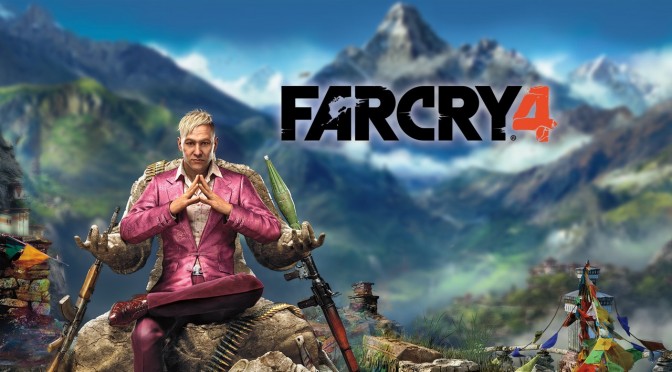
Far Cry 4 – Low Versus Ultra Comparison Screenshots

Back in 2012, we nominated Far Cry 3 as the most optimized title for that year. Sure it had some hickups under DX11, however Ubisoft managed to deliver a great PC experience. Fast forward two years and here we are with Far Cry 4 that is plagued by various and ridiculous tech issues.

Now while our PC Performance Analysis may be sliiiightly delayed (we’re still hoping to finish it by the end of Sunday), you can enjoy below some comparison screenshots between the game’s Low and Ultra settings. Ironically, there are some elements in those “Low” quality images that are better than their “Ultra” equivalents.

For example, in Ultra settings there is blurriness all over the screen (due to those ridiculous post-processing effects. Seriously, why are developers doing their best to make their game look uglier?). It’s really funny because thanks to that ‘vaseline’ effect, the game looks more sharp on Low presets than on Ultra settings (making the game’s higher-resolution textures completely irrelevant).

As always, Ultra images are on the left whereas Low images are on the right.

Enjoy!


41 thoughts on “Far Cry 4 – Low Versus Ultra Comparison Screenshots”

  1. I really couldn’t tell which ones were the low or the ultra ones until I read it… Not that I’d buy it anyway. Far Cry 3 was and will stay the last game I bought from them. Even until now I regret having spent 7,50 € for such a boring game.

    1. You can easily tell in-game. For some weird reason there are post effects linked to texture quality. Turning down to Medium textures, for example, eliminates the sun glint off of bright objects, like on water and car windshields. It doesn’t make any sense.

      This is the Watch_Dogs debacle version 2.0. Ubisoft simply doesn’t know how to make a PC game.

  2. I dont know why but all the times i read ubisoft, claptrap is what comes to my mind
    Maybe cuz he always fail at something…
    ANDDDD OPENNNN

  3. Why they even make such a setting like postprocessing effects? I hate that shit,it’s not good for anything,just makes textures blurrier.Same thing was in FC3,you couldn’t turn them off,so you had to open xml file and turn them off there.I hope you can do same here and someone post topic how do do that.

    1. Well, the post effects setting affects the quality of the post effect. Like with the distance blur – on lower settings the blur is pixelated and not exact. In higher settings it’s like pixel-perfect blur.

      The problem with a Post Effects setting is that it’s simply not specific enough. In an ideal PC game there would be hundreds of settings to tweak, but then, the only way to do that is to create the game with the PC in mind. These ports add/ group graphical layers together after it’s been completely designed for consoles, which means that lots of errors happen when you try and decouple one effect from the other.

  4. In FC3 you can tell when you’re playing on low or medium or high or very high or ultra. I still can’t believe the game scales like this.Same thing with ACU.

  5. AMD users can’t use the NVIDIA pre-set anyway so you have to use custom instead but custom makes the game look blurry. Strange how the Enhanced godrays changes the lighting dramatically, where volumetric fog looks a lot darker.

  6. The Enhanced Godrays setting reminds me of the sunlight option (forgot the name) in STALKER Clear Sky and Call of Pripyat.

  7. Thanks John for the comparison , honestly happy I decided to skip buying or playing any of Ubisofts games , really fun to see how this is panning out

    Surprising the Low Preset looks so much better, ultra just seems too dark

  8. Guys, look at Nvidia’s tweak guide. The reason it’s darker on Ultra is because Shadow in Ultra is dynamic. Which means, things blocking the sun creates shadows and that includes the clouds

  9. Totaly agree, that vaseline post prossesing crap are totaly ruining the game!
    F*CKN retarded devs huh :/
    If I want sh*tty blurry mess for a game I go console and that wont happen!

  10. Man, both of these settings look horrifically ugly. It barely looks anything like the promo pictures or videos released. At best it looks like one of the STALKER titles from a few years back. Just wow.

  11. why changing graphics quality also has such a drastic effect on brightness and contrast ? is it only me who thinks brithness and contrast shouldn’t be included on graphics quality settings, but color settings ? so if i want to play the game at higher graphics settings,I will have to fiddle with changing my monitor’s colors ? boo

  12. Take a look at Nvidia tweak guide. This darkening effect you see on ultra is UBISOFT IMPLEMENTATION OF VOLUMETRIC LIGHTING. Which looks suspiciously garbage IMO compared to normal volumetric lighting in other games.

    Disabling VL, lightens the scene a bit (this is used by consoles, as stated by Nvidia. it’s OFF). BUT enabling NVIDIA’s own implementation of volumetric lighting (which also enables godrays obviously) strangely has the best effect looking effect. Better lighting etc.

    Notice how Nvidia uses the word OURS. Since when the fk volumetric smoke was invented by Nvidia ? it is not. Well they are saying THEIR OWN version of volumetric lighting.which is : “reducing the performance impact by up to 4x” as they say.

    What we have here is Nvidia trying to tell us how the basic normal volumetric lighting we see in this pathetic garbage of a game, implemented by Ubisoft, sucks. And that their version is the best.

    But every sane person with a brain knows how awesome volumetric lighting looks in STALKER, Crysis and some other PC games. Why does it look like sht/dark in FC4? Ubisoft gimped volumetric lighting so that Nvidia’s own version will look better, so there you have a reason to like it.

Leave a Reply

Your email address will not be published. Required fields are marked *
