

Yakuza: Like A Dragon is the latest Yakuza game that has just been released on the PC. Powered by the Dragon Engine, it’s time now to benchmark it and see how it performs on the PC platform.
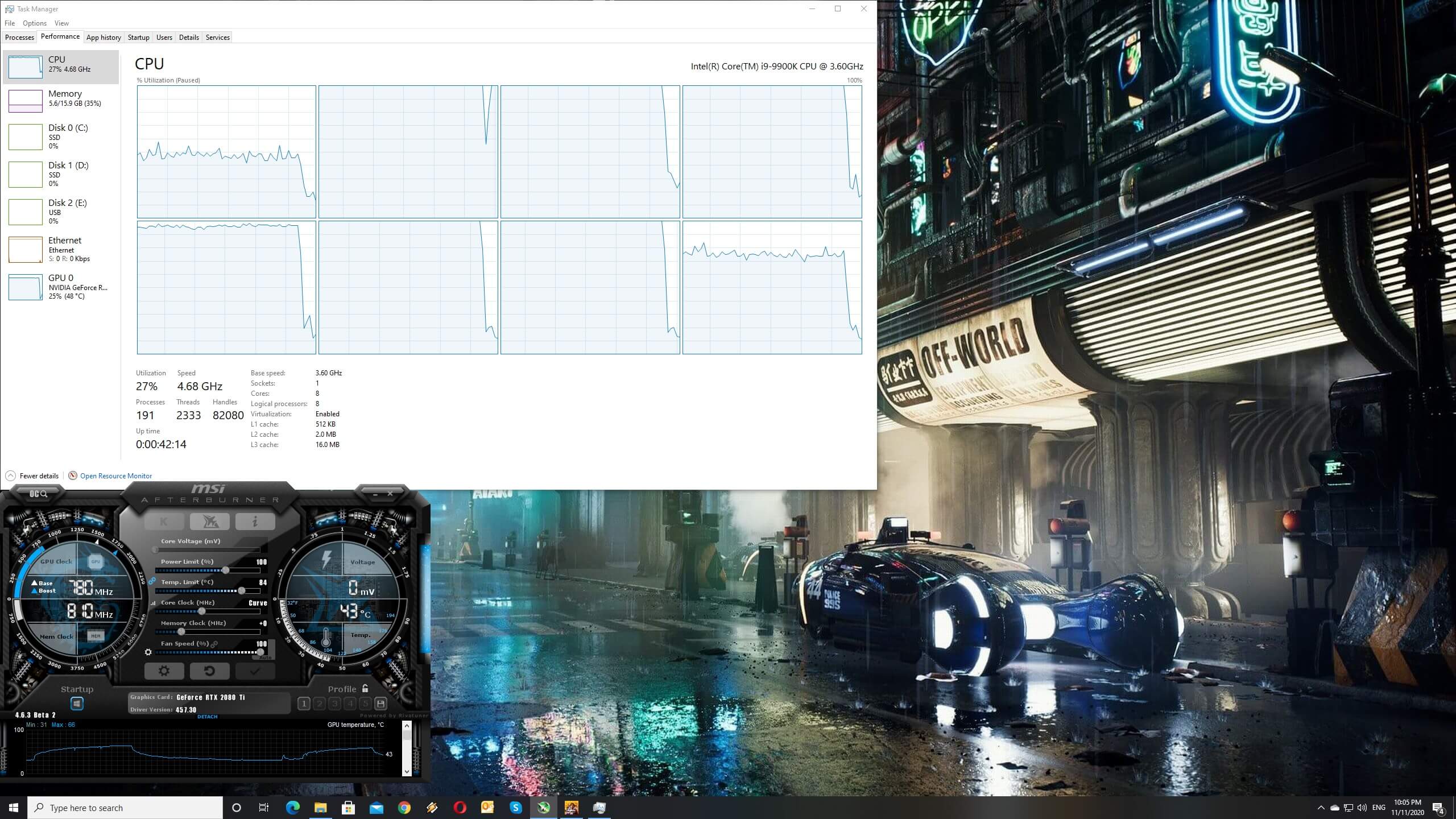
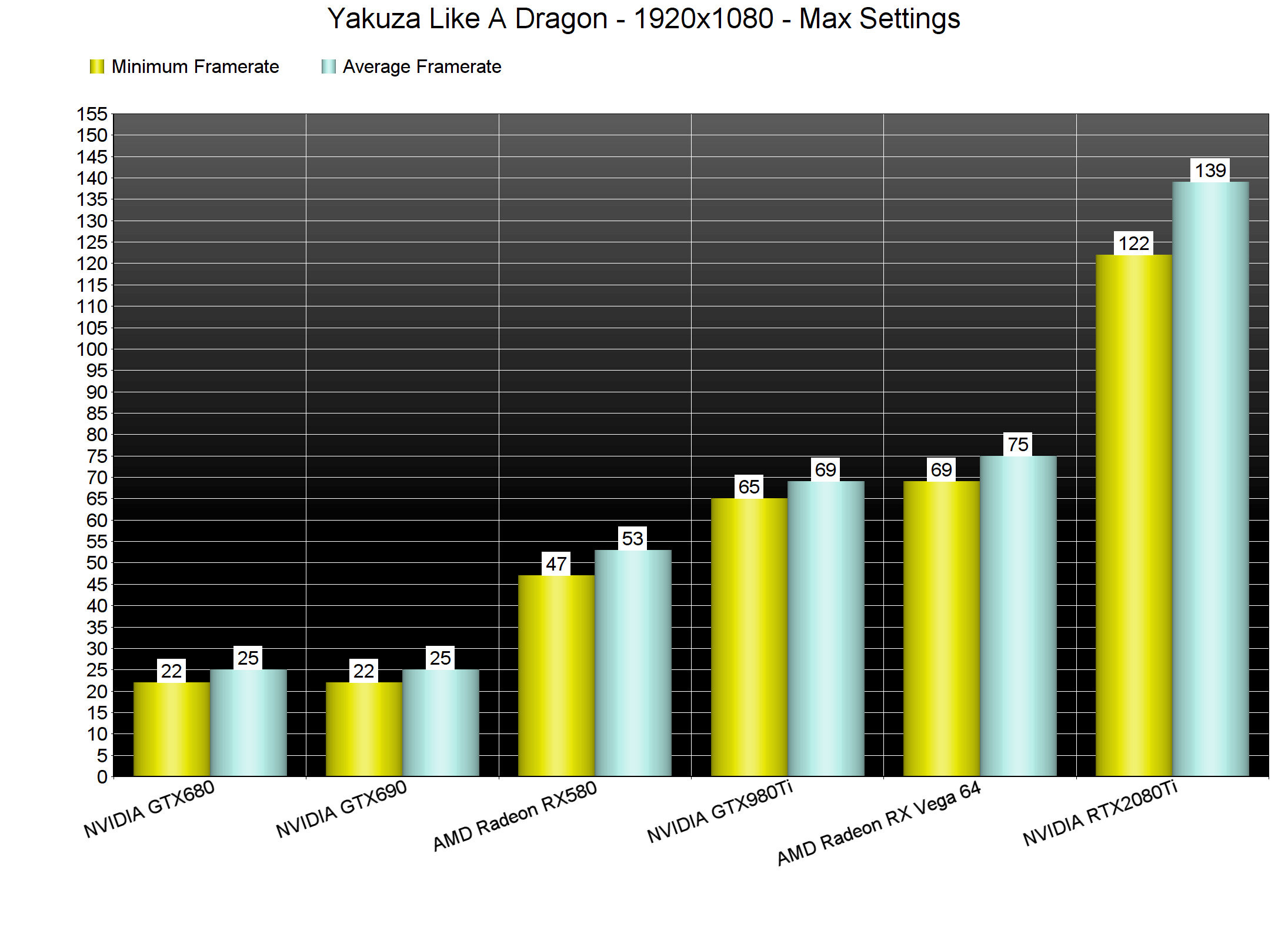
For this PC Performance Analysis, we used an Intel i9 9900K with 16GB of DDR4 at 3600Mhz, AMD’s Radeon RX580 and RX Vega 64, NVIDIA’s RTX 2080Ti, GTX980Ti and GTX690. We also used Windows 10 64-bit, the GeForce driver 457.30 and the Radeon Software Adrenalin 2020 Edition 20.11.1 drivers. NVIDIA has not added any SLI profile for this game, meaning that our GTX690 behaved similarly to a single GTX680.
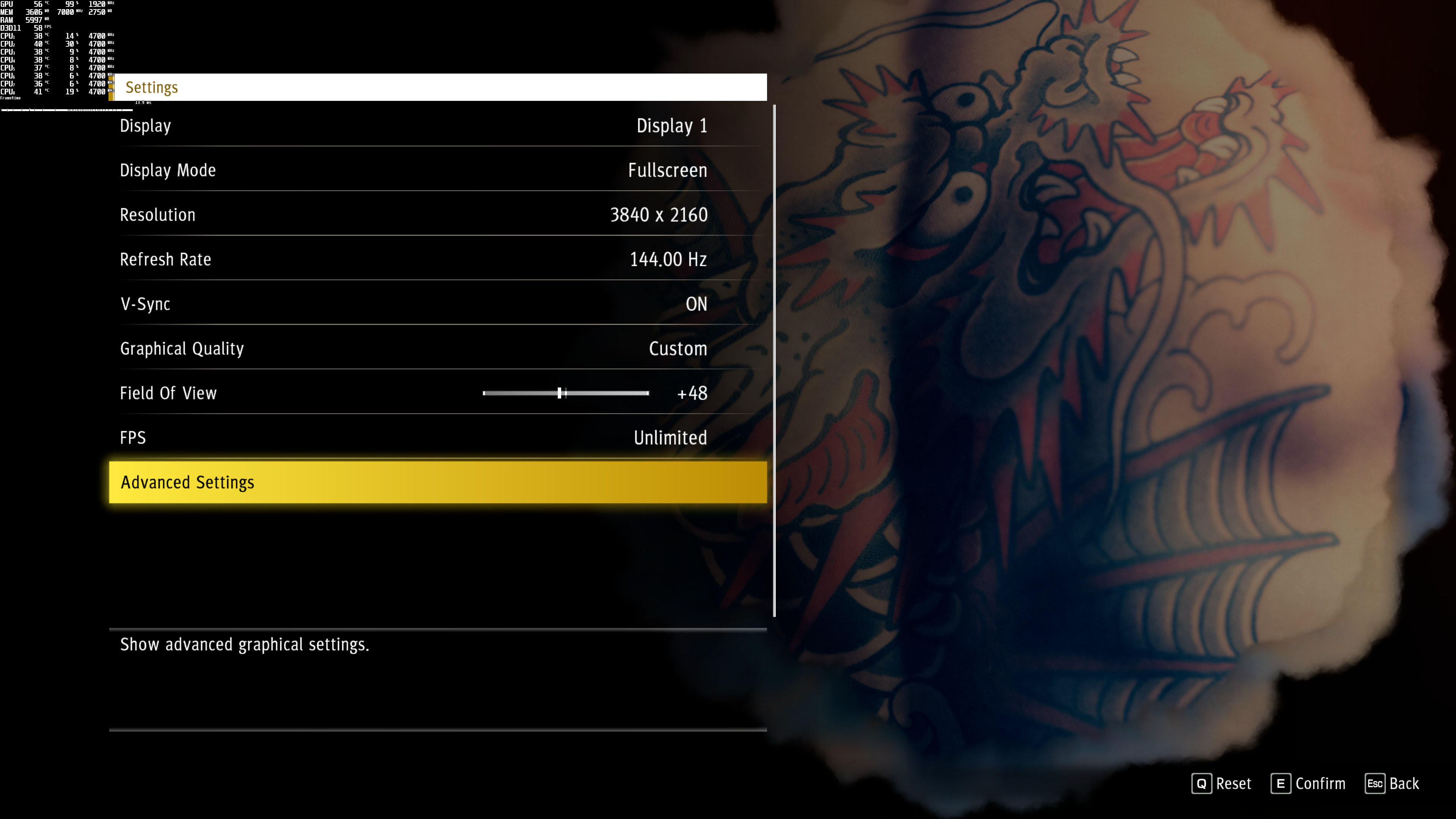
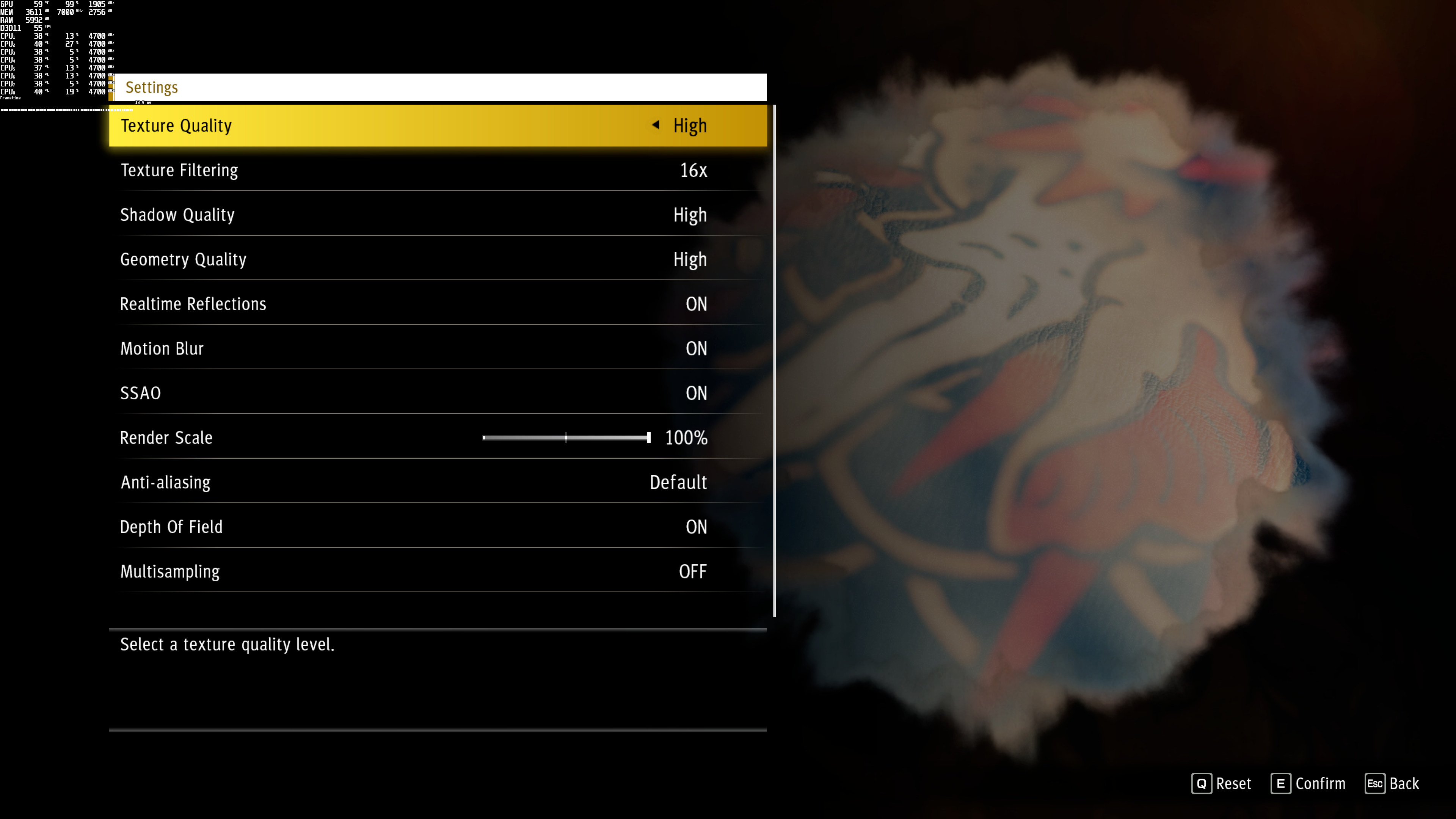
Ryu Ga Gotoku Studio has added a few graphics settings to tweak. PC gamers can adjust the quality of Textures, Filtering and Geometry and Anti-aliasing. There are also options to enable/disable Realtime Reflections, Motion Blur, SSAO, Depth of Field and Multisampling. The game also supports uncapped framerates, and has both a FOV slider and a Render Scaler.
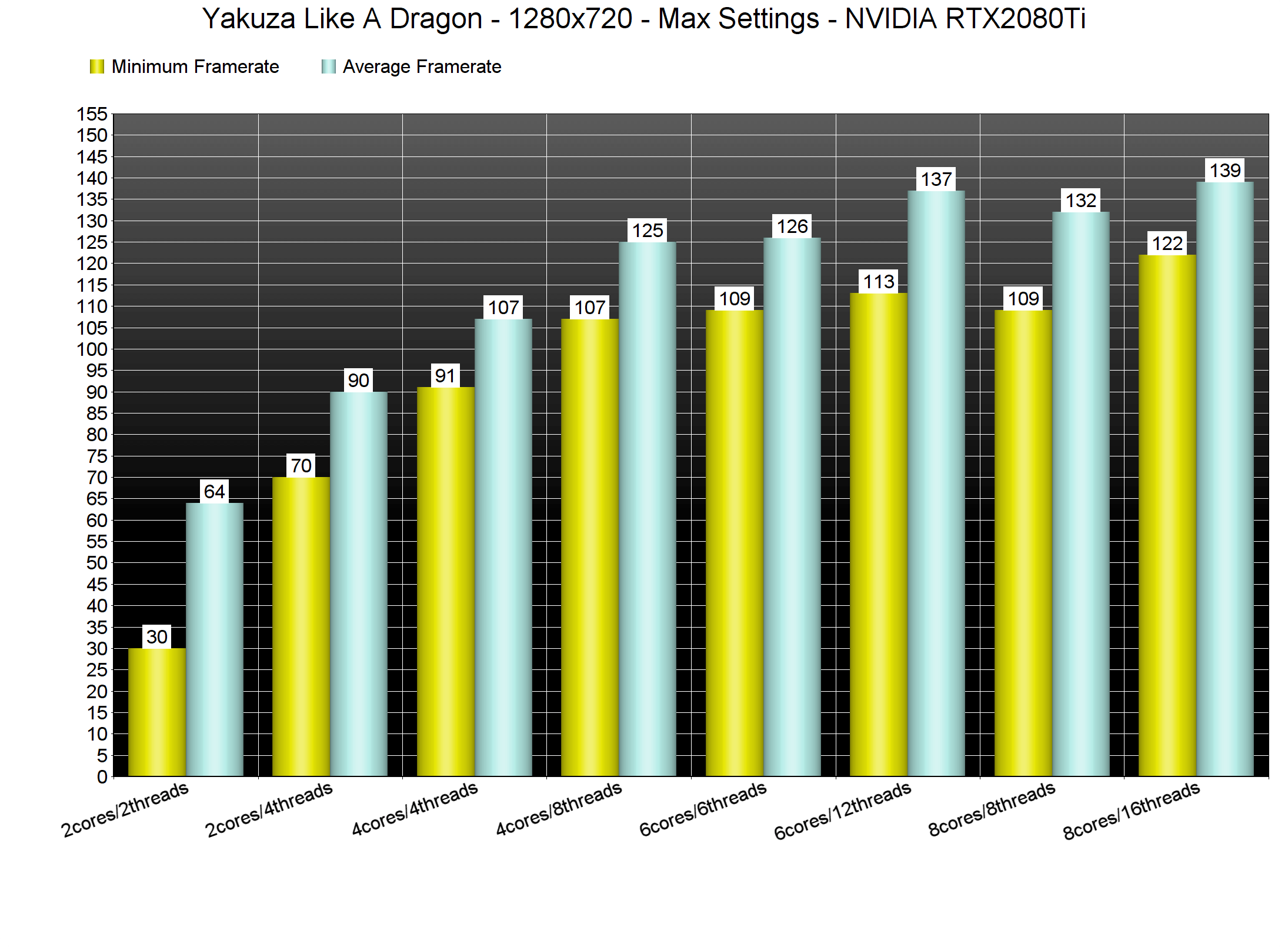
In order to find out how the game scales on multiple CPU threads, we simulated a dual-core, a quad-core and a hexa-core CPU. For both our GPU and CPU tests, we’ve benchmarked the main street of Kamurocho. We also lowered our resolution to 1280×720 for our CPU tests.
Yakuza: Like A Dragon does not require a high-end CPU. With Hyper Threading enabled, our simulated dual-core system was able to run the game with constant 60fps. Without Hyper Threading, our dual-core system suffered from major stuttering issues. Now while the game does not require a high-end CPU, it scales wonderfully on six-eight CPU cores/threads. What’s really ironic here is that the game is not using a low-level API, like DX12 or Vulkan. Instead, it uses the DX11 API (and has that amazing CPU scaling).
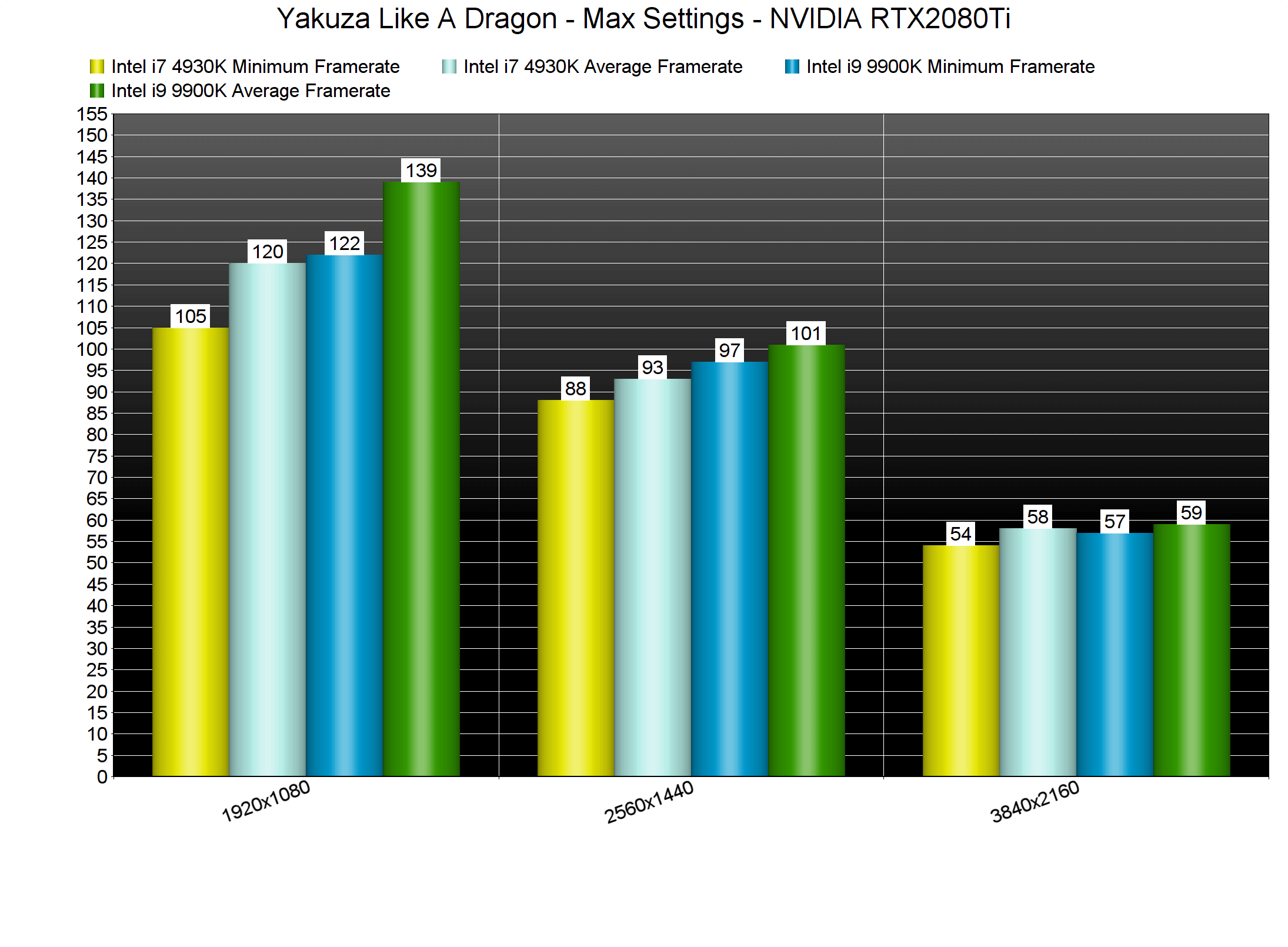
Yakuza: Like A Dragon also runs great on older generation CPUs. As we can see, our Intel i7 4930K had no trouble offering smooth framerates at both 1080p and 1440p on Max Settings.
Given its very low CPU requirements, we can safely describe Yakuza: Like A Dragon as a GPU-bound title. At 1080p/Max settings, our top three GPUs were able to offer a constant 60fps experience. Sadly, our AMD Radeon RX580 could not provide a smooth gaming experience at Max settings. Thankfully, you can lower your settings in order to improve performance and get 60fps on such GPUs.
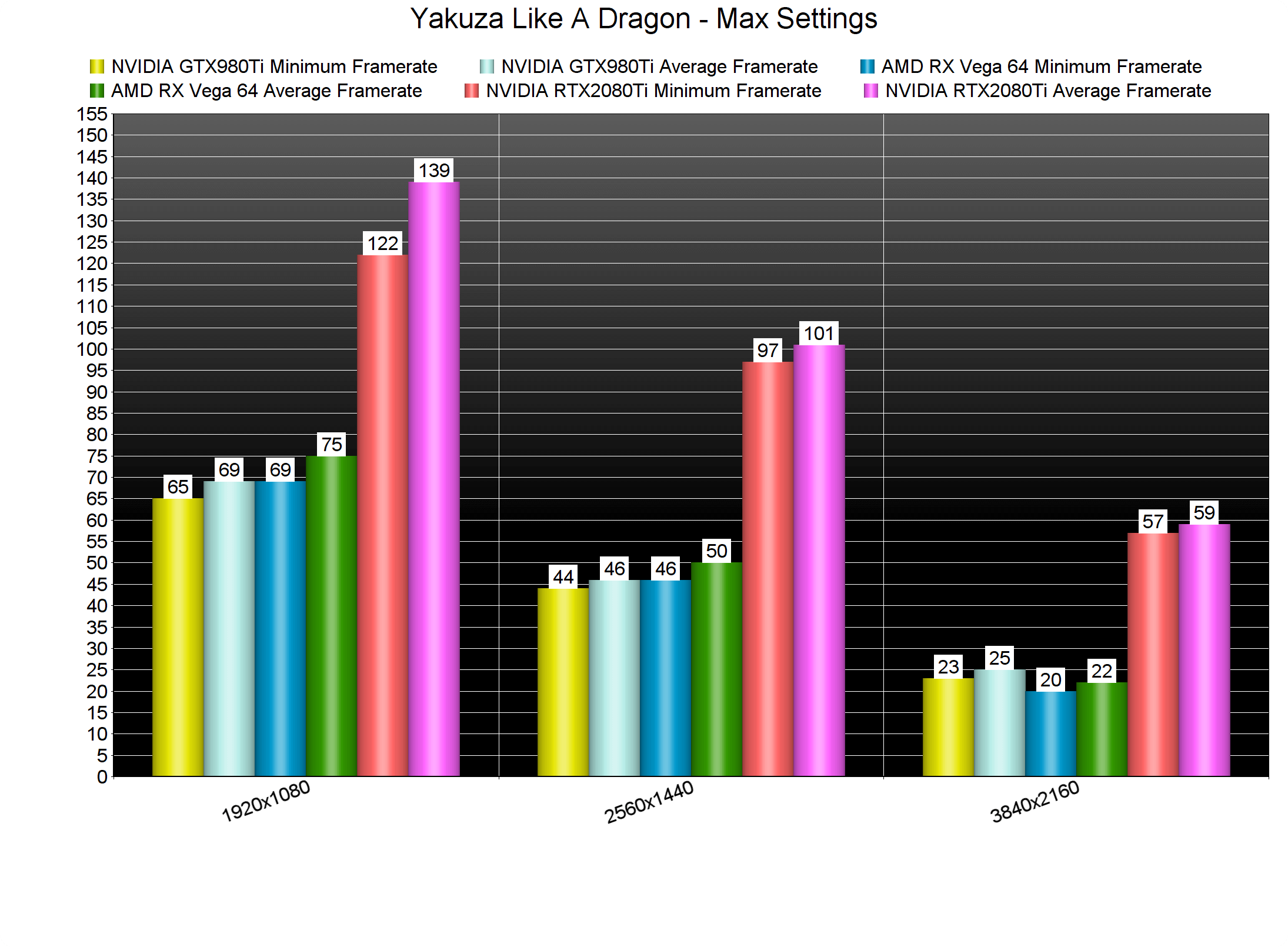
At 2560×1440, the only GPU that was able to run the game with 60fps was the RTX2080Ti. Our AMD Radeon RX Vega 64 was slightly faster than the GTX980Ti, though it could not provide a smooth experience. Interestingly enough, at 4K the GTX980Ti was able to beat the AMD Radeon RX Vega 64. We don’t know why the RX Vega 64 performed slower than the GTX980Ti at 4K (in case you’re wondering, it wasn’t due to VRAM issues as the game only uses 2-3GB of VRAM at 4K).
Graphics-wise, Yakuza: Like A Dragon looks great. The character models, in particular, look amazing, and Ryu Ga Gotoku Studio has improved the game’s lighting system. Kamurocho has never looked better, and I’m pretty sure that all Yakuza fans will be excited about it. Not only that, but Like A Dragon looks and runs better than Yakuza Kiwami 2; a game that also uses the Dragon Engine.
In conclusion, Yakuza: Like A Dragon runs incredibly well on the PC platform. As said, Like A Dragon looks and runs better than the previous PC Yakuza game. This is a big deal as we’re talking about a 30fps performance improvement (on the Intel i7 4930K) in a game that looks better. The game displays proper K&M on-screen prompts, which is really crucial for a turn-based RPG. We also did not experience any crashes or stability issues.
Enjoy!

John is the founder and Editor in Chief at DSOGaming. He is a PC gaming fan and highly supports the modding and indie communities. Before creating DSOGaming, John worked on numerous gaming websites. While he is a die-hard PC gamer, his gaming roots can be found on consoles. John loved – and still does – the 16-bit consoles, and considers SNES to be one of the best consoles. Still, the PC platform won him over consoles. That was mainly due to 3DFX and its iconic dedicated 3D accelerator graphics card, Voodoo 2. John has also written a higher degree thesis on the “The Evolution of PC graphics cards.”
Contact: Email