
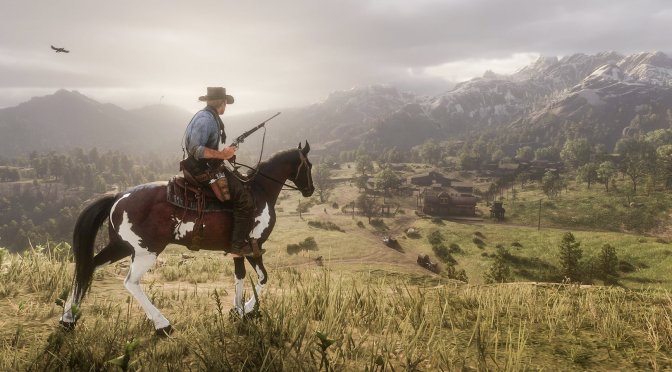
Digital Dreams has shared a new video, showcasing Red Dead Redemption 2 in 8K and Ultra Settings with Ray Tracing Reshade. The end result looks absolutely amazing and shows why PC gaming is so great.
In order to run the game at such ridiculously high resolutions, Digital Dreams used an NVIDIA GeForce RTX 3090. Moreover, they’ve combined their Ray Tracing Reshade settings with the non-RT Photorealistic Reshade Mod.
Now while the Ray Tracing Reshade Mod does not provide native Ray Tracing effects, it does look nice in RDR2. Not only that, but the game appears to be running smoothly. It does not, obviously, run with 60fps, but it’s definitely not dropping below 30fps.
Before closing, we’d like to mention some Red Dead Redemption 2 mods that may interest you. This mod introduces new creatures & monsters to the game, whereas this mod makes its world more immersive than ever. There is also a VR mod that we shared a couple of days ago. Lastly, there is a mod that adds more bounty missions to the game.
Enjoy!


John is the founder and Editor in Chief at DSOGaming. He is a PC gaming fan and highly supports the modding and indie communities. Before creating DSOGaming, John worked on numerous gaming websites. While he is a die-hard PC gamer, his gaming roots can be found on consoles. John loved – and still does – the 16-bit consoles, and considers SNES to be one of the best consoles. Still, the PC platform won him over consoles. That was mainly due to 3DFX and its iconic dedicated 3D accelerator graphics card, Voodoo 2. John has also written a higher degree thesis on the “The Evolution of PC graphics cards.”
Contact: Email