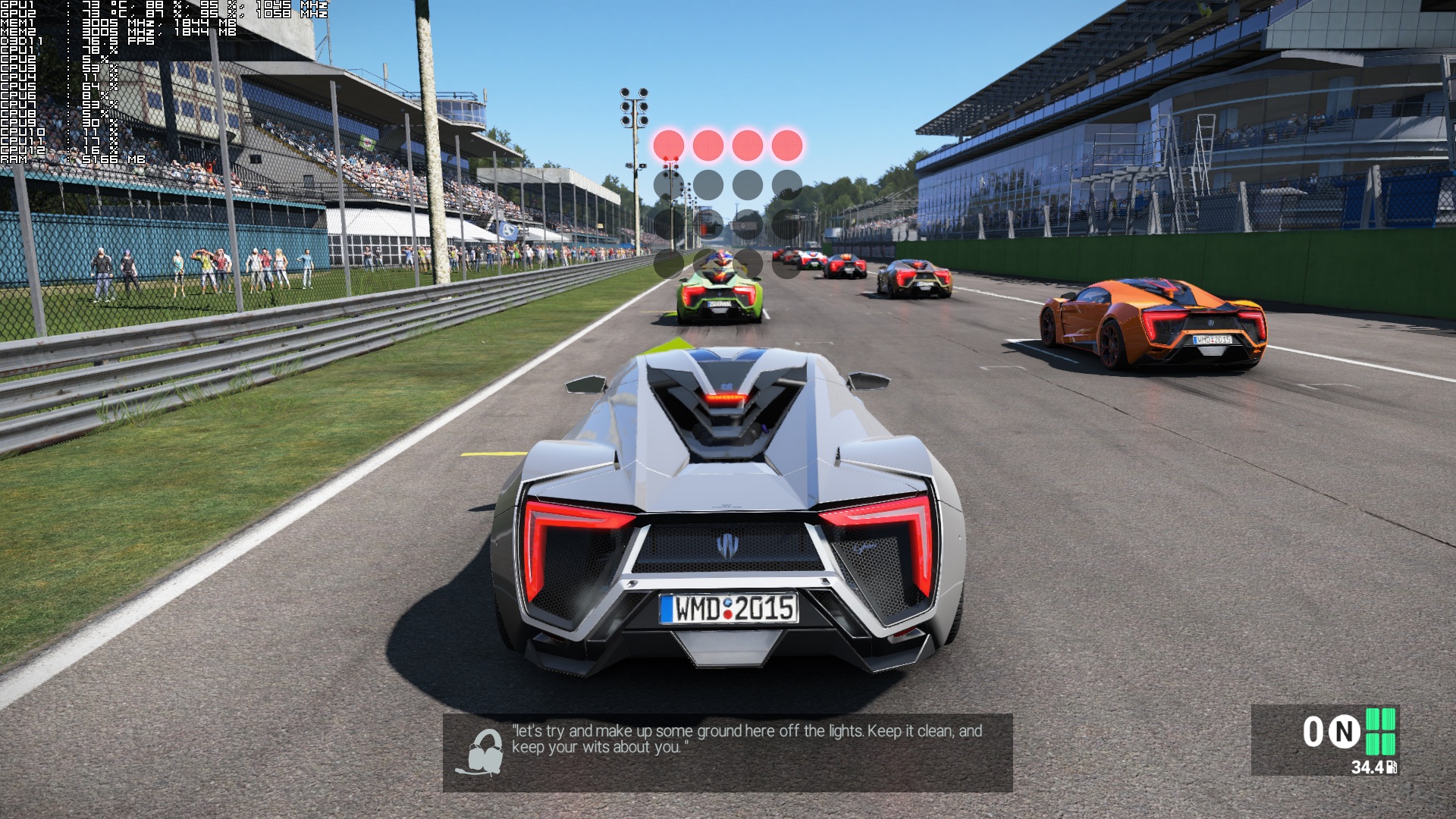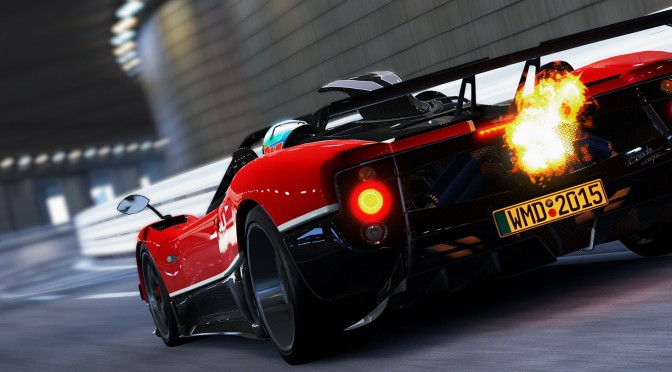
Project CARS has finally been released on the PC, and GreenManGaming has provided us with a key for this highly anticipated racer. Project CARS has been described by a lot of gamers as the ‘Crysis’ of racing games. And while the game looks amazing, it comes with some really high GPU requirements and some serious CPU issues.
As always, we used an Intel i7 4930K (turbo boosted at 4.2Ghz) with 8GB RAM, NVIDIA’s GTX690, Windows 8.1 64-bit and the latest WHQL version of the GeForce drivers. NVIDIA has already included an SLI profile for this game, meaning that PC gamers won’t have to mess around with third-party tools – like the NVIDIA Inspector Tool – in order to enable it. On the other hand, AMD users will have to be patient as the game suffers from various driver issues (AMD is working on fixing them).
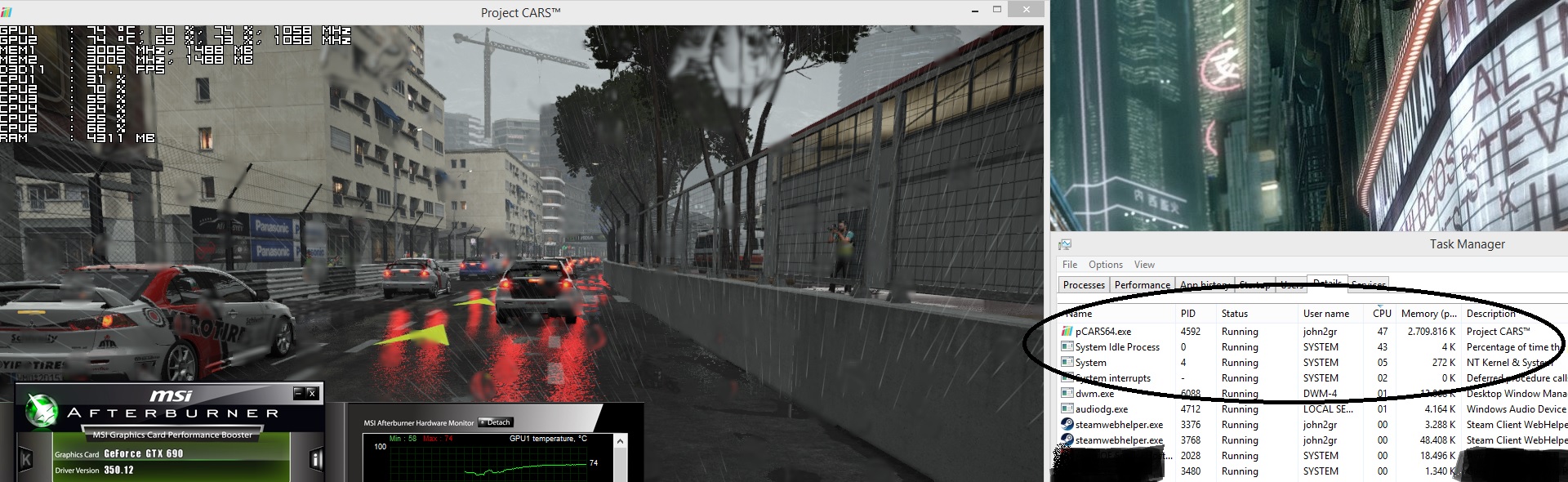
Project CARS suffers from major CPU issues that will affect all PC gamers. In order to find out whether the game scales well on multiple CPU cores, we simulated a dual-core and a quad-core CPU. At first glance – and by simply looking at the Performance tab of the Task Manager – it appears that even our hexa-core system is being pushed to its limits. However, in this particular case, this tab cannot be trusted. As we can see in the next image, Project CARS used only 50% of our CPU. The other 40-50% – although allocated – was entering, for unknown reasons, “Idle” mode. This is the first time we’ve witnessed such a thing. Due to this issue, the game was under-performing on both our simulated and normal PC configs.
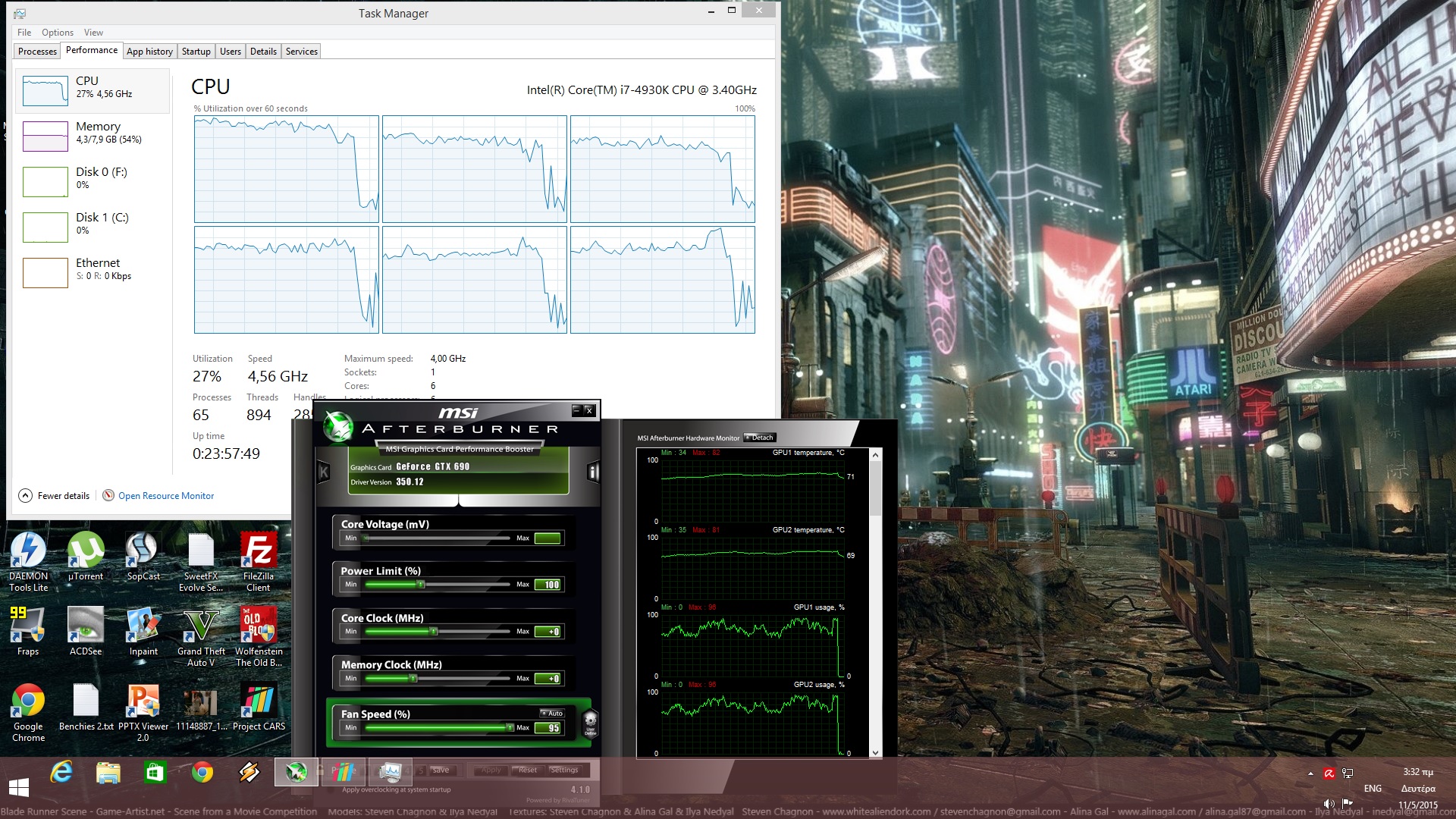
Slightly Mad Studios needs to fix this “bug” as soon as possible, as it makes the game almost impossible to fully enjoy in specific stages and under certain conditions (the “thunderstorm” weather for example affects both the CPU and the GPU) even on high-end systems.
As a result of this awkward behaviour, you’ll encounter minor performance issues in some stages. In Azure Circuit for example we were getting 50fps when using the cockpit view. Not only that, but due to this issue our GPU was not being used to its fullest. Naturally, those with weaker CPUs may experience bigger performance issues.
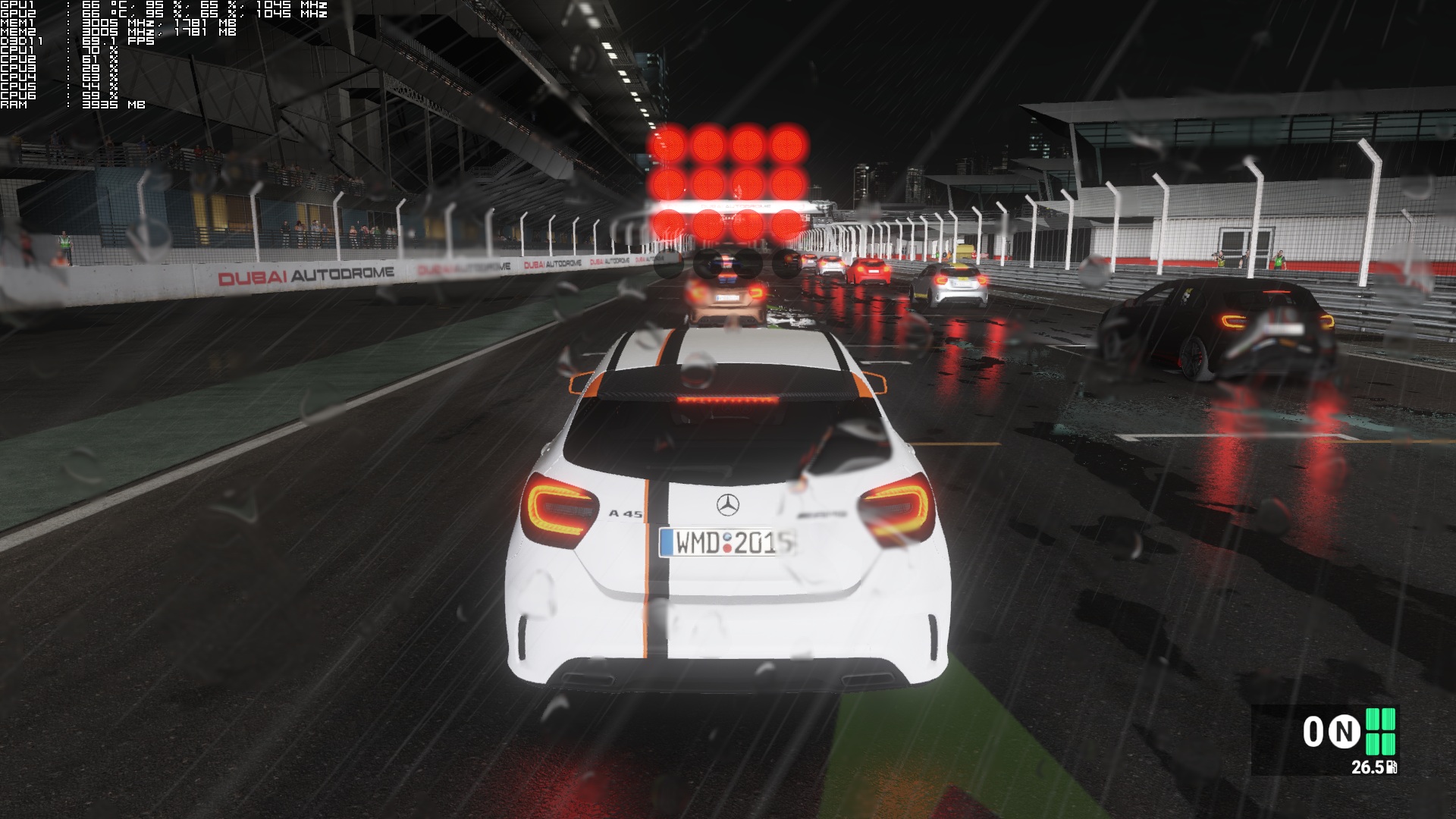
Regarding its GPU requirements, Project CARS demands a high-end GPU for its Ultra settings. Our GTX690 – therefore a single GTX970 – was unable to offer constant 60fps in some of our extreme tests. In order to push our GPU to its limits, we raced during night with heavy rain (or Thunderstorm) and twenty cars in California Highway. Naturally, we placed ourselves in last place so that we could have all cars in view. On Ultra settings and at 1080p, our GTX690 was able to push around 37-42fps. Do note that our GPU was being used to its fullest, so these fps numbers are not due to the game’s CPU issues. Dropping all quality settings to High brought us back to 55-60fps.
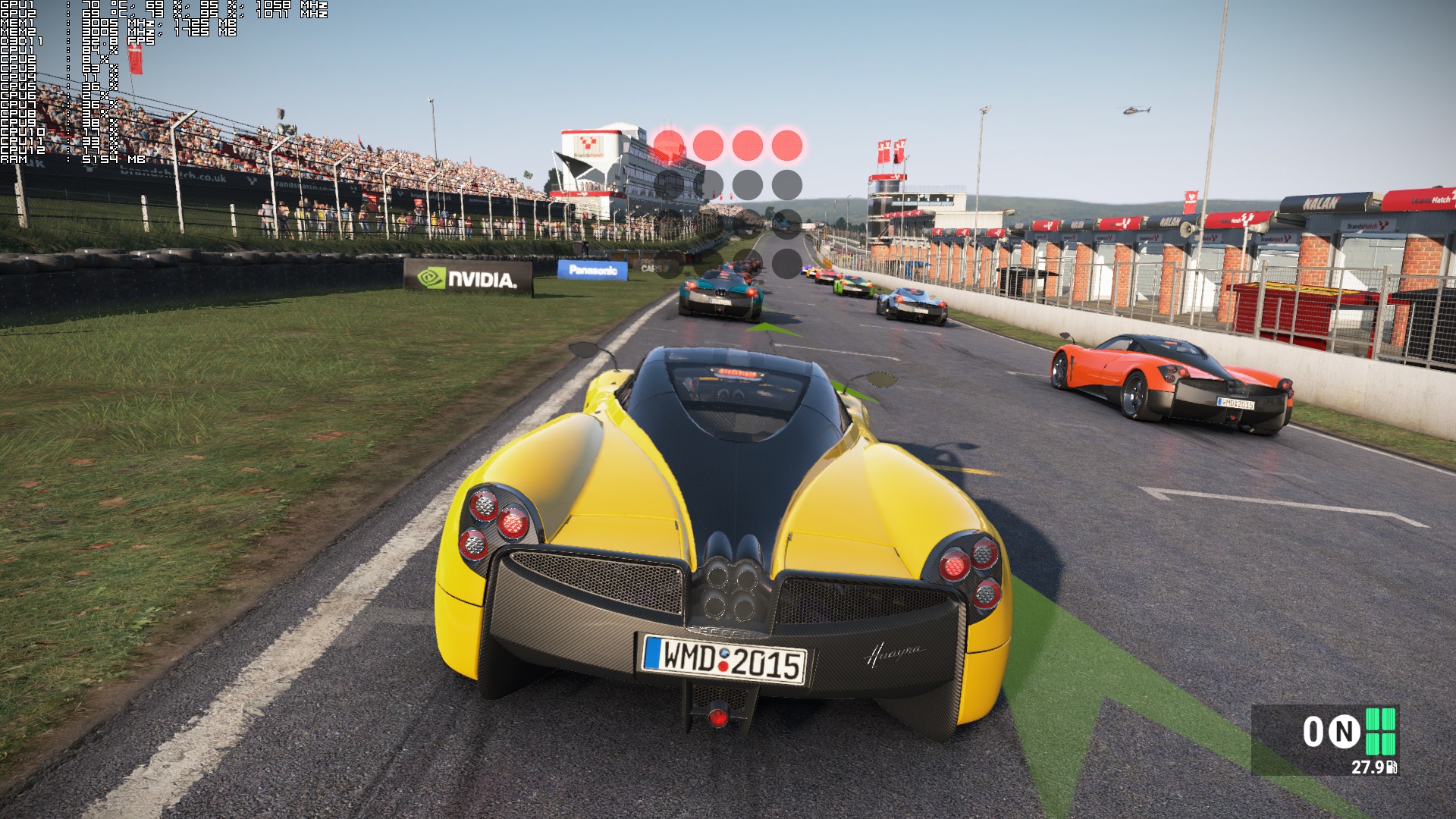
Now keep in mind that this is a worst case scenario, and that most of the game’s Career events are not that demanding. For the most part, owners of GPUs that are equivalent to a GTX970 will be able to enjoy a pretty smooth gaming experience (that is of course if they don’t run into any CPU bottlenecks).
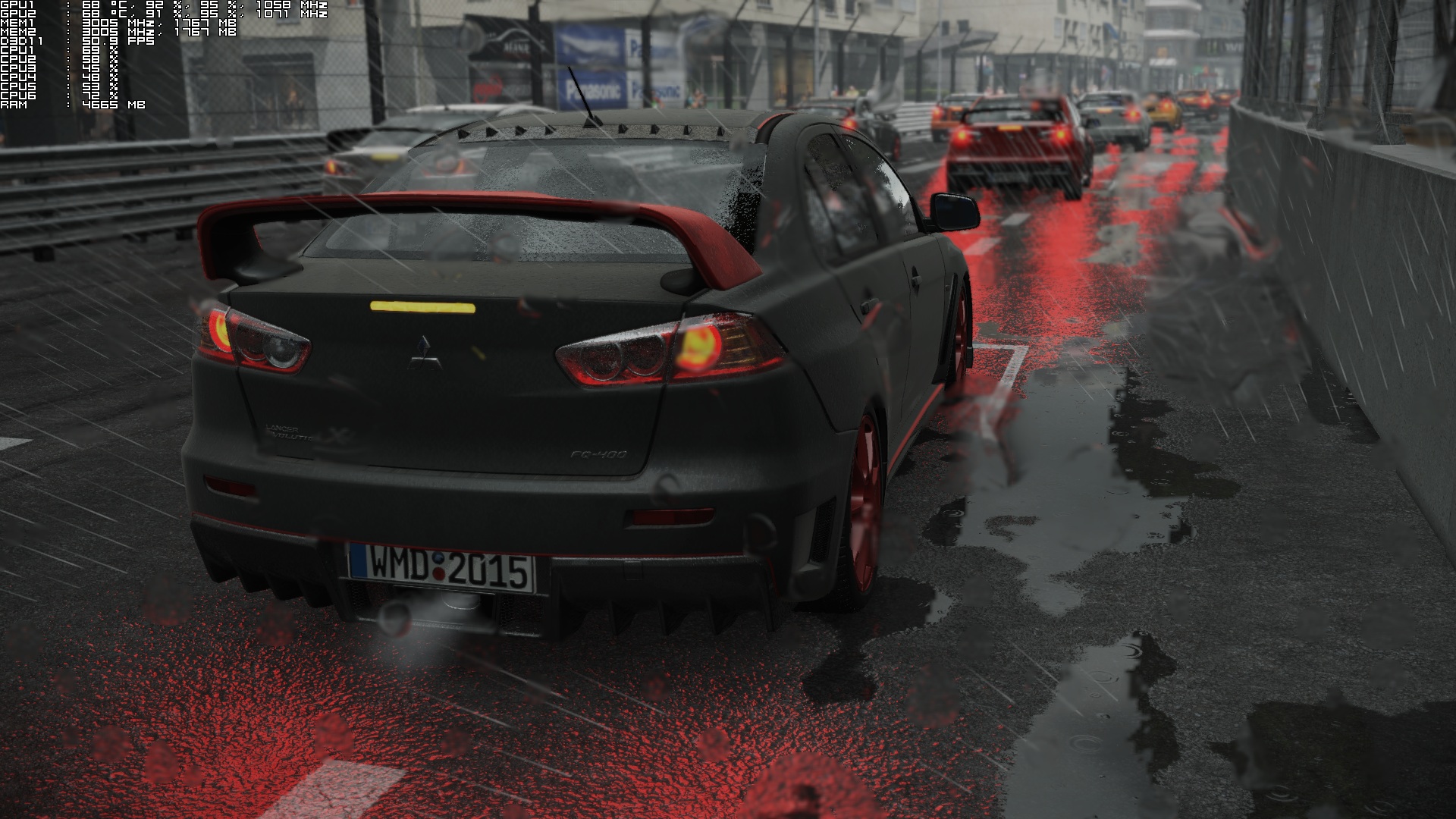
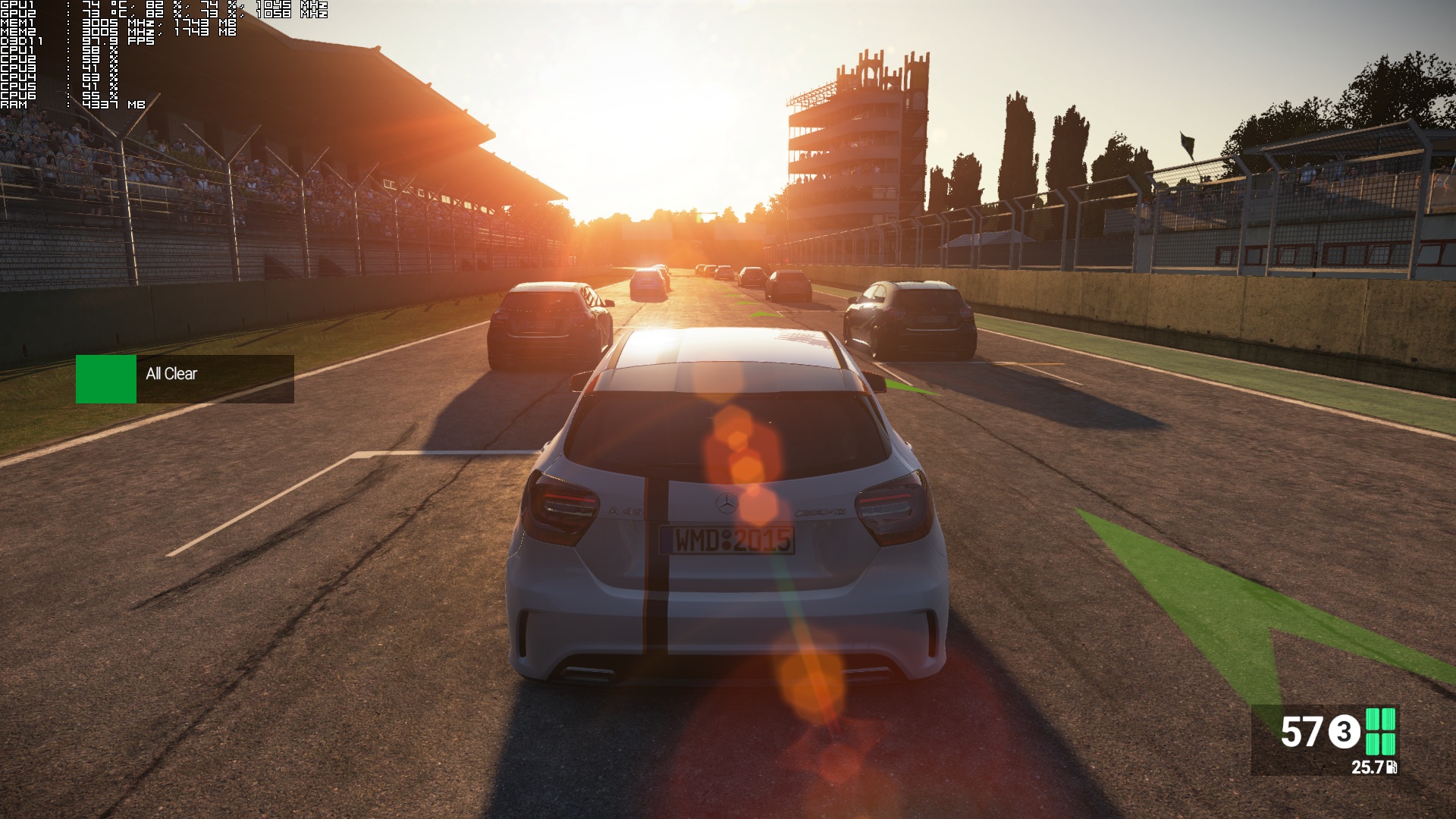
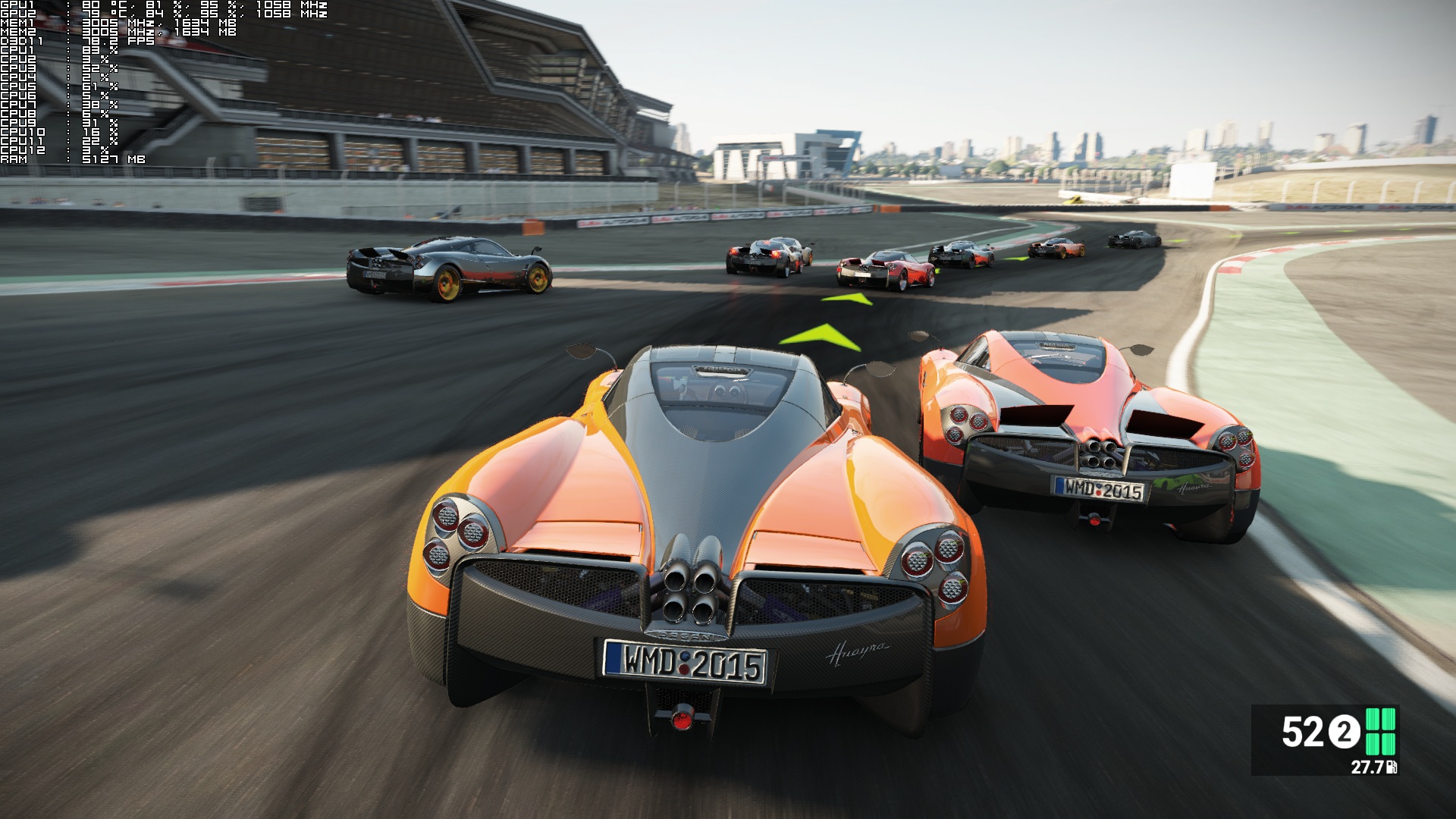
Graphics wise, Project CARS looks stunning. This is by far one of the – if not THE – best looking racing games to date. And since most of you will be wondering; no. Project CARS’ rain effects are no match for Driveclub’s spectacular rain effects. But then again that’s the only area in which Driveclub prevails. Project CARS packs incredible car models (on Ultra details each car is made of 200-300K triangles), sports detailed deformation and destruction systems, has an amazing lighting system, and most of the stages are packed with high resolution textures. There are some LOD issues even on Ultra settings – we did notice some distant pop-ins – but that’s a really small gripe.
Overall, Project CARS looks gorgeous. The good news is that the game looks amazing – due to both its lighting system and its various special effects – even on High settings, so those with weaker GPUs will still be able to enjoy a really beautiful game.
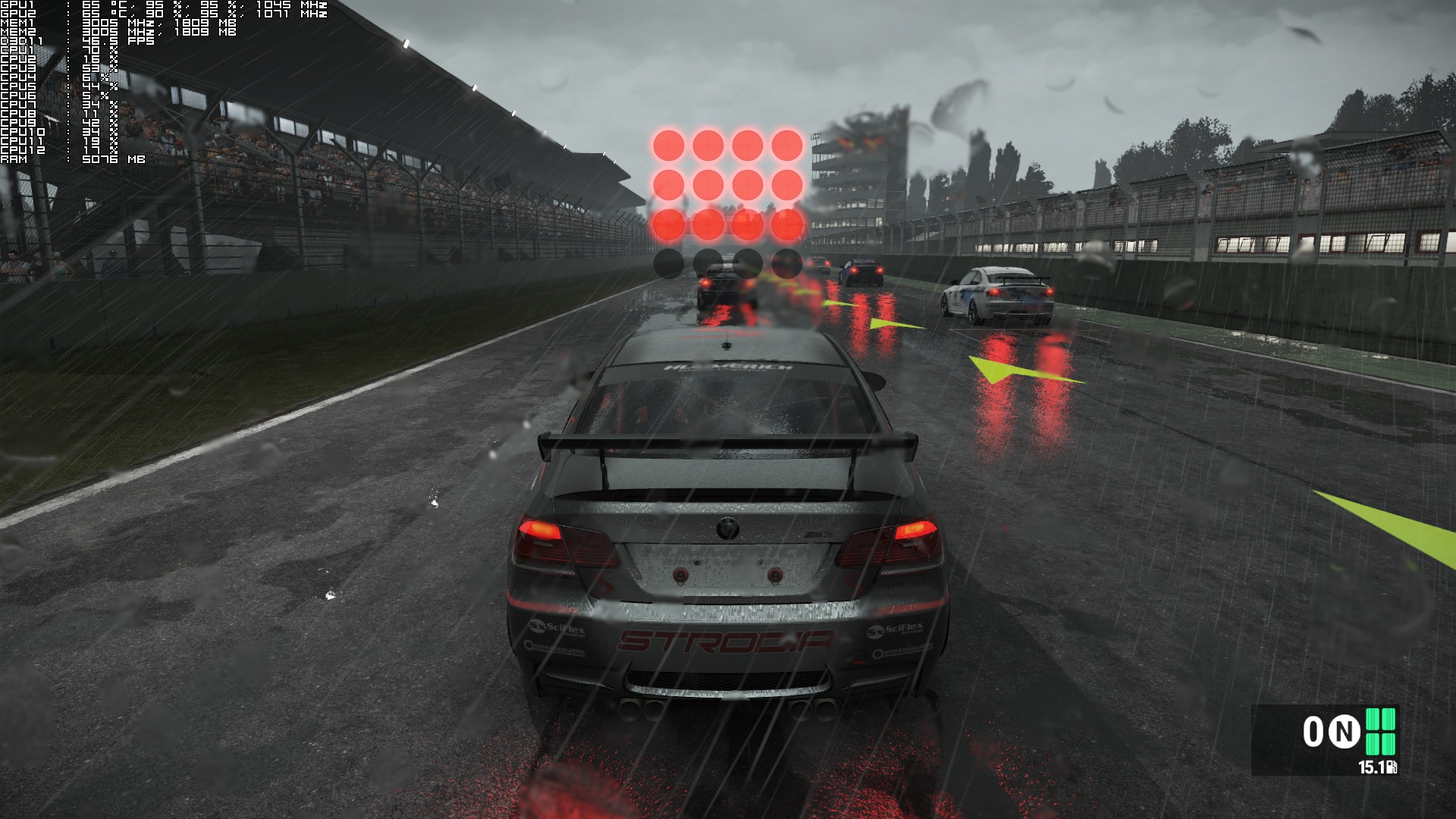
So, is Project CARS the “Crysis” of racing games? Well, that’s not an easy question to answer. While the game looks phenomenal during a clear weather, it falls behind Driveclub when rain effects come into play (despite Project CARS pushing more rain particles and “heavier” rain sprays). Still, Project CARS features a far greater car damage system, as well as better physics, a better LOD system, and higher quality textures. In short, it’s a mixed bag when it comes to multi-platform titles, though we can easily say that it is the best looking racing game on the PC.
Let’s hope that Slightly Mad Studios will fix the game’s really awkward CPU issues sooner than later.
Those interested can purchase this game from GreenManGaming.

Enjoy! No hidden messages this time around. Because reasons.
John is the founder and Editor in Chief at DSOGaming. He is a PC gaming fan and highly supports the modding and indie communities. Before creating DSOGaming, John worked on numerous gaming websites. While he is a die-hard PC gamer, his gaming roots can be found on consoles. John loved – and still does – the 16-bit consoles, and considers SNES to be one of the best consoles. Still, the PC platform won him over consoles. That was mainly due to 3DFX and its iconic dedicated 3D accelerator graphics card, Voodoo 2. John has also written a higher degree thesis on the “The Evolution of PC graphics cards.”
Contact: Email


Drive Club is mediocre no matter how many updates it gets, the driving part of Drive Club is as abysmal as ever and still nothing has been done about it. The graphics for Drive Club are indeed as amazing as the PS4 fanboys will have you believe and running at a cinematic 30 fps it is on par with Project Cars on PC running at 60 fps. But everything else about Drive Club is garbage. All driving games have the same 50-60 cars repeated again and again and they are all overshadowed by the car selection found in Forza series.
Project Cars on PC is great provided you have a good system to make it shine and most importantly the driving is actually fun and addicting as opposed to the driving in Drive Club which is annoying and boring. Wish we had the Forza series on PC but Project Cars is the best alternative to them and highly recommended.
at first (seeing some benchmarks on the internet) i thought it was an unoptimized peace of work on PC, shame it performes that way on AMD cards but after reading DF’s article and now this, man the game looks great, we can call it crysis of racing games and PC version is the defenitive version for sure, only thing is missing i guess is a good AO. good job, hope they (devs & amd) fix it for AMD cards too.
60k poly count for cars vs 200k to 300k on PC.
PC’s lowest environmental map quality for car reflections.
4x anisotropic filtering.
medium shadows.
lowest grass details.
particle density between low and medium.
cube-map reflections = lowest resolution possible on PC.
most of other options are equivalent to PC’s medium settings. also 900p on Xone and ghosting issues on PS4 and screen tearing on both.
And even then it has framerate problems on the conslows.
Also still waiting on AMD Drivers. The wait is killing me. I will not be surprised if it’s announced it’s getting a DX12/Vulkan update later this year at E3 as well. The CPU Bottlenecks sound like it’s crying out for DX12 and Vulkan.
i wish Steam highlighted games that actually put extra time for their PC version as a reward for their effort.
AMD sucks balls anyway, worse than xseed. i only buy nvidia since 1999 (inb4 geforce 256)
This is one of the games which should use GPU PhysX? Is that valid or there is no such option?
can someone tell me if this is a really arcadish compared to asseto corsa or is this a real simulation racing?
Real like Assetto Corsa. Both Driving Simulators trade punches with each other in terms of realism.
thanks mate. so i can count on this as a real simulator
Definitely Sim! Compared to AC some differences (apart from the far better graphics 🙂
– cars are easier to control in oversteering situations with p cars.
– tyre grip feel is clearer in AC (Vibration & audio, linear ffb though pretty similar)
– both games use fmod as sound engine, yet similar cars sound better in AC
– tyre model overall seems more accurate on p cars (effect of temperature, wearing)
thank you mate for the great points you explained.
I don’t understand the performance issues some people are having. I have almost everything on its highest setting except only 2x AA and low grass @ 1440p and I’m getting a solid 60fps with a 970 and I5 2500k @4.4ghz. The optimization is flawless if you ask me.
It runs bad on AMD GPUs.
The point is to see if the game takes full advantage of a variety of parts. Not just to run it on a personal rig and see if it feels gud’ or not.
That is about the exact 1440p performance I was getting on my single 970 before getting a second for SLI, partly for this game when racing in the rain and high traffic…FPS was dipping into the 40s. I also got it because of the free Witcher 3 and Batman Arkham Knight games going on with a 970/980 purchase for EVGA cards.
Anyway glad to see you are smart enough to know to turn down AA at higher resolutions like 1440p as you get diminished returns increasing AA to more than 4x…just wasting away FPS with no noticeable quality increase. I run MSAA at 2x but have FXAA turned on in Nvidia’s control panel for the game for an effective 4xAA with a lower frame hit than raw 4xMSAA in the game.
I’m honestly really disappointed in AMD. Hope they fix it as soon as possible.
Yes but how? Read this and learn ->
—–
See, that’s why we need someone to do a more in-depth write-up of what
Gameworks does. GW and AMD’s GE are not the same at all. They are
fundamentally different actually.
AMD GE or the old NV TWIMTPB meant that AMD/NV worked directly with the developer to optimize their driver for
the developer’s game code and/or provided their own graphical
enhancements/codes that worked better than the developers version, such
as GCN using DirectCompute for Global Illumination or SSAA or say NV
adding TXAA filters, etc. The developer was allowed to modify, alter,
optimize this game code in their own game and share it with anyone.
Whatever AMD adds as part of the GE program, it’s all open source which
means NV’s driver team is able to optimize their driver for this code.
Alternatively, the developer has full transparency of what is happening
and can work with NV to help them optimize any AMD GE code inserted in
the title. This is why almost all AMD GE titles run so well on NV’s
hardware – transparency.
GW is not like this at all. The first aspect about GWs that makes it different from AMD’s GE is that GW’s code is proprietary.
1.””NVIDIA GameWorks SDK” means the set of instructions for computers, in executable form only and in any media (which may include diskette, CD-ROM, downloadable internet, hardware, or firmware) comprising NVIDIA’s proprietary Software Development Kit
and related media and printed materials, including reference guides,
documentation, and other manuals, installation routines and support
files, libraries, sample art files and assets, tools, support utilities
and any subsequent updates or adaptations provided by NVIDIA, whether
with this installation or as separately downloaded (unless containing
their own separate license terms and conditions).”
The second aspect is even more critical:
2. “In addition, you may not and shall not permit others to:
I. modify, reproduce, de-compile, reverse engineer or translate the NVIDIA GameWorks SDK; or
II. distribute or transfer the NVIDIA GameWorks SDK other than as part of the NVIDIA GameWorks Application.
Any redistribution of the NVIDIA GameWorks SDK (in accordance with
Section 2 above) or portions thereof must be subject to an end user
license agreement including language that
a) prohibits the end user from modifying, reproducing, de-compiling, reverse engineering or translating the NVIDIA GameWorks SDK;
b) prohibits the end user from distributing or transferring the
NVIDIA GameWorks SDK other than as part of the NVIDIA GameWorks
Application;”
—–
By definition that means any Nvidia GW code inserted into the game
cannot be modified, altered, optimized by the developer without NV’s
written permission. That means if the developer uses a particular GW SDK
for some effect such as tessellation or HBAO+ and the game runs poorly
after, they either have to accept the performance hit or remove the SDK.
It’s take it or leave it.
Essentially what this means is a Black Box source code from NV inside
the game engine itself. Based on the EULA, that also means Intel or AMD cannot optimize the driver around NV’s GW code since it’s closed and proprietary.
https://developer.nvidia.com/gameworks-sdk-eula
1. GE is open source which means NV or Intel are free to optimize their drivers in any GE title.
2. What GE game penalizes NV/Intel GPUs where AMD has a ‘magical’
30-100% performance advantage that can’t be easily explained? What AMD
GE title is out there for which NV actually attempted to optimize the
drivers post launch where HD7870/7950 is faster than a GTX970/980? There
is no such title!
Besides GTA V which has very little GW influence, it seems that nearly
every single GW title runs poorly on AMD’s hardware, no exceptions. CF
performance is shot at launch in almost all GW games and requires a
developer patch to work, months after release. What AMD GE game title
required a developer patch for SLI to work?
===================
Posted on AnandTech by
RussianSensation
Elite Member
I disagree. The only gameworks title that runs bad are ubisoft games but even that that’s not with all their titles. Unity ran bad on AMD but the omega driver gave a massive fps boost.
Only Ubisoft? Dying Light? GTA 5? Lords of the Fallen?
I haven’t played Lords Of The Fallen but GTA 5 and Dying Light runs solid on my PC.
Please go to my Blog, maby i will help you with pCars issues 😉
also find me on Guru3d and Anand
If game use only TXAA or HBAO+, explain me please how they influence overall performance of whole game (like Watch dogs and even if they are turned off) ? You can’t blame GW usage from everything and don’t see AMDs poor work on drivers in some cases. If GW is so unavailable as you wrote, how AMD can make later driver which eliminates performance issues? You should read comment from Project cars developer how AMD cooperation looked like. I’m not saying that it works like this for every case just like nobody could tell that every GW game has problems because of GW.
You should realize that GW is set of external libraries. If you use alternatives (different AA or AO) and problems are still there, why is GW responsible for that if it’s functions or procedures aren’t call? This is not so easy
Didn’t Crysis 3 have ultra good CPU scaling?
“graphics wise, Project CARS looks stunning”
Car models+shading, clouds, even rain efects, these things looks stunning, but tracks detalis, and lighting (ugly bloom is everywhere) looks really flat and bad. It still looks like beta game for me, for example trees are nicely done, but just above first tree line you could see empty space, flat hill textures, without any shading that could mask flat look. Even buildings looks flat in this game, no details and proper textures. I’ve played some console games like project gotham racing 4 gran turismo 5/6, and forza 5, drive club, and I never complained about tracks details there.
Game runs fine on my PC, max details, just without DS9x, but that’s will not mask game flaws for me, and even gameplay wise this game is far from perfect. It feels like beta game or something.
I lost 1:30h of my life playing one single race at Le Mans 24h challenge, just to get disqualified. And know what?? IT WAS AN AMAZING EXPERIENCE!
And i’m waiting to go home and play it again. The point of this topic is about performance, and graphics are correctly described as stunning, but is gameplay where i really think THIS GAME SHINES. Everything is focused into offering the best racing experience. There are practical and fast menus, cockpit views from driver with and without helmet, copilot, etc, there’s no need to expend months earning money to buy other cars, career mode keeps introducing interesting events, single races have tons of cars and tracks to choose, AI sometimes is challenging, sometimes very easy (and it’s great).
But i have to say… sound effects are the lowest point in PCars, sometimes they bother me a little.
Hi all!First time posting here,but I’ve been following dsogaming for some time now.I just want to shed some light as to why AMD Radeon GPU’s perform so poorly and that’s because their high DX11 CPU overhead compared to Nvidia.I won’t go into detail about this but I’ll sumarize it very briefly.
In order for a Radeon GPU to reach max efficiency,it needs a strong CPU for that,and that’s because of the API overhead present on those GPU’s.Regardless of how multithreaded the game is,the Radeon GPU’s stop at 1.1 million draw calls.Compared to NVidia’s GPU’s after 337.50 beta drivers,those stop @ 2.2 million drawcalls,double the difference.That’s why Radeon’s need CPU’s whith really good IPC.To brute force the flaw in their drivers.
If you want to read more,here is the link http://forums.guru3d.com/showthread.php?t=398858
The good news is that they improved their DX11 CPU overhead in their windows 10 technical preview drivers.The bad news is they haven’t ported those to windows 7/8/8.1.At least they’re improving something.
Lastly I am not an AMD hater,I own a Sapphire HD 7870 myself,with an i7 2600 and 8 GB of RAM,nothing fancy but more than enough for me.I’m just trying to spread the word so that AMD can actually get their act together and improve their drivers instead of sweeping it under the rug.
I got this game on PC, I’m playing it on my GTX 970, and the cars do look amazing!
However, everything else looks just plain. Tracks, weather effects, pop in, environmental detail is just low standard.
Lighting is good though, but compared to DriveClub’s (which I own on my PS4), it falls short. Actually, the only thing that I believe Project Cars has better (graphics wise), is the cockpit interior, and Anti Aliasing (Driveclub’s AA is deficient to say the least). In everything else, Driveclub has better graphics. Well, it comes from a big developer and higher budget, so it’s to be expected I guess…
You didn’t go into a details and that is always an issue. GCN is very advanced and very different architecture to previous terascale. For that reason this architecture apart of basically unlimited compute queues, async shader and other features cannot be well optimized for DX11 from its nature. For the very same reason DX12 scaling on GCN is far better than anything else on market! Question id if you wanna GPU for obsolete DX11 or for new DX12.
This is beyond me, and while I’m happy that they’ll improve their overhead in the DX12, there still is the adoption rate of that API, so DX11 will still be used even after DX12 comes out. I just thought it was worth posting, so take it for what it’s worth.
runs like sh*t on my fx6300 and gtx 650 🙁 I’d hoped for 60 fps on medium settings -__-