
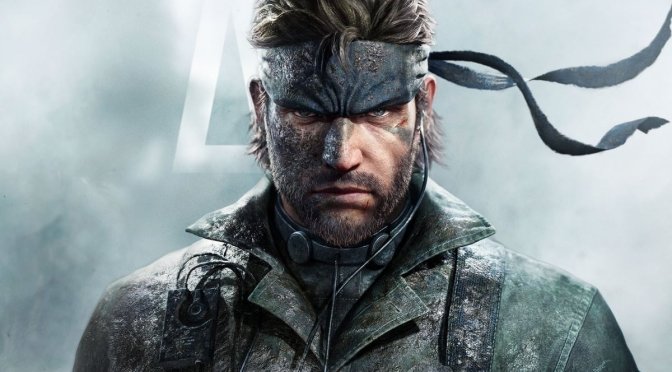
Metal Gear Solid Delta Snake Eater feature

Metal Gear Solid Delta: Snake Eater PC Performance Analysis

Last week, Konami released the official remake of Metal Gear Solid 3, Metal Gear Solid Delta: Snake Eater. Powered by Unreal Engine 5, it’s time now to benchmark it and examine its performance on PC.

For our benchmarks, I used an AMD Ryzen 9 7950X3D, 32GB of DDR5 at 6000Mhz, AMD’s Radeon RX 6900XT, RX 7900XTX, RX 9070XT, as well as NVIDIA’s RTX 2080Ti, RTX 3080, RTX 4090, RTX 5080, and RTX 5090. I also used Windows 10 64-bit, the GeForce 581.15, and the Radeon Adrenalin Edition 25.8.1 drivers.

Virtuos has added a few graphics settings to tweak. PC gamers can adjust the quality of Textures, Global Illumination, Shadows, Effects, and more. There are also some filters you can use to make the game look closer to the original version.

Metal Gear Solid Delta Snake Eater PC graphics settings-1Metal Gear Solid Delta Snake Eater PC graphics settings-2

As I’ve already reported, Metal Gear Solid Delta: Snake Eater is locked at 60FPS by default. The game supports AMD FSR 3.0 and NVIDIA DLSS 4, but it does not support Frame Gen. There are ways to unlock the framerate and enable Frame Gen. Since I’ve tried them, I can confidently say that it’s not worth enabling DLSS 4 Frame Gen. For whatever reason, I got numerous visual artifacts. The good news is that the game felt great with an unlocked framerate. I used the latest version of MGSDeltaFix, and I did not experience any side effects. Moreover, Smooth Motion appeared to work great with it. So, if you own an RTX-40 or an RTX-50 series GPU, I highly recommend unlocking the framerate and using Smooth Motion. This will offer you the best gaming experience right now.

Metal Gear Solid Delta: Snake Eater does not have a built-in benchmark tool. So, for our benchmarks, I used the first area where you fight Ocelot’s unit. This appears to be one of the most demanding areas early in the game.

At 1080p/Ultra Settings, a lot of our GPUs are able to provide a 60FPS experience. AMD users will at least need an AMD Radeon RX 9070XT. On the other hand, NVIDIA users will need at least an NVIDIA RTX 5080 GPU.

Metal Gear Solid Delta Snake Eater benchmarks-1

At 1440p/Ultra Settings, the only GPUs that were able to provide a 60FPS experience were the NVIDIA RTX 4090 and RTX 5090. The AMD Radeon RX 7900XTX was able to match the performance of the RTX 5080. Both of these GPUs were also able to provide a smooth gaming experience, provided you use a G-Sync/FreeSync monitor.

Metal Gear Solid Delta Snake Eater benchmarks-2

As for Native 4K/Ultra Settings, there is no GPU that can offer a 60FPS experience. This is to be expected. After all, Lumen is a form of Ray Tracing. So, the game’s performance falls in line with what we’ve seen in other UE5 games. Also, if you own a G-Sync monitor, you will get a smooth experience with the NVIDIA RTX 5090.

Metal Gear Solid Delta Snake Eater benchmarks-3

Since the game is locked at 60FPS, I tested it on the NVIDIA RTX 5080 to see how it runs with different graphics settings. At Native 4K, the RTX 5080 can’t reach 60FPS, even on Low Settings. Dropping from Ultra to High gives about a 14–18% boost in performance. Medium settings add a small extra boost. On Low, performance jumps a lot, with a 52–58% boost compared to Ultra. The problem is that on Low Settings, the game doesn’t look very good. Given how average the graphics look on Low, you’d expect it to run better.

Metal Gear Solid Delta Snake Eater benchmarks-4

On Ultra Settings, Metal Gear Solid Delta: Snake Eater is one of the best-looking games on any platform right now. Thanks to Lumen, the game’s lighting remains consistent. Virtuos has used some of the best in-game 3D character models I’ve seen in a game. Plus, they have used a lot of high-resolution textures. Not only that, but the game does not suffer from the usual visual issues of Software Lumen. And if that wasn’t enough, you can enable Hardware Lumen to increase even further the game’s image quality.

All in all, Metal Gear Solid Delta: Snake Eater is missing a lot of PC features. Yes, there are ways to uncap the framerate, turn on Frame Gen, and even enable Hardware Lumen. But for a game that costs 80 euros, these options should already be in the graphics menu. As for performance, it actually runs better than Mafia: The Old Country or WUCHANG. So, if your PC could handle those, you’ll be fine here, too. The in-game graphics settings don’t offer great scalability either. So, tweaking them doesn’t make a huge difference.

In short, Metal Gear Solid Delta: Snake Eater is a mixed bag. On Ultra settings, it can look absolutely amazing, though it requires a high-end GPU to truly shine. There’s definitely room for improvement. Still, this isn’t the technical disaster some make it out to be. With the right hardware, you’ll likely have a blast playing it.

Enjoy!

MGS Delta Snake Eater PC screenshots-1MGS Delta Snake Eater PC screenshots-2MGS Delta Snake Eater PC screenshots-3 MGS Delta Snake Eater PC screenshots-4MGS Delta Snake Eater PC screenshots-5MGS Delta Snake Eater PC screenshots-6 MGS Delta Snake Eater PC screenshots-7MGS Delta Snake Eater PC screenshots-8MGS Delta Snake Eater PC screenshots-9 MGS Delta Snake Eater PC screenshots-10MGS Delta Snake Eater PC screenshots-11MGS Delta Snake Eater PC screenshots-12

Metal Gear Solid Delta: Snake Eater - Launch version runs fine on NVIDIA RTX 5090

30 thoughts on “Metal Gear Solid Delta: Snake Eater PC Performance Analysis”

  1. "Also, if you own a G-Sync monitor, you will get a smooth experience with the NVIDIA RTX 5090."

    If you happen to own a G-sync monitor, and can spend money on something like that, I doubt you'd settle for 60 fps either.

    1. I'm running this with 140fps using lossless scaling, everything maxed out with hardware lumen on, it looks fantastic.

          1. How can you not?! Oh unless you don't have a 4k monitor because once you go 4k you don't want to go less! The picture is amazing! 1080 looks horrible!

          2. I play on 1024 x 768 most of the time (CRT monitor).
            My go to resolution on my main monitor is 1440x1080p, I rarely play games on 1080p or higher.

        1. Then go achieve 140fps on 4k maxed settings and upload the video here, let’s see if optiscaler is capable of getting a result that’s remotely close to lossless scaling.

          1. For X2, Opti absolutely can do that. Also without Opti, you can force DLSS and FSR FG via UE5 ini commands. As for DLSS MFG, that’s also possible via ini and driver combination.

  2. MGS Delta has some optimisation issues, which were particularly highlighted by Benchmarking on YouTube. The framerate can be halved when Niagara particles are on the screen, for example during fuel barrel explosions. Robocop uses the same technology, but I haven't seen such big frame rate dips during explosions. Also DLSS settings in this game are named incorrectly. DLSS Quality is actually DLSS Ultra Quality (77% res scale), while DLSS Balance is actually DLSS Quality (67% res scale).

    That being said, with the right hardware and settings, MGS Delta looks stunning and runs well. At 4K DLSS (67% scale) with high settings I see between 70-80fps with 55fps dips during fuel barrel explosions. WIth FGx2 on top of that the game is running at 110-140fps. John said that moded FG doesnt work well, but so far I havent noticed any issues with it (maybe later in the game). Aiming for 110–140 fps is very responsive and there's no ghosting. I used the DLSS 4 J preset and copied the updated FG DLL file into the game folder because the DLL files included in the game were old (DLSS 3.1).

    4K DLSSQ – (77% res scale, so actually DLSS ULTRA QUALITY), high shadows, ultra GI and textures.
    https://uploads.disquscdn.com/images/aedce4a9a560a546f696f85228190f8fc2641088428d626683b1ebda829f4dbd.jpg

    4K DLSS Balance (67% res scale, so actually DLSS Quality), high settings preset

    https://uploads.disquscdn.com/images/7dfbb3f5e3aa94046f7dbebf00fbf60f488fe38f0caf18a5dc1bbd0cff49ed55.jpg

    4K DLSS 67% res scale, + FGx2, high settings

    https://uploads.disquscdn.com/images/16522d7477a7c4d87694d265b84634a5f28bda359772e3c195a4ddfa8073937c.jpg

    1440p DLAA (DLAA is 3-5fps more demanding than TAA), Ultra Settings – 65fps

    https://uploads.disquscdn.com/images/906a37a47fa0aab2108c384661e64b3c92e6ac65001f1c44495101dc42c4fbaf.jpg
    Shooting at barrels can however trigger some nasty dips

    https://uploads.disquscdn.com/images/111923ababde7b4b2b83149c44355d7e202be42e9aa9041cacb78bcfd0771e8f.jpg

    1440p DLAA, high settings – 81fps. With this settings you can shoot at barrels without worrying about sub 60fps dips (but people with VRR monitors shouldnt worry about sub 60fps dips anyway).

    https://uploads.disquscdn.com/images/764084e68b8940c3ff71318c5f5d46d5bd61b37b459959acadec2d74d5297204.jpg

    1440p DLSS 67% res scale (DLSSQ equivalent), high settings – 112fps (with FG I saw 180-200fps)

    https://uploads.disquscdn.com/images/cd45a71acf0948af2510eef73fecee6f16f8522855e3138cce02a0a19e7135e0.jpg
    Based on my results, I think a 4070 Super or a 3080 should be able to run this game at 60 fps at 1440p with 67% DLSS and high settings.

    1. Just for the future I highly recommend grabbing identical shots and then uploading them to imgsli. The slide-over comparison is much more compelling and illustrative, especially when you use your mouse wheel to zoom in on an area and slide back/forth to see the detail/quality difference. For example, here are your shots:

      https://imgsli.com/NDExNzI2/1/2

      The 4K one isn't framed the same so doesn't compare as well. But overall it's a great tool.

      1. Imgsli links also needs to be approved by John? I don't want to wait (sometimes days) before he approve my comments.

        As for the Imgsli site, I've noticed that it has incorrect scaling on some browsers, especially when using the mouse zoom function, which makes the image either pixelated or blurry. Personally, I have always preferred to open images in separate tabs at 1:1 scale to view them without any distortion.

  3. I posted this on another thread but you can run DLDSR 2.25X + DLSS P + MFG 4X for 200 fps 4K gameplay with Hardware Lumen and HDR. And it actually looks really really good. Though you have to update the DLSS/FG DLL files yourself and manually set the profile. The game also doesn't technically allow you to use DLDSR resolutions, even if you set your desktop resolution to it. But you can launch the game using a shortcut with the resolution commands in there along with the DLDSR resolution set in engine.ini.

    I think the game can look and run quite well with some effort configuring and modifying it. And it's definitely worth the price I paid. Which is nothing.

    1. I tried playing MGSD with HDR, but the shadows were lifted and image looked washed out compared to SDR. Most games looks much better with HDR on my QD-OLED monitor, but not this one.

        1. I tried doing so, but then the shadows were too dark and the image's overall brightness was much lower. My QD-OLED has a brightness of 400–1000 nits even in SDR mode, whereas the HDR image brigthness in this game appears to be set to around 200 nits APL, making it look dull in comparison.

          1. You're absolutely right. I went back and tested with HDR on/off in game and it was definitely more washed out. However. I found that using a -3 brightness setting, with SDR mode, and force enabling RTX HDR through nvidia profile inspector completely fixes the problem. You get full deep blacks with bright hdr highlights.

          2. I had completely forgotten about RTX HDR. But thanks to you I tested it in MGSD and it does look very good — better than SDR. I only adjustest mid tones in RTX HDR and I'm very happy with the results. I tried taking photos on my phone, but they don't do the justice. Contrast is incredible now.

            By the way, RTX HDR is quite expensive on my RTX 4080 Super. Framerate dropped by around 15–20 fps :D.
            https://uploads.disquscdn.com/images/98fa55231d63124b039b08ea6a15656e8dc6cdbe3380c155b1a667fe7eb0e0cf.jpg

          3. I don't know if your oled has this or not, but with my oled, it has HD deep color option on the tv and thats hdr already. If I have HD deep color on the TV enabled and cut hdr on, on the game, it looks so badly washed out.

            so if HD deep color is enabled on the tv, don't enable it in games. That's enabling two versions of hdr and it washes it out for some reason. On my end anyway.

    2. I tried playing MGSD with HDR, but the shadows were lifted and image looked washed out compared to SDR. Most games looks much better with HDR on my QD-OLED monitor, but not this one.

  4. " it requires a high-end GPU to truly shine."
    "Still, this isn’t the technical disaster some make it out to be. With the right hardware, you’ll likely have a blast playing it."

    Johnny trained an AI based on spoiled internet kids that says "runs smooth on my end with no problems" despite all evidence to the contrary.

  5. " it requires a high-end GPU to truly shine."
    "Still, this isn’t the technical disaster some make it out to be. With the right hardware, you’ll likely have a blast playing it."

    Johnny trained an AI based on spoiled internet kids that says "runs smooth on my end with no problems" despite all evidence to the contrary.

  6. On my XFX 6700XT i got 60 fps stable with "High settings" (FSR Q enabled), the game looks great but doesn't justify the tremandous gpu cost , Shadow Of The Tomb Raider looks better than this crappy UE5 and runs great even on old gpus . I wonder why konami didn't use FoxEngine ???

    1. FSR / DLSS settings in the game are named incorrectly, so you actually playing with FSR Ultra Quality (77% res scale).

      As for the comparison with Shadow of the Tomb Raider, let's the screenshots do the talking.

      https://uploads.disquscdn.com/images/4c12344699ba7d0d8a4f627d15785ef1eb8cc73beba9f807323da92ce023f021.jpg
      https://uploads.disquscdn.com/images/d6ced5268c0c34fd3f34d1b466f90d7297c4b31f7d3331e87ef49ea869e8dfee.jpg
      https://uploads.disquscdn.com/images/299aab8cc6bda3a51e8fa7c4b659f94c5f4ea05d417a95d9e78a204a1ca10ffd.jpg
      https://uploads.disquscdn.com/images/2b8afcc08cdcc3fadf4fe12f32861b7c924fda4d53bd0d56400c43537466f264.jpg https://uploads.disquscdn.com/images/40b3d5747425f3752aa9592f33785d86faff885baa5d9d792a06b9d2d36ffc4a.jpg
      https://uploads.disquscdn.com/images/7771bcffe0f1524a217ac149e8f9ec7df22d19884387489dfece412a40f2f618.jpg
      If you look at the quality of the assets, SOTTR looks dated by todays standard. The flat lighting doesn't help either because dynamic objects like vegetation aren't grounded in the scene and stand out.

      However, if you don't look at the details up close, but instead look at the beautiful scenery itself, I think SOTTR can still impress — especially in HDR.

      https://uploads.disquscdn.com/images/bcadfe31c0247d0aaa340427d3e64e7ab3ed82fafede9f0cc53ab32f7dbc9d80.jpg
      https://uploads.disquscdn.com/images/6ab40f9a2a664d7edf011b5a4666dcf1d1524666171c81de24afc36e043b9c7b.jpg
      https://uploads.disquscdn.com/images/8574797a56cc19c5721930e82b131f95dda48c7d97d245f3e387951850242881.jpg
      https://uploads.disquscdn.com/images/95eb4e542f2ea791dfe3b14a1ef922b47a31d0c042e621d78d2cffa02fe8a466.jpg
      https://uploads.disquscdn.com/images/c5192968bdbfe69048b7c8a39501cb181c5ffb06000a5d30ed9792033d33f155.jpg
      https://uploads.disquscdn.com/images/bdd237a0c6a171a979f8d8d6bef719e931eaccb08281e4064c2c2f14aa74d403.jpg
      https://uploads.disquscdn.com/images/3b5562bbc75f20f57487e207f377ac8e19dbef0ac034408078a1045d2bb48d7c.jpg
      https://uploads.disquscdn.com/images/ca98159eb7f49f64ac5e449faf74297f000ffaf8c21abe75d1a14eb49f67fa79.jpg
      Now let's take a look at the MGS: Delta screenshots. The nanite details are instantly noticeable to me. The rock formations look far more detailed, and entire scene has small details visible pretty much everywhere.

      https://uploads.disquscdn.com/images/e3889b0346b1585546d156ffe3f22607aeee3bf119954e1c58c612faac7742c3.jpg
      https://uploads.disquscdn.com/images/c89e138f2114e27492772696efc89709cc84179514e6c19de15731ac04d488dd.jpg
      https://uploads.disquscdn.com/images/2da76ddfed76a20cacdd6e133a2e444a844bfddc90cec2fd4526c0e8278e76f1.jpg https://uploads.disquscdn.com/images/0c4cd78fec973227cdf0136556ce875e2cdea20f09477dd54e6aca6d07e6cbd1.jpg
      https://uploads.disquscdn.com/images/68d83a6d29b8ade1c9c16af347e12ead8d502b1a57b0b9a67e1b170a990506ee.jpg
      https://uploads.disquscdn.com/images/9b2dd0c116815053fa7e6af554db126d14c19de1988bfe86ce44f80ac5753086.jpg
      https://uploads.disquscdn.com/images/c5f041ea987b10898a119a1f57f35e2c2300362e4b17deb3824348eb5831cf88.jpg
      Also, the lighting is much more advanced (real-time instead of pre-baked). All objects in MGS: Delta cast indirect shadows and have natural colour bounce. This helps to ground all objects (including dynamic ones) in the scene.

      The graphics in MGSD impress me far more than those in SOTTR. The jungle in MGSD often looks photorealistic (especially with RTX HDR), whereas SOTTR still looks like a game.

      https://uploads.disquscdn.com/images/98fa55231d63124b039b08ea6a15656e8dc6cdbe3380c155b1a667fe7eb0e0cf.jpg

  7. I have ryzen 9 7900x and rtx 4080 and on ultra settings with 4k native i get 40 to 50fps

    when i put it on 4k with ultra settings and put dlss on quality, I get a solid 60fps.

    with that said, mafia old country looked better than this does. Dunno why.

    I don't know why you didn't get any of the colorful forest floor artifacts that I along with everybody else who has high-end gpus are complaining about! Pretty pink, blue, green, and yellows! Thank goodness everyone else is having the same issue because I thought my new gpu was failing. Looks to be an issue with high-end cards.

    and this cost $80 dollars! We should get refunds when we are finished.

    and I just read an article where kanomi said he's happy enough with his team that he's going to make more metal gear solid games.

    well, he better learn what optimize means!

Leave a Reply

Your email address will not be published. Required fields are marked *
