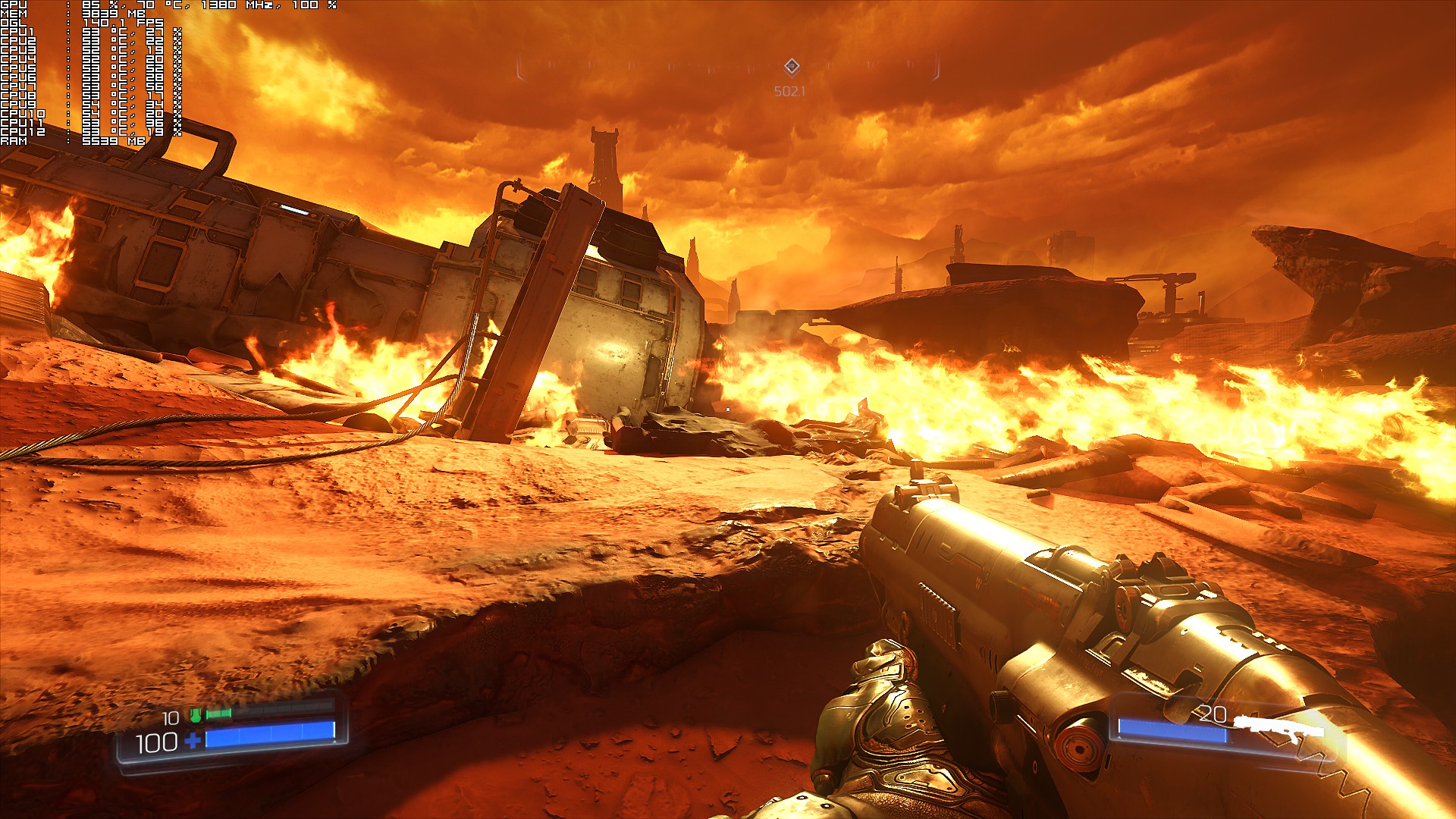
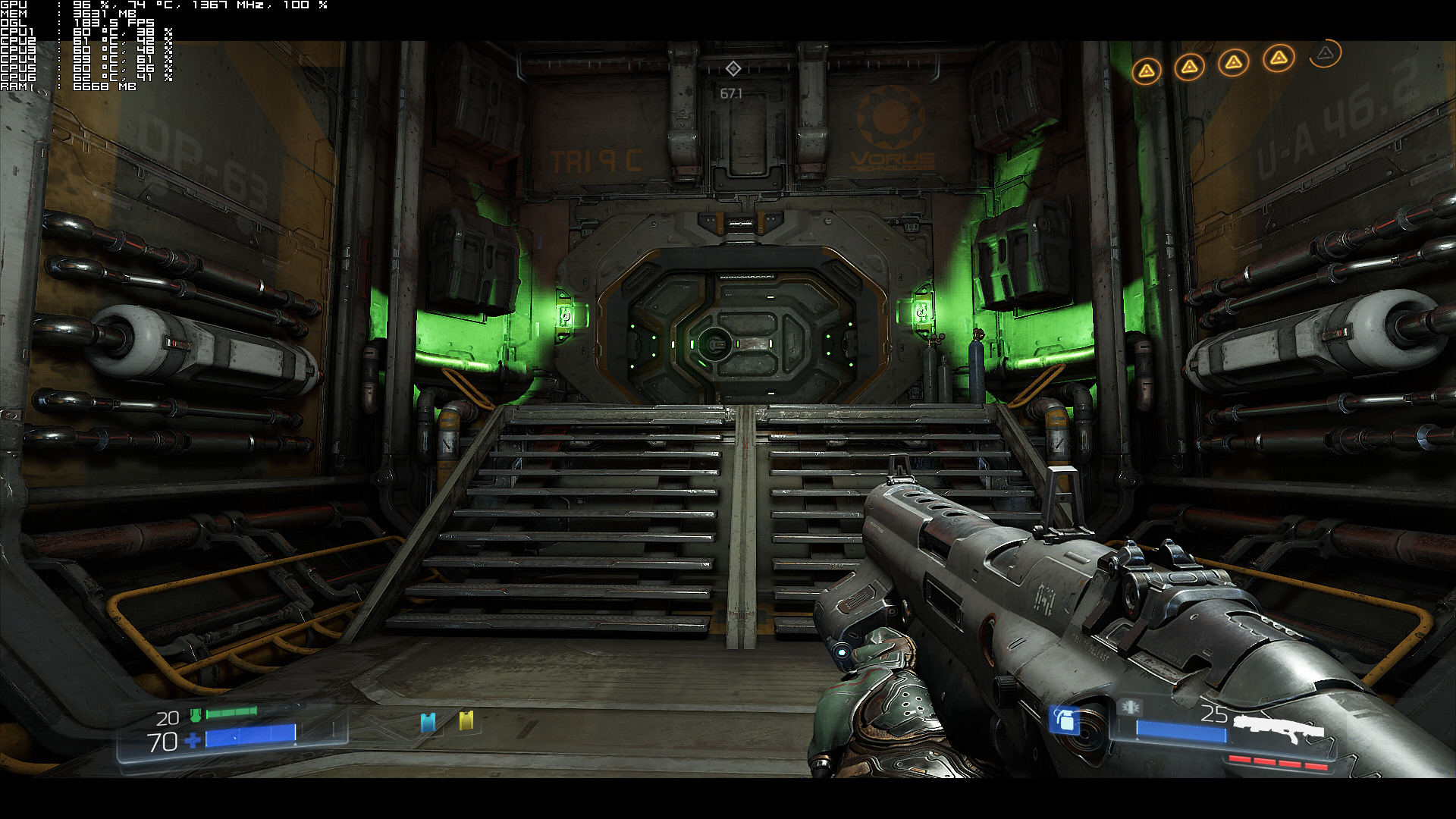
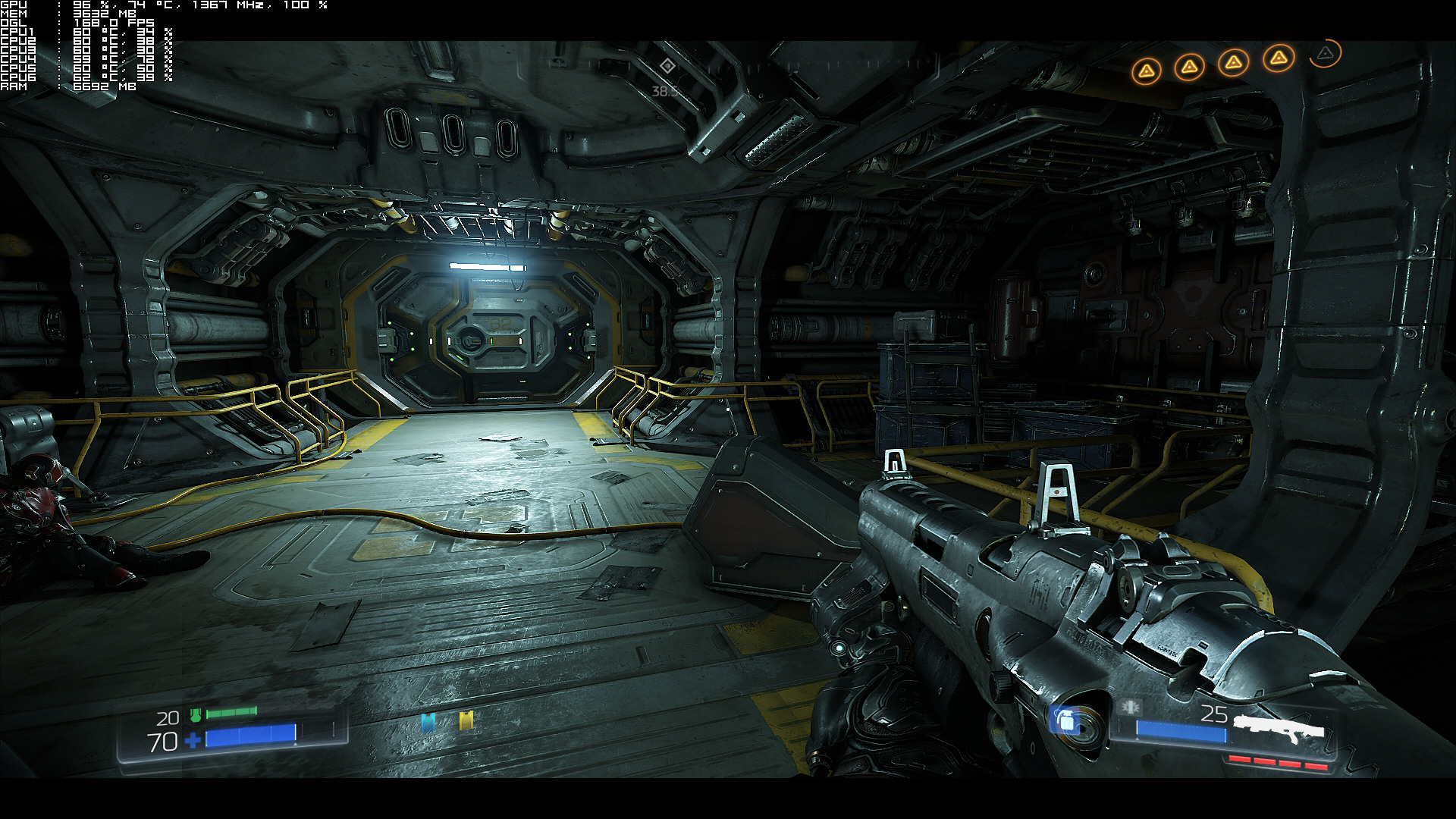
DOOM is a highly anticipated game as it’s the first title that is being powered by the new id Tech 6 Engine. id Tech 6 is an OpenGL/Vulkan based game engine developed by id Software, and we were really looking forward to it. After all, this is the engine that other future Bethesda games will be using, so we were curious whether it would be plagued by the same issues that affected its previous iteration, the id Tech 5. Thankfully, id Software did a great job with this engine and as a result of that, DOOM looks and plays wonderfully on the PC platform.
For this PC performance analysis we used an Intel i7 4930K (turbo boosted at 4.0Ghz) with 8GB RAM, NVIDIA’s GTX980Ti and GTX690, Windows 10 64-bit and the latest WHQL version of the GeForce drivers.
Let’s start with the GTX690. Contrary to id Tech 5, id Tech 6 is compatible with multi-GPUs. NVIDIA has already included an SLI profile for this title and while the game scales on SLI systems, id Software’s lead renderer programmer, Tiago Sousa, claimed that SLI support will be further enhanced via future patches.
SLI support is coming – stay tunned
— Tiago Sousa (@idSoftwareTiago) May 13, 2016
In its current state, we were able to play the game with constant 60fps on Ultra settings in 1080p (though we did disable AA and lowered Shadows on High). According to Sousa, shadows are currently limiting SLI scalling, and an upcoming patch will resolve this issue/bug.
In Single-GPU mode, our GT690 was able to run DOOM with almost constant 60fps with a mix of High and Ultra settings in 1080p (again we had to completely disable and we lowered shadows to Low ). This proves that DOOM is enjoyable on a variety of PC systems, something that will please a lot of PC gamers.
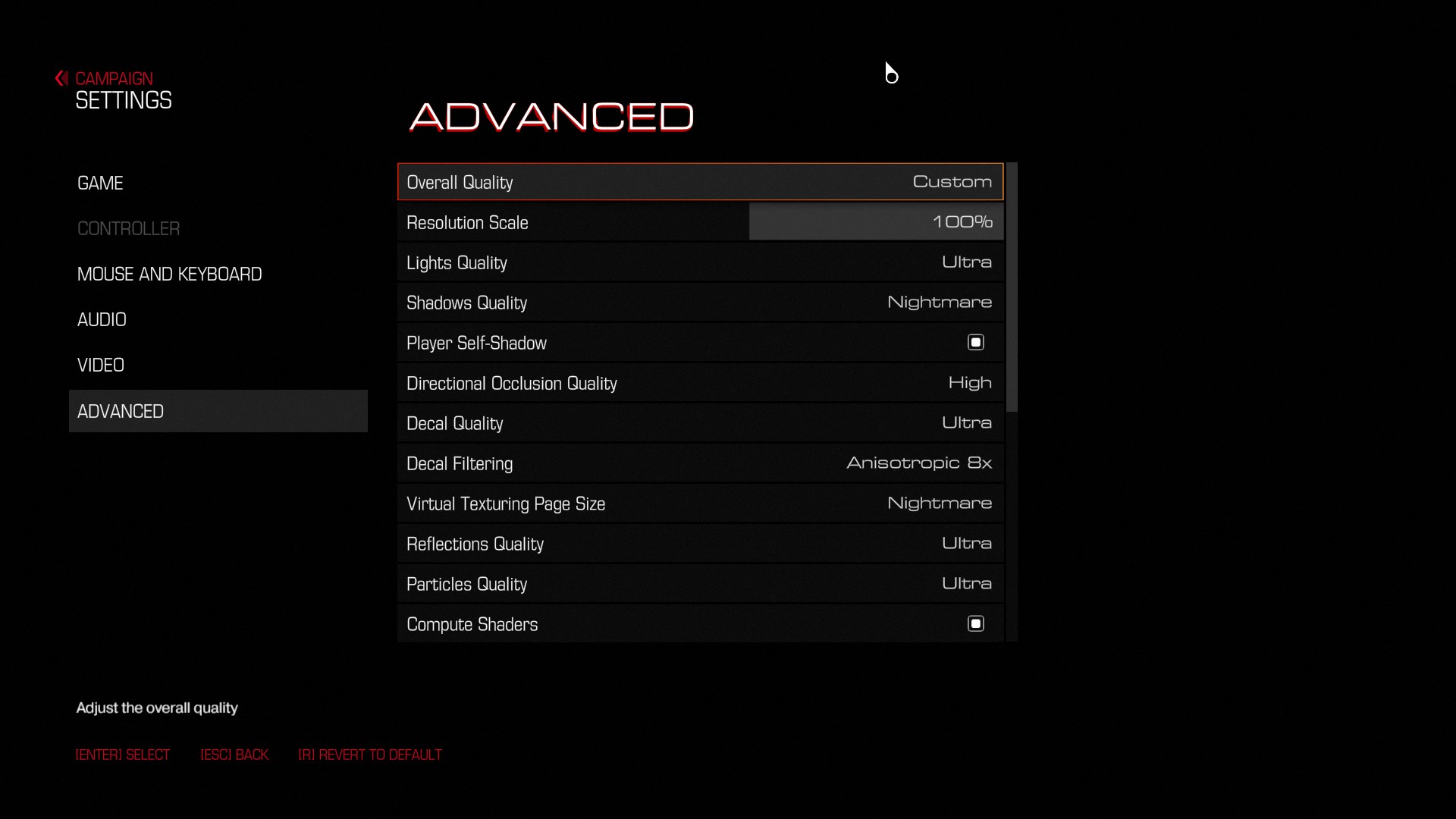
On the other hand, our GTX980Ti was able to run DOOM with constant 100fps on Ultra Nightmare in 1080p. The game also ran with 50fps on Ultra settings in 4K, however we were unable to hit a constant 60fps experience in 4K. We were unable to hit 60fps even when we disabled anti-aliasing and lowered all of our settings to High, therefore those interested in gaming at such high-resolutions will have to rely on SLI systems, unless of course they own a GSync monitor. If you do own one, you will be able to enjoy a smooth experience with DOOM in 4K.
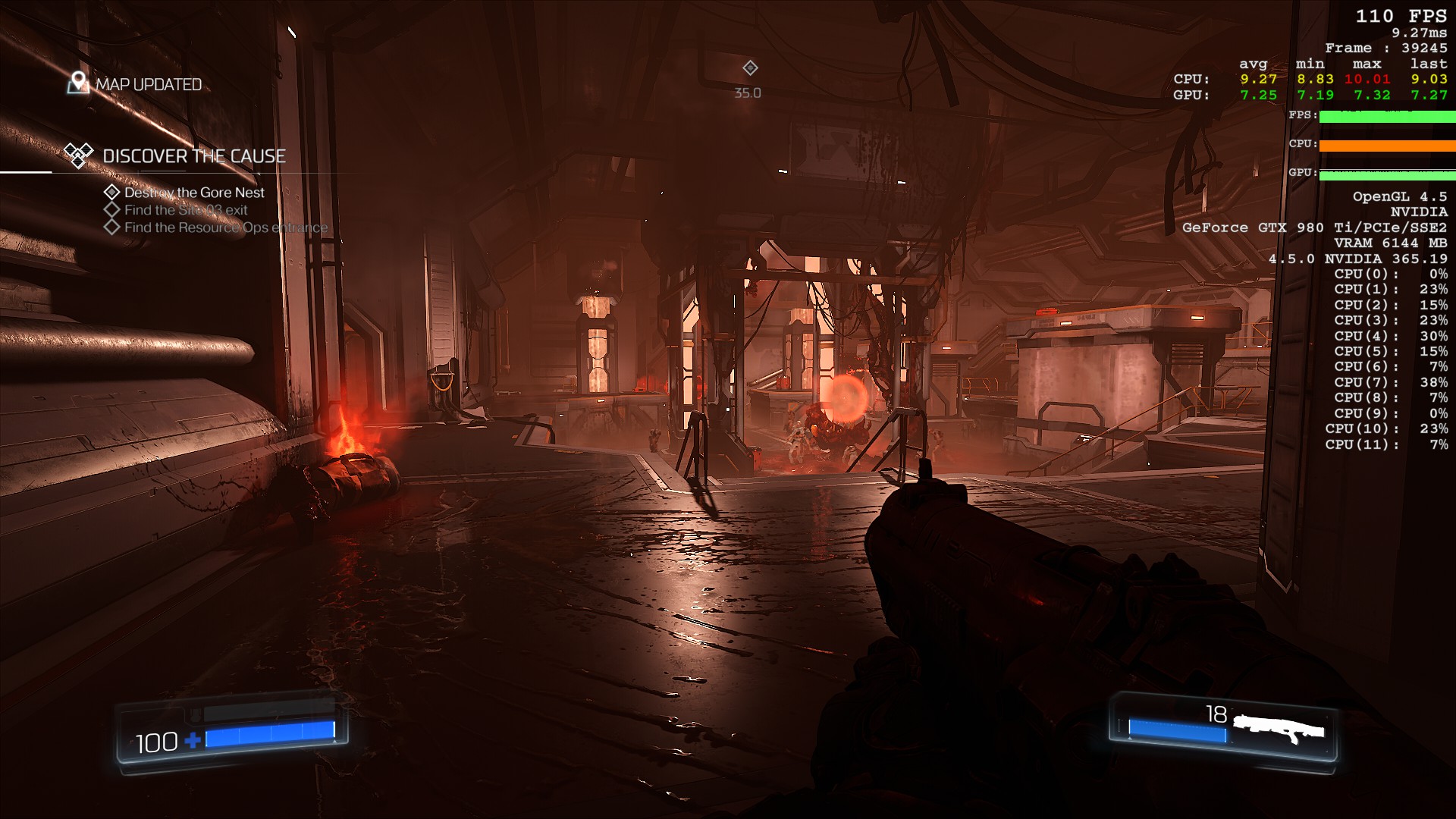
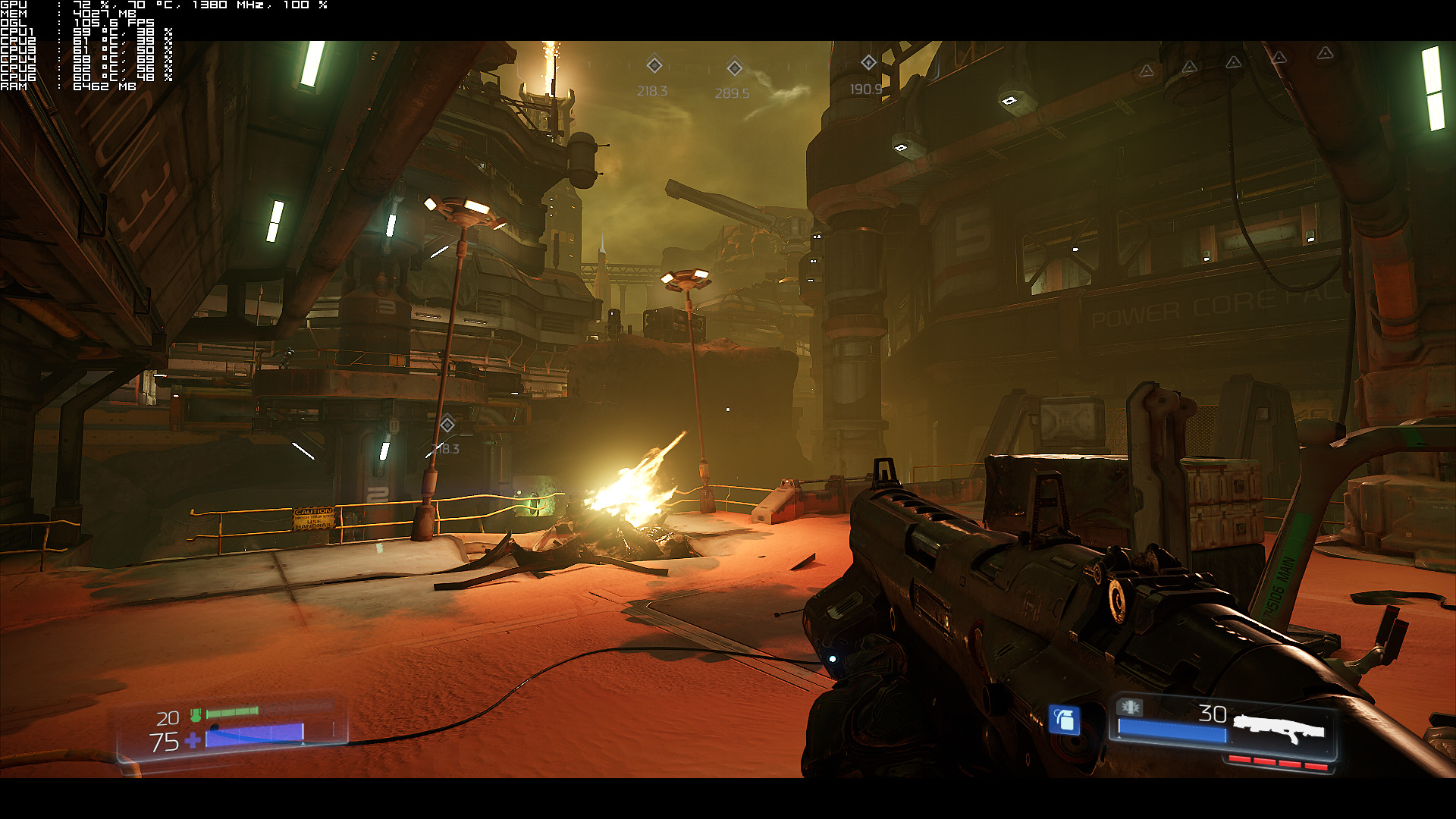
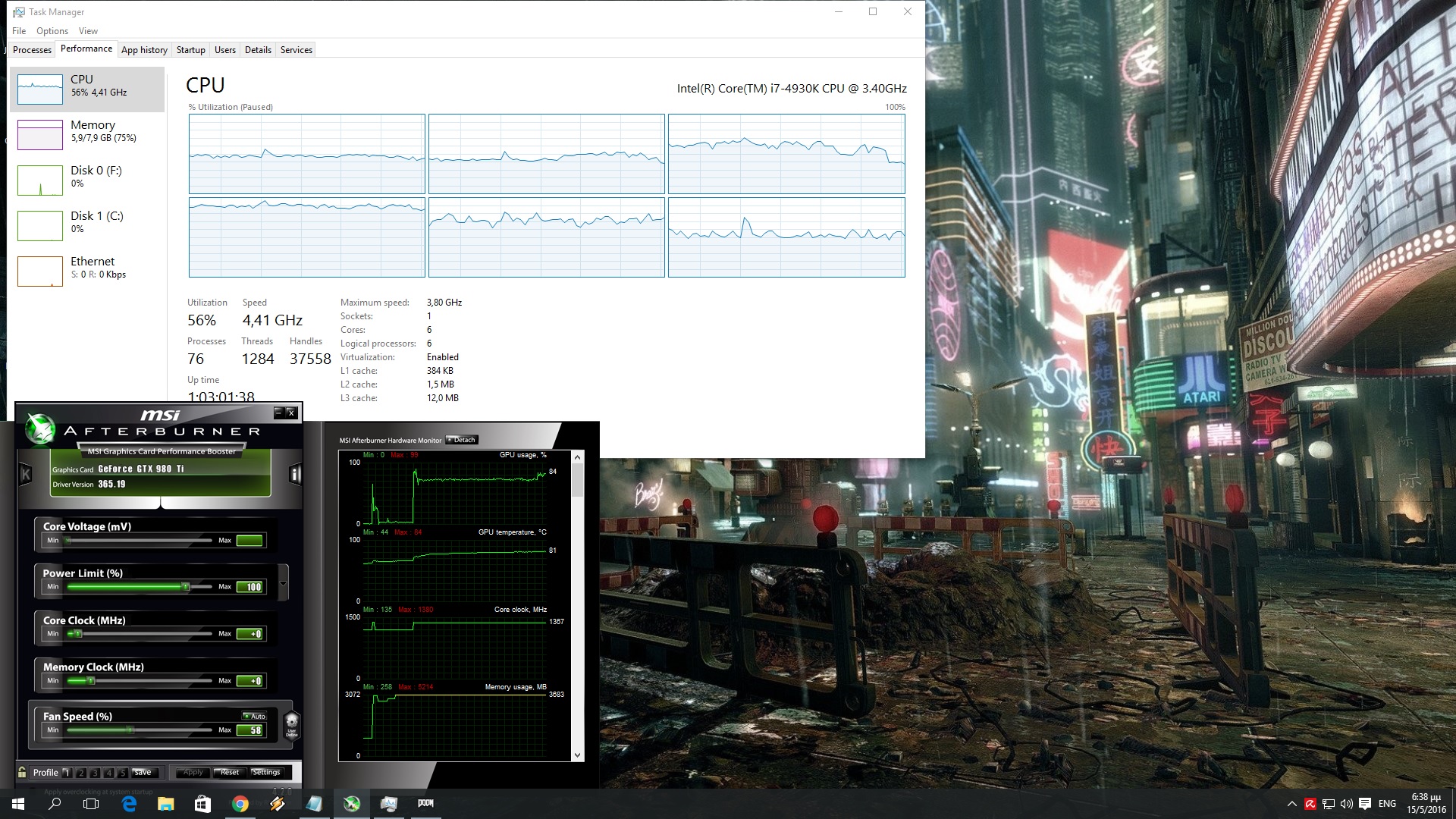
Now while DOOM runs exceptionally well on the PC, we did notice some optimization issues (that could be very well due to the OpenGL API). As we can see in the following screenshot, our GPU was underused for no apparent reason. In this scene – and other outdoor scenes – our GTX980Ti was not used to its fullest, even though we were not VRAM or CPU limited. Yes, we were still above 90-100fps, however it appears that the game does not fully utilize the GPU in specific scenes. It will be interesting to see whether these scenes run better with Vulkan.
In order to find out how the game scales on various CPUs, we simulated a dual-core and a quad-core CPU. DOOM is quite easy when it comes to its CPU requirements. Even though id Software recommends an i7, we were able to run the game with constant 60fps (on Ultra settings and in 1080p) on our simulated dual-core CPU with Hyper Threading enabled. Moreover, and despite the fact that DOOM scaled well on our hexa-core, we did not notice any performance differences between our hexa-core and our simulated quad-core systems. In other words, those with weak CPUs and strong GPUs will be able to fully enjoy this new first-person shooter.
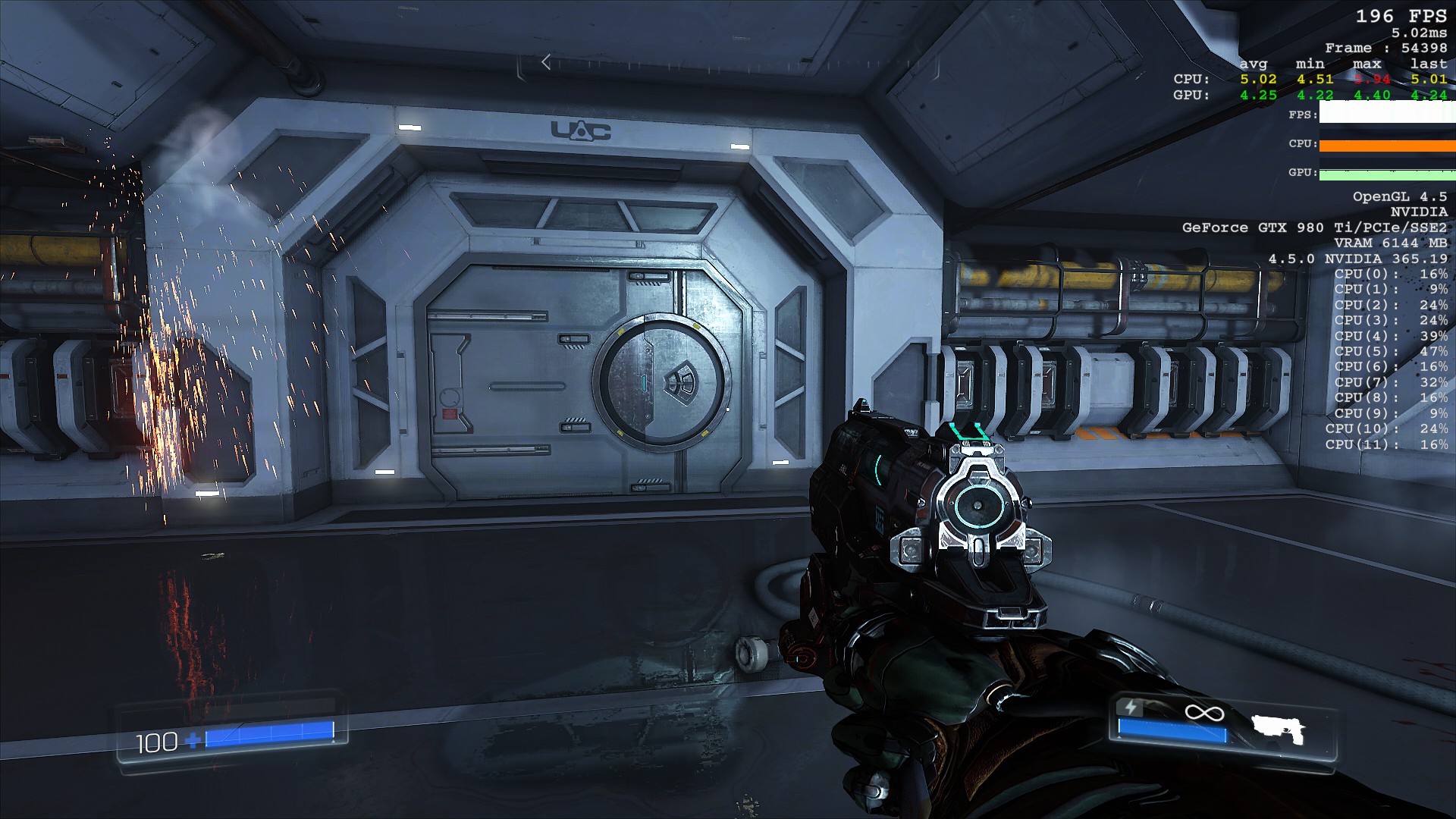
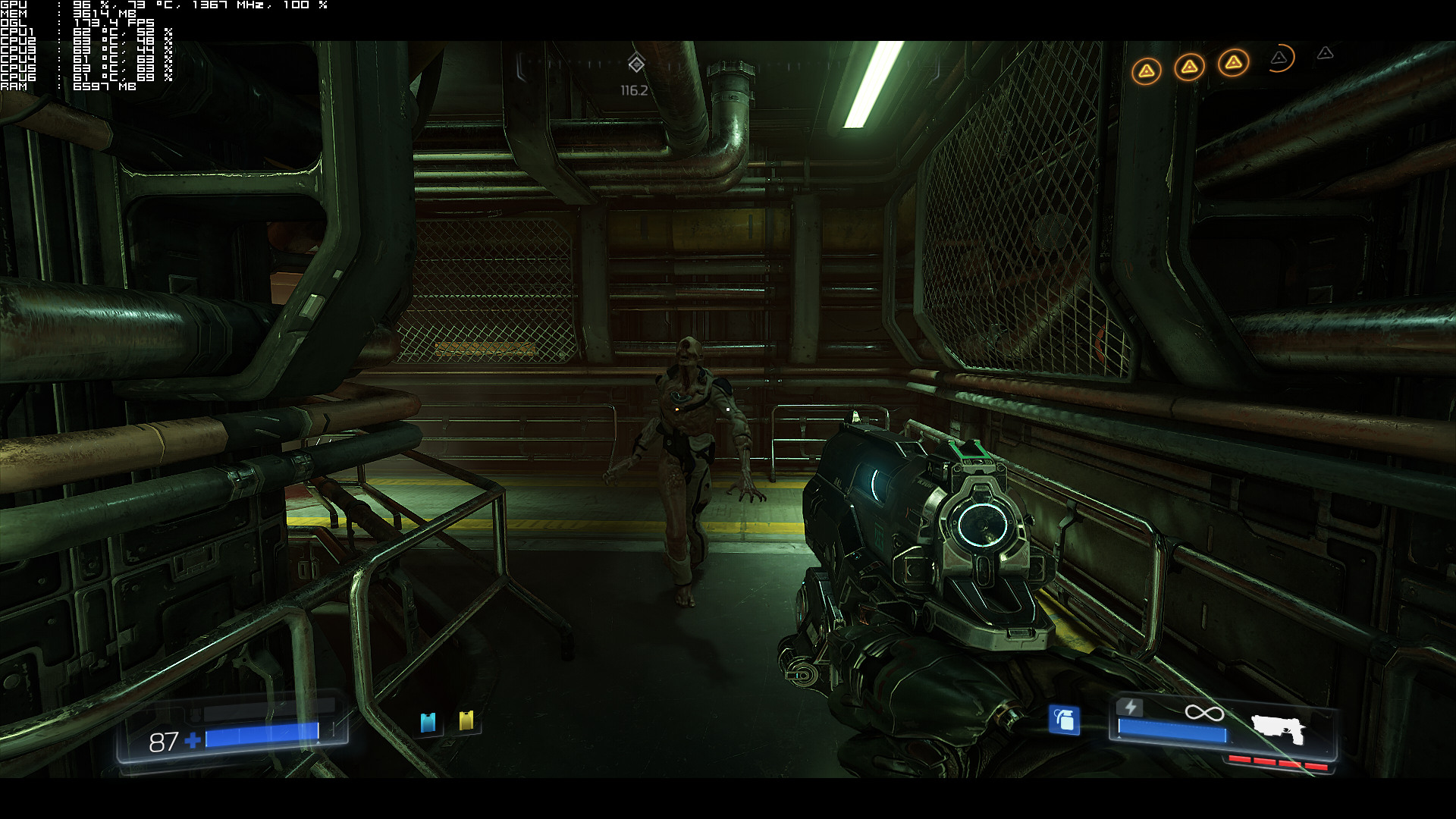
Graphics wise, DOOM is one of the most beautiful first-person shooters. The game packs great reflections, amazing volumetric light shafts, fully dynamic lighting, physically based rendering, and really detailed character models. All enemies look great and it’s pretty cool that you can actually dismember them. There are also some cool effects – like bouncing sparks and wind effects – that add a lot to the game’s atmosphere. Ambient occlusion has been greatly used and everything looks pretty spectacular. id Software has outdone itself this time as DOOM looks and performs incredibly well.
Do note that there are some issues with AMD GPUs. According to various reports, DOOM does not perform well on AMD’s graphics cards. However, it appears that this is mostly due to AMD’s OpenGL drivers. It’s been well known that every OpenGL game does not run well on AMD’s GPUs, so it will be interesting to see how the game performs on AMD’s GPUs with Vulkan.
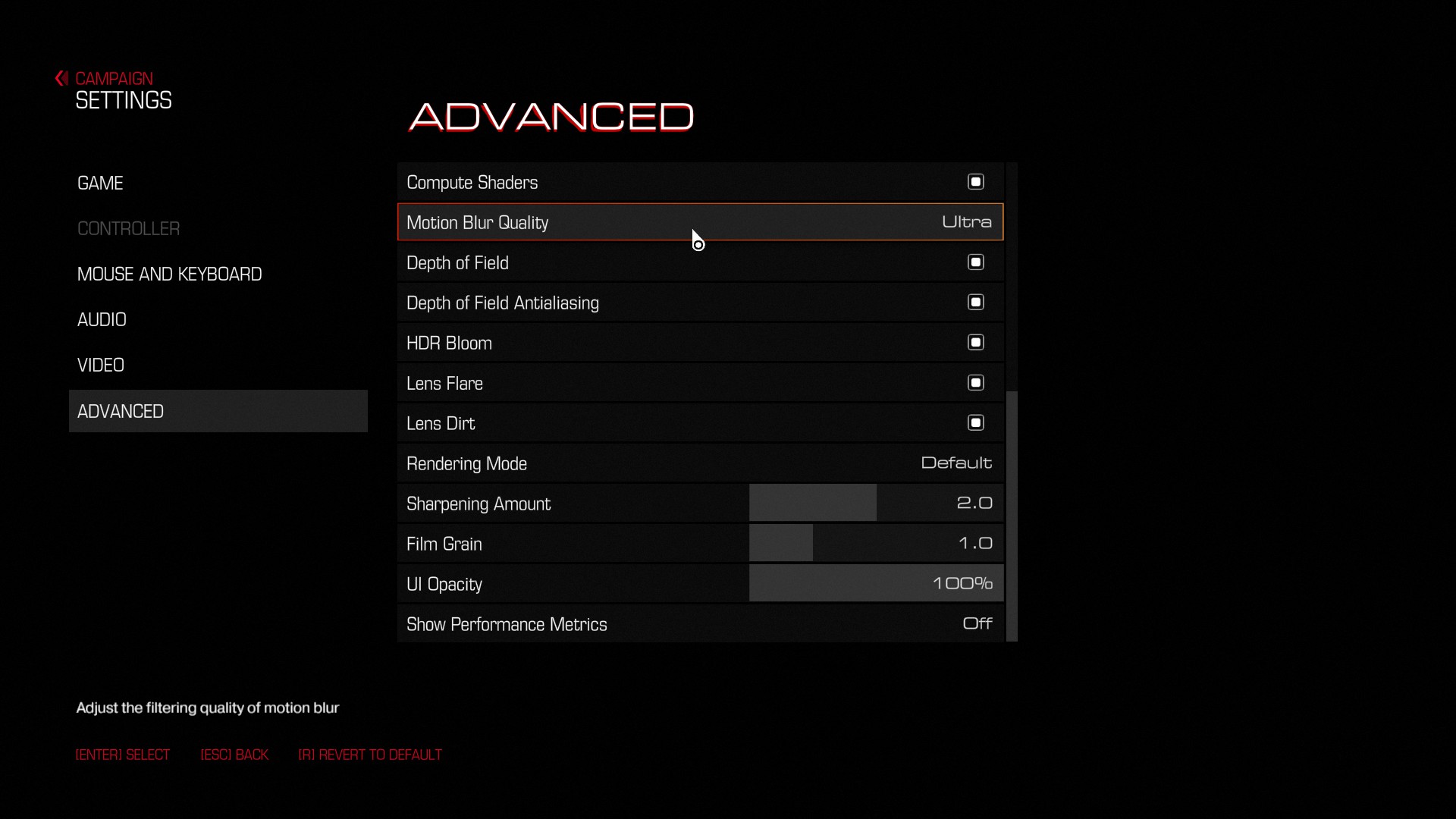
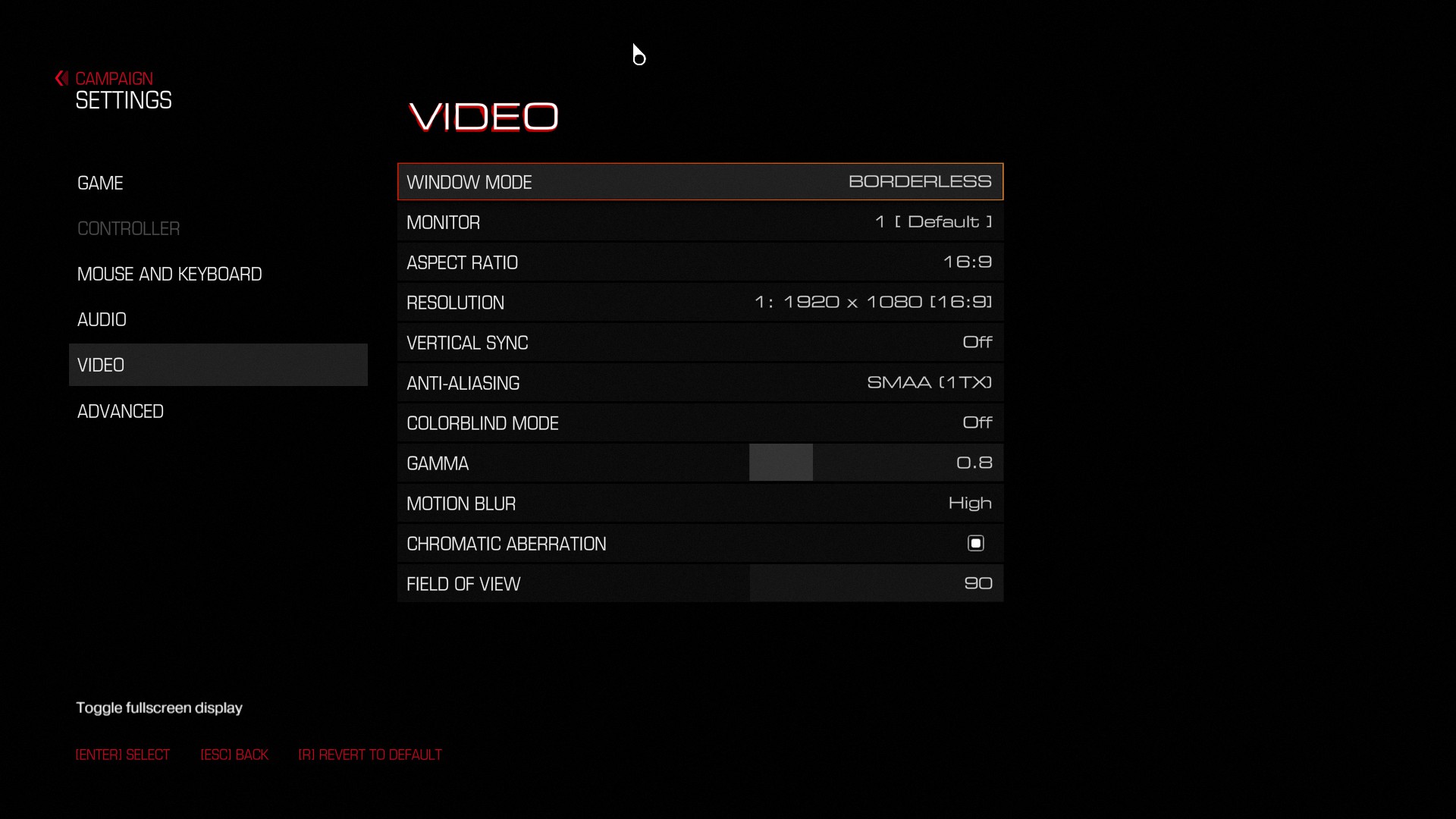
id Software has provided a wide range of graphics options to tweak. Among other things, PC gamers can sharpen their image, disable Chromatic Aberration and Film Grain, adjust their FOV, select three rendering/colour modes (we strongly suggest using ‘Cinematic’).
We should also note that mouse smoothing appears to be enabled by default. In order to disable, you’ll have to follow this guide.
- Open Steam
- Find DOOM
- Right click and select properties
- Click “Set Launch Properties”
- Enter “+set m_smooth 0” (without quotes)
- If this does not fix mouse smoothing, go to “C:\Users\(Name of the User)\Saved Games\id Software\DOOM\base” and open the file ‘DOOMConfig.cfg’ in WordPad. Scroll to the bottom to find the value: m_smooth “1”
and change the “1” to “0”, then save and close the file.
All in all, DOOM is one of the most optimized PC games of 2016. The game looks beautiful, features one hell of options to tweak, comes with spectacular built-in performance metrics, sports proper on-screen keyboard indicators, and runs superbly on the PC platform (the fact that AMD’s GPUs under-perform here is something that we should all blame AMD for, and not id Software). There are some minor gripes (like SLI not performing amazing from the get-go and the lack of Vulkan support), however DOOM – even in its current state – is a truly polished product!
Enjoy!
John is the founder and Editor in Chief at DSOGaming. He is a PC gaming fan and highly supports the modding and indie communities. Before creating DSOGaming, John worked on numerous gaming websites. While he is a die-hard PC gamer, his gaming roots can be found on consoles. John loved – and still does – the 16-bit consoles, and considers SNES to be one of the best consoles. Still, the PC platform won him over consoles. That was mainly due to 3DFX and its iconic dedicated 3D accelerator graphics card, Voodoo 2. John has also written a higher degree thesis on the “The Evolution of PC graphics cards.”
Contact: Email


vulkan will never be the main stream api as long as dx12 is around.nvidia is just going to fall more behind amd as they try and chase vulkan.all game will be made with dx12 first in mind.
dx12 is the standard api for gaming now.
I would say, I dont care both are good
I hear that Vulkan is only eight months behind DirectX 12 in development and Micro$haft has been making a blunder of DX12 thus far.
I really wonder how much of an upgrade the 1080 is to the 980ti? It is performing the same in doom.
It’s nearly as much as some fanboys are hoping for. I’m expecting the 10-20% range depending on benchmarks.
yep there is only a 6fps difference between the fury x and the gtx1080 under dx12 not vulkan.
Dude, are you ever going to shut up about this? Nobody cares!
not until everyone knows
so let’s rephrase that for everyone to also know the context…
On the most extreme use case of Async compute in DX12, in a not so graphically impressive game sponsored by AMD (originally promoting their own now-gone API), in a leaked benchmark (compared with another benchmark) using unreleased driver, the unreleased GTX 1080 is just ~12.2% faster than AMD’s top end card, which isn’t going to be replaced any time soon.
big f’n deal 😀
(btw, this game will also support vulkan)
if you think 6fps is that big of a deal there is no hope for you…lol.
nvudua fanboys are WORSE then sony fanboys.
no I don’t think ~12.2% is that big of a deal, nevertheless its more than expected considering such miserable circumstances.
are you out of arguments, AMD fanboy ?
a lot of you do think its a big deal.have you not seen the posts where people are praiseing 50% increase over titan x but when they are brought down to reality its considered a troll.
my last gpu was a gtx 660 sc i now have a r9 380x i have used both gpus.just watch there fanboys are going off the deep end prasing vulkan now lik WrATH did.i swear if nvidia jumps off a bridge they would follow..lol
Just ignore him, he’s parroting the same thing in every article now over a benchmark and data which everyone should take with a grain of salt.
We all know you’re a troll. K. Stop.
the truth is a troll.if its something you like you are all aboard if its something you dont like its a troll right?
The truth is not a troll. You stating the same mindless comment 300 times, that’s trolling. I’m pretty sure we all saw first time around that the 1080 is 15% faster. No need to shove it down our throats. You should know better. Every one has its turn. When AMD announce vega10 they’ll probably take the crown. But for now, That 15% increase over the Fury X is what it is.
Let’s just ignore this poisonous, clueless individual from now on.
he’s longing for attention.
I care !!!
There’s not actually been any performance metrics done with the 1080 in Doom yet. The Vulkan demo that everybody assumed was running on a 1080 was actually running on a Titan X.
The second demo was running on a TitanX with Vulkan yeah because they didn’t have any GTX1080’s after the event.
It’s nice to see OpenGL return so well in a great game with great performance. Hey, you can play Doom without Windows 10 and DX12 being forced up your as*. Shocking isn’t it how you can play games on a graphics API without being limited to Windows versions. This is why Vulkan and OpenGL are better. Also,Id Software, welcome back to form.
to bad dx12 is the industry standard api games will be made with dx12 in mind first.
*For now.
always will be.
Yet your playstation does not use DX XD
my pc and xbox does.
Don’t tell him about how AMD get destroyed in Doom, seems their OpenGL performance is not upto par, too busy supporting proprietary APIs where AMD have an advantage.
this. no need to worry even if you don’t have win 10.
Now I wonder how they managed to have normal mapping with megatextures. I mean, normal mapping would mean needing at least 3 textures (diffuse, normal mapping and specular) and idtech 5 struggled with just one.
If it is indeed megatextures, then OMG did they really fix them. There are no more streaming issues, we have dynamic lighting and we get all the advantages without the inconveniences (except perhaps file size, this game is HUGE).
Now I’m really pumped about Dishonored 2 (even more than before), I want to see what Arkane can achieve with this engine.
Can’t find anything solid about how they got this to work but yeah looks like they fixed it somehow, I mean you wouldn’t have those commands and same names if it wasn’t megatexture technique.
Is it for sure fixed…..?!? I’d “love” to know before buying….
It is GREATLY improved, almost completely fixed. I never found instances where the textures would stream like in Rage or Wolfenstein. It’s more like Unreal Engine, where all the textures stream when the level loads and stay focused the whole time. I think they make the engine load all the textures at “High” (to give it a name) and then, when you stare directly at them, they are completely loaded at “Very High” or “Max”.
I think what they do is save all the textures of a level on a single huge file, but use them the traditional way (tiled) instead of having a huge texture that covers the whole level.
Sweet man….this could quite as well be my Father’s Day gift. Any word on proper scaling across three and four cards…? Would love to play maxed out 4K…!
Apparently it will be supported. There is some support already, but it will be improved, according to Tiago Sousa (id current tech guru).
Speaking for myself, I have a single GTX 970 and a core i7 4790k and I play at almost max settings and always hit 60fps at 1080. I said almost max because there are two settings that require more than 4GB of vram. The game looks beautiful and has a great AA solution with very little artifacting. Even of you don’t reach 4k, I think you will be pleased at 1440.
Yeah that is exactly it. With two cards I am able to easily get 1440 to scream faster than 60fps….usually in the 70’s. That is with everything turned up all the way. As soon as I hit 4K I am in the low to high teens. Some serious driver optimization needs to happen as my cards “power wise” are not hitting past 60-70% even thought their usage is hitting 85-98%…..
Kind of regretting getting the game the other night, but I was doing so in hopes that it will of course support my hardware.
Still hoping so……
Not that it really matters at the resolution I play at (1440p) but when I check in NvCntrlPnl for this game’s profile I have it set to NVidia Reccomends and it’s selected single gpu. Does any one elses say anything different? I see the alternate frame render choices as well but not like a specific sli profile
I set the sli settings to use nvidia alternate render 1.
Sli works well at 4k but seems locked to 60fps.
RIP AND TEAR !!!
After all the good reviews and critics of the single player i’ll definitely get that game. Supporting developpers that doesn’t put it’s pc consumer base to the side deserve some recognition. Can’t wait to play!.
Well I was so wrong about this game. I thought it was going to be s h i t. No dev’s from the original two games. Beta’s felt like console trash ports. And I thought only Shadow Warrior 2 would be the only good FPS on PC this year.
Well holy f’k was I wrong. Not only is this game amazing on performance. The game is fun and everything I have done in the game has been enjoyable.
Dev’s did a wonderful job with this game. Now if only the MP was as fun as the SP this game would have GOTY written allover it.
“unless of course they own a GSync monitor.” so happy i do worth every penny, just like modern free-sync i’m sure
Meh, extremely boring game. I knew what it was going to be. What waste of an opportunity to bring back doom. Heres hoping they leave Quake alone and give it to Machine Games.
Anyone able to comment on the scaling of more than two cards? I’d love to pick this up, but only if I can really push my system with it…
I returned this game to many crashes and blue screens im running i5 3.5GHz 4 core with 16 GB ram ,GPU MSI 270x 1080/ 1400 MHz on a 1080 monitor only finished the campaign and then updated and after that couldn’t even star the game after the update and after trying to reinstall, update drivers , set resolution , set to 2 core , etc, etc, still not working. Amazon gave me my 804 back thank goodness.
Wow! What an empty, useless article! There is ZERO information here on how to tweak graphics settings. Great job, John!
Some news on MODDING john….
DOOM 2016 is already considered a masterpiece by many. Now the game has gotten even better, thanks to a PC modder called Ian Babbitt, who has gotten dynamic resolution scaling to function within the game’s PC version. Babbitt revealed his discovery on Twitter, and through a YouTube video.
Babbitt details how to enable Dynamic Resolution Scaling in the comments of his YouTube video, but the gist of it is simple. Enabling this feature requires PC gamers to use DOOM 2016’s “DoomLegacyMod” and a simple set of console commands. DOOM’s “DoomlegacyMod” can be downloaded on Reddit using this link.
Using these tweaks, Babbitt was able to get his GTX 1070 to run DOOM 2016 at a dynamic 4K with a 60FPS target, and if the video below is anything to go by, the game is able to sit very close to that target.
DOOM’s “DoomLegacyMod is also able to re-implement several developer-only console commands into the game, including noclip, infiniteHealth, noPlayerdeath, noPlayerKill and noTarget.
https://twitter.com/Smurfman256/status/1226073522331668480
https://www.overclock3d.net/news/software/doom_2016_now_features_dynamic_resolution_scaling_thanks_to_a_pc_modder/1
https://www.youtube.com/watch?v=6hcw3pad5VE&lc=UgwImtkHf06hQyI940N4AaABAg.94nKV-PjY5594nV7aSTX8x
Hey john/dsog staff,
Just check out this MOD…..I think this might interest you guys….
An Italian modder called “MassiHancer” has showcased a modded version of DOOM 2016 with raytraced visuals, utilising programs such as Reshade with Pascal Glitcher’s Raytraced Global Illumination shaders to give DOOM 2016 a “photorealistic” appearance.
MassiHancer has added several new effects to DOOM 2016, such as Global Illumination and improved volumetric smoke, dynamic depth of field, motion blur and colour grading. Looking at MassiHunter’s video below, we can see that these effects all have a significant impact on DOOM 2016’s visuals.
https://www.overclock3d.net/news/software/pc_modder_brings_raytracing_to_doom_2016_with_photorealistic_effects/1
Sadly, this mod is not available to download at this time. It currently utilises Pascal Gilcher’s RT shaders, which are only available to his $5/$20 Patreon subscribers. On top of this, MassiHancer’s mod is currently in development. In the future, MassiHancer plans to release DOOM 2016’s photorealistic mod with a detailed video tutorial on how to install it. This will likely come after Pascal Gilcher’s RT shaders release out of beta with a few performance enhancements.
The gameplay footage below was played on a system with an i7-8700K processor and an RTX 2080 Ti graphics card. Even with these high-end specifications, this modded version of DOOM 2016 has some framerate issues. That said, this mod is likely to offer stronger performance when it is ready for release.
MassiHunter has showcased raytracing mods for several titles on YouTube, showcasing raytraced effects in Star Wars: Jedi Fallen Order and “Filmic” mods for Star Wars Battlefront II, Battlefield V and several other games.
Raytracing is set to become a lot more common within AAA titles over the next few years, with both the Xbox Series X and PlayStation 5 boasting support for Hardware-Accelerated Raytracing. With both Nvidia and AMD supporting raytracing in hardware with future GPU releases, raytracing has moved from being a future technology to something that’s just around the corner for consoles and mainstream GPUs.
https://www.overclock3d.net/news/software/pc_modder_brings_raytracing_to_doom_2016_with_photorealistic_effects/1
https://www.gamestar.de/artikel/doom-fotorealistisch-mit-raytracing-fan-mod,3354479.html