Well, that was an interesting month. Back in August, we contacted Capcom for a Q&A tech interview about Dead Rising 3 PC. The Japanese company welcomed our request, however things got really weird during these past two weeks. Initially, we agreed with Capcom to publish our interview two or three days prior to the game’s release and while the company was – at least at first – more than happy for such an interview, it never really answered our interview questions. What’s also surprising is that Capcom remained silent and refused to send us a review code for Dead Rising 3 when we requested one.
Alas, here we are today with our PC Performance Analysis of Dead Rising 3. And even though Capcom has already released two patches, the game remains – technically – an utter mess.
As always, we used an i7 4930K with 8GB RAM, Nvidia’s GTX690, Windows 8.1 64Bit and the latest version of the GeForce drivers. While Nvidia has not officially released any SLI profile for this title yet, there is a workaround for all SLI owners. All you have to do is use a third party tool (like Nvidia Inspector Tool), find the game’s profile, and use the following settings:
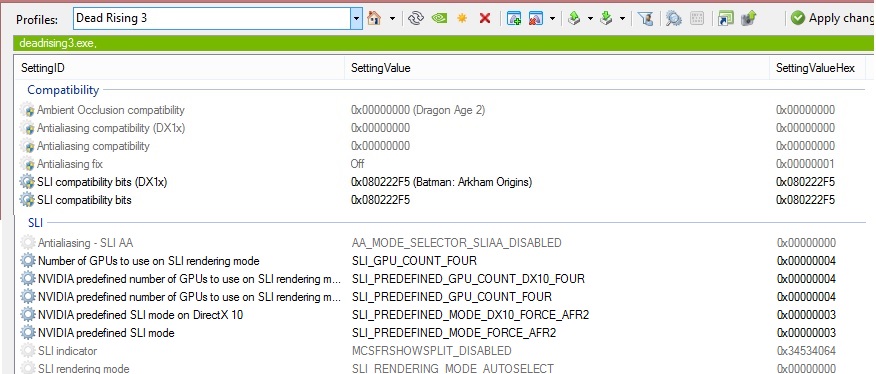
By doing these changes, you’ll enable SLI support. SLI scaling is not ideal and there are various flickering issues with shadows when set at High. Moreover, this SLI profile is incompatible with SMAA T2X, meaning you’ll have to settle with either FXAA or SMAA. Still, this is better than nothing, so here is hoping that both Capcom and Nvidia will start working together in order to solve the game’s issues.
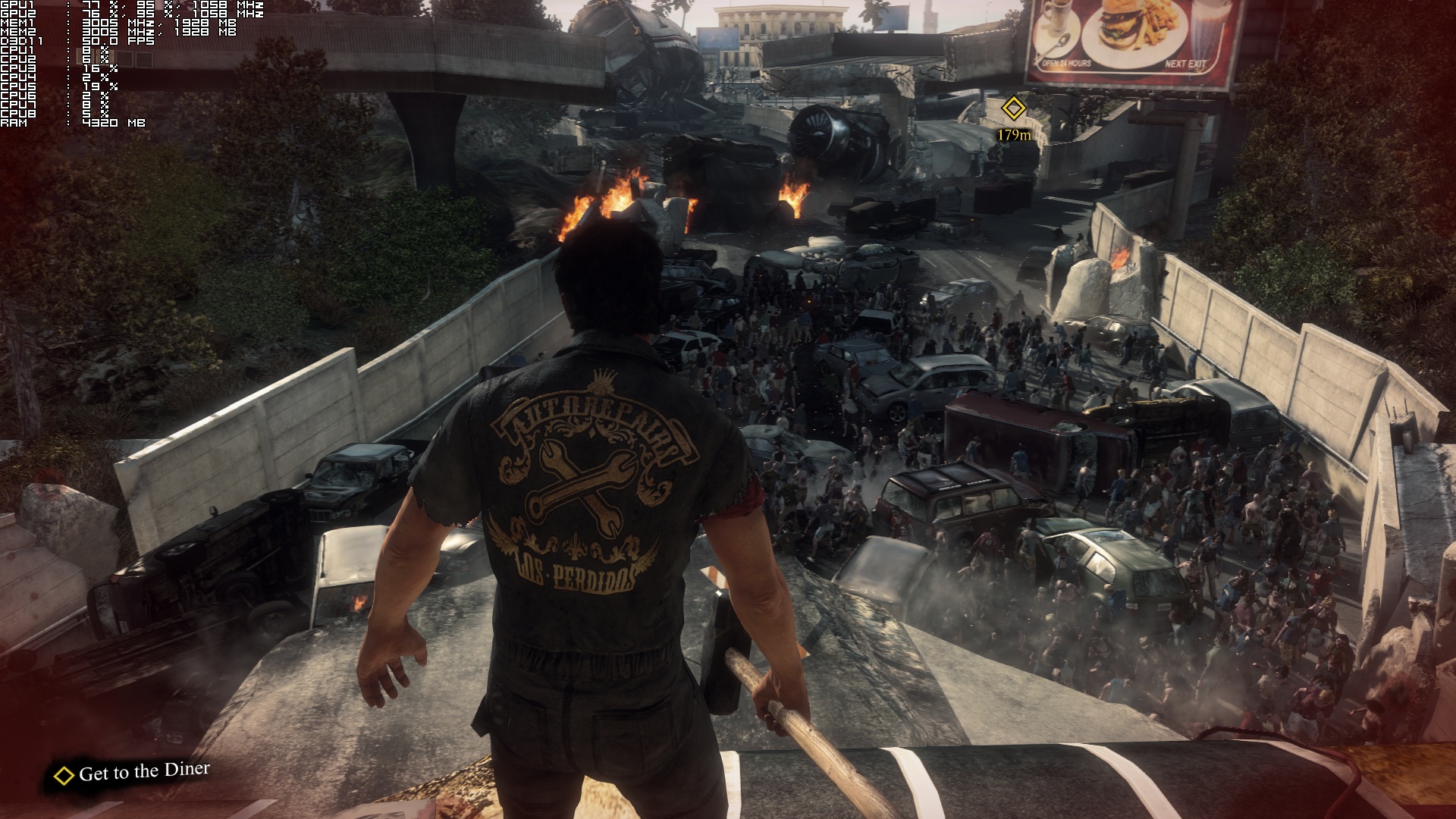
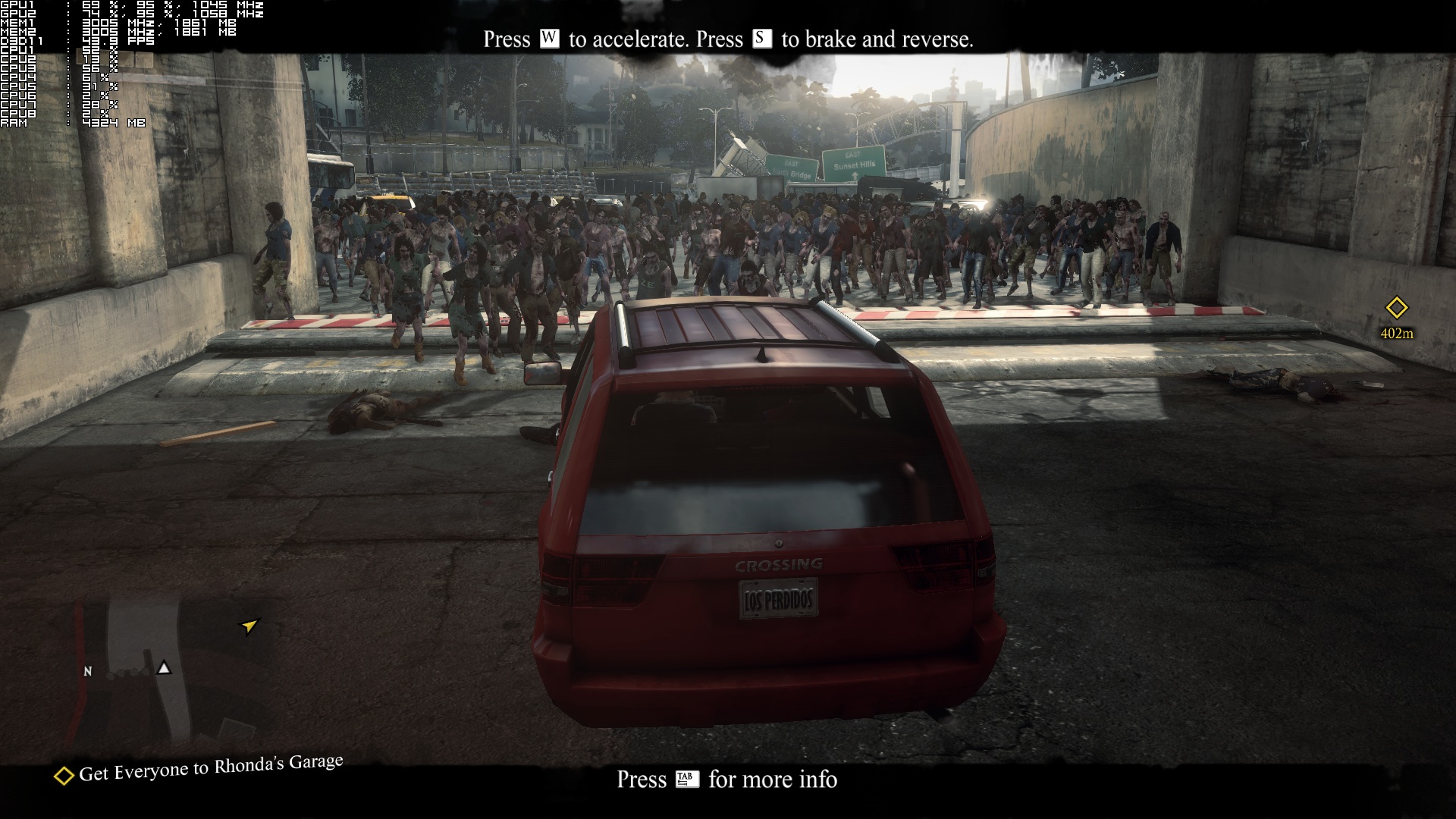
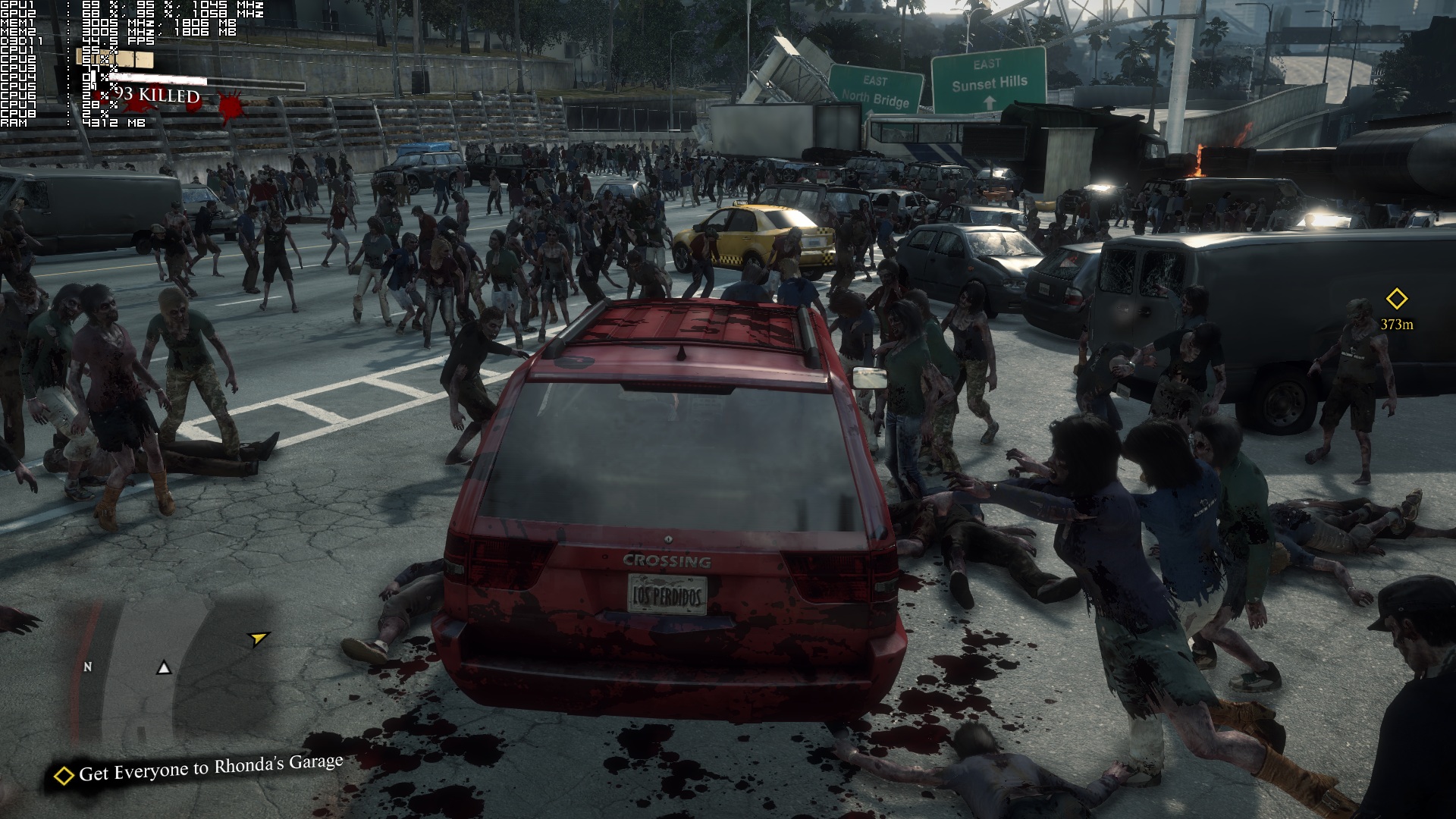
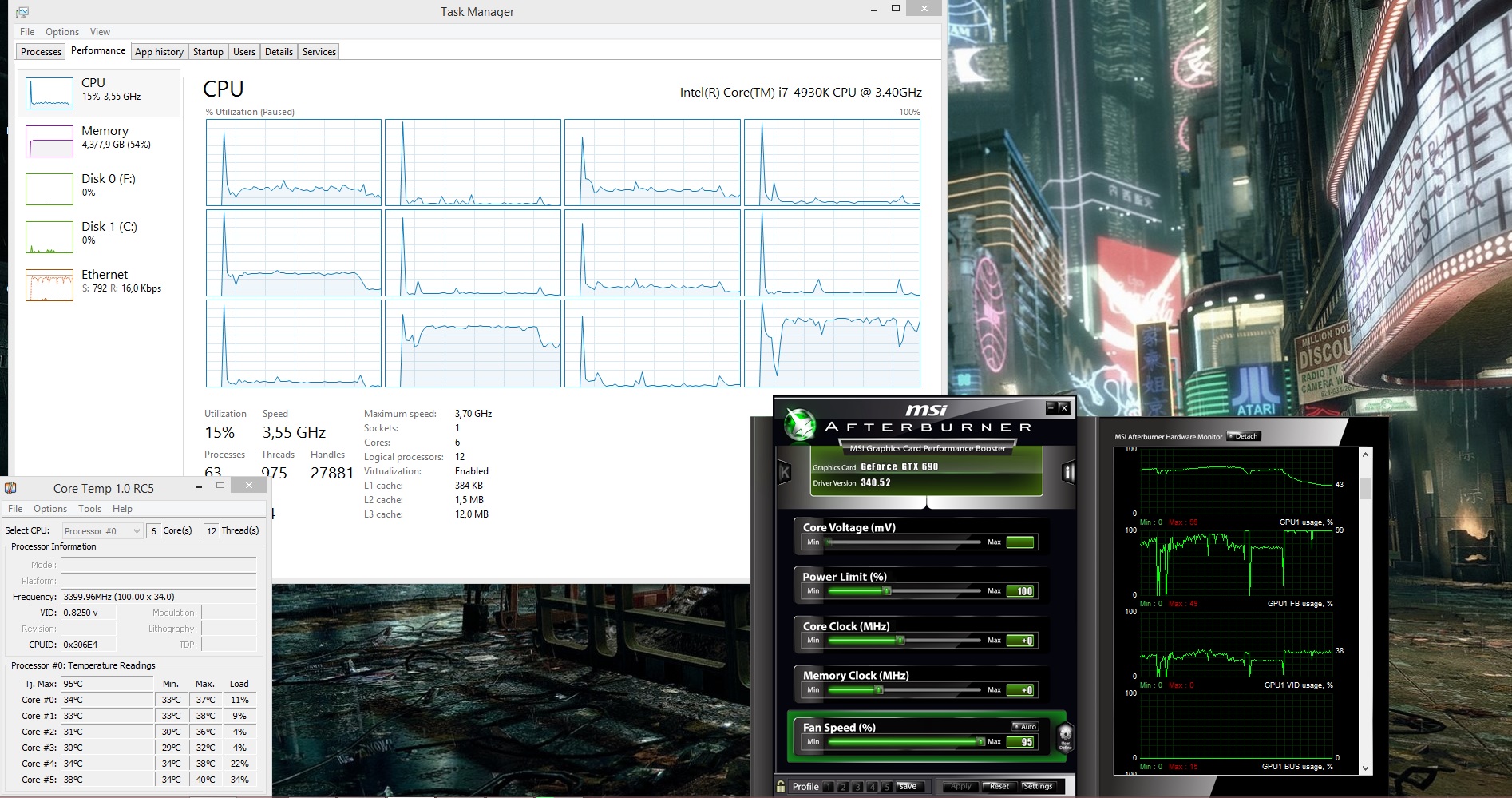
Dead Rising 3 features a lot of zombies on-screen and – somehow – big environments. Naturally, a lot of people would believe that this game puts a lot of stress on the CPU, however that’s not the case. Dead Rising 3 is mainly a GPU-bound title, as even a dual-core CPU is able to push constant 30fps. Not only that, but there is literally zero performance difference between tri-cores, quad-cores and hexa-cores (and obviously octo-cores).
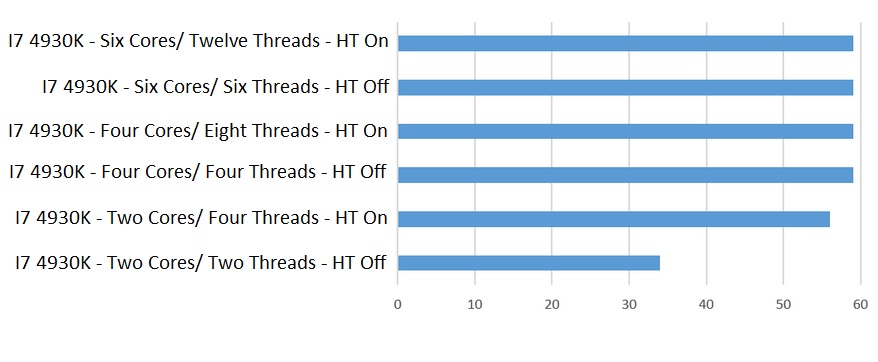
In order to avoid any GPU limitation, we lowered our resolution (both normal and internal) to 720p but kept using High settings as some of them (like LOD) affect the CPU instead of the GPU. Dead Rising 3 was mainly using two of our CPU cores (even when there were a lot of zombies on screen). And while three additional CPU cores were used, they were not stressed at all (which obviously explains why quad-cores perform similar to hexa-cores). As seen above, our simulated dual-core system ran the following scene with 34fps with Hyper Threading disabled. When we enabled HT, we noticed a jump at 56fps.
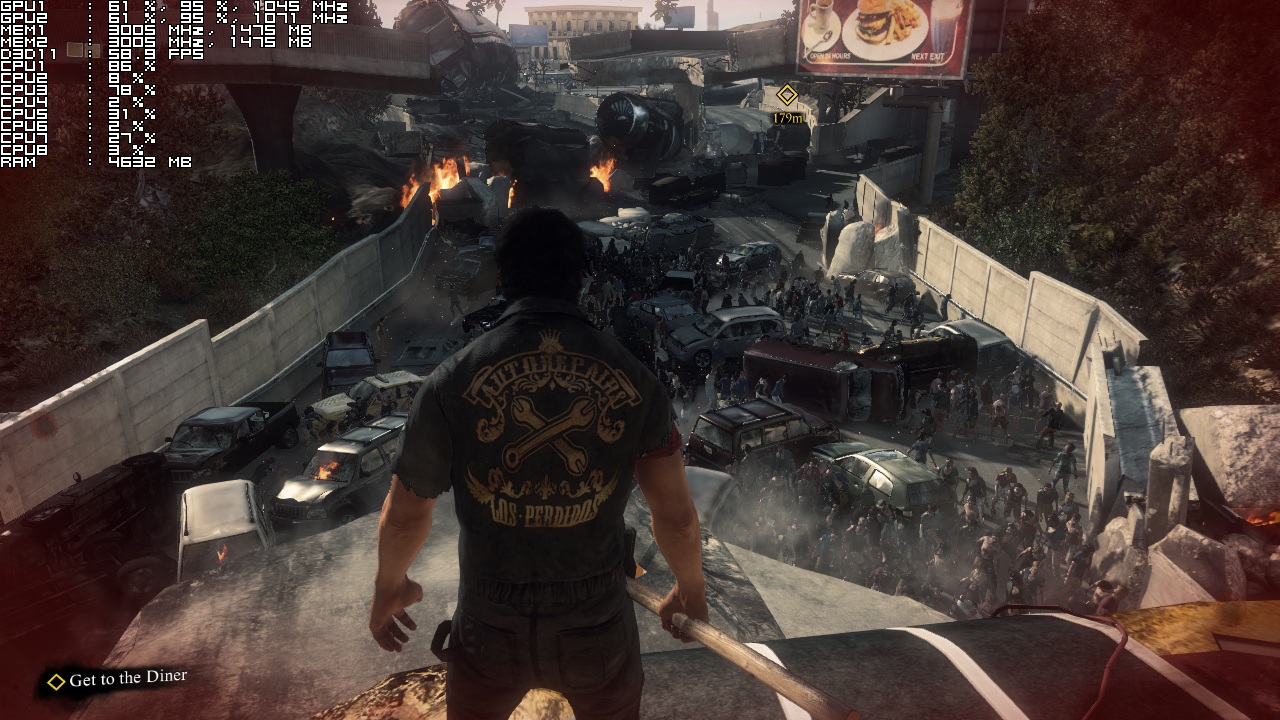
Even though Dead Rising 3 does not require a top of the line CPU, it does require a lot of GPU juice. Our GTX 690 was unable to offer a constant 60fps experience, as there were a lot of drops to mid 40s. At this point, we need to remind you that there isn’t any official SLI profile, which means that SLI performance may get a significant boost once Nvidia releases one. Apart from that, Dead Rising 3 filled up all of GTX690’s VRAM, meaning that 2GB of VRAM is simply not enough for this game. In order to lower VRAM usage and avoid most of the stuttering issues caused by it, we had to disable Motion Blur and AA.
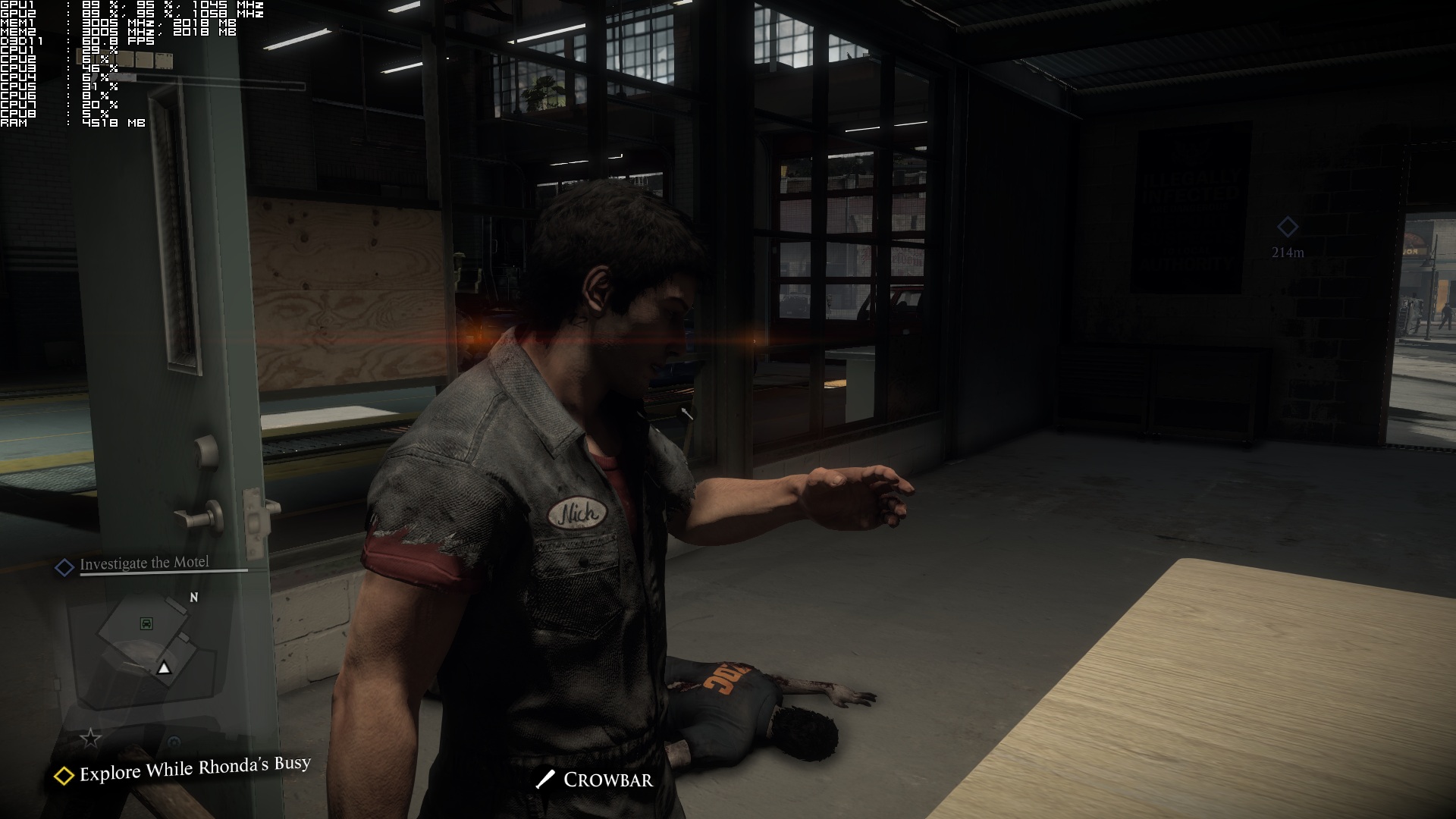
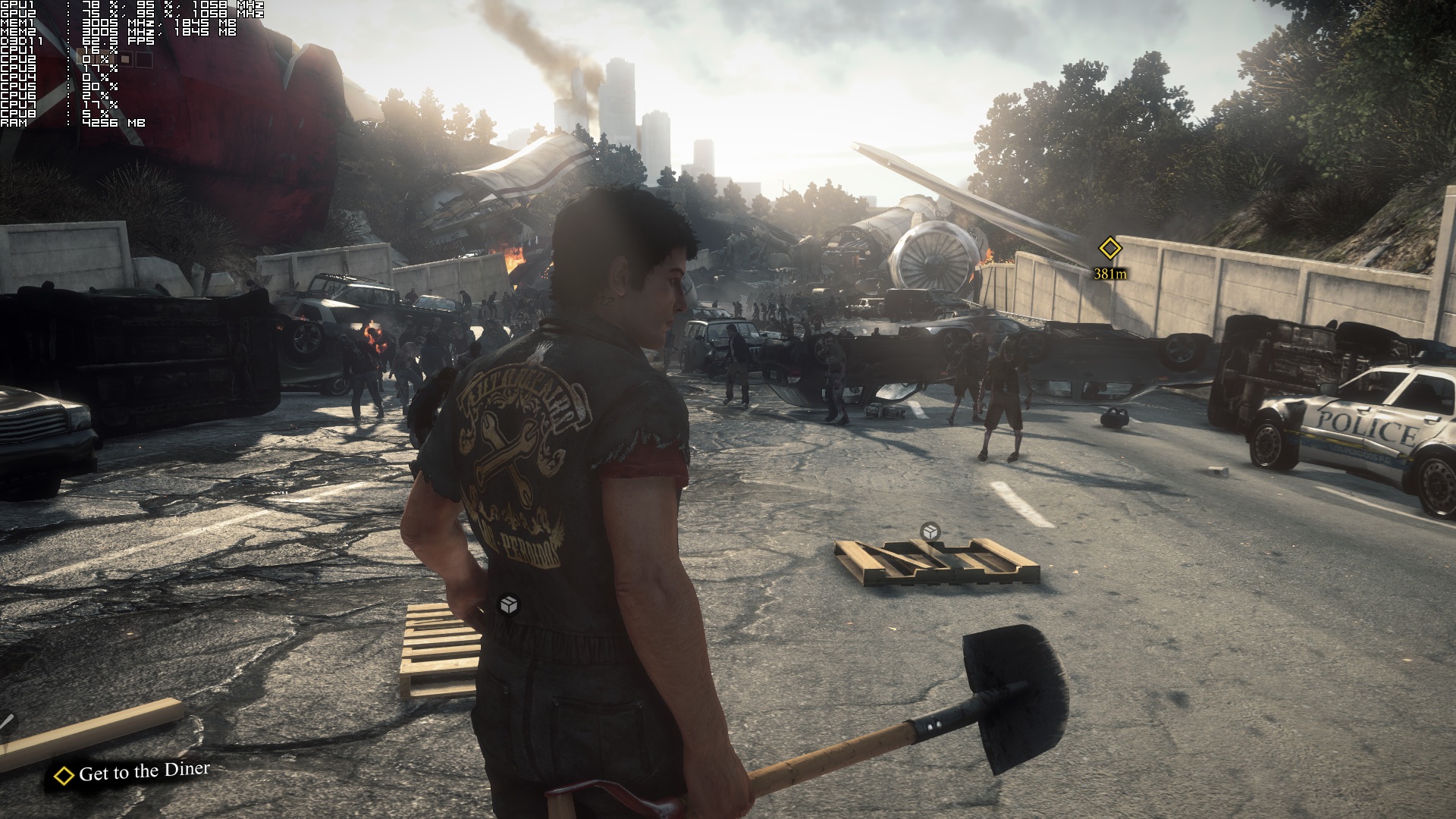
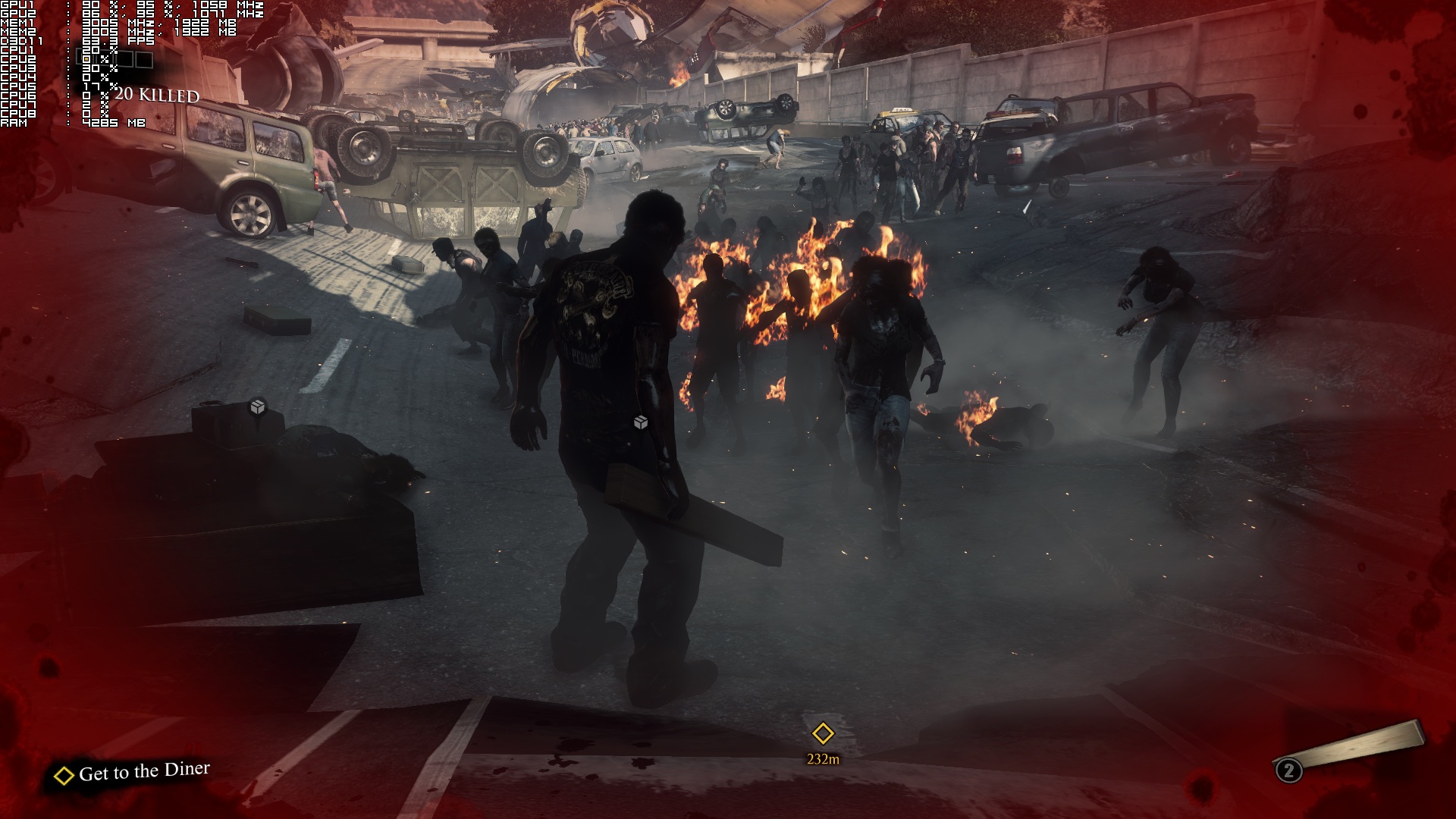
But does the game’s visuals justify such high GPU requirements? Not at all. There is noticeable pop-in of objects even when LOD has been maxed out, and we were really disappointed by a lot of square-ish and low-res shadows. There are also a lot of low-res textures which makes us wonder what exactly is filling up 2GB of VRAM. Characters are made of a respectable number of polygons, however they are not that impressive (especially for a current-gen only game). Particles and physics effects are also not that impressive for a current-gen only game.
Thankfully, Capcom has included a number of graphical options to tweak. However, the one that affects the performance the most is the internal resolution of the game’s renderer (Game Quality). Therefore, we strongly suggest tweaking that one before you start lowering anything else.
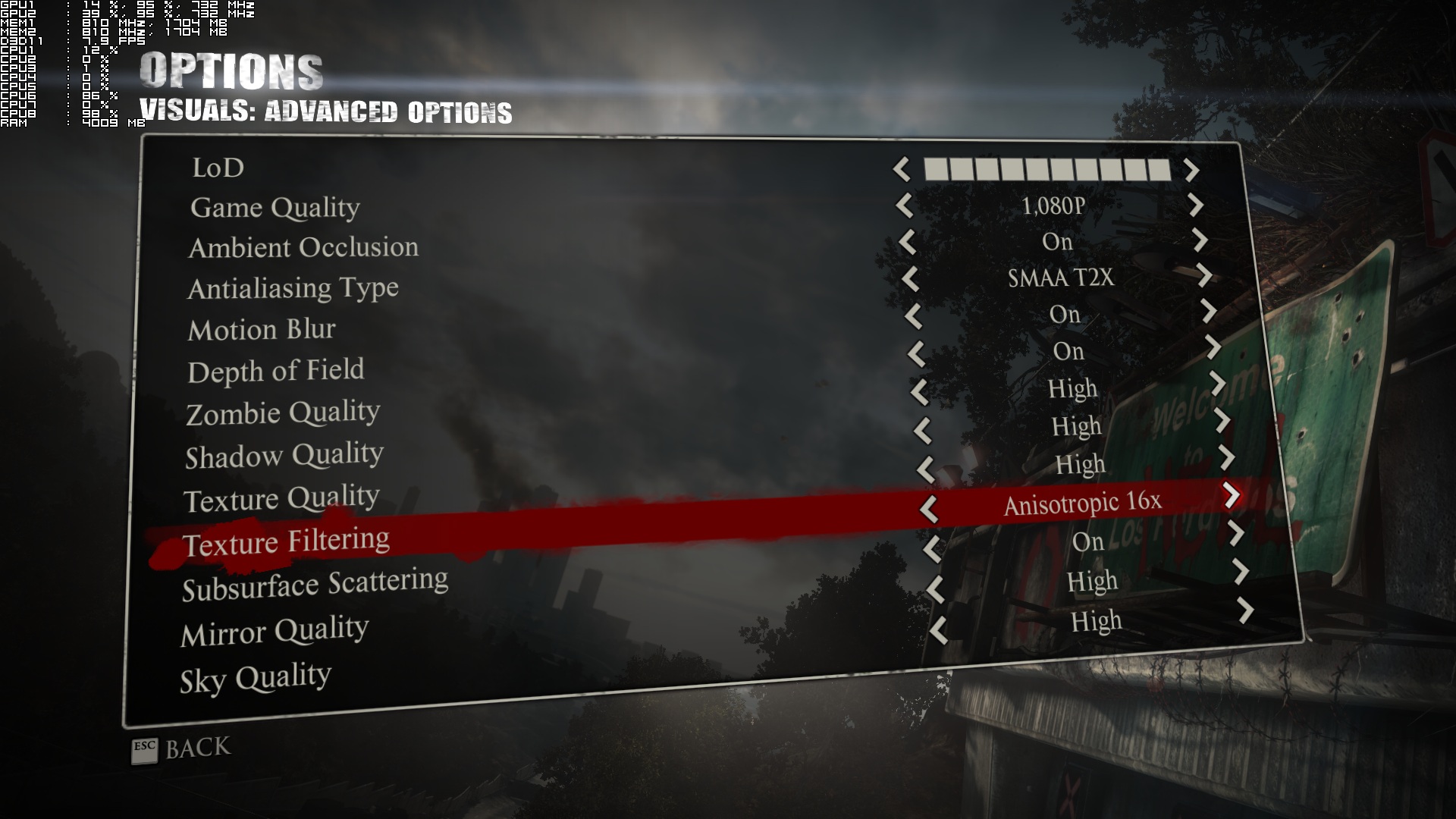
The game was originally locked at 30fps, though Capcom does provide a way to unlock the frame-rate. In order to unlock the frame-rate, you’ll have to create a user.ini file, add to it the “gmpcr_unlock_frame_rate = True” command (without the quotation marks) and place it in the folder that includes the game’s executable file. Do note, however, that you will need a really high-end GPU in order to get smooth frame-rates (above 50fps). For instance, while a single GTX 680 is able to provide a constant 30fps experience at 1080p with almost max settings, it’s unable to provide a constant 45fps or 50fps gameplay experience.
All in all, Dead Rising 3 is a mess. We kind of hope that Nvidia will offer a performance boost via an official SLI profile, however we do not expect to see a performance patch from Capcom. Dead Rising 3 requires a high-end GPU in order to be played with more than 50fps, despite the fact that its visuals do not justify such requirements. Add to this some instability issues (word has it that previous versions of the Geforce drivers are more stable than the latest one) and you got yourself a product that was released before it was fully ready.
Enjoy!
John is the founder and Editor in Chief at DSOGaming. He is a PC gaming fan and highly supports the modding and indie communities. Before creating DSOGaming, John worked on numerous gaming websites. While he is a die-hard PC gamer, his gaming roots can be found on consoles. John loved – and still does – the 16-bit consoles, and considers SNES to be one of the best consoles. Still, the PC platform won him over consoles. That was mainly due to 3DFX and its iconic dedicated 3D accelerator graphics card, Voodoo 2. John has also written a higher degree thesis on the “The Evolution of PC graphics cards.”
Contact: Email


That figures coming from Capcom. Now to wait on them fixing or working along with Nvidia on the Optimus/Dual GPU issue that many people have experienced making the game completely unplayable. Thanks for getting this out so quickly considering.
Come on man… Capcom has been doing great since they broke away from letting UBIsoft port their games to PC.
Last bad PC port that was really bad was the original RE4 on PC. Everything else since then has been a huge improvement. I just think Capcom/Vancouver’s dev team needs to get more educated in how to Dev for PC.
To be honest I did not expect much from Capcoms Vancouver dev team. It’s going to take more like a 5 too 8 gig patch to fix this game in both visual and optimization performance. No driver fix is going to help.
My Wife’s MSI 750ti I got her for her desktop plays Titanfall better then a xbox1 and yet a 680 has a problem with higher settings? Nope the dev team blew it big time on PC.
Besides it’s 2014 not 2001 a PC gamer should not have to deal with user files to make mod like improvements.
Why should anyone be surprised? It’s cashcom = shitty ports.
DmC was an exception.
Street Fighter 4 was best port in ages . Same goes for Resident Evil 5. After that … poor ports by Cashcom . I heard DMC was done well . I haven’t played it yet (Revengeance too) . I am not into hack n slash games .
DMC was perfect. Sweet gfx,smooth gameplay and best of all – Amazing control over your character. It was a proper PC port and game. DR3 however is in a whole other cathegory -.-
“DmC was an exception.”
It wasnt by capcom and it as unreal enigne.
I been playing a lot of PC games by Capcom. And from what I seen they are pretty straight forward 60fps plus games. I currently own RE4 HD remake, RE5, RE6, RE Relations, SFU IV, DMC 3,4, as well as the newest and yet This game is the only shitty port I seen on PC from capcom in a long time and I blame Capcom Van dev team since I have not seen a Capcom to PC game this bad for visuals and performance pretty much since SF2 was on floppy on DOS……
On a Side note the original RE4 on PC was very very bad. But not many people know that is was infact UBISOFT who ported Capcom games to PC at and before that time frame. Go figure huh XD
Dead Rising 2 was poorly optimized at launch as well which was made by the same dev team.
Capcome from the start have very difficult time optimaze this game on Xone and even they contact ms for helps I wasn’t surprised too see this shity and unacceptable preforms from them
capcom should either change the engine or hire some talent ppls to work with them
?????????thx john great performance analysis but when you unlocked fps cpu usage stay the same? Cause eurogamer says u need very high end cpu to run it 60fps im lost here:-)???????
It’s the ESRAM that is a problem and the main issue is that what to use the ESRAM for because it’s a limited amount and much. much faster than DDR.
New GTA 4 .
1080p ultra 40-50 fps>720p mid settings 28 fps xbone
Console optimization brah. Only pc gets unoptimized games.
Yeah, PC’s suck as they can’t handle the next gen games. Xbone is more powerful than a 3000 dollar PC! Oh wait
Make it 6296 dollars. Sounds better…
LOL, CONSOLE KIDS, KEEP PLAYING THOSE CONSOLES BOYS, MY PC, IS RUNNING THIS GAME AT CURRENTLY 65 FPS. AND GUESS WHAT, 0 LAG ANYWHERE, JUST BECAUSE YOUR PLAYING ON PAPERWEIGHT, DOESNT MEAN THE REST OF US ARE. BRO.
Haha .. Please make it 16000 dollars… I did check one PC worth 16000 Dollars!!!
That’s not a very realistic comment is it? You really think consoles don’t have any optimization/frame rate issues? Think again m8.
that was sarcasm
You’re right, my bad!
Thats exactly what i am saying that consoles run like crap they are not optimized.
and don’t forget, Xbone dips to 14fps, A LOT 😀
Dont know about perfomance…but its quite a fun game and I can run at 30FPS maxsettings/1440p solid and I dont have a 690!
Ive been playing this game from day 1 with the only issue being saving the game. That was patched yesterday (btw, there’s only been 1 official patch, not 2). I’ve had no other issues with this game and I think it looks great. The textures are nowhere near the “low res” that was mentioned and we’re finally moving to a next gen game that can stress hardware.
if a game did nothing but these stupid crazy hi-res textures that everyone always screams for, it would eliminate 95% of PC users as their rigs wouldn’t be able to run it, downloads would be beyond gigantic, and the game would take years and years to develop. Then people start screaming that a game has “no optimizations” because they dont have hardware to run it…oh wait
shit port confirmed, 50$ saved. thanks. also 50$ more saved from GTAV delay on PC
I have played that game on my 680GTX OC (above 770GTX speeds), locked 40fps, no stuttering (very enjoyable experience on gamepad). Can you compare that to xbox one 720p, 14-30fps ? No, so even in it’s current state PC is the best version available and in the future new Nv drivers will give me even better performance (in current state 280x is 20fps faster compared to my 680GTX OC). Most importantly game itself is fun and I will rate it 8+/10.
Because in XBONE the games runs like shit, doesnt mean the game was better optimized.
Capcom usually does a pretty good job with PC ports, unlike others….. Anyway, this game was developed by their new western team, using a brand new engine. This game is a mess on both console and PC.
Still not satisfied only with this game Port from Capcom!
Capcom i guess you guys should have made a proper port first then the game should have been released for PC!
This game as low, is not better than any game released before 2013 in low. So why does this need an 200 or better GPU? Lazy developers.
They should have delayed this, but i guess they were money hungry so they threw it out there to make quick cash, i lost faith in Capcom for sure for this move and will not be buying another game of Capcom. Sad cause they were my favorite since childhood, damn has that changed.
Well…. it runs better then GTA IV….. so no, not even close to being the worst port in PC gaming history. It looks better, and have about 500 more characters on your screen at one time, and have a about 1000% more things you can interact with and reacts to physics, Dead Rising wacky physics.
I haven’t actually had any issues with the game, and everything they promised before release is there, with the added DLC’s.
Pretty sure GTA IV had some amazing physics for its time. GTA IV also ran well, the only thing constituting to it being a “shit port” was that it had several graphical issues. They could range from ludicrous z-fighting to massive stutters. What’s the point of having a high FPS when your game stutters like shit?
Dead Rising 3 thankfully has none of these annoyances, but it still isn’t optimized for powerful hardware.
Yes, GTA IV had some amazing physics, but they was also limited in the amount of the world is was applied.
While you are right that it had several graphical issues, the game didn’t run well, it ran, and that was it, and it’s still like that, on my 2600k@4.9Ghz with a GTX Titan, it runs like complete a*s I’m lucky if I average 50fps. Watch Dogs is achieving a higher average FPS for me, at about 60fps, and it do run without any stuttering for me. My brothers system is a 3770k at stock speed, with a GTX 690. He is sitting at 45-50 as well.
While in Dead Rising I’m averaging 55 fps, no, Dead Rising 3 isn’t very well optimized, at least with my limited knowledge. The game looks pretty good, and a lot better then GTA IV, but that’s not what impresses me the most in the game, the amount of sh*t that is going on your screen at any given time is just ridicules. While it’s not the most amazing thing in the history of man kind, it sure as hell isn’t the worst PC port, and it’s pretty f’ing far from that.
Please tell me why with my 2 GB vram card with running the same settings as what is shown in the picture has never reach over 1917mb of vram??? It’s been like that since release. Maybe the game is more optimized now since they have started patching, but I haven’t checked since I have been to busy to play since a little after release. I find it funny that my r7 265 runs this game bettter than my friends with gpus far better. I’ve receive very little framerate drop that is really only present in the cutscenes. It’s rare if it dropped while driving around smashing zombies or just slaying them with various weapons and if it does it’s like maybe 3-4 fps drop.. So like 99% of the time it’s solid 30 fps… If I unlock the frame rate that is when the game got unstable.