Starfield feature-3

Can NVIDIA GeForce RTX4090 run Starfield at Native 4K/Max Settings with 60fps?

Starfield is right now available to those who have purchased its Digital Premium and Constellation Editions. As such, we’ve decided to benchmark the game and share our initial performance impressions. Can the NVIDIA GeForce RTX 4090 run Starfield at Native 4K/Max Settings with constant 60fps? Time to find out.

For our initial Starfield 4K benchmarks, we used an AMD Ryzen 9 7950X3D, 32GB of DDR5 at 6000Mhz, and NVIDIA’s RTX 4090. We also used Windows 10 64-bit and the GeForce 536.99 driver. Furthermore, we’ve disabled the second CCD on our 7950X3D.
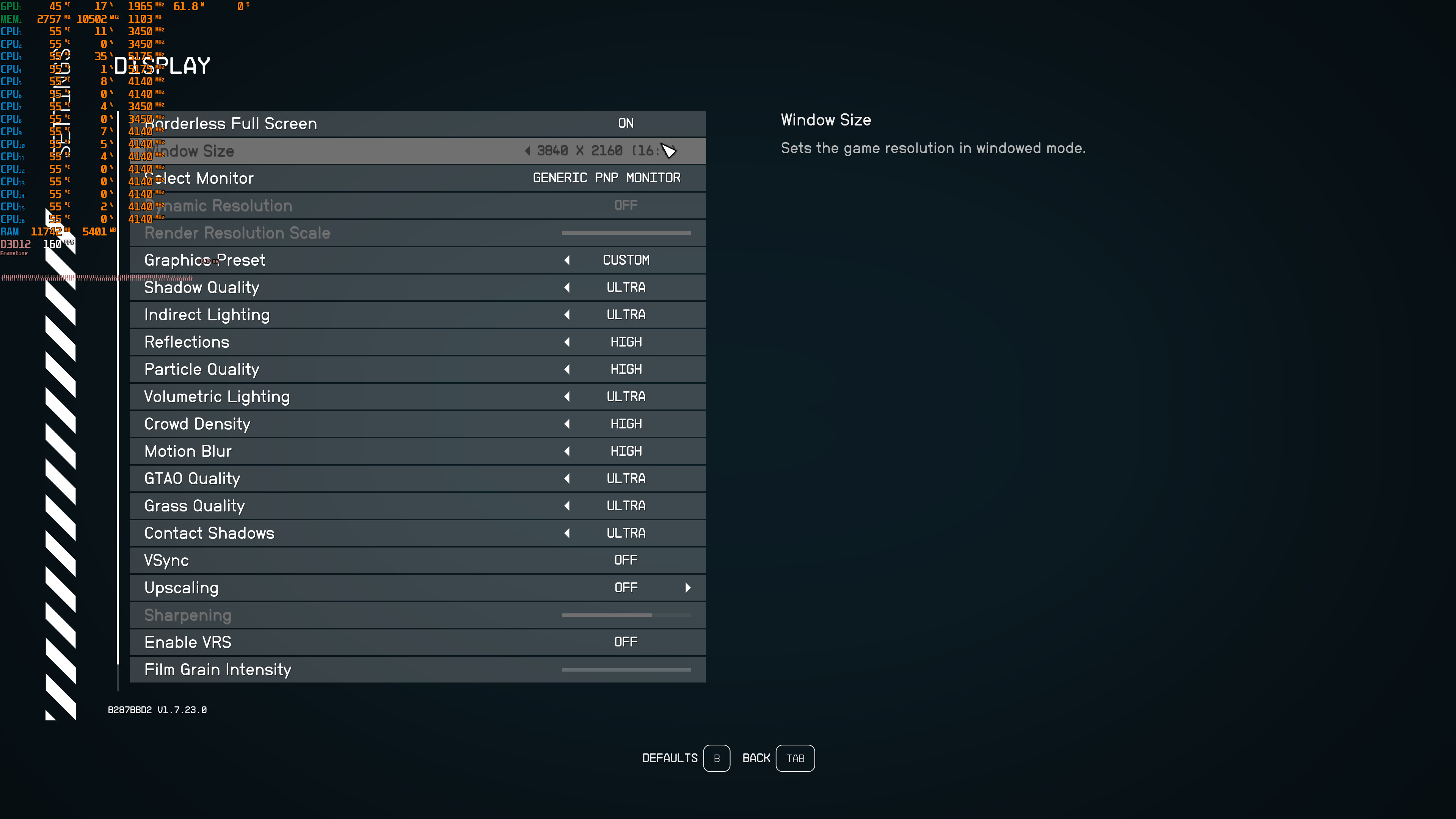
Starfield PC graphics settings

Starfield does not feature any built-in benchmark tool. As such, we’ve decided to benchmark the New Atlantis city. This is the biggest city of the game, featuring a lot of NPCs. Thus, it can give us a pretty good idea of how the rest of the game will run. The area we chose to benchmark is this one. From what we could tell, this was the most demanding scene in New Atlantis.

Can the NVIDIA RTX4090 run Starfield at Native 4K/Max Settings with 60fps?

As you can see, the NVIDIA GeForce RTX 4090 is unable to push constant 60fps in this populated area. Do note that we’ve recorded the video with NVIDIA Shadowplay which brings an additional 1-3fps impact. Without recording, this area was running with a minimum of 53fps.

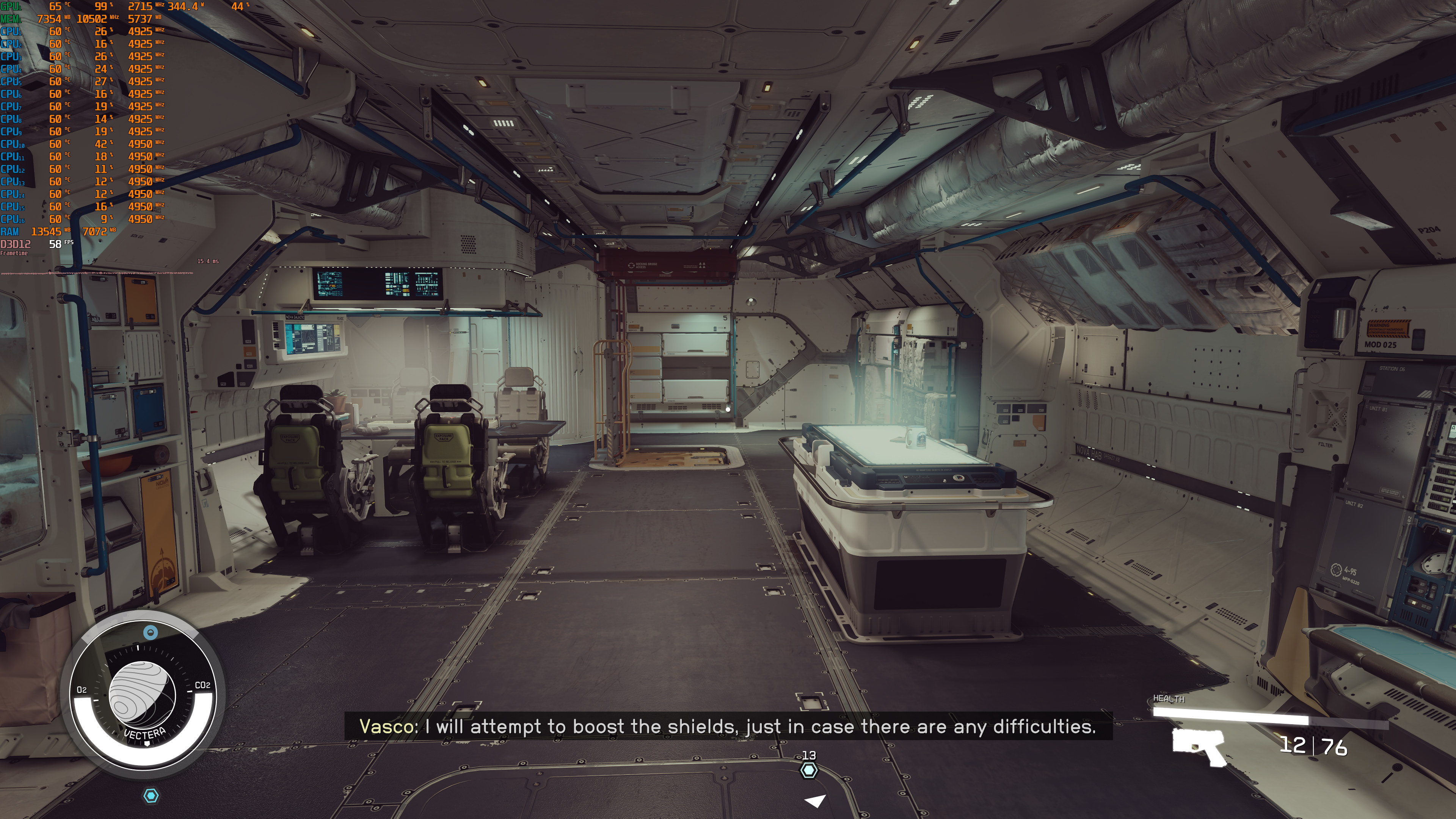
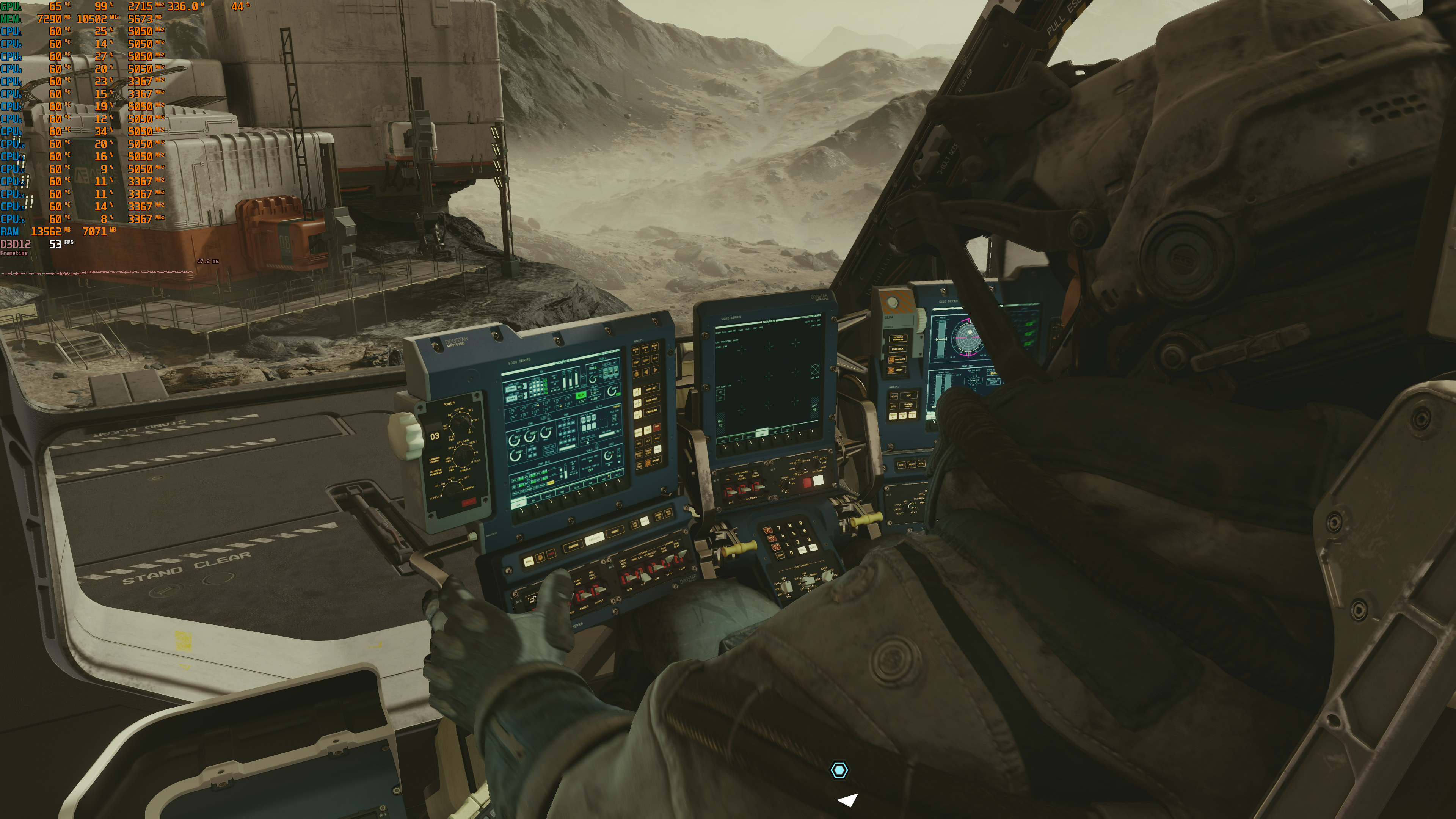
This isn’t the only area in which the framerate drops below 60fps though. During dialogues, we often saw our framerate drop to the 50s. Not only that but Starfield has other GPU-heavy scenes that can also drop the framerate to 53-55fps. Here are some screenshots to back up our claims.
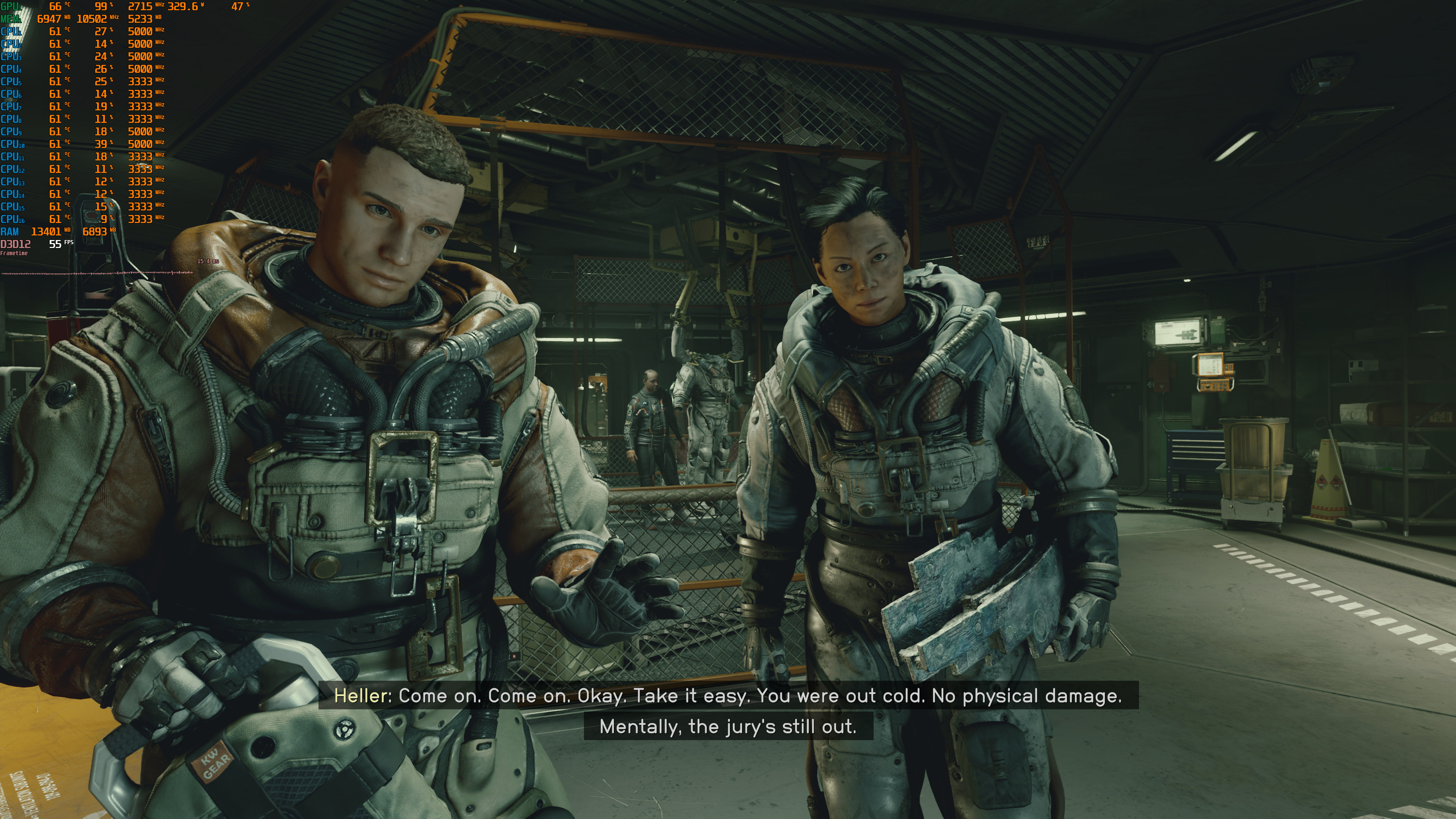
Starfield below 60fps PC scenes-1Starfield below 60fps PC scenes-2 Starfield below 60fps PC scenes-3Starfield below 60fps PC scenes-4

In short, no. At Native 4K/Max Settings, NVIDIA’s most powerful graphics card is unable to provide a constant 60fps experience. Again, there are multiple areas in which the framerate drops. However, the good news is that during combat we were able to maintain framerates above 60fps. So while technically Starfield can drop below 60fps, it’s at least enjoyable, especially if you use a G-Sync monitor.

Stay tuned for our PC Performance Analysis (which will hopefully go live this weekend)!

39 thoughts on “Can NVIDIA GeForce RTX4090 run Starfield at Native 4K/Max Settings with 60fps?”

  1. I’ve got a 7900X/32GB RAM/RTX 4080 rig, but my display is a 3440×1440 WQHD display so it’s just under 5M pixels versus 4K’s 8.3M so I only need to move 60% as many pixels so I should be fine. However, that HUD is giving my QD-OLED a panic attack. Hope you can dial back the transparency of that.

    1. Not just you mate. This $hit has got terrible lighting all around. Classic light source pop ups, ugly sub-surface scattering. Just look at the characters above. Even Wolfenstein 2 is better in some areas.

      1. The way things are going, i wonder if the 5070 will have the performance of a 4090. It seems that card is a must have if you wanna play in 4K (the current games), but the price tag is insane in my country.

        Im not sure but, did the 3070 have the performance of a 2080ti? I heard it did, and a 4070/ti has the performance of a 3090. 5070 might be the card to get, if it follows the same logic.

          1. We will see, but yea.. probably ;p Considering how 4070 ti is a 1000 bucks over here. Inflation and greed will make the 5070 probably around that price… Dont jinx it tho ;p

          2. I just got one for $770 including shipping and with my 5% Prime cash back that lowered the cost to $731.50.

            But what it actually cost me was the $244 I spent on the 2 shares of Nvidia stock which I sold for $860 …. Well actually I sold 10 shares the profits from the other 8 share went to upgrades to my fishing boat

        1. The 3070 offered pretty much the same performance as a 2080 Ti but it’s not unusual that an xx70 class GPU runs around the same performance as a previous generation Flagship GPU.

          It’s a pretty safe bet that the 5070 will run at close to the performance of a 4090 in today’s games but most gamers don’t buy a new card just to play today’s games. Most buy it to run games for a couple of generations (around 4 years). During the 5070’s lifetime of use it will probably be inadequate for higher resolution monitors at max settings because it’s always been true and always will be true that games will continue to require more and more GPU performance as time goes on.

          1. the 3060 performance is pathetic, there is a video showing the 1060 6gb rujnning it with 50 fps on medium and 30fps on high with fsr.

            Seriously whats the point of buying new gpus the perfomance gain is patheitc.

          2. Thats a good point, but at least for my favorite games of today, it wont be an issue anymore. 4K gaming is kind of impossible for my video card, but not for a 5070/4090 ;p

        2. That has more to do with how weak the 3090 was, barely faster than a 3080 …. There is a considerable gap between a 4080 and a 4090 with the 4090 winning in Cost per Frame

    1. The polygon count is way higher but everything is about the same except the faces those are a downgrade but this is a bethesda not very well optimized rdr2 on the other hand is very well optimized

  2. You forget this is Nvidia. This is an AMD optimized game and the current driver you are using isn’t a game ready driver for it. I’d suggest retesting when Nvidia has a game ready driver for the game you are saying it can’t run at 4k60fps.

          1. This Review is using the old NOT GAME READY driver 536.99 instead of the GAME READY driver.

            This article is using an OLD driver instead of the new one!!!
            NEW Driver Version: 537.13 – Release Date: Tue Aug 22, 2023

            They are using 536.99! OLD DRIVER

            Jeez

    1. We’re not overclocking anything (although some GPU models have obviously higher clocks than other models). What’s interesting here though is that some claim that ReBAR can improve performance on NVIDIA’s GPUs. This may be similar to Dead Space Remake, so I’ll be sure to test ReBAR tomorrow.

    2. We’re not overclocking anything (although some GPU models have obviously higher clocks than other models). What’s interesting here though is that some claim that ReBAR can improve performance on NVIDIA’s GPUs. This may be similar to Dead Space Remake, so I’ll be sure to test ReBAR tomorrow.

    3. The last thing John wants to do on his benchmarking rig is doing overclocks and introducing instability into the tests. With Nvidia it’s better to just raise the power limit and allow the boost algorithm do the rest for you and maybe turn the fans speeds up but I don’t know about how the 4090’s cooling is but if it is like my 4070 Ti it already runs cool enough to get optimal boost clock speeds and turning up the fans speeds doesn’t give you the same boost as it did with the 1000 – 3000 series. My 4070 Ti on air has better temps than my 2080 Super hybrid watercooled GPU had.

      You might get a slight gain overclocking the memory but not so much with the core because the base clock speed has little to no effect on the maximum boost speed and can in fact make the boost speeds worse by raising the temperatures or current draw and your ultimate boost clock speeds is set by current and temperature and if either gets too high then it automatically lowers the boost clock speed no matter what the base frequency is set at.

      1. Why not? It would be it’s own little section of “I tried OC and this happened.” It’s just for fun and science.

        OC memory does give some nice gains. I’ve done a few test. It can give as much as core. https://uploads.disquscdn.com/images/c45338f4cbcc0651886069fdac13cb14f1b25dec86ea89f7e41582d9aca94fd2.jpg

        https://reddit.com/r/nvidia/s/FLNw32TpBv

        As of now, I am OC+UV, reduced power by 75-100W and still at stock performances.

        But if needed, I do have a PC profile to net me up to 10% more performance.

  3. Something ain’t right here ….. Looks at those 4 pictures and the percentage CPU Usage was the exact same on all cores and that’s just not something you normally see. There has to be some sort of weird threading inefficiency going on here

    1. Yeah no, you should pay attention to the MSI Afterburner overlay that we have enabled. The RTX 4090 is used to its fullest.

        1. Our benchmarks are in New Atlantis and the RTX 4090 is at 98%. There is something wrong with the PCGH and GamersNexus results. I wouldn’t be surprised if they messed things up with the in-game presets (by simply choosing a preset, the game will automatically enable FSR 2.0 which can explain the higher framerates).

Leave a Reply

Your email address will not be published. Required fields are marked *