
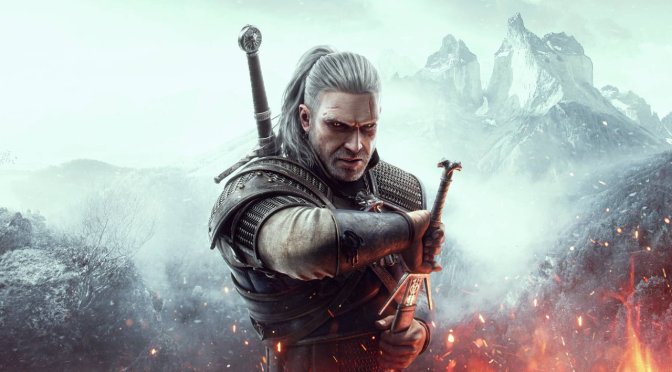
The Witcher 3 Next-Gen Update

The Witcher 3 Next-Gen Update 4.03 released, full patch notes

CD Projekt RED has just released Update 4.03 for The Witcher 3 Next-Gen, and shared its complete changelog. According to the team, this patch brings major improvements to the game’s Ray Tracing effects.

Going into more details, Patch 4.03 introduces performance improvements to ray-traced global illumination and ray-traced reflections. Moreover, it fixes an issue with ray-traced vegetation shadows “popping”, depending on Geralt’s proximity and angle.

As always, Steam and GOG will download this update the next time you launch their clients. Below you can also find its complete changelog.

The Witcher 3 Next-Gen Patch 4.03 Release Notes

PC-SPECIFIC
  • Fixed an issue with ray-traced vegetation shadows “popping”, depending on Geralt’s proximity and angle.
  • Fixed an issue where repeatedly disabling and enabling ray-traced reflections and shadows could cause black shadows to appear at the edge of objects.
  • Addressed the issue where the DirectX 11 version of the game could crash on launch or after loading a save on certain AMD GPUs.
  • Added support for Intel Xe Super Sampling, an upscaling technology that uses machine learning to improve performance and image quality.
  • Fixed some lighting issues with Screen Space Reflections when ray-traced global illumination is off.
  • Performance improvements to ray-traced global illumination and ray-traced reflections.
  • Fixed an issue where purple splashes could appear on the screen when riding Roach through puddles of water.
VISUAL – PC and Next-Gen Exclusive
  • Fixed an issue where a grid of light spots could appear on the ground and walls in certain weather conditions with Ray Tracing enabled.
  • Spider webs will no longer change color when moving the camera with Ray Tracing enabled.
  • Fixed an issue where some textures on characters during cutscenes would appear as not fully rendered.
  • Through Time and Space – Fixed an issue where the mist in the Poisoned Valley was pink instead of white.
QUESTS & GAMEPLAY – PC and Next-Gen Exclusives
  • Added the community-made mod Next Gen Script Fixes by Sergeanur.
QUESTS & GAMEPLAY – Available on all platforms
  • In the Eternal Fire’s Shadow – The ambient music from the quest will no longer continue playing after completion. For players who have already experienced this issue, it may be necessary to enter the Novigrad or Oxenfurt sewers again to resolve it.
  • Added an option to auto-apply oils in combat.
  • With the exception of potions and decoctions, it’s now impossible for Geralt to eat or drink underwater. // While the team agreed it might be possible to drink liquids from a corked flask, consuming pints of ale or grilled meats underwater is too much of a stretch.

26 thoughts on “The Witcher 3 Next-Gen Update 4.03 released, full patch notes”

  1. That shadow popping issue was a dealbreaker. Glad they finally fixed it. Loved the first two, hope to finally play this one later this year. My gpu is ready.

    1. I can’t wait to see what Witcher 1 remake will look and feel like. CDPR should’ve diversified the world of the Witcher a long time ago. Instead they are off releasing damn Gwent. We could’ve had a isometrical/top down Witcher, PLEASE NO TURNED BASED. So many possibilities & yet they move like snake. Wasting a lot of dev time starting over projects. Seems like crappy management.

      1. CDPR is no longer a private company and the CEO bailed. Their lead for Witcher 3 and Cyberpunk also was bullied out of the studio with false accusations he was cleared of by new hires. They also take government money, which means they are controlled that way to. Their ESG video shouldn’t give anyone hope.

        The Witcher 1 remake I think is out of studio though. It could end up good. You never know with smaller devs. Some blow away Triple A, some are just low pay workers who don’t care. Hope it’s good. Was a good game and so was Witcher 2. Maybe they can get Nvidia remix working on Witcher 2 or something to breathe some life into it. It would still look great with some better lighting I think.

        I’ve already played those games though and I really don’t get excited for remakes anymore. Glad other people can experience them and hope they stay true to the original game, but outside of Japanese companies I don’t know if that will happen.

        1. The Witcher 1 was all kinds of jank; its remake has been long overdue. It’s my favourite, but I’m not too excited about the remake either, mainly because I already played the game to death (know every decision outcome and storyline).

  2. Glad they haven’t abandoned the next gen version just yet.

    Will have to benchmark this version. 4.02 was still hitching a lot and had some visual artifacts so hopefully those are gone.

    1. I usually play at 1080p 120hz but with this game I just cap it to 90hz instead. FPS is all over the damn place.

    1. My GPU isn’t strong enough for RT, and DX11 runs with no hitching and around 30% faster with same settings in DX12.

      BUT I do love using Reflex to lower the input latency (because Geralt controls like a drunken mule with it off) and DLSS is better at anti-aliasing than the options you get in DX11. The tiny bit of hitching in DX12 (only crowded cities really) is a small price to pay.

      1. Yeah DLSS looks better than native in the game. You can also make the DLSS into DLAA with DLSSTweaks. It’s about the same peformance hit as native but doesn’t have to upscale. Might need a sharpening pass like DLSS implements depending on resolution though. I use the interger scaling in NVCP sharpening but cas.fx from reshade prob works great to. Much better than the in game sharpening and you can fine tune it.

        1. That’s because they are cheating and using TAAU – Temporal Anti Aliasing Upsampled which is really just a crappy version of FSR. It’s also a big clue that they knew the performance even without Ray Tracing was crap because they had to use a downgraded version of TAA to get half way decent performance

    2. If the CPU you have is decent and GPU is decent I would use the new one. Apparently DX 11 runs much better than 12 with no RT. I wouldn’t know. I use RT on both PC’s (4090, 4070). I would NOT use RT DX 12 without framegen though. FPS seems to suck in some areas.

      The update has stupidly farther drawing distance that isn’t even in settings like buildings. 4.02 finally added HBAO+ back. Framegen and RT have often been broke and use a lot more VRAM than they report somehow. Good luck running it without issues in a long play session unless you have a 4090.

      Ultra textures are like 4k and Ultra+ just looks like it is a kind of sharpening. Utlra shadows is definitely worth it. The rest depends on your CPU but I wouldn’t even bother with Ultra + without a killer rig. With my 4070 1440p DLSS Ultra settings, hairworks on and RT GI/AO seem to be ok without running our of VRAM and only 4.01 works without issues (so far). Reflections and shadows are a sh@^ show and run out of VRAM. Currently trying the cyberpunk Nvidia DLSS/framegen DLL’s with it. ReBAR on in inspector did nothing.

      4090 seems fine, but it has a stupid amount of VRAM. It might be a leak with framegen and playing long enough might trigger in.

      1. Oh, I thought I was the only one, who experienced VRAM leaks in 4.02 version (with hot fix). It happens only when RT and frame generation is enabled. And the only location that suffers from memory leak in my case is Novigrad. It maxes VRAM of my 4070 Ti after some time (maybe about 20-30 minutes) and then the game turns into stuttery mess.
        P. S. I am using 1620p resolution with DLSS Quality, so the game basically renders at 1080p.

        1. Yeah running same settings as my 4070. I’ll try the patch when I get home and see if it changes anything on the MITX TV PC. ATM I just kept it from updating atm on 4.01 exe on 4.02 patch from nexus mods with the cyberpunk DLL’s that someone also posted on Nexus. RT shadows and reflections off cus they would cause it. Seems pretty stable with that. I only had one issue and it was after an alt tab to watch a youtube video so that might have done it.

          Steam forums seem to be a horror story for the patch right now, but I don’t run many mods. They fixed the purple cobwebs so I will remove that mod. I got Hairworks on roach’s tale, Hairworks off on Geralt, no weight mod, map objectives mod, default witcher gear armor set for cat gear cus i hate how it looks.

          I’ll try to get in 2-3 hours tonight to see if any change with reflections on. Should trigger a problem pretty quick if I go around to all the continents and do the places of power on my playthrough tonight.

        2. Better Torches Next gen will cause a failure to load if you use that mod. Everything else seems fine with a fresh merger on the tool.

          1. I heard Friendly Meditation causes a script error because they added Autoapply oils. Basically you need to uninstall Friendly Meditation, upgrade, re-install Friendly Meditation and then do your script merge again

          2. Yeah mods are definitely the issue people are having. Quality RT also seems broken. I had weird lighting popin in Oxenfurt and the front of Novigrad. Performance RT setting does not have the issue.

            Looks like console was the lead platform for this patch and PC was on the backburner. :(.

            Also the RT DLSS framgen leak is still there. I’m currently trying DLAA via DLSS Tweaks at 1440p with performance RT and reflections to see if it still happens without upscaling. Lighting of course looks worse, but reflections look stupidly better with AI enhanced native 1440p. If it’s stable this might be the way to go for 4070’s/4070Ti’s.

      2. I just forgot all about using Ray Tracing, it just wasn’t worth it. Instead I got a mod that was similar to the one used in the old version that upped the basic graphics even more than stock and set it up so I was getting 70 -75 FPS and then locked it to 60 FPS which got rid of all the stuttering by keeping the main thread from banging off 100% all the time …. On a 5800X rig with a 3070 Ti @1440p I used the following settings
        Background Characters – Ultra +
        Shadow Quality – Ultra ++++ (Got rid of shadow pop-in except in a couple of places
        Terrain Quality – Ultra ++++
        Water Quality – Ultra +++
        Foliage Range – Ultra ++ (Also helped with pop-in)
        Grass Density – Ultra ++
        Texture Quality – Ultra ++++
        Detail Level – Ultra ++++

        Unfortunately 4.02 broke the mod as well as my save so I’ll likely have to play the entire main game again before I can record Heart of Stone and Blood and Wine. Since I see absolutely nothing about the main issue with the game, CPU threading and running off of mainly 1 or 2 threads I doubt I’ll even waste my time with it because the game will never be right until they fix that problem

        You can see the results here
        https://www.youtube.com/playlist?list=PLkdqp16ufvSkKve4ibm7WB7zsewZdauTA

      3. Well, most people don’t own 4090s. I think I’m just gonna keep playing W3 1.32. It still runs well on my 3080Ti at 1440p. Sure, RT is nice but like you said, it is taxing AF even with DLSS ON. So, not worth the trade-off imo.

  3. Better Torches Next gen will give you a failure to load and an error about oils. Wait for an update on this mod. Haven’t had problems with anything else. Needed to do merge again on fast travel from anywhere and map objectives but they work great.

  4. Auto apply Oil? I wonder why they did this. Because this is a mod I can never do without. Well they finally did something unexpectedly right. I hope this update doesn’t break all the mods once again.

Leave a Reply

Your email address will not be published. Required fields are marked *