
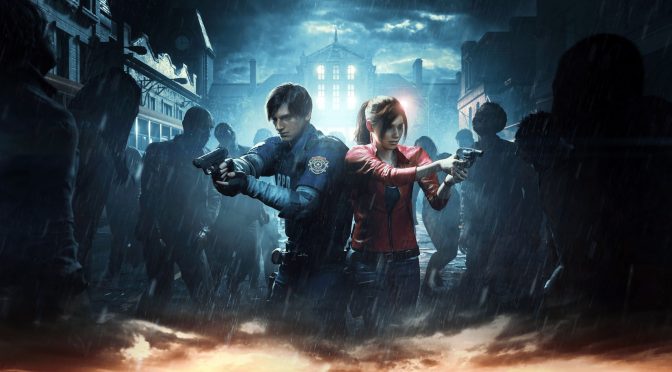
Resident Evil 2 Remake new feature 2

Resident Evil 7, 2 & 3 Ray Tracing Updates available for download on PC

Capcom has just released the Ray Tracing updates for Resident Evil 7, Resident Evil 2 Remake and Resident Evil 3 Remake. In addition, these patch add support for AMD’s FSR tech. Unfortunately, though, the games only support FSR 1.0, and not FSR 2.0. Moreover, there is no support for NVIDIA’s DLSS tech.

Although Capcom has not detailed the game’s Ray Tracing effects, we can find two settings right under the Ray Tracing setting. So, theoretically, Ray Tracing may be enhancing the game’s Global Illumination and Reflections.

Since these games do not support FSR 2.0 or DLSS, we won’t be benchmarking them. Suffice to say, though, that these Ray Tracing effects come with a huge penalty hit.

As always, Steam will download these patches the next time you launch their clients. We also highly recommend backing up the previous versions (especially if you don’t really care about these RT effects).

Below you can find three videos that compare the Ray Tracing effects in Resident Evil 3 Remake. And, yes, the visual difference is pretty minimal.

https://youtu.be/dutj_h3H80Y

https://youtu.be/IQUKTFKok9Q

https://youtu.be/vkoXgSpqDYU

 

62 thoughts on “Resident Evil 7, 2 & 3 Ray Tracing Updates available for download on PC”

      1. Yeah, that’s almost all Steam games, not a solution if you want the memetracing too. They will find a solution for sure anyways.

        1. True. Sadly for me, I cannot get this damn rollback. All I get is a black screen. Way to screw me out of 23 euro on the Raccoon City bundle. Last time I ever buy a game from crapcom.

          1. Why should anyone have to do any of what you say? Are you out of your fuqin mind. We buy a product and then years down the line we have to crack the fuqin thing? How joking right? I’m trying not to be rude to you but this is the type of foolishness I can’t stand. “man, you should’ve simply”… SIMPLY HE SAID!

          2. No other options huh? That’s it roll over, give in to a system and lose? You have no power or autonomy to change anything? I see you’ve learned NOTHING from all these video games that you’ve been playing. I guess with you get to the boss fights you just yellow belly it and game over right? This concludes our interaction, wish you all the best in life.

          3. If you are smart, you set the update timer to a time where you literally arent online, so the update never gets downloaded while also keeping a backup of your Steam Install folder just in case.

          4. Damn, now companies are bad
            even when they’re offering extra features for free.

            Entitled much?

          5. Yeah, dumbass, and screwing over people that don’t want that crap W10 on their pc. lmao. They can also give extra features for free, as a separate exe. So many games used to let you choose between playing with DX9, DX10 or 11. So yes, I am entitled to play what I payed for.

          6. Well, I had to regardless get a cracked copy, because the rollaback method is indeed working, but for some reason the damn files didn’t download properly. So I just took the files from the pirated version, mixed them with the EXE of the original game and its working again.

  1. Has anyone checked the graphics settings to see if they removed the Anti-Aliasing setting from RE2 and RE3? I’m afraid we’re going to end up with mandatory TAA like in RE7 and RE8…

      1. TAA adds blur and ghosting. FXAA adds blur. SMAA adds neither, and some games have very good SMAA implementations.

        That being said, my favorite post-processing Anti-Aliasing is CMAA2 (Conservative Morphological Anti-Aliasing 2.0) from Intel. Unfortunately I don’t know of any games that actually implement it, so I have to add it with a ReShade shader.

        Anyway, regardless of what you feel about TAA, on a PC anyone should be able to disable any graphics options they don’t like at any time. Everything should have a setting, and it should be possible to turn everything off. No graphics effect should ever be mandatory.

          1. Are the 3D rendered scenes in RE2 just a “graphical effect” like a post-processing Anti-Aliasing is? Of course not. I chose my words carefully when I said “No graphics effect should ever be mandatory.”

        1. Consoles don’t require TAA, and neither does FSR 1.0. DLSS is another matter, as it’s just another blurry technology from the same company that gave us the blur fest FXAA and TAA in the first place. But TAA is even worse than FXAA, because it causes ghosting in addition to blur.

          And then there’s Intel’s XeSS, which not only doesn’t need TAA, but Intel is specifically recommending that game developers don’t use TAA with it as it has its own baked-in Anti-Aliasing.

          I’m pretty sure from demonstration videos and tech videos I’ve seen that FSR 2.0 also has its own baked-in Anti-Aliasing, and TAA gets disabled in games when you switch FSR 2.0 on. I’ve also seen slowed down video of FSR 2.0 vs DLSS 2.0 in action where there was obvious ghosting with DLSS but not with FSR, so that makes me hopeful that it won’t have the ghosting issues of NVIDIA’s garbage tech.

          Implementation of FSR 2.0 and XeSS may actually mean that games will have to have an off toggle for TAA, or at least turn it off automatically when these techologies are active. This gives me at least some hope for the future of gaming, as TAA is destroying visual clarity in games in an unprecedented way, and we desperately need better alternatives that game developers are willing to implement.

          1. The processing/FPS cost of TAA is roughly the same as most other post-processing Anti-Aliasing (FXAA, SMAA, CMAA, CMAA2, etc). Also keep in mind that two generations of consoles now have been based on AMD technology, so they are literally using the same CPU and GPU cores that are in products for PC’s. Consoles should have no trouble processing other forms of Anti-Aliasing.

            As for why developers use TAA it’s so that they can be lazy and render things like shadows, hair, subsurface scattering, and other things as well at low resolutions and upscale them (Assassin’s Creed Valhalla does this with the boats). This is done to increase performance, so that the developers don’t have to spend as much time doing the hundreds or thousands of little tweaks to the game engine, configs, maps, meshes/models, textures, etc. that are necessary to get games to run at a reasonable FPS.

            FSR 1.0 doesn’t use any sort of “temporal” technology. It’s a lanczos based upscaling method which processes only one frame at a time, without data from other frames. In games I’ve played that have it (Marvel’s Avengers, Far Cry 6, and No Man’s Sky) you could use it with Anti-Aliasing options other than TAA. Of course in these games the developers did configure FSR to be used with TAA, so using it with another Anti-Aliasing setting may look bad, especially if that Anti-Aliasing is a clearer form of Anti-Aliasing such as SMAA as the picture will be oversharpened (very much so in Far Cry 6).

            FSR 2.0 does use “temporal” technology, however this is a technology that AMD developed and isn’t NVIDIA’s TAA technology. I haven’t had a chance to try it out myself yet, and I haven’t seen a video or screenshots intended to show whether or not it causes ghosting like NVIDIA’s tech does, however what I have seen does seem like there was no ghosting, and at least Deathloop appears to turn off Anti-Aliasing when FSR 2.0 is enabled. This may just mean that motion in the slowed down video footage I saw was too slow to see obvious ghosting, but equivalent footage (same scene with roughly the same amount of movement in the same direction) using DLSS 2.x showed obvious ghosting, so this at least makes me hopeful that ghosting may not be a thing with FSR 2.0 and that it doesn’t work like DLSS or like TAA.

            It’s absolutely true that these subsampling technologies like DLSS and FSR do destroy the visual quality of games as bad or worse than TAA does, even if they don’t cause ghosting. I’d rather just have the option to turn off Anti-Aliasing entirely, and then inject whatever Anti-Aliasing I want with ReShade.

          2. It’s absolutely true that these subsampling technologies like DLSS and FSR do destroy the visual quality of games as bad or worse than TAA does

            That’s like, your opinion, dude.

          3. It’s not an opinion. DLSS and FSR upscale from lower resolutions, whereas TAA doesn’t. While TAA does destroy detail, at least that detail was there to begin with. When you’re dealing with frames rendered at a lower resolution, that detail simply isn’t there at all, and all the upscaling method can do is attempt to guess as to what the picture is supposed to look like at the higher resolution. Upscaling methods that use data from multiple frames have a better idea of what is supposed to be there, but they still can’t produce as detailed of an image as native resolution.

          4. “Destroys” is purely subjective term. You can say the same about any losy compression format, but at the end of the day if the result is so good that you cannot tell the difference, does it really matter? Do you also collect all your music in wave format because MP3 “destroys” the quality? Also, when it comes to DLSS/FSR it is important to know from which source resolution it is being used and at which quality level. GN made an excellent video about this: https://www.youtube.com/watch?v=zUVhfD3jpFE

          5. I don’t collect music, but when working with audio I prefer better codecs like Opus. Even AAC or AC3 would be better than MP3. That’s some very old tech, and isn’t that efficient at compression. That being said, when working with audio or video, higher bitrate means more quality (at the expense of file size) so you always have options to preserve audio or visual fidelity.

          6. That tends to be blurry as well. Not sure about ghosting, as I haven’t tested it for that.

            The best Anti-Aliasing I’ve seen (in terms of quality) is either SSAA (Super Sampling Anti-Aliasing), or when you combine MSAA with SGSSAA (Sparse Grid Super Sampling Anti-Aliasing). SSAA has a huge performance cost, but in older games that still did forward rendering and had MSAA if you set it for 4x and used NVIDIA Profile Inspector to configure a 4x SGSSAA then that would usually look amazing.

            The biggest problem with SGSSAA is that most games never added it, and enabling it manually can actually be dangerous. If you don’t get the setting right, you can crash (BSOD) your PC.

            These days my favorite Anti-Aliasing is Intel’s CMAA2 (Conservative Morphological Anti-Aliasing 2.0) which while it’s intended to be used along with MSAA, it actually does pretty well on its own (slightly better than SMAA when you inject it with ReShade). Unfortunately I am not aware of any games implementing this form of Anti-Aliasing, so right now the only way I know of to get it is with Lord of Lunacy’s “Insane Shaders” pack for ReShade, however his implementation of it is supposedly different than Intel’s so I don’t know how much better it would be if it were actually built in to a game engine.

          7. There are some bad TAA implementations (cyberpunk, RDR2 GTA trilogy, gears of war 4) with too much blur and ghosting but IMO TAA is the best AA method overall.

            AA Off – huge aliasing and picture shimmering during movement. Games without AA were only acceptable on CRT’s (CRT blurs pixels).

            FAA – decent AA quality + blur + slight shimmering during movement.

            SMAA – decent AA quality + ugly shimmering during movement.

            MSAA – very high AA quality + no shimmering. – Shader aliasing – bitmaps arnt filtered – huge performance and vram cost

            TAA – very high AA quality + no shimmering during movement + no shader aliasing – slight blur, slight ghosting.

            For many years I was using MSAA, however most new games dont even supporting it and there are some problems in games that still use it (shader shimmering in forza horizon 5 for example), therefore TAA is better. TAA adds some slight blur because edges are softer after AA pass, however sharpening filter can restore edge contrast because that’s what sharpness is (human eyes perceive sharpness as contrast). On TV’s people can use sharpness sliders in order fix this TAA blur, and on PC there are many sharpening filters available as well. TAA implementation in for example god of war has sharpening filter applied and picture looks sharp overall thanks to it. There’s still some slight blur remaining, but I literally have to put my eyes close to my monitor to even see it. With DSRx2 on top of that (it improve sharpness and fine details) TAA looks perfect (extremely sharp and aliasing free at the same time), and performance cost of DSRx2 is comparable to MSAAx4. With DSRx2 also FXAA / SMAA looks good (shimmering is cleaned, and fine details restored), so no matter what AA method you will choose, DSRx2 will benefit all of them. There’s also DSRx4, however I dont feel performance cost is worth it.

            When it comes to TAA ghosting I think this particular issue is overblown. The thing is most people play on LCD’s anyway, so they will see ghosting and blur anyway during movement (at lest on PC monitor without black frame insertion). I still have 42GT60 plasma and this TV has perfect motion clarity (comparable to CRT’s) unlike LCD’s or even OLEDs, so it’s perfect TV for motion picture comparison. There are some bad TAA implementations out there like gta trilogy for example (where I can see ghosting trails behind my car), but in other games I cant even tell if TAA is on or off (no ghosting or blur during movement). I’m happy with TAA + DSRx2 in literally 99% of my games, and for the remaining 1% I can use FXAA + DSRx2.

            DLSS2/FSR2 are new alternatives, but IMO picture is not as good as native TAA, at least not at 1080p. Edges are reasonably sharp, but not perfectly sharp (I cant tell the difference on screenshots, but on monitor I can see slight edge blur). IMO DLSS/FSR are both amazing technologies because performance is much better ans PQ loss is very small (from normal viewing distance is totally impossible to tell the difference even at 1080p), but if someone has GPU resources to spare then native + TAA is still the best.

          8. There are no “good” implementations of TAA. It is a fundamentally flawed technology. If it was actually “good”, it wouldn’t produce ghosting at all.

            The shimmering you see in modern games with MSAA doesn’t have anything to do with MSAA. It has to do with subsampling (rendering at lower resolutions) certain effects to reduce performance impact. This is why game developers these days love TAA, because it just blends everything together and you can’t tell that they’re being lazy and using cheap shortcuts like this, but the loss of clarity when using TAA is absolutely horrible (especially in motion when the ghosting happens).

            I play on a 170 Hz monitor so that I see as little ghosting as possible. TAA just adds that ghosting back in, and I absolutely hate it.

      2. It’s all Blur, I turn every damn blur feature off. I’m extremely sensitive to any kind of blur. Blur is garbage!

    1. Yeah, I remember Splinter Cell could do many neat effect even without RT. Even Hitman planar reflection is still great. Until Ray tracing stop become just eye candy and be integral part of gameplay, to spot enemy sneak behind you by looking at the mirror for example, then it will forever be passable options that exist just to tank FPS. Traditional raster method is quite good mimicking a lot of RT specific effect in my opinion.

      1. Turns out you can mimick mirror effect with a few “smoke and mirrors” tricks without having to brute force a NASA PC in your home.

  2. RE7, RE2R and RE3R have resolution scale and the good enough-ish interlace option that does half vertical rez for a performance boost.

    RE3R also has FSR 1.0.

    It’s something. These games are also amazingly well optimized.

  3. As a person that only plays 120 FPS @1080p, maxed. Im starting to be very worried about this forced raytraced down the pipe line. Why force people to do things, why remove the other versions. Why why o’ Fuqing why.

    1. It’s not forced, I’ve played RE7 with the patch and you can turn off RT in the Graphics options menu.

      What is forced however is DX12. As a result they no longer support some ancient OSes like Win7 and 8. A Western company likely would’ve kept legacy renderer support as an option, but Capcom are Japanese and we all should know how unreliable PC support can be from Japanese developers.

      1. What’s forced is that you still lose performance even with RT off compared to the old versions. In some footage of RE2R with RT off on a 3080 at 4k in some instances is barely getting over 60FPS. Which is performance is just a few percent more than what you could get at 4k on a 2080 in the old version of the game.

      2. I wouldn’t put “Capcom” and unreliable in the same sentence recently. Their ports, performance wise at least, have been god damn amazing ever since 2007 (2008?), when they launched MT Framework on PC with Last Planet 1.

        1. Capcom and unreliable absolutely belong to together. Their ports are entirely inconsistent and will be missing features that would be considered basic and/or essential by the PC gamer userbase. Eg RE7 has an FOV slider, but no ultra-wide resolution support. RE2make/RE3make have NO FOV sliders but DO support ultra-wide. RE6 has a FOV slider, RE4 “Ultimate HD Edition” doesn’t.

    2. I think Ray Tracing is the way to go in the future. But their addition nowadays is just that, addition , to check that fancy boxes. If devs trully want to create RT version of a game, developer need to made it from the ground up (Metro EE is good example here) because it will save development time due to asset creation hopefully could be more simpler (lighting,for example could be handle fully by RT so devs didnt need to create specific asset just to accomodate it). Also, until RT become integral part of gameplay (to spot enemy position in stealth game by looking at the mirror that use RT reflection for example) , and not just eye candy stuff (looking at you Gameworks), then it will forever be a passable options because higher FPS and Good Frame Pacing is way more important than eye candy stuff

      1. Ray Tracing won’t be the future. This is just another way to drive up the cost. It can’t be the future because to do PROPER tracing of rays you need $50k hardware. Nvidia likes to sell people features, that’s how they justify their cards being as high as they are so they can make 70% margins. And the consumers lap up whatever rubbish they through our way. Looking at you DLSS or Gameworks. Look at the hair in devil may cry 5 ain’t using none of that garbage and looks awesome. Haven’t heard a damn thing about hairworks now have we?

        RT is a distraction and will soon die, but not before they milk it. Why on earth would I Trade 120hz of smoothness for some choppy lights. We’ve used the lighting we have now for years and it works great. I’m not saying we shouldn’t innovate but the price for RT ain’t worth it right now, on all fronts. “The Juice Just Ain’t Worth The SQUEEZE”.

        1. “RT is a distraction and will soon die”
          I’ve been saying the same thing about VR for years….but there’s far too many gullible idiots out there to keep it alive.

    3. I think Ray Tracing is the way to go in the future. But their addition nowadays is just that, addition , to check that fancy boxes. If devs trully want to create RT version of a game, developer need to made it from the ground up (Metro EE is good example here) because it will save development time due to asset creation hopefully could be more simpler (lighting,for example could be handle fully by RT so devs didnt need to create specific asset just to accomodate it). Also, until RT become integral part of gameplay (to spot enemy position in stealth game by looking at the mirror that use RT reflection for example) , and not just eye candy stuff (looking at you Gameworks), then it will forever be a passable options because higher FPS and Good Frame Pacing is way more important than eye candy stuff

    4. I think Ray Tracing is the way to go in the future. But their addition nowadays is just that, addition , to check that fancy boxes. If devs trully want to create RT version of a game, developer need to made it from the ground up (Metro EE is good example here) because it will save development time due to asset creation hopefully could be more simpler (lighting,for example could be handle fully by RT so devs didnt need to create specific asset just to accomodate it). Also, until RT become integral part of gameplay (to spot enemy position in stealth game by looking at the mirror that use RT reflection for example) , and not just eye candy stuff (looking at you Gameworks), then it will forever be a passable options because higher FPS and Good Frame Pacing is way more important than eye candy stuff

  4. The ray-tracing really isn’t worth it. The graphics barely improve, but the framerate drops significantly and the game runs less smoothly. If this is what I can expect from Forza Horizon 5 and Halo Infinite’s future ray tracing updates, then count me out.

  5. These patches are a joke, typical Capcom.
    Nothing worthwhile, just a waste of performance, no performance improvements for the suttering problems RE2R and REVII have, no VR mode for VII still. Ripped out the old DX11 path , killing a working game for people who don’t have hardware capable of the new path. FSR 1.0 (LOL),SSR is still terrible quality.

    1. The only stuttering issue RE7 had was because of Shadow Cache and VRAM. If you still had stuttering and had enough VRAM, then it was a driver issue.

  6. This is the upgrade that didnt need to be there. RT didnt meant anything here, the game aesthetic and style already fine as is, no need to be enhanced to be more realistic. Its a different story if the devs able to save time during development because they didnt need to create specific asset just to accomodate pecific point of View because Ray Tracing actually help in that matters. probably Capcom just testing the integration of this feature into their internal Moon Engine (great engine btw)

Leave a Reply

Your email address will not be published. Required fields are marked *