
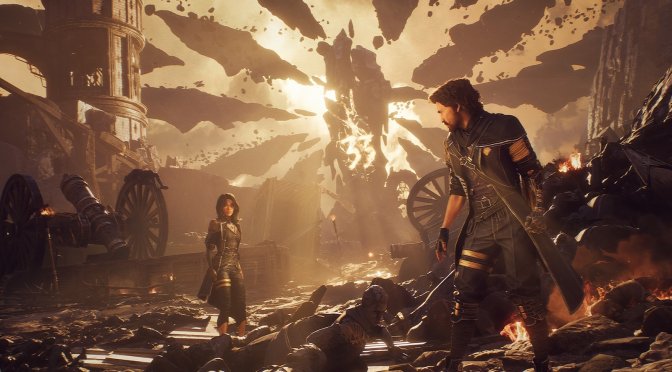
One of the coolest mods for Clair Obscur: Expedition 33 was the one that added support for DLSS 4 Frame Generation. Sadly, that mod was behind a Patreon wall. Thankfully, though, you will no longer need it. Today, Sadfall Interactive released Patch 1.4.0, which adds official support for both Intel XeSS and NVIDIA DLSS Frame Gen. So, better late than never, I guess.
Title Update 1.4.0 also adds Low Latency Mode for DLSS and XeSS. This means you’ll get faster controls (less input lag) if your GPU supports it. The update also fixes bugs, improves visuals, and makes the game world look and feel better in many areas.
What kind of sucks here is that there is no AMD FSR 3.0 or FSR 4.0 support. At first, I thought the devs would have added it. But nope. This patch only adds Frame Gen for Intel XeSS and NVIDIA DLSS. This is such a dumb move. As a result of that, a lot of PC gamers may not be able to use Frame Gen.
Patch 1.4.0 also brings some QoL changes. Now, when you lose a battle, a pop-up lets you retry it right away. In the Pictos menu, you can clearly see how much Lumina each ability uses, making it easier to plan. There’s also a new option to autoplay dialogue outside of cutscenes – you can turn this on in the settings or during conversations. Plus, new icons were added to Lune’s Stains to make things easier to see, especially for colorblind players.
And that’s not all. Lune’s “Thermal Transfer” skill will now only give an extra turn if it uses the right amount of Stains, as it should. Also, characters won’t become unkillable anymore when using Second Chance with Healing Boon and Protecting Death. And lastly, loading a save won’t place you behind the Monolith anymore.
In theory, this patch should be compatible with the mods we’ve shared. So, you should be able to use it with this mod that adds a minimap to the game. This, in my opinion, is a must-have mod.
Another must-have mod is ClairObscurFix Mod. This mod will remove the 30FPS cap from the in-game cut-scenes. Moreover, it will remove the sharpening filter that the devs have used. It will also skip intro logos, and it will reduce letterboxing/pillarboxing in cutscenes.
Another amazing mod is this one, which allows you to play in co-op. With this mod, up to 4 players can team up and fight together. Each player controls their own character and has to dodge and block attacks on their own, even during big group battles. So yes, this is a real co-op mode.
Then we have this mod that improves its Lumen/Ray Tracing effects. You should use this mod only if you own a high-end GPU. Moreover, it may not be compatible with the Ultra+ Mod. In my opinion, it’s not a must-have mod like the ClairObscurFix Mod.
Finally, we have the Ultra+ Graphics Mod. This mod aims to improve the game’s graphics by tweaking its settings beyond its in-game values. It improves lighting, reflections, and shadows. It also fixes problems like textures loading slowly, weird pop-in effects, and ghosting. So, if you own a high-end GPU, you can download it and give it a go.
Like always, Steam will download this update the next time you launch its client. Below, you can also find its complete changelog.
Clair Obscur: Expedition 33 Patch 1.4.0 Release Notes
Performance & Visuals
DLSS & XeSS Enhancements: Added Frame Generation and Low Latency Mode support for both DLSS and XeSS (compatible GPUs only). Enjoy smoother gameplay and lower input lag!
Quality of Life Improvements
Battle Retry Prompt: A new pop-up window appears after defeat, giving you the option to quickly retry the battle.
Lumina Cost Display: The Pictos menu now clearly displays the Lumina cost of each ability for better planning.
Autoplay Dialogue: Added an optional autoplay feature for dialogues outside cutscenes. You can toggle it in the settings and during dialogues.
Separate Volume Sliders: Audio settings now lets you independently adjust the volume for exploration and combat phases.
Accessibility
Added icons to Lune’s Stains to improve readability and accessibility for colorblind players.
Combat
Lune’s “Thermal Transfer” skill will no longer grant an extra turn without meeting the Stain consumption requirements
Characters will no longer gain immortality when using the Second Chance pictos combined with Healing Boon and Protecting Death
Misc:
Fixed the Rocher holding a crystal occasionally despawning after reentering the Stone Wave Cliffs
Fixed some players being teleported behind the Monolith upon loading a save
Fixed Gameplay modifiers being applied to a New Game save when enabled on other saves
Fixed landing as Esquie without the party spawning, leading to input loss
Fixed the Fog on Flying Manor covering the screen and blocking the view on Steam Deck
Achievements:
Fixed journals vanishing after loading a Save File that was created at the exact moment of picking up that journal
The following two trophies should now pop for you when you load your save if you were effected by these bugs:
Fixed “Expeditioner” and “Trailbreaker” achievements not unlocking if the characters reach a level higher than 33 or 66 after a battle
Fixed ‘Connoisseur’ and ‘Follow The Trail’ achievements not unlocking after collecting all required items on some savefiles
Environmental Polish
Various environmental bugfixes, tweaks and visual polish across multiple levels for a more immersive experience.

John is the founder and Editor in Chief at DSOGaming. He is a PC gaming fan and highly supports the modding and indie communities. Before creating DSOGaming, John worked on numerous gaming websites. While he is a die-hard PC gamer, his gaming roots can be found on consoles. John loved – and still does – the 16-bit consoles, and considers SNES to be one of the best consoles. Still, the PC platform won him over consoles. That was mainly due to 3DFX and its iconic dedicated 3D accelerator graphics card, Voodoo 2. John has also written a higher degree thesis on the “The Evolution of PC graphics cards.”
Contact: Email