
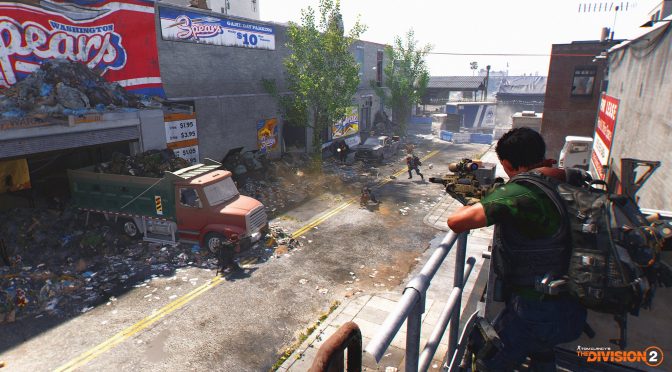
Ubisoft will add a Field of View slider to The Division 2 via a future patch

Ubisoft has announced that it will add a Field of View slider to The Division 2 via a future patch. Although we don’t know yet when this FOV slider will be added, and even though I personally had no issue with the camera, we do know that Ubisoft will eventually implement it.

Ubisoft has also detailed the game’s next server update (this update does not need to be downloaded from PC gamers and will be automatically applied to the game):

  • Progress blockers like “Talk to the Division Coordinator” / “Talk To that Person” will be addressed.
  • Daily and Weekly Projects that are not resetting (They are not resetting when you are not online)
  • Clan XP progress:
    • If a player with stuck CXP stays in the clan, then any missing CXP/progression will be applied to their clan after the fix is deployed on their next login.
    • If a player with stuck CXP leaves and rejoins the clan, then they will be able to earn CXP/progression again immediately, but any missing CXP/progression will be permanently lost. Source
  • Group Scaling when you play with a different leveled player is also not working as intended. The NPC tuning is wrong – they are doing to much damage. This will be changed but it will not fix all the issues. There is also a problem with item scaling because a green item buffed to level 30 has not the same stats as a high-end item on level 30. But this needs a client patch

For the next proper game patch, Ubisoft plans to address the rest of the Skill-reset issues, the rest of the group-scaling issues, the issue that could cause your character to suddenly look different, and it will restore all the lost skins.

Last but not least, here are all the other features that, alongside the Field of View slider, Ubisoft plans to implement in The Division 2.

  • Autorun on console will be added
  • The color of clan members Names will be changed (it will not be yellow anymore)
  • Strobe lighting will be addressed
  • Field of View slider will be added
  • The scaling of the Skill Mods and how you can equip them in the World Tiers are being looked into

20 thoughts on “Ubisoft will add a Field of View slider to The Division 2 via a future patch”

  1. “Ubisoft will add a Field of View slider to The Division 2 via a future patch”

    ok…that’s funny

      1. I never crashed after switching back to DX11 and not a single connection loss in 36h while in beta they were regular. And forums and reddit are pretty quiet on that front too

    1. It kept crashing on directx 12… not a single crash on direct 11…
      I had to limit the FPS to 60 get good performance on my old i5 4570. It would be nice to have a patch for directx 12.

        1. It’s been a looooong time since I did any Skyrim modding. Has a lot changed since, let’s say, two years ago? I’m only interested in improving the graphics, and quality of life changes. Make the game look gorgeous and fix the horrible UI.

          I have an overclocked 8700K and 1080Ti, I can pretty much throw all the mods in there and still get decent FPS so no worries there.

          Is there something like guides on how to get certain looks? I had a lot of trouble getting all my mods to play nicely with each other last time, even though none of them altered gameplay.

          1. I no longer follow the Skyrim modding scene because it’s now all about Skyrim SE as far as I’m concerned.

          2. I never tried modding original Skyrim, it didn’t allow enough freedom. But Skryim SE is a horribly cluttered mess with a gazillion ways of how and what to mod.

          3. For the best textures and meshes SSE mods then:

            – SMIM
            – High Poly Project
            – all of the Skyrim 3D series of mods by mathy79
            – all textures mods by luxor8071
            – Majestic Mountains
            – Lightweight Grass Overhaul (it covers much more than grass alone!)
            – Diversity An NPC Overhaul

            For bug fixes and performance/engine optimisation:

            – USSEP
            – SSE Engine Fixes (you’ll also need SKSE64)
            – (SKSE64) Havok Fix

            For towns & cities:

            – all of Arthmoor’s mods
            – JK’s Skyrim
            – Dawn of Skyrim
            – JK’s Skyrim Dawn of Skyrim compatibility patch

            For weather and lighting:

            – Obsidian Weathers and Seasons
            – True Storms
            – Obsidian Weathers True Storms Merged Compatibility
            – Luminosity

            I could easily list dozens, perhaps hundreds, more great mods but the above should get you going for starters! Don’t forget to use LOOT to sort load order and closely follow each mod’s installation instructions including choosing the applicable compatibility patches.

          4. Thanks! I’ll bookmark all of them. But this is kind of the problem, I’m trying to find if someone just simply has a guide or list of all the 2019 mods for an ultimate Skyrim, and what load order to put them in. I don’t really feel like wasting weeks on trying to find the best setup.

          5. There was once an amazing guide by the acronym of BOSS but it got deleted after the author was banned. There are some other guides that some people like such as TUCO but that’s a little too involved for my liking. The predecessor to BOSS, a guide on the Nexus named SEPTIM, is pretty good though.

            Again, for load order, use LOOT. Some nitpicking folk will advise you to always place mods manually but in truth for 99% of cases LOOT does the job just fine. As I said though, always read mods’ installation instructions just to be sure!

          6. I forgot to mention that to customise the HUD to your liking then SkyUI is a must.

            A great all-in-one compendium mod featuring many other useful mods is T’Skyrim – True Skyrim.

  2. Ahh, the old “who cares, it’s PC gaming” viewpoint from Ubisoft, as per usual. Launch the game without the basics, claim the money first above all else.

Leave a Reply

Your email address will not be published. Required fields are marked *