Firaxis Games has released a new patch that adds DX12 support for Sid Meier’s Civilization VI, therefore it’s time now to compare these two modes and see whether there are any performance improvements.
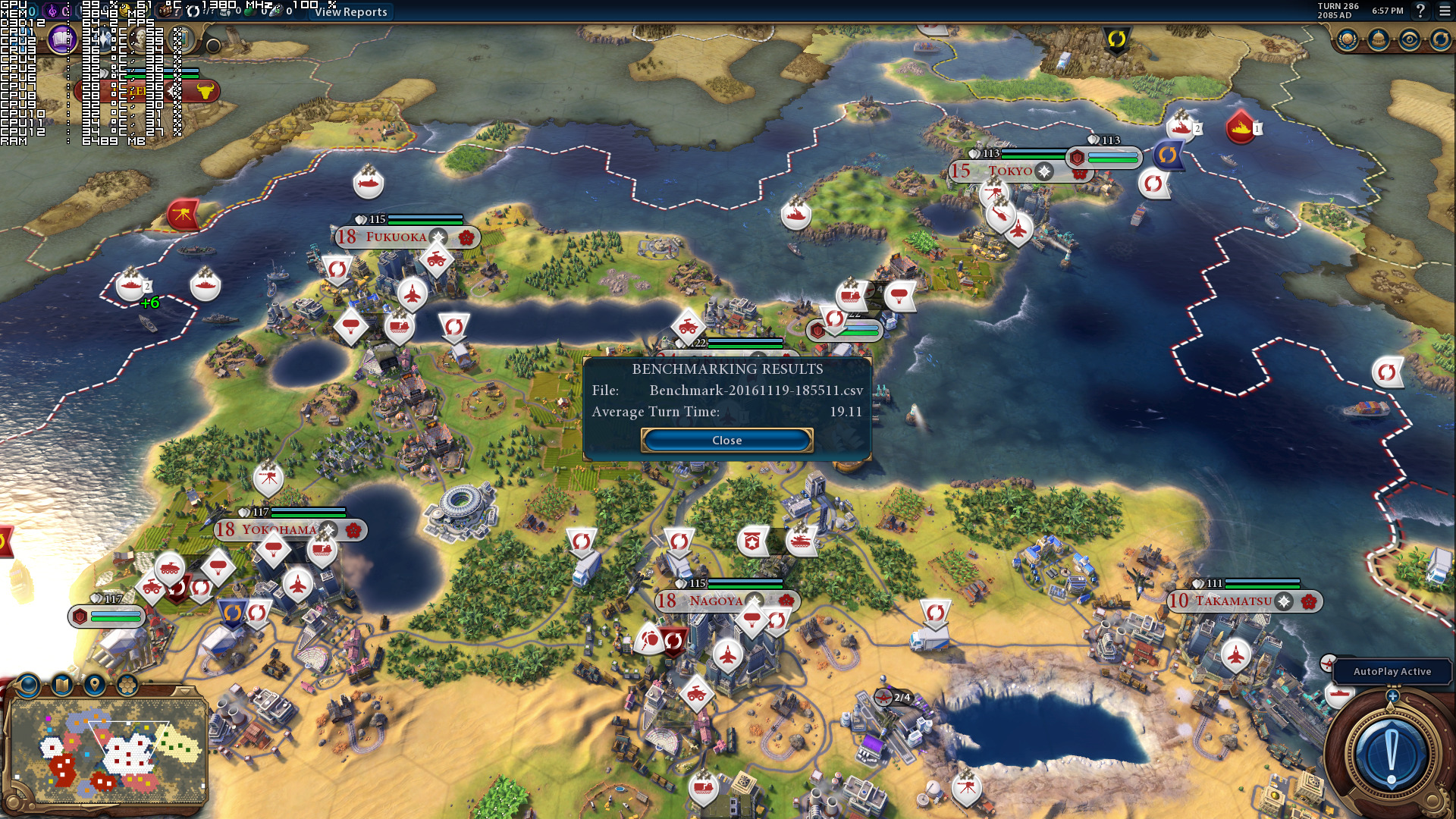
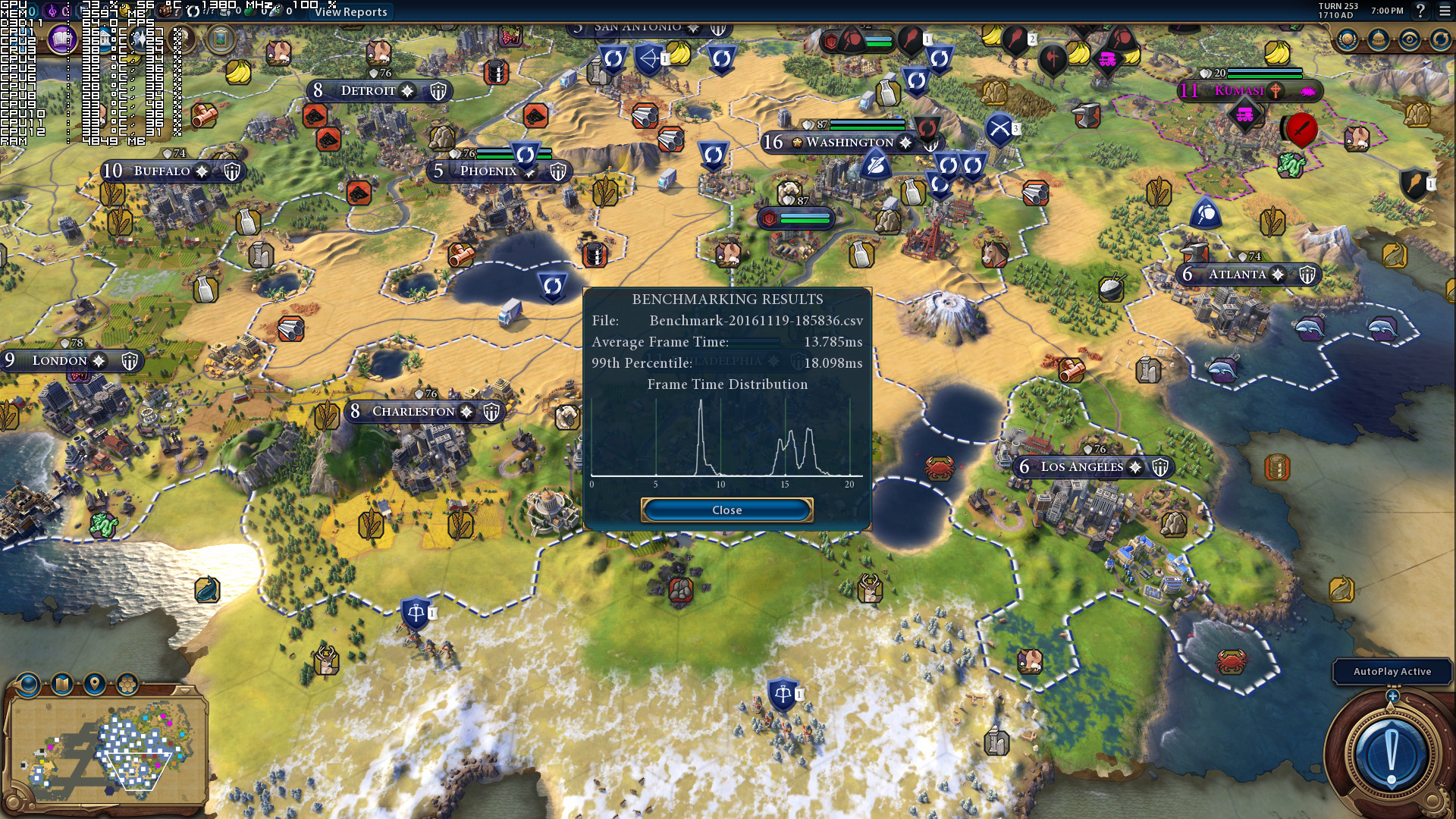
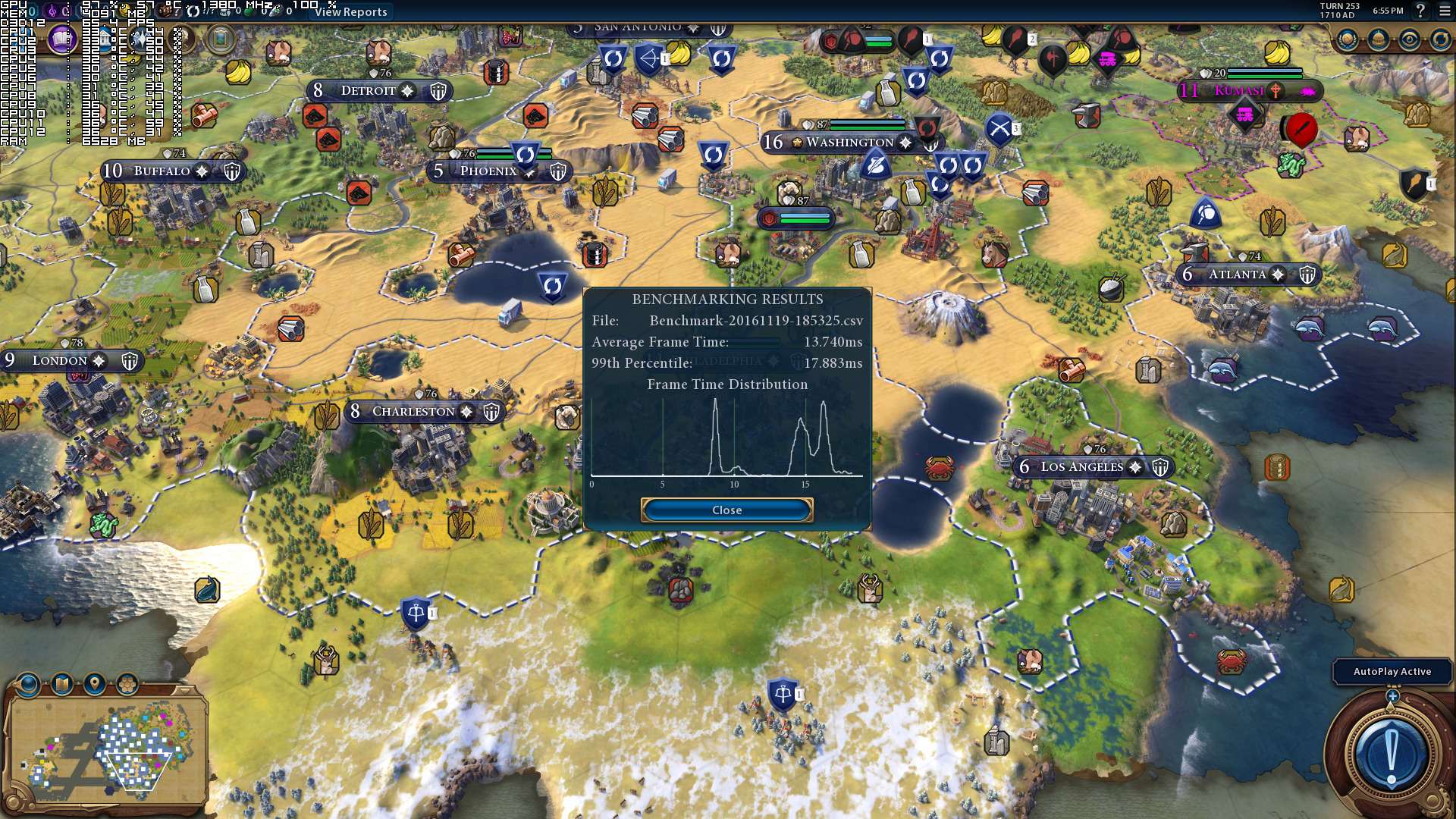
Thankfully, Firaxis Games has included two in-game benchmark tools. The first benchmark stresses the GPU, while the second one measures AI and turn-processing performance.
As we can see, Sid Meier’s Civilization VI performed similarly in DX11 and DX12 on our PC system (Intel i7 4930K (turbo boosted at 4.2Ghz) with 8GB RAM, NVIDIA’s GTX980Ti and GTX690, Windows 10 64-bit and the latest WHQL version of the GeForce drivers).
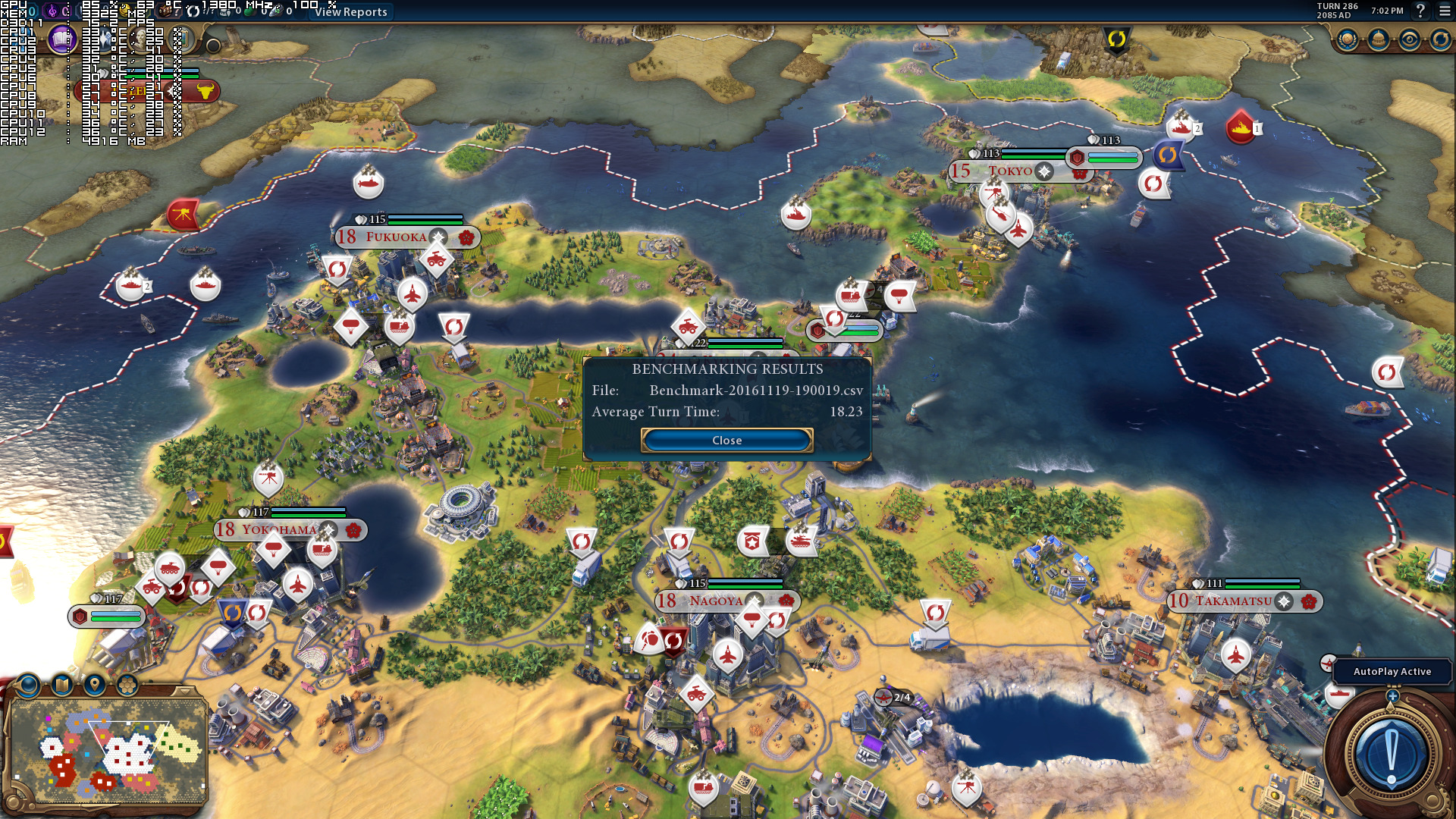
What’s really interesting here, however, is the GPU usage. As we can see, in DX12 our GPU was used to its fullest. Still, the DX11 path was as fast as the DX12 one, even though our GPU was underused in DX11.
This may show the incredible job that NVIDIA has done with its drivers regarding the DX11 API. It also shows that DX12 is not a magical trick that will automatically increase your performance, especially when NVIDIA has done an incredible work with its driver optimizations.
According to reports, AMD owners can expect better performance under DX12, however this may be also due to the fact that AMD’s drivers are not as optimized for DX11 games as NVIDIA’s are.

John is the founder and Editor in Chief at DSOGaming. He is a PC gaming fan and highly supports the modding and indie communities. Before creating DSOGaming, John worked on numerous gaming websites. While he is a die-hard PC gamer, his gaming roots can be found on consoles. John loved – and still does – the 16-bit consoles, and considers SNES to be one of the best consoles. Still, the PC platform won him over consoles. That was mainly due to 3DFX and its iconic dedicated 3D accelerator graphics card, Voodoo 2. John has also written a higher degree thesis on the “The Evolution of PC graphics cards.”
Contact: Email


No need to switch to W10 yet , feelsgoodman.
DX12 proves to be sh?t more and more as the time passes
Is there a single game out there that runs well using DX12 aside from Forza Motorsport 6 (I’d mention Forza Horizon 3 but lots of people have reported performance issues)?
Gears 4 is really the only one.
Most of them ran like garbage, more like garbage on nvidia vs amd cards (less of a hit on amd cards vs nvidia )
Sadly… Remember those figures? https://uploads.disquscdn.com/images/1553f06dcc222838852ebff476e2aa78da8927596f0baa29e940fddb21c07065.png
I know draw calls ? performance, but 13x more of them should make us expect something really cool. At the moment, DX12 seems to be just a decoy created by Microsoft to make people switch to Windows 10.
Since I’m bored, & this feels like a good spot to plunk this;
I did some traveling recently with a borrowed piece of junk, which allowed me to spend some every-day time with a Windows 10 installation, both pre- & post-Anniversary Update (dumb piece of sh*t took a week to decide to tell me it wasn’t installed yet, so yeah, I got to experience both). My experience with it was, yes, there are some clear improvements over Windows 7, & by extension, it really does force Windows 7 to show its age in many ways, but at the same time, there’s just so much bullsh*t here that it’s really just not worth the upgrade at the moment, AMD GPU + DX12, or not.
It does have some real, serious potential, & Microsoft has indeed done some excellent improvements, but they’ve also added in a lot of sh*t. The user restrictions, for example, like being unable to disable updates (piece of sh*t was even downloading them on a metered connection, despite the clear label on the Update page saying it wouldn’t), & I’ve had several issues with 3rd party programs, such as VLC. I looked them up, & most of them have been attributed to Microsoft, ergo they’re OS-side issues which Microsoft themselves have to fix themselves, rather than the 3rd party developers (footnote: Ultimate Windows Tweaker Tool does successfully force the update service to stop auto-scanning & downloading, but as it can only turn off the service entirely, it means that by using it, you’re also required to do manual update scans, which isn’t everyone’s thing, needless to say).
The Start Menu is (still) a bloated joke, & while the Anniversary Update provides some handy improvements to it, it’s still just BAD. I suppose I could be missing some weirdly hidden customisation options, somewhere (the new Settings panel has everything buried under something else, which is really irritating), but regardless, the default presentation is utter dog turds. Maybe in another couple of years, if they iron out all these issues, it’ll be worth moving to on a full-time basis. Until then, however, avoid it for as long as you possibly f*cking can, because it’s really just not worth the mind f*ck.
Also, maybe it was because I was on a laptop with a touchpad, but there’s still some sort of weird hybrid merger between tablet (touch) capabilities, & the desktop side of things that doesn’t always work very well. The Ribbon UI’s were a source of constant (personal) irritation, & there’s this new menu in Windows Explorer called Quick Access that keeps pinning commonly used folders to it, which I never managed to figure out how to turn off…… The new Default Apps are another mixed bag. Microsoft’s “Movies & TV” player performed better than VLC, but it lacked VLC’s customisation (it’s extremely barebones), the new Photos app is…. irritating, Music is a massive improvement over their previous offering (another barebones app, though), & Edge (new browser) is nice, lightweight, responsive, barebones. Cortana can go **** ** ******* ****.
On the other hand, it’s got these great screensaver nature shots from all over the world which I’ll really miss on Windows 7, & I’m personally really going to miss the Action Center + Notifications, as it’s a great (Apple ripoff) improvement over the Windows 7 “bubbles popping up in your f*cking Start Menu, nagging you for your attention” thing. Now, while I did grumble about the Settings Menu revamps up there, I’d also like to note; they have done some nice improvements to it as well, however, so there’s good & bad both to be discovered there. Aesthetically, you’ll either like it, or you won’t (I find it to be very ’80s monotone), but that’s another personal choice thing. Personally, I found myself missing Aero (like, I get that Apple moved away from a glass-based theme to a flat “futuristic” theme, but ffs, Microsoft, you had something going there, & now it’s not even optional).
Anyway, in case someone was considering upgrading any time soon for whatever reason; YE BE WARNED.
You will use Windows 7 to end of your days:
– you can’t play games like Forza, Gears, Halo Wars, State of Decay, Scalebound, Crackdown or any other MS game.
– you can’t use CPU like Intel Kaby Lake, AMD Zen or any newer because all those CPU (and motherboards) have drivers only for Windows 10.
– you can’t buy AMD GPU because those cards have slow drivers for DX11.
– you don’t have access to Windows Store apps like Instagram, Netflix (for resolution higher than 1080 on PC)
There a few sacrifices 🙂
See, I knew you’d be by soon 😀
– Don’t care, don’t care, don’t care, don’t care, don’t care, & uh, oh, don’t care. I would care if Halo ever brought the MCC over to Windows, but even then, that would be a question of zerging Halo 1-3 + Reach over the course of a few days, couple of weeks at most.
– Yes, & no. Microsoft can officially deny support to the new generations, sure, but they can’t do anything aboout existing compatibility, so there’s no telling how Kaby Lake & Zen will &/or will not operate on Windows 7 &/or 8, regardless of Microsoft’s support, since there still aren’t any actual units to test their compatibility with, yet. Either way, time will tell if there are indeed any “Blue Screen of Death” issues with Kaby Lake on Windows 7, or not.
Also, as much as Microsoft wishes it were otherwise, there’s nothing they can do to stop 3rd parties from creating custom support patches to fix any issues that do appear, so I’m pretty sure I’m covered there, assuming I ever actually upgrade to Kaby Lake in the first place.
– Don’t care anyway, & will continue to not care unless AMD suddenly has better Vulkan performance than Nvidia, as well as equal-to &/or better-than Nvidia price-performance ratio prices on its upcoming cards – whenever it is they’ll actually be out. Haven’t used AMD in years, as it is, & have no plans to any time soon. Unfortunate, but oh well.
– Oh, tragedy, I don’t get to use Instagram! And 4K Netflix! 😮 Wait, do I even have a 4K Monitor? Oh, wait, no, I don’t so…… /care.
Seriously You still wait for Vulkan games? No a single game developer besides ID Software care about this API. Even Dishonored 2 created on “ID Tech engine” change renderer to DirectX. Developers don’t like Vulkan they use DirectX.
Arkane took id Tech 5, an age-old engine, & modified it to run on Direct3D 11 because, oh! DirectX 11 was always superior to OpenGL in performance. Damn, Arkane wanted to give people the best performance possible on their performance-troubled Dishonored sequel, what a tragedy. Since they didn’t even go with DX12, I’m no sure what kind of a foot you see yourself standing on here, honestly.
Also, that’s a little premature, don’t you think? Windows 10 launched over a year ago, & we’re only just starting to see DirectX 12 titles that don’t cripple performance compared to DX11, whereas Vulkan only just launched 8 months ago, & we’ve yet to see how Nvidia will react to Vulkan in 2017, now that their DX12 performance has been revealed to be nothing more than a sad joke.
P.S. Nice to see you not countering my criticisms of Windows 10. You must really enjoy being the sub in that relationship…….
Arkane took id Tech engine created for OpenGL and put a lot of effort to remove that API. They don’t want OpenGL or Vulkan. They want DirectX. Like any other game developers except ID Software. Game developers really like DirectX because they share game code between PC and Xbox.
And? The PlayStation runs on OpenGL, so there’s also a degree of code sharing between the PC & the PS4, I daresay. That argument of yours really only applies to Xbox-first, &/or Xbox-Windows 10 titles that feature DX12, not DX11 cross-platform trinity titles, btw.
“The Void engine is based on id Tech 5, with art director Sebastien Mitton saying the team kept “[roughly] 20 percent” of the original engine. Arkane removed unneeded elements from the engine like the mini open world and overhauled the graphics.”
(I guess that explains why they’re calling it Void Engine, instead of “id Tech 5 Modified” or whatnot – it really is a near-completely different piece of tech… O.o)
Yeah, it really sounds like they seriously went out of their way to clean out OpenGL & replace it with DirectX 11 – several years ago. I mean, yeah, this was definitely not just a decision made because Mantle probably wasn’t even out yet, Vulkan wasn’t even on the horizon yet, & DirectX 12 wasn’t even an idea to anyone yet – NOPE! They actually, definitely, absolutely, undoubtedly, literally, physically delved right into the engine’s guts with the specific, sole intent to remove OpenGL in favour of…. wait for it! DirectX 11, all because they preferred it.
Funny thing; 2, 3 years ago, I’d have preferred Direct X 11 to OpenGL as well. I mean, let’s think about it for a second; Vulkan wasn’t even on the horizon, (probably) Mantle wasn’t out yet, & DX12 was even farther out, so yeah, if I was them 2-3 years ago (if not even longer ago, really), I’d have also gutted the performance-impaired OpenGL in favour of DX11, especially considering how consoles were now, finally DX11-capable, courtesy of the new generation.
Now if they’d actually gone out of their way to include a DX12 mode into Dishonored 2, you’d have some kind of actually solid standing, but as it is? Hell no. This stuff was all done years ago, long before release, so there’s really no way of telling how Arkane feels about OpenGL & Vulkan now – today based upon the choices they made years ago.
“The PlayStation runs on OpenGL”
What? Sorry but no. Playstation use own private API: GNM for low level and GNMX for high level. Sony don’t use OpenGL or Vulkan. Even Apple drop support for OpenGL and focus on own private API Metal. All main companies have own API integrated with system.
Yeah, that one’s my bad, was thinking PS3. My fault for posting instead of sleeping at that hour.
PS3 also doesn’t use OpenGL. Sony have own API. You can read about that:
“PlayStation 3 doesn’t USE OpenGL, it uses Sony’s own PSGL (which might be based on OpenGL ES 1.0, but has a LOT of hardware-specific extensions, since OpenGL ES 1.0 doesn’t even offer programmable shaders or anything… Ironically enough PSGL is based on Cg, which was developed by nVidia and Microsoft, and is closely related to Direct3D’s HLSL, but NOT OpenGL’s GLSL). And in fact, many games don’t even use PSGL all that much, but use the lower-level LibGCM or go down to the bare metal themselves (the advantage of a console: hardware is fixed). Yes, there are OpenGL wrappers available for the PlayStation 3, but their performance is considerably worse than PSGL, because OpenGL isn’t suited to the PS3’s hardware very well ”
Sony never care about OpenGL. They always choose own API.
“PSGL is a rendering API available additionally to GCM and OpenGL for Sony’s PlayStation 3. PSGL is based on OpenGL ES and Nvidia’s CG. A previous version of PSGL was available for the PlayStation 2 but was largely unused.”
Note the important part of this; “PSGL is based on OpenGL ES”.
You could not be more wrong. What you fail to understand is that it takes a LOOONG time to transition over to a new API. Vulkan was a bit behind DX12, however it’s got far better compatibility of hardware since DX12 is limited to W10 PC/XBONE.
Vulkan is for WinPC, Linux, Android etc and if you take five minutes to do research you’d see a HUGE involvement by all the major parties.
Nothing is more guaranteed to succeed than VULKAN, though again keep in mind you’ve got to finish most of the API, integrate into game engines, get video driver support etc.
Luckily porting most code between DX12 and Vulkan is relatively simple.
Btw, you’ll want to look into that Neflix thing; best people can tell, it’s not a contract-bound thing, & it’s not bound to the App itself either, but rather the Edge browser, so there’s really nothing stopping Netflix from one day pulling its head out of its *ss & fixing the PC 1080p & UHD support both for all the other browsers &/or operating systems. There’s some claims it’s a DRM thing, but those haven’t been confirmed either way yet, best I can tell, so pinch of salt, etc.
Oh, and er, best I can tell, Internet Explorer 11 is 1080p-capable regardless, so…… yeah. Here’s a quote, for the record;
“According to PC World, Chrome, Firefox, and Opera all cap at 720p in the real world while only Edge can stream up to 1080p. Netflix won’t stream 4K to any PC, even if you have a gigabit fiber connection and a 10-core CPU + GTX 1080 to decode it with. If you want the highest video quality in Microsoft Windows, you need to either use Edge, Internet Explorer 11, or the Netflix app itself to get it.
Why is this the case?
The short answer is that nobody seems to know. The slightly longer answer is that Netflix seems to be somewhat unique in this category. Amazon Prime doesn’t give any indication that it only streams in 1080p to specific browsers.”
P.S. “That’s right, Amazon’s new Ultra HD streaming service won’t work on a PC or Mac. Even worse, Amazon appears to be following Netflix’s lead by leaving Mac and PC users stranded with pedestrian 1080p video despite the hardware being ready for it.”
Nobody seems sure about why Netflix 1080p is acting up, by the way, but the consensus for 4K seems to be “Hollywood wants better DRM before they let Amazon & Netflix stream it onto PC’s” (surprise!), though of course, they wouldn’t [be allowed to] say that even if it were the case, so there’s no way of telling with absolute certainty, either way.
“nothing stopping Netflix from one day pulling its head out of its *ss & fixing the PC 1080p support for all the other browsers”
Main reason is performance. Browser like IE, Safari and Edge use hardware acceleration to H264/H265 codecs. Rest of browsers like Chrome, Firefox doesn’t have hardware acceleraition for H264 and don’t support H265 at all. This is main reason why Netflix limit video to 720p on slow browsers like Chrome. Even YouTube is slow in Chrome at 4K because of bad support for codecs
Chrome: 720p
Firefox: 720p
IE: 1080p
Edge: 1080p
Safari: 1080p
Windows 10 app: 4K (in Windows 10 1703 MS will add HDR)
Well, technically they have it, it’s just not hardware-supported (VP8, VP9) which makes it a currently inferior solution to the H.264 codec, sure. Either way this doesn’t matter much in the long-term – assuming this is the actual problem, even.
Also, the HEVC argument is more than “does & doesn’t support”; it’s part of the greater HEVC vs. VP9 argument, & of course, the AV1 thing that’s due next year, which is supported by just about everyone who’s not Microsoft, so Microsoft’s early adoption of HEVC in Edge (surprise! considering they make money off of it….) is great for Edge, but long-term it could mean anything. After all, just about everyone else, including Netflix, Amazon, Google & Firefox are pushing VP9 & AV1, which is also what they’re currently supporting, so who knows how this will turn out in regards to 4K content.
You should be thanking your Corporate Overlords, btw. It’s partly thanks to Microsoft’s excessive greed (HEVC Advance Group’s excessive licensing costs) that there are so many open-source license-free alternatives coming into fruition, backed by major industry players. Everyone wants to crush the Microsoft Corporate Monolith. HAHAHAHAHA.
Regardless, needless to say, until Netflix &/or Amazon actually starts streaming 4K content to the PC, what Microsoft does & doesn’t add is irrelevant.
That was quick… Today Netflix add support 4K HDR to MS Edge. Exclusive
Updated list:
Edge: 4K
Windows 10 app: 4K
IE: 1080p
Safari: 1080p
Firefox: 720p
Chrome: 720p
A friendly reminder to all the shills out there in the world, courtesy of the Microsoft Blog itself;
“To run Netflix in 4K on a PC device, it must have a 4K-capable screen and use a 7th Gen (Kaby Lake) Intel® Core™ Processor.”
The blog post in question never once mentions HDR, btw, just the ability to stream Gilmore Girls in 4K.
Other than that; kudos to Microsoft, though I’ll be interested in seeing how long this exclusivity period actually lasts for. Hell, I’m curious to see if it’s even a contract-mandated exclusivity period, or if this is just Microsoft pushing their HEVC adoption agenda again.
A really good post pointing the rights and wrongs of Win10 , about Aero you can bring it back with Aero Glass a really good program which works both on 8.1 and 10.
In the end of the day 8.1 with Aero Glass and StartisBack is the best solution imo since 8.1 have most of improvements Win7 versus Win10.
Not to mention the fact that you can control your Windows Updates in 8.1 , something you can’t do on 10.
I’m starting to think so, too…. LOL. Funny how that turned out in the end, isn’t it? The minor release done in an attempt to fix the major one’s issues in the end turning out to be the least controversial of the pack. HA!
Other than that, yeah, Aero Glass is great, though it sadly can’t replicate the small stuff unfortunately, like rounded corners instead of sharp boxy ones, etc (yes, that’s really a thing with me :P). Ah well, “progress!” as they say.
Why this site does not test amd gpus?
They don’t have one yet they said they were waiting for VEGA.
hahahaha! That can’t be it…
John said that in a past article I can’t recall which tho.
https://uploads.disquscdn.com/images/c855bbd032aa47d9d4cb7e490150312da931416b20c276fda0466309a455e750.png
Coz Nvidia is better.
Especially EVGA ones, they are the bomb (pun intended )
Cause the BIAS is strong.
because they don’t have the hardware. maybe you can donate a few?
We will. It’s just a matter of time. For technical issues (as well as VEGA being delayed) we don’t have one yet. Oh, and NVIDIA does not sponsor us in order to be using its GPUs (it has been mentioned before, it’s inaccurate. We don’t have any deals at all with ANY game publisher or PC hardware vendor)
Why no older cards, since you still test the 680 dual card?
Because why pay for a old card at this point?
They use the 690 because it’s their old hardware and provide a decent basis for older systems (I assume).
He had time and money (I assume) between 690 and 980ti to buy a amd too, but he bought a second nvidia instead.
Anyway not going to dicuss this with anyone other than himself.
I just find an interesting fact…
Ooook then.
http://gifsec.com/wp-content/uploads/GIF/2014/03/GIFS-OK.gif?gs=a
We should already had an AMD GPU, no excuses here.
As 7thGuest said, it was our older GPU, so it gives an idea of how the latest games run on a dated GPU.
We aren’t also a benchmarking website to have lots of GPUs against each other. Our PC Performance Analysis articles are not meant to be benchmarks but rather PC reports.
Moreover, having four-five cards to test will have a major impact on the amount of time it takes to finish our PC Performance Analysis articles (replacing cards and drivers, testing different sections of a game, etc).
Deus Ex: Mankind Divided (thankfully it has a save system) is a perfect example of this. Its benchmark tool is GPU-bound, however the game relies heavily on the CPU too in Prague. If you don’t actually play almost the entire game, you won’t encounter these sections. And in those scenes, DX12 – for example – under-performs, something that no other website has covered (for convenience purposes, most sites rely on its benchmark tool, which is in fact misleading of the real performance).
When we get an AMD GPU, we may even drop our coverage for the GTX690 (we have not decided yet, but we’re considering it).
Thats reasonable, i acctualy find interesting the fact that you always put an older archtecture, because many, maybe, are still using it, and we can apreciate how much it has “evolved”, but between two vendors and two cards from the same vendor obviously
I prefer two vendors as it can have wider gama of people using it( even if Nvidia still have about 80% of the marketshare)
Anyway, thanks for the explanation, i like your content choice, but as i will probably never buy a Nvidia product, i missed the other side of the history too.
“DX12 is not a magical trick that will automatically increase your performance”
But they told me it has 200% magical performance boost in games before release, what happened ? /s