
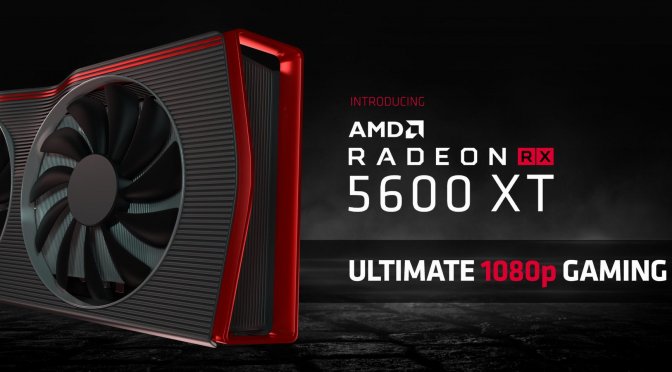
When the RX 5600 XT GPU was launched there was chaos and confusion amongst reviewers, Retailers, AIBs and gamers like, because AMD made some last minute changes to the specs and parameters of this GPU. It was sort of a messy launch.
Now, AMD has once again made this move official, stating that the RX 5600 XT GPU will support 14Gbps Memory speeds. In case you didn’t know the RX 5600 XT originally shipped with “12Gbps” Memory modules. AMD made some last minute changes to the specs which created confusion and “frustration” among reviewers (by implementing 14 Gbps memory, along with a 150W+ TGP limit, which forced them to update their reviews).
Increased and faster Memory clock speeds can help with performance in some of the PC Games though.
Custom AIBs will now release fresh 14Gbps cards having upgraded BIOS out of the box, but some of the SKUs would be requiring a BIOS update directly from the Manufacturer’s website. AMD has listed all the GPUs which are eligible for a video BIOS update that increases the memory clock speeds; and there are links to OEM support pages as well. The same AMD table also lists out certain cards that will come with 14 Gbps memory out of the box, for which a BIOS update won’t be necessary.
You can view the table over here. There are 21 custom models listed in total, out of which 9 can be upgraded with new BIOS, as of now. The list will be updated if need be. At the time of launch, those Manufacturers who didn’t ship their cards were on the safer side, because they only needed to upgrade the BIOS on their models. On the other hand Custom AIBs who shipped these GPUs to distributors had very little choice but to release a compatible BIOS update.
This was risky because there was no guarantee that the cards would work properly with higher memory speeds. Because of all this chaos some of the GPU brands have now decided to release new SKUs with 14Gbps modules, which are going to be properly certified in the process.
There is still slight confusion with regards to the Radeon RX 5600 XT. Not only do Gamers have to be fully aware about which Model they are buying, but they also need to check out what BIOS the card ships with. AMD has not commented on any BIOS upgrade failures though. But there are now high chances that you might get an upgraded BIOS SKU from the retailer ‘out of the box’, though before making any purchase please kindly check with your Local retailer and confirm things beforehand.
Happy gaming!
Hello, my name is NICK Richardson. I’m an avid PC and tech fan since the good old days of RIVA TNT2, and 3DFX interactive “Voodoo” gaming cards. I love playing mostly First-person shooters, and I’m a die-hard fan of this FPS genre, since the good ‘old Doom and Wolfenstein days.
MUSIC has always been my passion/roots, but I started gaming “casually” when I was young on Nvidia’s GeForce3 series of cards. I’m by no means an avid or a hardcore gamer though, but I just love stuff related to the PC, Games, and technology in general. I’ve been involved with many indie Metal bands worldwide, and have helped them promote their albums in record labels. I’m a very broad-minded down to earth guy. MUSIC is my inner expression, and soul.
Contact: Email
it would be nice, if they now focus on some high end cards with the new NAVI lineup.
How about AMD slaps the “14Gbps” sticker on the Retail Box, to avoid any confusion so gamers are not confused ? This is much better as well, since making the changes in the card’s specs is a bit irrelevant since most people don’t even check specs before buying.
Not a bad idea. They should do this as well.
Yes, I was actually referring to AIBs, and NOT AMD, since this depends on the board partners.
Welcome to the future!!! Where DLC comes locked on the disc and extra Ram can be downloaded LOL
not Ram, but extra VRAM can surely be downloaded for free, lol.
Come on AMD, give us some news on Big daddy NAVI.
btw. I have MSI RTX 2080 gaming trio graphic card.
In MSI AFTERBURNER IT IS SHOWING 1510 base gpu clock which is very much fine
But below that its showing 7000 mhz memory clock. What is the meanings of this 7000 mhz.
Where it come from? Is that meaning that it has 8gb memory?
Basically the memory clock is the speed of the VRAM on the graphics card. But not the exact physical memory amount though. The core clock is the speed of the actual GPU chip on the graphics card.
Most of the RTX 2080 models feature a base Memory Clock value of 1750 MHz. That 7000Mhz could be the “effective” memory speed, though Nvidia claims a value of 14000 MHz as effective clock speed. That’s the EFFECTIVE Memory speed value.
The RTX 2080 features 8GB GDDR6 Memory, on a 256bit BUS, having a total Bandwidth of 448.0 GB/s.
One example. The effective speed of a QDR memory can be calculated as given below: QDR = Quad Data Rate or Quad-pumped:
QDR_Effective_speed = Real_speed x 4.
1750*4 = 7000 Mhz. Its DOUBLE DATA RATE and Quad pumped.
Do NOT worry about these readings, because it will confuse you as well. Just focus on playing Games. But It is advertised as 14000MHz, since its DOUBLE DATA RATE and Quad pumped.
Use this GPU-Z tool to check any GPU parameter. https://www.techpowerup.com/gpuz/
MSI afterburner can also be used to check the parameters. But Afterburner would actually sometimes report the data rate frequency/MHz as doubled. Since it’s GraphicsDoubleDataRate6 memory/RAM. Afterburner already compensated for the fact that GDDR6 is Double Data Rate memory.
Make a note. It is GDDR (Graphics Double Data Rate,), so the memory will communicate on both the leading/ trailing edge of its pulses. MSI Afterburner is showing you effective memory speeds, but GPU-Z on the other hand will show you the actual frequency. Double that number and it will match.
Awesome !! Thanks for the explanation. That was really helpful. I learned something new today, lol 😀
Download vram or memory speed addition for your card at AMD website. Its free…
I just bought a Sapphire Radeon Pulse RX 5600 XT for my lady and i’m currently using until i finish building her computer. Let me say this, This card is a MFing BEAST. Quiet and destroys anything it touches. Just downright stable. I just looked on Amazon and the card is on sale for 40 dollars off, i’m so tempted to buy one to replace my Vega 64 but i initially wanted to wait till the newer and more powerful cards come out. Because 6Gb of VRam is just not enough for how i game. BUt damn i’m so tempted to buy another one of these cards for myself at 40 dollars off, damn…
How much of a performance difference will this make in games?