
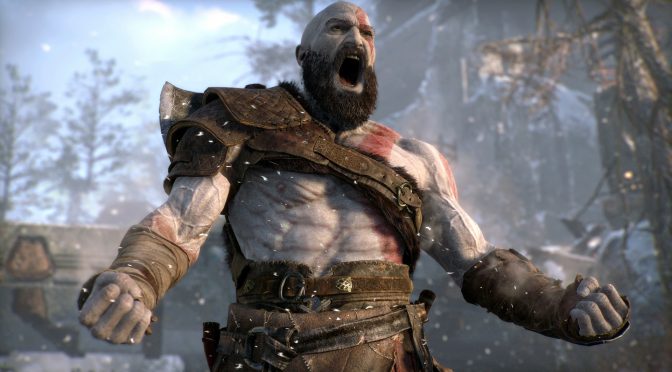
God of War feature

Santa Monica will not be adding an Exclusive Fullscreen Mode to God of War

Santa Monica has issued an update, stating that it will not add an Exclusive Fullscreen Mode to God of War. Santa Monica claims that Borderless Mode currently does most of the things the company wants to support. Furthermore, Santa Monica will further improve Borderless Mode via future patches.

As Santa Monica’s Matt said:

“We made the decision to go with Borderless Fullscreen based on extensive performance testing and research into to the support capabilities of Windows 10 alongside the fullscreen optimizations done by Microsoft in recent years.

Unlike with past versions of DirectX and Windows, the improvements implemented into the DirectX 11 version that God of War runs upon means that Borderless Fullscreen fully supports VSync, NVIDIA G-Sync, etc. Additionally, we concluded that the upscaling we built into the game (TAA, NVIDIA DLSS, AMD FSR) provided higher-quality upscaling than what a monitor could give running at lower resolutions for performance reasons.”

As said, Santa Monica aims to fix some of the Borderless Mode issues. For instance, HDR needs to be turned on at the Windows-level to work properly rather than at the application level. Additionally, sometimes the mouse doesn’t stay constrained to the game window.

Lastly, and regarding downsampling, Santa Monica claimed that it will investigate and see if there are solutions. In our PC Performance Analysis, we criticized Santa Monica for not allowing such a thing. As such, let’s hope that the team will fix it.

Stay tuned for more!

52 thoughts on “Santa Monica will not be adding an Exclusive Fullscreen Mode to God of War”

  1. From their actions and the wording of their statement it’s so apparent they’re steeped in the culture of console peasantry.

    1. Wtf are you on about, they literally explained the technical reasons behind it.

      DXGI Flip Model introduced in Windows 8, made windowed modes perform as well or better than FSE.

      That is the default on DX12, in DX11 the developer has to opt into it, which is why a lot of games perform worse with borderless.

      An upcoming Win11 update will make all DX11 games use Flip Model Presentation without developer intervention.

      1. that is stupid to have to change the desktop res before and after you play the game every time. other game devs have figured out how to use res options when using borderless so there is no reason they cant here.

      2. Indeed, but it’s annoying and it could’ve been avoided if the game already had Exclusive Fullscreen or … if the game would’ve exposed all resolutions while using Borderless Fullscreen somehow.

        1. Yep, but for now this solution can serve as workaround for this time and let’s hope for a better solution in the future

    1. Fr it’s just an option not a requirement like make it non-default if u think borderless is better like ok but lmfao

  2. I am hoping that they squash those memory leaks first as the game using 7.5 to 8GB of VRAM on 1080P on original settings does not make sense and now after 7 patches it is still doing the exact same thing and when I do run out of Vram the game goes bye bye with a CTD.

    1. I run it at 1440p on a rtx 2060 6gb and the game never exceeds 5.8gb of vram. Seems like you have a problem with your config.

      1. Nope no problems on the computer dude played and Finished Horizon Zero Dawn and a lot of other games on these machines although Horizon did take a few patches before the stutter and hitches were fixed and it happens on 2 different PC’s with an RTX2070 and a GTX1080 and if you go online and search for it especially on Reddit you will see how prevalent the issue is as on some people the leaks happens on the RAM level some are like me where the RAM is fine but VRAM usage keeps on rising and there are those that are getting both the VRAM and RAM leaking at the same time you can see a few of them on the links below https://www.reddit.com/r/GodofWar/comments/s4p1bf/the_memory_leak_is_not_fixed/ https://www.reddit.com/r/Amd/comments/s4spez/god_of_war_159gb_vram_usage/ https://uploads.disquscdn.com/images/63e73b31e616f5ba50448780923cfa6671d6dc266b30327203c255b5e47d1ae4.jpg

        1. I did experience System RAM increases while playing God of War, that definitely happened. You’re right. I found that after about an hour or so of play I would find the System RAM rapidly approaching my 16gb limit (I have 16gb of system RAM), though It didn’t ever cause the game to crash… but, I also don’t play for long sessions. I never pass more than 2 hours in a single session, so perhaps if I had it would have crashed.

  3. it doesn’t have to be good, it just has to last 4 weeks until the sheeple paid top dollerinos for it.

    this is how gayming works now. and they all love it shlop shlop diksuck
    i repeat: NEVER give money to corpos. they only get (((ideas)))

    1. People paid $50 for a critically acclaimed, crazy high production value singleplayer story driven campaign game that’s 20-30 hours long. Haha how stupid of them amirite ?

      doesn’t even have proper full screen.

      which makes literally no difference for most people. Borderless works just fine.

      smh. DSOG comments section at it again.

    2. “a linear 2018 console game with no replayability that doesn’t even have proper full screen”

      Sh**ty. You forgot the word sh**ty. Cause that’s what God of Soy 2018 is. A mechanically sh**ty linear console game with no replayability.

  4. “Santa Monica claims that Borderless Mode currently does most of the things the company wants to support.” The hell does this even mean? Asking as a dev.

    1. Would seem stutters is a feature now… Exclusive is still among the best ways to suppress stutters etc as it takes a slightly leaner codepath

    2. The hell does this even mean?

      We outsourced our console-PC translation to a company that did it as cheaply as possible.

      Supporting proper full screen should be a 2 minute fix, but we are affraid to touch anything because we don’t want to break the outsourced code.

      We also spent all the budget on advertising this game.

      1. Seems like that, there is only 4 people work on it in span of 2-3 years according to eurogamer interview with the porting devs

    3. It means that they’re not working on it and aren’t going to work on it, but embellished, because companies nowadays have to say no in the most politically correct manner in an attempt to appease customers and investors alike.

    4. It’s something that Microsoft is pushing for https://devblogs.microsoft.com/directx/updates-in-graphics-and-gaming/.

      One of their reasons is that it allows DWM to have control over composting without having to hook into the actual present call of the game, which would be required to draw overlays from other software running on your PC. The problem with hooking is potentially triggering anti-tamper software, so I can kinda understand the reasoning.

      However, the downside, as others have mentioned, is that it makes it harder to use things like DSR for supersampling. It’s not impossible, but it’s annoying to have to manually switch desktop resolution settings.

  5. If I want to use higher than native resolution via virtual resolution I can’t unless I change the resolution of my monitor and that’s a hassle… they could just add the option even if hidden but ok ? they better add an option to render the game at more resolution or else

    1. The drivers support G-sync for windowed. It seems to work fine on my 3080 + monitor supporting generic VRR over Displayport 1.4.

  6. “For instance, HDR needs to be turned on at the Windows-level to work properly rather than at the application level.”

    I am missing something here? This was the case with all HDR supporting games that I’ve played to date – needing to be enabled Windows-wide under W10. Did things change for Win 11?

    1. I think some games still work even if HDR is off from the OS side, DoomEternal I think is one of them. (but yes, I know some games have to have it on from the start on the OS before you’re able to enable it in-game)

    2. If a game requires you to turn on HDR in Windows (and it works in windowed mode), it means it is doing it the proper way via DXGI Flip Model Presentation.

      Games that require FSE for HDR and let you turn it on from inside the game, are making use of proprietary NVapi HDR plugin.

      1. Are you sure? Vulkan games like Doom and Red Dead Redemption 2 don’t require HDR in Windows.
        Battlefield V and Resident Evil 2 as well if I remember correctly.

        1. There is nothing ambiguous in what I said.

          Correctly done open source HDR (meaning the standard that is baked into DX11 and DX12) requires toggle in Windows and makes use of DXGI Flip Model Presentation, which means no FSE.

          Vulkan does not have native HDR support, HDR in Vulkan is done through a DirectX 11 extension that uses NVapi. (If this is confusing, an analogue would be Crysis Remastered which is a DX11 game, yet it has hardware accelerated ray tracing via a Vulkan extension that handles that part of the rendering)

          NVapi HDR works on AMD GPUs, there’s a handful of games that use the AMD Freesync 2 HDR extension, which in turn works on Nvidia GPUs.

          The problem is that these extensions are proprietary and come from the very early days of HDR in Windows, they’re crutches, and will surely cause compatibility issues in the future.

          1. Good stuff. Thanks for sharing this.
            It does seem like Vulkan natively supports HDR now though? e.g. VK_AMD_display_native_hdr.

  7. It would be annoying for me, as I usually have G-sync on for only Fullscreen games, would mean I would need to change this just for this game :/

  8. Oh hey more basic PC features they don’t understand why people want them. (Like downsampling.) Shocking.
    Meanwhile if you run the game with DXVK you can get FSE no problem.
    But really as long as they are using borderless in flip model mode (Which if they were they need to specify instead of just saying “well..but we!…” and if it properly reports itself and works with Multi Plane Overlay then it’s essentially performing like FSE. Aside from issues mentioned, like inability to downsample without setting your desktop to that resolution first, HDR and such.

    1. They use DXGI Flip Model, which is the proper way to present modern games…
      “HDR and such”
      What are you on about?

  9. You literally can’t change resolution ingame lol. The only way to try stuff like DLDSR is to switch your entire desktop resolution before launching the game. What extensive testing, when did borderless ever run better than fullscreen?

  10. They wont do it , probably because they use the same sh*t as other sony exclusives on pc , where they need some kind of permission to run in the background sketchy sh*t,

  11. The reason full screen would be nice would be DSR in order to push more onto the gpu, since if you have a weaker cpu you would get stutter fest which I had. Finished this bland game already, gratis version, uninstall and forget.

Leave a Reply

Your email address will not be published. Required fields are marked *