
As we’ve reported, Capcom released a free PC benchmark tool for Monster Hunter Wilds. Moreover, Capcom updated the game’s PC requirements, suggesting GPUs with 16GB VRAM for running its HD Texture Pack. Thus, a lot have been wondering whether the recently released NVIDIA RTX 5080 can handle it. Well, let’s find out.
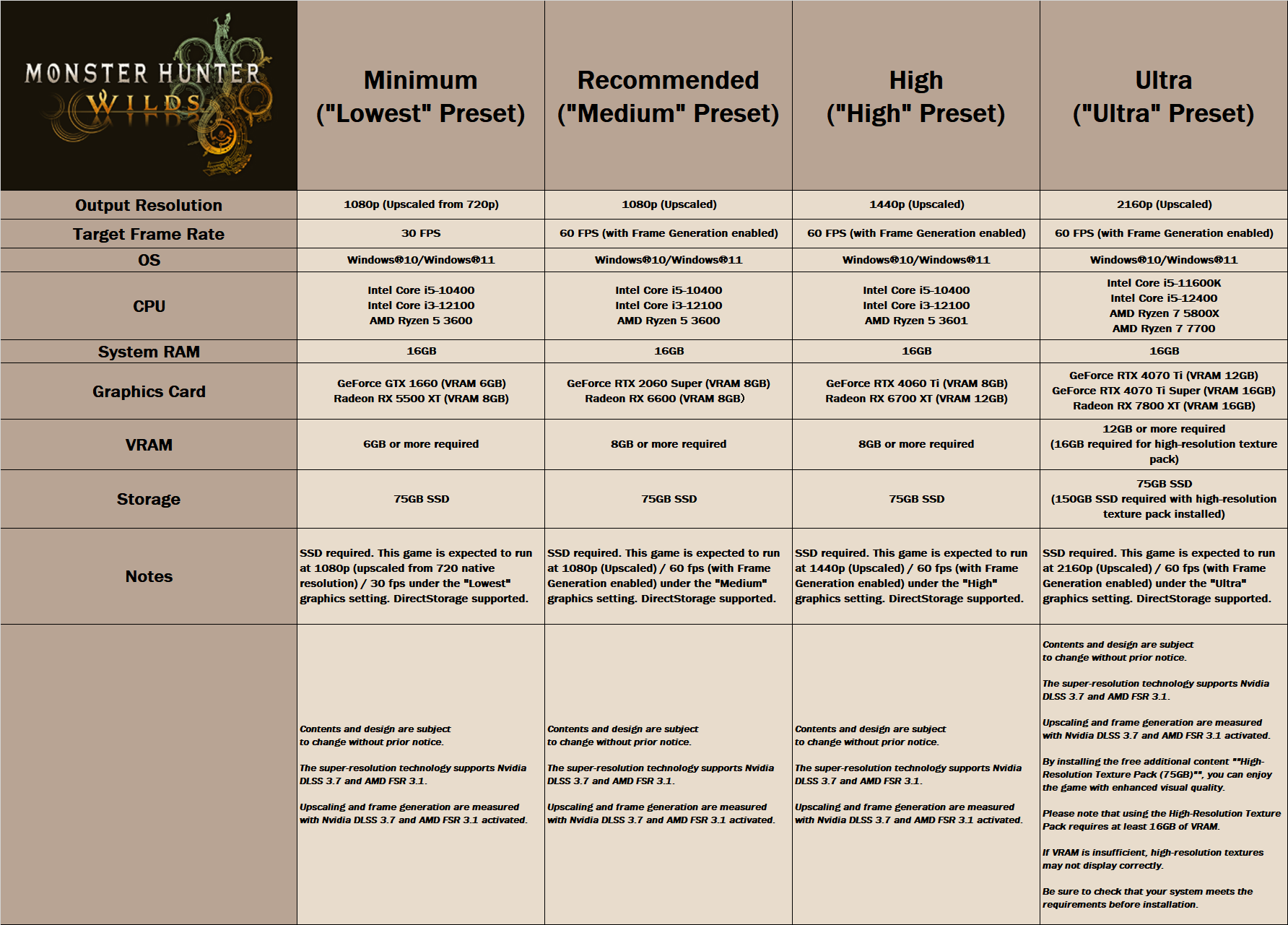
Before continuing, I should note that the benchmark does have the high-quality textures. Or at least that’s what its in-game settings suggest.
For these tests, I used an AMD Ryzen 9 7950X3D with 32GB of DDR5 at 6000Mhz and an NVIDIA RTX 5080. I also used Windows 10 64-bit, and the GeForce 57216 driver. Moreover, I’ve disabled the second CCD on our 7950X3D. That’s the ideal thing you can do for gaming on this particular CPU.
At 1080, 1440p and 4K on Max Settings without RT, the NVIDIA RTX 5080 had no trouble at all running the benchmark. So, to push the VRAM requirements to the limit, I ran the benchmark at 4K with DLAA, Frame Gen and Ray Tracing. This is the worst-case scenario when it comes to VRAM. And even at those settings, the VRAM usage was below 12GB on the NVIDIA RTX 5080.
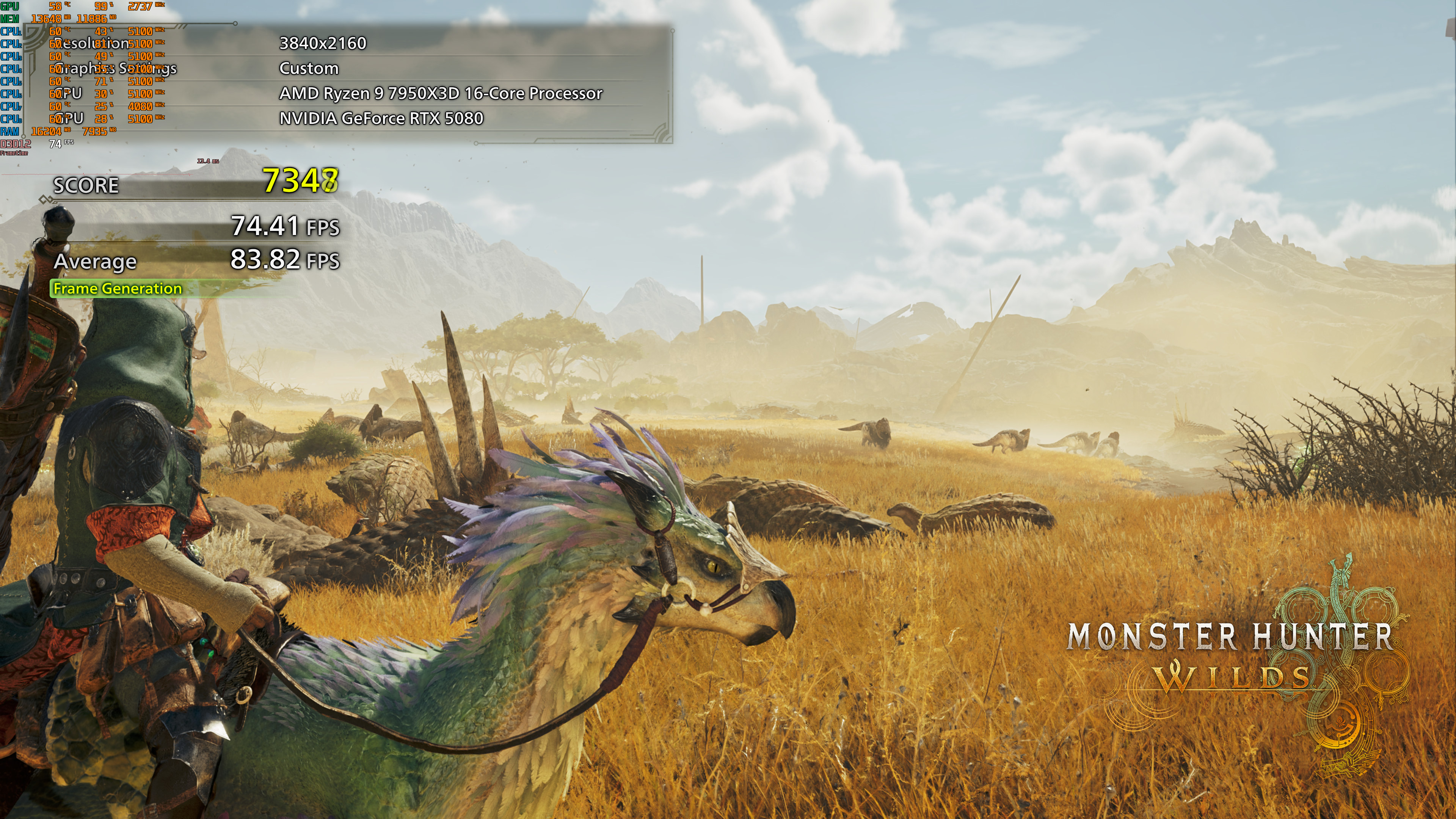
This means that 16GB of VRAM will be more than enough for this game. And, since this is a hot topic, I’ll be reporting on the VRAM usage for the most demanding PC games.
I should also note that on the NVIDIA RTX 5090, the “VRAM usage per process” is above 14GB. So, even though Rivatuner reports this metric, it appears that the game allocates that amount when you have enough VRAM. This is the reason you should NOT judge VRAM requirements on GPUs with higher amounts of VRAM.
It’s also worth noting that, according to the devs, the game will not display the right textures if your GPU doesn’t have enough VRAM. Thus, I tried to see whether this was happening in this GPU. It was not happening. All textures appeared to be loading fine on the RTX 5080.
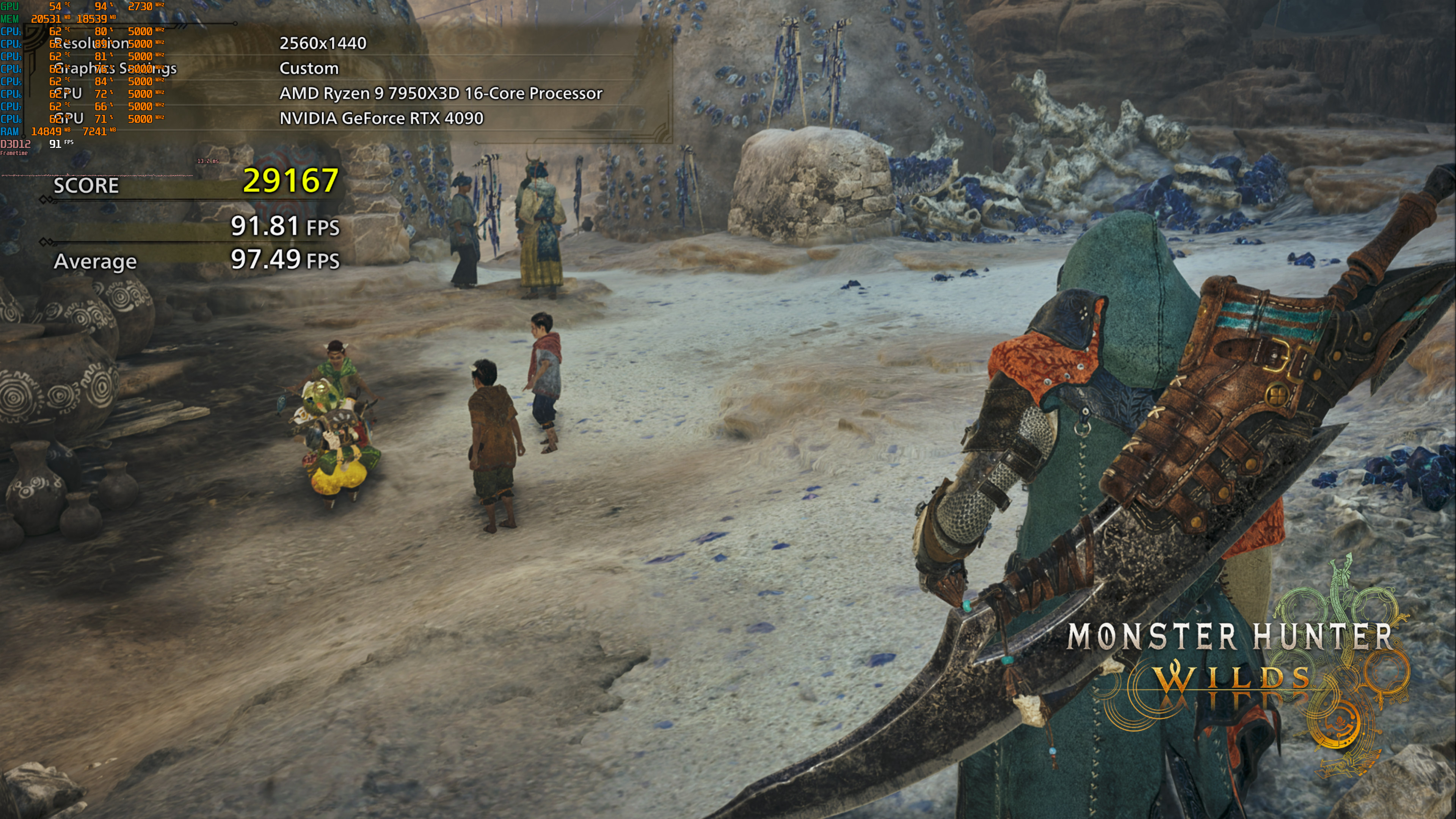
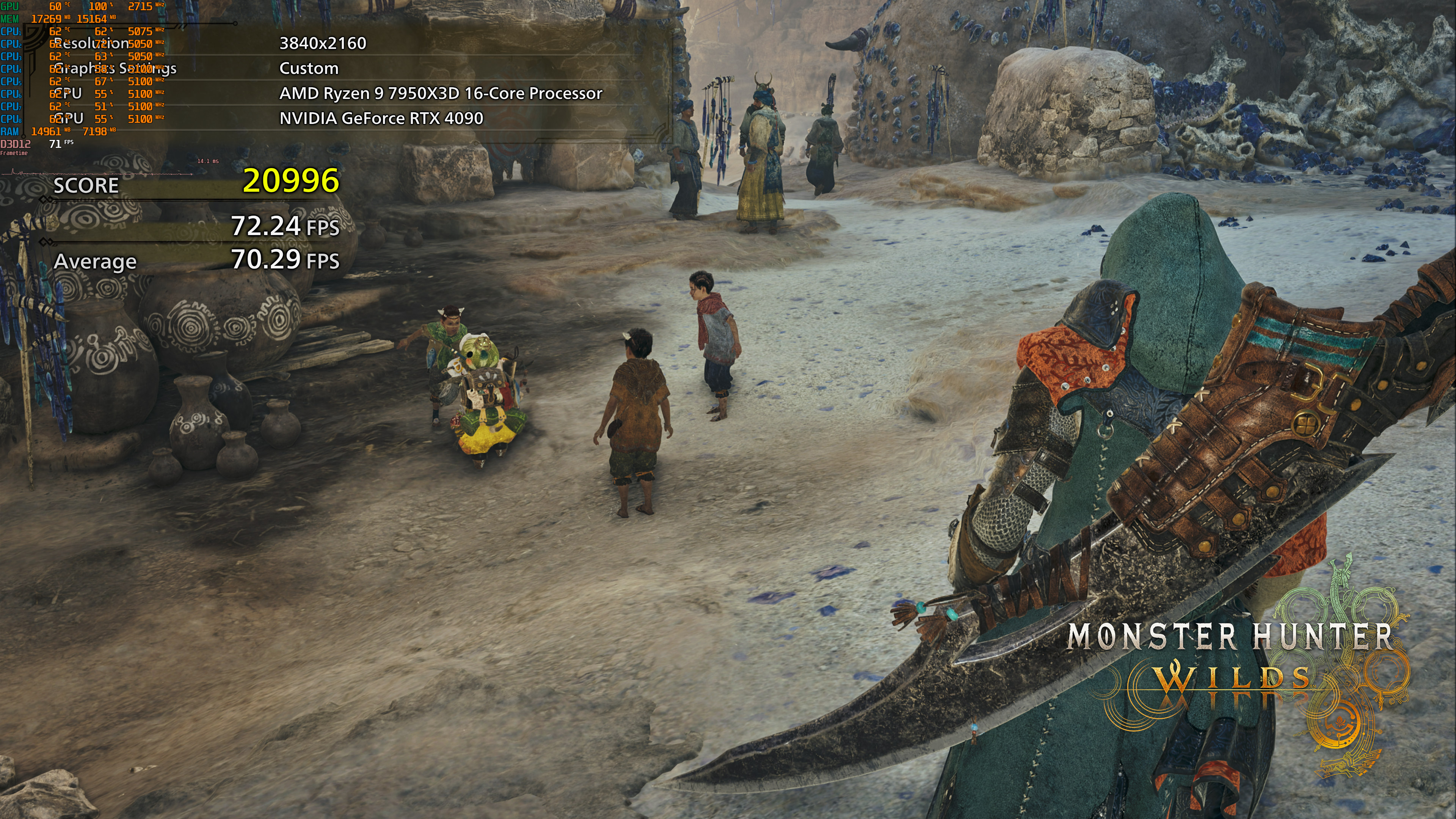
To prove my theory (that the “VRAM per process” metric in this particular game is allocation and not usage), here are two screenshots with the NVIDIA RTX 4090. As you will see, the 1440p shot uses 18.5GB VRAM, whereas the 4K shot uses 15GB. That shouldn’t be happening. Native 4K should use more VRAM than native 1440p. And yes, the 4K shot looks sharper and crisper than the 1440p one (well duuuuuuuh).
Capcom will release Monster Hunter Wilds on February 28th. The game will be also using the Denuvo anti-tamper tech.
Enjoy and stay tuned for more!


John is the founder and Editor in Chief at DSOGaming. He is a PC gaming fan and highly supports the modding and indie communities. Before creating DSOGaming, John worked on numerous gaming websites. While he is a die-hard PC gamer, his gaming roots can be found on consoles. John loved – and still does – the 16-bit consoles, and considers SNES to be one of the best consoles. Still, the PC platform won him over consoles. That was mainly due to 3DFX and its iconic dedicated 3D accelerator graphics card, Voodoo 2. John has also written a higher degree thesis on the “The Evolution of PC graphics cards.”
Contact: Email