Last week, NVIDIA launched a new feature for the RTX50 series GPUs that is similar to AMD’s AFMF, called Smooth Motion. Smooth Motion allows you to enable Frame Generation in games that do not support DLSS 3 FG. So, how good – or bad – is it? Let’s find out.
For our tests, we used an AMD Ryzen 9 7950X3D with 32GB of DDR5 at 6000Mhz and an NVIDIA RTX 5090. We also used Windows 10 64-bit, and the GeForce 57216 driver. Moreover, we’ve disabled the second CCD on our 7950X3D. That’s the ideal thing you can do for gaming on this particular CPU.
The games we tested were STALKER 2, Black Myth Wukong, Final Fantasy 7 Rebirth, Hellblade 2, Silent Hill 2 Remake, Marvel’s Spider-Man 2 and Indiana Jones and the Great Circle.
First things first. To enable Smooth Motion, you’ll need the latest version of the NVIDIA App. Once you’ve downloaded and installed it, you will be able to enable Smooth Motion in most DX11 and DX12 games. Once you enable it, a Low Latency Mode will be also activated. This should reduce the extra input latency of Smooth Motion. Right now, Smooth Motion requires an RTX50 series GPU. However, NVIDIA told us that a future update will add support for the RTX40 series GPUs.
Let’s start with some bad news. From the looks of it, you’ll need a game profile for this driver-based solution to work. If a game does not have a profile, you cannot enable it. Or at least that was my experience with Final Fantasy 7 Rebirth. No matter what I did, I could not enable Smooth Motion. Even when I forced it via Global Settings or when I manually added the game’s executable file to the NVIDIA App, FF7 Rebirth was still not using it. So, that’s kind of a bummer as you will rely on the NVIDIA App and its game profiles.
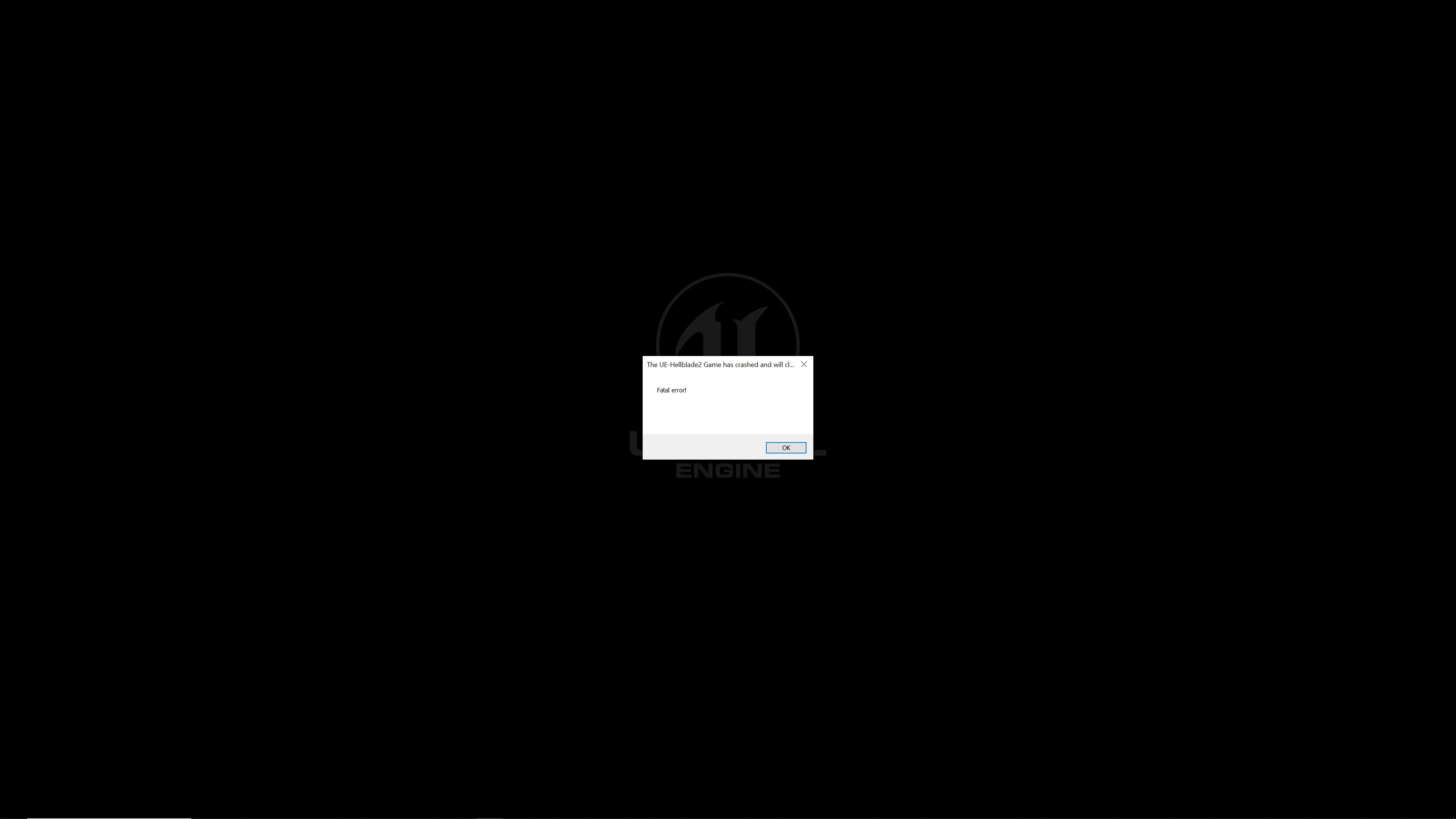
Smooth Motion was also constantly crashing on most games with MSI Afterburner and Rivatuner. Here are the error messages we were getting in Black Myth: Wukong and Hellblade 2. Without them, all of our games could launch without issues. So, for our benchmarks, we used NVIDIA’s own Performance Overlay Tool.

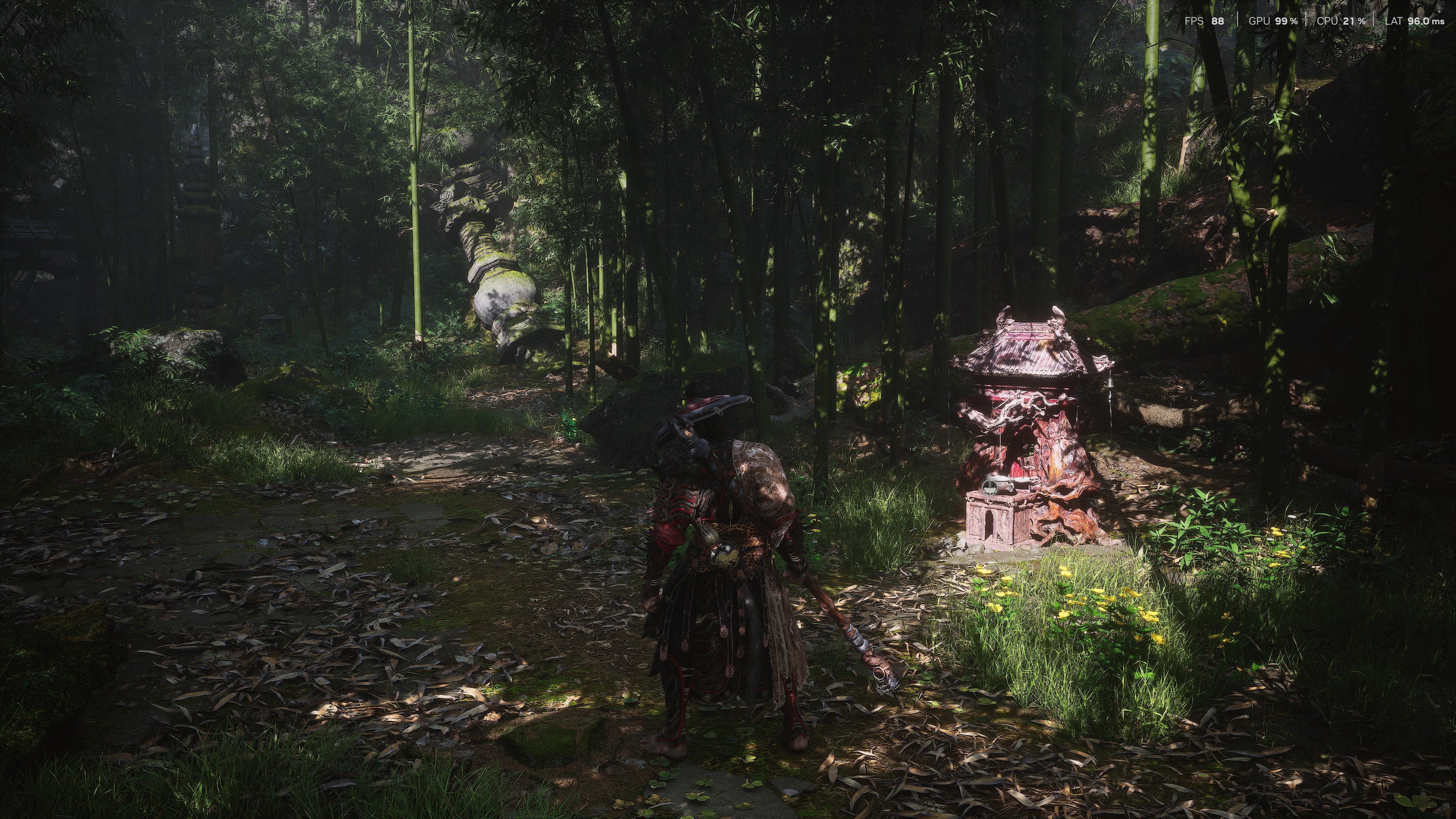
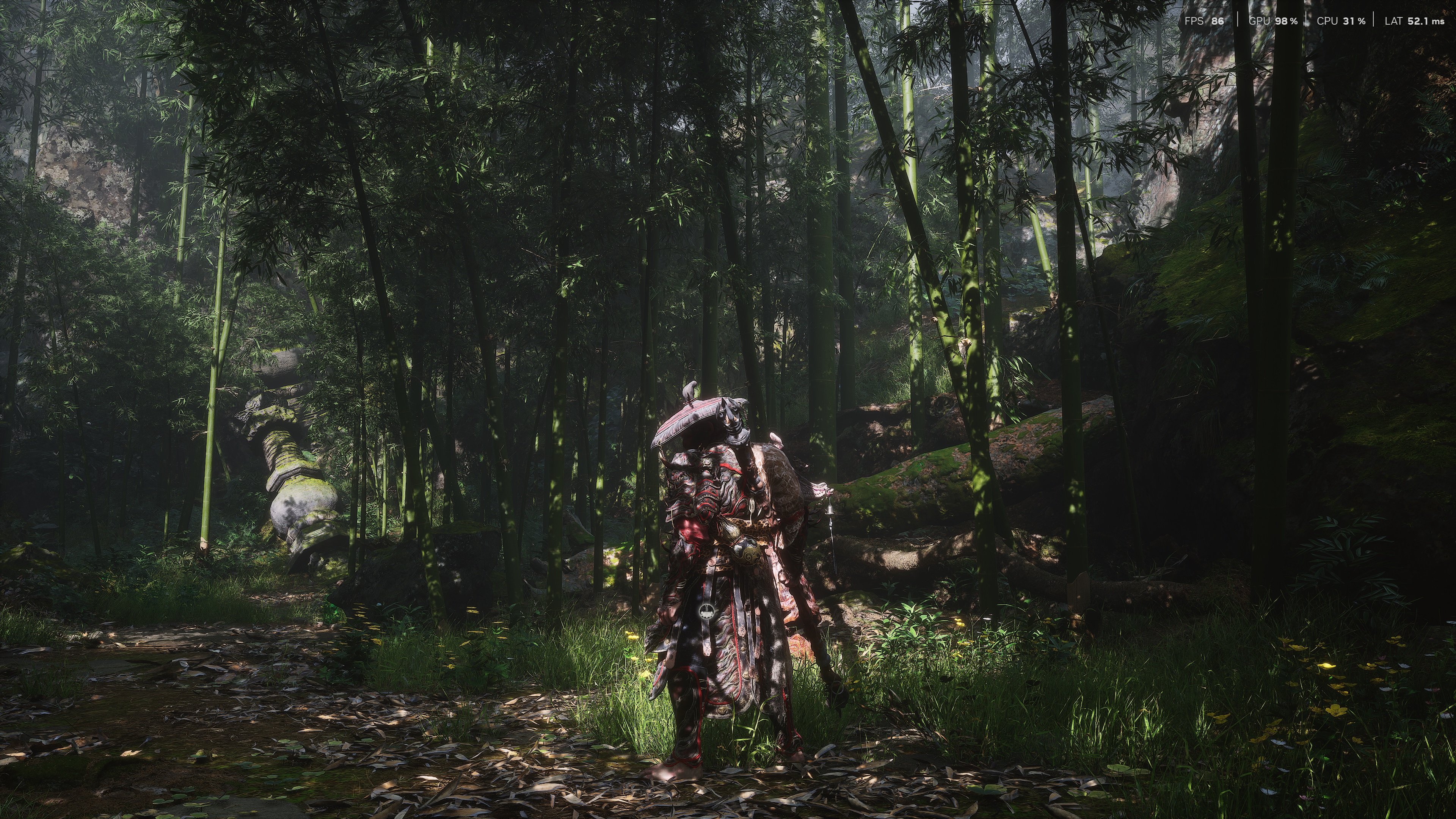
So, here are some screenshots from Black Myth Wukong. The first one is at 4K/Path Tracing with only DLSS 3 Quality Mode, the second is with Smooth Motion and the third is with DLSS 3 FG. Surprisingly enough, DLSS 3 Quality Mode with FG manages to offer lower latency than 4K with only DLSS 3 Quality Mode. As for Smooth Motion, it feels slightly worse than 4K with DLSS 3 SR. Yes, you get an extra 10ms input lag, but most of you won’t even notice it. What you will notice, however, is the smoother camera movement.
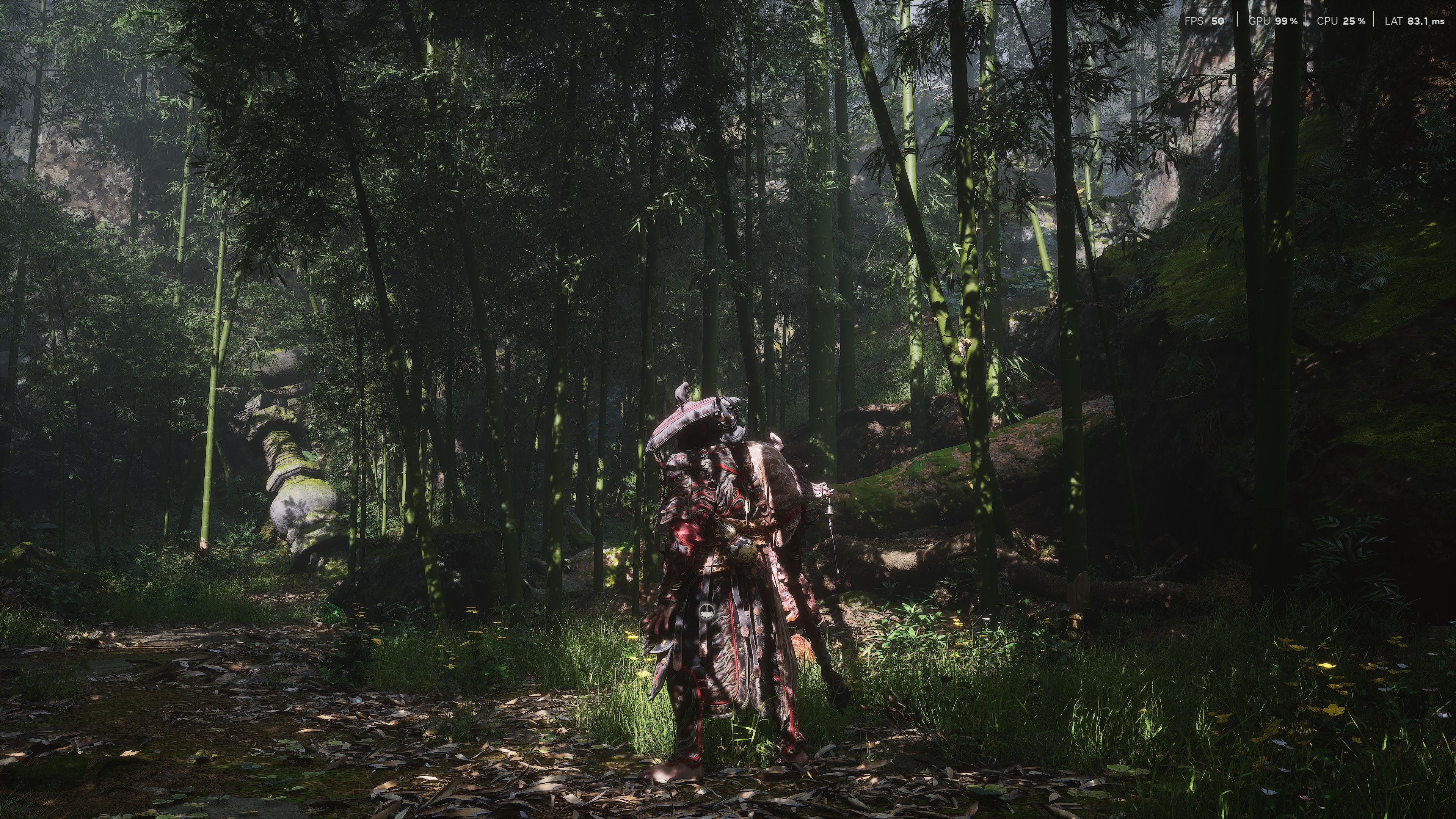
In the games I’ve tested, Indiana Jones, Black Myth: Wukong and Silent Hill 2 Remake felt laggier than DLSS 3 Frame Generation. So, it’s obvious that Smooth Motion is not as advanced as DLSS 3 FG. However, for a universal solution, it’s actually pretty great.
I’ve tried both Lossless Scaling and AMD’s AFMF, and I can honestly say that this is the best “free” Frame Gen solution. What impressed was the lack of artifacts in most of the games. Hellblade 2 looks amazing, and I could not spot any major artifacts in Black Myth: Wukong or Indiana Jones. The only game that had minor artifacts (and that was when moving the camera like crazy) was Marvel’s Spider-Man 2.
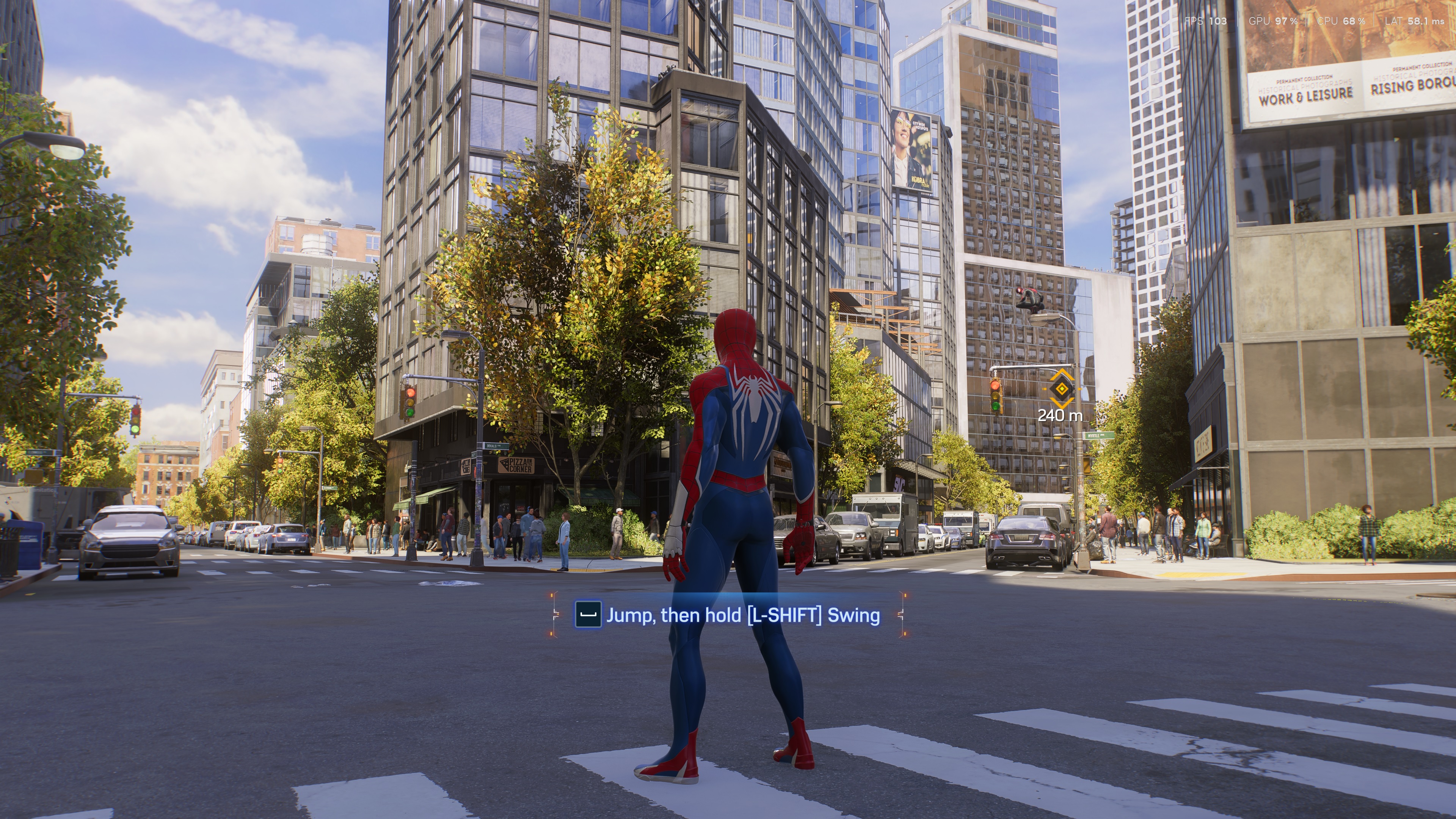
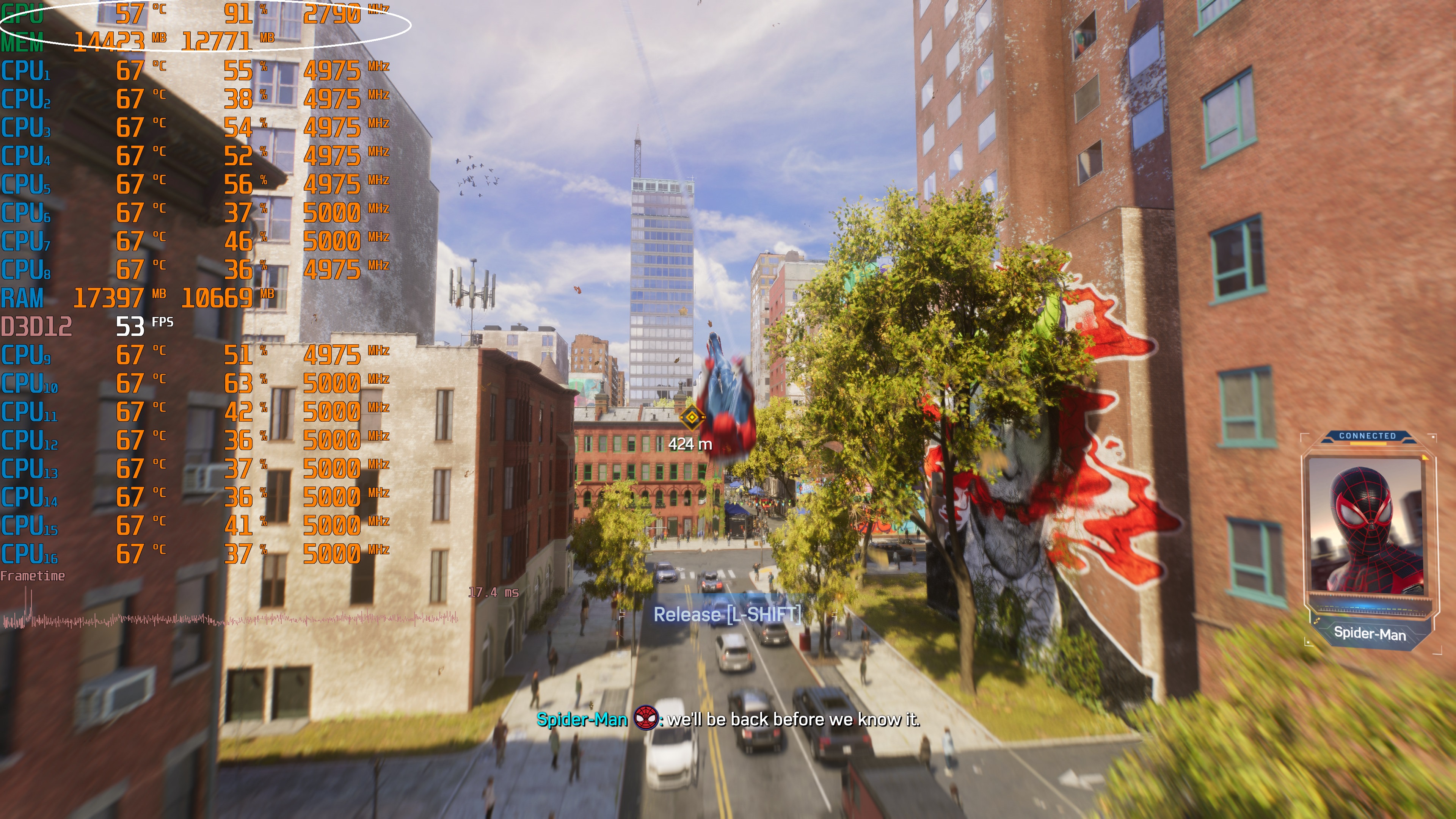
Speaking of Marvel’s Spider-Man 2, Smooth Motion does an excellent job of offering a smooth gameplay experience. Here’s the game running on our PC system at Native 4K/Max Settings/Max Ray Tracing, and here’s with Smooth Motion. Yes, the game also supports DLSS 3 FG (so you should use that one). Still, this is a perfect example at how good – and crucial – Smooth Motion can be, even on high-end PC systems.
All in all, I was quite impressed with NVIDIA’s Smooth Motion. The only downside is that it needs a game profile, so you’ll have to rely on NVIDIA to add new game profiles via the NVIDIA App. Other than that, though, Smooth Motion is better in every way than Lossless Scaling or AFMF. It has fewer visual artifacts, it does a great job with its Frame Gen, it has a very small impact on input latency, it works with VRR, and it does not de-activate itself during fast motions. It may have taken NVIDIA a while to release its answer to AMD’s AFMF, but it’s better than it in every way!
UPDATE:
To further test Smooth Motion, I installed four old games that did not have any DLSS support. These four games were The Callisto Protocol, The Medium, Kingdom Come: Deliverance and Resident Evil 4 Remake.
Let’s start with the benchmarks. As you may have guessed, Smooth Motion brings major framerate improvements.
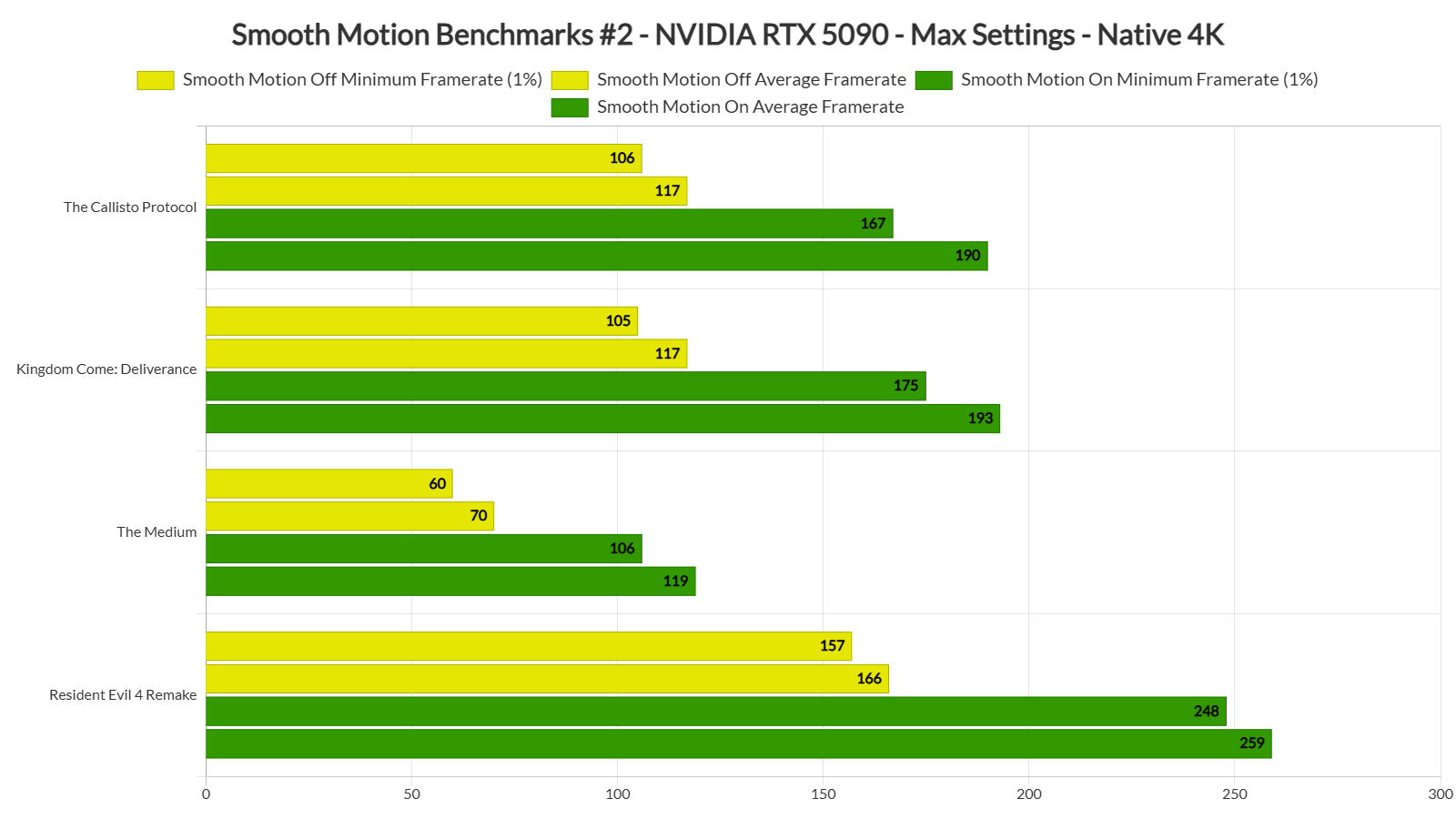
The Callisto Protocol felt sliiiiiightly laggier with Smooth Motion. I’m nitpicking here though. I’m sure that most of you won’t even notice this extra input lag at that framerate. I could not also spot any visual artifacts, even during quick camera movements.
The Medium and Kingdom Come: Deliverance were perhaps the best examples in this second set of benchmarks. The Medium felt better in every way than Native 4K. As for Kingdom Come: Deliverance, it ran smoothly without any noticeable input lag issues.
Finally, Resident Evil 4 Remake saw a big performance boost at Native 4K. However, there were some ghosting issues with the crosshair. Moreover, the game felt slightly laggier with Smooth Motion. Weaker GPUs may get bigger benefits from Smooth Motion. But, for owners of high-end GPUs, RE4 Remake is a game that plays best without it.

John is the founder and Editor in Chief at DSOGaming. He is a PC gaming fan and highly supports the modding and indie communities. Before creating DSOGaming, John worked on numerous gaming websites. While he is a die-hard PC gamer, his gaming roots can be found on consoles. John loved – and still does – the 16-bit consoles, and considers SNES to be one of the best consoles. Still, the PC platform won him over consoles. That was mainly due to 3DFX and its iconic dedicated 3D accelerator graphics card, Voodoo 2. John has also written a higher degree thesis on the “The Evolution of PC graphics cards.”
Contact: Email


What's the point if you can enable it only in new games that already have built in FG.
The point is that the tech works. Also, the RTX 5090 can easily run older games without FG or Smooth Motion. I get your point that we should have tested games that only had DLSS 2 Super Resolution. However, from what I've seen so far, it will work just fine with them.
Edit: I'm downloading right now The Medium, Avatar, Kingdom Come: Deliverance, The Callisto Protocol and Resident Evil 4 Remake.
Quick question: Does it work nice with Reshade shaders that use the depth buffer, as LosslessScaling FG does, or will it have the same issues as DLSS FG?
The difference is with DLSS FG the effects that use the depth buffer still run at the original base framerate, whereas with LosslessScaling FG all is smooth and nice because it is the last step in the pipeline.
I haven’t tried with Reshade.
try Star Wars Fallen Order if you can . Also Assassins Creed and The Division games. Very curious.
Generating more frames doesn't help with the asset streaming stutters in the Jedi games, that's an engine (and optimization) issue. Even at 200 generated frames there will still be very small but constant hiccups as it streams new level data.
packaging technologies are gonna literally be almost more important than what node you are on and amd has the most cost effective/cheapest/easiest to make chiplet/stacking/mcm solutions both intel and nvidia are behind amd with their packaging technologies because their approach far more expensive and harder to get working chips.AHHA THEY HAVE FALLEN AND WILL FALL IN PERFORMANCE CROWN.
Yeah I know you tried Lossless scaling but you still don't know how to use it.
I'm going to test this myself.
You do indeed need 4 PHDs to use Losless Scaling efficiently.
I said the same thing myself in the past. Because I did not know how to use it. Please watch an updated guide before complaining. Yes the quality is lower than Nvidia's/Amd's solutions but it's getting better and better.
nVidia – King of the Hill, as Allways!
Who is shocked!
nVidia just Rules 🥳👋
Nvidia has a ton more resources and money to put to solving the problems though so it's too be expected.
So it will also support the 4000 series? Nice.
what's the difference between smooth motion and frame generation ?
Smooth motion = frame generation.
Very nice. Glad I’ll be able to use it with my 4090 one day. Looking forward to using it in Forza Motorsport maxed out, Avatar, and my next play through of Control with the official mod.
"Smooth Motion allows you to enable Frame Generation in games that do not support DLSS 3 FG."
Well, i guess since DLSS 3 FG launched, or from about now on, basically all AAA and AA games will support FG, (unless it's from a genre where it makes absolutely no sense). Except for a few games like BM:W and others.
But this is cool because it could be used for older games!…
…That, since they're older, they're lighter, and probably don't need it!
…And btw you don't need it much if you got the required 5000 series already, or possibly soon a 4000, because those cards are powerful enough to not need Smooth Motion,
…And it introduces enough lag to be a bad experience,
…Aaand they also require a profile from the Nvidia app!
So… It's kinda contradictory how limited use it's gonna have.
"it does not de-activate itself during fast motions", exactly like AFMF in its current version.
But much better.
Black Myth Wuking has lower latency with DLSS FG because this frame generator activates nvidia reflex and the game will not use reflex if you turn DLSS FG off.
Smooth motion is not needed in games like Black Myth Wukong, as they have official DLSS FG support, but I guess you just wanted to test the smooth motion FG and compare the results.
I'm not planning on using smooth motion in modern games, as they usually have DLSS FG support anyway, but for older games or emulation, smooth motion FG makes sense.
BTW. John after testing the latest DLSS FG in a couple of games I realised that this new version has improved aiming on M+K significantly. For example, SH2 Remake or Alan Wake 2 used to be somewhat unresponsive with FG on M+K, but with the latest dll I no longer feel any input lag and it almost feels like FG improves responsiveness. I was able to aim more easily, almost as if the game was actually running at a higher frame rate. FG in its previous state was already very usable on the gamepad, but now I wouldn't hesitate to use it on the M+K. I wasnt happy with lossless scaling FG and even FSR FG, but DLSS FG works so well that I want to use this technology in every single game.
Nvidia also improved DLSS SR. Now even DLSS Performance looks often better than TAA native. Alan Wake 2 with updated DLSS SR and RR looks insanely good. Sharpness is much improved and I can finally see texture details. RT noise and lighting instability was reduced to minimum and that was my biggest issue with this game. I get between 80-110 at 4K DLSS Balance + FGx2 and medium PT and the game looks stunning now, much better than I remember thanks to improved image quality (before everything was blurred).
My RTX4080S was such an excellent purchase. This card has far exceeded my expectations, and nvidia continues to improve my experience. It may be the best GPU I have ever bought and I have had legendary GPUs in the past (8800Ultra and 1080ti).
If rivatuner didn't crash with it, would it not be possible to FORCE reflex by using rivatuner and then enable smooth motion go get similar latency to DLSS4 FG?
You didn't clarify if you turned on Reflex for these tests, my buoy?
If you didn't, then that's even more impressive, with Reflex On the latency should be even lower, and can be forced with SpecialK for games that don't support it.
NV further annihilates SlowMD!
They're really taking almost every single thing that was even kinda cool for AMD graphics. Unless AMD is about to announce at least parity on their new upscaler, Its gonna be tough to see why gamers would upgrade or get a 90 series GPU unless price or stock restricted. Have you done any experiments with having combinations of the Frame Gen tech running at the same time? Like a LS Multiplier + SM/FMF + M/FG?
And the best thing is they just casually dropped it without marketing lol
Let the results speak for themselves.
Marketing is only there to inform the uninformed what a product is and does.
Was PresentMon also having issues with games? Granted I don't think PresentMon can track fake frames, it will probably only show you the game engine's FPS and not the generated frames.
hey John what about input lag vs lsfg latest at 50% res scale in most laggier game maybe if u can add some number like wuokong photo there I need this ty for this awsome job 💗
Nvidia Reflex from RTSS helps with input lag.
Both AFMF 2 and Lossless Scaling have worse input lag than Smooth Motion. At least in my tests.
Wait … You can't just say "it's better than AFMF in every way" without providing side-by-side comparisons. It's not enough that you "tried AFMF" before. What hardware? What game? What driver version? What settings? I guess we'll have to wait for HUB or DF.
edit: Daniel Owen tested it on a 5090 and it's decent, but not quite at the level of AFMF or LS. Also you have to restart the game to enable it and other rough around the edges stuff, so AFMF is more polished. Good start for Nvidia though.
Lmao obviously amd is worse.
But when you name yourself after a company, don't you think you then have to shill for said company?
Yeah, it's my initials. Nothing to do with AMD the company. Chose this handle back when I was rocking a 2600k and a 1080 Ti
Lol And you never saw the connection? And now you’re showing for the products, coincidence?
John I'm bit lost here frame gen cant be enabled with smooth frame if so who is faster smooth frame or frame gen?
Native support for DLSS 3 Frame Gen is better. Fewer visual artifacts and better response times. On the other hand, Smooth Motion is great for games that don't support it.
Try it on choppy games like Deathloop or Dishonored 2. imo that's where it could really shine
https://www.youtube.com/watch?v=TwFpwsXQ9tY
Idk looks bad in elden ring. https://uploads.disquscdn.com/images/220e5400d09c9284c98a6f4d19fa88371883391a0bb9d7779be52f2563e619e0.png
john is a fanboy so… why would he say its worse? lol
Lol
I guess the world really needs more stvpid people, so NGreedia can sell more 25K cards that only serves to create fake images, while woke devs can sell their unoptimized garbage.
But hey, 'iT hAs InTeGrAtEd Ai'
For me it worked when I manually added eneral from the exe file and then I could enable the smooth motion in nvidia app without issue.