

NVIDIA has released a new version of the NVIDIA App which brings support for DLSS 4 Multi-Frame Gen to Marvel’s Spider-Man 2. Thus, I’ve decided to benchmark all its different modes and share my impressions of it.
For these tests, I used an AMD Ryzen 9 7950X3D with a Gigabyte Motherboard X670E AORUS MASTER, G.Skill Trident Z5 Neo RGB 32GB DDR5 RAM at 6000Mhz and an NVIDIA GeForce RTX 5090 Founder’s Edition. I also used Windows 10 64-bit and the NVIDIA GeForce 572.47 WHQL driver.
Marvel’s Spider-Man 2 does not have a built-in benchmark tool. So, for our DLSS 4 benchmarks, I used the first open-world area after the game’s Prologue.
At 4K with DLSS 4 Quality Mode on Max Settings with Ray Tracing Ultimate, we were getting a minimum of 52FPS and an average of 67FPS. This falls in line with our previous results.
With DLSS 4 Quality Mode and MFG X2, we were able to increase our performance to 90/124FPS. Then, with MFG X3, we got to 128/183FPS. And finally, with MFG X4 we were able to get a minimum of 165FPS and an average of 226FPS.

Since our base framerate was above 50FPS, I did not experience any major input lag. MFG X2 and X3 felt a bit more responsive than X4. Even with DLAA, the game was fully playable with MFG X4. You will notice some slight lag, but it’s not game-breaking. Still, for the best experience on the RTX 5090, I recommend DLSS 4 Quality Mode with either MFG X2 or X3.
But what about the image quality of MFG? Well, it appears that there is some slight ghosting when doing quick camera movements. This can be witnessed when standing still on a rooftop and looking at the blue sky. This ghosting issue was present even with the default Frame Gen Mode (X2). So I tried AMD FSR 3.1 Frame Gen and holy hell the ghosting was even worse. I’m not exaggerating here. The ghosting with AMD FSR 3.1 Frame Gen was WAY WORSE than the one I saw with DLSS 4 Multi-Frame Gen X4. So, if you own an RTX40 or 50 series GPU, you should stick with DLSS 4 Frame Gen. Well, that is if you want to use Frame Gen in the first place.
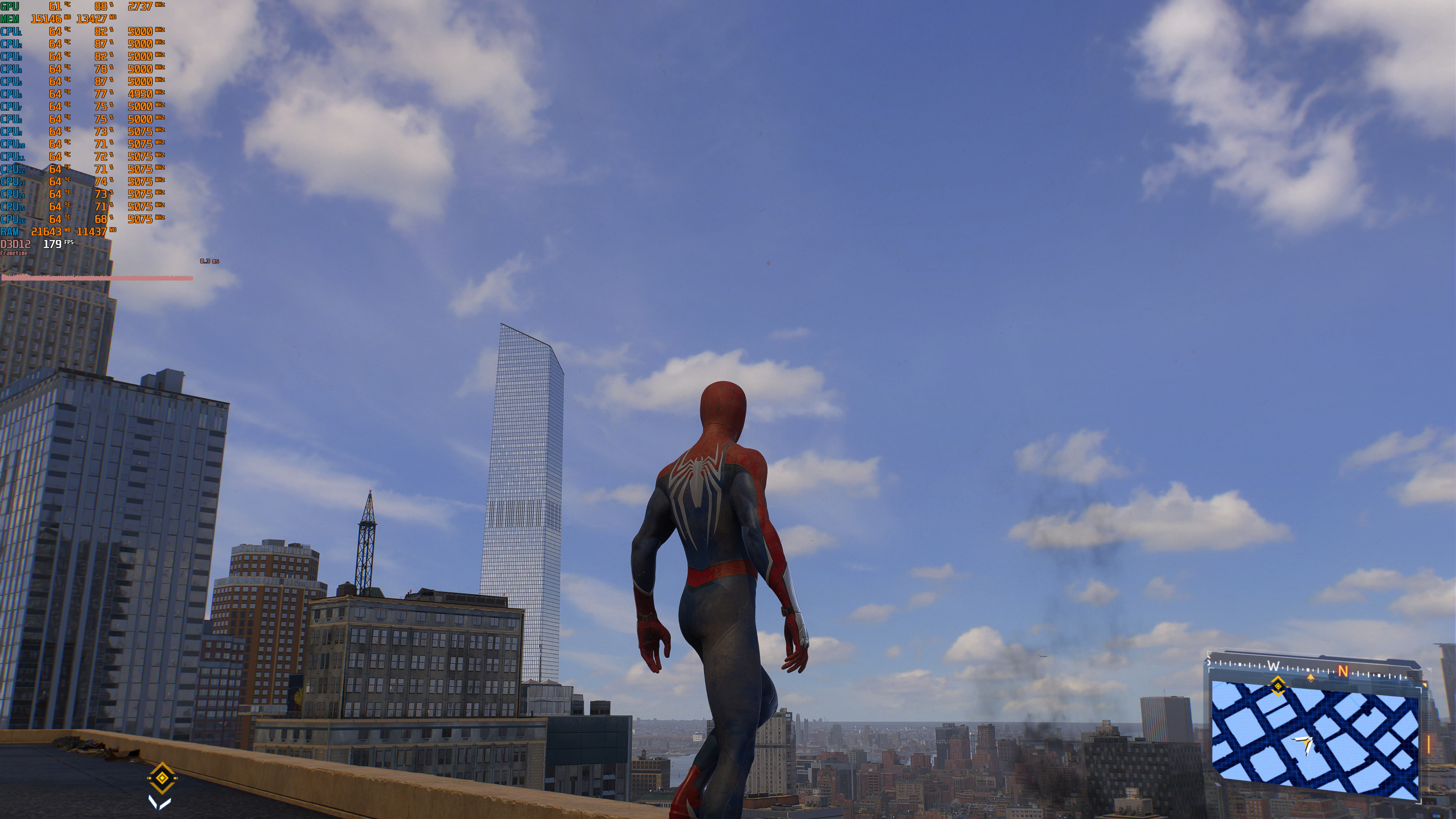
Before closing, I should note that I could not run Marvel’s Spider-Man 2 at 8K. The game would constantly crash due to insufficient VRAM, even on the NVIDIA RTX 5090.
All in all, MFG appears to be working fine on Marvel’s Spider-Man 2. With a “healthy” base framerate, most of you won’t notice any major input lag issues when using MFG X3 or X4. And while there are some slight ghosting issues under certain situations, they are nowhere close to those you’ll see with AMD FSR 3.1 Frame Gen!

John is the founder and Editor in Chief at DSOGaming. He is a PC gaming fan and highly supports the modding and indie communities. Before creating DSOGaming, John worked on numerous gaming websites. While he is a die-hard PC gamer, his gaming roots can be found on consoles. John loved – and still does – the 16-bit consoles, and considers SNES to be one of the best consoles. Still, the PC platform won him over consoles. That was mainly due to 3DFX and its iconic dedicated 3D accelerator graphics card, Voodoo 2. John has also written a higher degree thesis on the “The Evolution of PC graphics cards.”
Contact: Email