

Microsoft has just released Halo: Campaign Evolved in Early Access. As such, I’ve decided to test the game on my main gaming PC system. So, can an NVIDIA GeForce RTX 5090 with an AMD Ryzen 9 7950X3D run this new UE5 game at 60FPS at Native 4K/Ultra? Let’s find out.
For these initial benchmarks, I used an AMD Ryzen 9 7950X3D, 32GB of DDR5 at 6000Mhz, and an NVIDIA GeForce RTX 5090. I also use Windows 10 64-bit and the latest GeForce drivers.
Halo: Campaign Evolved does not come with any built-in benchmark tool. So, for these benchmarks, I used this open area in the second mission. In this scene, there is a fight between the humans and the Covenant. So, it should give a pretty good idea of how the game runs during a firefight.
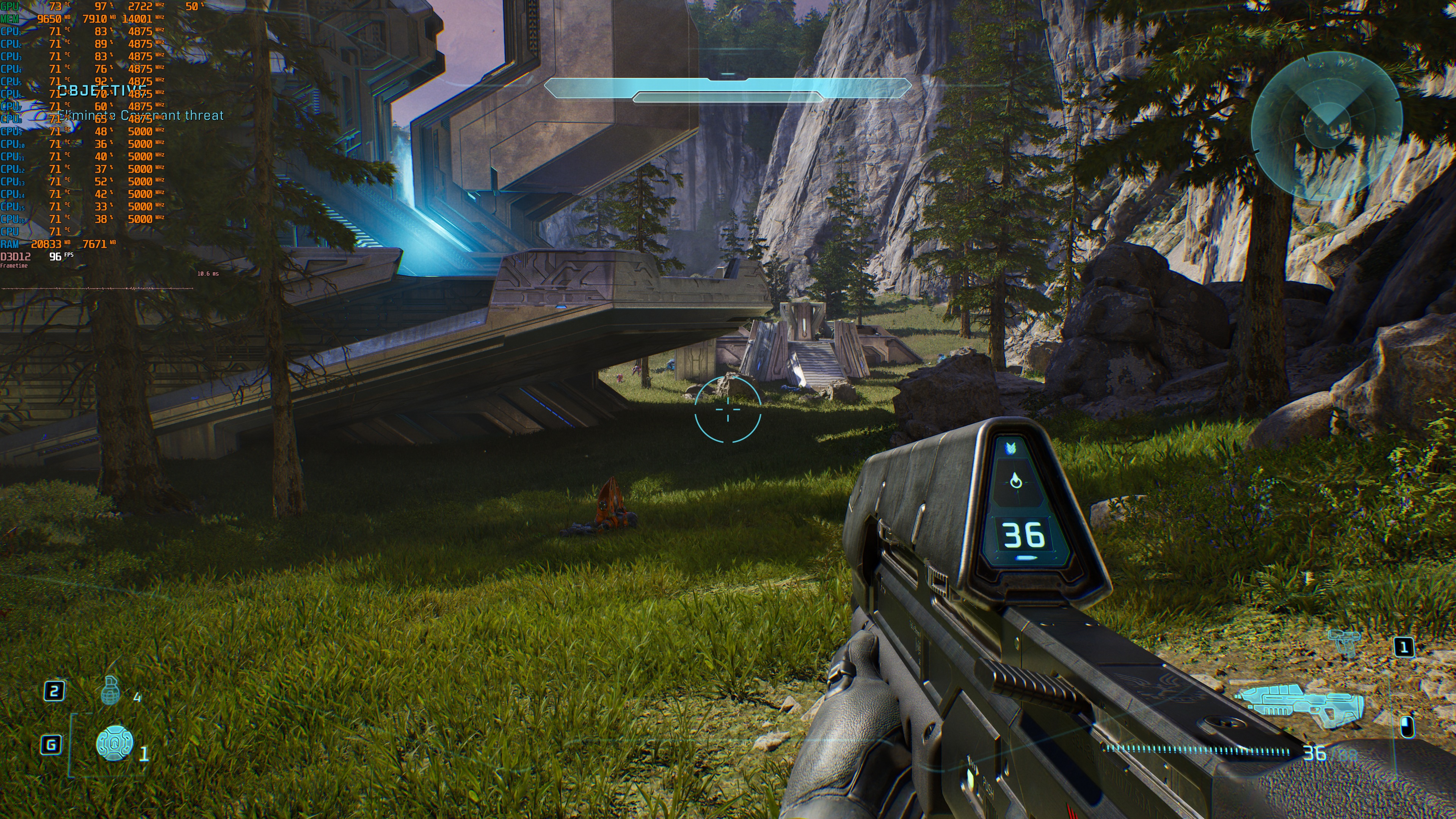
Ideally, I’d love to benchmark the Silent Cartographer. However, I don’t have any saves for it, and that’s the fourth mission. So, I’ll be focusing right now on this area. I will also update this article at a later date, once I get to the Silent Cartographer.
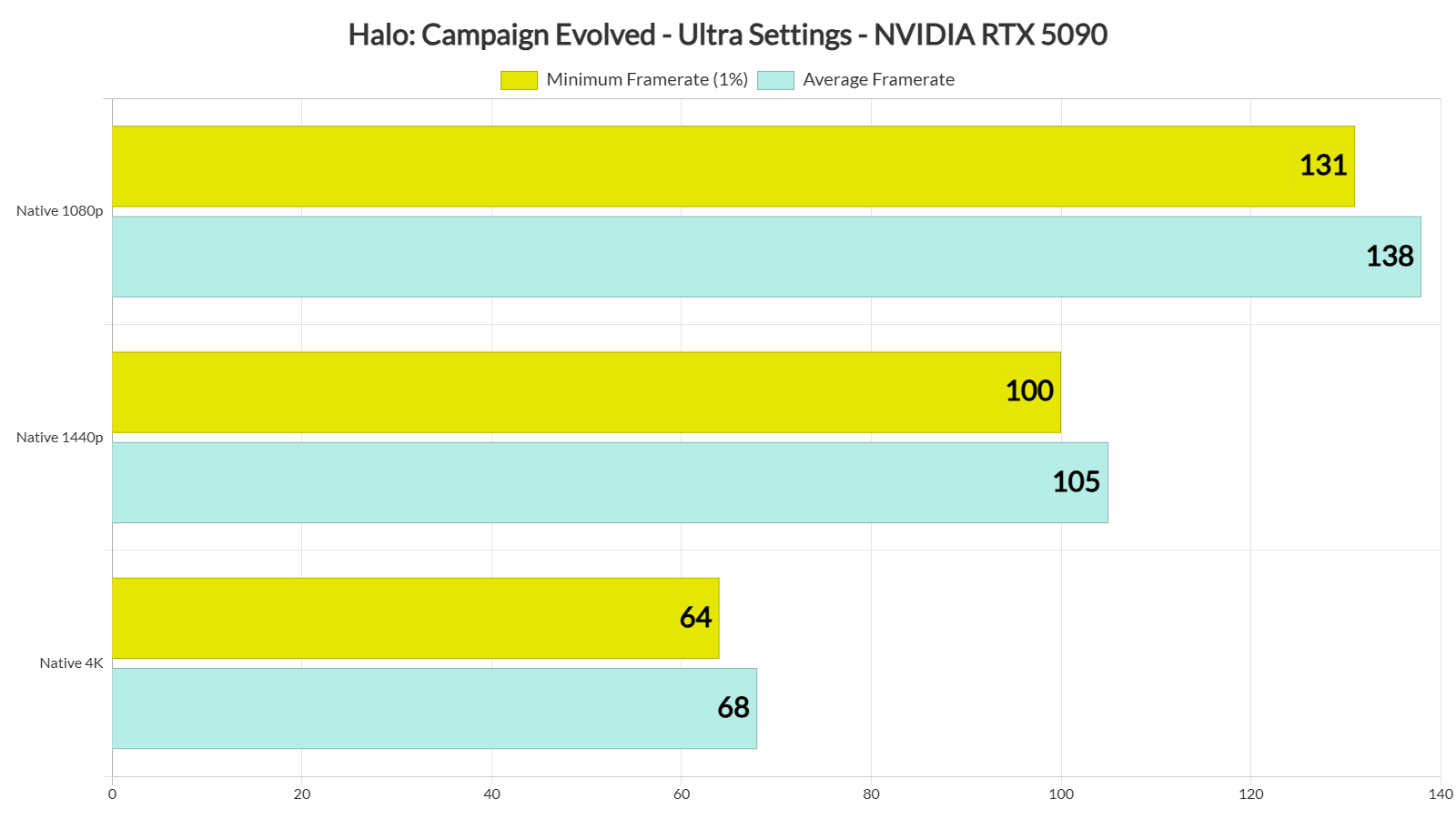
At Native 4K/Ultra Settings, our benchmark area runs with a minimum of 64FPS and an average of 68FPS. By dropping the resolution to 1440p, we get framerates over 100FPS. And then, with the resolution set at 1080p, we get over 130FPS.
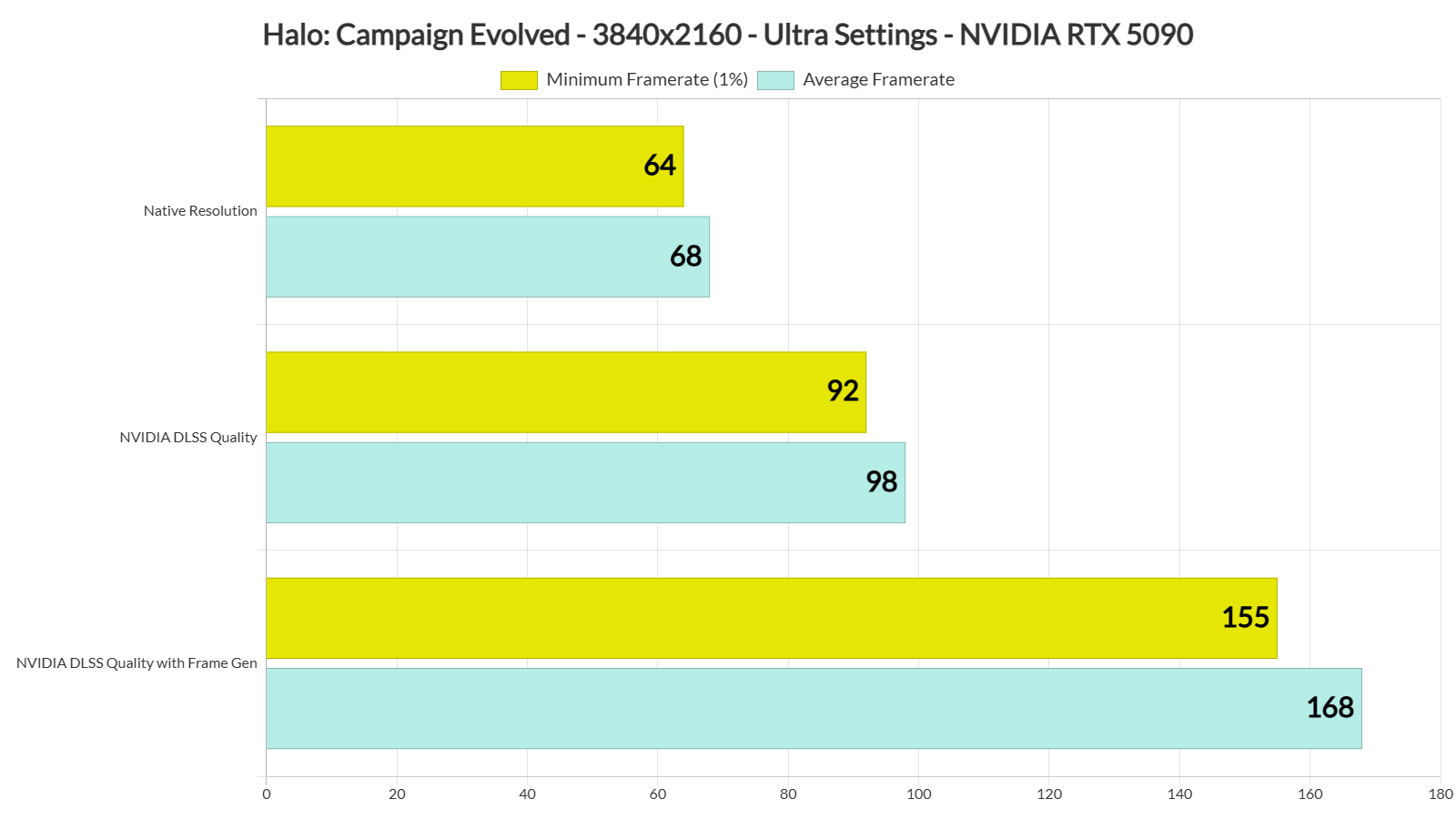
Halo: Campaign Evolved supports NVIDIA DLSS, AMD FSR, and Intel XeSS. From what I’ve seen, the game uses DLSS 3 by default. There is no support for NVIDIA DLSS 4.5 Multi-Frame Gen, and the NVIDIA App does not allow you to make any changes to the game’s profile. My guess is that NVIDIA will release a new driver on July 28 that will add a profile for it.
With DLSS Quality, I was getting over 90FPS at all times at 4K/Ultra. Then, with DLSS Quality and Frame Gen, I was over 150FPS. Mouse movement felt fine with DLSS Frame Gen, which is to be expected as my base framerate was above 90FPS.
It’s also worth noting that DLSS Quality looks better than Native 4K. Here is a comparison between Native 4K (TSR at Native) and DLSS Quality. Take a look at the terrain. It looks sharper and more detailed with DLSS Quality. Also take a look at the distant rocks. They are more detailed and less blurry with DLSS Quality. This is a clear win for DLSS, and you should use it.
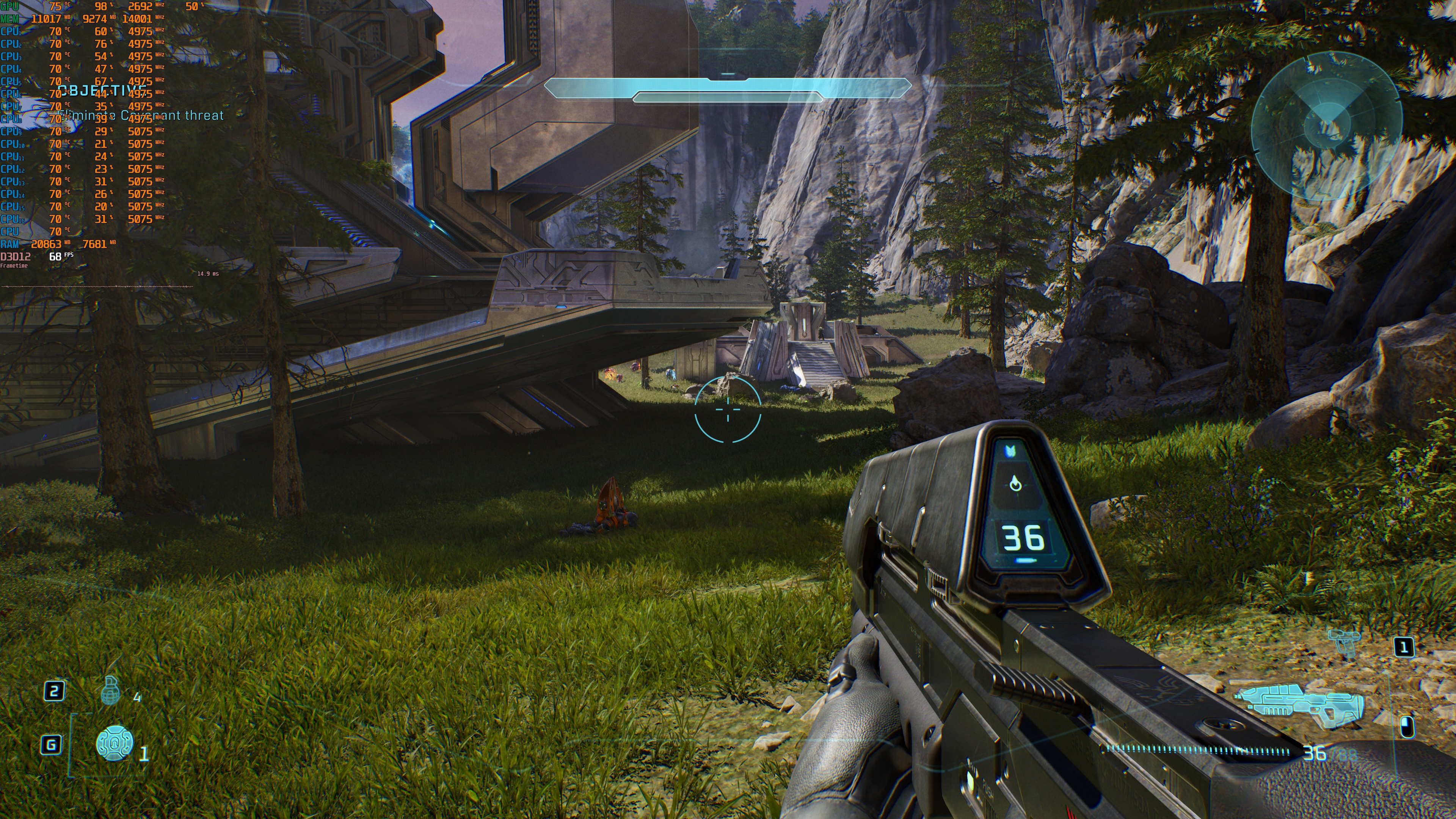
All in all, in the first two missions, the NVIDIA RTX 5090 can run Halo: Campaign Evolved at 60FPS on Native 4K with Ultra Settings. As I said, though, I recommend using DLSS Quality. 4K DLSS Quality looks better than Native 4K TSR.
Our PC Performance Analysis for Halo: Campaign Evolved will go live later this week. It will include benchmarks for a wide range of AMD and NVIDIA graphics cards. So, this article is only an early look at the game running on the RTX 5090. A full performance analysis with many more GPUs will be available in a few days.
Stay tuned for more!
UPDATE:
I have now reached the Silent Cartographer. During the first large battle, the frame rate dropped to 61 FPS at its lowest. That happened while I was throwing several grenades at enemies. There is still a chance that the game could dip below 60 FPS during the most intense firefights with lots of explosions. Even so, this is one of the few Unreal Engine 5 games that uses both Lumen and Nanite while running at around 60 FPS at Native 4K on an NVIDIA RTX 5090. In my opinion, that is very impressive.

John is the founder and Editor in Chief at DSOGaming. He is a PC gaming fan and highly supports the modding and indie communities. Before creating DSOGaming, John worked on numerous gaming websites. While he is a die-hard PC gamer, his gaming roots can be found on consoles. John loved – and still does – the 16-bit consoles, and considers SNES to be one of the best consoles. Still, the PC platform won him over consoles. That was mainly due to 3DFX and its iconic dedicated 3D accelerator graphics card, Voodoo 2. John has also written a higher degree thesis on the “The Evolution of PC graphics cards.”
Contact: Email