
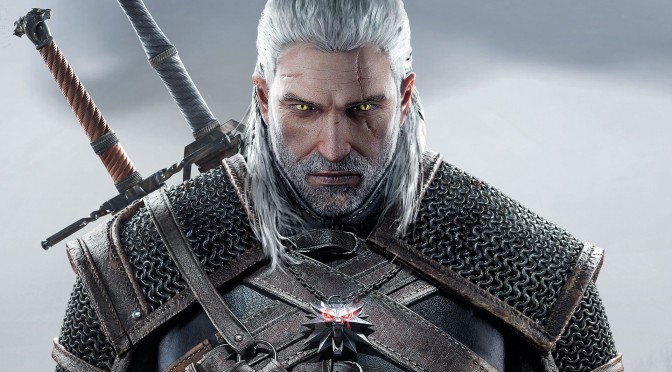
The Witcher 3 Geralt screenshot

The Witcher 3 – New Mod Will Overhaul The Lighting System By Replacing It With A More Advanced One

It appears that CD Projekt RED has used a more advanced lighting system during The Witcher 3’s cut-scenes than the one featured while playing the game. And YouTube’s ‘Essenthy Onigami’ has been working on bringing this more advanced lighting system of The Witcher 3’s cut-scenes to the actual game.

While this mod is still a WIP project, Essenthy Onigami claimed that his mod is currently working fine, and that a release date will be announced soon.

Essenthy Onigami has also provided a comparison video, showing the differences between these two lighting systems.

As we can see, the lighting system used during cut-scenes seems more advanced than the one used while playing the game. For example, the scenes look really flat with the gameplay lighting system.

Kudos to our reader [Chaotic] for bringing this to our attention.

Enjoy the videos and stay tuned for more!

76 thoughts on “The Witcher 3 – New Mod Will Overhaul The Lighting System By Replacing It With A More Advanced One”

  1. Wtf. When lighting changes some trees and objects dissapiers too oO For example in 4:30 in the video!

      1. I don’t think there’s anything missing, but more than a couple tree models look incredibly flat (at least their leaves do).

        It becomes very apparent during high winds when flat branches full of flat foliage wave in front of your face.

        1. Have you tried increasing some of the foliage settings in the user.settings file? You can make the vegetation look A LOT better than in ultra, but it will eat up some frames, obviously.

          1. Was not aware that there were foliage options in the settings file.

            I’ll check it out.

          2. I use 3.0 which drops my fps to 33 in Kaer Morhen. BUT IT LOOKS SO DAMN AWESOME. GRASS MORE THAN THE EYE CAN SEEEEEE.

  2. Looks… pretty good! The ‘stock’ lighting looks a lot more vibrant (and in some places kind of garish), but I really like the more muted approach in combination with the godrays in the overhauled version. Sure, maybe the grass doesn’t look as nice, but overall I really like it. When I get a copy of the game I’ll be sure to try it out with this!

  3. this looks awesome. screw CDPR for the downgrade. obvious of parity for console money. f* CDPR honestly.

    1. I hope you’re suggesting they did it to spend less resources thus saving money rather than the popular theory that developers need to be bribed to take the most profitable course of action; a logical absurdity.

      That said, CDPR have told us why the downgrade happened. They admitted to showing us a vertical slice that wasn’t open world gameplay, stating DX12 was required to handle the dynamic lighting system in the full open world on *any* PC. Definitely believable considering the downgraded lighting system was still struggling to hold 30 FPS on the highest-end GPUs merely 3 months ago; during that final delay they more than doubled frame-rates.

      In short, this was a Ubisoft move. Another case of deceptive advertising where they knew for a long time they were showing us impossible graphics. On the bright side it’s possible they could upgrade/restore the graphics post-DX12 launch with the inevitable free “Witcher 3 Enhanced Edition”.

      1. Counter argument:
        Since CDPR has access to the code, they can make an option to have cutscene effects show in gameplay as well, such as sub-surface scattering, this gi, etc. The fact they didn’t bother and someone figured it out itself is shameful.
        After he releases his mod, cdpr might patch the pc version.
        It will be what durante felt with FFXIII-2.

  4. That’s how the first trailers looked like. I like the modded version better. The atmosphere the game should have had came back

      1. Which is awesome, cause this will look amazing. All i really felt the game was lacking was proper lightning. Everything else looks insanely good after a bit of upgrading in the user.settings file.

          1. not doesnot work.He said that he will first release velen/novi before doing skellige

          2. I’m uttering his own words…it doesn’t work in Skellige, he will try to make it work after releasing the first version, no guarantees.

          3. huh…Did you get it from the YT commentary section? yours might be more updated.

            i found the skellige one around 8hrs ago in the witcher 3 forums.

            Hope it works in skellige .Cheers!

      2. How it that possible, there is a reason they aren’t using the same lighting. Probably just different, the other isn’t meant to work in all gameplay situations.

    1. DocumentsWitcher 3user.settings (set to read only after making changes) these are the only changes that have an impact.

      Line 100: CascadeShadowFadeTreshold=0.1 (Default is 1, lowering it could make shadow filtering slightly better)

      These can go even higher:

      Line 101: CascadeShadowDistanceScale2=3

      Line 105: CascadeShadowDistanceScale3=3

      Line 117: CascadeShadowmapSize=4096 (Highest value is 8192)

      Line 118: CascadeShadowDistanceScale0=4

      Line 120: CascadeShadowQuality=4

      Line 121: CascadeShadowDistanceScale1=4

      Line 140: FoliageDistanceScale=3

      Line 141: FoliageShadowDistanceScale=54

      Increasing grass density past 2400 and its distance scale past 3 will cause it to flicker when you move the camera in many places in the game world, grass density past 3600 will make other foliage like flowers disappear.

      Line 95: GrassDensity=2400 (High performance cost)

      Line 138: GrassGenerationEfficiency=0.001 (Default is 0.075, lower for slightly denser grass)

      Line 139: GrassDistanceScale=3 (High performance cost)

      1. Stop being so wrong, it hurts my brain. Firstly, “CascadeShadowDistanceScale” are different level shadows that don’t work like that. You must set them 8/4/2/1 (0,1,2,3) to gain longest draw distance for the most detailed shadows. Secondly, GrassDensity=2400 is the ultra preset and doesn’t break anything until over 3600. Most flickerin is caused by GrassDistanceScale= (3 flickers in Kaer Morhen and 6 flickers elsewhere).

          1. The lower the better supposedly, though i’ve made screenshot comparisons and see no performance nor visual change.

      2. Thanks a lot! I just did the changes and now i am going to continue the game! Let hope that it will still be playble. Without those change on my 2500k 3,3ghz 12 gb ddr 3 1600 mhz gibabyte gtx 970 g1 gaming that i was playing it till now is fully playble. Let see how it runs now. Does these changes make a big imporvent in grapihcs qualitty?

        1. It won’t make it look like pre-downgrade, but it’s something, it increases shadow resolution and their quality at different distances, also increases render distance for grass and trees/other vegetation.

          1. The game realy looks better now but still not as good as the 2013 trailers but still better than before i do these changes on ini files.

      3. Grass does not flicker if you increase the ring size. atleast for me. Using 35544352 ring size with 3.0 foilage/grass distance and 3600 grass density.

          1. I’m 100% sure, though I’ve stayed below 3. 3.0 is the utmost max I’ve tried, and yes I am sure you need to increase ring size. Above 3.0 you might need to increase grass budget as well.

      1. Been playing it for over an hour now so yep. Looks amazing with “Project Destiny E3 2014” SweetFX preset; generic name aside, it’s the only one I’ve found that improves the graphics without screaming “cheap filter”.

        1. … no. Turns out it’s a similar mod by a different author:
          youtube.com/watch?v=FgU_gjWH2k0

    1. wake us up when you actually download the correct mod, which is using the cinematic built in lightning system, not some reshade fx injection.

        1. oh I see, its not listed in main page, but under graphics & visuals.
          uploader’s name is different than the one mentioned in this news post (including supplied youtube video). maybe someone rushed it out before original dude. good enough though, thanks 🙂

      1. Wake Us up when CD Red gives us the game we seen in 2013 and stop screwing us over in favor of the sh**ty consoles

    2. You gotta admit it’s a hell of alot better than looking at brown grass all day with barely any lighting.

  5. Stop effing around with the game. None of these lighting and coloring mods need to exist. The default lighting is fine.

    1. What the f*ck is your problem exactly? Who are you to even tell others what to do? People are trying to improve the game and you scoff at them?
      Just because you’re complacent and happy with mediocrisy, doesn’t mean others are.

    2. How about you stop posting? None of your posts, telling other people what not to do, need to exist.

      The default comment section, without your worthless posts, is fine.

  6. Modders doing what the devs won’t, nothing out of the ordinary ’round here.

Leave a Reply

Your email address will not be published. Required fields are marked *
