dying-light-feature v1

Dying Light – PC Performance Analysis

Dying Light has just been released and as you may already heard, it’s plagued by some serious performance issues. Dying Light is powered by Chrome 6 Engine and while the game was meant to hit both current-gen and old-gen platforms, Techland decided to cancel the old-gen version because the game could not run acceptably on both PS3 and X360. And to be honest, you’ll need a really powerful CPU in order to maintain 60fps in this title. But let’s not be hasty…

As always, we used an Intel i7 4930K with 8GB RAM, NVIDIA’s GTX690, Windows 8.1 64-bit and the latest WHQL version of the GeForce drivers. Thankfully, NVIDIA has already included an SLI profile that offers amazing SLI scaling in the latest WHQL drivers. However, we do have to note that we noticed some flickering issues that have not been resolved as of yet.
Dying Light CPU Graph

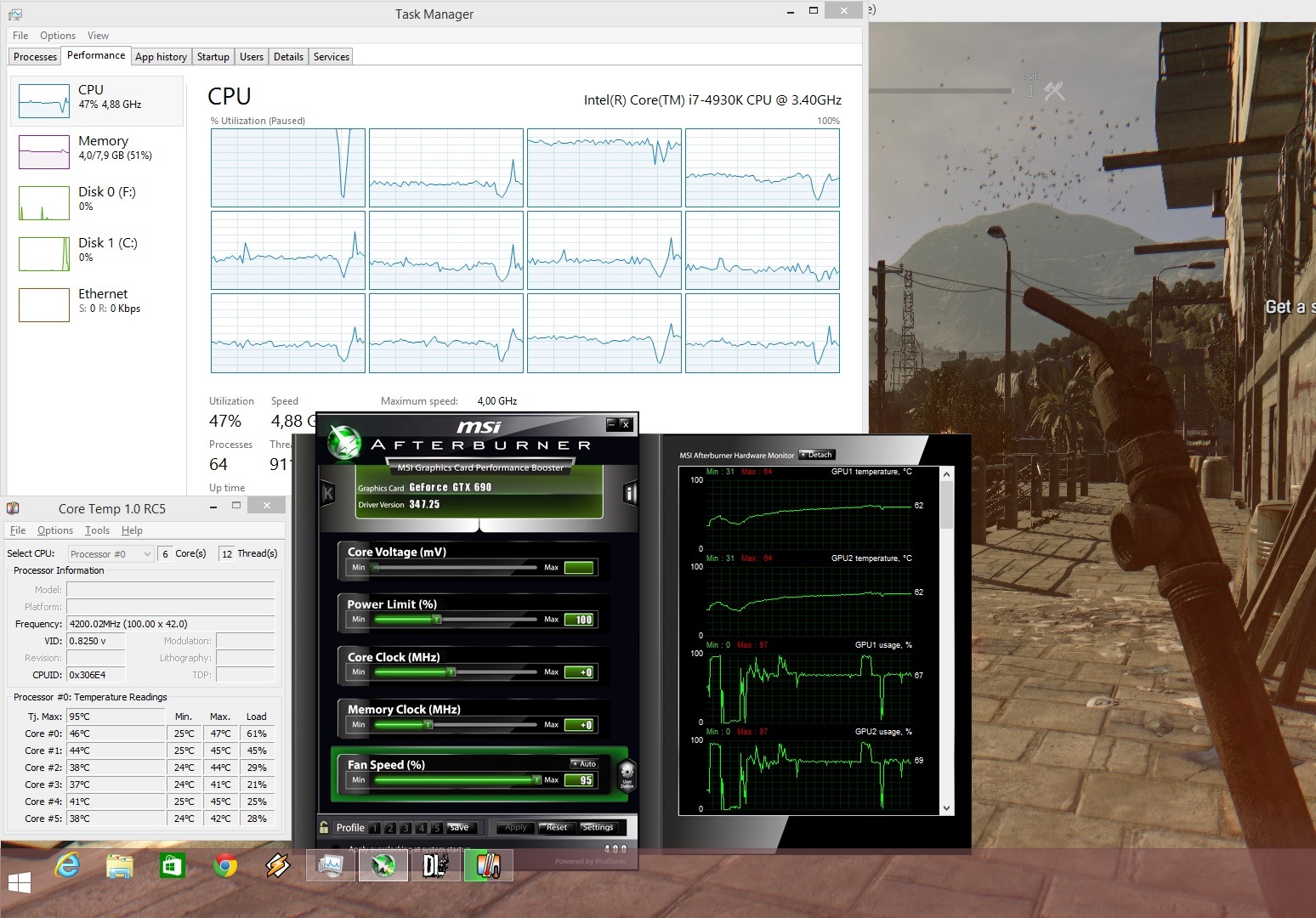
Chrome 6 Engine seems able to scale on more than eight CPU cores. As we can see, all twelve threads of our six-core CPU (Hyper Threading enabled) were being used. However, Dying Light seems to be suffering from awkward single-threaded CPU limitations. What does this mean? Well, it means that you will face performance issues once your main CPU core is maxed out. And it will, as Dying Light – similarly to Assassin’s Creed: Black Flag – is not properly multi-threaded. Basically, it won’t matter whether you have a quad-core, a hexa-core or an octa-core as the stress that is being put on the main CPU core will bottleneck the entire system.

This is further strengthened by our own tests. When we simulated a tri-core and a quad-core system, we did experience any major performance hit. Not only that, but the game simply froze – and we were unable to even navigate its menu screen – when we simulated a dual-core CPU (with Hyper Threading enabled).

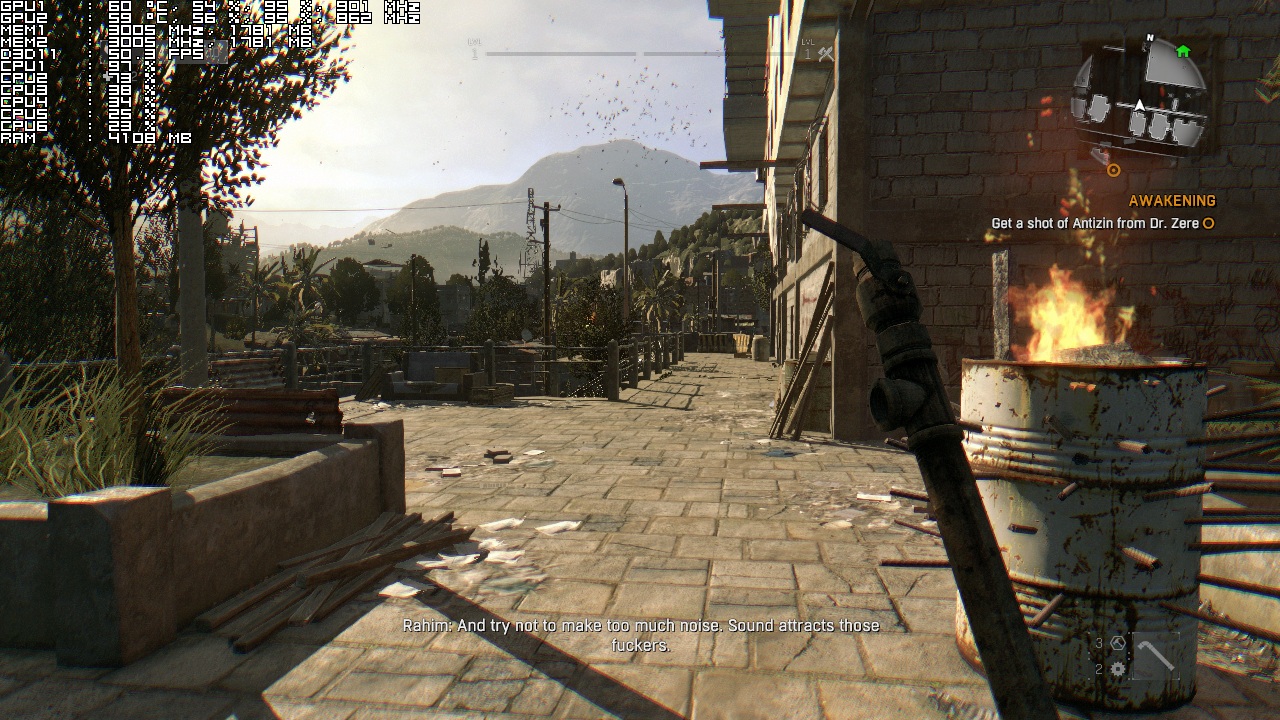
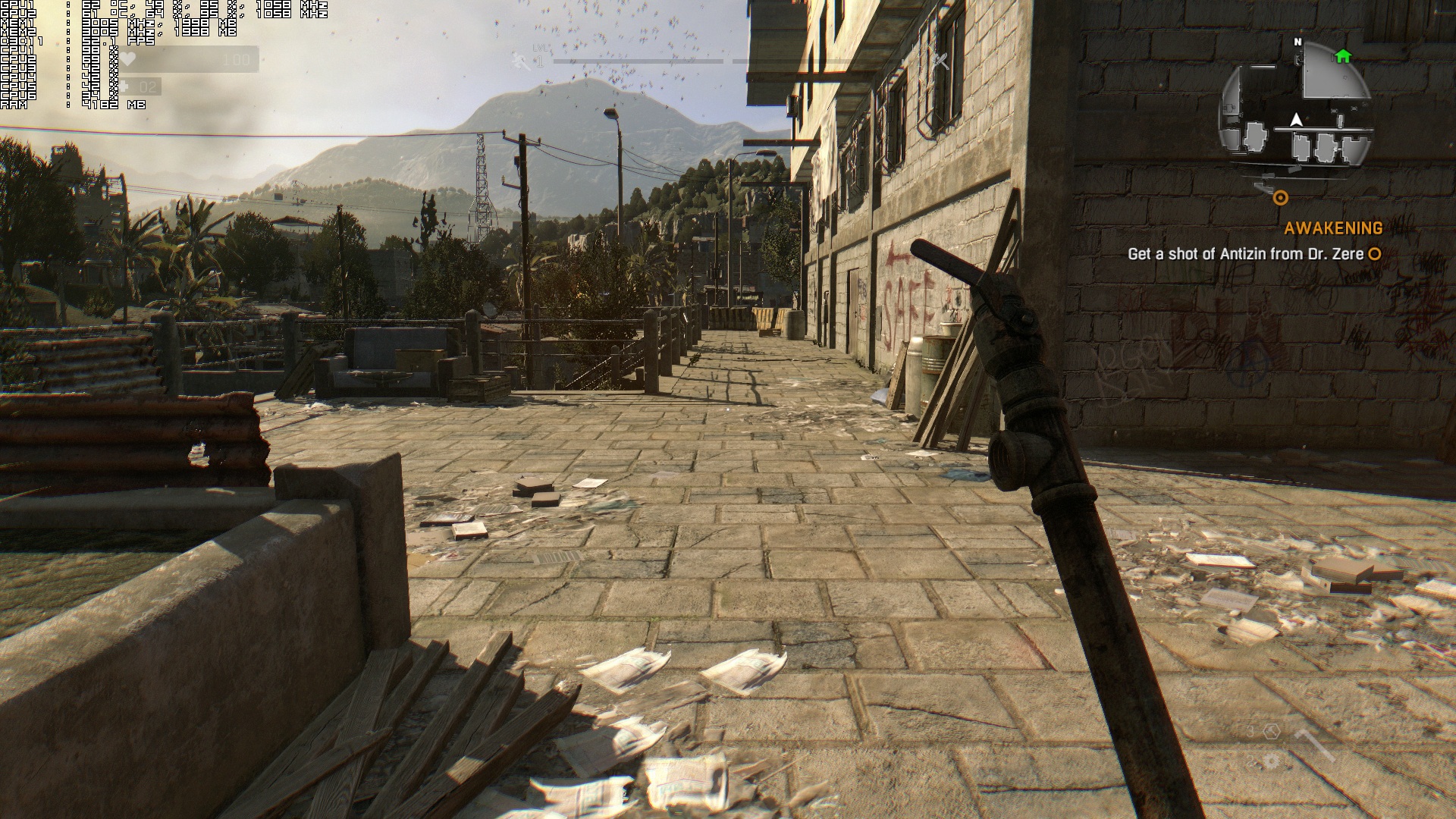
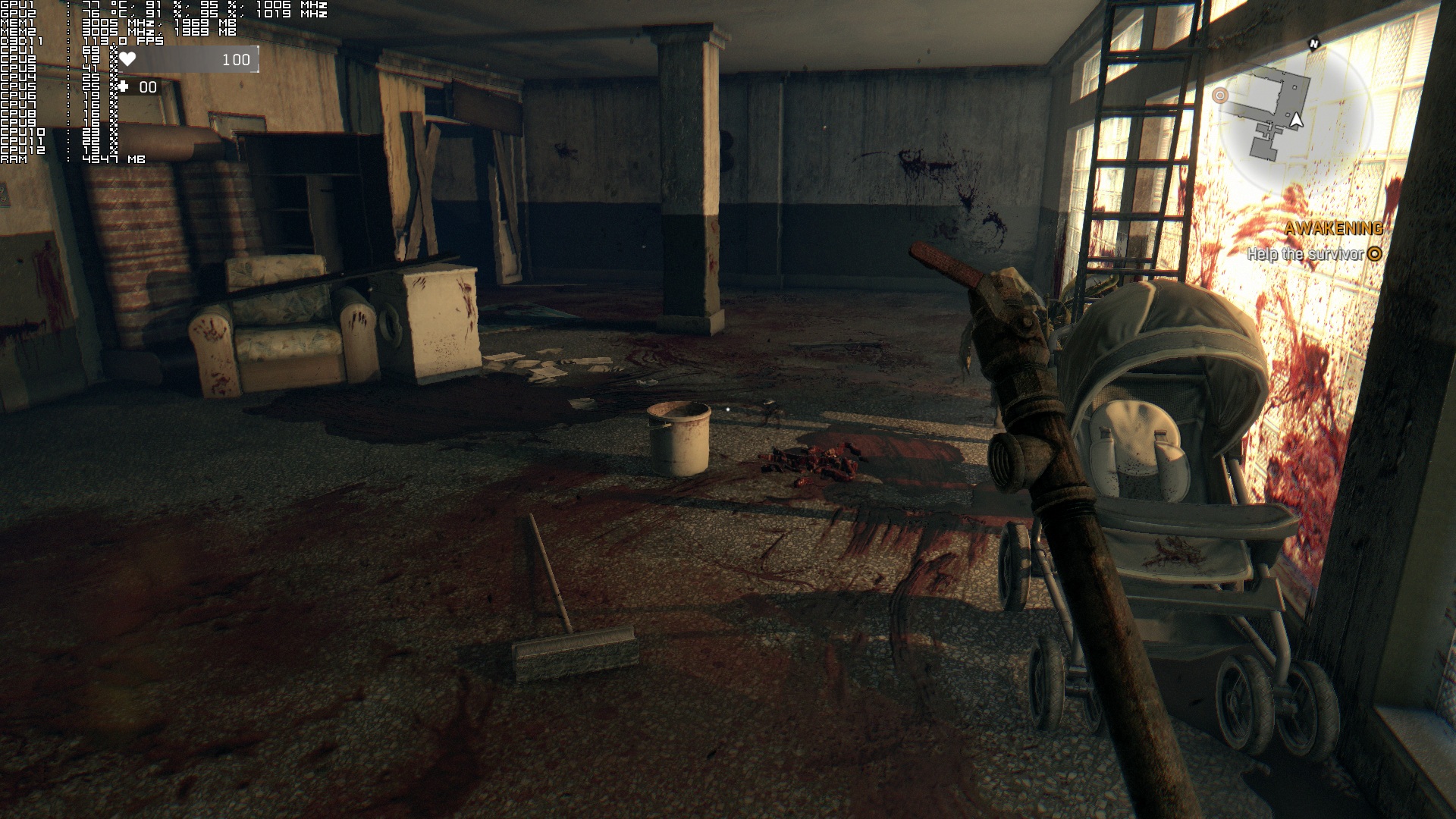
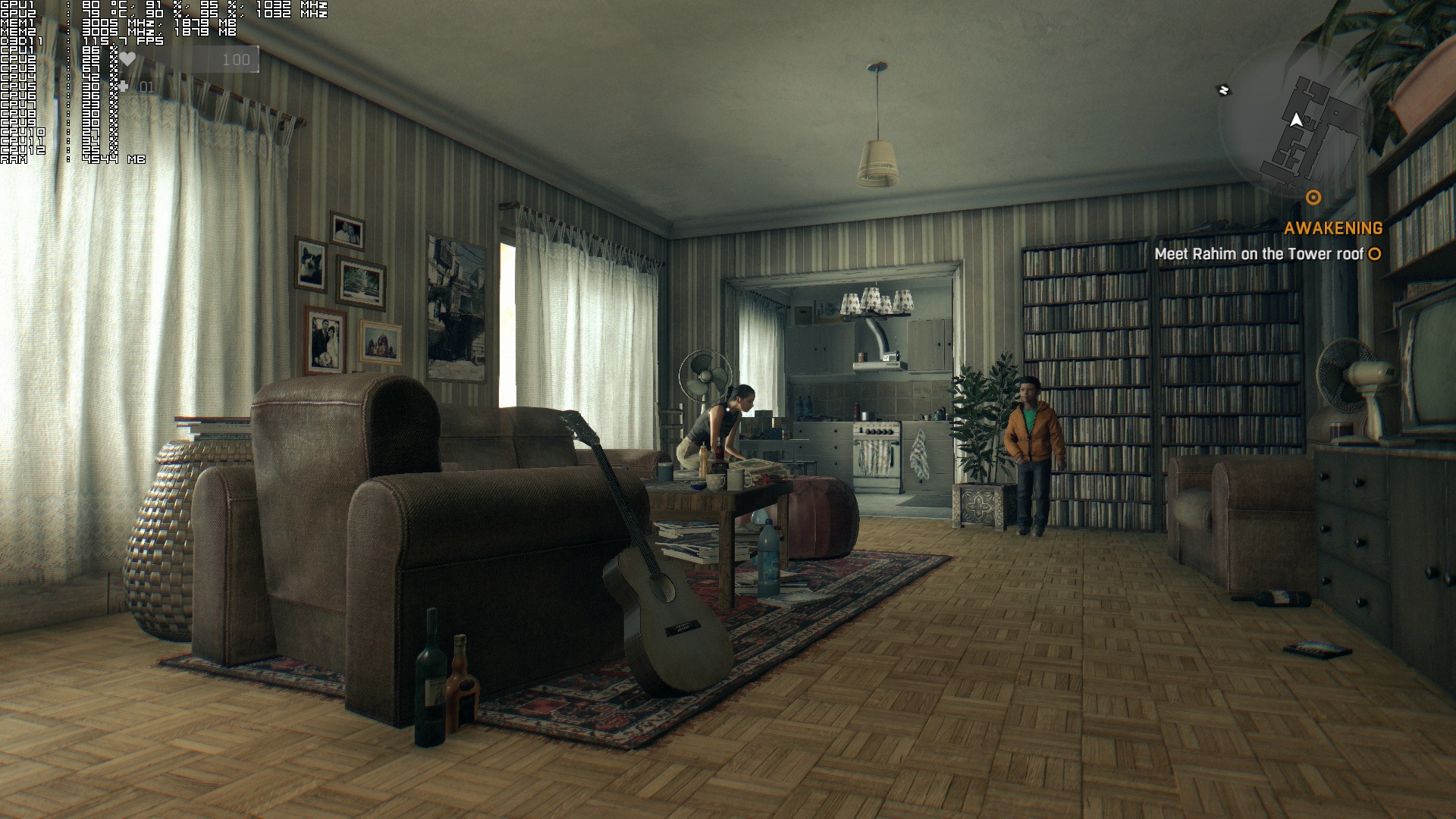
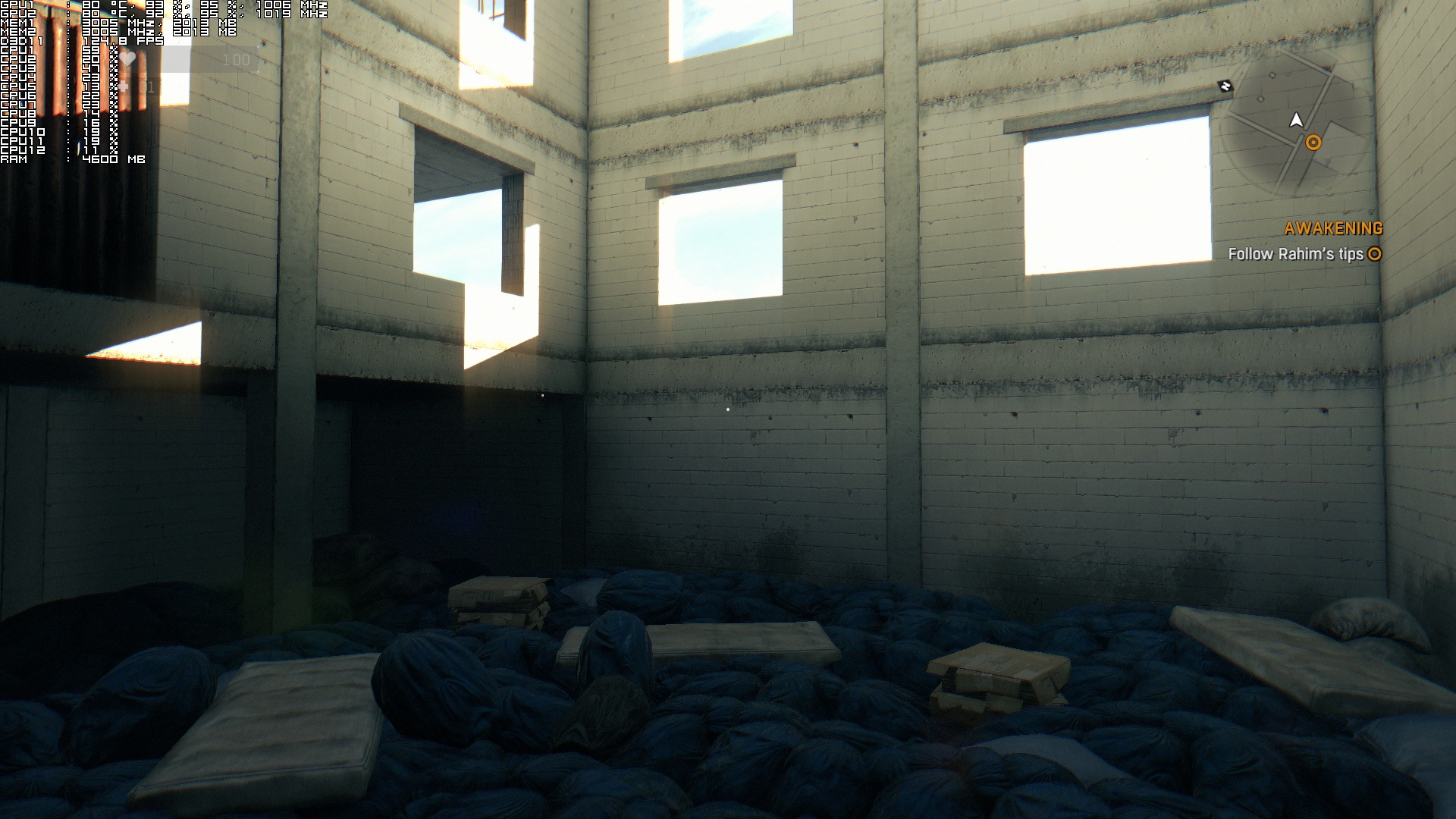
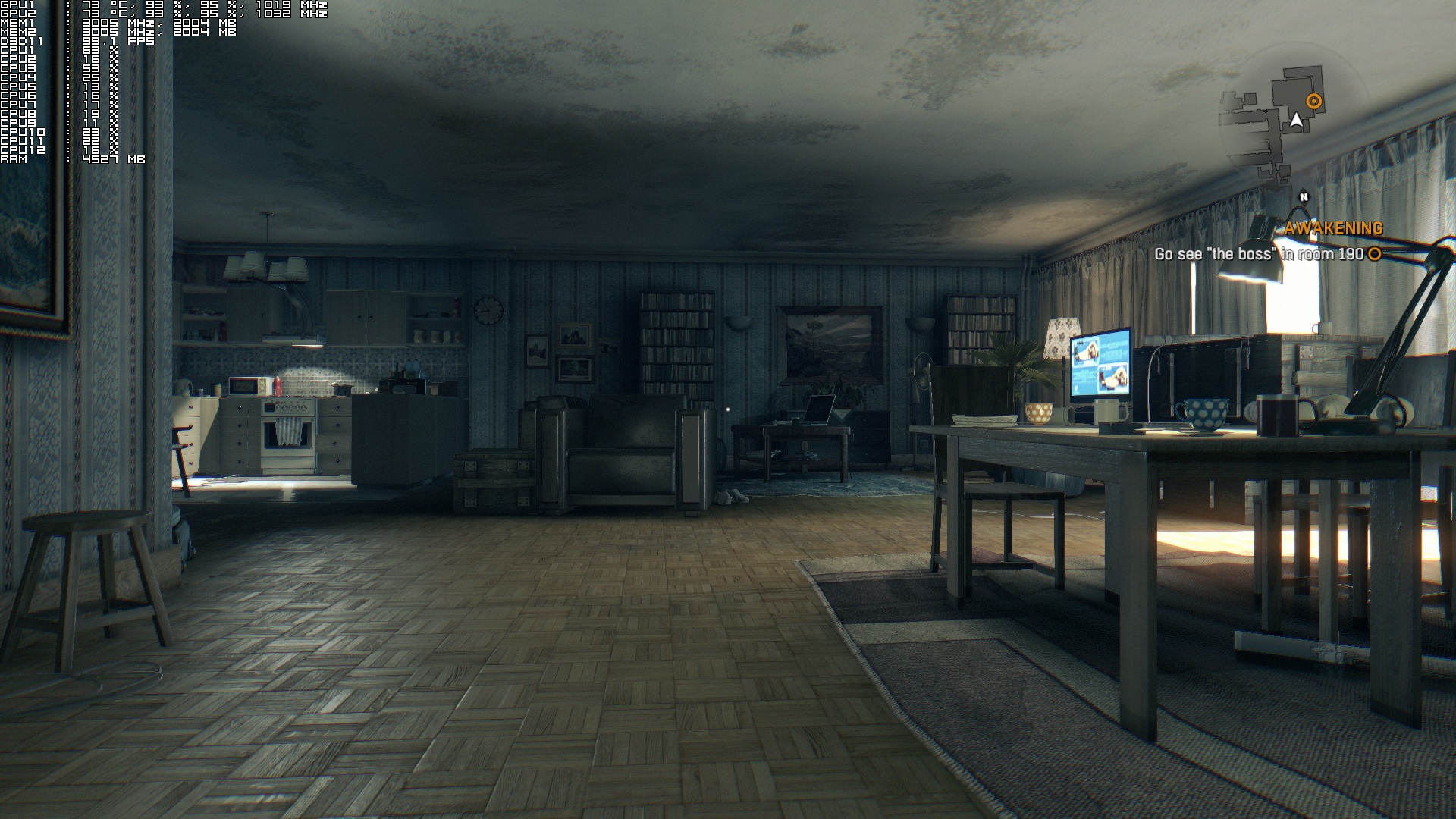
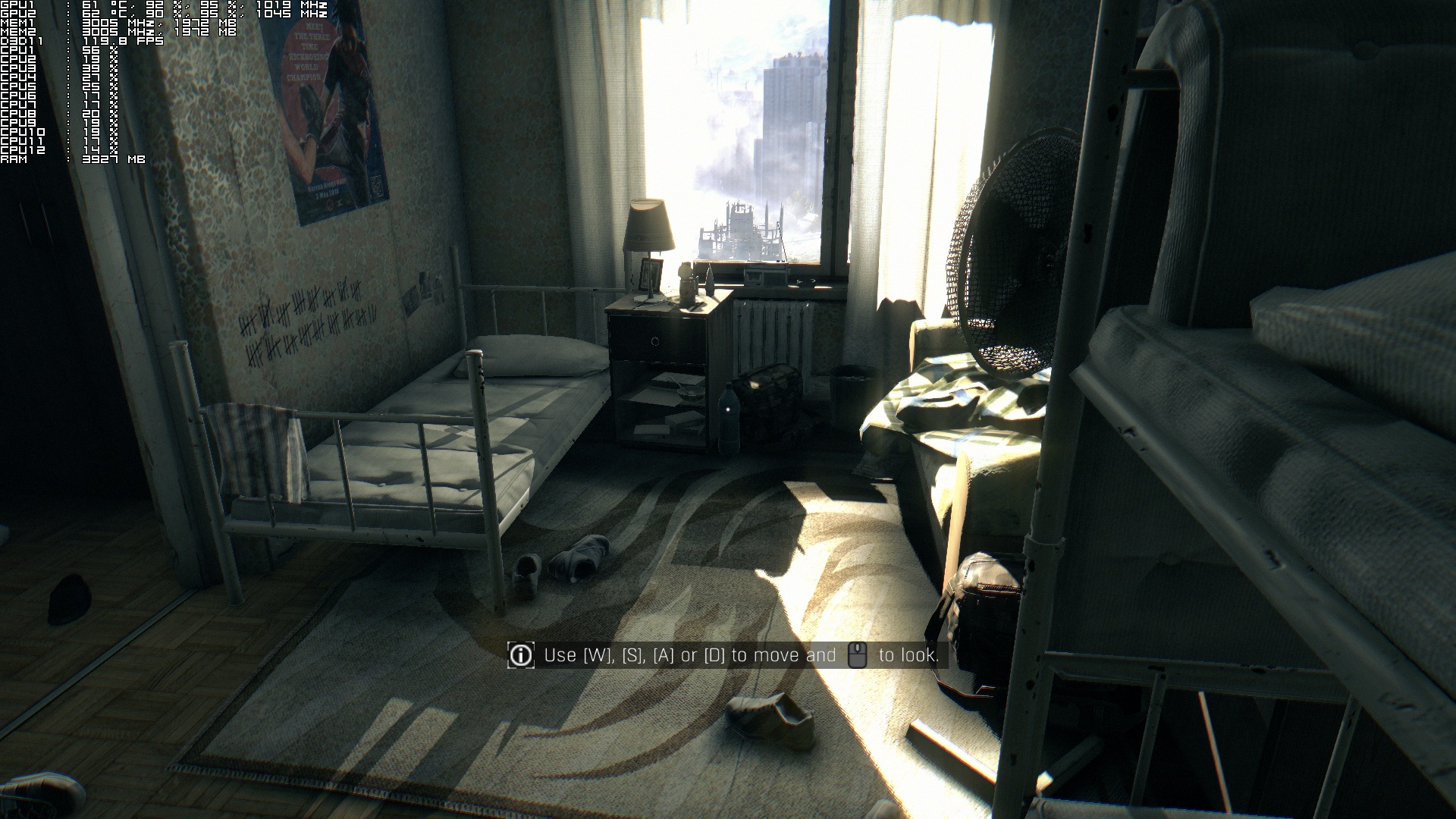
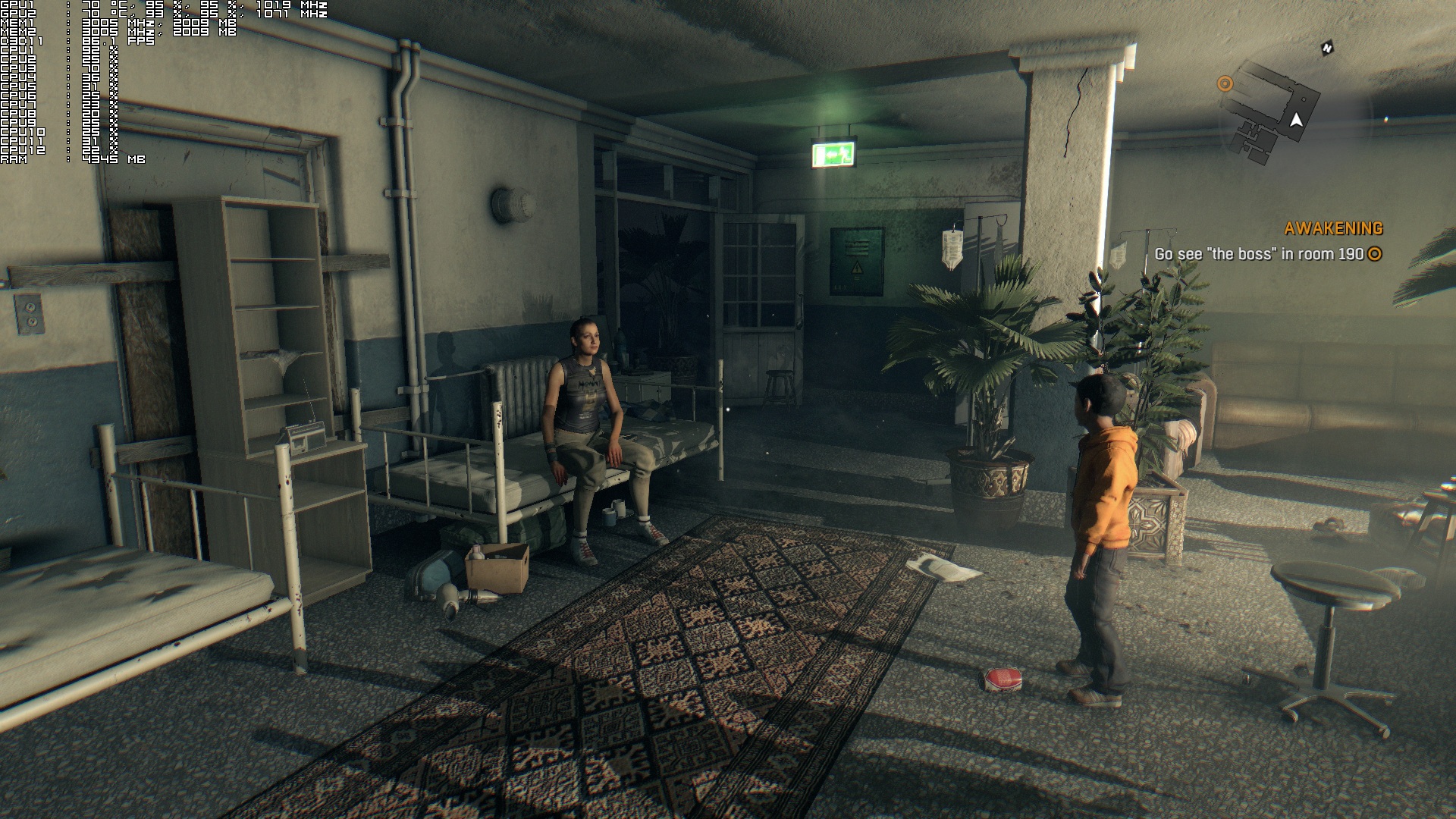
In the following images, notice the high CPU usage on the main core and how it affects the framerate. Moreover, we’ve included an image rendered at 720p, showing that there are no performance benefits by simply lowering your resolution (well, that was to be expected as we were not VRAM or GPU limited). Furthermore, we’ve also included a comparison between i7 4930K at default clocks and at 4.2Ghz (notice the 10fps gain).
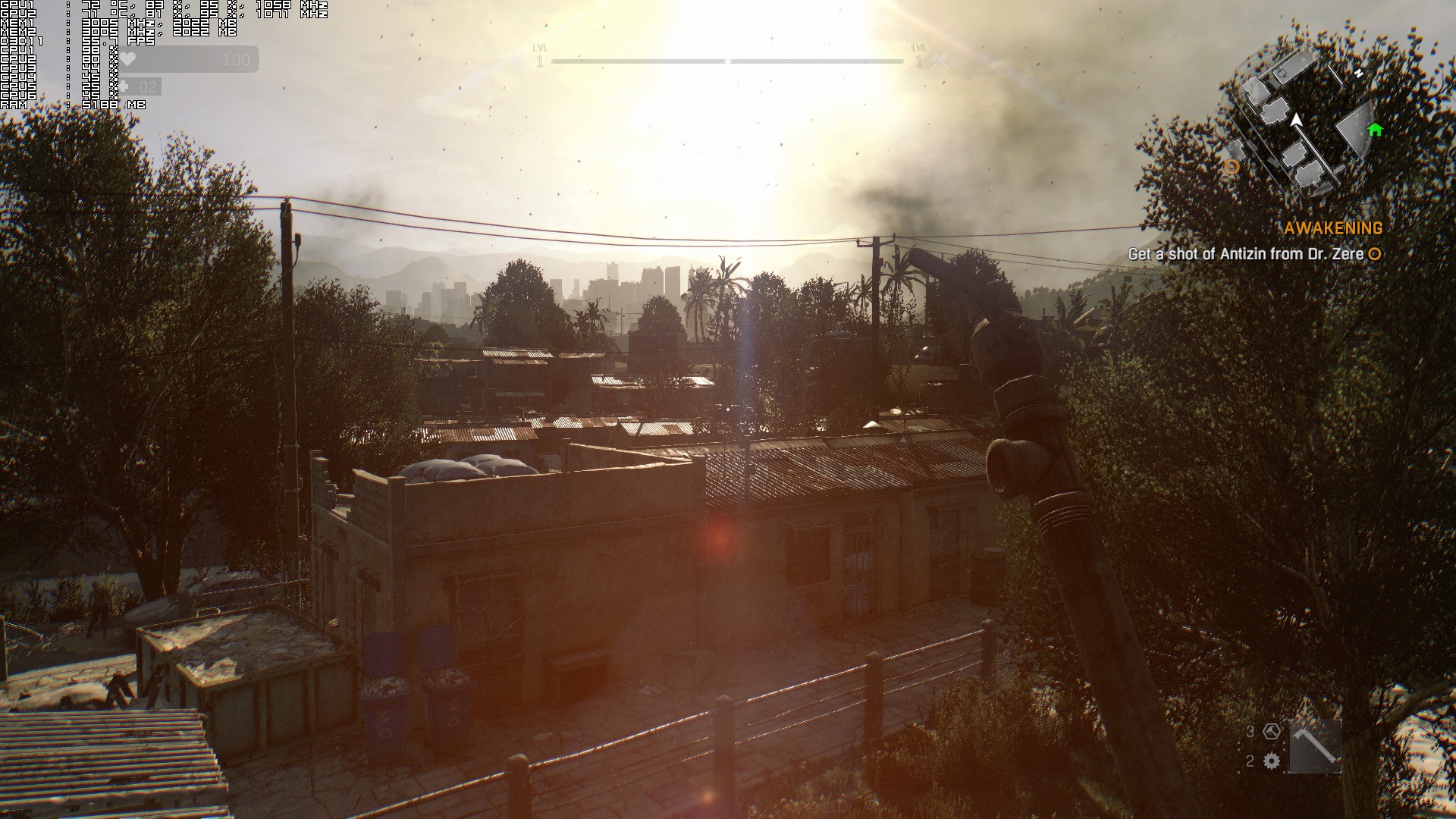
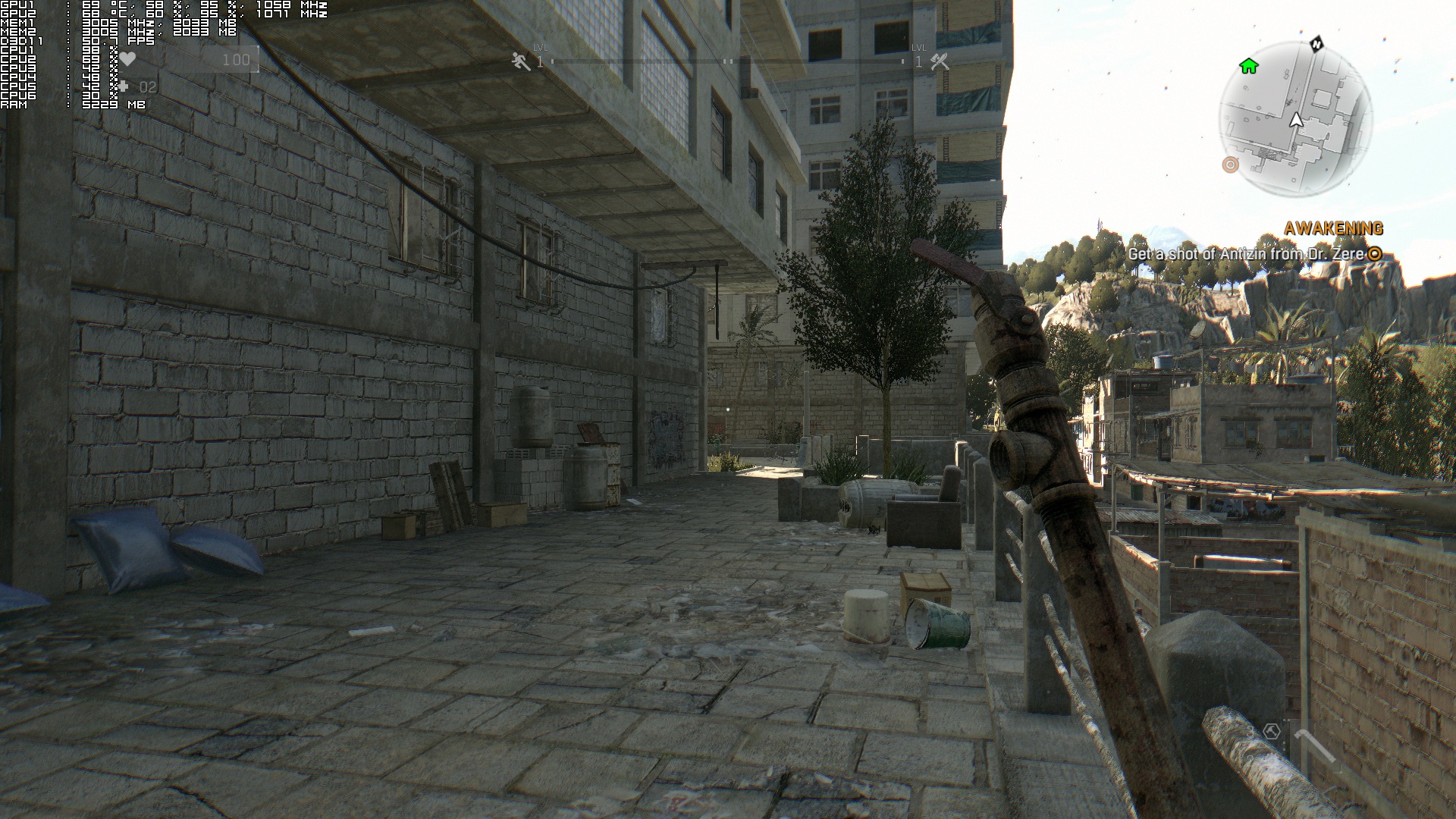
4930K Stock -14930K Stock -2720p notice there are no fps gains
4930K Stock -34930K Running At 4.2Ghz

Regarding its GPU requirements, a single GTX680 is unable to maintain 60fps at all times on High settings though there is a respectable number of graphics options to tweak in order to improve performance. On the other hand, while a GTX690 has the horsepower to offer an almost constant 60fps experience, it is held back by its VRAM (each GPU core has access to 2GB of VRAM). On High settings at 1080p, we experienced major stuttering issues while we were roaming the roads of Dying Light. Dropping the textures resolution to Medium resolved those stutters, so if your GPUs are not equipped with enough VRAM, we strongly suggest avoiding the game’s High textures.
DyingLightGame_2015_01_26_22_34_38_977

But how does Dying Light run on a really powerful CPU like the 4930K? Well, not as good as we’d expect. As we’ve already said, Dying Light suffers from single-threaded CPU issues; something that is being affected by the game’s View distance setting. Even with the View Distance at 50%, we were unable to maintain constant 60fps. In order to get really close to such experience (minimum 54fps) we had to overclock our CPU at 4.2Ghz. What this basically means is that this game loves overclocked CPUs. The higher your frequency, the better. After all, this is the only way to overcome the game’s single-threaded CPU issues. And in case you are wondering, no; there is no CPU able to run Dying Light with 60fps when View Distance is set at 100%.

From the above, it’s pretty obvious that Dying Light lacks major CPU optimizations. We strongly believe that a better multi-threaded code would benefit the game, as it currently hammers only one CPU core. We don’t know whether something like that is possible via a patch, but it’s pretty much unacceptable witnessing a 2015 game – using a new engine that targets current-gen platforms only – that is unable to offer amazing and balanced multi-threaded CPU usage.

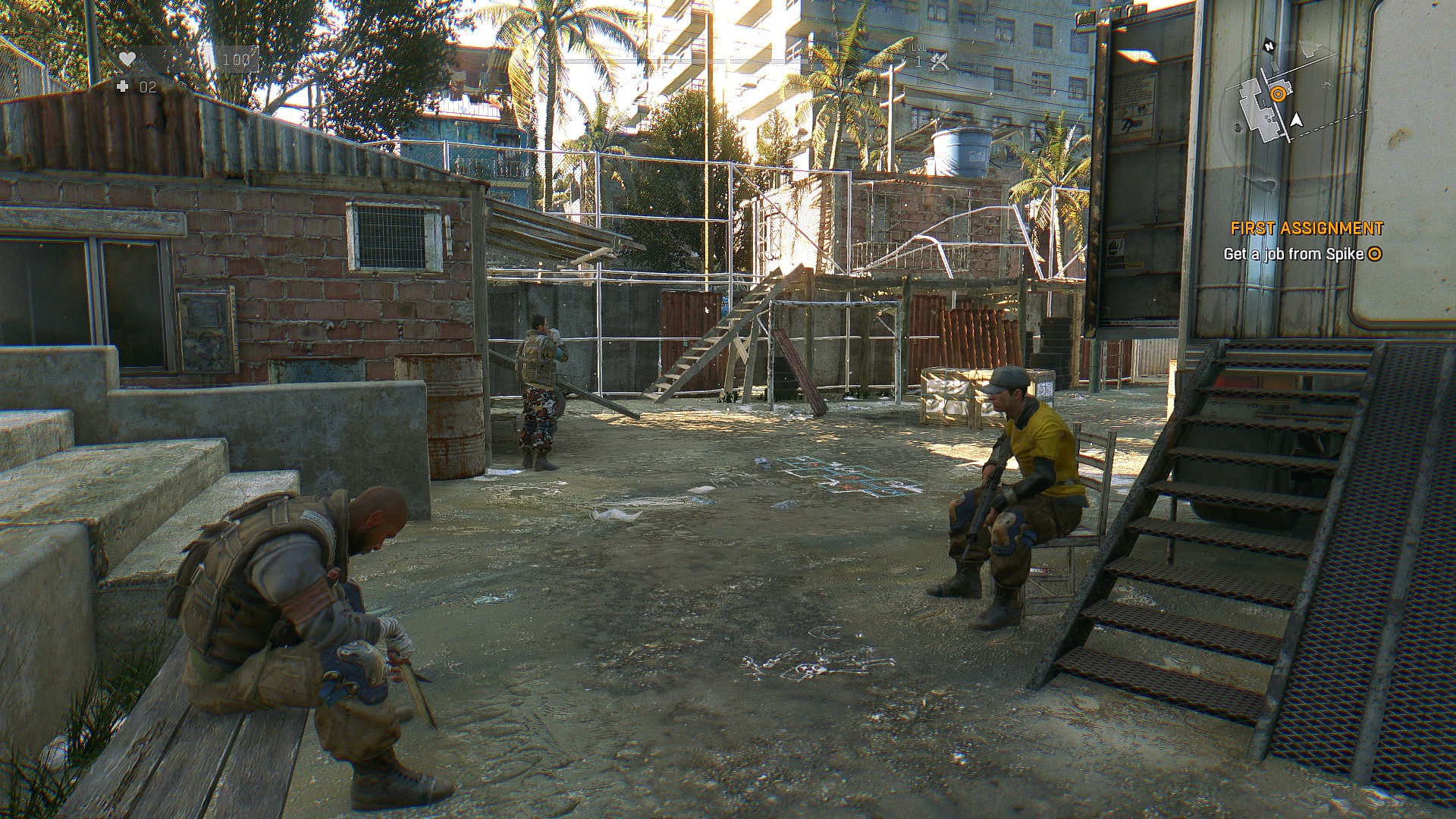
Graphics wise, Dying Light looks great, although not as ‘current-gen’ as we’d hoped for. And since this game came only on current-gen games, we are kind of disappointed. While most characters look great, they are plagued with really, really, really awful lip syncing. And while the flashlight casts shadows, these shadows look more like an aura surrounding objects/characters (instead of proper dynamic shadows being cast to the environment).
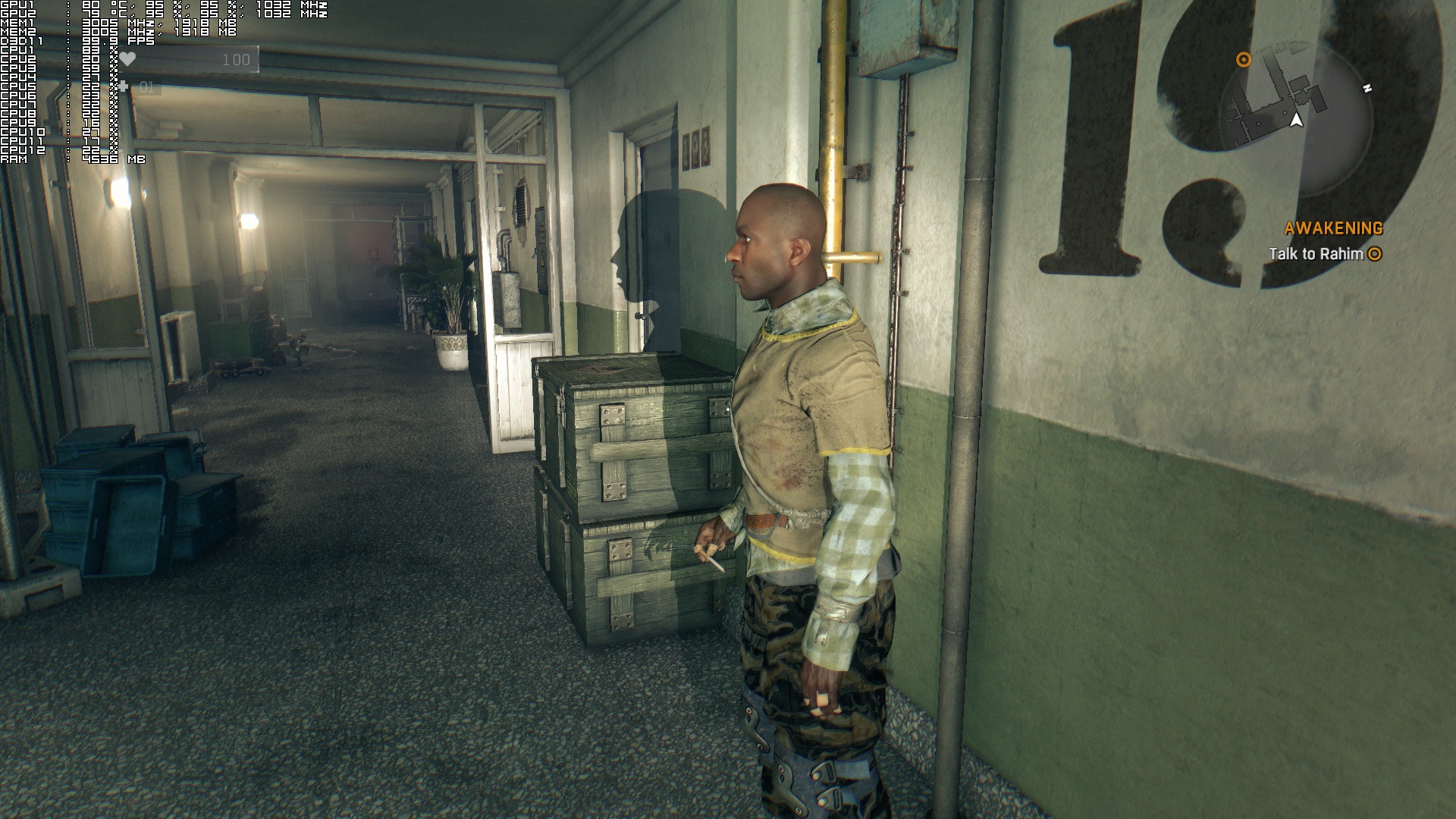
flashlight shadow aura

Do not misunderstand us; Dying Light is not a bad looking game. With SweetFX, this game can look really awesome at times. It’s just that we expected more from it. For example, while there are some gorgeous wind effects, you cannot bend plants and bushes. While there are some great shading and lighting effects, we did notice some really weird reflections that were not accurate at all.

All in all, while Dying Light looks great, it’s not up to what we were expecting – technically speaking – from a current-gen only title. Perhaps we raised the bar too high or perhaps the game’s numerous delays resulted in other games closing the graphical gap between them, thus making it feel less impressive than before (for what is worth, the game looks just as good as its Lighting teaser trailer… but that was released back in 2013). Not only that, but the game suffers from major CPU performance issues, and a lot of gamers will need to either overclock their machines or lower the game’s View Distance setting in order to gain some additional frames.

For what is worth, the game comes with a Field Of View slider, does not suffer from mouse acceleration issues, players can completely disable mouse smoothing, there are proper on screen keyboard indicators, and we did not encounter any stutters (once we lowered the game’s textures to Medium). In short, it’s a more polished product than Dead Island; a game that suffered from major mouse and stuttering issues.

Before closing, our reader ‘Dirty Dan’ shared an easy mod install that removes DOF, Blur, Desaturation and Grain (and can be downloaded from here). Also, ‘Dirty Dan’ has provided us the following guide via which you can further edit the game’s FOV values.

-You can increase the fov and change other settings by going to:
-Documents\Dying Light\out\Data
-And open video.scr
-And change ExtraFOVMultiplier. it is set to 20 but you can increase that.
-The calculation for changing the fov value in the video.scr is you take the desired FOV value say 90, and subtract 52 from that and youd change 20 to 38, as 20 was equal to 72.

Enjoy! “Only once people deny that which they love, do they become able to create it anew. All will make sense in time.”
DyingLightGame_2015_01_26_22_32_00_794DyingLightGame_2015_01_26_22_33_19_536DyingLightGame_2015_01_26_22_38_44_174DyingLightGame_2015_01_26_22_51_48_846DyingLightGame_2015_01_26_22_52_28_393DyingLightGame_2015_01_26_22_54_25_089DyingLightGame_2015_01_26_22_57_06_0592015-01-28_00001

79 thoughts on “Dying Light – PC Performance Analysis”

  1. It’s a shame. Dying Light is a decent game heavily brought down by the performance issues.

    Hopefully they intend to try and fix it.

  2. With my R9 270X, with textures and shadows on medium and the rest on high/on, I’m above 30fps most of the time with some dips to the high 20s now and then. When I tried to lower the settings, my gpu usage plummeted to about 50% so even then, I STILL have the same framerate.

    EDIT: Disabling hyperthreading improved performance quite a bit. Getting a solid 30-40fps now.

    1. You dont know what settings the console version runs, as TB showed the view distance is ruining the gameplay and overall the game looks more or less the same and as Dsogaming said there isnt much of a diffirence between 6 and 8 cores.

      So long story short get a crap cpu with high single thread perfomance, set it to 30 fps, set the view distance low and tada “console optimization”

      1. Consoles has so slow CPU side that it is absolutely crucial to multithread well, plus it is much easier to do so under low level API, PC cannot achieve that under DX11. Anyway your analysis is completely wrong.

        1. Ehmmm what? Ill say it again you dont know what settings the game runs and what settings the view distance is, doing 30 fps on this game isnt exactly hard, as for the low level api?

          PFFFFFFFFFFFFFFFFFFFFFFFFFFFFFFFFFFFFFFFFFT

          Where has it been so far that a 750 ti runs games better than ps4? Where was it on titanfall? where was it on evil within? I rest my case .

    2. Customers are lazy to realize that keep buying those bad ports won’t ever help them to change that same as better HW will never change that. I’d blame gamers!

  3. I must be one of the lucky ones as Im about 10 hours into the game and have not accounted any bugs or frame rate drops, In fact it runs smooth as silk for me

    1. lol like some of the users don’t have a prob in FC4 but they do or they never played a good optimized PC game

          1. sounds like you wish you had those. I have run several benchmarks on fc4 with a single 980 on an ancient x58 system and it achieved 60fps no problem on the highest settings.

          2. Well I have a 980 and i7 2600 @ 3.8ghz and I drop below 60fps and it’s because of my CPU as there is one town at the very start of the game after you stealth kill those soldiers and performance drops to 50fps even if I run at 720p. Most of the time I can get 60fps with all settings ultra with DSR used but it’s a definite CPU bottleneck.

          3. I have gtx 980s running in sli. With i7 4770k and 16 gb ram. Everything maxed except aa which is off and view distance at 50%. I struggle to keep a steady frame rate. It’s between 40-60 at 1080p constantly jumping.

          4. X58 is “ANCIENT”? Are you trying to say that 1st gen of i7 Nehalem architecture is OBSOLETE?You DO you realize not all people upgrade their pc every 6 months, no?

          5. 6 months is not 5 years. 6 months is a long time in tech, 5 years is an eternity. yes x58 is ancient. hell it’s even longer than 5 years, x58 launched in 2008

          6. Bulls**t. Answer the question. Is an i7 Nehalem of 1st generation OBSOLETE? IT IS NOT. You dont know S**T about computers. TIME doesnt matter, only the ARCHITECTURE MATTERS. Stupid f’

          7. yes it is obsolete. I have systems still in operation going back to 2001 and yes, X58 and previous are at this point obsolete. But keep telling yourself it isn’t just to make yourself feel better about not having a more current system. this is what most people do. cry me a river lol

      1. You never know advanced warfare stutters like crazy for me and some other people works fine for everyone else.

        1. You don’t understand obviously that it is irrelevant whether you run any game well or not, because game has to run well on every PC which match requirements! You don’t obviously care but then again you will have a problem when you wanna play MP with other people.

    2. The same for me. I’ve just lowered “View Distance” to about 30% and I’m having 70-100fps (with i7-4770k @4.2GHz and GTX 780).

      1. my view distance is at about 80% and the fame rate is spot on, the only difference to you is I have a GTX-980

  4. just put it on medium it will run great on almost anything.But the only thing that annoys me is the text on textures when on medium it’s too pixelated you cant even read them its worse than half life 1

    1. as it is mentioned in the article along with the reason for cancelling, bad performance. So I guess that if you can’t make game run 30 fps on last gen it’s ‘only current gen game’.

  5. Looks like everything that touches GameWorks become a bloody mess, 1st – WatchDogs, 2nd – AC Unity and now Dying Light.

    1. Ok. So you can tell us how Gameworks influence if the game has singlethreaded rendering or proper multithreaded one? There is only HBAO+ and DoF. How these features influence all those problems even when are they turn off? Can you explain it to us?

      1. Bad coded features library will be always loaded and ready for you to switch between on and off, and are always taxing trhe overall performance.

        1. So they could influence rendering path even if they are off? I know that these libraries are loaded, but they shouldn’t be used when they are off. So their code shouldn’t affect the rest. There probably are some if statements to evaluate, if some feature had to be use or not, but that’s all. Or am I wrong?

          1. It depends how those libraries are coded and how extensive they are. In today games you can change most of the settings on the fly, no reboot needed.

          2. Yes. You can have some bit flags or bools for checking if some feature should be used or not. If you turn one off, it’s source code should be avoided so it shouldn’t influence rendering and update path. You don’t need to reboot for the most of them.

  6. basically worst than ACU, at least a GTX 970 can hit 60fps most of the time on that crap but this is even worst and it’s look way worst than ACU

    1. ACU does not have NVidia Bokeh DOF! Which is incredibly demanding, remember Bioshock Infinite with DOF from AMD that also has been very demanding (still not as much though)

    1. dont you have any screen flickering at 4k resolution?
      like when your ayes are adapting after looking at the sun. its annoying as hell.
      runing sli 780 here. but i feel sick cuz that flickering

  7. This game is optimized like Total War 2 where the game’s performance relies heavily on one core. I think it’s possible to fix this issue coz CA fixed Total War 2, I haven’t checked it myself though, but it took them many months.

    1. Which negatively affect all todays CPU as we Do not have single-core CPUs anymore. For that reason even most expensive CPU cannot keep above 60FPS, which is unacceptable and it’s also giving us clear proof why better API is needed.
      What a shame!

  8. It shouldn’t if you don’t call it’s functions when it’s off. If there are problems only with feature switched on, then this feature is responsible for it. But if it’s off, rendering part should avoid it’s source code so it can’t influence performance. If there are same problems with this feature switched off, it’s not feature problem but game engine problem. You didn’t tell me nothing what could prove something else.

    “Sh**ty coded features library taxing overall performance.”

    Yes you are right with that. But this library have to be use to do that. If functionality provided by it is off, it can’t make any problems because it’s source code is avoided. Nobody would implement it in other way in commercial product.

  9. Ok. So problems with CPU scaling are visible only if HBAO+ or DoF are on? And the same problems are not visible when they are off? If that’s true, then you can say that Gameworks caused CPU scaling problem. But if it’s not true and this problem is independent from GameWorks, you know what does it mean. 🙂

    1. Noone other than NVidia can really answer that as noone can review the code and publish findings.
      Which is generally problem on its own.

      1. I pre-ordered this game due to oculus rift support . Unfortunately I have box edition and no digital so I have to wait next month. But somebody who has the game right now could test it. This person can turn HBAO+ and DoF on and then off. The he can watch if there are the same problem independent on these features. According to that you can say if they are responsible for game problems or part of them. I don’t believe that some development studio would purposely called functions for features that are off and then wouldn’t visualize them. So this is not question only for NVIDIA but for game developers too. This is not only NVIDIA call.

  10. Well seems the game is limited by single thread performance. Therefor this game would greatly benefit from MANTLE. Shame its using GameWorks instead. i do not think NVidia would allow using GameWorks with MANTLE, so you can hypothetically blame GameWorks for bad performance and you will be right in a way.

    1. This explanation has no logic. Gameworks and Mantle are different APIs made for different purpose. You can’t blame Gameworks even hypothetically for bad performance because NVIDIA wouldn’t allow using Mantle in game. If you do that, then in games using Mantle and not Gameworks you can hypothetically blame Mantle that the game is not as rich in graphical features as it could be with Gameworks. This is irrelevant. You are obviously looking for any reason to blame Gameworks from anything you want. That’s not the right way.

  11. imho it’s wrong to say that the game scales with multiple cores if there is no performance improvement.
    nobody would say SLI scales well, if gpu usage is at 50 % on both gpus and the fps are the same as single gpu.
    that the operating system is able to spread the load over multiple cores is not a noteworthy achievement of the game engine.

  12. I can’t seem to get Dirty Dan’s fixes to work. I download the .zip but everytime I do it’s empty. Anyone have an alternate upload, like mediafire perhaps?

  13. Dragon age runs sweet in mantle in uber, why make amd users suffer
    with dx11. dx12 is only coming out because amd was making mantle mainstream
    and microsoft had to respond. I’m sure nvidia and intel are worried a lot
    about profits. Can’t buy out amd and ati like 3dfx. Rest in peace 3dfx.

    Techland suck for not releasing mantle for dying light.

  14. Chrome 6 runs like a beat up honda, the single threaded cpu setup is absurd, the game starts nice and smooth, but give it 10-15 mins and its like wading through waist deep water, slow, sluggish and stuttery, even when the settings are down and everything is geared towards performance, simply put, this is a coding issue, it could have been easily avoided, but like most modern game companies, release the product on a deadline is more important then releasing it as a playable game.

Leave a Reply

Your email address will not be published. Required fields are marked *