
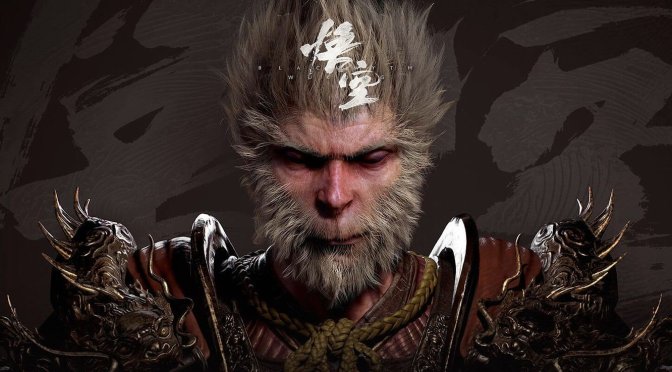
Game Science has finally released the Intel XeSS 2.0/DLSS 4 Patch for Black Myth: Wukong on Steam. As such, I’ve decided to test it on the NVIDIA GeForce RTX 5090 at 8K and 4K. So, let’s see what RTX-50 owners can expect from it.
For our benchmarks, I used an AMD Ryzen 9 7950X3D with 32GB of DDR5 at 6000Mhz and an NVIDIA GeForce RTX 5090 Founder’s Edition. I also used Windows 10 64-bit and the NVIDIA GeForce 576.02 WHQL driver.
Black Myth: Wukong has a built-in benchmark tool which is representative of the GPU performance. Thus, for both our 4K and 8K tests, I used that benchmark tool. All in-game settings were set to Cinematic, and I had enabled Full Ray Tracing/Path Tracing.
At 8K, you can get framerates over 60FPS with DLSS 4 Performance and MFG X3 and X4. However, there is noticeable input lag at that res. Therefore, I don’t really recommend anyone playing at 8K.

At 4K, you can get framerates over 60FPS just with DLSS 4 Performance Mode. With MFG X2, you can get to 110FPS. Then, by enabling MFG X3 and X4, you can get to 150FPS and 180FPS, respectively.

Now while our 4K performance numbers are solid, the game suffers from major ghosting/visual artifacts when using Multi-Frame Gen X3 and X4. You will immediately notice the visual artifacts as soon as you move the camera. As such, I can’t recommend MFG X3 and X4 right now. Yes, you can get a smoother gameplay experience but that comes at the cost of visual quality. And that’s a no-no for me.
Now if you own an RTX 5090 and want to use MFG X3 or X4 at 4K, you will be happy to know that there isn’t any noticeable input lag. Mouse movement felt great at 4K with both MFG X3 and X4 (provided you use DLSS 4 Performance Mode). This is to be expected as our base framerate was already at 60FPS. By base framerate, I’m referring to the performance you get without Frame Gen.
All in all, I have mixed feelings about DLSS 4 Multi-Frame Gen in Black Myth: Wukong. On one hand, you can get higher framerates without any noticeable input lag. On the other hand, though, there are visible visual artifacts. This is an issue that has plagued numerous games that used DLSS 4 Multi-Frame Gen. Thus, I really hope that NVIDIA will do something to improve the quality of MFG X3 and X4. This is a really cool tech that can benefit gamers. Due to its visual artifacts, though, I cannot recommend it to anyone.
I’m uploading a gameplay video on YT that highlights these issues. Once it’s complete, I’ll be sure to update the article with it.
Stay tuned for more!


John is the founder and Editor in Chief at DSOGaming. He is a PC gaming fan and highly supports the modding and indie communities. Before creating DSOGaming, John worked on numerous gaming websites. While he is a die-hard PC gamer, his gaming roots can be found on consoles. John loved – and still does – the 16-bit consoles, and considers SNES to be one of the best consoles. Still, the PC platform won him over consoles. That was mainly due to 3DFX and its iconic dedicated 3D accelerator graphics card, Voodoo 2. John has also written a higher degree thesis on the “The Evolution of PC graphics cards.”
Contact: Email