
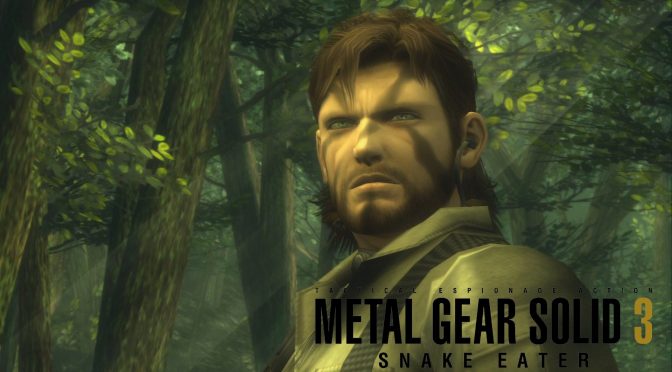
Metal Gear Solid 3 Snake Eater HD Edition

Metal Gear Solid 3: Snake Eater is a terrible mess on PC but you can at least play it now at Native 4K

Konami has just released METAL GEAR SOLID Master Collection Vol.1 on PC, and it’s been a big disappointment. Metal Gear Solid 3: Snake Eater is the worst of the bunch, but luckily, there’s a mod that lets you play it at Native 4K.

First of all, in Metal Gear Solid 3, using a mouse is kind of a joke. Instead of offering raw mouse input, Konami tried to emulate the right thumbstick of a controller. And to make things worse, there’s no option to change how fast the mouse moves. So, if you can’t switch your mouse DPI on the fly, playing with a keyboard and mouse is a pain in the ass. And here’s the weird part: you can’t even change the keys on the keyboard. What’s up with that?

Now as we’ve already reported, the output resolution of all three Metal Gear Solid games is locked at 1080p. However, their internal resolution is at 720p and no, I’m not joking here. Yes, Konami is basically upscaling the game from 720p to 1080p. The end result is a blurry mess that makes all three games look awful (unless of course, you use a CRT monitor).

Thankfully, PC gamers quickly found a way to unlock the game’s internal resolution. Basically, they edited the game’s executable file via a HEX Editor. So, all you need to do is download these patched files.

Metal Gear Solid 3 1080p Mod
Metal Gear Solid 3 1440p Mod
Metal Gear Solid 3 4K Mod

Do note that these mods are only for Metal Gear Solid 3: Snake Eater. So no, you can’t use them for Metal Gear Solid or Metal Gear Solid 2.

Have fun!

(Outdated) Metal Gear Solid 3 Master Collection - How To Run In Higher Resolutions (PC)

42 thoughts on “Metal Gear Solid 3: Snake Eater is a terrible mess on PC but you can at least play it now at Native 4K”

  1. Hex edited .exe in MGS3 breaks alpha effects and subtitles + in MGS2 it also UI is also broken.

    1. It has nothing to do with that. The HD Collection also suffers from the exact same issues. Hell, even the original PS2 game suffers from these issues (when played at 4K via PCSX2).

      1. What about the windowd trick? when you open it in windowd mode and use Borderless Fullscreen app to force borderless-full screen

      2. This is false, the resolution problem was easy to fix with a patch during runtime, and does not cause any issues with alpha effects nor subtitles, which contradict your claims.

    1. go to csDOTrinDOTru and search Metal Gear Solid. You will get there. Someone in the comments section did upload a self made 7z repack.

  2. Played it a long time ago with a emulator,was hopping this release will be done right,but i guess not…silly me…more money for corporation for half a job done,they would have done better if they just released with ready to go emulator…gaming industry is a joke at this point in time…and bad one a that

  3. So literally what Dark Souls: Prepare to Die Edition did over a decade ago when it was slammed as one of the worst PC ports of all time? Wow, that was bad in 2012 let alone 2023.

    1. No is even worse, cause at least Dark Souls runs natively on PC, Metal Gear Solid is not running natively on PC…

      We better off playing the original games with patches (MGS1 and MGS2).

  4. This is one of the most lazy, low effort ports ever made, but Kojima simps will lap it up like they do all his dogsh!t.

      1. I know, his fans still simp for all his work though (past and present). They will shell out for this collection regardless of it being low quality and overpriced.

          1. As of this post reviews for all 3 MGS games are “mixed,” about 58% positive MGS1 and 42% positive for MGS2 & 3. So either a majority of the fan base or a strong plurality recommend purchasing these dumpster fire ports for $20 each.

            Night Dive charges $20 or less for their old games, which all get top notch treatment as far as modern controls and features go.

  5. NO! its not a terrible port! Game runs flawless on any hardware (even on an fx8350 with 1060), performance is good and there are no bugs glitches I’ve played so far gameplaywise.
    The only “Major” issues are
    1) Bad mouse & keyboard support. No option to map controls & mouse senstivity
    2) Lack of graphics configuration options.
    If Konami could acknowledge and release a proper patch to fix these all, PC players are in for a treat & this will be the best experience.

    Edit: For now to run in 4K you need this mod: https://github.com/Sergeanur/MGSResolutionPatch/releases/tag/v1.0

    1. I’m thinking of doing MGS 1 on dolphin (the twin snakes) use Substance for MGS 2 and then play this -admittedly lackluster- port of MGS3.

      That way I can have them all on PC and play them at 4K.

      1. Definitely. “Substance” with “third person cam mod” is an absolute pleasure to behold. If only you’re purist though, the new hd collection version is a go which packs better graphics. But then again the 4k mod for it is still wip and kb & m support is awful. “Twin snakes” is fantastic but For Mgs1 original, I’d say gog version with dgvoodo and reshade is by far the most beautiful experience you’ll ever have.

        Edit: It might be possible that Twin snakes will eventually come to PC in mastercollection Vol 2

        1. Master collection Vol 0.3 hehe

          Thanks for letting me know about that third person mod. That’s exactly how I wanna play.

          What’s dgvoodoo about? Is it a wrapper to improve performance?

          1. Yes! Dgvoodo 2 is a d3d wrapper for older videogames that converts older directx rendering to modern dx11 and 12 and so increasing performance significantly. Similarly Dxvk is also a vulkan wrapper for directx that’s wonderful. But it only works with dx9 – dx11. Whereas dgvoodo 2 works for ddraw (dx6-dx8), dx9, dx10.
            They’re essential in today’s gaming. Use wisely 🙂

          2. What are some other older games you like to play with that wrapper?

            Also one final question: I managed to try out the game (MGS3) with the 4K asi loader. But when I got into the game the game was not 16:9. It was actually 15:9 with black bars on either side. What do you think went wrong? Maybe it has to do with my TV supporting 4096×2160?

          3. I just put the mod in the directory and renamed asi loader to xinput1_3.dll instead of dxgi.dll to avoid any rendering bugs. Inside the mod ini file its 3840×2160 and it runs in 16:9 widescreen so maybe on your ultra wide TV it will have borders. You can try any borderless windowed app to fix it like flawless widescreen etc.

            And I play many older games from 90s to all 2000s with dgvoodo and dxvk. A few to name : classic RE, Dino crisis 1&2, silent hill, empire earth, made man, mafia, shade wrath of angels etc.
            Happy gaming!

          4. Those are some of my favourite games (Empire Earth, Mafia).

            Question but do you mind zipping up your three files and sending them over to me? I’m gonna do a fresh install and then put your three files in the root folder and see if it works.

            You can send em by cloud or by wetransfer if you can? 🙂

  6. They’re coming out w a modern mgs3 next year, this is a cash grab and marketing awareness thing I think. I haven’t played mgs3 on ps2 emulator in a long time maybe this version would need less resources as far as modern pcs are concerned then emulators? MGS3 on 3ds was a blast once you got used to the controls. No excuse for no higher res support in todays world though, crazy. Saw the scene release about 12gb for 3, 10 for 2.

  7. just use a PS2 emulator with x4 resolution and voila ! no need to give your hard earn money to those lazy M* F* !

  8. For MGS1 grab GOG release (it’s 9$?) and grab Lukestorms Patch.
    You can enable PROPER widescreen, better fonts, +1080p, AF16, MSAA x2-x8, HIGHER quality audio etc.

  9. Even if I wanted to play those VERY overrated games, I would use emulation.
    We can boost the resolution, use widescreen hacks and whatnot, so such ports are useless since years.

  10. John has just sent me a letter (wax sealed and all) stating that I, BT-7274, am authorized to post links for everyone’s dogs in here.
    So let me know if your dog need the link and I’ll gladly send it in your way.

    Cheers.

  11. Any update on Key modifying? This POS trash is simply a joke. How come there is no key input for modifiers?

  12. I don’t know why anyone would pay for this ? It’s such low effort. 720p? How hard could it possibly be to add an option to increase the resolution? They don’t deserve the money if they’re going to do sh*t like this, yet they know people will buy it regardless and that wherein lies the problem. The consumers are equally as guilty for supporting this crap lol

Leave a Reply

Your email address will not be published. Required fields are marked *
