
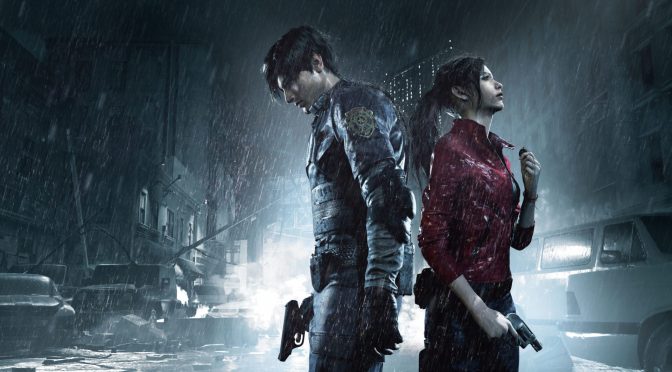
Resident Evil 2 Remake new feature

Take a look at Resident Evil 2 Remake with Dynamic Diffuse Global Illumination

A few days ago, Massihancer released a new video that showcases Resident Evil 2 Remake with Dynamic Diffuse Global Illumination. This new mod aims to greatly improve the game’s visuals, so make sure to watch the video.

As Massihancer told us:

“I worked on an alternative method of Ray tracing similar to Pascal Gilcher’s RTGI that it’s called DDGI: “Dynamic Diffuse Global Illumination”. DDGI is environment probe-based GI that increases indirect diffuse illumination to its limits. Looking at the game comparisons you can see new Dynamic Lights and Shadows and Realistic Reflections that make everything alive. In some cases, the light bounces are very close to “Path Tracing” quality.”

Unfortunately, this mod isn’t available yet for download. Massihancer has not revealed any ETA, or whether this DDGI Mod will be behind a Patreon-wall. Naturally, we’ll be sure to share a download link as soon as it goes live.

Enjoy and stay tuned for more!

RESIDENT EVIL 2 - 4K | Ray Tracing Mod | Nextgen graphics | Showcase

UPDATE:

Massihancer has issued an update about his mod.

“I made an experimental test trying to get a result that is close to DDGI, but that it’s not proper RTGI since DDGI needs to have direct engine access and Marty McFly is trying to do it with its own add-on.”

27 thoughts on “Take a look at Resident Evil 2 Remake with Dynamic Diffuse Global Illumination”

  1. RTGI is useless, it bleeds through every UI, loading screen and map. Only realistic use I could find for it was screenshots. I wonder if this technique has the same limitations, most likely.

    1. you joking right? This is exactly what this game needed, it looked too grey with lack of shadows on its own.

      1. Instead of just colours being washed out, he saturated them, overshadowed and managed to pop the lower resolution textures.

      2. I think the original visuals look much better and much more even tempered than what’s shown in this mod. Mod visuals shown here add some extra real-time shadows which are always nice, but the overall effect looks bad.

  2. I hope his àss gets burned with a takedown notice and sued the fú¢k out of for charging for this (or ANY) mod, ASAP!

  3. Wow! Amazing… Way too high contrast. Blurry textures. Everything turns brown… just the mod I wanted. Why are people raving over this?!

    1. Couse ppl are RETARDS..most of these shytty mods are just a damn joke. Look at all reshade POS e.x!
      Well I guess it pleases a dumb 14 year old, that have no clue how it suppose to look like!
      Like Samsung allways oversaturated to hell and back PQ..totaly Disgusting!

  4. Reshade for the colorgrading, ditch the other effects. He added depth of field and chromatic abberation and who knows what else, all to make his janky screenspace “RTGI” win in comparisons with vanilla. Disable all those effects, or apply them to both versions equally. Dishonesty level: 9000

    1. Totaly agree buddy..as allways these POS mods are so disgusting I wanna puke ..what a bad joke they are really!

  5. As Almost ALLWAYS it looks like total trash all these POS mods!

    Well I guess it pleases a dumb 14 year old, that have no clue how it suppose to look like!
    Like Samsung allways oversaturated to hell and back PQ..totaly Disgusting!

  6. some parts looks okay for environment but makes the clothes on the character look dirty especially leon’s rpd clothing – look like he been there when it’s suppose to be his 1st day as a rpd officer.

  7. Why do they always have to overdo it?
    I would use a filter which enhances the shadows that way, it’s pretty cool in some scenes.
    But the rest, I can do without it.

Leave a Reply

Your email address will not be published. Required fields are marked *